Agents 10 min read
Browser automation vs API: what works when an app has none
Browser agents, RPA bots or the app's own requests behind a typed tool? Success rates, cost per task and what breaks, with a decision rule.
Cotlet team
If the app has an official API that covers your task, use the API: it is faster, cheaper and far more predictable than any form of browser automation. When it has none, you have three options: let a model drive a browser (computer use and browser agents), script the clicks with classic RPA, or replay the app’s own HTTP requests behind a typed tool. Browser agents win on one-off tasks and unknown sites; for a task you repeat every week, the third option is the one that keeps working.
This post compares the three with numbers from independent benchmarks and vendor docs, then gives you a rule for picking one. For the difference between an MCP server and an API, see MCP vs API; this post is about what sits underneath.
What are the three ways an agent can work in an app with no API?
1. A browser agent (computer use). A model looks at the page, as a screenshot or as the page structure, and decides where to click and what to type, one step at a time. Anthropic’s computer use, OpenAI’s agent, Browser Use, Skyvern and Stagehand all work this way. Nothing is built in advance; the model figures out the app on every run.
2. Classic RPA. A bot built in a tool like UiPath or written in Playwright or Selenium follows a fixed script: find this element, click it, type into that field. Someone records or writes the script once. No model decides anything at run time.
3. The app’s own requests behind a typed tool. Every web app already talks to its server through a private API; the buttons you click send HTTP requests. You record those requests once and wrap each action as a tool with named inputs, for example reschedule_appointment(appointment_id, new_time). At run time the tool sends the same request the page would send, with your session’s cookies. No page is loaded and no model looks at a screen.
The third option is what most people mean by “reverse-engineering an API”. It is also how most open source integrations for these apps are built; we covered the risks of running a stranger’s version in open source MCP servers for apps with no API.
How often do browser agents actually finish the task?
Less often than the demos suggest, and the gap grows once a task needs a login and a real write.
- Online-Mind2Web (Xue et al., COLM 2025) tested agents on 300 tasks across 136 live websites. Browser Use, which reported 89.1% on the older WebVoyager benchmark in December 2024, scored 30.0% under human evaluation. The best agent, OpenAI’s Operator, reached 61.3% (paper).
- ClawBench (April 2026, revised July 2026) ran 8 frontier models on 153 everyday tasks across 144 production websites: bookings, purchases, long forms. These are write-heavy tasks that often need a sign-in. The best model, Claude Sonnet 4.6, completed 33.3% (paper).
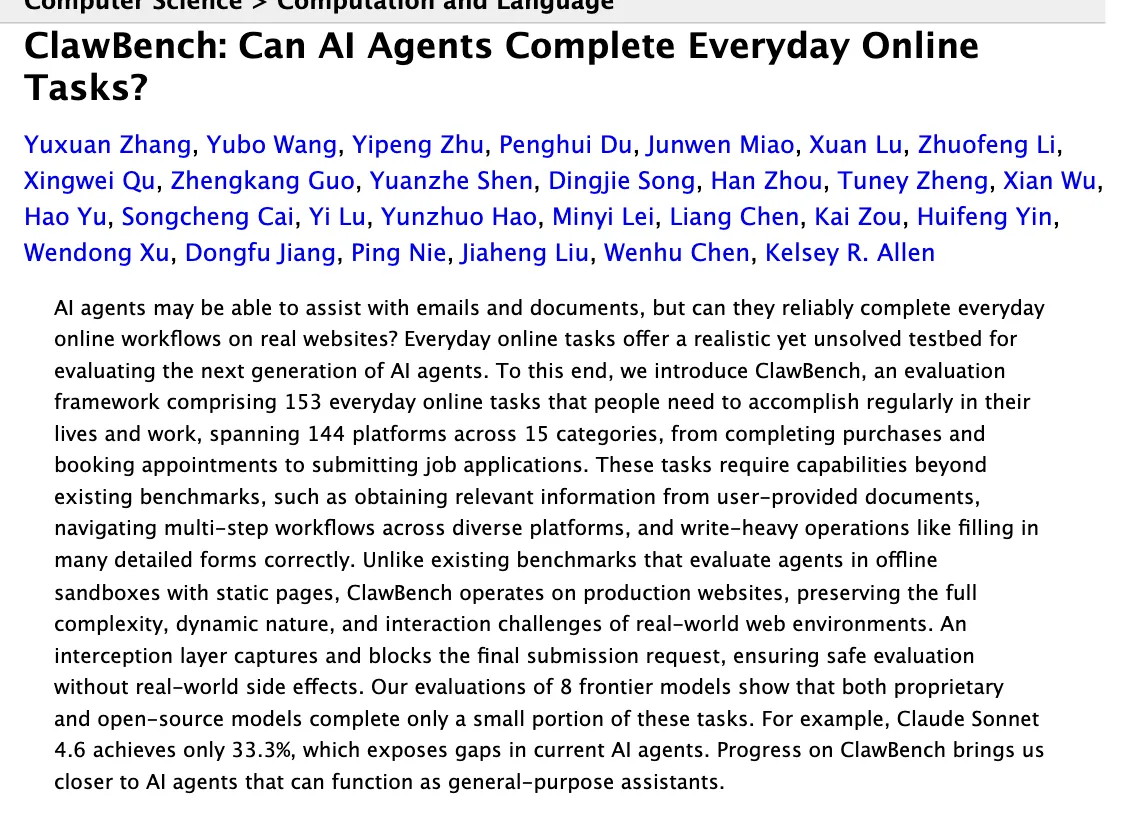
ClawBench abstract, arXiv 2604.08523, version 2 of July 2026, captured October 2026 (source).
The ClawBench authors list why agents fail: they get blocked by anti-bot and verification systems, get stuck at login or sign-up, loop on retries, and often stop just before the final confirmation step. That last one matters for you. A run that fills in the whole form and never presses “Send” looks almost done and is worth nothing.
An independent review of browser agents from May 2026 sums up the gap between vendor benchmarks and live sites in one line: “The benchmarks are theater.”
What does each approach cost, and how fast is it?
A browser agent pays for a model on every step of every run. Screenshots are expensive input: Anthropic’s docs put them at roughly 1,000 to 1,800 input tokens each (computer use docs).
- In ClawBench, the top model averaged $7.51 per task and took a median of 593 seconds. The human baseline was 266 seconds (paper, Table 3 and Table 5).
- Browser Use’s own benchmark, as of October 2026, shows model costs from $0.06 to $8.87 per task and 5 to 36 minutes per task, depending on the model. Those figures exclude browser hosting, and the page notes the cost is a lower bound for several models (Browser Use pricing).
RPA and request replay call no model at run time, so a run costs compute and nothing more. Their cost is up front and ongoing: someone builds the script or the tool, and someone fixes it when the app changes.
Speed follows the same split. A browser has to load each page, wait for it to render and act on it. A replayed request is one round trip per step, as fast as the app’s own front end.
What breaks when the app changes?
Each approach breaks on a different kind of change.
- RPA breaks on layout changes. The script points at a specific element. UiPath says it plainly in the docs for its Healing Agent, a product built to repair bots at run time.
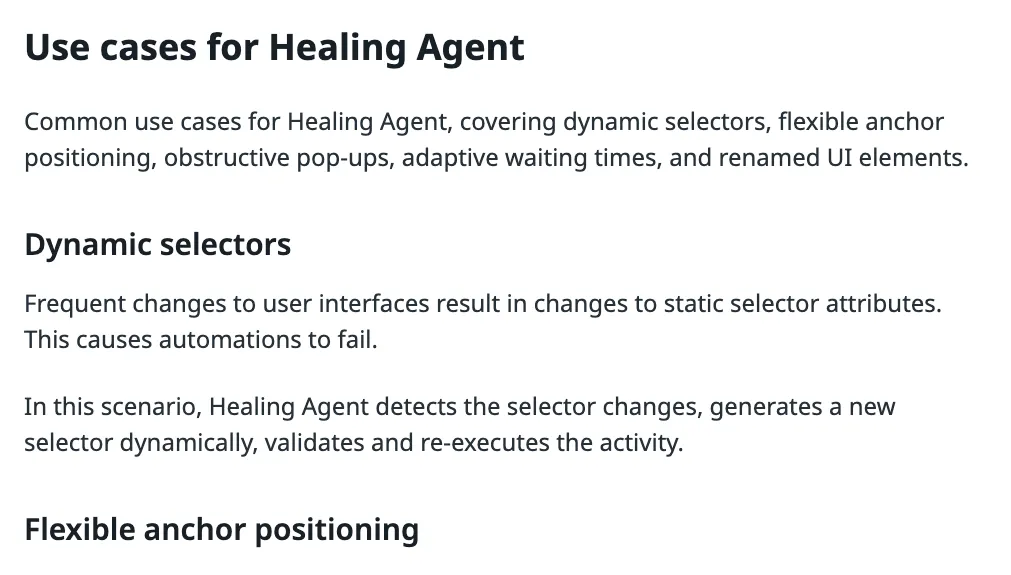
UiPath documentation, “Use cases for Healing Agent”, October 2026 (source).
- Browser agents survive layout changes better, because the model reads the page fresh each time. They fail in other ways: anti-bot checks, login walls, and plain mistakes. Anthropic’s docs warn that the model “sometimes assumes outcomes of its actions without explicitly checking their results.”
- Request replay ignores layout changes entirely, since no page is rendered. It breaks when the requests themselves change: an endpoint is renamed, a field moves, or the sign-in flow changes. Those changes are rarer than redesigns, but they are silent. A call can fail or, worse, succeed with the wrong data. So a replay integration needs a test that runs on a schedule, not just when someone complains.
Note where the browser agent frameworks themselves are heading. Stagehand caches each action on the first run and “replays those cached actions on subsequent runs with no LLM calls, no token cost”; the model is called again only when the page changes (Stagehand docs). The cheap, reliable path for a repeated task is the same everywhere: work it out once, then replay it.
What about security and your login?
A browser agent needs a logged-in browser, and the model that drives it reads everything on the page, including text an attacker planted there. Anthropic’s computer use docs say it directly: “Using computer use within applications that require login increases the risk of bad outcomes as a result of prompt injection.” Their list of precautions starts with the login itself.
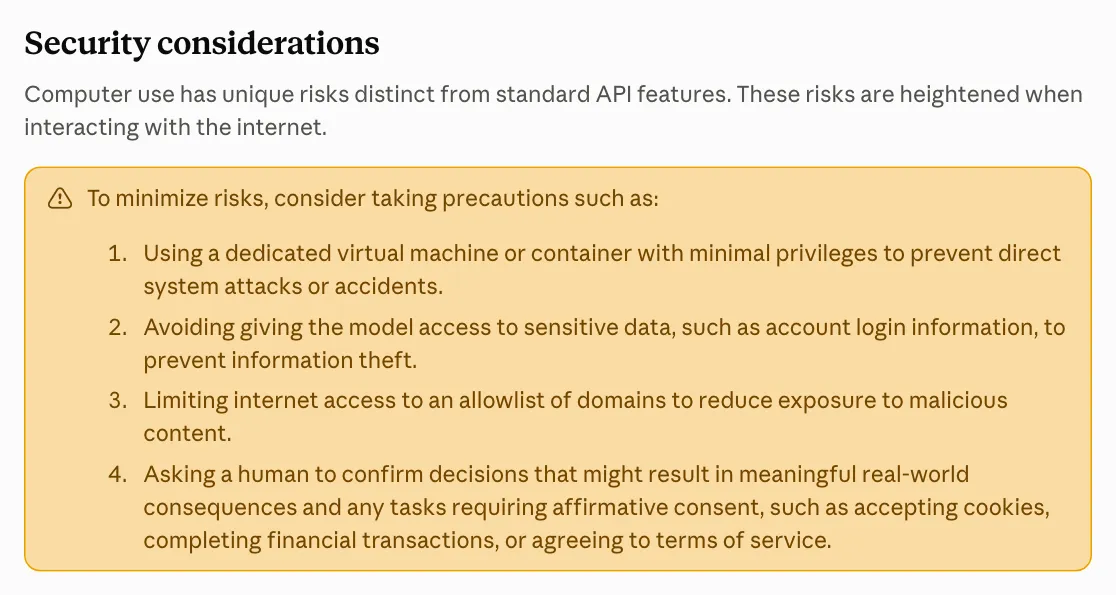
Anthropic, computer use tool documentation, “Security considerations”, October 2026 (source).
With a typed tool, the model never sees the page or the session. It sees a tool name and a schema, and it gets back structured data. The session lives in the code that sends the request. That does not make prompt injection impossible (tool output can still carry text), but the model has no browser to steer and no login to leak.
Does it matter legally whose computer sends the request?
It can. In Amazon v. Perplexity (Ninth Circuit, August 4, 2026), the court vacated an injunction against Perplexity’s Comet shopping assistant. The agent ran in the user’s own browser, and “Perplexity’s servers never directly access Amazon’s servers”, so under the US Computer Fraud and Abuse Act “it is the user who ‘accesses’ Amazon’s computers” (opinion). The court expressly did not decide what happens on different facts, and said Amazon can still regulate access through its terms of service. Cooley’s summary: agents that do not rely on the user’s computer as a relay “will pose greater risk” (Cooley, August 6, 2026).
Any hosted service, a cloud browser agent or a hosted integration like ours, is on that open side of the line. This is not legal advice. The practical point: whichever approach you pick, the app’s terms still apply to your account, and a hosted tool should stop when the app owner objects.
Browser automation vs API vs RPA: the comparison
| Browser agent (computer use) | Classic RPA | App’s own requests as a typed tool | |
|---|---|---|---|
| Setup | None, describe the task | Build a script per workflow | Build a tool per action |
| Success on live sites | About 30 to 33% on write tasks in independent tests | High until the UI changes | High until the requests change |
| Model cost per run | $0.06 to $8.87 per task (vendor benchmark) | None | None |
| Time per task | Minutes; 593 s median in ClawBench | Seconds to minutes | One request per step |
| Breaks on | Anti-bot checks, logins, wrong guesses | Layout and selector changes | Endpoint or sign-in changes |
| Unknown or new sites | Yes | No | No |
| Model reads your logged-in pages | Yes | No model | No |
| Who maintains it | Nobody, and nobody guarantees it | You | You, or whoever hosts it |
Which one should you use? A decision rule
Ask these in order and stop at the first yes.
- Does the app have an official API that covers the action? Use it, even if it costs a little. Official beats every option here.
- Is it a one-off, or a site you will touch once? Use a browser agent and watch it. Setup is zero and a 30% failure rate is fine when you check the result yourself.
- Does the work happen in a desktop app, or behind a canvas with no requests to replay? Use RPA or computer use. Replay needs HTTP traffic to copy.
- Will you repeat it weekly, at volume, or unattended? Use typed tools built on the app’s own requests: your own if you can maintain them, a hosted one if you cannot.
- Is it low volume and the steps are simple? Doing it by hand is still a valid answer. So is Zapier, if the app has a Zapier integration that covers the step.
Before you trust any of them with a real account, check three things: every action that reaches other people asks a human first, a failed run tells you it failed, and you know who fixes it when the app changes.
A worked example: rescheduling a salon appointment
Take GlossGenius, booking software for salons. It has no API, no webhooks and no Zapier app. You want your agent to move a client from Tuesday 3 pm to Thursday.
- Browser agent: it opens the calendar, finds the booking, drags or edits it, confirms. It takes minutes, costs model tokens, and you check the calendar afterwards because the agent may have stopped before saving.
- RPA: fast and cheap, until GlossGenius redesigns its calendar and the bot clicks the wrong slot.
- Typed tool: the agent calls
reschedule_appointmentwith the booking ID and the new time. The tool sends the request the calendar page sends and returns the updated booking, or an error the agent can read.
Week one, all three get it done. By week twenty, only the one with a scheduled test and a maintainer still works reliably.
How Cotlet approaches it
Cotlet turns each action in an app into a typed tool, served over MCP for your agent and as REST for your scripts, so your agent calls reschedule_appointment instead of steering a browser. How a given integration talks to the app behind that tool is our problem, not yours: you see the same tool shape and the same credit rate for every app. The one step that always happens in a browser is the one only you should do: you sign in to each app yourself, once, on our connect page, and pass any CAPTCHA or MFA yourself. We keep the encrypted session, never your password, and the model never sees it.
What that costs us: someone has to maintain every integration. Each one is designed to run a daily test once live, pause when the app changes, and refund credits for failed calls; how it works shows the flow. It also means we add apps one at a time, so the catalog will never cover every site a browser agent can open. And as above, we are a hosted service: if an app owner objects, we pause that integration.
Access is granted per account, and nothing is charged until your access is active. If your agent keeps telling you your app has no API, request access and pick it.