Your login stays yours
You sign in yourself, in your own Chrome in the cloud. Agent tools reach only the apps you enable, and every background request is listed.
Like the Chrome on your laptop, but always on
Every Cotlet workspace gets its own Chrome in our EU data centre, with a tab for each app you use. You open it from the console and sign in the way you do in Chrome at home.
| Question | Chrome on your computer | Your Cloud Browser |
|---|---|---|
| Who signs in | You | You, on the app's own sign-in page, or your AI with the details you give it |
| Your password | Often saved by the password manager | Never saved: password saving and autofill are off |
| Second factor | You pass it | You pass it; we never skip or bypass it |
| Network | Your home or office IP | One IP at a time, shown in your console |
| When your computer is off | Nothing runs | Your agents keep working in the apps you are signed in to |
| What agents reach | Whatever a script can reach | Only through a key or connection you create, read only or read and write |
| An agent driving the browser | Any program on your computer can | Clicks and typing need a read and write key or connection, billed per minute |
| Cutting access | Sign out | Sign out, revoke the key, or reset the browser |
Two steps to give an agent an app
Signing in alone gives no agent anything. An agent works only through a connection or key you create.
-
Sign in yourself, in your Cloud Browser
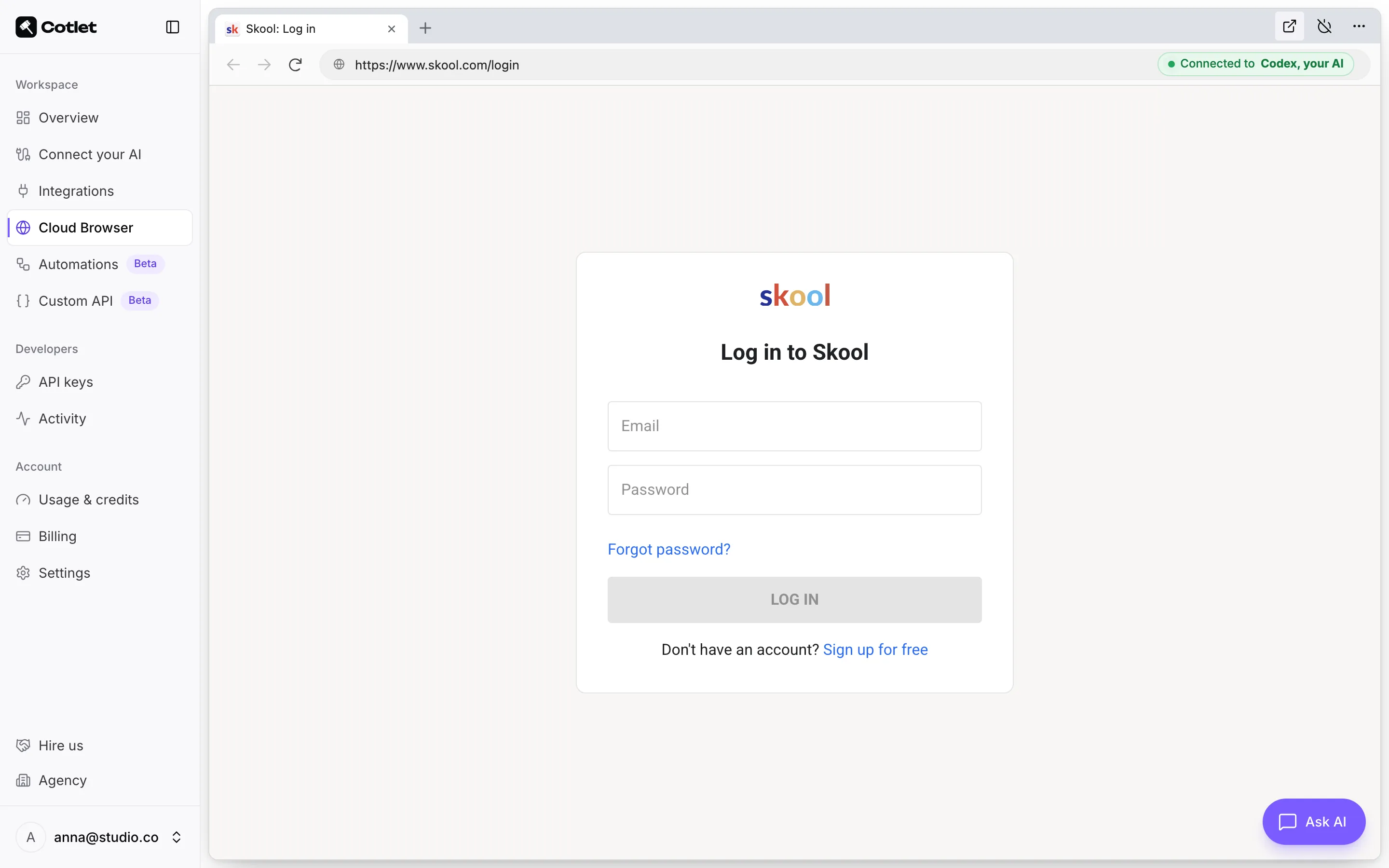
Open your browser in the console, go to the app and sign in the way you always do, also with Google. Password saving is off, so your password is not stored anywhere.
-
Connect your agent
Add Cotlet to ChatGPT, Claude or another client and approve it on our consent screen, or create an API key. Make it read only, and it can read your apps but never click, type or send.
How we hold your access
Your agent works in your Cloud Browser the way you would: it reads pages, clicks and types, from your browser's IP with its cookies. A few apps also have ready tools that send the same requests your browser would. Every call and browser session is listed in your Activity.
-
We never save your password
Password saving is off. The profile sleeps encrypted with AES-256-GCM.
-
Every step is listed
Each call and browser session, with its steps, in your Activity.
-
Tools never show a login
Agents call tools, not cookies.
-
Payloads pass through
We log the request, not its content. The privacy policy lists the few exceptions.
Checked by independent scanners
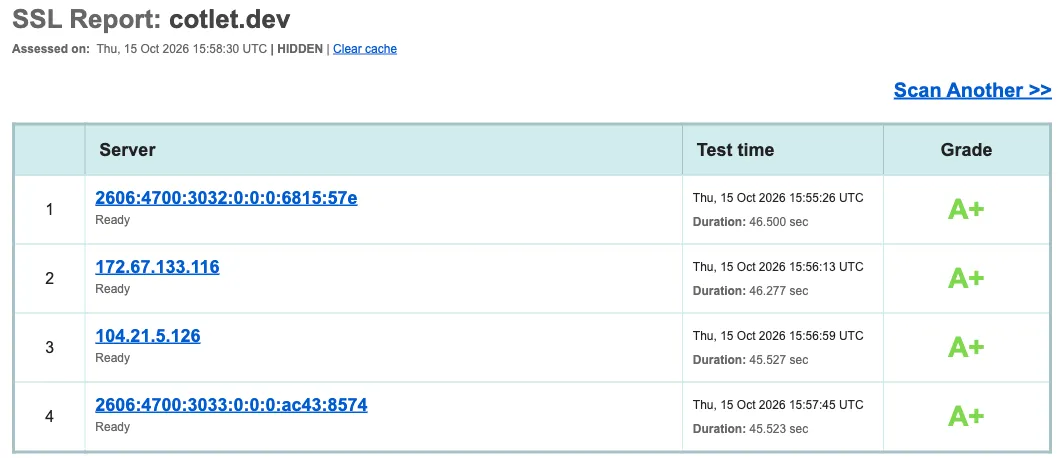
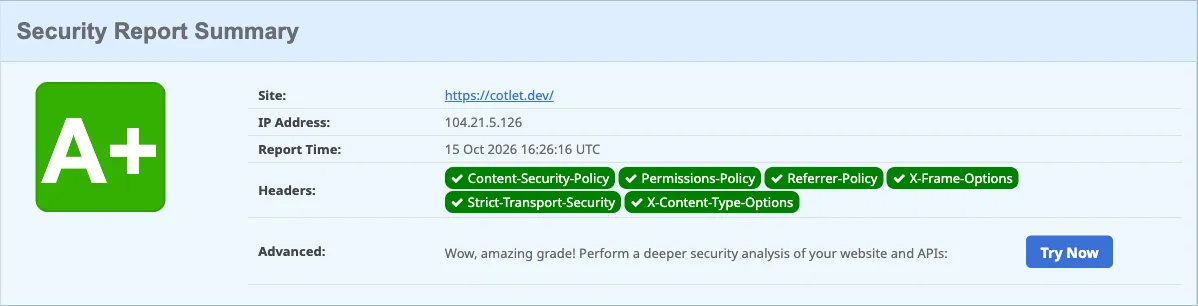
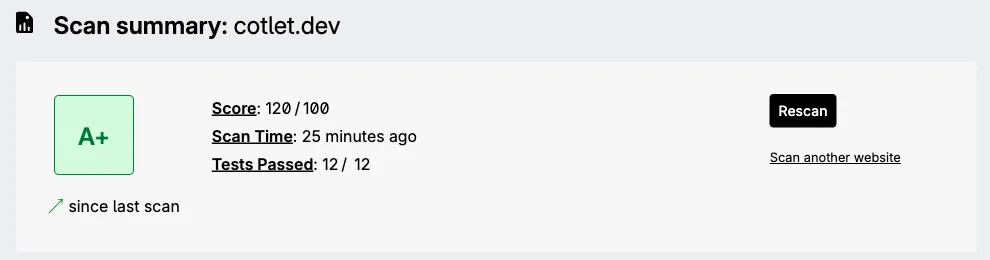
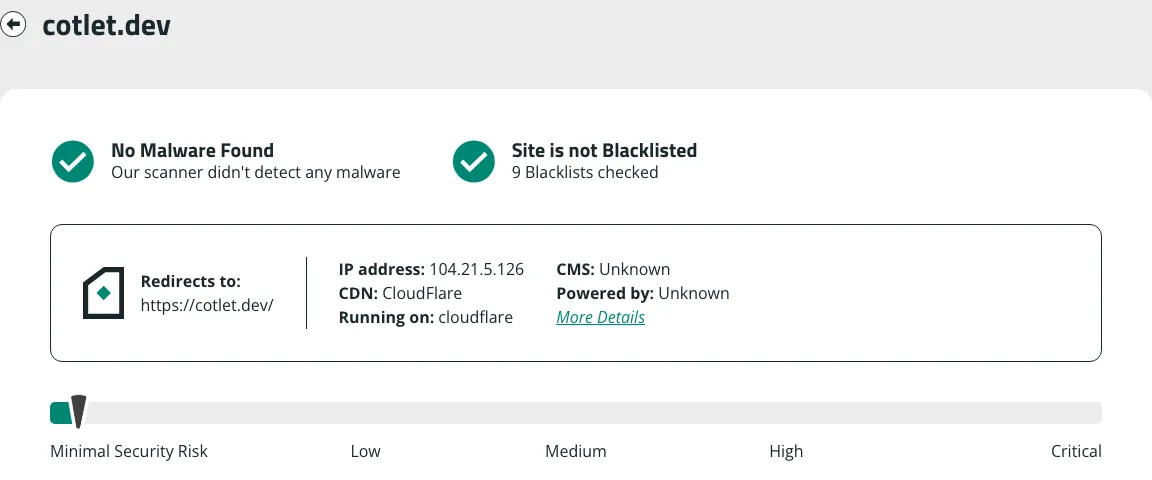
Free public tests anyone can rerun on cotlet.dev. Click a card to see the live result.
You set what agents may do
Agents can only do what you allowed.
-
You scope every key
Read only or read and write, for each key and connection.
-
You approve what reaches people
Ready tools wait for your OK in the console. In the browser, your agent is told to ask you first, and Cotlet refuses payments.
-
You pass MFA yourself
We never bypass it.
-
Revoke in one click
Access ends at once.
What we never do
-
Bypass MFA
-
Automate banks without a licence
-
Touch LinkedIn or Instagram
-
Keep going after a cease-and-desist
-
Keep your data longer than the privacy policy says
If a site objects
- 01
Cease-and-desist arrives
The app owner asks us to stop.
- 02
Paused within 24 hours
The integration stops for everyone.
- 03
Your credits stay
Calls that fail cost nothing; your balance works for every other app.
Security questions
Do you store my password?
No. You sign in to each app yourself, in your own Cloud Browser, and password saving and autofill are switched off there, so the password you type is not stored anywhere. What stays is the signed-in browser profile, encrypted with AES-256-GCM, the cipher 1Password uses for its vaults.
Has anyone checked your security?
Yes, with free public scanners anyone can rerun: cotlet.dev gets A+ on Qualys SSL Labs, A+ on securityheaders.com and A+ on Mozilla Observatory, and Sucuri SiteCheck finds it clean on 9 blocklists. The domain is signed with DNSSEC, and every browser opens it over HTTPS only, because the whole .dev domain is on the HSTS preload list built into browsers. Your Cloud Browser profile is stored encrypted with AES-256-GCM, the same cipher 1Password uses for its vaults.
How do I report a vulnerability?
Email contact@cotlet.dev with the details. The contact is also published in the standard security.txt file at cotlet.dev/.well-known/security.txt.
Where do I type my password?
In your own Cloud Browser: a Chrome that runs on our servers and that you open from the console. Each app opens in a tab: you sign in on its own sign-in page and pass its 2FA yourself. The browser runs on our side, so we say it plainly: what you type there passes through our servers, and password saving is off, so it is never kept.
What can Cotlet do with my signed-in browser?
A signed-in browser can do what you can do in that app, so we limit it on our side: a read-only key or connection cannot click, type or upload, payments and account settings pages are refused, the ready tools of a few apps wait for your OK before posts and messages, and every call and browser session is listed in your Activity.
Does my agent click in my browser?
Yes. Your agent works in your Cloud Browser with Cotlet's browser tools. It sees the page text, its elements and screenshots, never cookies, storage or field values; clicks and typing need write access and wait for no approval. Browser control costs credits per started minute.
How do I cut access?
Three ways: sign out of the app in your Cloud Browser, which works from the next call; revoke the key or AI connection on the API keys page, which keeps you signed in; or Reset all browsers in Settings, which deletes every browser profile. Closing your Cotlet account deletes the browser too.
What if someone gets my API key?
The key holds no cookies or logins, it only asks Cotlet to run a tool. Make it read only and it cannot click, type or send. A read and write key can act in your signed-in apps, so keep it secret. Every call is in your Activity, and deleting the key ends access at once.
Who runs Cotlet?
Take Group sp. z o.o., a company registered in Poland, EU (VAT PL6342984273). Take Group has worked since 2019, runs about 3,200 websites on its own systems and has its own DevOps team for infrastructure security. Legal details are in the Terms of service.
Can you see my data?
Data passes through a call. We keep no payloads after it, except the few cases the privacy policy lists, such as a Custom API call's input and answer until the nightly cleanup after 24 hours, so your code can read the result. Your Activity records each call and browser step with its time, app and status, without its content.
What happens when an app signs me out?
Your agent gets a link to your Cloud Browser and asks you to sign in to the app again. For the few apps with ready tools you also get an email.
Is Cotlet up right now?
See status.cotlet.dev. An independent monitor, Better Stack, checks the website, console and API every 3 minutes from four continents, and every outage shows there in public.
Where are the servers?
In the European Union: the console, API, database and Cloud Browsers run in a data centre in Finland. Your browser reaches apps through an IP from our proxy provider, listed on the subprocessors page. Our CDN serves the public site worldwide. Finland is a Tier 1 country in the ITU Global Cybersecurity Index 2024.
Automate without handing over the keys
Sign in to your apps in your Cloud Browser. Free 7-day trial with 500 credits, no card needed.