How to connect Bandsintown to AI agents and automate the busywork
Bandsintown has no official MCP server for artists (checked 27 Oct 2026). Connect ChatGPT, Claude or any AI agent to your artist account in minutes.
Cotlet team 15 min read
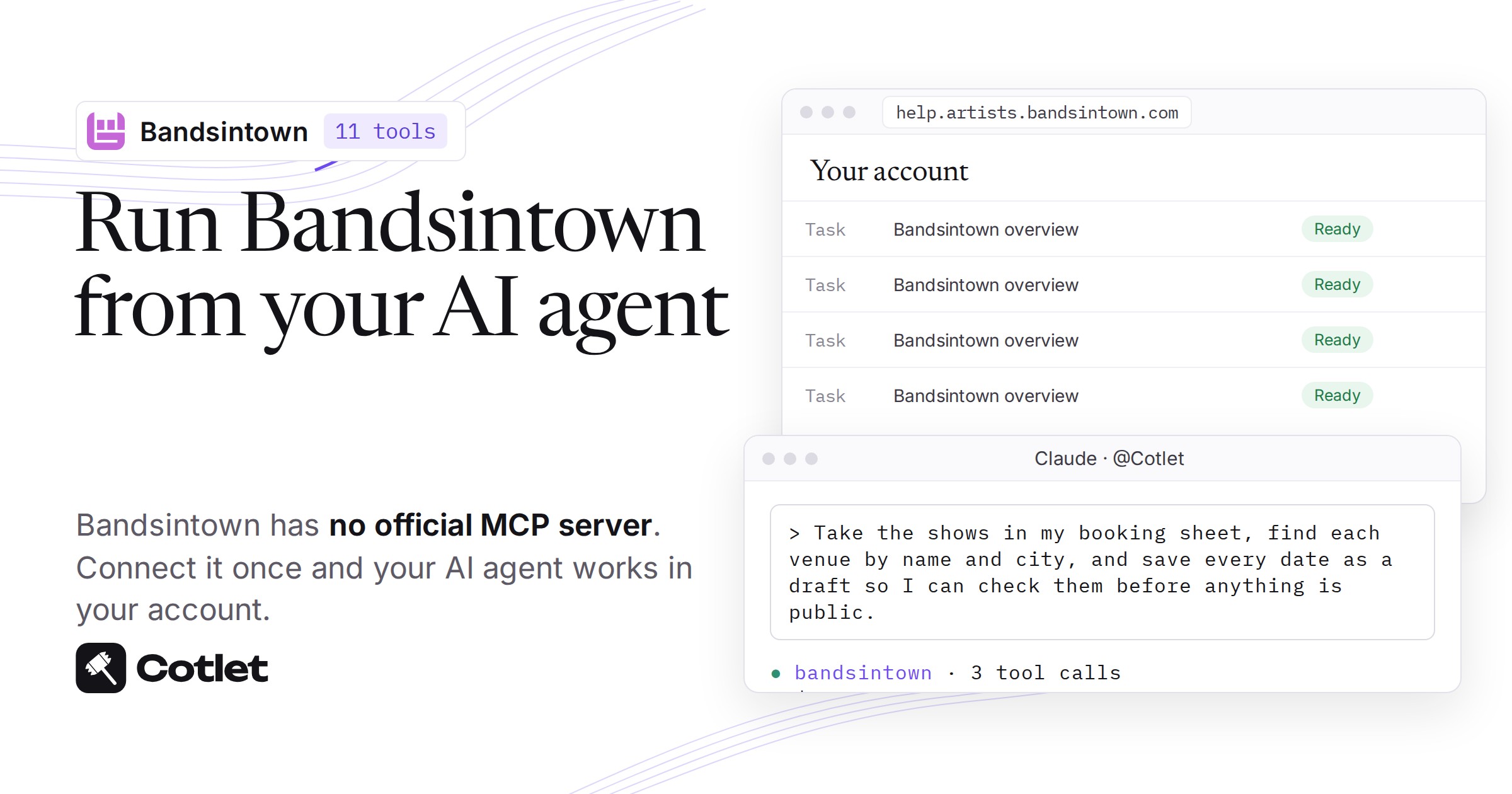
Bandsintown has no official MCP server for artists and no ChatGPT or Claude connector that opens your artist dashboard (checked 27 Oct 2026). Its public API returns artist info and artist events with one key per artist and writes nothing (checked 27 Oct 2026). Here is how to connect Bandsintown to ChatGPT, Claude and any AI agent through Cotlet.dev, so your agent can draft dates, publish them, post to followers and read Insights in your own account.
Bandsintown is where a touring artist, a manager or a booking agent keeps the public tour dates, and every change means opening the dashboard, finding the show and retyping details from a promoter email or a spreadsheet. Cotlet.dev is built for people who run a business in Bandsintown and want an AI agent to manage their account. A fan who only wants to find concerts should use Bandsintown’s own ChatGPT app (checked 27 Oct 2026).
Your agent’s Bandsintown toolbox: events, venues, follower posts and Insights
| Area of Bandsintown | What your AI agent does there |
|---|---|
| Event list | Lists events on your artist page, soonest first, with date, venue, ticket links and whether each is published or a draft. Filters by status or date range. |
| Single event | Opens one event in full: venue, lineup, description, ticket links, on-sale time and URL. |
| Venues | Finds a Bandsintown venue by name and city so a new event can be attached to it. |
| New dates | Saves a new event as a draft that no fan sees until it is published. |
| Edits and publishing | Changes the date, venue, lineup, description or ticket links, publishes a draft now or at a set time, or deletes an event. |
| Posts to followers | Sends a push notification and an email to your followers, now or at a set time, aimed at one location at most. |
| Insights | Reads RSVPs per show, total followers, RSVPs and ticket clicks over a period, and the top markets where your fans are. |
Bandsintown changes that reach other people wait for your OK in the Cotlet.dev console: every update, publish, delete and post to followers asks first, and the update tool keeps Notify my Followers off unless you ask for it. Creating a draft runs at once because a draft reaches nobody. The Cotlet.dev Bandsintown integration page lists every tool with its inputs and an example answer.
Official Bandsintown routes: a read-only API and a fan-side ChatGPT app
Bandsintown has no MCP server for artists (checked 27 Oct 2026). Its public API returns artist info and artist events with a key from your artist Settings, one key per artist, and writes nothing (checked 27 Oct 2026), as the API documentation and What is the Bandsintown API? describe.
Bandsintown keeps drafts, edits, deletes, posts to followers and Insights inside the Bandsintown for Artists dashboard, because the API documentation lists only the two reads (checked 27 Oct 2026).
Bandsintown’s own ChatGPT app (June 2026, from directory listings) helps fans find concerts and does not open your artist dashboard (checked 27 Oct 2026, directory listing).
Cotlet.dev fills that gap at https://cotlet.dev/mcp/v1, one address that runs 11 Bandsintown tools, 5 of which write. Your AI agent works in your own Bandsintown account through your artist login, so no key from your Bandsintown Settings is involved.
Account details to confirm first
- Bandsintown role: you need your own Bandsintown for Artists account with admin access to the artist page.
- Bandsintown API key: none is needed, because Cotlet.dev works through your artist login instead of the Settings key that reads artist info and events for one artist.
- Bandsintown sign-in: you enter your login once in the Cotlet.dev Cloud Browser, and if Bandsintown signs you out later you get an email with a sign-in link.
- Bandsintown plan: Cotlet.dev works on the Bandsintown plan you have now, and Insights figures fill in once your page has 100 followers.
- Bandsintown artist pages: a login that manages several artist pages can name the page in each request, and without a name the tools use the first artist on the login.
- Your AI agent app: ChatGPT and Claude work in your Bandsintown account through Cotlet.dev, in their phone apps too.
Step 1: Your artist login, entered once in a Cloud Browser
Cotlet.dev runs a Cloud Browser for you, a browser window where you sign in to Bandsintown for Artists with your own account. Create your Cotlet.dev account, open Bandsintown under Integrations in the console, sign in to Bandsintown for Artists in that window and press Enable for agents.
Bandsintown receives your password on Bandsintown’s own page, where you type it yourself, and Cotlet.dev never stores it. What Cotlet.dev keeps is your signed-in Bandsintown for Artists profile, encrypted and held in Finland.
Bandsintown may sign you out later. When that happens you get an email with a sign-in link, and Cotlet.dev never signs in for you.
Your AI agent sees every artist page your login manages, with its events and Insights. No tool touches paid email campaigns, billing, page admins or account settings.
Step 2: Paste one address into your agent and confirm it is you
Your AI agent can be ChatGPT, Claude, Claude Code, Codex, Cursor, Grok, Hermes Agent, n8n or any other MCP client, and every one of them takes the same address.
Pick your AI above to see its steps.
How to connect Bandsintown to ChatGPT
Do this on chatgpt.com in your browser. Cotlet then works in the ChatGPT desktop and phone apps too.
- Open Plugins in ChatGPT and click Add.
- Click Add custom MCP server.
- Paste the name
Cotletand the server URLhttps://cotlet.dev/mcp/v1/connect. Keep Authentication on OAuth. - Tick “I understand and want to continue” and click Create as a plugin.
- Click Connect Cotlet. A Cotlet page opens, click Allow access.
- In a new chat, type
@Cotletand pick it from the list. - Ask ChatGPT: “Are you signed in to Cotlet through MCP?” Then try a first Bandsintown task: “Take the shows in my booking sheet, find each venue by name and city, and save every date as a draft so I can check them before anything is public.”

ChatGPT, Plugins page, November 2026.
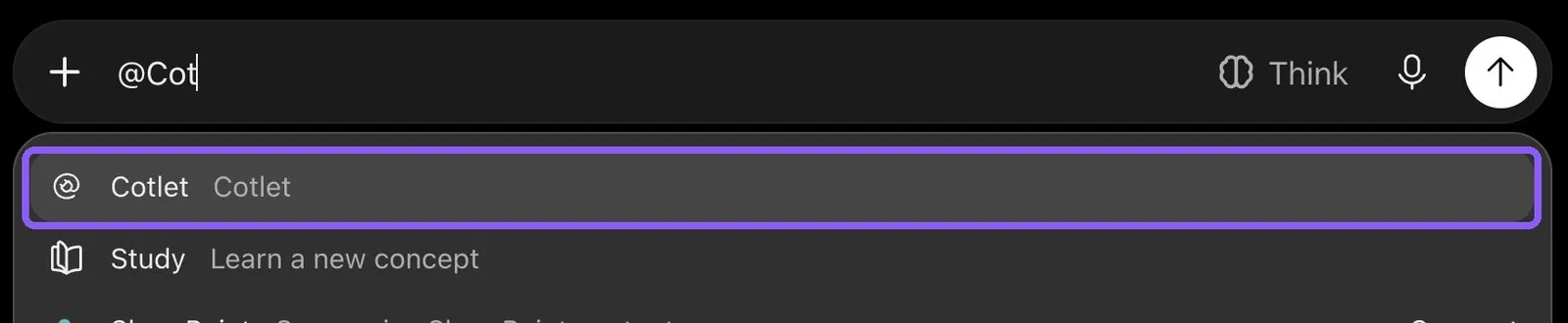
ChatGPT, picking Cotlet in a new chat with @, November 2026.
ChatGPT asks “Allow ChatGPT to use Cotlet?” before some steps. Pick Always allow, or the chat waits for your click. On a Business, Enterprise or Edu workspace, an admin has to allow custom MCP servers first.
How to connect Bandsintown to Claude
- Open Connectors in Claude and click Add. In the desktop app it is under Customize, Connectors.
- Click Add custom connector.
- Paste the name
Cotletand the URLhttps://cotlet.dev/mcp/v1/connect, then click Continue. - Keep the settings and click Add.
- A Cotlet page opens. Click Allow access.
- In a chat, click the plus button, then Connectors, and turn Cotlet on.
- Ask Claude: “Are you signed in to Cotlet through MCP?”, then “The promoter moved the Leeds show to Saturday. Find it, show me the venue, lineup and ticket links, then change the date and keep followers out of it.”. Claude asks before it uses a Cotlet tool the first time. Click Allow.

Claude, Customize, Connectors, Add menu, November 2026.

Claude, Add custom connector, last screen, November 2026.
Claude’s free plan allows one custom connector. On a Team or Enterprise plan, an owner adds Cotlet in Organization settings, Connectors, and you click Connect next to it.
How to connect Bandsintown to Claude Code
Add Cotlet without a key, then sign in once in the browser:
claude mcp add --transport http cotlet https://cotlet.dev/mcp/v1/connectRun /mcp in Claude Code, pick cotlet and sign in to Cotlet. Prefer an API key, for example on a server? Create one in the Cotlet console and use:
claude mcp add --transport http cotlet https://cotlet.dev/mcp/v1 \
  --header "Authorization: Bearer $COTLET_API_KEY"
How to connect Bandsintown to Codex
Create an API key in the Cotlet console, put it in the COTLET_API_KEY environment variable and add this to ~/.codex/config.toml:
[mcp_servers.cotlet]
url = "https://cotlet.dev/mcp/v1"
bearer_token_env_var = "COTLET_API_KEY"
How to connect Bandsintown to Cursor
Create an API key in the Cotlet console, put it in the COTLET_API_KEY environment variable and add this to ~/.cursor/mcp.json:
{
  "mcpServers": {
    "cotlet": {
      "url": "https://cotlet.dev/mcp/v1",
      "headers": { "Authorization": "Bearer ${env:COTLET_API_KEY}" }
    }
  }
}
How to connect Bandsintown to Grok
Grok takes custom MCP servers on grok.com, per xAI’s connectors documentation (checked 8 November 2026).
- Open grok.com/connectors and click New Connector.
- Pick Custom and paste the server URL
https://cotlet.dev/mcp/v1/connect. - Sign in to Cotlet when Grok asks, then click Allow access.
- Ask Grok: “Are you signed in to Cotlet through MCP?”
On Grok Business, an admin adds the connector first in the xAI console, under Grok Business, Connectors. The Grok chat inside X has no custom connector menu.
How to connect Bandsintown to Hermes Agent
Add Cotlet to ~/.hermes/config.yaml in the format of the Hermes MCP config reference:
mcp_servers:
  cotlet:
    url: "https://cotlet.dev/mcp/v1"
    headers:
      Authorization: "Bearer ${COTLET_API_KEY}"
    trust: untrusted
Put COTLET_API_KEY in ~/.hermes/.env and check it with hermes mcp test cotlet. With trust: untrusted, Hermes runs reads at once and asks before every write. More on Hermes in our post on the Hermes Agent browser.
How to connect Bandsintown to n8n
Use the MCP Client node, or the MCP Client Tool inside an AI Agent node:
- Server Transport: HTTP Streamable
- MCP Endpoint URL:
https://cotlet.dev/mcp/v1 - Authentication: Bearer Auth, with your Cotlet API key as the token
- Tools: Cotlet.dev’s browser tools; the AI Agent node reads the Bandsintown guide first
Use it to run this on a schedule: top markets set against the tour calendar.
Any other MCP client
Point the client at https://cotlet.dev/mcp/v1 over Streamable HTTP, with the header Authorization: Bearer <your Cotlet API key>. A client that supports OAuth sign-in can use https://cotlet.dev/mcp/v1/connect instead and needs no key. The full reference is in the MCP docs.
Your AI agent needs https://cotlet.dev/mcp/v1 pasted into its MCP server or connector settings. Chat apps such as ChatGPT and Claude then open a Cotlet.dev sign-in, while Cursor, n8n and scripts ask for a key from the console.
Bandsintown tools appear once you have pressed Enable for agents. If you enabled Bandsintown after connecting, refresh the connector so the 11 Bandsintown tools load. The same address serves every other app you turn on in Cotlet.dev.
Your AI agent is ready for a first test when the tools show. Ask “List my upcoming Bandsintown events, soonest first” and compare the answer with your dashboard.
Three starter assignments: a tour leg, a moved date and a market check
A booking sheet turned into drafts
“Take the shows in my booking sheet, find each venue by name and city, and save every date as a draft so I can check them before anything is public.”
Your AI agent searches Bandsintown for each venue, then saves one draft event per row. A draft reaches nobody, so nothing waits for approval until you ask it to publish. Bandsintown’s own bulk route, Add multiple events at once, makes you retype your sheet into its template columns, and new events go public within minutes (checked 27 Oct 2026). Publishing later waits for your OK, and a scheduled publish needs at least 4 hours from now and 15 minutes before the show. A leg of 8 dates saves you the retyping and the venue lookups.
A moved show with the follower alert under control
“The promoter moved the Leeds show to Saturday. Find it, show me the venue, lineup and ticket links, then change the date and keep followers out of it.”
Your AI agent finds the show by date and city and asks if two match, reads the venue, lineup and every ticket link, then waits for your OK in the Cotlet.dev console with the new date and the alert choice. Bandsintown alerts followers about a change to a published event unless Notify my Followers is off (Edit events), and the update tool keeps it off unless you ask for it. Afterwards your agent reads the saved event back and tells you whether followers were told, which saves you hunting for the show and the notification setting.
Top markets set against the tour calendar
“Rank my top markets by fan requests, then list the cities where I have fans but no upcoming date.”
Your AI agent reads the top markets from Insights and your list of upcoming events, then names cities where fans ask for you and no show is booked. This rests on a documented gap: Bandsintown’s API documentation lists only artist info and artist events, so Insights never leave the dashboard, and the figures fill in once the page has 100 followers. Nothing in this job writes, so nothing waits for approval, and it replaces comparing two screens by hand.
Comparing the options: API key, community node, Zapier, bulk upload and more
Bandsintown’s options below were checked on 27 Oct 2026 unless a line gives its own date.
- Bandsintown’s public API returns artist info and artist events with one key per artist from Settings, and writes nothing (checked 27 Oct 2026).
- Bandsintown has no Zapier, n8n or Pipedream app, because all three pages return 404 (checked 27 Oct 2026).
- Bandsintown’s community n8n node, n8n-nodes-bandsintown, wraps the read API for Artist Information and Artist Events, with 0 stars and a last commit on 13 Jun 2026.
- Bandsintown’s hosted MCP server from Pipeworx, mcp-bandsintown, offers two tools, artist_events and events, for public event listings only, with 0 stars and a last commit on 19 Sep 2026.
- Bandsintown data on Apify covers public concerts, tour dates and ticket links from public pages, at about $1 to $15 per 1,000 results.
- Bandsintown’s Upload Events imports from its template spreadsheet, so you retype your sheet into its columns and new events go public within minutes.
- Bandsintown’s own ChatGPT app (June 2026, from directory listings) serves the fan side and does not open your artist dashboard.
Cotlet.dev alone lets an agent do anything you could do by hand in Bandsintown for Artists, on every screen, for reads and writes alike, from ChatGPT, Claude or any other agent, without an API key and on the Bandsintown plan you have now.
FAQ
Does Bandsintown offer a ChatGPT or Claude link that opens my artist dashboard?
Bandsintown’s own ChatGPT app (June 2026, from directory listings) helps fans find concerts and does not open your artist dashboard (checked 27 Oct 2026). Bandsintown has no MCP server for artists either (checked 27 Oct 2026). To work inside your artist account from ChatGPT or Claude, connect through Cotlet.dev.
Which Bandsintown API or MCP server can an artist use?
Bandsintown’s public API returns artist info and artist events with a key from your artist Settings, one key per artist, and writes nothing (checked 27 Oct 2026). Bandsintown has no MCP server for artists (checked 27 Oct 2026). Cotlet.dev adds 11 Bandsintown tools over MCP, and 5 of them write.
Can a Zapier, Make or n8n workflow add or move my Bandsintown shows?
Bandsintown has no Zapier, n8n or Pipedream app, since all three pages return 404 (checked 27 Oct 2026). A community n8n node wraps the read API, so it reads artist info and events and writes nothing. Any workflow built on the public API, Make included, inherits that limit, so adding and moving shows takes an agent connected through Cotlet.dev.
How do I connect Bandsintown to ChatGPT or Claude?
Bandsintown connects to ChatGPT or Claude in three moves. Sign in to Bandsintown for Artists in the Cotlet.dev Cloud Browser and press Enable for agents, add https://cotlet.dev/mcp/v1 to the connector settings, then approve the Cotlet.dev sign-in that opens. If the Bandsintown tools are missing, refresh the connector.
Do I need a Bandsintown API key for my agent?
Your AI agent needs no Bandsintown API key. The official key comes from your artist Settings, belongs to one artist and only reads artist info and events, while Cotlet.dev works through your own Bandsintown for Artists login.
Do followers get an alert when my agent changes a show?
Bandsintown alerts followers about a change to a published event unless Notify my Followers is off. The update tool keeps it off unless you ask for it, while publishing turns it on by default. An alert that has already gone out stays sent.
Can one login cover several artist pages?
Cotlet.dev lets a manager whose login runs several artist pages name the page in each request. Without a name, the tools use the first artist on the login.
Will my agent hear when RSVPs jump or a new date appears?
Bandsintown’s public API docs mention no webhooks (checked 27 Oct 2026), so nothing tells your agent that an imported date appeared or RSVPs jumped. Run it on a schedule instead, for example a weekly pass over your event list and your RSVPs per show.
How do I undo a change or cut my agent’s access?
Your AI agent’s drafts can be removed by deleting them, and an edit can be changed back, but an alert already sent stays sent. A post to followers cannot be recalled, and there is no unpublish tool, so deleting the event takes it off the page. Switching off Enable for agents, resetting the Cloud Browser or deleting the key you made for an editor stops your agent’s next call.
Is Cotlet.dev connected to Bandsintown the company?
Cotlet.dev is independent and not affiliated with, endorsed by or sponsored by Bandsintown. Bandsintown is a trademark of its owner.
A first read of your own tour calendar
Your AI agent can read your tour calendar in one reply: ask for the dates that are still drafts and check them against the Bandsintown for Artists dashboard. If the list matches, hand over the booking sheet next. Inputs and sample answers for each tool sit on the Cotlet.dev Bandsintown integration page.