How to connect SoundCloud with an AI agent: automate your work
SoundCloud has no official MCP server (checked 27 Oct 2026). Connect ChatGPT, Claude or any AI agent to your own account with Cotlet.dev.
Cotlet team 14 min read
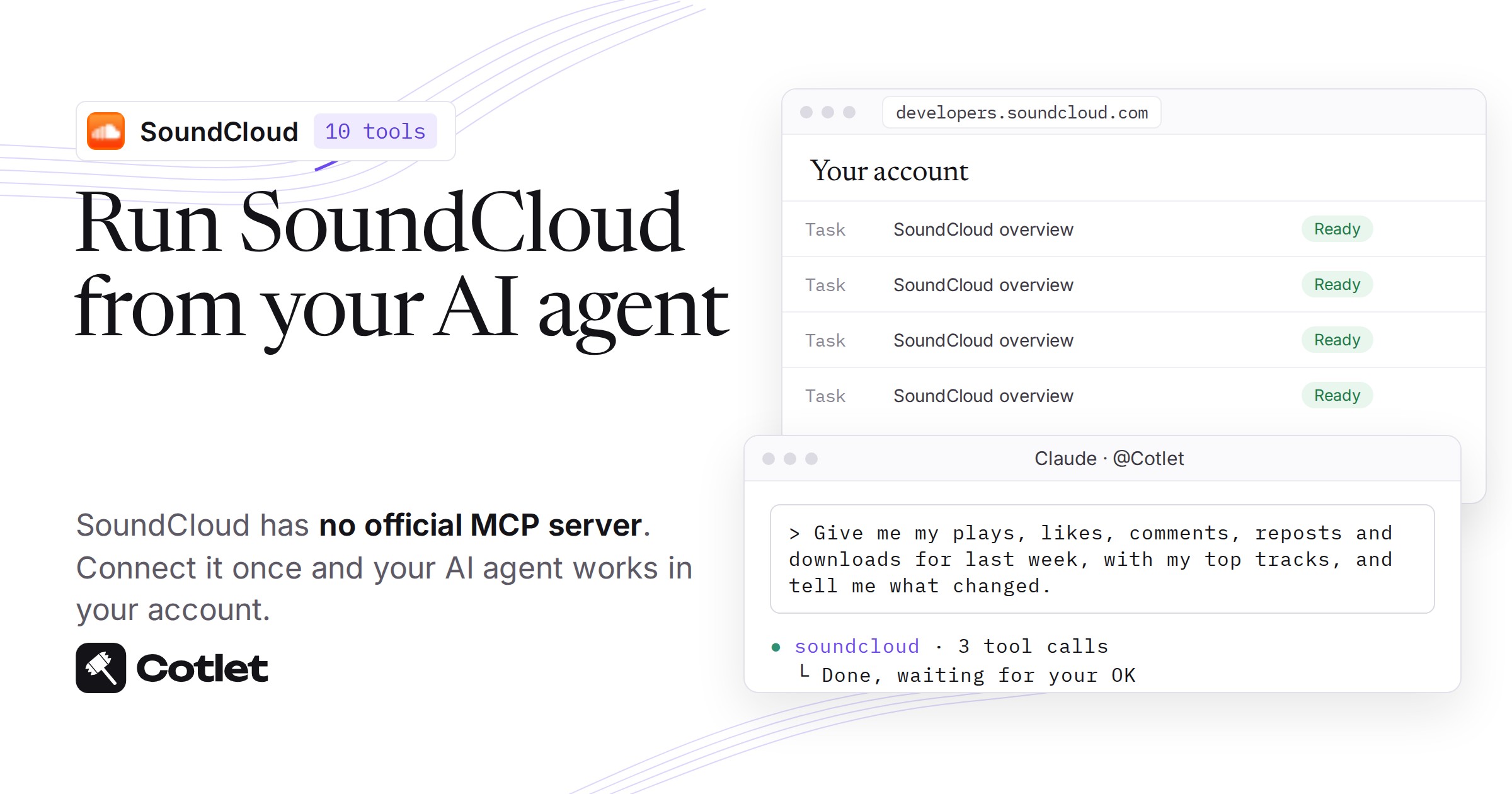
SoundCloud has no official MCP server (checked 27 Oct 2026), but its public API lets any Artist Pro member create API keys alone since May 2026 and upload, edit tracks and build playlists. That API has no Insights for a period and no direct messages. Here is how to connect SoundCloud to ChatGPT, Claude and any AI agent: sign in once, add one address, and your agent works in your own account.
SoundCloud is where you release tracks, answer comments, watch plays and check how much upload time you have left, and the same chores return every week. Cotlet.dev is for people who run a business in SoundCloud, such as artists, managers and label staff, and want an AI agent to manage their account; a listener who only streams or buys uses SoundCloud’s own channel. Your AI agent reads your Insights, comments and messages and drafts the answers, while you stay the one who replies.
What can ChatGPT and Claude do inside my SoundCloud account?
Cotlet.dev gives your agent 10 SoundCloud tools, and each row below is one area of your account with what the agent does there.
| Area of SoundCloud | What your agent does there |
|---|---|
| Track list | Lists your public and private tracks, newest first, with plays, likes, reposts and comments |
| One track | Reads title, description, genre, tags, sharing, secret link, plays, likes and comments |
| Insights | Reads plays, likes, comments, reposts and downloads for a time window, for your profile and per track |
| Track details | Changes the title, description, genre, tags or comment setting of one of your tracks |
| Comments | Reads comments on one track, or the newest comments on all your tracks |
| Direct messages | Reads your message threads and the messages with one person, and checks whether you already messaged a profile |
| Profiles | Reads your name, city, bio, followers, tracks, plan and upload time left, and looks up any public profile by its link |
SoundCloud comments and direct messages stay read-only: no tool posts, sends or deletes, so anything that reaches a fan waits for you to paste it into SoundCloud yourself. Track edits are the one write, and they change text fields only, never audio or sharing. They run at once because you can set the old values back. Every tool, input and example answer is on the Cotlet.dev SoundCloud integration page.
Does SoundCloud have an API, an MCP server or an official ChatGPT app?
SoundCloud has a public API but no official MCP server (checked 27 Oct 2026), so its official route into an AI agent is the API, not a ChatGPT or Claude app. Since May 2026 any Artist Pro member can create API keys alone, and the API uploads, edits tracks and builds playlists, as the SoundCloud self-serve keys post explains.
SoundCloud’s API has no Insights for a period and no direct messages, and its track counts are lifetime totals (checked 27 Oct 2026, see the SoundCloud API guide). SoundCloud’s API Terms also say content read through the API may not be used “as input to any artificial intelligence technology” (checked 27 Oct 2026, see the SoundCloud API Terms of Use).
Cotlet.dev fills that gap at https://cotlet.dev/mcp/v1, one MCP address with 10 SoundCloud tools that read Insights for a period, comments and direct messages, and edit track text. Your AI agent then works in your own SoundCloud account, signed in through a Cloud Browser, so you do not register a SoundCloud API app.
What should I check on SoundCloud before I connect?
- SoundCloud login: use your own account, because you sign in to it inside the Cotlet.dev Cloud Browser.
- SoundCloud plan: your current plan is enough, because Artist Pro is not needed for any of the 10 tools.
- SoundCloud Artist Pro: you only need it for your own API keys, which cost $99 a year in the US (checked 27 Oct 2026, see SoundCloud plans).
- SoundCloud screens: listener countries, cities and top listeners are Artist Pro screens and are not in these tools, so ask your agent for Insights totals instead.
- SoundCloud verification: if SoundCloud asks you to verify, you complete it yourself in the Cloud Browser.
- Your AI agent: ChatGPT and Claude work in your SoundCloud account through Cotlet.dev, in their phone apps too, so you can ask from your phone.
Step 1: Log in to your own SoundCloud account in the Cloud Browser
Cotlet.dev starts with an account of its own: create a Cotlet.dev account, open Integrations in the console and select SoundCloud. The Cloud Browser opens SoundCloud’s sign-in page, and you log in there as you would on any computer. Then press Enable for agents.
SoundCloud’s password is typed on SoundCloud’s own page, and Cotlet.dev never stores it. Cotlet.dev keeps only your signed-in SoundCloud profile, encrypted and stored in Finland. No tool touches your plan, payouts, password or uploads, and none sends or deletes anything.
Cotlet.dev lets you cut access at any time: press Disable for agents or reset the Cloud Browser, and the next call stops.
Step 2: Paste the Cotlet.dev address into your AI agent’s connector settings
Cotlet.dev works with ChatGPT, Claude, Claude Code, Codex, Cursor, Grok, Hermes Agent, n8n and other MCP clients, and they all take the same address, https://cotlet.dev/mcp/v1.
Pick your AI above to see its steps.
How to connect SoundCloud to ChatGPT
Do this on chatgpt.com in your browser. Cotlet then works in the ChatGPT desktop and phone apps too.
- Open Plugins in ChatGPT and click Add.
- Click Add custom MCP server.
- Paste the name
Cotletand the server URLhttps://cotlet.dev/mcp/v1/connect. Keep Authentication on OAuth. - Tick “I understand and want to continue” and click Create as a plugin.
- Click Connect Cotlet. A Cotlet page opens, click Allow access.
- In a new chat, type
@Cotletand pick it from the list. - Ask ChatGPT: “Are you signed in to Cotlet through MCP?” Then try a first SoundCloud task: “Give me my plays, likes, comments, reposts and downloads for last week, with my top tracks, and tell me what changed.”
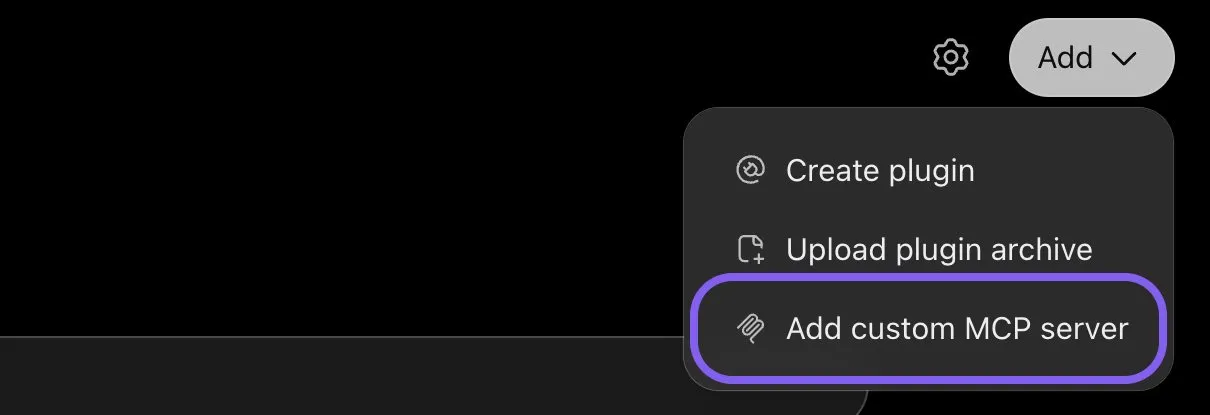
ChatGPT, Add menu on the Plugins page, November 2026.
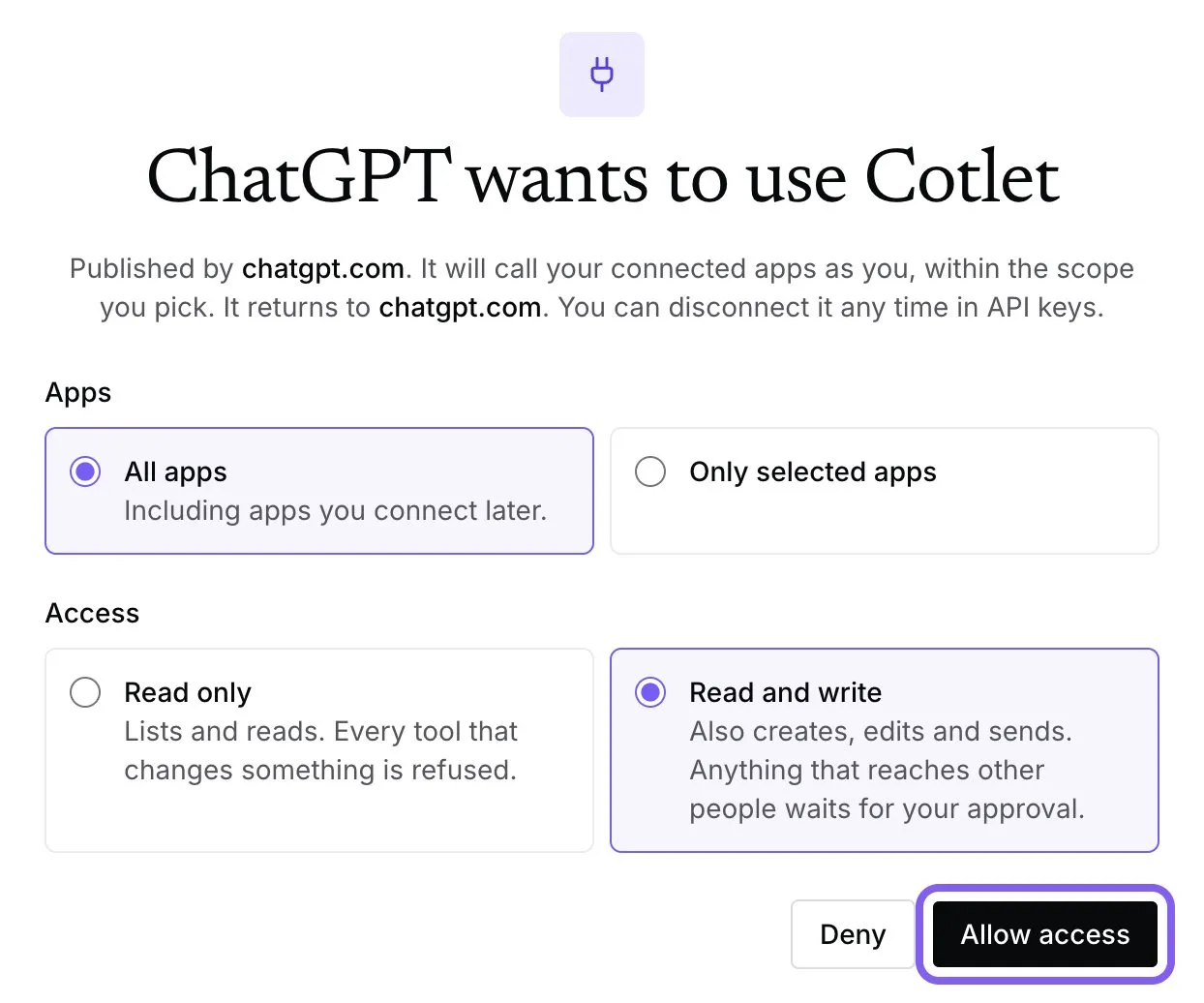
Cotlet consent page after you connect it in ChatGPT, November 2026.
ChatGPT asks “Allow ChatGPT to use Cotlet?” before some steps. Pick Always allow, or the chat waits for your click. On a Business, Enterprise or Edu workspace, an admin has to allow custom MCP servers first.
How to connect SoundCloud to Claude
- Open Connectors in Claude and click Add. In the desktop app it is under Customize, Connectors.
- Click Add custom connector.
- Paste the name
Cotletand the URLhttps://cotlet.dev/mcp/v1/connect, then click Continue. - Keep the settings and click Add.
- A Cotlet page opens. Click Allow access.
- In a chat, click the plus button, then Connectors, and turn Cotlet on.
- Ask Claude: “Are you signed in to Cotlet through MCP?”, then “Show me the newest comments across all my tracks that I have not replied to, and draft a friendly answer for each.”. Claude asks before it uses a Cotlet tool the first time. Click Allow.

Claude, Customize, Connectors, Add menu, November 2026.

Claude, Add custom connector, last screen, November 2026.
Claude’s free plan allows one custom connector. On a Team or Enterprise plan, an owner adds Cotlet in Organization settings, Connectors, and you click Connect next to it.
How to connect SoundCloud to Claude Code
Add Cotlet without a key, then sign in once in the browser:
claude mcp add --transport http cotlet https://cotlet.dev/mcp/v1/connectRun /mcp in Claude Code, pick cotlet and sign in to Cotlet. Prefer an API key, for example on a server? Create one in the Cotlet console and use:
claude mcp add --transport http cotlet https://cotlet.dev/mcp/v1 \
  --header "Authorization: Bearer $COTLET_API_KEY"
How to connect SoundCloud to Codex
Create an API key in the Cotlet console, put it in the COTLET_API_KEY environment variable and add this to ~/.codex/config.toml:
[mcp_servers.cotlet]
url = "https://cotlet.dev/mcp/v1"
bearer_token_env_var = "COTLET_API_KEY"
How to connect SoundCloud to Cursor
Create an API key in the Cotlet console, put it in the COTLET_API_KEY environment variable and add this to ~/.cursor/mcp.json:
{
  "mcpServers": {
    "cotlet": {
      "url": "https://cotlet.dev/mcp/v1",
      "headers": { "Authorization": "Bearer ${env:COTLET_API_KEY}" }
    }
  }
}
How to connect SoundCloud to Grok
Grok takes custom MCP servers on grok.com, per xAI’s connectors documentation (checked 8 November 2026).
- Open grok.com/connectors and click New Connector.
- Pick Custom and paste the server URL
https://cotlet.dev/mcp/v1/connect. - Sign in to Cotlet when Grok asks, then click Allow access.
- Ask Grok: “Are you signed in to Cotlet through MCP?”
On Grok Business, an admin adds the connector first in the xAI console, under Grok Business, Connectors. The Grok chat inside X has no custom connector menu.
How to connect SoundCloud to Hermes Agent
Add Cotlet to ~/.hermes/config.yaml in the format of the Hermes MCP config reference:
mcp_servers:
  cotlet:
    url: "https://cotlet.dev/mcp/v1"
    headers:
      Authorization: "Bearer ${COTLET_API_KEY}"
    trust: untrusted
Put COTLET_API_KEY in ~/.hermes/.env and check it with hermes mcp test cotlet. With trust: untrusted, Hermes runs reads at once and asks before every write. More on Hermes in our post on the Hermes Agent browser.
How to connect SoundCloud to n8n
Use the MCP Client node, or the MCP Client Tool inside an AI Agent node:
- Server Transport: HTTP Streamable
- MCP Endpoint URL:
https://cotlet.dev/mcp/v1 - Authentication: Bearer Auth, with your Cotlet API key as the token
- Tools: Cotlet.dev’s browser tools; the AI Agent node reads the SoundCloud guide first
Use it to run this on a schedule: can my agent fix missing genres and tags on my tracks?.
Any other MCP client
Point the client at https://cotlet.dev/mcp/v1 over Streamable HTTP, with the header Authorization: Bearer <your Cotlet API key>. A client that supports OAuth sign-in can use https://cotlet.dev/mcp/v1/connect instead and needs no key. The full reference is in the MCP docs.
Your AI agent needs three moves: put https://cotlet.dev/mcp/v1 in the MCP or connector settings, allow the connection, and ask a first question. Chat apps open a Cotlet.dev sign-in, while editors, n8n and scripts take a key from the console.
SoundCloud shares https://cotlet.dev/mcp/v1 with every other app you enable. If you turned SoundCloud on after you connected, refresh the connector to load its tools. Then test it with “What is my upload time left on SoundCloud?”
Which three SoundCloud jobs should my agent do first?
Your AI agent can take these three jobs as soon as Step 2 is done, one from Insights, one from comments and one from your track details.
How do I get last week’s plays and likes instead of lifetime totals?
Your AI agent takes this request: “Give me my plays, likes, comments, reposts and downloads for last week, with my top tracks, and tell me what changed.”
SoundCloud’s API has no Insights for a period and its track counts are lifetime totals (checked 27 Oct 2026, see the SoundCloud API guide), so Cotlet.dev reads the window totals the Insights toolbar shows. Your agent reads them for your profile and per track, then writes a short summary and changes nothing, so no approval is needed. Per-track counts stay lifetime totals for your first 50 tracks, most played first. You skip opening Insights, setting the dates and copying numbers by hand.
Which comments on my tracks still need a reply?
Your AI agent takes this request: “Show me the newest comments across all my tracks that I have not replied to, and draft a friendly answer for each.”
SoundCloud’s API reads comments one track at a time (checked 27 Oct 2026, see the SoundCloud OpenAPI file), while your agent reads the newest comments on all your tracks in one pass, with author, text, waveform timestamp and whether you replied. It posts nothing, so the approval step is you pasting each draft into SoundCloud. You save opening every track page to hunt for unanswered comments.
Can my agent fix missing genres and tags on my tracks?
Your AI agent takes this request: “List my tracks with no genre or tags, suggest both for each one, and update them only after I say go.”
Your AI agent lists your tracks, reads each one’s title, genre and tags, and proposes new values in a table. Track edits run at once, so your “go” is the approval, and after it the agent changes only the fields you named and leaves audio, artwork and sharing alone. It then reports each track as saved, and you can undo by asking for the old values back. You avoid opening each track’s edit form one by one.
What other ways are there to connect SoundCloud to an AI agent?
- SoundCloud’s official API needs Artist Pro keys, which cost $99 a year in the US, and it has no Insights for a period and no direct messages (checked 27 Oct 2026, see Registering your app).
- SoundCloud on Zapier has 2 triggers and no actions (checked 27 Oct 2026).
- SoundCloud on Make is an app built on the same API, so it carries the same gaps (checked 27 Oct 2026).
- SoundCloud has no n8n node (checked 27 Oct 2026).
- SoundCloud MCP servers on GitHub, such as jamiew/soundcloud-mcp, run on your own computer or a Cloudflare Worker you deploy and need your own Artist Pro API app (last push 23 Oct 2026).
- SoundCloud on Composio is a hosted toolkit with 51 tools on the public API, and SoundCloud’s API Terms bar its content as AI input (checked 27 Oct 2026).
Cotlet.dev works across the screens of your own SoundCloud account, reading and writing what its tools cover, from ChatGPT, Claude or any agent, with no API key, on your current SoundCloud plan.
FAQ
Does SoundCloud have an official ChatGPT or Claude integration?
SoundCloud’s official route into an AI agent is its public API, and it has no official MCP server (checked 27 Oct 2026). Cotlet.dev is an independent service, so it connects ChatGPT and Claude to your own SoundCloud account without a SoundCloud connector. If SoundCloud’s own integrations cover what you need, use them first.
Is there a SoundCloud API or MCP server I can use?
SoundCloud has a public API but no official MCP server (checked 27 Oct 2026). Since May 2026 any Artist Pro member can create API keys alone, and the API uploads, edits tracks and builds playlists. It has no Insights for a period and no direct messages.
Can Zapier, Make or n8n connect SoundCloud to an AI agent?
SoundCloud on Zapier has 2 triggers and no actions, Make has a SoundCloud app on the same API, and n8n has no SoundCloud node (all checked 27 Oct 2026). None of them gives an agent Insights for a period or direct messages. Cotlet.dev gives your AI agent those reads over MCP.
Which SoundCloud actions stay with me?
SoundCloud messages and comments are read-only in Cotlet.dev, so your agent cannot send messages, reply to or delete comments, create playlists, upload or schedule tracks, or change a track’s privacy. It also cannot list your audience by country and city. Your agent drafts, and you paste.
Do I need Artist Pro for my agent to work in SoundCloud?
SoundCloud does not require Artist Pro for any of the 10 Cotlet.dev tools, and no API credentials are needed. Artist Pro matters only for your own SoundCloud API keys, which cost $99 a year in the US (checked 27 Oct 2026). Your agent can read your plan and upload time left from your profile.
Does editing a track change its privacy or audio?
Cotlet.dev’s track edit changes the title, description, genre, tags and comment setting of one of your own tracks and nothing else. Sharing, audio and artwork stay as they are. To undo a change, ask your agent to set the old values back.
Do the Insights numbers match the Insights page?
Cotlet.dev returns the same window totals that the SoundCloud Insights toolbar shows. The per-track counts are lifetime totals for your first 50 tracks, most played first, not counts for the window.
Who can see my SoundCloud login, and how do I cut access?
Cotlet.dev never stores your SoundCloud password; it keeps your signed-in SoundCloud profile encrypted, in Finland. Your agent gets the 10 SoundCloud tools, which cover private tracks and secret links, Insights, comments and direct messages. To cut access, press Disable for agents or reset the Cloud Browser, and the next call stops.
Does SoundCloud send webhooks to my agent?
SoundCloud’s API sends no events, and the 2 Zapier triggers cover only tracks you like and new tracks from people you follow (checked 27 Oct 2026). To catch new comments or direct messages, run your agent on a schedule and ask it to read the newest comments or your message threads.
Is Cotlet.dev affiliated with SoundCloud?
Cotlet.dev is independent and not affiliated with SoundCloud Global Limited & Co. KG. SoundCloud is a trademark of its owner.
Can your agent show your upload time left today?
Your AI agent can answer one question about your SoundCloud profile in seconds: how much upload time you have left. Ask it, check the number on SoundCloud, and if both match, hand over the Insights report, the comment drafts and the tag cleanup from this guide. Every tool’s inputs and an example answer are on the Cotlet.dev SoundCloud integration page.