How to connect Booksy to ChatGPT, Claude and any AI agent
Booksy's ChatGPT plugin only shows clients your open slots. How to let ChatGPT or Claude work in your own Booksy Biz calendar, clients and reports.
Cotlet team 12 min read
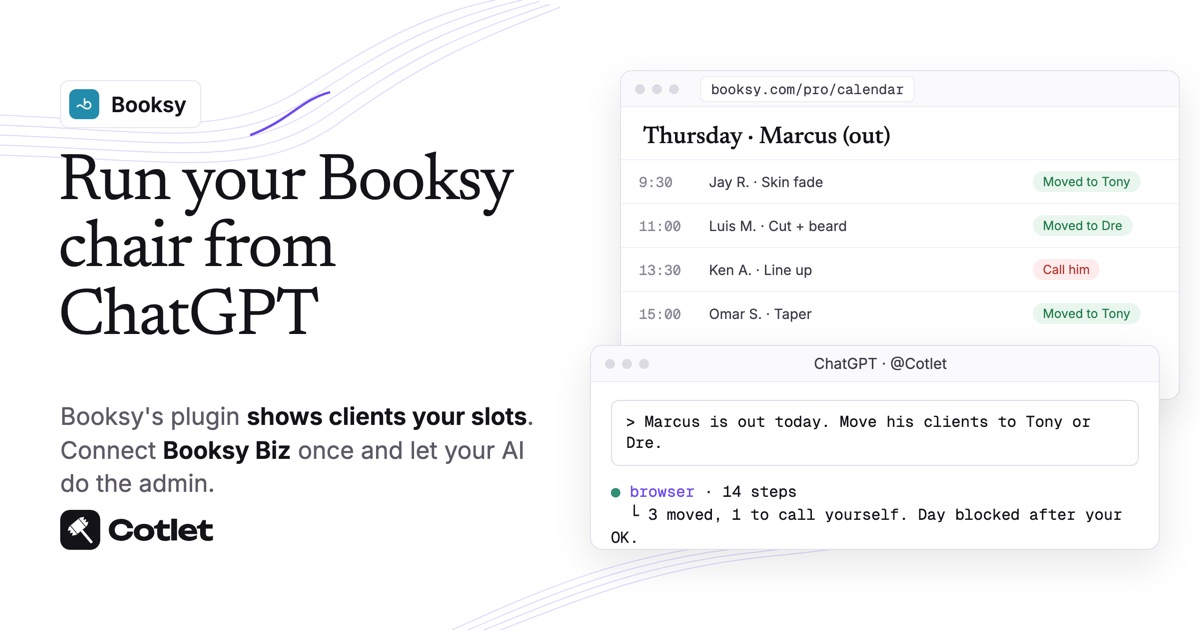
Booksy’s ChatGPT plugin, launched for US clients on 19 October 2026, lets people find and book your open slots, and Booksy says ChatGPT “can see your open slots and service names, but nothing else”. Booksy has no Claude connector and gives shop owners no API keys, as of November 2026. To let ChatGPT, Claude or another AI agent work in your own Booksy Biz account, you connect it through Cotlet: you sign in to Booksy Biz once in a cloud browser, and your AI works in your calendar, clients, reviews and reports there, the way you do. It takes about ten minutes and no code.
Cotlet is built for the people who run the shop: the owner, the manager or whoever keeps the Booksy Biz calendar straight and wants an AI to do that work for them. If you are a client looking for a fade on Saturday, Booksy’s own plugin is the one for you. This guide is about the admin that comes after the booking: moving clients when a barber is off, checking the week’s numbers, bringing back clients who stopped coming.
What ChatGPT and Claude can do in Booksy once connected
Your AI works in the Booksy Biz web app in your signed-in browser, so it can do what you can do there by hand:
| Booksy Biz screen | What you can ask your AI to do |
|---|---|
| Calendar | List the day’s appointments per staff member, find open slots, book, move or cancel a visit |
| Time off | Block hours or a whole day for a barber once their bookings are moved |
| Clients | Find a client, read their card and visit history, add a note |
| Reviews | List new reviews, draft replies in your voice, post them |
| Stats & Reports | Read revenue, appointments and clients for a period, per staff member on Booksy Biz Pro |
| Message Blasts | Pick a group of clients, write the text, check the count before it goes |
Your AI asks before anything a client will see: a booking, a move, a cancellation, a review reply or a Message Blast. Reading the calendar, reports and client cards needs no OK.
Cotlet’s Booksy integration page has more on how the connection works.
Does Booksy have AI, an API or an official ChatGPT app?
Booksy has AI for your clients and your phone line, and an API for partners. None of it puts your own ChatGPT or Claude into Booksy Biz.
- ChatGPT plugin, for clients. Clients in the US ask ChatGPT for a barber or a beauty pro, see open slots and finish the booking in Booksy. Per Booksy’s plugin explainer (checked 9 November 2026), “There’s nothing to activate for the plugin itself”, and ChatGPT sees only your open slots and service names.
- AI Receptionist, for your phone. A beta that answers calls in English or Spanish and books into your calendar. Booksy offers it free for at least 12 months to the first 500 providers who join, per its feature page.
- Partner API, not for owners. Booksy’s Public API is issued to software partners, with keys Booksy hands out. There is no API key screen in Booksy Biz, and Zapier and n8n have no Booksy app.
- No Claude connector. Booksy has announced nothing for Claude, and none of its pages mention one.
So for your calendar, clients and reports, the way in today is a hosted MCP server that works in Booksy Biz as you. If Booksy opens its API to owners, use that.
Before you start
- Your Booksy Biz login, ideally the owner account, so the AI sees every staff member’s calendar. Per-staff reports need Booksy Biz Pro on the web or a tablet.
- Client cards with an email or a phone number, if you want clients told about a move. Booksy sends its alerts only to clients it can reach.
- An AI you already pay for or use free: ChatGPT in the browser at chatgpt.com, or Claude on the web or desktop (its free plan takes one custom connector).
- A Cotlet account. Start free: 7 days, 2,000 credits, no card.
Step 1: sign in to Booksy in your Cloud Browser
In the Cotlet console, open your Web browser, go to booksy.com/pro and sign in to Booksy Biz with your own email and password. That browser runs on our side and stays signed in, so your AI can open Booksy Biz later without you being there.
Your password goes into Booksy’s page and nowhere else: Cotlet never sees it or stores it, and keeps only your encrypted session. When Booksy asks for a fresh login one day, the AI stops at that page and sends you the link to the browser, so you type it yourself. More on the security page.
Step 2: connect Booksy to ChatGPT, Claude or another AI agent
Choose the AI you use. ChatGPT, Claude, Claude Code, Codex, Cursor, Grok, Hermes Agent, n8n and any other MCP client reach Booksy the same way, through your Cloud Browser.
Pick your AI above to see its steps.
How to connect Booksy to ChatGPT
Do this on chatgpt.com in your browser. Cotlet then works in the ChatGPT desktop and phone apps too.
- Open Plugins in ChatGPT and click Add.
- Click Add custom MCP server. Not in the menu? Turn on Developer mode in Settings, Security and login, then come back.
- Paste the name
Cotletand the server URLhttps://cotlet.dev/mcp/v1/connect. Keep Authentication on OAuth. - Tick “I understand and want to continue” and click Create as a plugin.
- Click Connect Cotlet. A Cotlet page opens, click Allow access.
- In a new chat, type
@Cotletand pick it from the list. - Ask ChatGPT: “Are you signed in to Cotlet through MCP?” Then try a first Booksy task: “Open my Booksy calendar and list tomorrow’s appointments by staff member.”
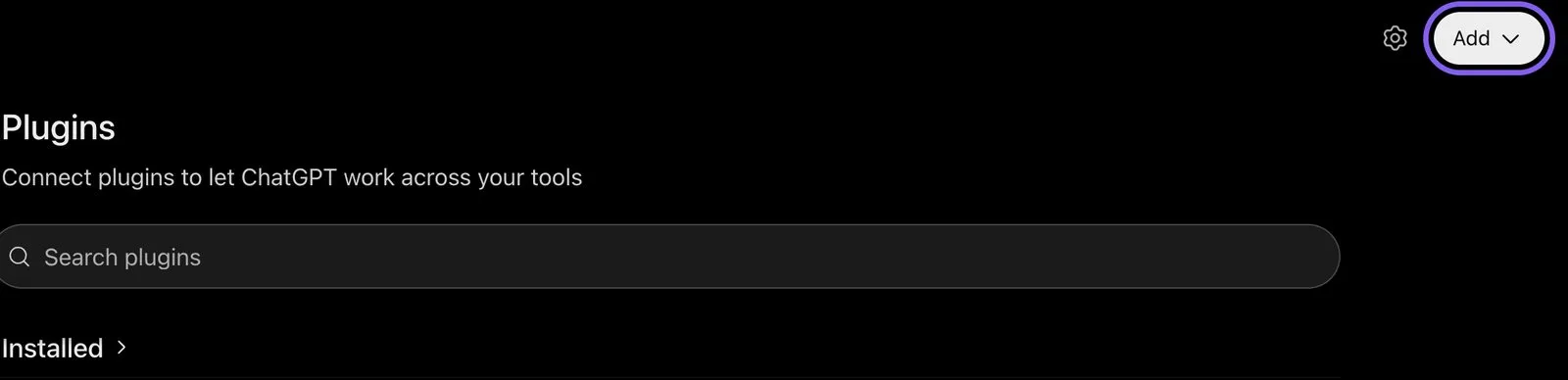
ChatGPT, Plugins page, November 2026.
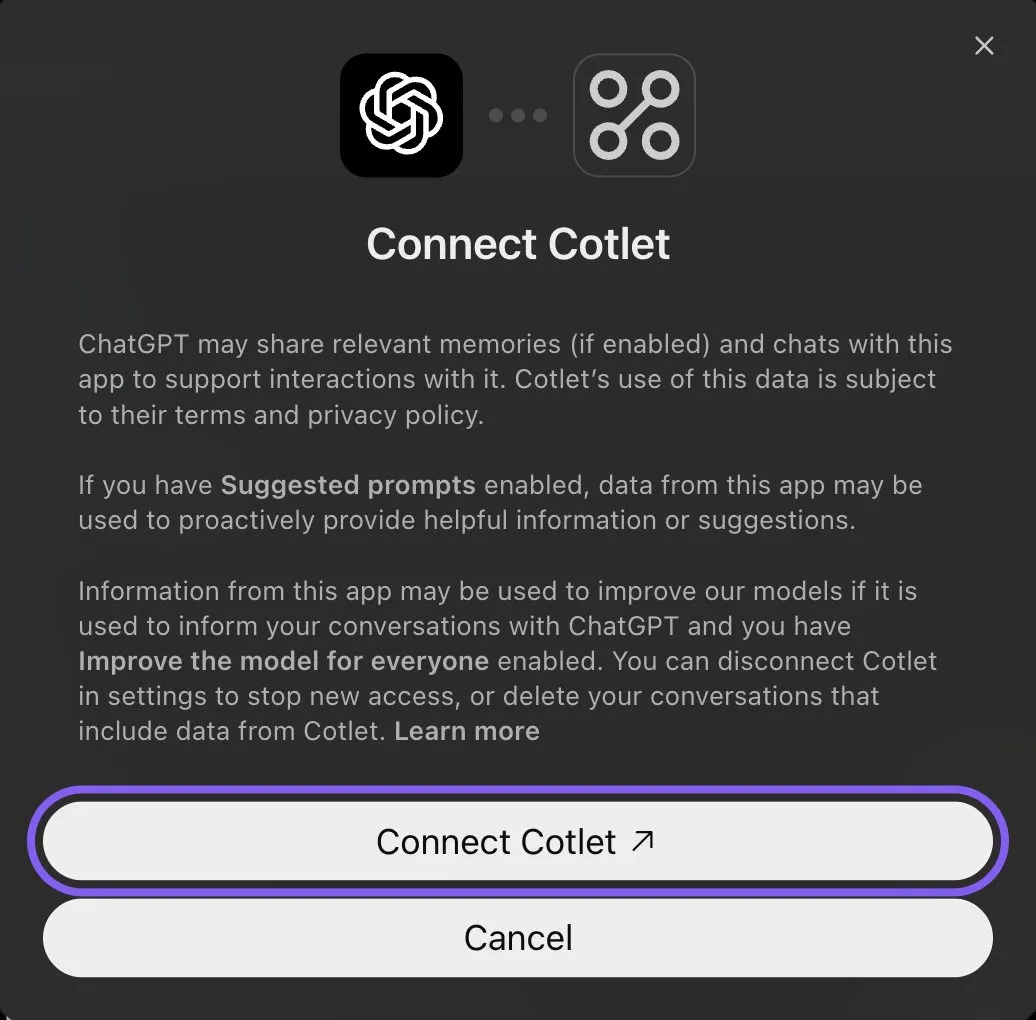
ChatGPT, connecting the Cotlet plugin, November 2026.
ChatGPT asks “Allow ChatGPT to use Cotlet?” before some steps. Pick Always allow, or the chat waits for your click. On a Business, Enterprise or Edu workspace, an admin has to allow custom MCP servers first.
How to connect Booksy to Claude
- Open Connectors in Claude and click Add. In the desktop app it is under Customize, Connectors.
- Click Add custom connector.
- Paste the name
Cotletand the URLhttps://cotlet.dev/mcp/v1/connect, then click Continue. - Keep the settings and click Add.
- A Cotlet page opens. Click Allow access.
- In a chat, click the plus button, then Connectors, and turn Cotlet on.
- Ask Claude: “Are you signed in to Cotlet through MCP?”, then “How many new clients did my Booksy shop get last week?”. Claude asks before it uses a Cotlet tool the first time. Click Allow.

Claude, Customize, Connectors, Add menu, November 2026.
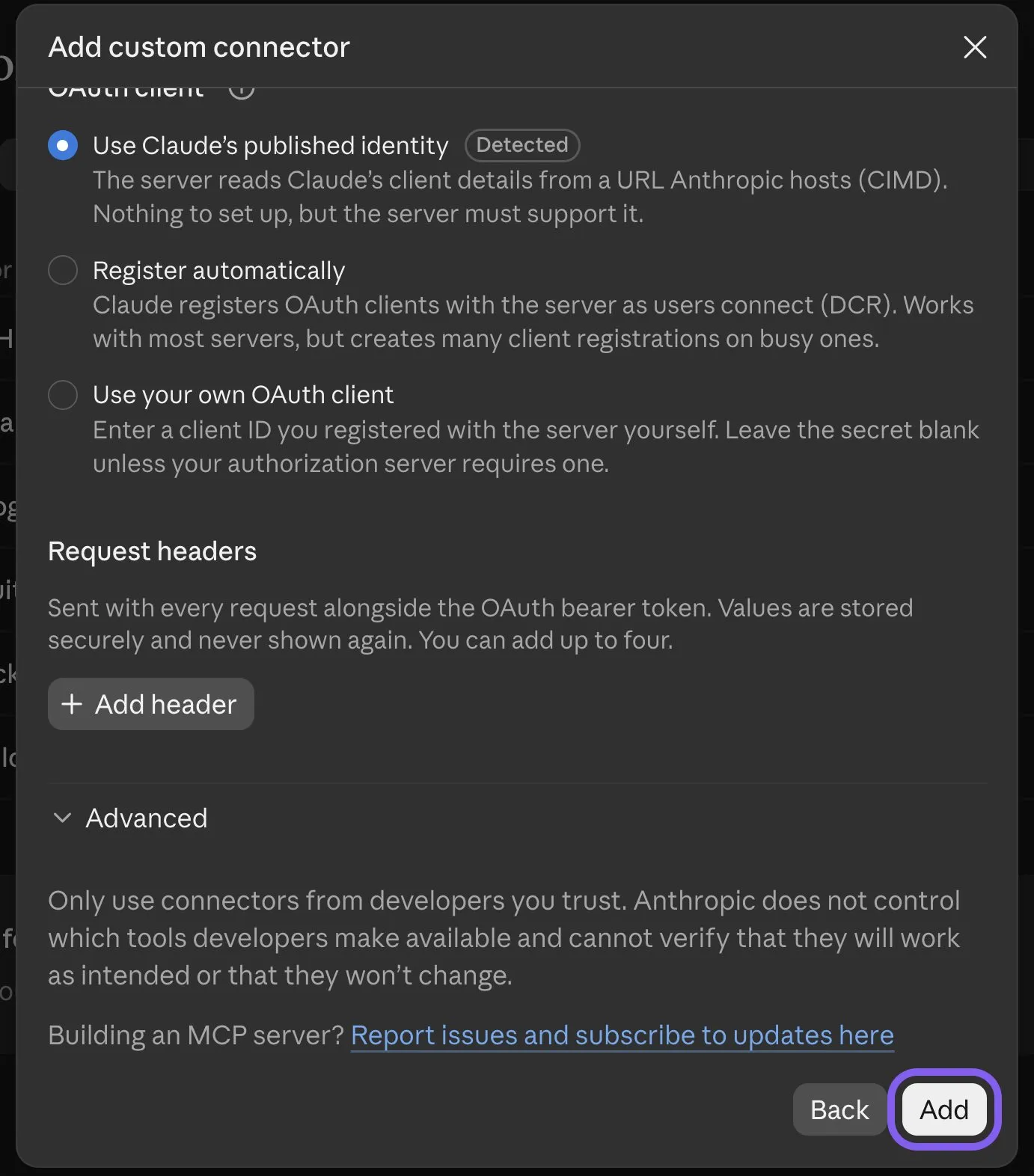
Claude, Add custom connector, last screen, November 2026.
Claude’s free plan allows one custom connector. On a Team or Enterprise plan, an owner adds Cotlet in Organization settings, Connectors, and you click Connect next to it.
How to connect Booksy to Claude Code
Add Cotlet without a key, then sign in once in the browser:
claude mcp add --transport http cotlet https://cotlet.dev/mcp/v1/connectRun /mcp in Claude Code, pick cotlet and sign in to Cotlet. Prefer an API key, for example on a server? Create one in the Cotlet console and use:
claude mcp add --transport http cotlet https://cotlet.dev/mcp/v1 \
  --header "Authorization: Bearer $COTLET_API_KEY"
How to connect Booksy to Codex
Create an API key in the Cotlet console, put it in the COTLET_API_KEY environment variable and add this to ~/.codex/config.toml:
[mcp_servers.cotlet]
url = "https://cotlet.dev/mcp/v1"
bearer_token_env_var = "COTLET_API_KEY"
How to connect Booksy to Cursor
Create an API key in the Cotlet console, put it in the COTLET_API_KEY environment variable and add this to ~/.cursor/mcp.json:
{
  "mcpServers": {
    "cotlet": {
      "url": "https://cotlet.dev/mcp/v1",
      "headers": { "Authorization": "Bearer ${env:COTLET_API_KEY}" }
    }
  }
}
How to connect Booksy to Grok
Grok takes custom MCP servers on grok.com, per xAI’s connectors documentation (checked 8 November 2026).
- Open grok.com/connectors and click New Connector.
- Pick Custom and paste the server URL
https://cotlet.dev/mcp/v1/connect. - Sign in to Cotlet when Grok asks, then click Allow access.
- Ask Grok: “Are you signed in to Cotlet through MCP?”
On Grok Business, an admin adds the connector first in the xAI console, under Grok Business, Connectors. The Grok chat inside X has no custom connector menu.
How to connect Booksy to Hermes Agent
Add Cotlet to ~/.hermes/config.yaml in the format of the Hermes MCP config reference:
mcp_servers:
  cotlet:
    url: "https://cotlet.dev/mcp/v1"
    headers:
      Authorization: "Bearer ${COTLET_API_KEY}"
    trust: untrusted
Put COTLET_API_KEY in ~/.hermes/.env and check it with hermes mcp test cotlet. With trust: untrusted, Hermes runs reads at once and asks before every write. More on Hermes in our post on the Hermes Agent browser.
How to connect Booksy to n8n
Use the MCP Client node, or the MCP Client Tool inside an AI Agent node:
- Server Transport: HTTP Streamable
- MCP Endpoint URL:
https://cotlet.dev/mcp/v1 - Authentication: Bearer Auth, with your Cotlet API key as the token
- Tools: let the AI Agent node use Cotlet’s browser tools; it reads Cotlet’s Booksy guide first and works in your signed-in Booksy Biz
Use it for work that should run on its own, such as a Friday summary of the week per barber, sent to your email or Slack.
Any other MCP client
Point the client at https://cotlet.dev/mcp/v1 over Streamable HTTP, with the header Authorization: Bearer <your Cotlet API key>. A client that supports OAuth sign-in can use https://cotlet.dev/mcp/v1/connect instead and needs no key. The full reference is in the MCP docs.
Three Booksy jobs to try first
Start with a job from this week and check what changed in Booksy Biz afterwards.
Move a barber’s day when they call in sick
Marcus is out today. Move his clients to Tony or Dre at the same time if they are free, and tell me who still needs a new slot. Ask me before you change anything.
The AI reads Marcus’s bookings in the Booksy calendar, checks Tony’s and Dre’s open slots for the same services, and shows you one plan before it moves anybody. Once his column is empty, it blocks the day so nobody books into it online. Booksy alerts a client about a change only when their card has an email address and phone number, per its worry-free booking post, so the AI flags the clients it cannot reach and you call them.
Get the week’s numbers per barber
Friday wrap-up: revenue, appointments, no-shows and tips per staff member this week, compared with last week. Flag anything that moved more than 20 percent.
The AI opens Stats & Reports, reads the same week for every staff member and the week before, and gives you one short table. Keep it for running the shop, not for the accountant: Booksy says its reports are “designed for operational insights, not accounting or taxes” on its Stats & Reports page.
Bring back clients who stopped coming
Find clients who have not been in for six weeks and have nothing booked. Draft a Message Blast with a Tuesday offer and show me the count before you send.
The AI filters your client list by last visit, drops anyone who already has a booking, and drafts the text. It puts your Booksy booking link in the message for a reason: Message Blast texts come from an automated number, and if a client replies, the reply never reaches you, per Booksy’s Message Blast guide. Nothing goes out until you approve the list and the wording.
What Cotlet costs
No subscription: Cotlet sells credit packs from $29 that last 12 months. Your first 7 days are free with 2,000 credits, and no card is asked for. Credits go only on calls that work. Details on the pricing page.
Booksy itself stays as it is, at $29.99 a month plus $20 for each extra team member on Booksy’s pricing page. Cotlet adds nothing to your Booksy bill.
FAQ
Is this the same as the Booksy plugin in ChatGPT?
No. Booksy’s plugin helps clients find your open slots and book in Booksy. Cotlet connects your Booksy Biz account, so your own ChatGPT or Claude works in your calendar, clients, reviews and reports.
Is there a Booksy MCP server?
Booksy has not published one. Cotlet runs a hosted MCP server that reaches your Booksy Biz account through your signed-in Cloud Browser, and you add it to ChatGPT, Claude or another client with the steps above.
Can I get Booksy API access for my own shop?
Not as an owner. Booksy issues API keys to software partners, and Booksy Biz has no screen where a shop can create its own key. Cotlet works without one.
Can ChatGPT or Claude manage my Booksy bookings and clients?
Yes, once Booksy Biz is connected through Cotlet. Your AI books, moves and cancels appointments, finds clients and adds notes, and checks with you before anything a client would see.
Can ChatGPT agent or Claude in Chrome do this instead?
They can work on websites too, in a different way. ChatGPT agent pauses at a login and asks you to take over its browser, per OpenAI’s ChatGPT agent help. Claude in Chrome is an extension for paid Claude plans that works in the Chrome on your computer, per Anthropic’s Claude in Chrome guide. Cotlet’s browser runs in the cloud and stays signed in to Booksy, so the same Booksy work runs from ChatGPT, Claude, n8n or a schedule, with your computer off.
Is this an official Booksy integration?
No. Cotlet is independent and not affiliated with Booksy. It works through your own signed-in Booksy Biz account, the way you would by hand.
Put your Booksy admin on autopilot
The plugin fills your chairs. Let your AI keep the calendar, the follow-ups and the numbers in order. Try Cotlet free, sign in to Booksy Biz once, and connect ChatGPT or Claude with the steps above. Other apps without an API are in the integrations catalog.