How to connect Client Diary to ChatGPT, Claude and any AI agent
Client Diary has no official MCP server, ChatGPT app or public API (checked 28 Nov 2026). Let ChatGPT or Claude read your diary, waitlist and deposits.
Cotlet team 10 min read
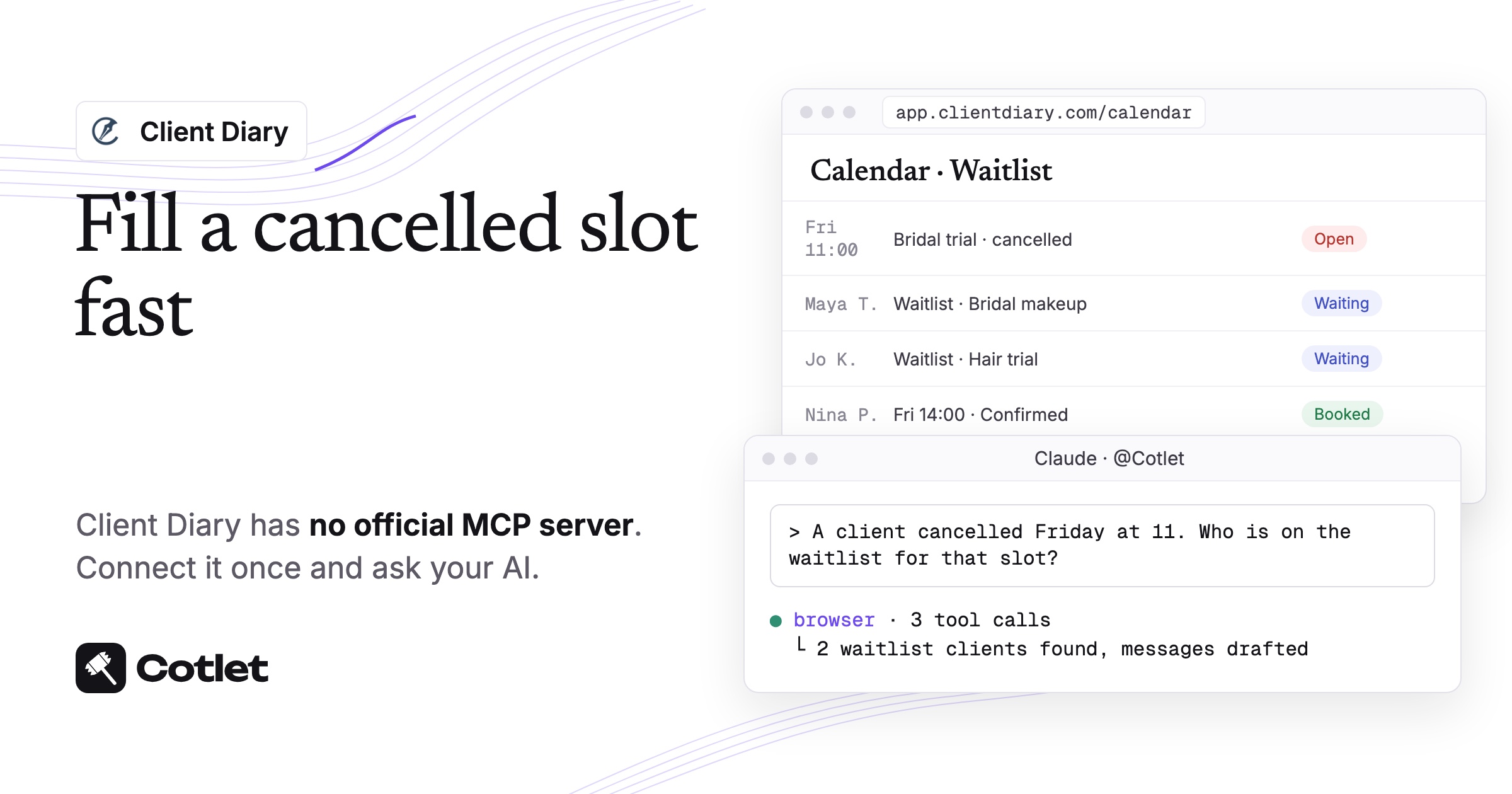
The wedding rush has ended and your bridal makeup diary is thin. Two brides had a trial and never booked the day. Some regulars have stayed away for three months. A Friday slot just opened, and somebody asked for it weeks ago. As of 28 Nov 2026, Client Diary offers no MCP server, no ChatGPT app, no Claude connector and no public API for owners. With Cotlet, an AI agent works inside a Cloud Browser that holds your Client Diary session, so ChatGPT or Claude reads the diary as you would.
This is for the owner of a hair, beauty, makeup, nail or tattoo studio on Client Diary. It also fits bridal artists who run their appointments there. Clients who book online are out of scope.
Which Client Diary screens the AI can work
Ask in plain words. The agent opens the Client Diary screen that holds the answer.
| Client Diary area | Request it can handle |
|---|---|
| Clients, Calendar | Finds clients with no visit in 10 weeks and no future booking, with their last service |
| Calendar, Waitlist | Shows who waits for a service and day when a slot opens, and drafts a message to the first two |
| Calendar, Online booking payments | Lists next week’s bookings with deposit status and clients who skipped before |
| Reports, Daily clients | Gives tomorrow’s clients with time, service, card notes and unfilled forms |
| Reports, Overall summary | Compares last week’s sales by service, staff member and payment type |
| Vouchers | Lists sold gift vouchers with the balance left and the expiry date |
| Team, Rosters | Flags days with more bookings than people on shift |
Reading changes nothing. A message to a client, a booking or a refund waits for your approval, and payments stay blocked. More requests sit on the Client Diary MCP page.
What Client Diary offers for integrations
As of 28 November 2026:
- API: none for owners. The Zapier set-up guide shows an API key, but only for linking your account to Zapier. Docs list no REST reference.
- AI: planned by the vendor. The official page for AI systems says AI analysis of reporting is planned through 2026. It names no ChatGPT or Claude connector.
- MCP: the vendor has none. The MCP Registry returns 0 results. Zapier’s own MCP page is a Zapier product.
- Zapier: one trigger. Client Diary is on Zapier with one trigger for a new or updated client and no actions. We found no app on Make or n8n.
- Export: transactions. Export Tools give a spreadsheet of a date range.
Every point has its source in the Client Diary access review.
What you need first
- Your Client Diary owner login for app.clientdiary.com. The phone app alone will not do.
- Months of bookings in the diary, which gives the agent something to count.
- ChatGPT or Claude, either free or paid.
- Cotlet, which starts with a free trial (pricing).
Step 1: sign in to Client Diary in your Cloud Browser
In the Cloud Browser, type app.clientdiary.com and log in with your owner details. The password goes to Client Diary alone. Cotlet holds an encrypted session, never the password, and revoking the agent takes one click (security).
Step 2: connect Client Diary to ChatGPT, Claude or another AI agent
Choose the agent you already use. Setup happens once, and every later chat can reach your diary.
Pick your AI above to see its steps.
How to connect Client Diary to ChatGPT
Do this on chatgpt.com in your browser. Cotlet then works in the ChatGPT desktop and phone apps too.
- Open Plugins in ChatGPT and click Add.
- Click Add custom MCP server. Not in the menu? Turn on Developer mode in Settings, Security and login, then come back.
- Paste the name
Cotletand the server URLhttps://cotlet.dev/mcp/v1/connect. Keep Authentication on OAuth. - Tick “I understand and want to continue” and click Create as a plugin.
- Click Connect Cotlet. A Cotlet page opens, click Allow access.
- In a new chat, type
@Cotletand pick it from the list. - Ask ChatGPT: “Are you signed in to Cotlet through MCP?” Then try a first Client Diary task: “In Client Diary, who is on the waitlist for a Friday slot at 11? Show me names and services. Message nobody.”
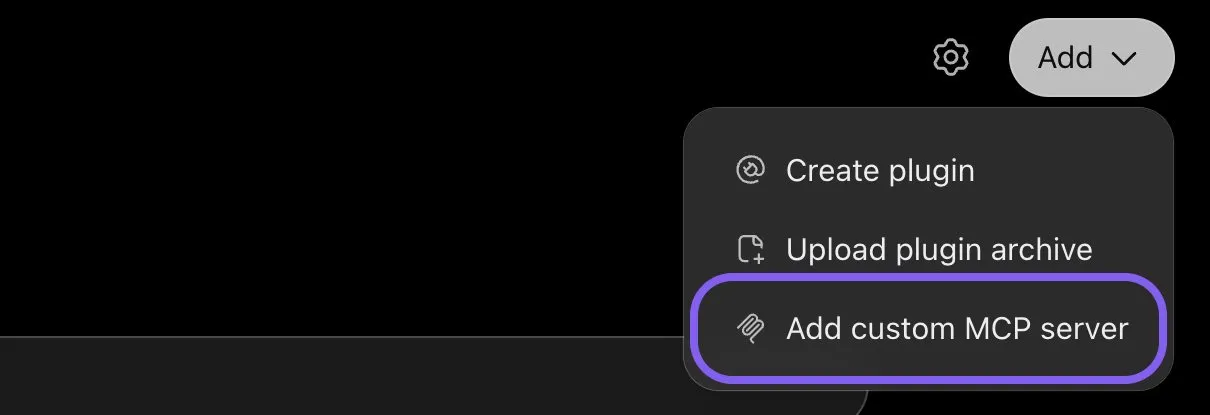
ChatGPT, Add menu on the Plugins page, November 2026.
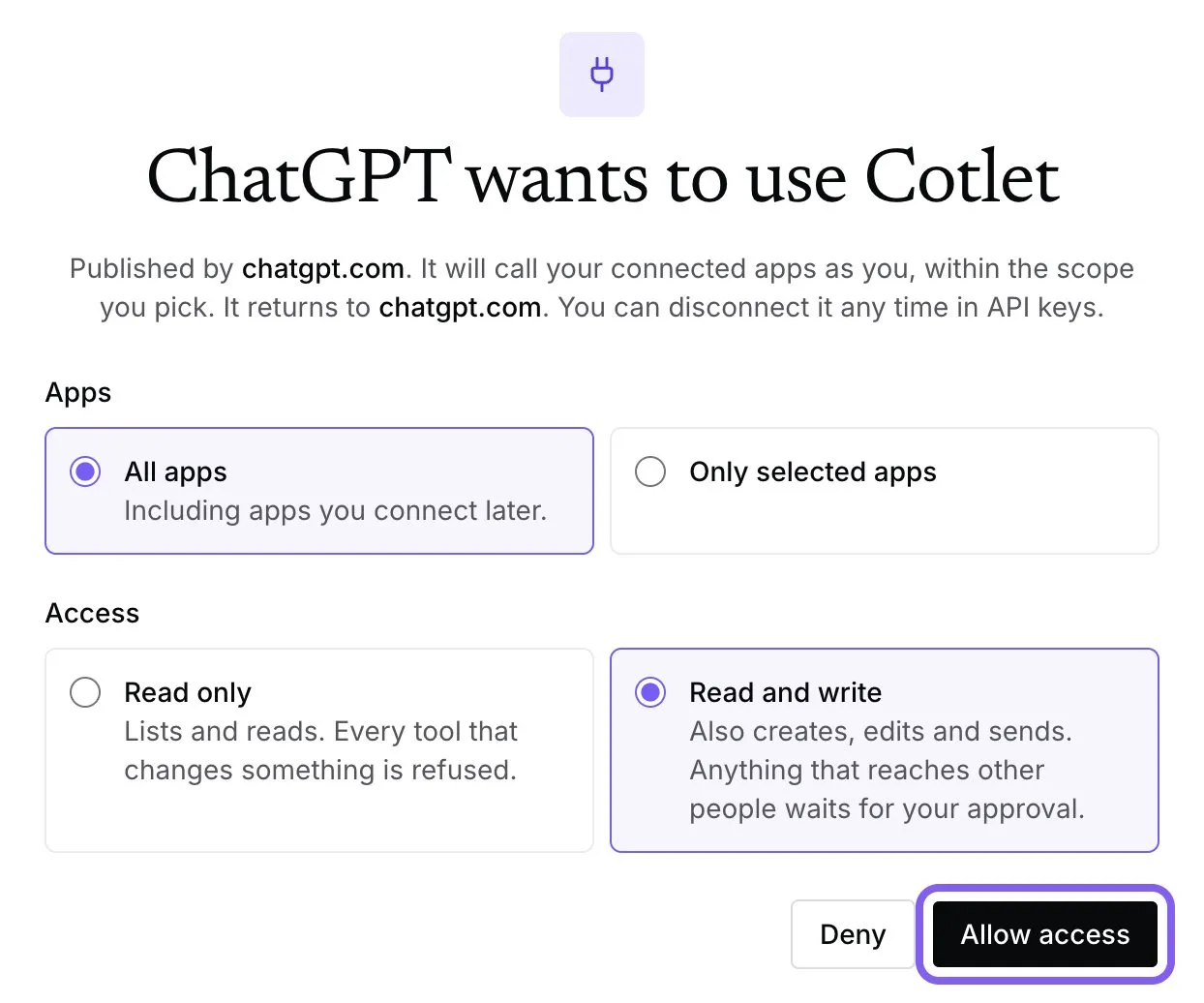
Cotlet consent page after you connect it in ChatGPT, November 2026.
ChatGPT asks “Allow ChatGPT to use Cotlet?” before some steps. Pick Always allow, or the chat waits for your click. On a Business, Enterprise or Edu workspace, an admin has to allow custom MCP servers first.
How to connect Client Diary to Claude
- Open Connectors in Claude and click Add. In the desktop app it is under Customize, Connectors.
- Click Add custom connector.
- Paste the name
Cotletand the URLhttps://cotlet.dev/mcp/v1/connect, then click Continue. - Keep the settings and click Add.
- A Cotlet page opens. Click Allow access.
- In a chat, click the plus button, then Connectors, and turn Cotlet on.
- Ask Claude: “Are you signed in to Cotlet through MCP?”, then “In Client Diary, list clients whose last visit was more than 10 weeks ago and who have no future booking. Change nothing.”. Claude asks before it uses a Cotlet tool the first time. Click Allow.

Claude, Customize, Connectors, November 2026.

Claude, Add custom connector form, November 2026.
Claude’s free plan allows one custom connector. On a Team or Enterprise plan, an owner adds Cotlet in Organization settings, Connectors, and you click Connect next to it.
How to connect Client Diary to Claude Code
Add Cotlet without a key, then sign in once in the browser:
claude mcp add --transport http cotlet https://cotlet.dev/mcp/v1/connectRun /mcp in Claude Code, pick cotlet and sign in to Cotlet. Prefer an API key, for example on a server? Create one in the Cotlet console and use:
claude mcp add --transport http cotlet https://cotlet.dev/mcp/v1 \
  --header "Authorization: Bearer $COTLET_API_KEY"
How to connect Client Diary to Codex
Create an API key in the Cotlet console, put it in the COTLET_API_KEY environment variable and add this to ~/.codex/config.toml:
[mcp_servers.cotlet]
url = "https://cotlet.dev/mcp/v1"
bearer_token_env_var = "COTLET_API_KEY"
How to connect Client Diary to Cursor
Create an API key in the Cotlet console, put it in the COTLET_API_KEY environment variable and add this to ~/.cursor/mcp.json:
{
  "mcpServers": {
    "cotlet": {
      "url": "https://cotlet.dev/mcp/v1",
      "headers": { "Authorization": "Bearer ${env:COTLET_API_KEY}" }
    }
  }
}
How to connect Client Diary to Grok
Grok takes custom MCP servers on grok.com, per xAI’s connectors documentation (checked 8 November 2026).
- Open grok.com/connectors and click New Connector.
- Pick Custom and paste the server URL
https://cotlet.dev/mcp/v1/connect. - Sign in to Cotlet when Grok asks, then click Allow access.
- Ask Grok: “Are you signed in to Cotlet through MCP?”
On Grok Business, an admin adds the connector first in the xAI console, under Grok Business, Connectors. The Grok chat inside X has no custom connector menu.
How to connect Client Diary to Hermes Agent
Add Cotlet to ~/.hermes/config.yaml in the format of the Hermes MCP config reference:
mcp_servers:
  cotlet:
    url: "https://cotlet.dev/mcp/v1"
    headers:
      Authorization: "Bearer ${COTLET_API_KEY}"
    trust: untrusted
Put COTLET_API_KEY in ~/.hermes/.env and check it with hermes mcp test cotlet. With trust: untrusted, Hermes runs reads at once and asks before every write. More on Hermes in our post on the Hermes Agent browser.
How to connect Client Diary to n8n
Use the MCP Client node, or the MCP Client Tool inside an AI Agent node:
- Server Transport: HTTP Streamable
- MCP Endpoint URL:
https://cotlet.dev/mcp/v1 - Authentication: Bearer Auth, with your Cotlet API key as the token
- Tools: let the AI Agent node use Cotlet’s browser tools; it reads Cotlet’s Client Diary guide first and works in your signed-in Client Diary account
Use it for work that should run on its own, such as a Monday list of clients who have not booked in 10 weeks.
Any other MCP client
Point the client at https://cotlet.dev/mcp/v1 over Streamable HTTP, with the header Authorization: Bearer <your Cotlet API key>. A client that supports OAuth sign-in can use https://cotlet.dev/mcp/v1/connect instead and needs no key. The full reference is in the MCP docs.
Three Client Diary jobs to try first
Start by asking questions.
Win back clients who stopped booking
List clients whose last visit was more than 10 weeks ago and who have no future booking. Draft a short message for each. Send nothing yet.
Automated marketing covers some win back messages, but you may want to see the people first. The agent builds the list from your client records, notes the last service, and writes each message in your voice. You read them and approve.
Fill a slot the minute it opens
A client cancelled Friday at 11. Who is on the waitlist for that service and day? Draft a message to the first two.
The waitlist keeps who asked and for which service. The agent matches the cancelled slot to those entries and drafts two offers. You press send.
Find unused gift vouchers
List gift vouchers sold in the last 12 months with the balance left and the expiry date. Draft a reminder for balances above 50 dollars.
Clients buy vouchers online and forget them. The agent reads the voucher screen, sorts by balance and expiry, and writes a friendly nudge for the big ones.
Later in the week
- Check next week’s deposits and name clients who skipped a visit before.
- Get tomorrow’s clients with times, card notes and forms still open.
- Compare last week’s takings with the week before, by service and staff member.
- Compare your stock list with a supplier price sheet and list the products that differ.
Price
A trial costs nothing and needs no card, with 2,000 credits for the first 7 days. Later you buy a pack, from $29, valid for a year, and a failed call is not charged (pricing). Nothing about your Client Diary subscription changes.
FAQ
Does Client Diary have a ChatGPT or Claude connector?
No official one. The vendor says AI is planned for 2026. Cotlet works through your own login today.
Is there a Client Diary API key for ChatGPT?
The only key in the docs links your account to Zapier. We found no public API for owners.
Does Client Diary work with Zapier, Make or n8n?
It has a Zapier app with one trigger for new or updated clients. We found no Make or n8n app.
Can ChatGPT or Claude take a booking in Client Diary?
It can read the diary, find a free slot and prepare the booking or a message. Anything that reaches a client waits for you, and payments stay blocked.
Is Client Diary software for photographers?
No. It is booking software for salons, hair, beauty, tattoo and makeup studios, which makes it a fit for bridal artists.
Is Cotlet made by Client Diary?
No. The companies are separate.
Fill next Friday before it goes empty
One message checks your waitlist. Open a free account, sign in to Client Diary and ask. Find more apps in the catalog.