How to connect Floranext to ChatGPT, Claude and any AI agent
Floranext has no official MCP server, and we found no public API (checked 28 Nov 2026). Let ChatGPT or Claude check deliveries, quotes and accounts.
Cotlet team 9 min read
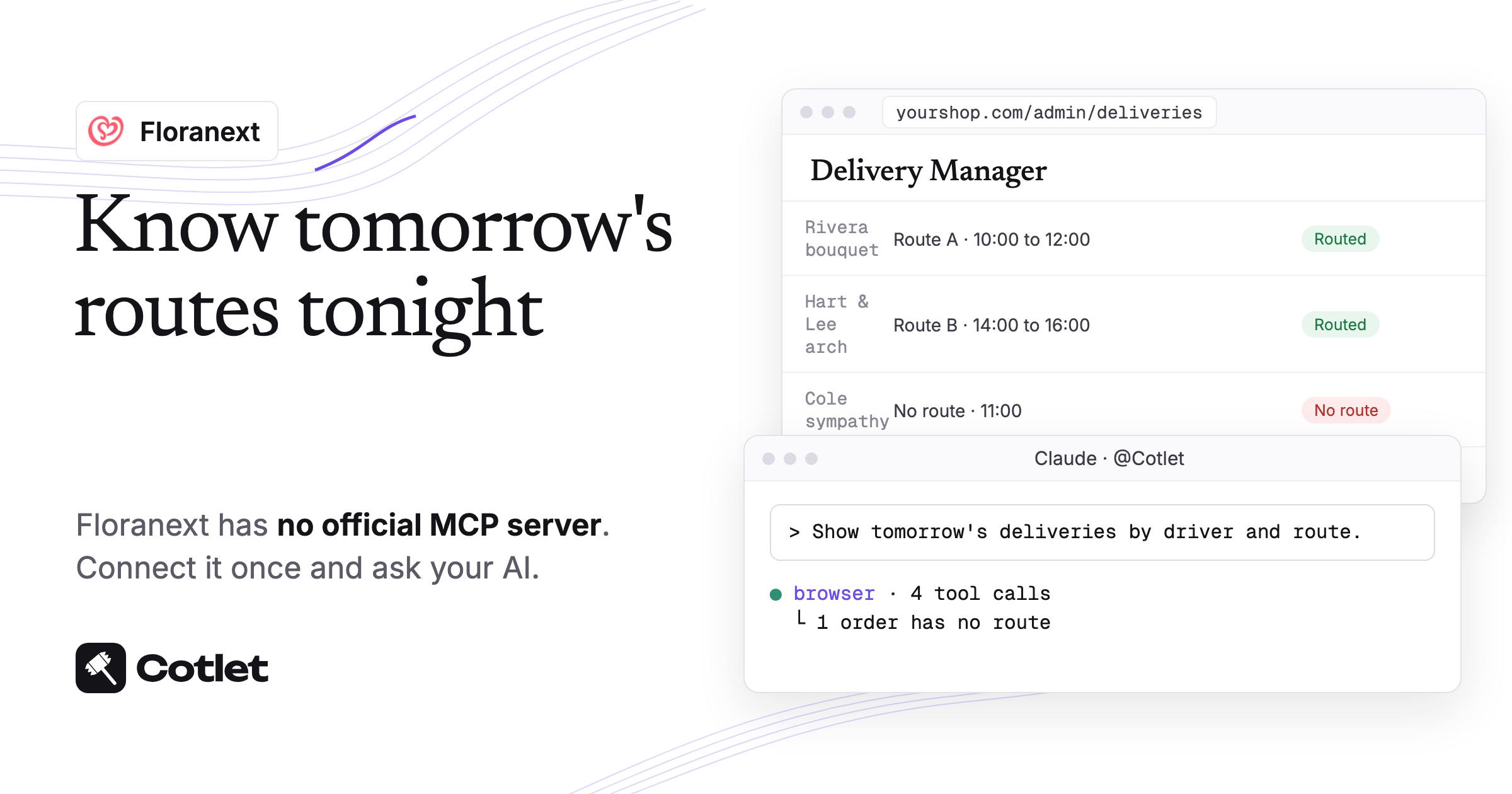
At 6 pm the day before a big delivery day, you still do not know which orders have a driver. The Delivery Manager shows them, but you have to read it line by line. For 28 Nov 2026 the check shows no official Floranext MCP server and no ChatGPT or Claude app for shop owners. We found no public API either. The help center has no API section, and Zapier has no Floranext app. What remains is your own admin. Cotlet lets an agent use it in a browser tab where you are signed in, and read the screens you would read.
It is for flower shop owners, managers and wedding florists who run orders, deliveries, house accounts, reports and wedding quotes in the Floranext admin. Customers on the shop website and drivers in the driver app are out of scope.
Which Floranext screens the AI can work
Give it a date, a driver or a customer name and it opens the matching report.
| Floranext area | Request it can handle |
|---|---|
| Weddings and Events | Lists quotes sent in the last 30 days and not accepted, with the days since |
| Deliveries | Groups tomorrow’s orders by driver and route and flags unrouted ones |
| Reports | Pulls the daily sales report and the quarterly sales tax numbers |
| House accounts | Lists open balances, the oldest unpaid order and days late |
| Occasion reminders | Finds customers who ordered last Mother’s Day and not yet this year |
| Inventory and reviews | Shows low stock and negative reviews that still need an answer |
Looking changes nothing. An edited order, a customer message or a refund happens only after you agree. Payments cannot be made. More ideas are on the Floranext MCP page.
What Floranext offers for integrations
What we found on 28 November 2026:
- API: none found. The help center covers payments, the point of sale, the website and Weddings & Events, and has no API section. Third party directories disagree, so we rely on the help center.
- MCP: none from Floranext. A search of the MCP Registry returns no Floranext server.
- Zapier, Make and n8n: we found no Floranext app on any of them.
- Built in: Flower Shop Network, QuickBooks Online, Stripe, Instagram and Google Analytics.
The sources are listed in the Floranext access review. For ways to build your own link, see the API page.
What you need first
- A Floranext admin login for your shop.
- Orders in the system, and a delivery or a wedding quote to test with.
- ChatGPT or Claude.
- A Cotlet login. The first week is free (pricing).
Step 1: sign in to Floranext in your Cloud Browser
Use the Cloud Browser to reach your shop’s admin (your domain plus /admin) and sign in. The password goes into Floranext’s form and nowhere else. Cotlet stores an encrypted session only, which you can revoke with a click (security).
Step 2: connect Floranext to ChatGPT, Claude or another AI agent
Choose the assistant you open every day. Connect once, and each new chat can use Floranext.
Pick your AI above to see its steps.
How to connect Floranext to ChatGPT
Do this on chatgpt.com in your browser. Cotlet then works in the ChatGPT desktop and phone apps too.
- Open Plugins in ChatGPT and click Add.
- Click Add custom MCP server. Not in the menu? Turn on Developer mode in Settings, Security and login, then come back.
- Paste the name
Cotletand the server URLhttps://cotlet.dev/mcp/v1/connect. Keep Authentication on OAuth. - Tick “I understand and want to continue” and click Create as a plugin.
- Click Connect Cotlet. A Cotlet page opens, click Allow access.
- In a new chat, type
@Cotletand pick it from the list. - Ask ChatGPT: “Are you signed in to Cotlet through MCP?” Then try a first Floranext task: “In Floranext, show tomorrow’s orders to deliver grouped by driver and route. Change nothing.”

ChatGPT, Plugins page, November 2026.
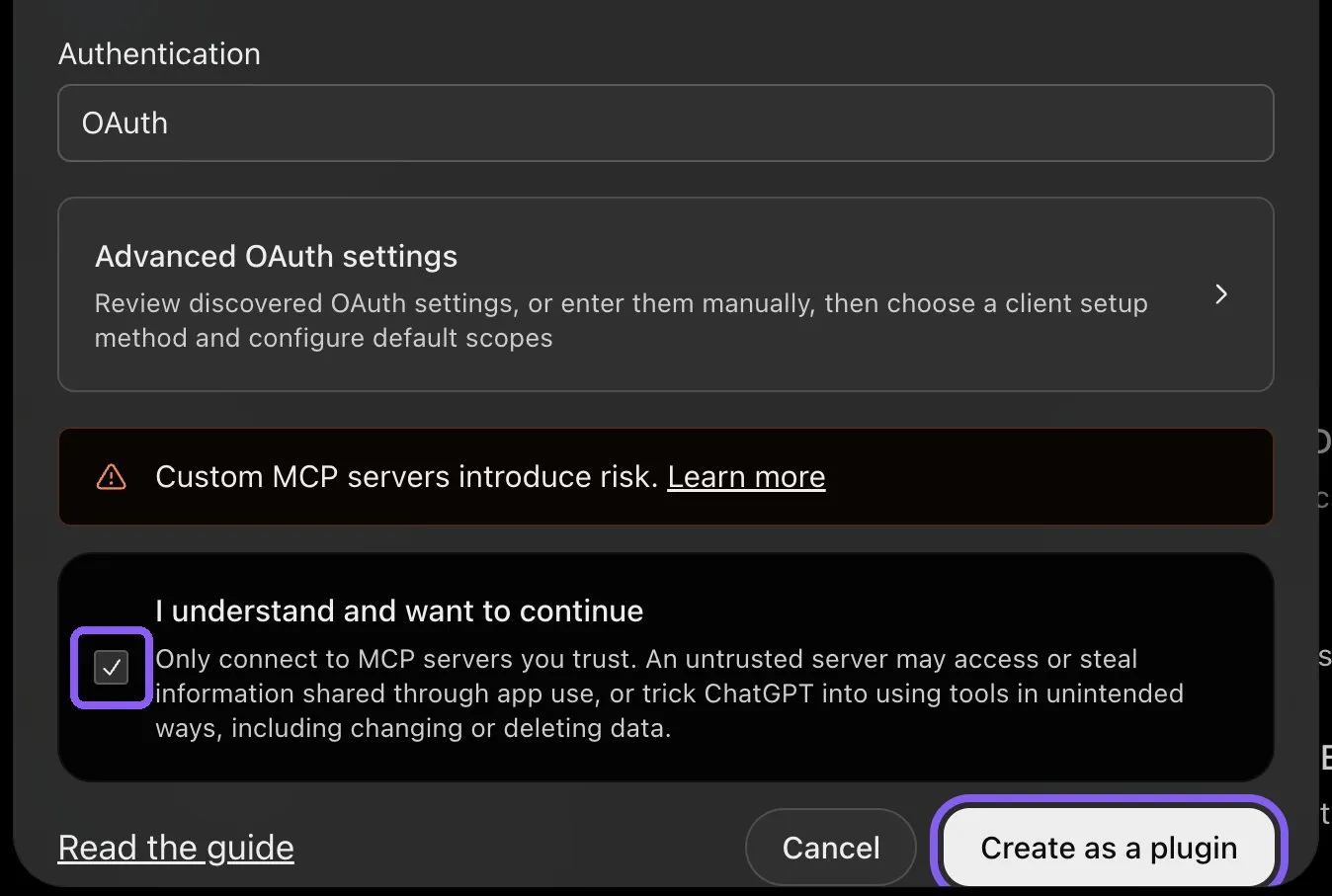
ChatGPT, bottom of the custom MCP server form, November 2026.
ChatGPT asks “Allow ChatGPT to use Cotlet?” before some steps. Pick Always allow, or the chat waits for your click. On a Business, Enterprise or Edu workspace, an admin has to allow custom MCP servers first.
How to connect Floranext to Claude
- Open Connectors in Claude and click Add. In the desktop app it is under Customize, Connectors.
- Click Add custom connector.
- Paste the name
Cotletand the URLhttps://cotlet.dev/mcp/v1/connect, then click Continue. - Keep the settings and click Add.
- A Cotlet page opens. Click Allow access.
- In a chat, click the plus button, then Connectors, and turn Cotlet on.
- Ask Claude: “Are you signed in to Cotlet through MCP?”, then “In Floranext, list wedding quotes I sent in the last 30 days that were not accepted. Change nothing.”. Claude asks before it uses a Cotlet tool the first time. Click Allow.

Cotlet consent page after you add the connector in Claude, November 2026.

Claude, chat menu, Connectors, November 2026.
Claude’s free plan allows one custom connector. On a Team or Enterprise plan, an owner adds Cotlet in Organization settings, Connectors, and you click Connect next to it.
How to connect Floranext to Claude Code
Add Cotlet without a key, then sign in once in the browser:
claude mcp add --transport http cotlet https://cotlet.dev/mcp/v1/connectRun /mcp in Claude Code, pick cotlet and sign in to Cotlet. Prefer an API key, for example on a server? Create one in the Cotlet console and use:
claude mcp add --transport http cotlet https://cotlet.dev/mcp/v1 \
  --header "Authorization: Bearer $COTLET_API_KEY"
How to connect Floranext to Codex
Create an API key in the Cotlet console, put it in the COTLET_API_KEY environment variable and add this to ~/.codex/config.toml:
[mcp_servers.cotlet]
url = "https://cotlet.dev/mcp/v1"
bearer_token_env_var = "COTLET_API_KEY"
How to connect Floranext to Cursor
Create an API key in the Cotlet console, put it in the COTLET_API_KEY environment variable and add this to ~/.cursor/mcp.json:
{
  "mcpServers": {
    "cotlet": {
      "url": "https://cotlet.dev/mcp/v1",
      "headers": { "Authorization": "Bearer ${env:COTLET_API_KEY}" }
    }
  }
}
How to connect Floranext to Grok
Grok takes custom MCP servers on grok.com, per xAI’s connectors documentation (checked 8 November 2026).
- Open grok.com/connectors and click New Connector.
- Pick Custom and paste the server URL
https://cotlet.dev/mcp/v1/connect. - Sign in to Cotlet when Grok asks, then click Allow access.
- Ask Grok: “Are you signed in to Cotlet through MCP?”
On Grok Business, an admin adds the connector first in the xAI console, under Grok Business, Connectors. The Grok chat inside X has no custom connector menu.
How to connect Floranext to Hermes Agent
Add Cotlet to ~/.hermes/config.yaml in the format of the Hermes MCP config reference:
mcp_servers:
  cotlet:
    url: "https://cotlet.dev/mcp/v1"
    headers:
      Authorization: "Bearer ${COTLET_API_KEY}"
    trust: untrusted
Put COTLET_API_KEY in ~/.hermes/.env and check it with hermes mcp test cotlet. With trust: untrusted, Hermes runs reads at once and asks before every write. More on Hermes in our post on the Hermes Agent browser.
How to connect Floranext to n8n
Use the MCP Client node, or the MCP Client Tool inside an AI Agent node:
- Server Transport: HTTP Streamable
- MCP Endpoint URL:
https://cotlet.dev/mcp/v1 - Authentication: Bearer Auth, with your Cotlet API key as the token
- Tools: let the AI Agent node use Cotlet’s browser tools; it reads Cotlet’s Floranext guide first and works in your signed-in Floranext admin
Use it for work that should run on its own, such as a daily list of tomorrow’s deliveries by route.
Any other MCP client
Point the client at https://cotlet.dev/mcp/v1 over Streamable HTTP, with the header Authorization: Bearer <your Cotlet API key>. A client that supports OAuth sign-in can use https://cotlet.dev/mcp/v1/connect instead and needs no key. The full reference is in the MCP docs.
Three Floranext jobs to try first
Ask first. Let the agent change things only after you read the answer.
Plan tomorrow’s drivers
Show tomorrow’s orders to deliver, grouped by driver and route, with the address, the time window and the card message. Flag orders with no route yet.
The Delivery Manager holds every order for a date. The agent reads it, builds one sheet per driver and points out the gaps before the van leaves.
Follow up on wedding quotes
List wedding and event quotes I sent in the last 30 days that were not accepted, with the event date, the total and the days since I sent it. Write a follow-up for each, but send none.
A quote sits quiet in Weddings & Events until someone reads it. The agent sorts by event date, so the nearest wedding comes first.
Bill the house accounts
List house accounts with an open balance, the oldest unpaid order and the days late. Draft a billing email for each. Send nothing.
The House Account report shows balances, but not who to chase first. The agent orders them and writes the drafts.
Later in the week
- Daily sales report next to the Stripe total you paste, with the differences listed.
- Sales tax numbers for last quarter by month.
- Mother’s Day buyers who have not ordered this year.
- Products with inventory below 10, for the supplier order.
Price
The first week includes 2,000 credits with no card on file. After week one, a pack costs from $29 and lasts twelve months. A call that errors is never billed (pricing). Your Floranext subscription is untouched.
FAQ
Is there a Floranext MCP server or API I can use?
Floranext has no official MCP server, and the help center shows no public API. Cotlet uses your signed-in admin, so neither is required.
Can ChatGPT or Claude change orders for me?
It reads orders and prepares changes. A change, a message or a refund is written only after you agree. Payments stay locked.
Is Floranext on Zapier, Make or n8n?
We found no Floranext app on any of them.
Does it work for the wedding side of my shop?
Yes. The Weddings & Events screens are part of the same admin, so quotes and event dates are open to the agent.
Is Cotlet made by Floranext?
No. They are separate companies.
Know the route before the van is loaded
Start a free account at Cotlet, log in to Floranext and request tomorrow’s deliveries. The catalog holds more apps.