How to connect Joist to ChatGPT, Claude and any AI agent
Joist's own AI writes one estimate from a prompt. How contractors let ChatGPT or Claude run the whole Joist account: estimates, invoices and payments.
Cotlet team 11 min read
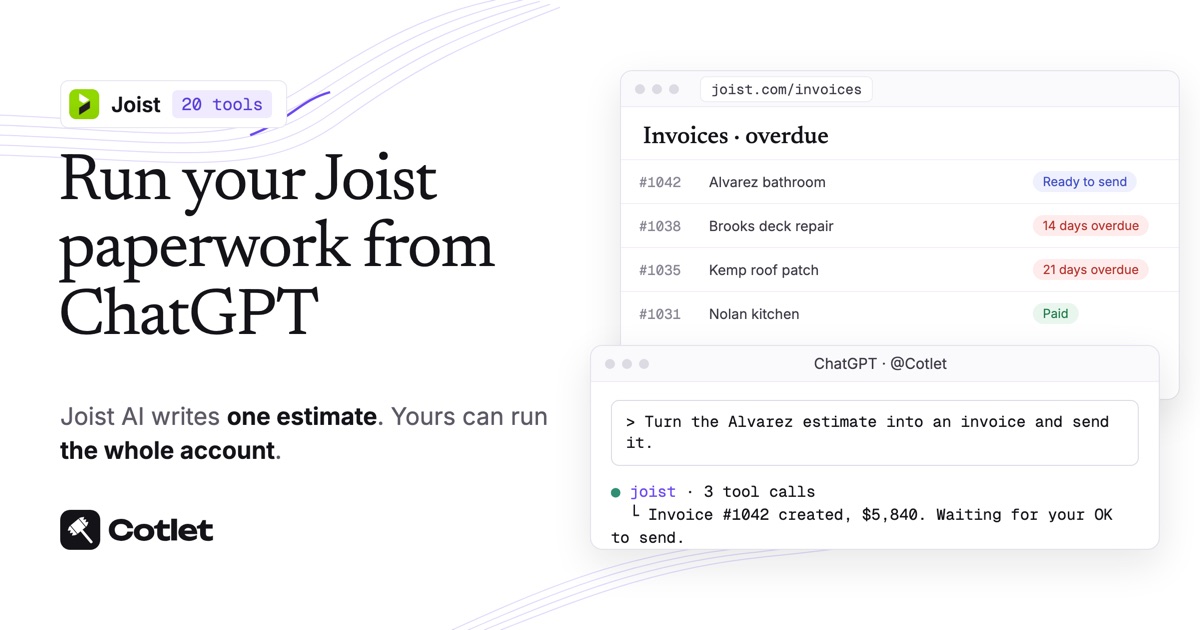
Joist, the estimating and invoicing app for contractors at joist.com, has no public API, no Zapier app and no ChatGPT or Claude connector, as of November 2026. Its built-in AI drafts one estimate or invoice from a prompt and is still rolling out with limited availability. For ChatGPT, Claude or another AI agent to handle your whole Joist account, Cotlet is the bridge. You log in to Joist once in a Cotlet cloud browser, and your AI gets 20 Joist tools covering clients, your price list, estimates, invoices, payments and reports. Ten minutes to set up, no code to write.
Cotlet is for the contractor who runs the business in Joist, often alone, quoting from the truck and doing the paperwork at night. Your customers still get your estimates and invoices from Joist and sign or pay the usual way. The point is the evening pile: seven draft estimates, three overdue invoices and a month to export for the accountant.
What ChatGPT and Claude can do in Joist once connected
Ask in plain words and the AI uses these 20 Joist tools:
| Area | What the AI can do in your Joist account |
|---|---|
| Clients | Search clients by name, email, phone or address, read a client card, add a client |
| Price list | List your saved items, add a service or material |
| Estimates | List, read, create and update estimates, delete a draft, email one for signature |
| Invoices | Turn an estimate into an invoice, create one from scratch, list overdue, email one for payment |
| Payments | Record a cash, check or bank payment against an invoice |
| Reports and export | Read invoiced and collected totals for a period, export a month of documents |
Only two tools send anything to a customer, the ones that email an estimate or an invoice, and both wait for your OK. The rest change only your own Joist records.
The Joist API and MCP server page lists every tool with its inputs.
Does Joist have AI, an API or an official ChatGPT app?
Joist has AI for single documents and a phone receptionist. There is no way in for the ChatGPT or Claude you already use.
- Estimate with AI and Invoice with AI. Joist builds an estimate or invoice “directly from your text or voice prompt”, and as of 28 August 2026 the feature was “rolling out with limited availability on iOS and Web”, per Joist’s help article. It writes one document at a time.
- AI Receptionist. Joist’s receptionist “answers calls you can’t get to, captures job leads”, per joist.com. It is for incoming calls, not for running your books.
- No API, no Zapier. Joist documents no API in its help center or on its pricing page, and Zapier and n8n have no Joist app (checked 9 November 2026).
- QuickBooks, one way. Joist Pro syncs documents to QuickBooks nightly, “in one direction, from Joist to your QuickBooks account”, and “Payments information is not currently synced”, per Joist’s QuickBooks sync article.
For the whole account in ChatGPT or Claude, a hosted MCP server is the route today. If Joist releases an API, use it.
Checklist
- Your Joist login. Track client activity and unlimited documents come with Joist Pro; Basics is capped at 5 documents a month, per Joist’s pricing.
- ChatGPT on chatgpt.com, or Claude on claude.ai or desktop. One custom connector fits on Claude’s free plan.
- A Cotlet account. The trial is free for 7 days with 2,000 credits, and there is no card to enter.
Step 1: sign in to Joist in your Cloud Browser
Open Joist in your Cloud Browser from the Cotlet console and log in at joist.com the way you always do. After that, your AI uses the saved session, so it can send tonight’s estimates while you are on the next job.
The password goes into Joist’s page, not to Cotlet. We never see it and never store it, only the encrypted session. If Joist ever logs you out, the AI says so and sends a link for you to log in again. The security page has the details.
Step 2: connect Joist to ChatGPT, Claude or another AI agent
Open the guide for the AI you use. ChatGPT on the phone in the truck and Claude on the laptop at night can share the same Joist connection.
Pick your AI above to see its steps.
How to connect Joist to ChatGPT
Do this on chatgpt.com in your browser. Cotlet then works in the ChatGPT desktop and phone apps too.
- Open Plugins in ChatGPT and click Add.
- Click Add custom MCP server. Not in the menu? Turn on Developer mode in Settings, Security and login, then come back.
- Paste the name
Cotletand the server URLhttps://cotlet.dev/mcp/v1/connect. Keep Authentication on OAuth. - Tick “I understand and want to continue” and click Create as a plugin.
- Click Connect Cotlet. A Cotlet page opens, click Allow access.
- In a new chat, type
@Cotletand pick it from the list. - Ask ChatGPT: “Are you signed in to Cotlet through MCP?” Then try a first Joist task: “List my Joist estimates that were sent but not signed yet.”
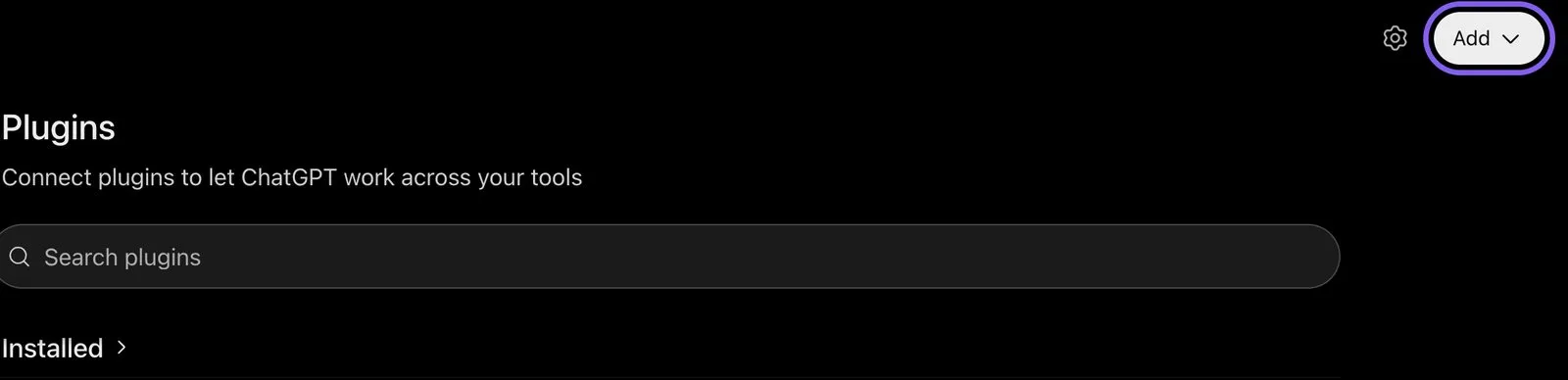
ChatGPT, Plugins page, November 2026.
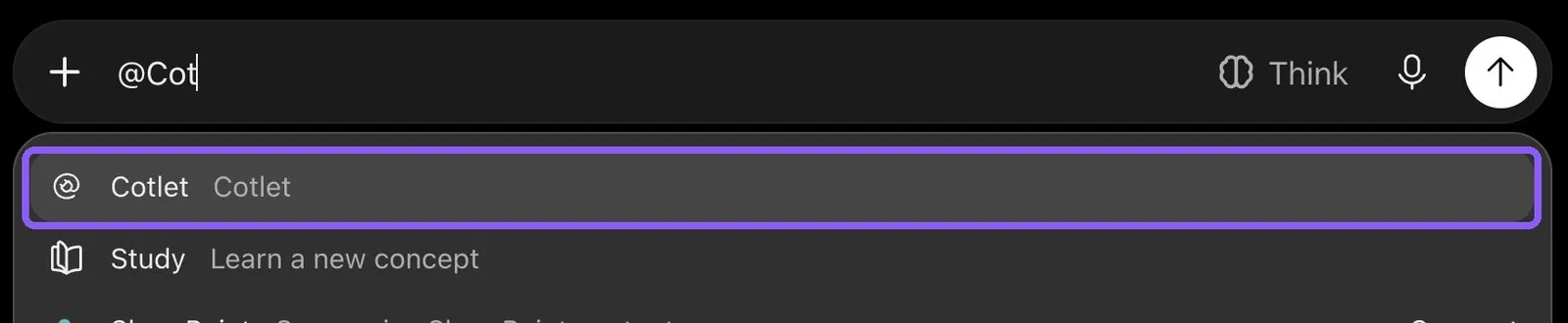
ChatGPT, picking Cotlet in a new chat with @, November 2026.
ChatGPT asks “Allow ChatGPT to use Cotlet?” before some steps. Pick Always allow, or the chat waits for your click. On a Business, Enterprise or Edu workspace, an admin has to allow custom MCP servers first.
How to connect Joist to Claude
- Open Connectors in Claude and click Add. In the desktop app it is under Customize, Connectors.
- Click Add custom connector.
- Paste the name
Cotletand the URLhttps://cotlet.dev/mcp/v1/connect, then click Continue. - Keep the settings and click Add.
- A Cotlet page opens. Click Allow access.
- In a chat, click the plus button, then Connectors, and turn Cotlet on.
- Ask Claude: “Are you signed in to Cotlet through MCP?”, then “Which of my Joist invoices are overdue, and how much do I have outstanding in total?”. Claude asks before it uses a Cotlet tool the first time. Click Allow.

Claude, Customize, Connectors, Add menu, November 2026.
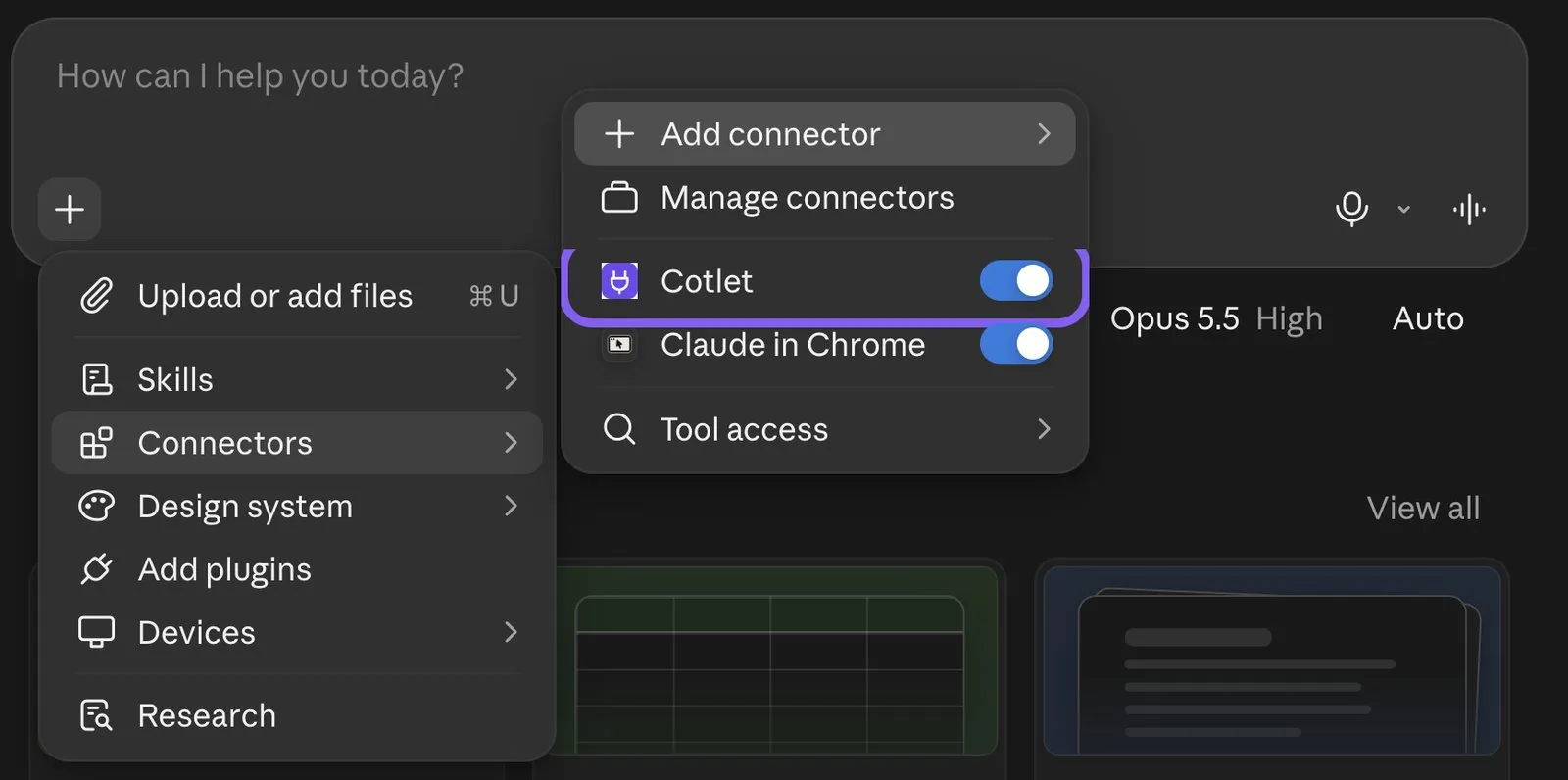
Claude, chat menu, Connectors, November 2026.
Claude’s free plan allows one custom connector. On a Team or Enterprise plan, an owner adds Cotlet in Organization settings, Connectors, and you click Connect next to it.
How to connect Joist to Claude Code
Add Cotlet without a key, then sign in once in the browser:
claude mcp add --transport http cotlet https://cotlet.dev/mcp/v1/connectRun /mcp in Claude Code, pick cotlet and sign in to Cotlet. Prefer an API key, for example on a server? Create one in the Cotlet console and use:
claude mcp add --transport http cotlet https://cotlet.dev/mcp/v1 \
  --header "Authorization: Bearer $COTLET_API_KEY"
How to connect Joist to Codex
Create an API key in the Cotlet console, put it in the COTLET_API_KEY environment variable and add this to ~/.codex/config.toml:
[mcp_servers.cotlet]
url = "https://cotlet.dev/mcp/v1"
bearer_token_env_var = "COTLET_API_KEY"
How to connect Joist to Cursor
Create an API key in the Cotlet console, put it in the COTLET_API_KEY environment variable and add this to ~/.cursor/mcp.json:
{
  "mcpServers": {
    "cotlet": {
      "url": "https://cotlet.dev/mcp/v1",
      "headers": { "Authorization": "Bearer ${env:COTLET_API_KEY}" }
    }
  }
}
How to connect Joist to Grok
Grok takes custom MCP servers on grok.com, per xAI’s connectors documentation (checked 8 November 2026).
- Open grok.com/connectors and click New Connector.
- Pick Custom and paste the server URL
https://cotlet.dev/mcp/v1/connect. - Sign in to Cotlet when Grok asks, then click Allow access.
- Ask Grok: “Are you signed in to Cotlet through MCP?”
On Grok Business, an admin adds the connector first in the xAI console, under Grok Business, Connectors. The Grok chat inside X has no custom connector menu.
How to connect Joist to Hermes Agent
Add Cotlet to ~/.hermes/config.yaml in the format of the Hermes MCP config reference:
mcp_servers:
  cotlet:
    url: "https://cotlet.dev/mcp/v1"
    headers:
      Authorization: "Bearer ${COTLET_API_KEY}"
    trust: untrusted
Put COTLET_API_KEY in ~/.hermes/.env and check it with hermes mcp test cotlet. With trust: untrusted, Hermes runs reads at once and asks before every write. More on Hermes in our post on the Hermes Agent browser.
How to connect Joist to n8n
Use the MCP Client node, or the MCP Client Tool inside an AI Agent node:
- Server Transport: HTTP Streamable
- MCP Endpoint URL:
https://cotlet.dev/mcp/v1 - Authentication: Bearer Auth, with your Cotlet API key as the token
- Tool:
joist_readfor reads,joist_writefor changes
Use it for work that should run on its own, such as a Friday list of Joist invoices more than 14 days past due, with the client’s phone number.
Any other MCP client
Point the client at https://cotlet.dev/mcp/v1 over Streamable HTTP, with the header Authorization: Bearer <your Cotlet API key>. A client that supports OAuth sign-in can use https://cotlet.dev/mcp/v1/connect instead and needs no key. The full reference is in the MCP docs.
Three Joist jobs to try first
Try one tonight and open Joist on your phone to check the result.
See what you invoiced, collected and are still owed
How much did I invoice and collect last month, and which invoices are overdue right now?
The AI reads last month’s totals from Joist reports and pulls today’s overdue invoices from the invoice list. It uses the live list for “right now” on purpose: Joist’s report data “refreshes overnight”, so a payment you record today shows in reports “the following day”, per Joist’s reports article.
Turn an approved estimate into an invoice and send it
Mrs. Alvarez approved the bathroom estimate. Turn it into an invoice, add the extra vanity at $640, and send it to her.
The AI finds the estimate, converts it to an invoice, adds the line and shows you the new total. It emails the invoice with Joist’s payment link only after you say send. From the truck, that is one message instead of four screens on a phone.
Get the month ready for your accountant
Export last month’s invoices for my accountant and tell me what the export leaves out.
The AI exports the month and reads the report totals next to it. It also tells you what the file does not have: Joist’s export works “monthly” only and “does not include line item information”, per Joist’s export article. If you use QuickBooks, it lists the payments you still need to enter there, since Joist does not sync them.
Cost
Cotlet bills by usage through prepaid credits: the smallest pack is $29 and lasts a year. Before that you get a week to try it, 2,000 credits, card not required, and if a call fails you are not charged. See the pricing page.
Nothing changes on your Joist bill. Basics, Pro or Elite, Cotlet works with the plan you have.
FAQ
Does Joist have an official ChatGPT or Claude integration?
No. Joist’s AI works inside Joist, one document at a time, and there is no Joist app in ChatGPT or Claude, as of November 2026. Cotlet connects your Joist account to either of them.
Is there a Joist MCP server?
Joist does not offer one. The server Cotlet hosts exposes 20 Joist tools, and one URL adds it to ChatGPT, Claude, Cursor or an n8n workflow.
Does Joist have an API or a Zapier app?
No public API and no Zapier app, as of November 2026. The only built-in data link is the one-way QuickBooks sync on Joist Pro.
Can ChatGPT create and send estimates in Joist?
Yes, through Cotlet. ChatGPT creates the estimate in your Joist account with your saved items, and emails it for signature after you confirm.
Is this an official Joist integration?
No. Cotlet is independent and not affiliated with Joist. It works through your own signed-in Joist account, the way you would by hand.
Finish the Joist paperwork from the truck
Estimates and invoices are the job after the job, and they pile up on the days you are busiest. Start with one question tonight: make a Cotlet account, connect Joist, and ask ChatGPT who still owes you money. If your crew runs on other apps with no API, check our catalog.