How to connect Lightfolio to ChatGPT, Claude and any AI agent
Lightfolio has no official MCP server, ChatGPT app or public API we found (checked 28 Nov 2026). Let ChatGPT or Claude chase contracts, invoices and galleries.
Cotlet team 9 min read
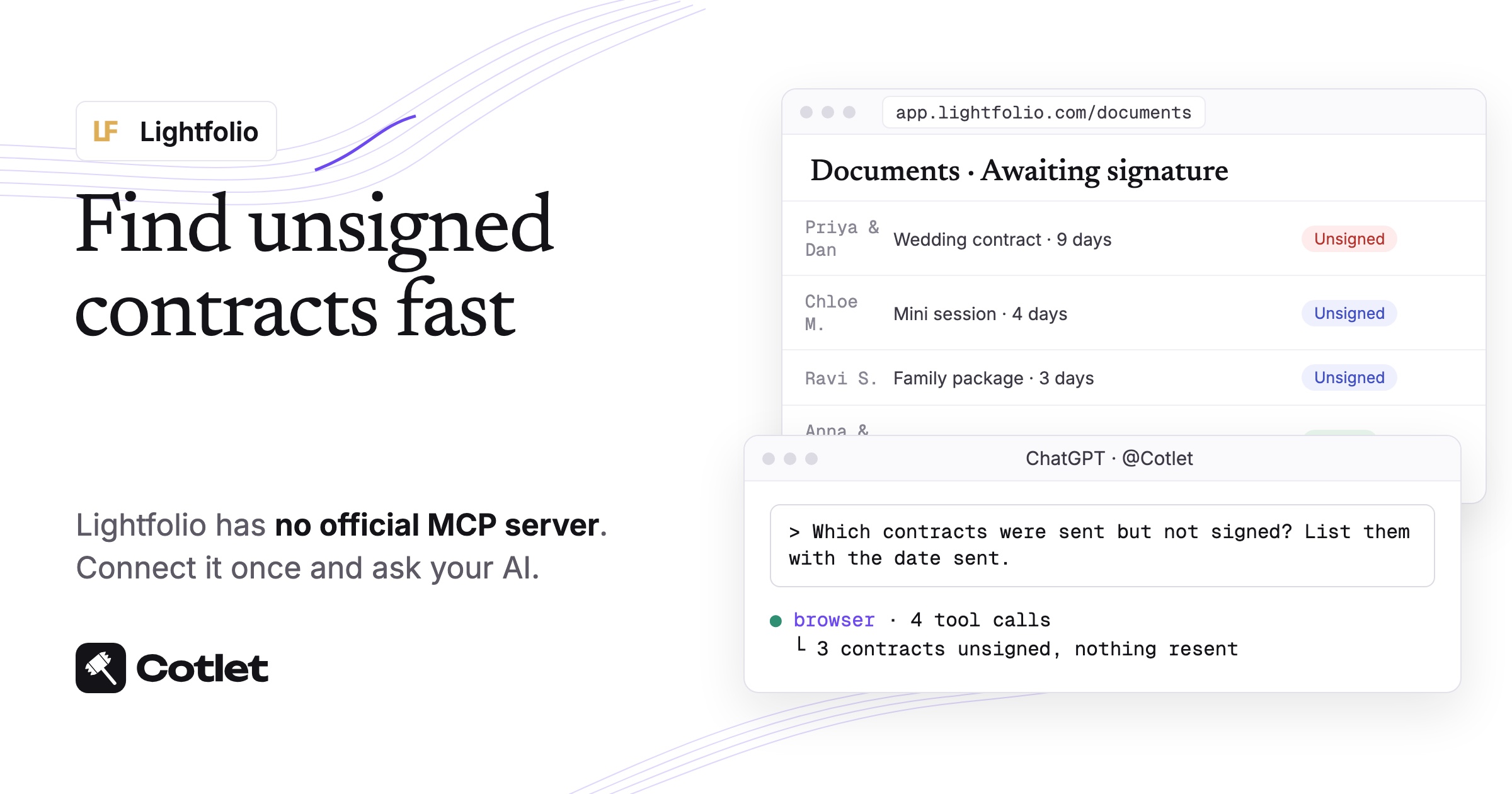
You delivered October’s weddings and half the couples have not opened a single photo. Two contracts wait for a signature and one invoice is late. Each sits on a different Lightfolio page. As of 28 Nov 2026, Lightfolio has no MCP server, no ChatGPT app, no Claude connector and no public API we could find. Cotlet runs an AI agent in a Cloud Browser logged in as you, and it does the page by page checking.
It suits solo photographers who use Lightfolio for galleries and the Studio Manager. Couples who open a gallery or sign a contract do that on your links, and this guide leaves them alone.
Which Lightfolio screens the AI can work
Say what you want looked at. The agent opens the right Lightfolio page and summarizes it.
| Lightfolio area | Request it can handle |
|---|---|
| Gallery, Downloads | Lists clients who have not downloaded and drafts a nudge for each |
| Gallery Settings | Finds galleries close to their expiration date and extends the ones you name |
| Studio Manager, Documents | Lists contracts sent but not signed and resends them after your OK |
| Studio Manager, Invoices | Finds invoices unpaid or past due, with the payment plan step, and drafts reminders |
| Studio Manager, Sessions | Shows open and pending mini-session slots for next month |
| Store, Orders | Shows this week’s print orders and which need manual fulfillment |
| Studio Manager, Tasks | Creates a follow-up task for every booked project with no gallery yet |
Reading changes nothing. A reminder to a client, a resent contract or a changed expiration date waits for your approval. Further requests are on the Lightfolio MCP page.
What Lightfolio ships for integrations
As of 28 November 2026:
- API: none found. The features page does not mention an API, Zapier or webhooks, and lightfolio.com/api and lightfolio.com/integrations return a 404. We found none documented.
- ChatGPT and Claude: no connector. A search of the MCP Registry finds nothing, and the site never mentions AI.
- Zapier, Make, n8n: absent. Lightfolio pages on Zapier and Make answer 404, and n8n lists nothing.
- Contacts export exists. Studio Manager lets you export contacts to CSV from More, Contacts.
Sources for each point are in the Lightfolio access review.
What you need first
- A Lightfolio login that opens in a browser, not only the mobile view.
- Studio Manager in use, so that contracts and invoices exist to be read.
- A ChatGPT or Claude account.
- A Cotlet account with a free trial (pricing).
Step 1: sign in to Lightfolio in your Cloud Browser
Load lightfolio.com in the Cloud Browser and click Log in. The credentials go to Lightfolio only, so Cotlet cannot read or store them. The session is saved encrypted, and you can revoke the agent in one click (security).
Step 2: connect Lightfolio to ChatGPT, Claude or another AI agent
Choose your agent below. You set it up one time, and every later chat can reach Lightfolio.
Pick your AI above to see its steps.
How to connect Lightfolio to ChatGPT
Do this on chatgpt.com in your browser. Cotlet then works in the ChatGPT desktop and phone apps too.
- Open Plugins in ChatGPT and click Add.
- Click Add custom MCP server. Not in the menu? Turn on Developer mode in Settings, Security and login, then come back.
- Paste the name
Cotletand the server URLhttps://cotlet.dev/mcp/v1/connect. Keep Authentication on OAuth. - Tick “I understand and want to continue” and click Create as a plugin.
- Click Connect Cotlet. A Cotlet page opens, click Allow access.
- In a new chat, type
@Cotletand pick it from the list. - Ask ChatGPT: “Are you signed in to Cotlet through MCP?” Then try a first Lightfolio task: “In Lightfolio, which galleries expire in the next 14 days with no download yet? Change nothing.”
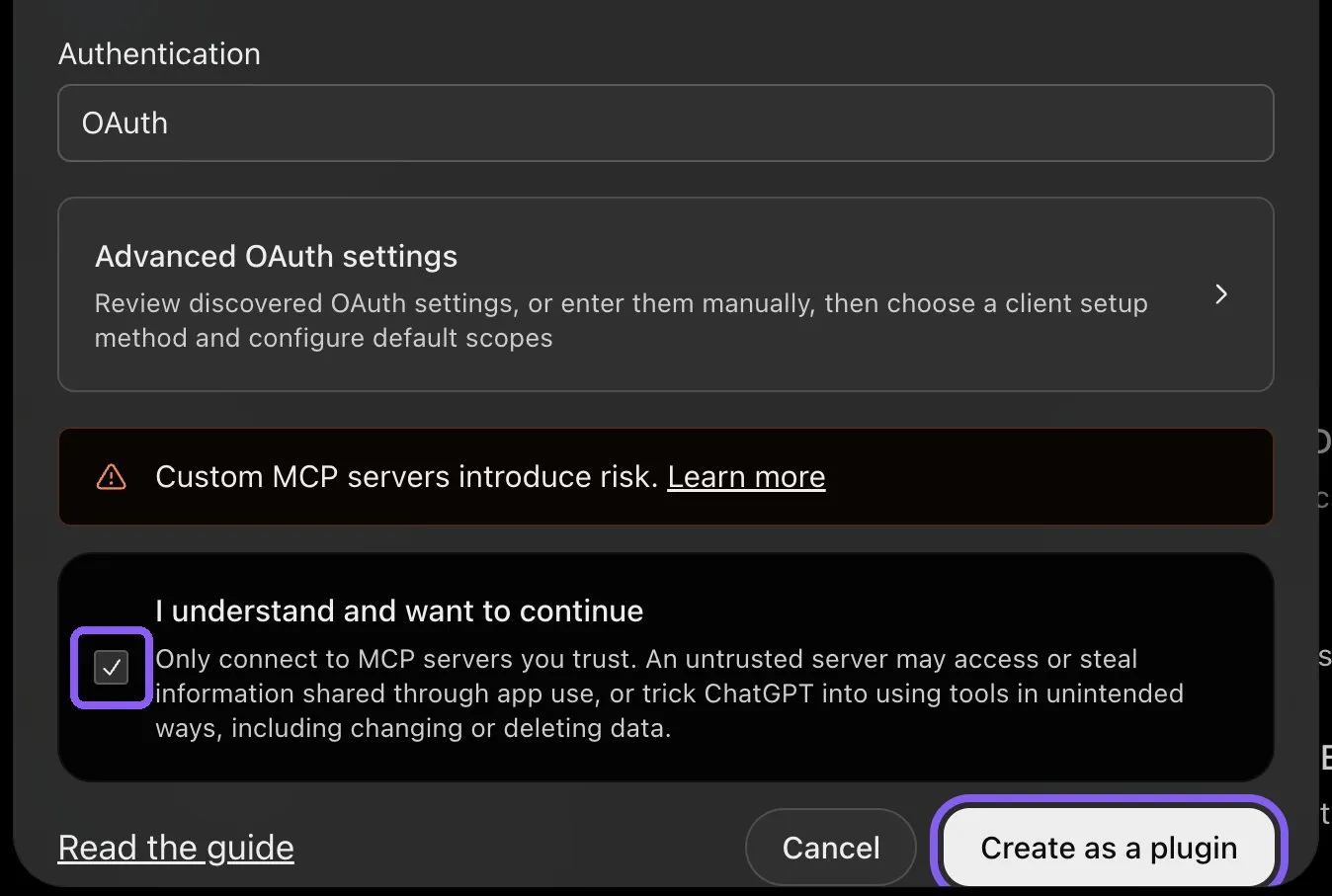
ChatGPT, bottom of the custom MCP server form, November 2026.
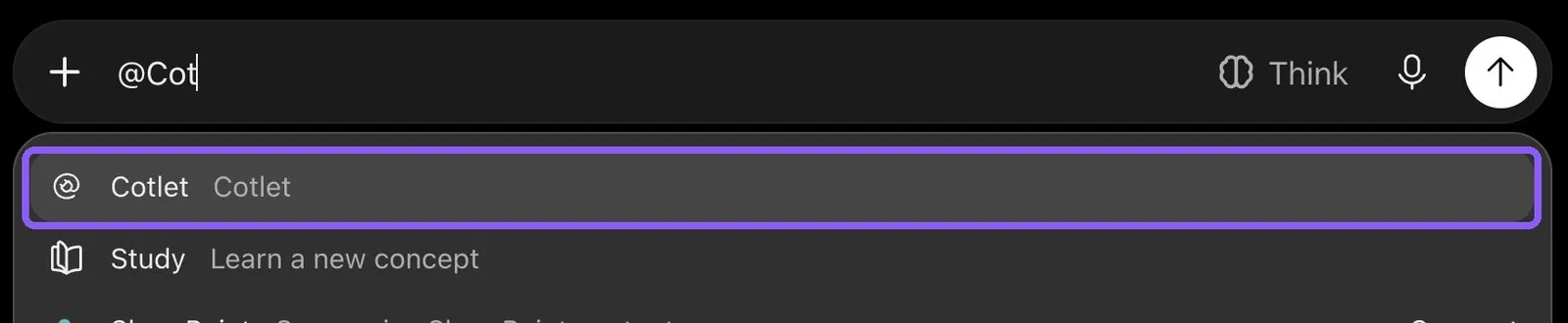
ChatGPT, picking Cotlet in a new chat with @, November 2026.
ChatGPT asks “Allow ChatGPT to use Cotlet?” before some steps. Pick Always allow, or the chat waits for your click. On a Business, Enterprise or Edu workspace, an admin has to allow custom MCP servers first.
How to connect Lightfolio to Claude
- Open Connectors in Claude and click Add. In the desktop app it is under Customize, Connectors.
- Click Add custom connector.
- Paste the name
Cotletand the URLhttps://cotlet.dev/mcp/v1/connect, then click Continue. - Keep the settings and click Add.
- A Cotlet page opens. Click Allow access.
- In a chat, click the plus button, then Connectors, and turn Cotlet on.
- Ask Claude: “Are you signed in to Cotlet through MCP?”, then “In Lightfolio, list contracts that were sent but not signed, with the client name and the date sent. Resend nothing.”. Claude asks before it uses a Cotlet tool the first time. Click Allow.

Claude, Customize, Connectors, Add menu, November 2026.

Claude, chat menu, Connectors, November 2026.
Claude’s free plan allows one custom connector. On a Team or Enterprise plan, an owner adds Cotlet in Organization settings, Connectors, and you click Connect next to it.
How to connect Lightfolio to Claude Code
Add Cotlet without a key, then sign in once in the browser:
claude mcp add --transport http cotlet https://cotlet.dev/mcp/v1/connectRun /mcp in Claude Code, pick cotlet and sign in to Cotlet. Prefer an API key, for example on a server? Create one in the Cotlet console and use:
claude mcp add --transport http cotlet https://cotlet.dev/mcp/v1 \
  --header "Authorization: Bearer $COTLET_API_KEY"
How to connect Lightfolio to Codex
Create an API key in the Cotlet console, put it in the COTLET_API_KEY environment variable and add this to ~/.codex/config.toml:
[mcp_servers.cotlet]
url = "https://cotlet.dev/mcp/v1"
bearer_token_env_var = "COTLET_API_KEY"
How to connect Lightfolio to Cursor
Create an API key in the Cotlet console, put it in the COTLET_API_KEY environment variable and add this to ~/.cursor/mcp.json:
{
  "mcpServers": {
    "cotlet": {
      "url": "https://cotlet.dev/mcp/v1",
      "headers": { "Authorization": "Bearer ${env:COTLET_API_KEY}" }
    }
  }
}
How to connect Lightfolio to Grok
Grok takes custom MCP servers on grok.com, per xAI’s connectors documentation (checked 8 November 2026).
- Open grok.com/connectors and click New Connector.
- Pick Custom and paste the server URL
https://cotlet.dev/mcp/v1/connect. - Sign in to Cotlet when Grok asks, then click Allow access.
- Ask Grok: “Are you signed in to Cotlet through MCP?”
On Grok Business, an admin adds the connector first in the xAI console, under Grok Business, Connectors. The Grok chat inside X has no custom connector menu.
How to connect Lightfolio to Hermes Agent
Add Cotlet to ~/.hermes/config.yaml in the format of the Hermes MCP config reference:
mcp_servers:
  cotlet:
    url: "https://cotlet.dev/mcp/v1"
    headers:
      Authorization: "Bearer ${COTLET_API_KEY}"
    trust: untrusted
Put COTLET_API_KEY in ~/.hermes/.env and check it with hermes mcp test cotlet. With trust: untrusted, Hermes runs reads at once and asks before every write. More on Hermes in our post on the Hermes Agent browser.
How to connect Lightfolio to n8n
Use the MCP Client node, or the MCP Client Tool inside an AI Agent node:
- Server Transport: HTTP Streamable
- MCP Endpoint URL:
https://cotlet.dev/mcp/v1 - Authentication: Bearer Auth, with your Cotlet API key as the token
- Tools: let the AI Agent node use Cotlet’s browser tools; it reads Cotlet’s Lightfolio guide first and works in your signed-in Lightfolio account
Use it for work that should run on its own, such as a weekly list of contracts still waiting for a signature.
Any other MCP client
Point the client at https://cotlet.dev/mcp/v1 over Streamable HTTP, with the header Authorization: Bearer <your Cotlet API key>. A client that supports OAuth sign-in can use https://cotlet.dev/mcp/v1/connect instead and needs no key. The full reference is in the MCP docs.
Three Lightfolio jobs to try first
Look before you change.
Warn clients before a gallery expires
Which galleries expire in 14 days with no download yet? Show me the reminder email before you set anything.
Lightfolio can send automated gallery expiration reminders from Studio Manager, Email Templates. The agent lists the galleries inside the 14 day window, checks who never downloaded and shows you the wording. You approve the reminder.
Find contracts nobody signed
Which contracts were sent but not signed? Resend each and tell me who.
A document can be resent from Studio Manager. Doing that by hand means opening each client. The agent reads Documents, builds the list and resends only after you say go.
Chase a payment plan that stalled
List invoices unpaid or past due with the payment plan step, and draft a reminder for each. Send after my OK.
Payment plans split an invoice into steps, so the useful question is which step is late. The agent reads Invoices, names the step per client and writes a polite reminder. You decide who gets it.
Later in the week
- Put new leads and their questionnaire answers in a sheet with date, package and status.
- Export contacts and find duplicates or contacts with no email.
- Get the filenames of each client’s favorites, ready to paste into Lightroom.
- List store orders from the week that still need manual fulfillment.
Price
You get 2,000 credits for 7 days without a card. Packs from $29 run for a year, with charges only for successful calls (pricing). Nothing changes on your Lightfolio plan.
FAQ
Is there a Lightfolio API key I can give ChatGPT?
No public API turned up, and no official MCP server. Cotlet acts inside your own login, so no key is needed.
Does Lightfolio work with Zapier or Make?
Not that we could find. Lightfolio lists a Lightroom integration and its own gallery tools, and no automation app.
Can ChatGPT or Claude send my gallery expiry reminders?
They can prepare them. The agent reads which galleries are about to expire, sets up the reminder and shows you the email first. Sending waits for your approval.
Can ChatGPT or Claude resend contracts and invoices?
Yes, after you confirm. The agent lists what is unsigned or unpaid, and resends only the ones you approve.
Can AI handle Lightfolio admin?
For chores that come back, yes: stalled invoices, unsigned contracts, empty mini-session slots, bookings with no gallery. Payments, your plan and account settings stay in your hands.
Is Cotlet made by Lightfolio?
No. They are unrelated companies.
Warn your next client before the link dies
The expiry check takes one message. Open a free account, sign in to Lightfolio and send it. Browse more apps in the catalog.