How to connect Ovatu to ChatGPT, Claude and any AI agent
Ovatu has no official MCP server or ChatGPT and Claude connector, and its API is on request only (checked 28 Nov 2026). Here is how to connect it.
Cotlet team 10 min read
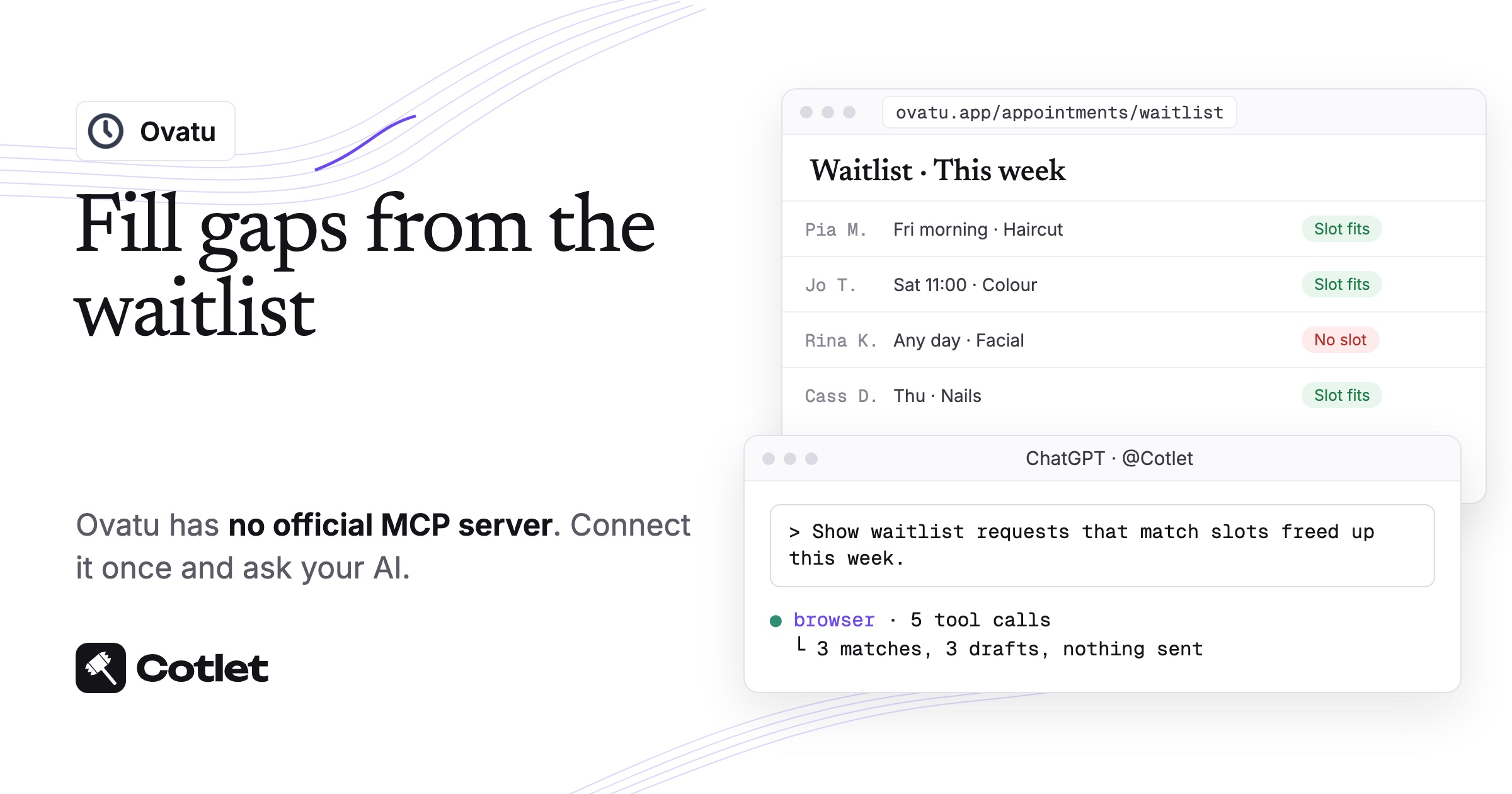
Friday at 11 a client cancels, and the slot sits empty while four people wait on your list. Ovatu holds every piece of that: the cancellation, the waitlist, the client’s history. Nothing in it lets ChatGPT or Claude help you match them up. As of 28 Nov 2026 Ovatu has no official MCP server, no ChatGPT app and no Claude connector, and a third party guide says its API is switched on by Ovatu support when you ask. Cotlet gives an AI agent a seat in your own Ovatu Manager session, so it reads the same screens you do and waits for your approval before anything reaches a client.
This guide is for the owner or manager of a salon, barber shop, spa or clinic who runs the diary in Ovatu Manager. Clients who book through your online page are not affected.
Which Ovatu screens the AI can work
State the job in plain words. The agent opens the matching screen and returns what it found.
| Ovatu area | What you can ask |
|---|---|
| Appointments | Lists this week’s no-shows and late cancellations with the service and the cancellation reason |
| Waitlist | Shows open requests that fit the slots freed up this week |
| Customers | Finds clients with two or more no-shows in six months, with the dates, so you decide who to block |
| Reports, Sales report | Adds up each employee’s service sales, retail sales and tips for last month |
| Sales | Lists gift vouchers and passes sold in the last 12 months that still hold a balance |
| Marketing | Groups clients seen 3 to 6 months ago with nothing booked by their usual service |
| Reminders | Lists tomorrow’s appointments with no confirmation |
Reading changes nothing in Ovatu. A text or email to a client, or a change to a booking, pauses for your yes. The Ovatu MCP page lists further jobs.
What Ovatu itself offers for integrations
This is the position on 28 November 2026.
- API: on request. A Reviewflowz guide says you build an API app under Account, Developer, and that Ovatu support switches the menu on when you ask. We found no public documentation.
- ChatGPT and Claude: no connector. The MCP Registry has no Ovatu entry, and the integrations page lists messaging, social, marketing and payment apps instead.
- Zapier, Make, n8n: no Ovatu app. All three pages answered 404 when we checked.
- Export: sales only. The Sales page exports the selected sales as CSV or JSON.
Every point links to its source in the Ovatu access review.
What you need first
- Your Ovatu login. New accounts use Ovatu Manager at ovatu.app, older ones sign in to Ovatu Classic.
- A few weeks of bookings and sales, so the lists are worth reading.
- ChatGPT or Claude. One of the two is enough.
- A free Cotlet account to start (pricing).
Step 1: log in to Ovatu in your Cloud Browser
Cotlet hosts a Chrome window just for your account. Load Ovatu there and sign in like any other day. The password lands on Ovatu’s own form and nowhere else. What stays with us is an encrypted session, and one click on the security page wipes it (security).
Step 2: connect Ovatu to ChatGPT, Claude or another AI agent
Choose the assistant you like and add Cotlet to it one time. Ovatu is then reachable from every new chat.
Pick your AI above to see its steps.
How to connect Ovatu to ChatGPT
Do this on chatgpt.com in your browser. Cotlet then works in the ChatGPT desktop and phone apps too.
- Open Plugins in ChatGPT and click Add.
- Click Add custom MCP server. Not in the menu? Turn on Developer mode in Settings, Security and login, then come back.
- Paste the name
Cotletand the server URLhttps://cotlet.dev/mcp/v1/connect. Keep Authentication on OAuth. - Tick “I understand and want to continue” and click Create as a plugin.
- Click Connect Cotlet. A Cotlet page opens, click Allow access.
- In a new chat, type
@Cotletand pick it from the list. - Ask ChatGPT: “Are you signed in to Cotlet through MCP?” Then try a first Ovatu task: “In Ovatu, list this week’s no-shows and late cancellations with the service and whether a deposit was paid. Change nothing.”
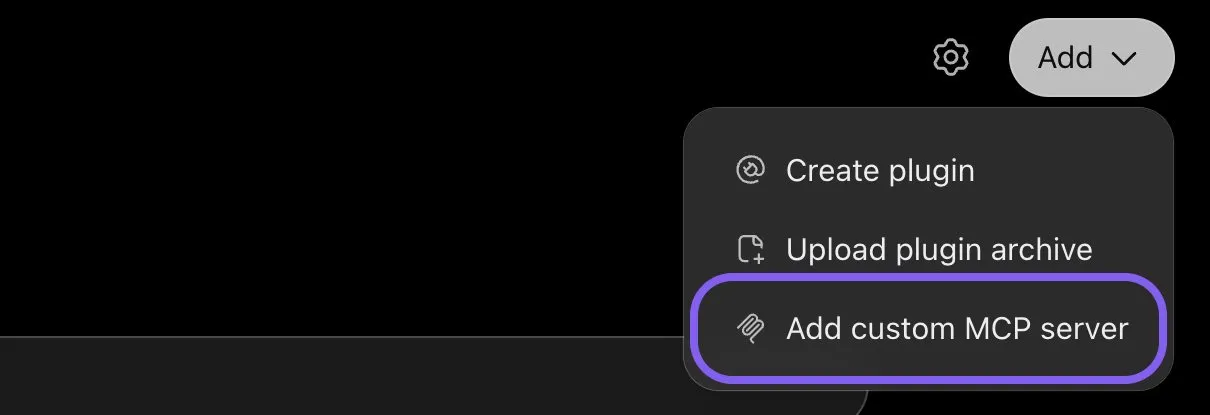
ChatGPT, Add menu on the Plugins page, November 2026.
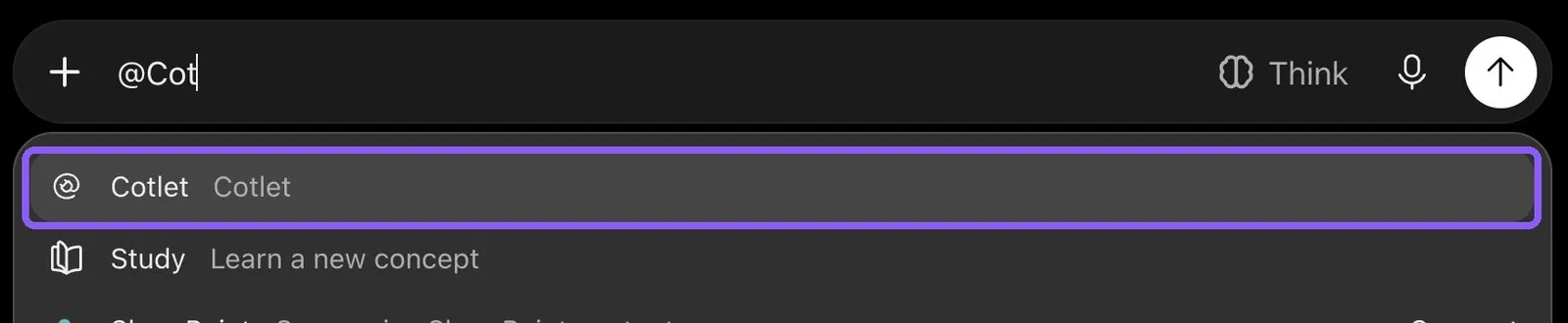
ChatGPT, picking Cotlet in a new chat with @, November 2026.
ChatGPT asks “Allow ChatGPT to use Cotlet?” before some steps. Pick Always allow, or the chat waits for your click. On a Business, Enterprise or Edu workspace, an admin has to allow custom MCP servers first.
How to connect Ovatu to Claude
- Open Connectors in Claude and click Add. In the desktop app it is under Customize, Connectors.
- Click Add custom connector.
- Paste the name
Cotletand the URLhttps://cotlet.dev/mcp/v1/connect, then click Continue. - Keep the settings and click Add.
- A Cotlet page opens. Click Allow access.
- In a chat, click the plus button, then Connectors, and turn Cotlet on.
- Ask Claude: “Are you signed in to Cotlet through MCP?”, then “In Ovatu, show the open waitlist requests that match slots freed up this week. Send nothing.”. Claude asks before it uses a Cotlet tool the first time. Click Allow.

Claude, Customize, Connectors, Add menu, November 2026.

Claude, Add custom connector, last screen, November 2026.
Claude’s free plan allows one custom connector. On a Team or Enterprise plan, an owner adds Cotlet in Organization settings, Connectors, and you click Connect next to it.
How to connect Ovatu to Claude Code
Add Cotlet without a key, then sign in once in the browser:
claude mcp add --transport http cotlet https://cotlet.dev/mcp/v1/connectRun /mcp in Claude Code, pick cotlet and sign in to Cotlet. Prefer an API key, for example on a server? Create one in the Cotlet console and use:
claude mcp add --transport http cotlet https://cotlet.dev/mcp/v1 \
  --header "Authorization: Bearer $COTLET_API_KEY"
How to connect Ovatu to Codex
Create an API key in the Cotlet console, put it in the COTLET_API_KEY environment variable and add this to ~/.codex/config.toml:
[mcp_servers.cotlet]
url = "https://cotlet.dev/mcp/v1"
bearer_token_env_var = "COTLET_API_KEY"
How to connect Ovatu to Cursor
Create an API key in the Cotlet console, put it in the COTLET_API_KEY environment variable and add this to ~/.cursor/mcp.json:
{
  "mcpServers": {
    "cotlet": {
      "url": "https://cotlet.dev/mcp/v1",
      "headers": { "Authorization": "Bearer ${env:COTLET_API_KEY}" }
    }
  }
}
How to connect Ovatu to Grok
Grok takes custom MCP servers on grok.com, per xAI’s connectors documentation (checked 8 November 2026).
- Open grok.com/connectors and click New Connector.
- Pick Custom and paste the server URL
https://cotlet.dev/mcp/v1/connect. - Sign in to Cotlet when Grok asks, then click Allow access.
- Ask Grok: “Are you signed in to Cotlet through MCP?”
On Grok Business, an admin adds the connector first in the xAI console, under Grok Business, Connectors. The Grok chat inside X has no custom connector menu.
How to connect Ovatu to Hermes Agent
Add Cotlet to ~/.hermes/config.yaml in the format of the Hermes MCP config reference:
mcp_servers:
  cotlet:
    url: "https://cotlet.dev/mcp/v1"
    headers:
      Authorization: "Bearer ${COTLET_API_KEY}"
    trust: untrusted
Put COTLET_API_KEY in ~/.hermes/.env and check it with hermes mcp test cotlet. With trust: untrusted, Hermes runs reads at once and asks before every write. More on Hermes in our post on the Hermes Agent browser.
How to connect Ovatu to n8n
Use the MCP Client node, or the MCP Client Tool inside an AI Agent node:
- Server Transport: HTTP Streamable
- MCP Endpoint URL:
https://cotlet.dev/mcp/v1 - Authentication: Bearer Auth, with your Cotlet API key as the token
- Tools: let the AI Agent node use Cotlet’s browser tools; it reads Cotlet’s Ovatu guide first and works in your signed-in Ovatu Manager
Use it for work that should run on its own, such as a Monday list of last week’s no-shows and who had paid a deposit.
Any other MCP client
Point the client at https://cotlet.dev/mcp/v1 over Streamable HTTP, with the header Authorization: Bearer <your Cotlet API key>. A client that supports OAuth sign-in can use https://cotlet.dev/mcp/v1/connect instead and needs no key. The full reference is in the MCP docs.
Three Ovatu jobs to try first
Each starts as a read-only look.
Turn a cancellation into a booked slot
Show the open waitlist requests that match slots freed up this week and draft a message to each person. Send nothing yet.
The waitlist in Ovatu sits inside Appointments. Matching a request to a gap means flipping between the diary and the list. The agent does both and hands you one draft per person. You approve the ones you want sent.
Know who to block after repeated no-shows
Which clients had two or more no-shows or late cancellations in the last 6 months? List them with the dates.
Ovatu records cancellation reasons, but counting them per client is manual work. The agent returns a short list with dates. Blocking someone from online booking stays your decision, made in the customer file.
Work out commission without a spreadsheet hunt
For last month, list each employee’s service sales, retail sales and tips from the sales report.
The sales report has the figures. The agent reads it for the month and returns one table, with renters kept apart if you describe them. You do the final pay calculation yourself.
Later in the month
- Find gift vouchers and passes sold in the last year that still have a balance.
- Group clients who have not rebooked in 3 to 6 months and draft a short text for each group.
- Check tomorrow’s appointments with no confirmation and how many text credits are left.
- Put last month’s sales into a sheet for your accountant.
Price
New accounts get 2,000 credits for seven days, no card. After that a pack costs from $29, lasts twelve months and skips the charge when a call fails (pricing). Nobody at Ovatu has to switch anything on.
FAQ
How do I get an Ovatu API?
Per the Reviewflowz guide, ask Ovatu support to switch on the Developer menu, then create an app under Account, Developer. We found no public documentation. Cotlet works from your login, so no key is involved.
Is Ovatu on Zapier, Make or n8n?
Not that we could find. We found no Ovatu page on Zapier, Make or n8n.
Can ChatGPT see my Ovatu diary?
Not alone. Through Cotlet it works in the Ovatu Manager you signed in to, reads the diary and customer pages, and asks before it changes anything.
Can I get my sales into a spreadsheet?
Ovatu exports selected sales as CSV or JSON from the Sales page. Cotlet can run that export on a schedule and fill a sheet.
Can AI message my no-shows?
It drafts the messages. You read them and approve the ones that go out.
Is Cotlet made by Ovatu?
No. It is a separate company.
Fill the gap before the weekend
Make a free account, log in to Ovatu and ask who on the waitlist fits Friday. You can browse more salon software in the catalog.