How to connect Reservio to ChatGPT, Claude and any AI agent
Reservio has no official MCP server, and its API key comes from support on the Pro plan (checked 28 Nov 2026). Here is how to connect it to your AI.
Cotlet team 10 min read
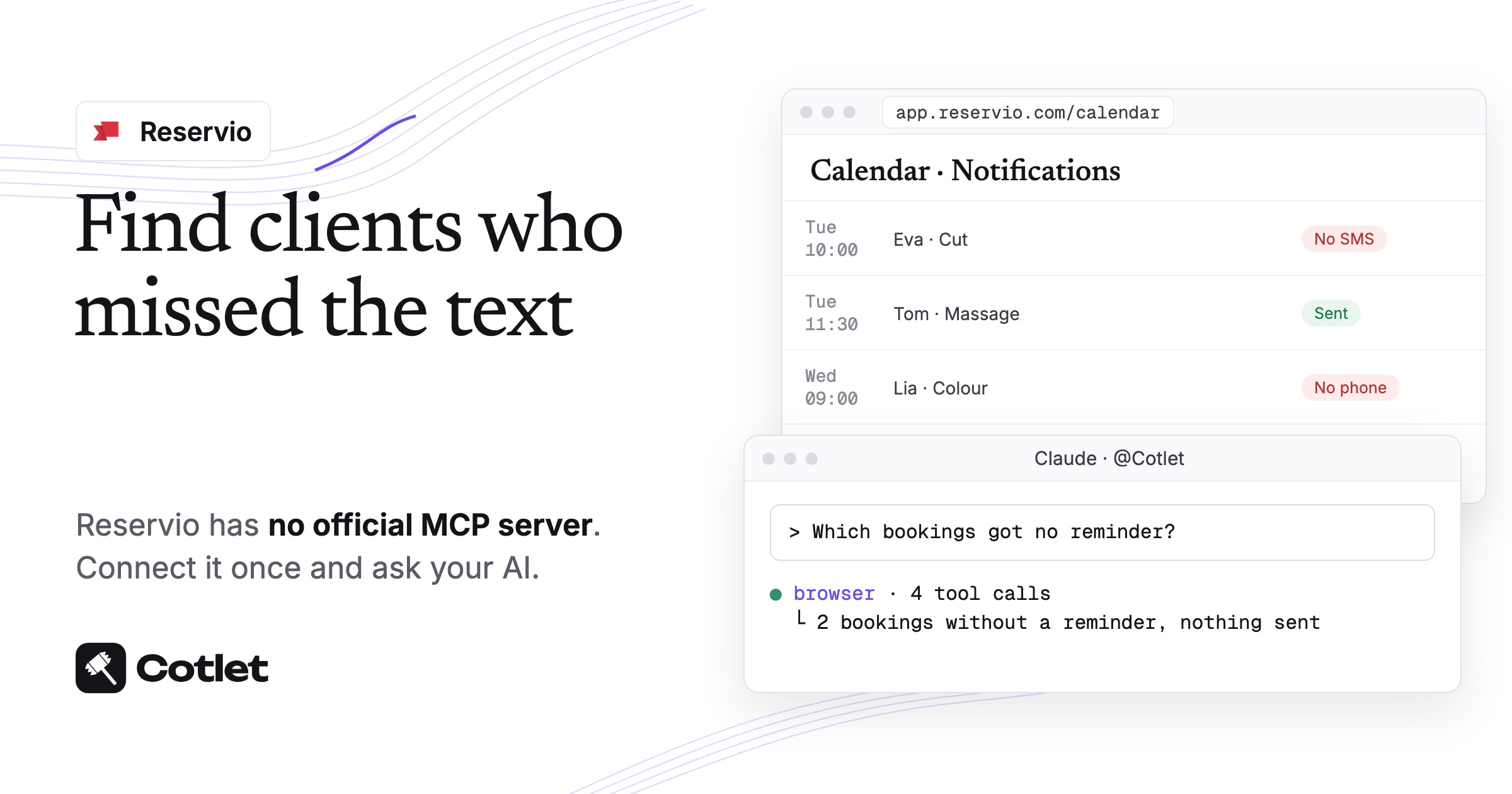
A client says she never got a text about Tuesday, and the chair sat empty. Finding out why means opening bookings one by one and checking each phone number. Reservio has no official MCP server, ChatGPT app or Claude connector for your business account (checked 28 Nov 2026). Its API sits in the Pro plan, and support creates the key when you ask. With Cotlet, ChatGPT or Claude opens the Reservio account where you are signed in and lists the bookings that went out without a reminder. It sends nothing until you say so.
This guide is for owners and managers of salons, barbershops, massage rooms, clinics and fitness studios who run their calendar in Reservio. Clients who book through your page are not covered.
Which Reservio screens the AI can work
Describe the outcome. Cotlet’s agent hunts for the right Reservio page.
| Reservio area | What you can ask |
|---|---|
| Calendar | Finds clients who missed or cancelled late in the last 30 days, with phone and a count per person |
| Notifications | Checks whether SMS credit is empty and which bookings have no phone or email to remind |
| Clients | Pulls clients who booked in the last 6 months into a sheet with email, phone and last visit |
| Statistics | Gives last week’s bookings by service and team member, set against the week before |
| Transactions | Shows online payments and in-person sales, and bookings whose deposit was never paid |
| Gift vouchers and passes | Lists the ones sold but not yet used, with value and purchase date |
| Team working hours | Finds empty gaps over 2 hours next week for each person |
Reading alters nothing. Texts to clients, deposit rules and booking edits stop and wait for you. More ideas sit on the Reservio MCP page, and the API page covers calling Reservio from a spreadsheet.
What Reservio says about integrations
Reservio’s help centre and the public MCP Registry, read on 28 November 2026:
- API: on request, Pro plan. The help article says API integration comes with the premium Pro plan and that you contact support to get access.
- Documentation. The REST API v2 docs are linked from the developers page. They did not load for us on the day we checked, so we do not describe them here.
- Official MCP: none. The MCP Registry lists one entry named io.usefulapi/reservio. It is a server from a third party, not from Reservio.
- ChatGPT and Claude. Reservio’s blog on AI suggests exporting data and pasting it into ChatGPT. No connector is offered.
- Automation tools. Make lists a community app, Reservio by Maxmel Tech. Zapier and n8n had no Reservio app.
The Reservio access review keeps the links behind each line.
Before you begin
- The email and password you use for Reservio.
- A few weeks of bookings, otherwise the lists come back empty.
- Either ChatGPT or Claude.
- Cotlet, which costs nothing for the first seven days (pricing).
Step 1: sign in to Reservio in your Cloud Browser
Your Cotlet account includes a browser that lives on a server. Point it at accounts.reservio.com and type your usual login. Reservio keeps the password to itself. One button on the security page wipes the saved session.
Step 2: connect Reservio to ChatGPT, Claude or another AI agent
You pair the two tools one time. Afterwards you just write Reservio in a chat.
Pick your AI above to see its steps.
How to connect Reservio to ChatGPT
Do this on chatgpt.com in your browser. Cotlet then works in the ChatGPT desktop and phone apps too.
- Open Plugins in ChatGPT and click Add.
- Click Add custom MCP server. Not in the menu? Turn on Developer mode in Settings, Security and login, then come back.
- Paste the name
Cotletand the server URLhttps://cotlet.dev/mcp/v1/connect. Keep Authentication on OAuth. - Tick “I understand and want to continue” and click Create as a plugin.
- Click Connect Cotlet. A Cotlet page opens, click Allow access.
- In a new chat, type
@Cotletand pick it from the list. - Ask ChatGPT: “Are you signed in to Cotlet through MCP?” Then try a first Reservio task: “In Reservio, list this week’s bookings where the client has no phone or email. Change nothing.”
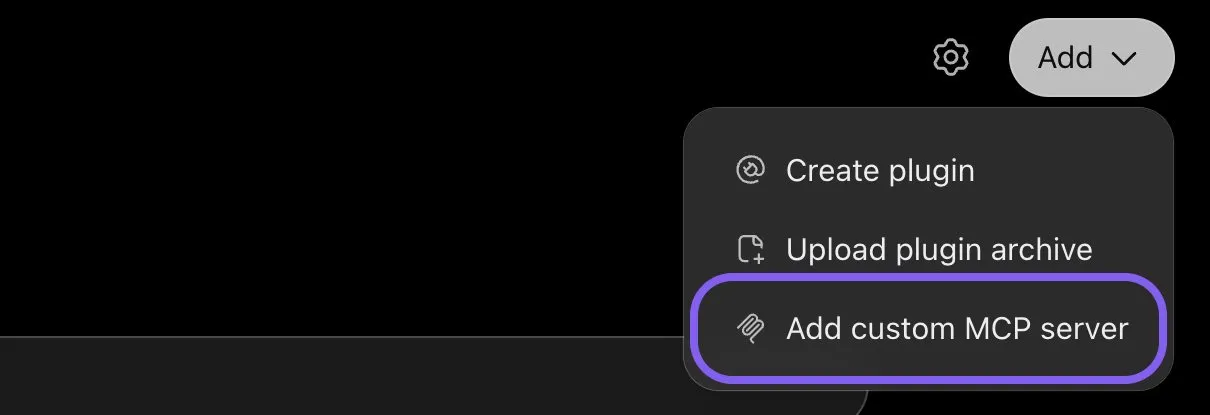
ChatGPT, Add menu on the Plugins page, November 2026.
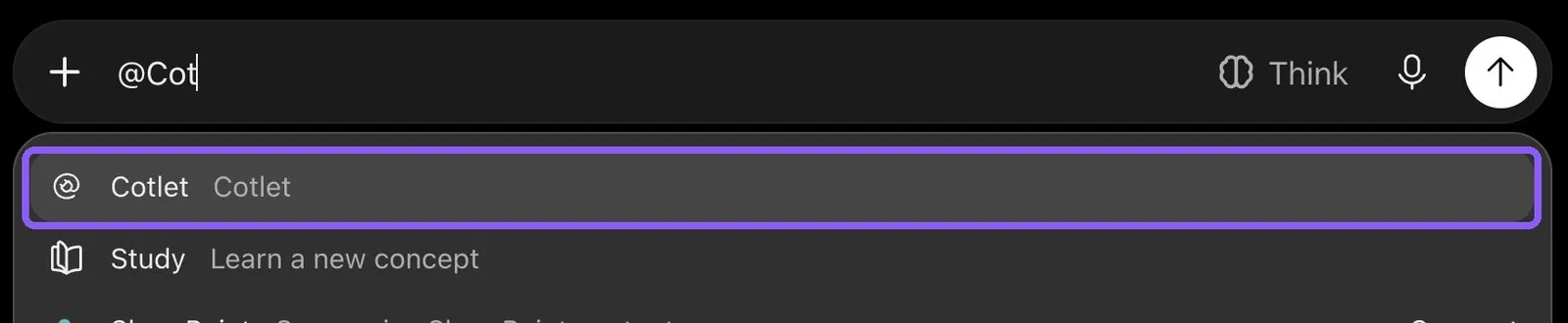
ChatGPT, picking Cotlet in a new chat with @, November 2026.
ChatGPT asks “Allow ChatGPT to use Cotlet?” before some steps. Pick Always allow, or the chat waits for your click. On a Business, Enterprise or Edu workspace, an admin has to allow custom MCP servers first.
How to connect Reservio to Claude
- Open Connectors in Claude and click Add. In the desktop app it is under Customize, Connectors.
- Click Add custom connector.
- Paste the name
Cotletand the URLhttps://cotlet.dev/mcp/v1/connect, then click Continue. - Keep the settings and click Add.
- A Cotlet page opens. Click Allow access.
- In a chat, click the plus button, then Connectors, and turn Cotlet on.
- Ask Claude: “Are you signed in to Cotlet through MCP?”, then “In Reservio, which clients missed or cancelled late in the last 30 days? Send nothing.”. Claude asks before it uses a Cotlet tool the first time. Click Allow.

Claude, Add custom connector form, November 2026.

Cotlet consent page after you add the connector in Claude, November 2026.
Claude’s free plan allows one custom connector. On a Team or Enterprise plan, an owner adds Cotlet in Organization settings, Connectors, and you click Connect next to it.
How to connect Reservio to Claude Code
Add Cotlet without a key, then sign in once in the browser:
claude mcp add --transport http cotlet https://cotlet.dev/mcp/v1/connectRun /mcp in Claude Code, pick cotlet and sign in to Cotlet. Prefer an API key, for example on a server? Create one in the Cotlet console and use:
claude mcp add --transport http cotlet https://cotlet.dev/mcp/v1 \
  --header "Authorization: Bearer $COTLET_API_KEY"
How to connect Reservio to Codex
Create an API key in the Cotlet console, put it in the COTLET_API_KEY environment variable and add this to ~/.codex/config.toml:
[mcp_servers.cotlet]
url = "https://cotlet.dev/mcp/v1"
bearer_token_env_var = "COTLET_API_KEY"
How to connect Reservio to Cursor
Create an API key in the Cotlet console, put it in the COTLET_API_KEY environment variable and add this to ~/.cursor/mcp.json:
{
  "mcpServers": {
    "cotlet": {
      "url": "https://cotlet.dev/mcp/v1",
      "headers": { "Authorization": "Bearer ${env:COTLET_API_KEY}" }
    }
  }
}
How to connect Reservio to Grok
Grok takes custom MCP servers on grok.com, per xAI’s connectors documentation (checked 8 November 2026).
- Open grok.com/connectors and click New Connector.
- Pick Custom and paste the server URL
https://cotlet.dev/mcp/v1/connect. - Sign in to Cotlet when Grok asks, then click Allow access.
- Ask Grok: “Are you signed in to Cotlet through MCP?”
On Grok Business, an admin adds the connector first in the xAI console, under Grok Business, Connectors. The Grok chat inside X has no custom connector menu.
How to connect Reservio to Hermes Agent
Add Cotlet to ~/.hermes/config.yaml in the format of the Hermes MCP config reference:
mcp_servers:
  cotlet:
    url: "https://cotlet.dev/mcp/v1"
    headers:
      Authorization: "Bearer ${COTLET_API_KEY}"
    trust: untrusted
Put COTLET_API_KEY in ~/.hermes/.env and check it with hermes mcp test cotlet. With trust: untrusted, Hermes runs reads at once and asks before every write. More on Hermes in our post on the Hermes Agent browser.
How to connect Reservio to n8n
Use the MCP Client node, or the MCP Client Tool inside an AI Agent node:
- Server Transport: HTTP Streamable
- MCP Endpoint URL:
https://cotlet.dev/mcp/v1 - Authentication: Bearer Auth, with your Cotlet API key as the token
- Tools: let the AI Agent node use Cotlet’s browser tools; it reads Cotlet’s Reservio guide first and works in your signed-in account
Use it for work that should run on its own, such as a Monday list of bookings that went out without a reminder.
Any other MCP client
Point the client at https://cotlet.dev/mcp/v1 over Streamable HTTP, with the header Authorization: Bearer <your Cotlet API key>. A client that supports OAuth sign-in can use https://cotlet.dev/mcp/v1/connect instead and needs no key. The full reference is in the MCP docs.
Three Reservio jobs to try first
Each one starts as a read.
Find who never got the text
List this week’s bookings where the client has no phone or email on file, or the SMS reminder was not sent. Tell me if my SMS credit is empty.
Reminders depend on contact details and SMS credit, as the help article on missing reminders explains. The agent checks both and lists the bookings at risk. You phone those clients yourself or top up the credit.
Spot the repeat no-shows before you set a deposit
Which clients missed or cancelled late in the last 30 days? List them with phone number and how many times.
Reservio’s guide to dealing with no-shows points to a cancellation policy. You need names to decide who gets a deposit. The agent counts misses per client and puts the repeat ones first.
Send your client list to the Christmas campaign
Export clients who booked in the last 6 months into a sheet with name, email, phone and last visit.
The client export lives under print and export data. The agent filters by date first, so the sheet holds only people worth writing to. Your newsletter tool takes it from there.
Later in the month
- Check a CSV from your old system against current clients and flag rows that would duplicate someone.
- List gift vouchers and passes that nobody has redeemed, and draft a reminder for each buyer.
- Compare bookings per team member for last week against the one before.
- Find gaps over 2 hours in next week’s schedule.
Price
Seven days are free and ask for no card. Afterwards you buy credits, and the rates are listed once on pricing. Calls that fail are not charged. Your Reservio plan stays as it is.
FAQ
Can I use a Reservio API or MCP server for my salon?
Reservio has no official MCP server. A REST API comes with the Pro plan, and support issues the key when you ask (checked 28 Nov 2026). Cotlet works with neither.
Can ChatGPT or Claude send my client list to a newsletter tool?
They can read the Clients list and put the people you choose into a sheet. Sending a campaign waits for your approval.
Can the AI see which clients did not get reminders?
It can open the bookings and the notification settings your login reaches. It then lists the bookings with no phone, no email or no sent reminder.
Can Zapier, Make or n8n connect to Reservio?
Make has a community app from Maxmel Tech. Zapier and n8n have no Reservio app that we could find.
Is reservio.io the same company?
No. We take every fact here from reservio.com and its help centre.
Who makes Cotlet?
A company with no tie to Reservio.
Check your no-show list this week
Create a free account, log in to Reservio and ask who cancelled late. Similar tools wait in the catalog.