How to connect Shortcuts Software to ChatGPT, Claude and any AI agent
Shortcuts Software has no official MCP server, and its API is for partners (checked 28 Nov 2026). Here is how to connect its web part to your AI.
Cotlet team 9 min read
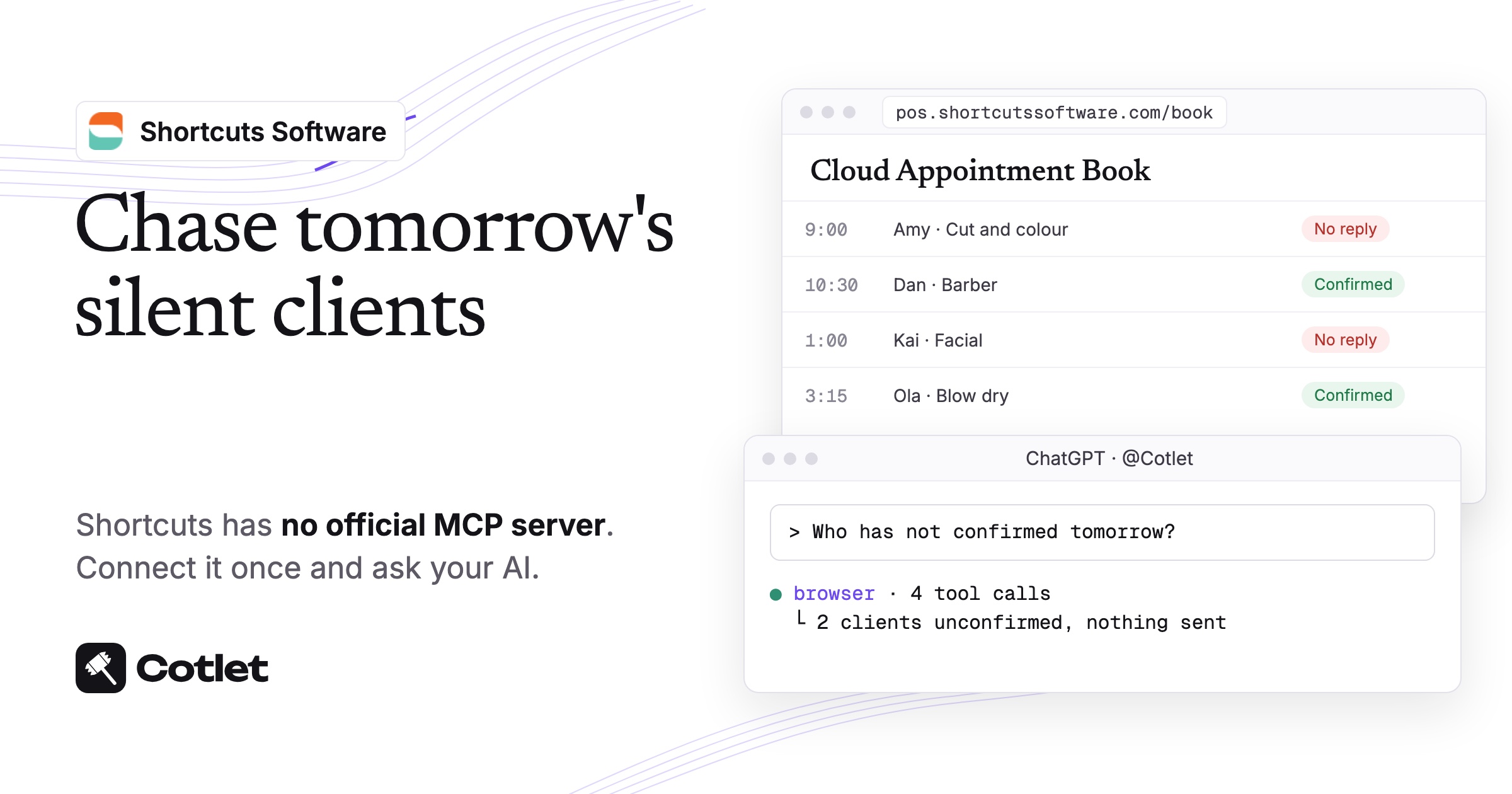
It is 4 pm, and tomorrow’s book has six clients who never answered the confirmation text. You open each appointment to see who they are. Shortcuts Software has no official MCP server, ChatGPT app or Claude connector for your salon account (checked 28 Nov 2026). Its API is used by partners and has no public key or documentation. With Cotlet, ChatGPT or Claude opens the Shortcuts Cloud where you are signed in and lists tomorrow’s unconfirmed clients with phone and stylist. Nothing is sent until you approve it.
This guide is for owners and managers of hair salons, barbershops, beauty salons and spas who use Shortcuts Cloud and the Console. It covers the web part only. Shortcuts Fusion, the program on the salon computer, is not covered.
Which Shortcuts screens the AI can work
Ask for the outcome. The agent works out which page holds it.
| Shortcuts area | What you can ask |
|---|---|
| Cloud Appointment Book | Lists tomorrow’s appointments where the client has not replied to the SMS confirmation |
| Online booking settings | Finds online bookings from the last 7 days with an unpaid deposit |
| Clients export | Pulls clients seen in the last 6 months with no booking in the next 4 weeks, with email and mobile |
| Reports | Shows each stylist’s rebooking rate and average ticket against the month before |
| Gift cards | Lists online gift cards sold in the last 90 days and never redeemed |
| Online booking, services | Shows which services each stylist can take online and which have nobody assigned |
| Cloud Appointment Book, a day off | Lists next week’s visits for a stylist who is away and drafts a note per client |
Reading alters nothing. Messages and diary moves stop for your approval. The Shortcuts MCP page has further jobs, and the API page explains calling Shortcuts from a sheet.
What Shortcuts Software says about integrations
Shortcuts’ help centre, website and the public MCP Registry, read on 28 November 2026:
- API: for partners. The Vish integration page says Vish accesses the Shortcuts API for a two way link with Fusion clients. We found no public documentation and no key you create yourself.
- Official MCP: none. The MCP Registry returns only Apple Shortcuts servers and an unrelated project tool.
- Own AI. The vendor offers its own reporting assistant inside Shortcuts Cloud. It answers questions about your reports there. It is not a ChatGPT or Claude connector.
- Automation tools. None of Zapier, Make or n8n has a Shortcuts Software app. Make does list Apple’s Shortcuts for iPhone under a close name.
Each source is linked on the Shortcuts access review.
Before you begin
- The username and password for Shortcuts Cloud.
- A diary that already holds bookings.
- ChatGPT or Claude.
- Cotlet, free for your first seven days (pricing).
Step 1: sign in to Shortcuts in your Cloud Browser
Cotlet hands you a browser hosted on a server. Load pos.shortcutssoftware.com there and sign in as always. The password goes only to Shortcuts. The security page deletes the saved session on request.
Step 2: connect Shortcuts Software to ChatGPT, Claude or another AI agent
Pair them once. Later, say Shortcuts in a chat and it is picked up.
Pick your AI above to see its steps.
How to connect Shortcuts Software to ChatGPT
Do this on chatgpt.com in your browser. Cotlet then works in the ChatGPT desktop and phone apps too.
- Open Plugins in ChatGPT and click Add.
- Click Add custom MCP server. Not in the menu? Turn on Developer mode in Settings, Security and login, then come back.
- Paste the name
Cotletand the server URLhttps://cotlet.dev/mcp/v1/connect. Keep Authentication on OAuth. - Tick “I understand and want to continue” and click Create as a plugin.
- Click Connect Cotlet. A Cotlet page opens, click Allow access.
- In a new chat, type
@Cotletand pick it from the list. - Ask ChatGPT: “Are you signed in to Cotlet through MCP?” Then try a first Shortcuts Software task: “In Shortcuts Cloud, list tomorrow’s appointments where the client has not replied to the SMS confirmation. Change nothing.”

ChatGPT, Plugins page, November 2026.
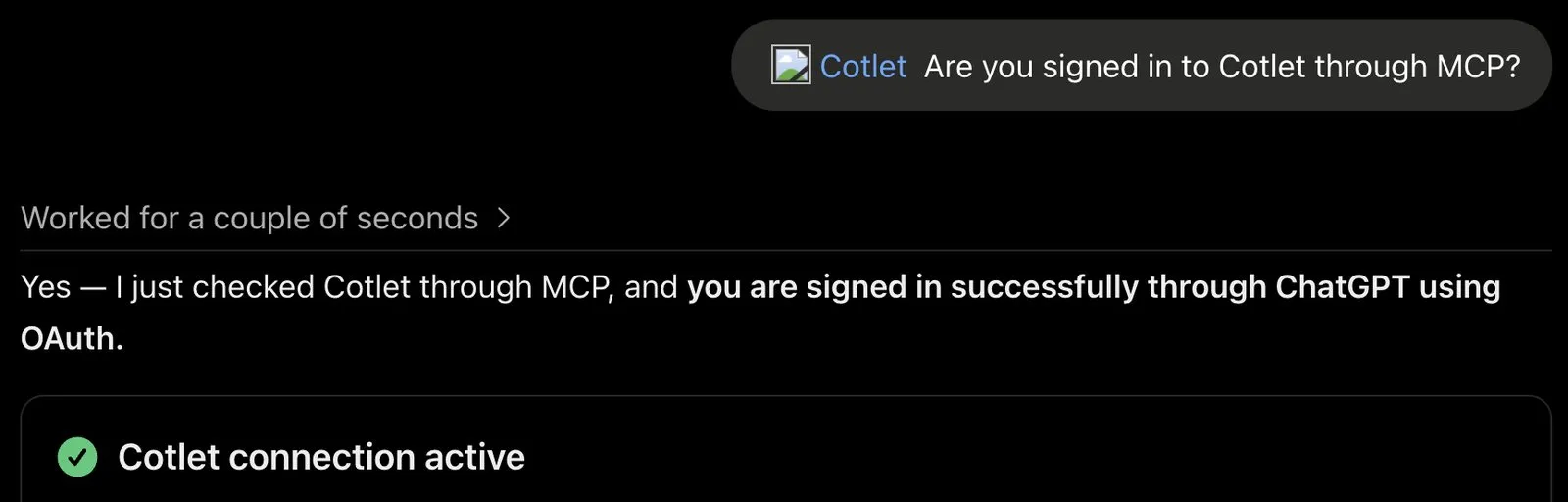
ChatGPT confirming the Cotlet connection, November 2026.
ChatGPT asks “Allow ChatGPT to use Cotlet?” before some steps. Pick Always allow, or the chat waits for your click. On a Business, Enterprise or Edu workspace, an admin has to allow custom MCP servers first.
How to connect Shortcuts Software to Claude
- Open Connectors in Claude and click Add. In the desktop app it is under Customize, Connectors.
- Click Add custom connector.
- Paste the name
Cotletand the URLhttps://cotlet.dev/mcp/v1/connect, then click Continue. - Keep the settings and click Add.
- A Cotlet page opens. Click Allow access.
- In a chat, click the plus button, then Connectors, and turn Cotlet on.
- Ask Claude: “Are you signed in to Cotlet through MCP?”, then “In Shortcuts Cloud, list online gift cards sold in the last 90 days and never redeemed. Send nothing.”. Claude asks before it uses a Cotlet tool the first time. Click Allow.

Claude, Customize, Connectors, Add menu, November 2026.

Claude, Add custom connector, last screen, November 2026.
Claude’s free plan allows one custom connector. On a Team or Enterprise plan, an owner adds Cotlet in Organization settings, Connectors, and you click Connect next to it.
How to connect Shortcuts Software to Claude Code
Add Cotlet without a key, then sign in once in the browser:
claude mcp add --transport http cotlet https://cotlet.dev/mcp/v1/connectRun /mcp in Claude Code, pick cotlet and sign in to Cotlet. Prefer an API key, for example on a server? Create one in the Cotlet console and use:
claude mcp add --transport http cotlet https://cotlet.dev/mcp/v1 \
  --header "Authorization: Bearer $COTLET_API_KEY"
How to connect Shortcuts Software to Codex
Create an API key in the Cotlet console, put it in the COTLET_API_KEY environment variable and add this to ~/.codex/config.toml:
[mcp_servers.cotlet]
url = "https://cotlet.dev/mcp/v1"
bearer_token_env_var = "COTLET_API_KEY"
How to connect Shortcuts Software to Cursor
Create an API key in the Cotlet console, put it in the COTLET_API_KEY environment variable and add this to ~/.cursor/mcp.json:
{
  "mcpServers": {
    "cotlet": {
      "url": "https://cotlet.dev/mcp/v1",
      "headers": { "Authorization": "Bearer ${env:COTLET_API_KEY}" }
    }
  }
}
How to connect Shortcuts Software to Grok
Grok takes custom MCP servers on grok.com, per xAI’s connectors documentation (checked 8 November 2026).
- Open grok.com/connectors and click New Connector.
- Pick Custom and paste the server URL
https://cotlet.dev/mcp/v1/connect. - Sign in to Cotlet when Grok asks, then click Allow access.
- Ask Grok: “Are you signed in to Cotlet through MCP?”
On Grok Business, an admin adds the connector first in the xAI console, under Grok Business, Connectors. The Grok chat inside X has no custom connector menu.
How to connect Shortcuts Software to Hermes Agent
Add Cotlet to ~/.hermes/config.yaml in the format of the Hermes MCP config reference:
mcp_servers:
  cotlet:
    url: "https://cotlet.dev/mcp/v1"
    headers:
      Authorization: "Bearer ${COTLET_API_KEY}"
    trust: untrusted
Put COTLET_API_KEY in ~/.hermes/.env and check it with hermes mcp test cotlet. With trust: untrusted, Hermes runs reads at once and asks before every write. More on Hermes in our post on the Hermes Agent browser.
How to connect Shortcuts Software to n8n
Use the MCP Client node, or the MCP Client Tool inside an AI Agent node:
- Server Transport: HTTP Streamable
- MCP Endpoint URL:
https://cotlet.dev/mcp/v1 - Authentication: Bearer Auth, with your Cotlet API key as the token
- Tools: let the AI Agent node use Cotlet’s browser tools; it reads Cotlet’s Shortcuts guide first and works in your signed-in account
Use it for work that should run on its own, such as an afternoon list of tomorrow’s unconfirmed appointments.
Any other MCP client
Point the client at https://cotlet.dev/mcp/v1 over Streamable HTTP, with the header Authorization: Bearer <your Cotlet API key>. A client that supports OAuth sign-in can use https://cotlet.dev/mcp/v1/connect instead and needs no key. The full reference is in the MCP docs.
Three Shortcuts jobs to try first
All three start as reads.
Chase tomorrow’s silent clients
List tomorrow’s appointments where the client has not replied to the SMS confirmation, with phone number and stylist.
Shortcuts shows replies under managing SMS confirmations. The agent reads tomorrow’s book and groups the silent clients by stylist. You call the ones who matter.
Find the deposits nobody paid
List online bookings from the last 7 days that needed a deposit and where the deposit was not paid, with client and service.
Deposits are set in the online booking settings. The agent compares each online booking with its deposit and lists the gaps. You decide which to chase.
Build a list for a win-back campaign
Export clients who visited in the last 6 months but have no booking in the next 4 weeks, with email and mobile.
Shortcuts has a guide on exporting your client list. The agent applies both date rules and saves the result in a sheet. Your campaign tool takes the file.
Later in the month
- Show each stylist’s rebooking rate for last month against the one before.
- List online gift cards that were sold and never redeemed.
- Find services with no stylist who can take them online.
- Draft reschedule notes for a stylist’s visits on a planned day off.
Price
Your first seven days cost nothing and need no card. Rates for credit packs live on pricing. A call that fails is not billed.
FAQ
Can an owner get a Shortcuts API or MCP server?
Shortcuts Software has no official MCP server. Its API serves partners, with no public documentation and no key you create (checked 28 Nov 2026). Cotlet works in the web part of your account instead.
Does Cotlet work with Shortcuts Fusion?
No. Fusion is a program installed on the salon computer. Cotlet works in Shortcuts Cloud and the Console in a browser.
Can ChatGPT or Claude message the clients who did not confirm?
They can draft the messages from the list. Sending waits for your approval.
Which Shortcuts reports can the AI use?
Those that your login opens in Shortcuts Cloud. Reports that exist only in Fusion stay out of reach.
Is there a Shortcuts app on Zapier, Make or n8n?
No. None of the three had one.
Is Cotlet made by Shortcuts Software?
No. They are separate businesses.
Reach tomorrow’s silent clients today
Make a free account, enter Shortcuts Cloud and request the unconfirmed list. More salon tools are in the catalog.