How to connect Simple Booth to ChatGPT, Claude and any AI agent
Simple Booth has no official MCP server for your account, and its API only sends guest data out (checked 28 Nov 2026). Let ChatGPT or Claude read your events.
Cotlet team 10 min read
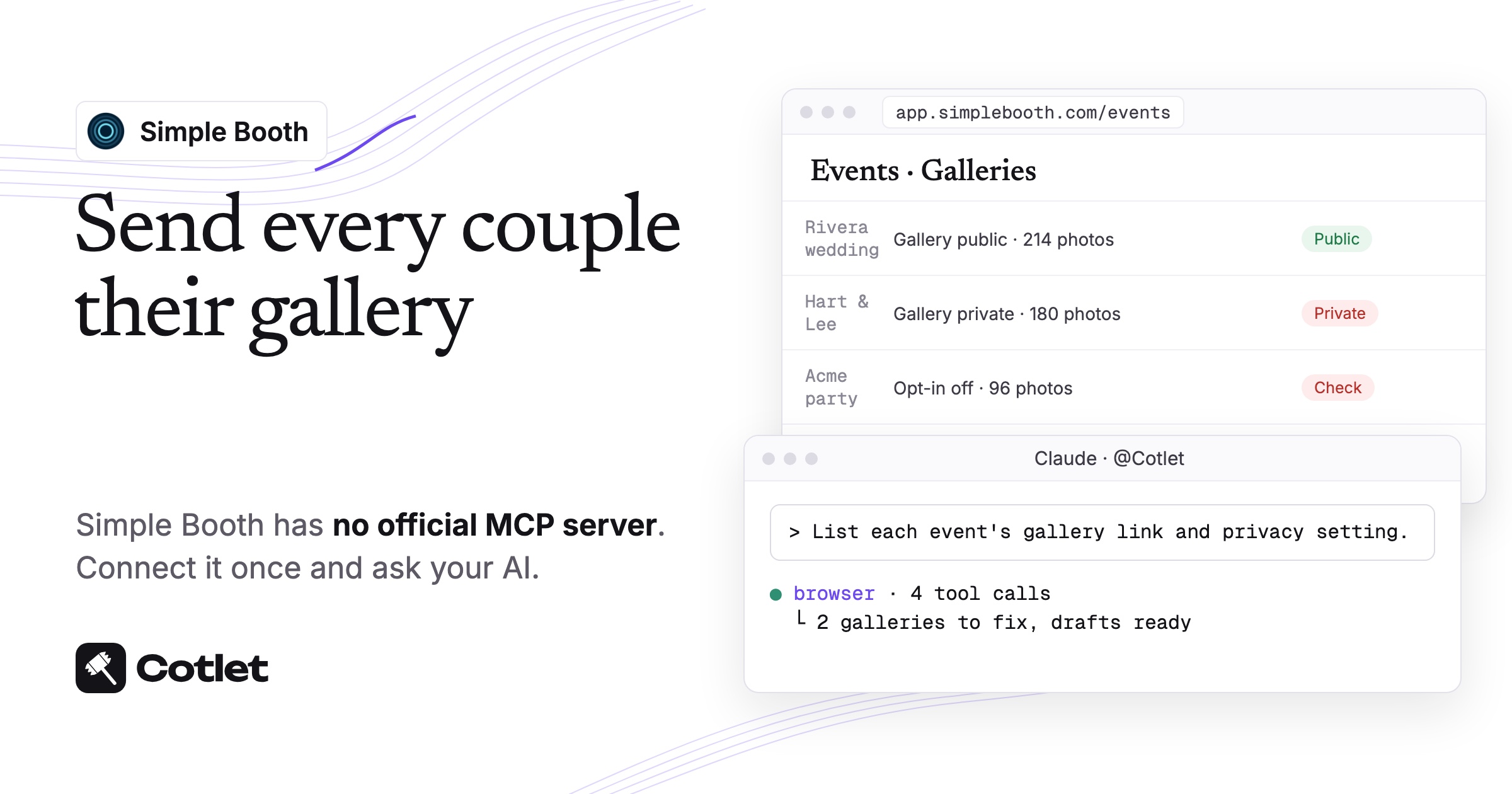
Saturday’s wedding is over, the iPad is back in its case and the couple asks for the photos by Monday. You need the gallery link, the privacy setting and the list of guests who opted in. Simple Booth has no official MCP server for your account and no ChatGPT or Claude connector, as of 28 Nov 2026. The one MCP it runs sits on the documentation site and only searches the docs. The API pushes guest data to your own server and reads nothing back. Cotlet covers the rest: the agent works in a logged-in browser tab on your Simple Booth dashboard and reads what is there.
It is for photo booth owners, DJs and event companies who manage presets, galleries, events and guest data in the dashboard at app.simplebooth.com. The booth itself runs in the HALO app on your iPad, and that part is out of scope.
Which Simple Booth screens the AI can work
Name an event or a preset. The agent goes to the right dashboard page.
| Simple Booth area | Request it can handle |
|---|---|
| Analytics, captured data | Downloads one event’s guest data as a CSV and counts the opt-ins |
| Galleries and sharing | Lists each event’s gallery link and privacy setting |
| Presets | Shows which presets collect guest data and which send it on |
| Events | Lists events older than 90 days that are still active, with photo counts |
| Analytics | Gives sessions, shares and email captures per event for a month |
| Devices and billing | Shows devices, their licenses and renewal dates, and iPads silent for 30 days |
Nothing is edited by reading. A note to a couple, a copied preset or an archived event stays a draft until you confirm, and payments are locked. Further ideas are on the Simple Booth MCP page.
What Simple Booth offers for integrations
As of 28 November 2026:
- API: leads out only. An API token lets Simple Booth send guest data from the capture form to your own server or CRM. It needs the Pro or Select plan and a developer. It reads no events and no galleries.
- MCP: docs only. The documentation runs an MCP that searches the docs. Your events, galleries and guest data are out of its reach. The MCP Registry lists no Simple Booth server.
- Mailchimp: the no-code route for guest emails, through the Mailchimp integration.
- Zapier: no Simple Booth app, and the listing address answers 404.
- Own AI: AI Effects and other AI tools in the dashboard change photos. They do not answer questions about your account.
Sources are on the Simple Booth access review. The API page shows your options.
What you need first
- A Simple Booth login for app.simplebooth.com.
- At least one past event in the account.
- ChatGPT or Claude.
- A Cotlet sign-up (the trial week is free, see pricing).
Step 1: sign in to Simple Booth in your Cloud Browser
Browse to app.simplebooth.com in the Cloud Browser and log in. The password stays inside Simple Booth’s form. Cotlet stores an encrypted session, and you can end it with one click (security).
Step 2: connect Simple Booth to ChatGPT, Claude or another AI agent
Choose the assistant you work with. Connect it a single time and later chats reach Simple Booth too.
Pick your AI above to see its steps.
How to connect Simple Booth to ChatGPT
Do this on chatgpt.com in your browser. Cotlet then works in the ChatGPT desktop and phone apps too.
- Open Plugins in ChatGPT and click Add.
- Click Add custom MCP server. Not in the menu? Turn on Developer mode in Settings, Security and login, then come back.
- Paste the name
Cotletand the server URLhttps://cotlet.dev/mcp/v1/connect. Keep Authentication on OAuth. - Tick “I understand and want to continue” and click Create as a plugin.
- Click Connect Cotlet. A Cotlet page opens, click Allow access.
- In a new chat, type
@Cotletand pick it from the list. - Ask ChatGPT: “Are you signed in to Cotlet through MCP?” Then try a first Simple Booth task: “In Simple Booth, list each event’s gallery link and privacy setting for this month. Change nothing.”
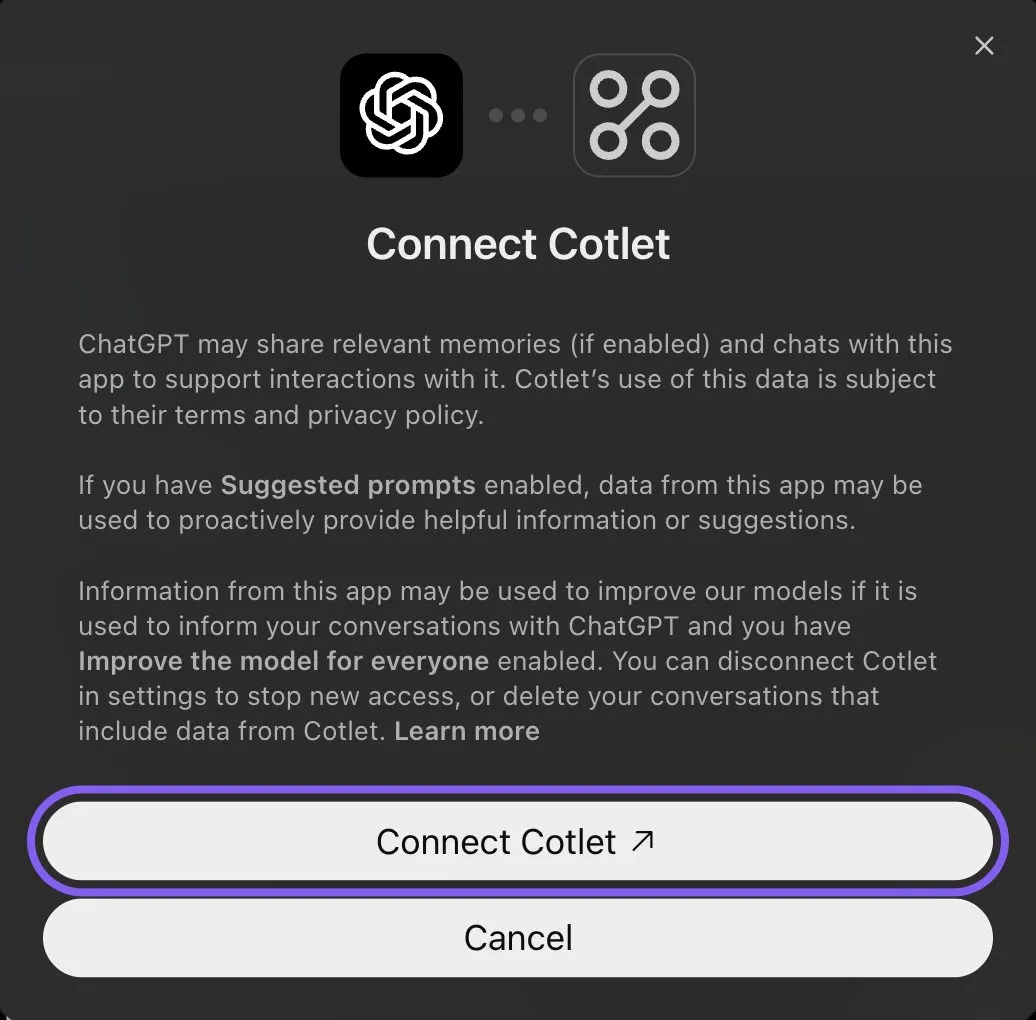
ChatGPT, connecting the Cotlet plugin, November 2026.
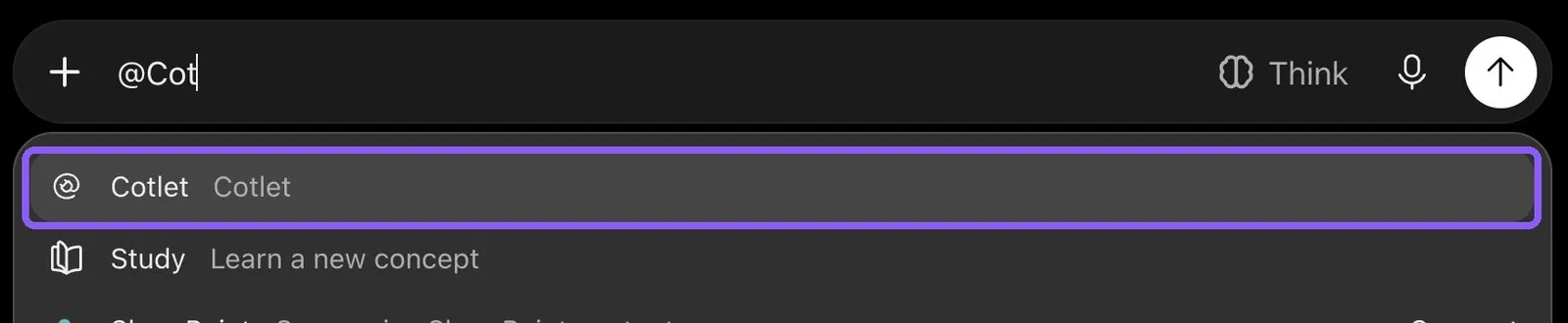
ChatGPT, picking Cotlet in a new chat with @, November 2026.
ChatGPT asks “Allow ChatGPT to use Cotlet?” before some steps. Pick Always allow, or the chat waits for your click. On a Business, Enterprise or Edu workspace, an admin has to allow custom MCP servers first.
How to connect Simple Booth to Claude
- Open Connectors in Claude and click Add. In the desktop app it is under Customize, Connectors.
- Click Add custom connector.
- Paste the name
Cotletand the URLhttps://cotlet.dev/mcp/v1/connect, then click Continue. - Keep the settings and click Add.
- A Cotlet page opens. Click Allow access.
- In a chat, click the plus button, then Connectors, and turn Cotlet on.
- Ask Claude: “Are you signed in to Cotlet through MCP?”, then “In Simple Booth, which of my recent events have a private gallery or opt-in turned off? List them. Change nothing.”. Claude asks before it uses a Cotlet tool the first time. Click Allow.

Claude, Add custom connector, last screen, November 2026.

Claude, chat menu, Connectors, November 2026.
Claude’s free plan allows one custom connector. On a Team or Enterprise plan, an owner adds Cotlet in Organization settings, Connectors, and you click Connect next to it.
How to connect Simple Booth to Claude Code
Add Cotlet without a key, then sign in once in the browser:
claude mcp add --transport http cotlet https://cotlet.dev/mcp/v1/connectRun /mcp in Claude Code, pick cotlet and sign in to Cotlet. Prefer an API key, for example on a server? Create one in the Cotlet console and use:
claude mcp add --transport http cotlet https://cotlet.dev/mcp/v1 \
  --header "Authorization: Bearer $COTLET_API_KEY"
How to connect Simple Booth to Codex
Create an API key in the Cotlet console, put it in the COTLET_API_KEY environment variable and add this to ~/.codex/config.toml:
[mcp_servers.cotlet]
url = "https://cotlet.dev/mcp/v1"
bearer_token_env_var = "COTLET_API_KEY"
How to connect Simple Booth to Cursor
Create an API key in the Cotlet console, put it in the COTLET_API_KEY environment variable and add this to ~/.cursor/mcp.json:
{
  "mcpServers": {
    "cotlet": {
      "url": "https://cotlet.dev/mcp/v1",
      "headers": { "Authorization": "Bearer ${env:COTLET_API_KEY}" }
    }
  }
}
How to connect Simple Booth to Grok
Grok takes custom MCP servers on grok.com, per xAI’s connectors documentation (checked 8 November 2026).
- Open grok.com/connectors and click New Connector.
- Pick Custom and paste the server URL
https://cotlet.dev/mcp/v1/connect. - Sign in to Cotlet when Grok asks, then click Allow access.
- Ask Grok: “Are you signed in to Cotlet through MCP?”
On Grok Business, an admin adds the connector first in the xAI console, under Grok Business, Connectors. The Grok chat inside X has no custom connector menu.
How to connect Simple Booth to Hermes Agent
Add Cotlet to ~/.hermes/config.yaml in the format of the Hermes MCP config reference:
mcp_servers:
  cotlet:
    url: "https://cotlet.dev/mcp/v1"
    headers:
      Authorization: "Bearer ${COTLET_API_KEY}"
    trust: untrusted
Put COTLET_API_KEY in ~/.hermes/.env and check it with hermes mcp test cotlet. With trust: untrusted, Hermes runs reads at once and asks before every write. More on Hermes in our post on the Hermes Agent browser.
How to connect Simple Booth to n8n
Use the MCP Client node, or the MCP Client Tool inside an AI Agent node:
- Server Transport: HTTP Streamable
- MCP Endpoint URL:
https://cotlet.dev/mcp/v1 - Authentication: Bearer Auth, with your Cotlet API key as the token
- Tools: let the AI Agent node use Cotlet’s browser tools; it reads Cotlet’s Simple Booth guide first and works in your signed-in Simple Booth account
Use it for work that should run on its own, such as a weekly list of events with private galleries.
Any other MCP client
Point the client at https://cotlet.dev/mcp/v1 over Streamable HTTP, with the header Authorization: Bearer <your Cotlet API key>. A client that supports OAuth sign-in can use https://cotlet.dev/mcp/v1/connect instead and needs no key. The full reference is in the MCP docs.
Three Simple Booth jobs to try first
Ask first. Change things only after you have seen the answer.
Send the couple their gallery, with the right privacy
For my events this month, list each event’s gallery link and privacy setting. Draft a message to each couple with the link and the date it expires. Send nothing.
Gallery settings decide who can open a link and for how long. The agent reads them event by event, flags the private ones and drafts a message for each couple.
Pull guest data from one wedding
Download the data captured at last Saturday’s wedding as a CSV and tell me how many guests opted in.
Captured data downloads as a CSV from Analytics. The agent downloads it and counts the opt-ins, so you know the list you may use for follow-up.
Clear out old events
List events older than 90 days that are still active, with how many photos each holds. Suggest which to archive. Archive nothing.
Archiving is a manual step per event. The agent builds the list and a suggestion. You approve each one.
Later in the week
- Presets with data capture turned off, listed before the next wedding.
- A copy of your Classic Wedding preset renamed for the next couple, shown before saving.
- Sessions, shares and email captures per event, with a two line recap for a corporate client.
- Devices that have not connected in 30 days, and when each plan renews.
Price
A week on Cotlet comes with 2,000 credits and no card. Paid packs begin at $29 and run a year. An errored call is not billed (pricing). Your Simple Booth plan stays exactly as it is.
FAQ
Can I use an API or an MCP server with Simple Booth?
No official MCP server covers your Simple Booth account. The API sends guest data to your server and needs a developer. Cotlet reads your signed-in dashboard instead.
Can I find Simple Booth inside ChatGPT or Claude?
None that we saw. The docs MCP only searches documentation.
Can ChatGPT or Claude run my photo booth at the event?
No. The booth runs in the HALO app on your iPad. The agent works in the web dashboard before and after the event.
Is Simple Booth on Zapier, Make or n8n?
Neither Zapier nor Make lists a Simple Booth app. Mailchimp is the built-in route for guest emails.
Can I get my guest data without a developer?
Yes. Analytics downloads a CSV, and the agent can fetch it for you.
Is Cotlet made by Simple Booth?
No. They are separate companies.
Have Monday’s couple emails ready
One question lists every gallery. Sign up at Cotlet for free, log in to Simple Booth and ask. The catalog has other apps.