How to connect Tattoodo Books to ChatGPT, Claude and any AI agent
Tattoodo Books has no official MCP server for your artist account and no public API we found (checked 28 Nov 2026). Let ChatGPT or Claude work your bookings.
Cotlet team 10 min read
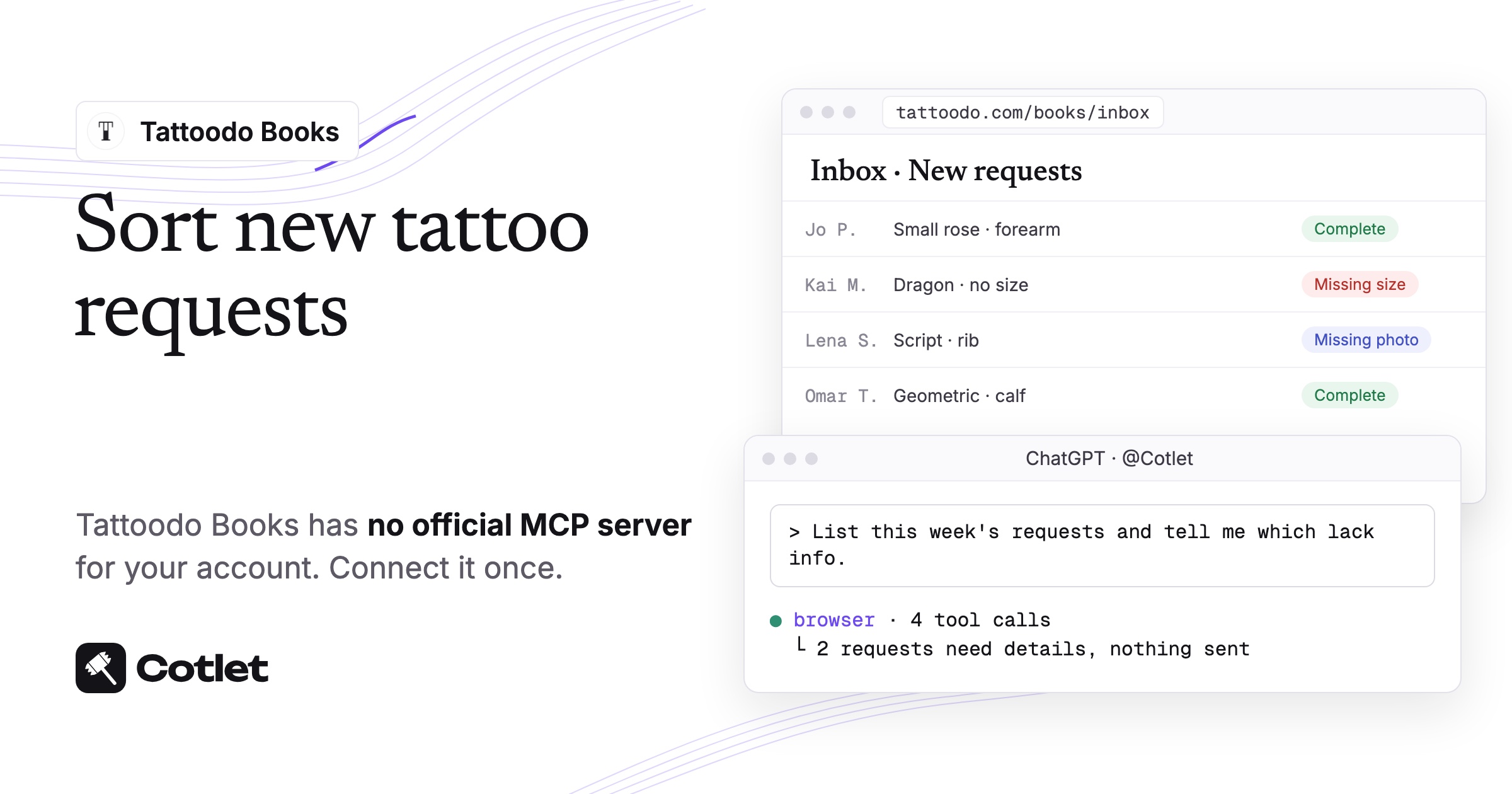
Monday morning, nine new requests, and four of them say only “a small rose, somewhere on my arm”. You need size, placement and a reference photo before you can quote anything. Tattoodo Books holds all of it in one inbox, but you read it request by request. On 28 Nov 2026 we checked: no official MCP server serves your artist account, there is no ChatGPT app or Claude connector for it, and we found no public API. Cotlet puts ChatGPT or Claude inside the Books account you are signed in to, and the sorting is done before your first coffee.
One thing is easy to mix up. Tattoodo does run an MCP server, at mcp.tattoodo.com, and it is meant for clients who are looking for an artist. It is read-only, returns artists and a booking link, and cannot see your calendar, deposits or inbox. This guide is about your side of the counter.
Which Tattoodo Books screens the AI can work
Talk to it like an assistant. It opens the Books screen that fits and reports what it sees.
| Books area | Request it can handle |
|---|---|
| Inbox, booking requests | Lists this week’s requests with idea, placement, size and budget, and marks the ones missing details |
| Inbox, client thread | Drafts a reply to each request that lacks size, placement or reference photos |
| Settings, Deposits | Shows each booked client with deposit status and amount, and who still owes one |
| Calendar | Lists cancelled appointments this month with the deposit already paid |
| Forms | Finds clients with a session in the next 3 days who have not signed the release form |
| Messages | Shows which appointments next week have no reminder yet and drafts one with address and aftercare |
| Payments | Totals deposits and paid sessions by month |
A look at a screen alters nothing. Whatever goes to a client, a reply, a reminder or a note on a new deposit, stops for your approval. Further examples are on the Tattoodo Books MCP page.
What Tattoodo ships for integrations
Status on 28 November 2026:
- API: none found. The Books page lists Instagram DMs, forms, deposits and the calendar, and no developer docs turned up in a web search. Tattoodo has not confirmed this.
- ChatGPT and Claude: nothing for your account. The MCP at mcp.tattoodo.com serves clients who search for artists. The MCP Registry returns no results.
- Zapier, Make, n8n: no Tattoodo Books app. None showed up, and webhooks are not mentioned.
- Export: not described. The Books page we read says nothing about a data export.
The Tattoodo Books access review links the source for every point.
What you need first
- An artist login for tattoodo.com/books/login. Access can depend on how your studio signed up, so try the login once.
- Requests or bookings sitting in the inbox, so there is something to sort.
- ChatGPT or Claude, whichever you use.
- A trial Cotlet account (pricing).
Step 1: sign in to Tattoodo Books in your Cloud Browser
Cotlet runs a Chrome window for you, the Cloud Browser. Open the Books login in it and enter your details as you would on your phone. Tattoodo gets the password, Cotlet does not. Only an encrypted session stays behind, and one click cuts the agent off (security).
Step 2: connect Tattoodo Books to ChatGPT, Claude or another AI agent
Add Cotlet to your agent with the steps below. You do it one time, and later chats find Books without any new setup.
Pick your AI above to see its steps.
How to connect Tattoodo Books to ChatGPT
Do this on chatgpt.com in your browser. Cotlet then works in the ChatGPT desktop and phone apps too.
- Open Plugins in ChatGPT and click Add.
- Click Add custom MCP server. Not in the menu? Turn on Developer mode in Settings, Security and login, then come back.
- Paste the name
Cotletand the server URLhttps://cotlet.dev/mcp/v1/connect. Keep Authentication on OAuth. - Tick “I understand and want to continue” and click Create as a plugin.
- Click Connect Cotlet. A Cotlet page opens, click Allow access.
- In a new chat, type
@Cotletand pick it from the list. - Ask ChatGPT: “Are you signed in to Cotlet through MCP?” Then try a first Tattoodo Books task: “In Tattoodo Books, list the booking requests that came in this week with idea, placement and size. Change nothing.”
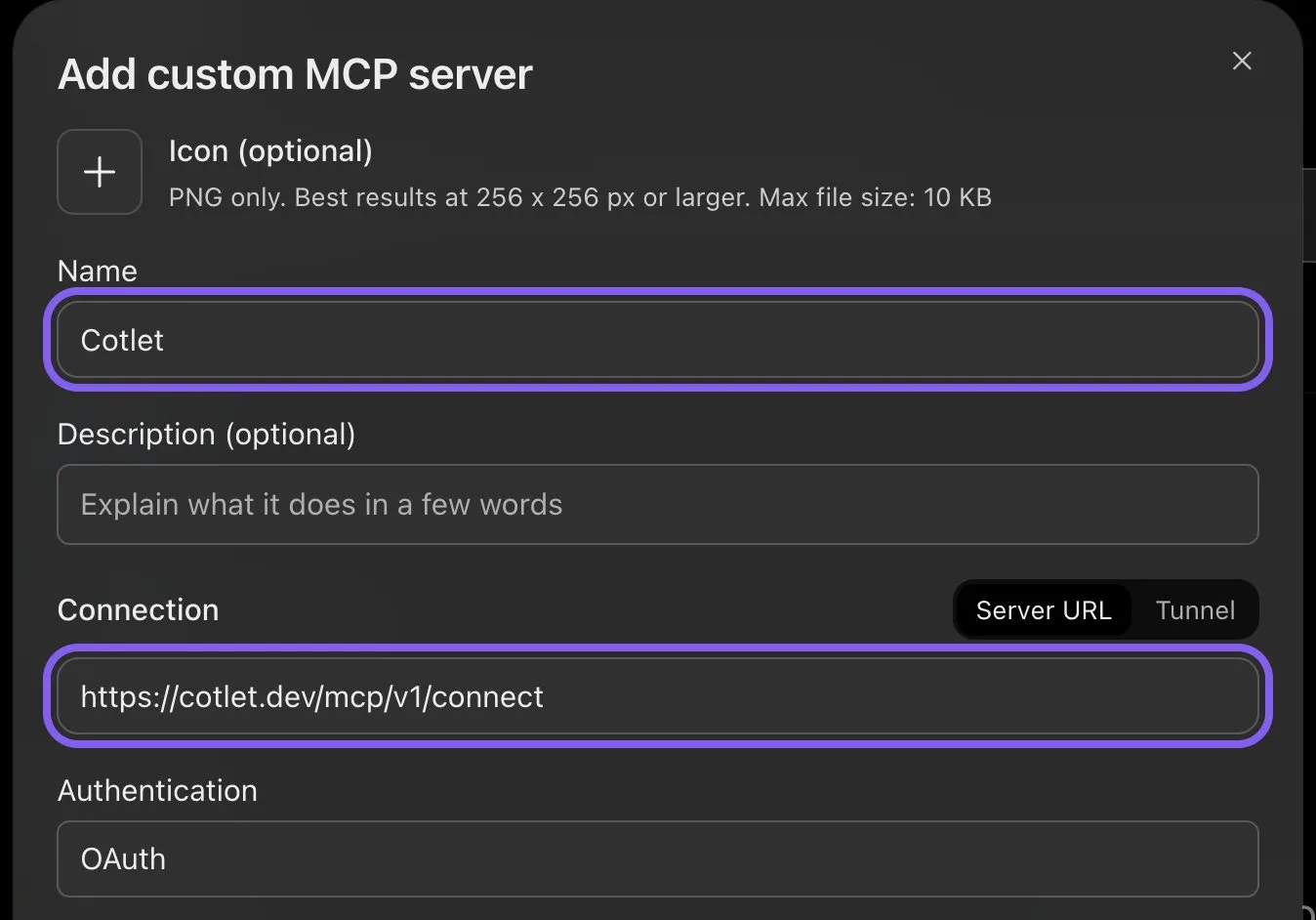
ChatGPT, Add custom MCP server form, November 2026.
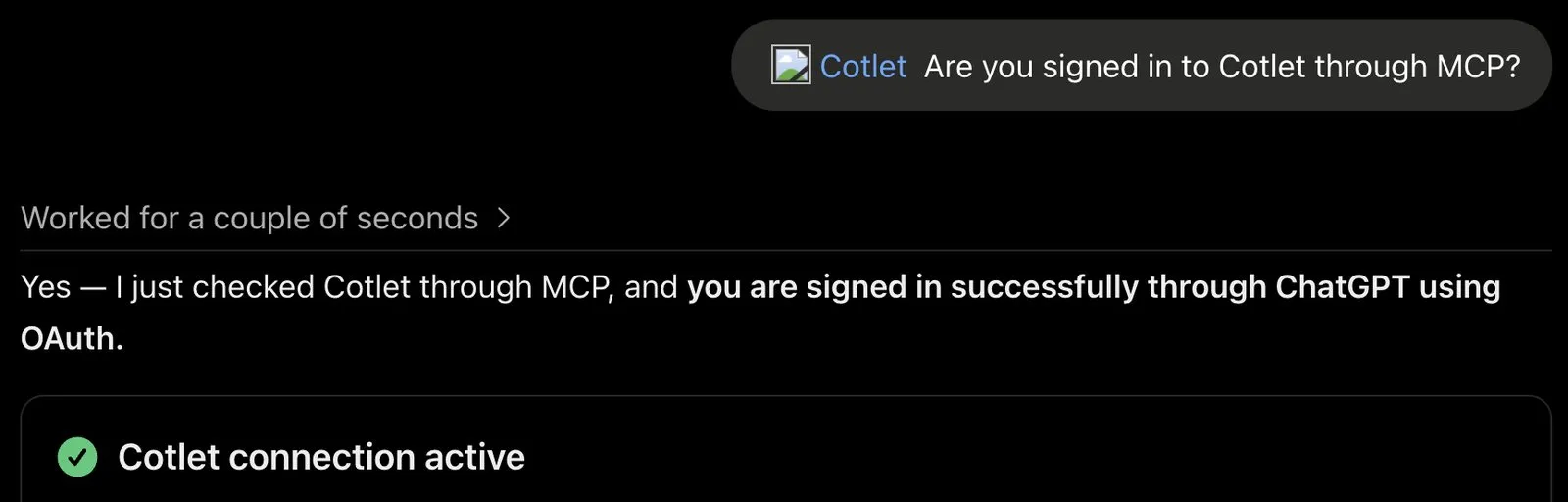
ChatGPT confirming the Cotlet connection, November 2026.
ChatGPT asks “Allow ChatGPT to use Cotlet?” before some steps. Pick Always allow, or the chat waits for your click. On a Business, Enterprise or Edu workspace, an admin has to allow custom MCP servers first.
How to connect Tattoodo Books to Claude
- Open Connectors in Claude and click Add. In the desktop app it is under Customize, Connectors.
- Click Add custom connector.
- Paste the name
Cotletand the URLhttps://cotlet.dev/mcp/v1/connect, then click Continue. - Keep the settings and click Add.
- A Cotlet page opens. Click Allow access.
- In a chat, click the plus button, then Connectors, and turn Cotlet on.
- Ask Claude: “Are you signed in to Cotlet through MCP?”, then “In Tattoodo Books, which booked clients still owe a deposit? Show the amount. Send nothing.”. Claude asks before it uses a Cotlet tool the first time. Click Allow.

Claude, Customize, Connectors, November 2026.

Cotlet consent page after you add the connector in Claude, November 2026.
Claude’s free plan allows one custom connector. On a Team or Enterprise plan, an owner adds Cotlet in Organization settings, Connectors, and you click Connect next to it.
How to connect Tattoodo Books to Claude Code
Add Cotlet without a key, then sign in once in the browser:
claude mcp add --transport http cotlet https://cotlet.dev/mcp/v1/connectRun /mcp in Claude Code, pick cotlet and sign in to Cotlet. Prefer an API key, for example on a server? Create one in the Cotlet console and use:
claude mcp add --transport http cotlet https://cotlet.dev/mcp/v1 \
  --header "Authorization: Bearer $COTLET_API_KEY"
How to connect Tattoodo Books to Codex
Create an API key in the Cotlet console, put it in the COTLET_API_KEY environment variable and add this to ~/.codex/config.toml:
[mcp_servers.cotlet]
url = "https://cotlet.dev/mcp/v1"
bearer_token_env_var = "COTLET_API_KEY"
How to connect Tattoodo Books to Cursor
Create an API key in the Cotlet console, put it in the COTLET_API_KEY environment variable and add this to ~/.cursor/mcp.json:
{
  "mcpServers": {
    "cotlet": {
      "url": "https://cotlet.dev/mcp/v1",
      "headers": { "Authorization": "Bearer ${env:COTLET_API_KEY}" }
    }
  }
}
How to connect Tattoodo Books to Grok
Grok takes custom MCP servers on grok.com, per xAI’s connectors documentation (checked 8 November 2026).
- Open grok.com/connectors and click New Connector.
- Pick Custom and paste the server URL
https://cotlet.dev/mcp/v1/connect. - Sign in to Cotlet when Grok asks, then click Allow access.
- Ask Grok: “Are you signed in to Cotlet through MCP?”
On Grok Business, an admin adds the connector first in the xAI console, under Grok Business, Connectors. The Grok chat inside X has no custom connector menu.
How to connect Tattoodo Books to Hermes Agent
Add Cotlet to ~/.hermes/config.yaml in the format of the Hermes MCP config reference:
mcp_servers:
  cotlet:
    url: "https://cotlet.dev/mcp/v1"
    headers:
      Authorization: "Bearer ${COTLET_API_KEY}"
    trust: untrusted
Put COTLET_API_KEY in ~/.hermes/.env and check it with hermes mcp test cotlet. With trust: untrusted, Hermes runs reads at once and asks before every write. More on Hermes in our post on the Hermes Agent browser.
How to connect Tattoodo Books to n8n
Use the MCP Client node, or the MCP Client Tool inside an AI Agent node:
- Server Transport: HTTP Streamable
- MCP Endpoint URL:
https://cotlet.dev/mcp/v1 - Authentication: Bearer Auth, with your Cotlet API key as the token
- Tools: let the AI Agent node use Cotlet’s browser tools; it reads Cotlet’s Tattoodo Books guide first and works in your signed-in account
Use it for work that should run on its own, such as a morning list of new requests that miss size or placement.
Any other MCP client
Point the client at https://cotlet.dev/mcp/v1 over Streamable HTTP, with the header Authorization: Bearer <your Cotlet API key>. A client that supports OAuth sign-in can use https://cotlet.dev/mcp/v1/connect instead and needs no key. The full reference is in the MCP docs.
Three Tattoodo Books jobs to try first
Look first, then let it write drafts.
Sort the Instagram requests
List the booking requests that came in this week with the idea, placement, size and budget. Tell me which ones lack info.
Requests arrive from Instagram messages and forms, in whatever shape the client typed. The agent reads the inbox and fills one table. The gaps column is the useful part, because it shows who you must ask before quoting.
Ask for the missing details in one pass
Draft a reply for each request missing size, placement or reference photos. Send nothing yet.
This is where an hour disappears. The agent writes a short reply per client that asks only for what is missing, in your tone if you paste an example. You read the drafts and approve the ones that are right.
See who has not paid the deposit
List booked clients with the deposit status and amount, and who still owes one before the appointment.
You set deposits up as described in the Tattoodo help article on taking deposits. The agent reads the booked sessions, lines up paid and owed deposits and names the sessions closest to the date. Chasing stays your call.
Later in the week
- Show cancellations this month with the deposit paid, and draft a note about a new deposit for rebooking.
- Find clients with a session this week whose design has not been sent.
- Total deposits and paid sessions by month for your accountant.
- List sessions in the next 3 days where the release form is unsigned.
Price
New accounts start with 2,000 credits for a week and no card. Paid packs from $29 last a year and bill only successful calls (pricing). Your Books account itself stays untouched.
FAQ
Can an artist use a Tattoodo API or MCP server for the studio?
Not for the artist account. The official MCP server exists for clients hunting for an artist, and it hands back a booking link. No public API for Books turned up. Cotlet acts in the account you are signed in to, and needs no key.
Is there a ChatGPT or Claude connector from Tattoodo for artists?
No. The single official MCP server is built for people searching for an artist, and it does not manage bookings.
Is Tattoodo Books on Zapier, Make or n8n?
None of the three list it.
Can ChatGPT answer my booking requests?
It writes the answers from what is in your inbox. Nothing is sent until you approve.
Can AI chase deposits for me?
It lists who owes one and prepares the message. Refunds, payouts and account settings are yours.
Does Tattoodo make Cotlet?
No, they are separate businesses.
Quote the right request first
A sorted inbox is one message away. Make a free account, sign in to Tattoodo Books and ask. More apps live in the catalog.