How to connect TimeTap to ChatGPT, Claude and any AI agent
TimeTap has no official MCP server or ChatGPT and Claude connector, and its API needs Business or Enterprise (checked 28 Nov 2026). Here is how to connect it.
Cotlet team 10 min read
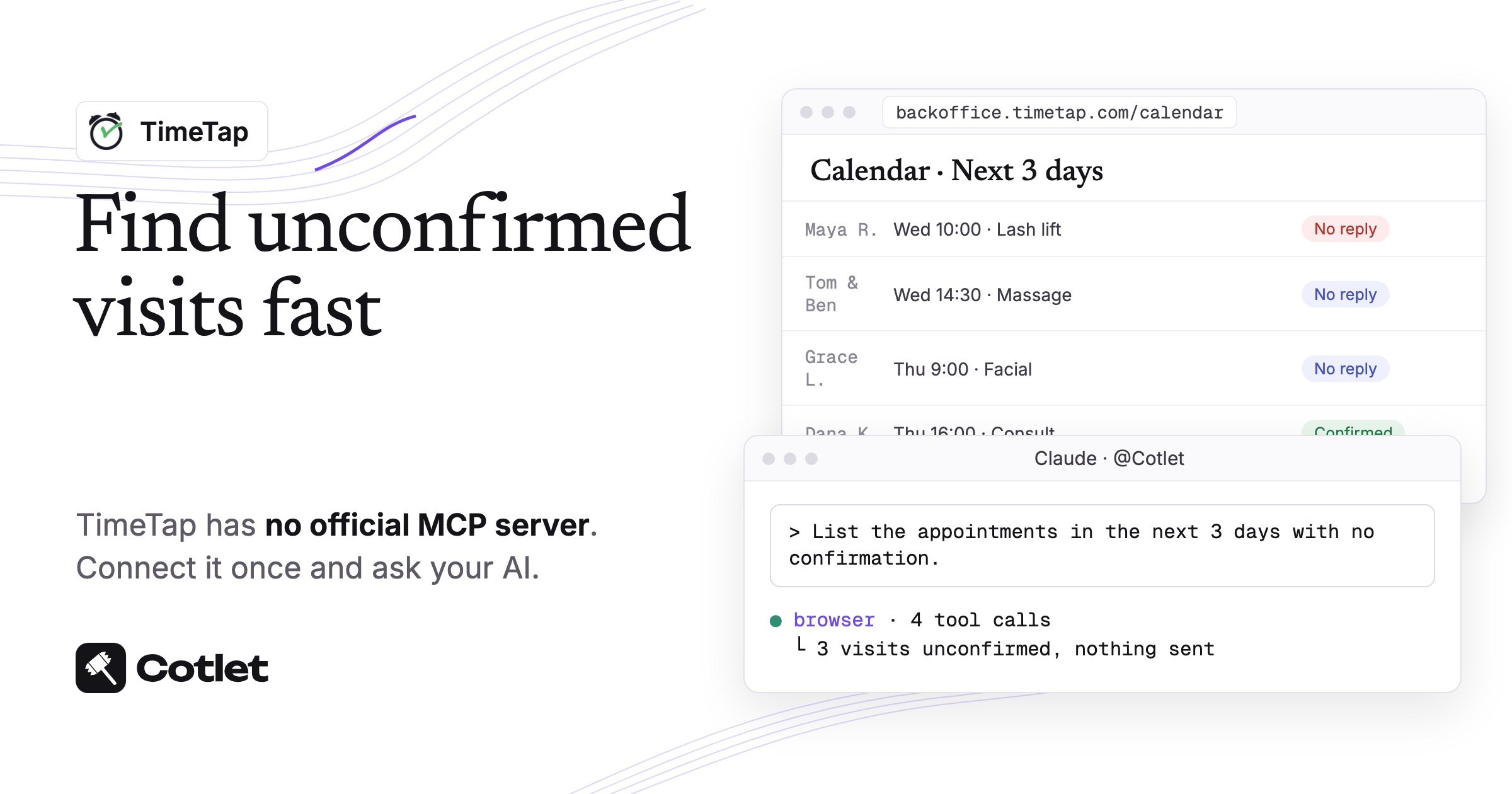
Three clients missed Tuesday and none of them had confirmed. You find out at 2 pm, with the slot already empty. TimeTap has the answer, spread over the calendar, the client list and the reminder settings. TimeTap offers nothing official for ChatGPT or Claude (checked 28 Nov 2026): no MCP server, no app, no connector. Its API belongs to the Business and Enterprise plans. Cotlet puts an AI agent in your own Back Office session, and it walks those screens while you approve every change.
This guide is for the owner of a small appointment business: salon, spa, massage room, tutoring practice or training studio. The clients who book online use your public booking page, and nothing here touches it.
Which TimeTap screens the AI can work
Describe the list you want. The agent finds the right Back Office screen and brings back the rows.
| TimeTap area | Request it can handle |
|---|---|
| Calendar | Lists next week’s appointments per staff member and flags overlaps or days with no travel gap |
| Settings, Reminders | Shows which reminders are on for each service and where a client gets none |
| Clients | Lists clients marked no-show or cancelled in the last 14 days with phone and email |
| Settings, Forms | Finds clients booked this week who have not filled in the intake or consent form |
| Packages | Shows package credits left for clients with repeating appointments |
| Classes, Class Schedule | Lists spots taken and spots left for each class next week |
| Settings, Coupons | Lists active coupons, uses this month and the ones expiring soon |
Looking is free of side effects. Anything that reaches a client, such as a reminder, a rebooking offer or a form nudge, stops and waits for you. Further examples sit on the TimeTap MCP page.
What TimeTap ships for integrations
Here is where things stand on 28 November 2026.
- API: paid plans only. The TimeTap API article says access is for Business and Enterprise accounts. A Business account finds a private key under Settings, API, and the documentation lives on Confluence.
- ChatGPT and Claude: no connector. The MCP Registry has one TimeTap entry, io.usefulapi/timetap, and a third party published it, not TimeTap.
- Zapier: no TimeTap app yet. The API article mentions webhooks for Zapier, while Zapier says TimeTap has not built an integration. Make and n8n show nothing.
- Export: nothing we could confirm. The sources we read do not describe a data export.
Every point above links to its source in the TimeTap access review.
What you need first
- Your Back Office username and password, used in a normal browser.
- Some booked visits and a client list, otherwise the agent has little to show.
- ChatGPT or Claude, either one.
- A trial Cotlet account (pricing).
Step 1: sign in to TimeTap in your Cloud Browser
The Cloud Browser is a Chrome window that runs for you. Go to the Back Office sign-in page there and log in the way you do at your desk. The password goes to TimeTap and nowhere else. What Cotlet keeps is the encrypted session, which you can end in one click (security).
Step 2: connect TimeTap to ChatGPT, Claude or another AI agent
Add Cotlet to the agent you like best, using the steps below. It is a one-off job, and afterwards TimeTap is a mention away in any chat.
Pick your AI above to see its steps.
How to connect TimeTap to ChatGPT
Do this on chatgpt.com in your browser. Cotlet then works in the ChatGPT desktop and phone apps too.
- Open Plugins in ChatGPT and click Add.
- Click Add custom MCP server. Not in the menu? Turn on Developer mode in Settings, Security and login, then come back.
- Paste the name
Cotletand the server URLhttps://cotlet.dev/mcp/v1/connect. Keep Authentication on OAuth. - Tick “I understand and want to continue” and click Create as a plugin.
- Click Connect Cotlet. A Cotlet page opens, click Allow access.
- In a new chat, type
@Cotletand pick it from the list. - Ask ChatGPT: “Are you signed in to Cotlet through MCP?” Then try a first TimeTap task: “In TimeTap, list the appointments in the next 3 days with no confirmation from the client. Change nothing.”

ChatGPT, Plugins page, November 2026.
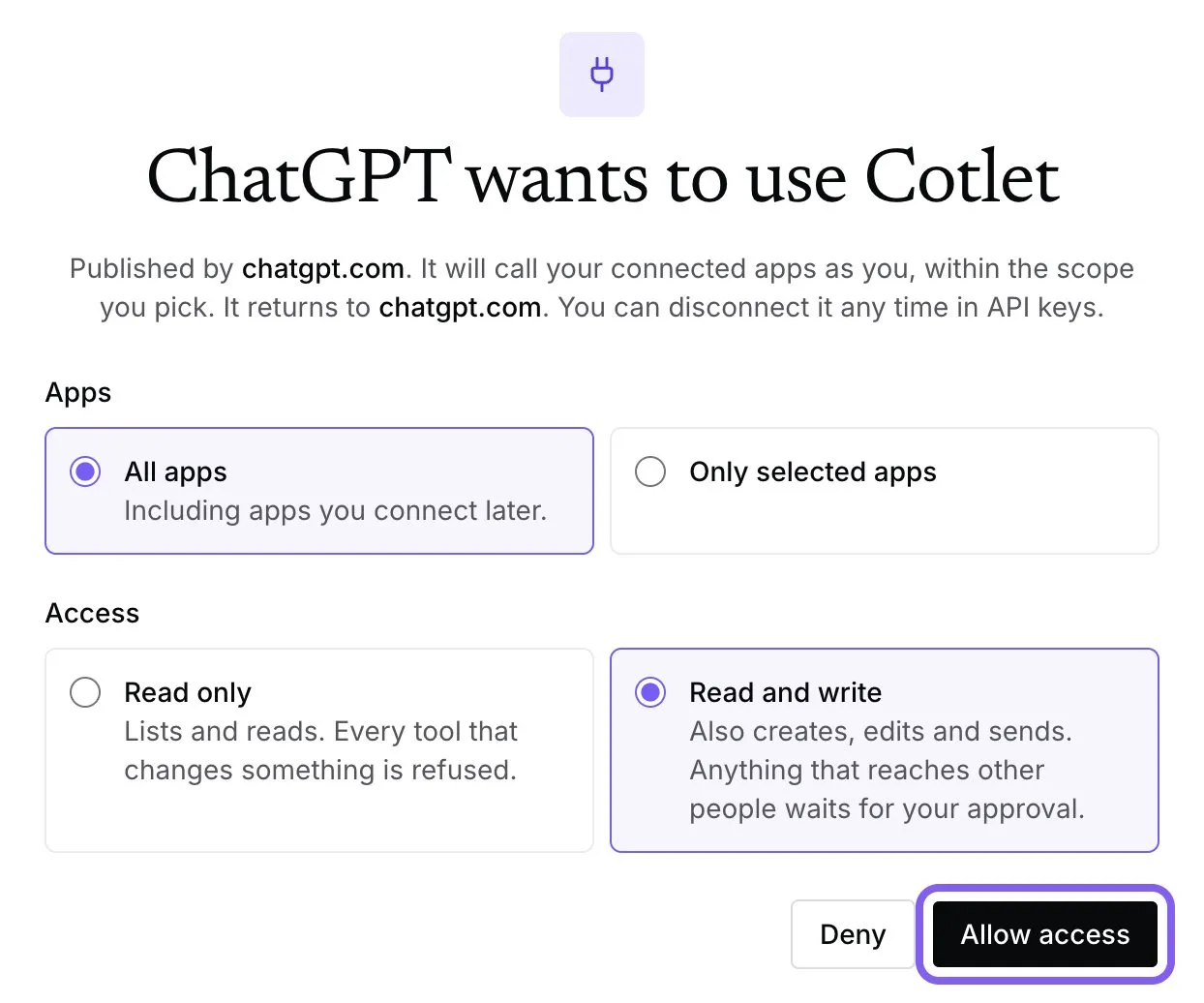
Cotlet consent page after you connect it in ChatGPT, November 2026.
ChatGPT asks “Allow ChatGPT to use Cotlet?” before some steps. Pick Always allow, or the chat waits for your click. On a Business, Enterprise or Edu workspace, an admin has to allow custom MCP servers first.
How to connect TimeTap to Claude
- Open Connectors in Claude and click Add. In the desktop app it is under Customize, Connectors.
- Click Add custom connector.
- Paste the name
Cotletand the URLhttps://cotlet.dev/mcp/v1/connect, then click Continue. - Keep the settings and click Add.
- A Cotlet page opens. Click Allow access.
- In a chat, click the plus button, then Connectors, and turn Cotlet on.
- Ask Claude: “Are you signed in to Cotlet through MCP?”, then “In TimeTap, which clients have an appointment this week and have not filled in the intake form? Send nothing.”. Claude asks before it uses a Cotlet tool the first time. Click Allow.

Claude, Add custom connector form, November 2026.

Claude, chat menu, Connectors, November 2026.
Claude’s free plan allows one custom connector. On a Team or Enterprise plan, an owner adds Cotlet in Organization settings, Connectors, and you click Connect next to it.
How to connect TimeTap to Claude Code
Add Cotlet without a key, then sign in once in the browser:
claude mcp add --transport http cotlet https://cotlet.dev/mcp/v1/connectRun /mcp in Claude Code, pick cotlet and sign in to Cotlet. Prefer an API key, for example on a server? Create one in the Cotlet console and use:
claude mcp add --transport http cotlet https://cotlet.dev/mcp/v1 \
  --header "Authorization: Bearer $COTLET_API_KEY"
How to connect TimeTap to Codex
Create an API key in the Cotlet console, put it in the COTLET_API_KEY environment variable and add this to ~/.codex/config.toml:
[mcp_servers.cotlet]
url = "https://cotlet.dev/mcp/v1"
bearer_token_env_var = "COTLET_API_KEY"
How to connect TimeTap to Cursor
Create an API key in the Cotlet console, put it in the COTLET_API_KEY environment variable and add this to ~/.cursor/mcp.json:
{
  "mcpServers": {
    "cotlet": {
      "url": "https://cotlet.dev/mcp/v1",
      "headers": { "Authorization": "Bearer ${env:COTLET_API_KEY}" }
    }
  }
}
How to connect TimeTap to Grok
Grok takes custom MCP servers on grok.com, per xAI’s connectors documentation (checked 8 November 2026).
- Open grok.com/connectors and click New Connector.
- Pick Custom and paste the server URL
https://cotlet.dev/mcp/v1/connect. - Sign in to Cotlet when Grok asks, then click Allow access.
- Ask Grok: “Are you signed in to Cotlet through MCP?”
On Grok Business, an admin adds the connector first in the xAI console, under Grok Business, Connectors. The Grok chat inside X has no custom connector menu.
How to connect TimeTap to Hermes Agent
Add Cotlet to ~/.hermes/config.yaml in the format of the Hermes MCP config reference:
mcp_servers:
  cotlet:
    url: "https://cotlet.dev/mcp/v1"
    headers:
      Authorization: "Bearer ${COTLET_API_KEY}"
    trust: untrusted
Put COTLET_API_KEY in ~/.hermes/.env and check it with hermes mcp test cotlet. With trust: untrusted, Hermes runs reads at once and asks before every write. More on Hermes in our post on the Hermes Agent browser.
How to connect TimeTap to n8n
Use the MCP Client node, or the MCP Client Tool inside an AI Agent node:
- Server Transport: HTTP Streamable
- MCP Endpoint URL:
https://cotlet.dev/mcp/v1 - Authentication: Bearer Auth, with your Cotlet API key as the token
- Tools: let the AI Agent node use Cotlet’s browser tools; it reads Cotlet’s TimeTap guide first and works in your signed-in Back Office
Use it for work that should run on its own, such as a morning list of appointments nobody has confirmed.
Any other MCP client
Point the client at https://cotlet.dev/mcp/v1 over Streamable HTTP, with the header Authorization: Bearer <your Cotlet API key>. A client that supports OAuth sign-in can use https://cotlet.dev/mcp/v1/connect instead and needs no key. The full reference is in the MCP docs.
Three TimeTap jobs to try first
All three begin with a read-only look.
Catch the no-shows before they happen
List the appointments in the next 3 days with no confirmation from the client and draft a reminder for each. Send nothing yet.
TimeTap can send appointment reminder emails from Settings, Reminders and Notifications. What it does not give you is a single list of who has not answered. The agent builds that list from the calendar, drafts a short reminder per client and waits.
Make sure every client has signed the intake form
Which clients booked this week have not filled in the intake or consent form? Draft a nudge for each.
Forms go out as described in Sending Forms to Clients. Checking by hand means opening each booking. The agent reads the week, finds the open forms and writes one nudge per client. You choose who gets it.
Spot the client whose package is running out
Show clients with repeating appointments and the package credits left for each. Who is about to run out?
Repeating appointments and packages live on different screens. The agent joins them in one table, so you can offer a renewal before the last visit instead of after it.
Later in the week
- Show which of next week’s classes are almost empty so you can push them.
- List coupons used this month and the ones that end soon.
- Offer a new time to every client who cancelled in the last 14 days.
- Check that no staff member is double booked on Friday.
Price
A trial gives 2,000 credits for a week, no card needed. Paid packs begin at $29, last a year and bill only calls that succeed (pricing). You do not need to move to a higher TimeTap plan.
FAQ
Can I hand ChatGPT a TimeTap API key?
Only if you pay for Business or Enterprise, where the key comes from Settings, API. TimeTap has no official MCP server to pair it with. Cotlet reads the Back Office through your login, so a smaller plan works and no key changes hands.
Is TimeTap on Zapier, Make or n8n?
No app exists on any of the three today. The API article does speak of webhooks for Zapier, yet we could not confirm that route works.
Can ChatGPT read my TimeTap calendar?
Not by itself. Through Cotlet it works in the Back Office you signed in to, reads calendar and client pages and asks before it changes a thing.
Can ChatGPT or Claude send my appointment reminders?
They write them. The agent picks out visits nobody confirmed and drafts the text, then you press the go-ahead.
Can AI take over my daily TimeTap checks?
The repeating ones, yes: unconfirmed visits, open forms, half-empty classes, packages near zero. Billing and plan settings stay yours.
Is Cotlet a TimeTap product?
No, it comes from a separate company.
Fill Tuesday before it empties
One message gets you the unconfirmed list. Start a free account, sign in to TimeTap and ask. Other apps are in the catalog.