How to connect Zenfolio to ChatGPT, Claude and any AI agent
Zenfolio has no official MCP server or ChatGPT app, and no API on NextZen plans (checked 28 Nov 2026). Let ChatGPT or Claude work your galleries and orders.
Cotlet team 10 min read
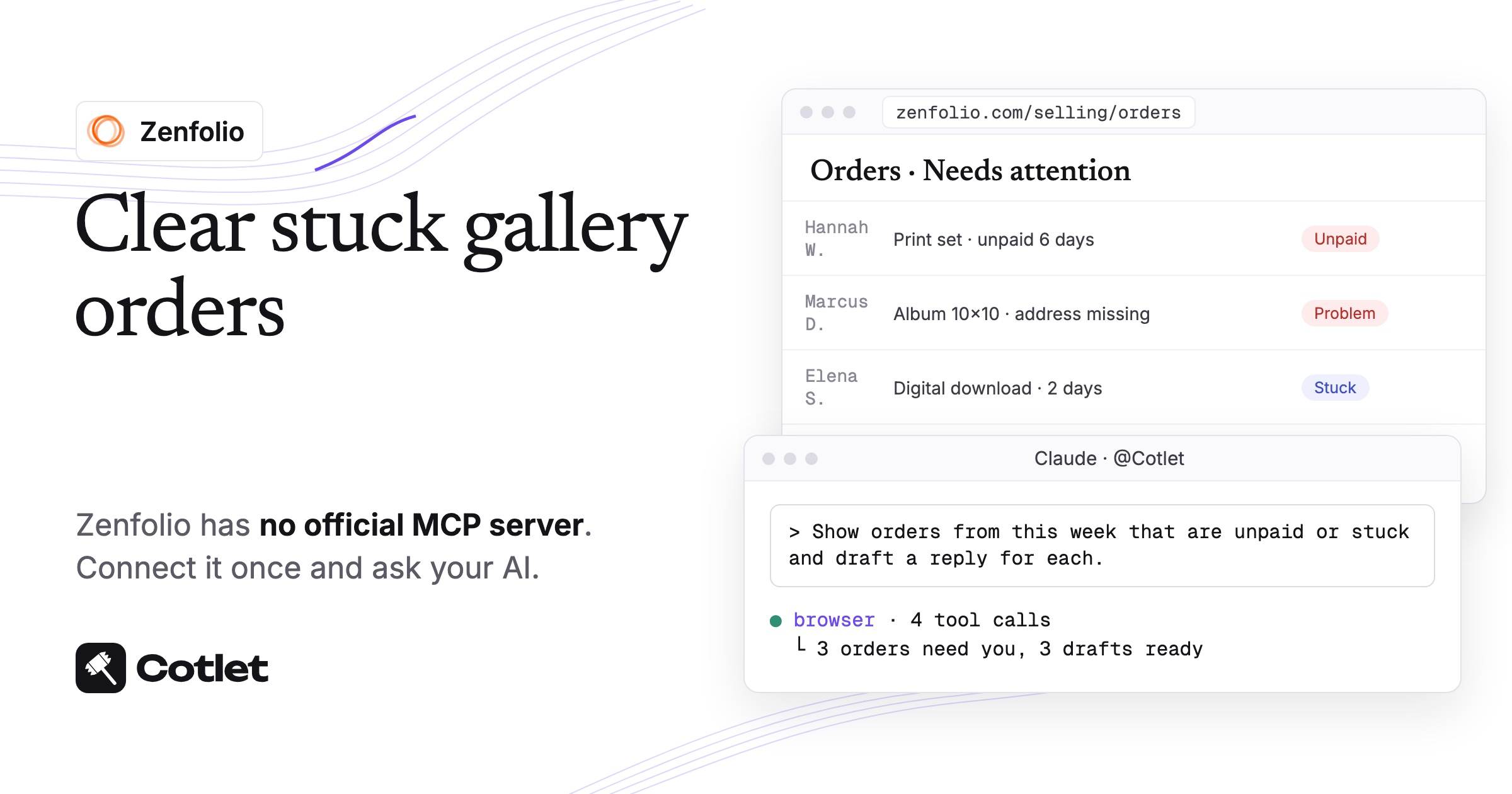
A bride writes that she cannot find her gallery from three years ago. You open Galleries, filter by status and wonder how many others are in the same shape. As of 28 Nov 2026, Zenfolio has no MCP server, no ChatGPT app and no Claude connector. Its Classic API exists only for the older plans. Cotlet lets an AI agent sit in a Cloud Browser that is logged in as you, and it walks through your galleries and orders while you edit photos.
This is for photographers who run their studio in Zenfolio: wedding and portrait shooters who sell prints and downloads. The people who buy from your galleries are not the audience here.
Chores your AI can take over in Zenfolio
Name the chore the way you would to an assistant. The agent finds the right Zenfolio page and tells you what is on it.
| Where in Zenfolio | The AI’s part |
|---|---|
| Galleries | Lists every gallery with its date and status, and marks the archived ones |
| Download originals | Walks through the galleries one by one and requests each download |
| Selling, Orders | Finds orders that are unpaid, stuck or flagged, and drafts a reply per customer |
| Marketing, Campaigns | Shows which delivered galleries have no purchases and what a reminder email would say |
| Price lists | Lists which gallery uses which price list and where an 8x10 or album is missing |
| Self-fulfilled products | Lists the prints you must make yourself, with sizes and shipping address |
| BookMe | Checks that every new booking has a gallery and a contact |
Reading changes nothing. A reply to a customer, a campaign or a restore request waits for your approval. The Zenfolio MCP page lists more requests.
What Zenfolio gives you without Cotlet
Checked on 28 November 2026:
- API: legacy plans only. The help center says the Zenfolio Classic API is available for third-party development on the Basic, Unlimited, Starter and other legacy plans. We found no API documentation for the current NextZen plans.
- Zia: an assistant inside the product. The Zenfolio blog introduced Zia on 7 October 2026. It answers questions from the data in your account. It does not connect ChatGPT or Claude to anything.
- ChatGPT and Claude: nothing official. Searching the MCP Registry for Zenfolio returns no server, and the address zenfolio.com/mcp gives a 404.
- Automation tools: nothing listed. Zapier and Make answer 404 for Zenfolio, and n8n has no node.
The Zenfolio access review scores each of these facts with its source.
What you need first
- A Zenfolio account you can log in to in a browser, with at least one gallery.
- Orders in the shop, so there is something to read.
- A ChatGPT or Claude account.
- A free Cotlet account (pricing).
Step 1: sign in to Zenfolio in your Cloud Browser
Go to zenfolio.com in the Cloud Browser, press Log In and enter your details on Zenfolio’s page. The password stays between you and Zenfolio. The stored session is encrypted, and one click in the console stops the agent (security).
Step 2: connect Zenfolio to ChatGPT, Claude or another AI agent
Pick your agent below. It is a one time job, and then Zenfolio is available in every chat.
Pick your AI above to see its steps.
How to connect Zenfolio to ChatGPT
Do this on chatgpt.com in your browser. Cotlet then works in the ChatGPT desktop and phone apps too.
- Open Plugins in ChatGPT and click Add.
- Click Add custom MCP server. Not in the menu? Turn on Developer mode in Settings, Security and login, then come back.
- Paste the name
Cotletand the server URLhttps://cotlet.dev/mcp/v1/connect. Keep Authentication on OAuth. - Tick “I understand and want to continue” and click Create as a plugin.
- Click Connect Cotlet. A Cotlet page opens, click Allow access.
- In a new chat, type
@Cotletand pick it from the list. - Ask ChatGPT: “Are you signed in to Cotlet through MCP?” Then try a first Zenfolio task: “In Zenfolio, list my galleries with date and status and mark the archived ones. Change nothing.”
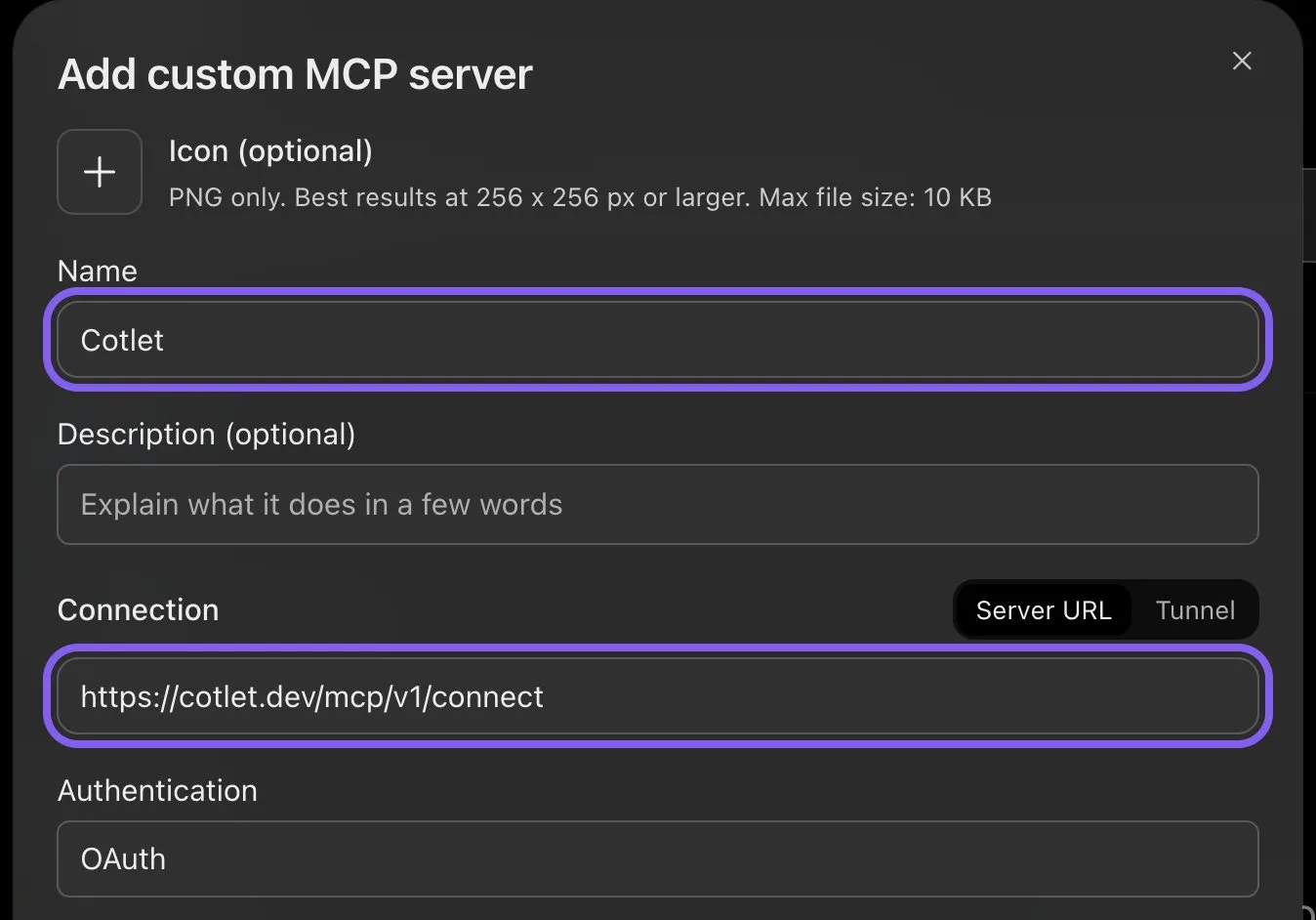
ChatGPT, Add custom MCP server form, November 2026.
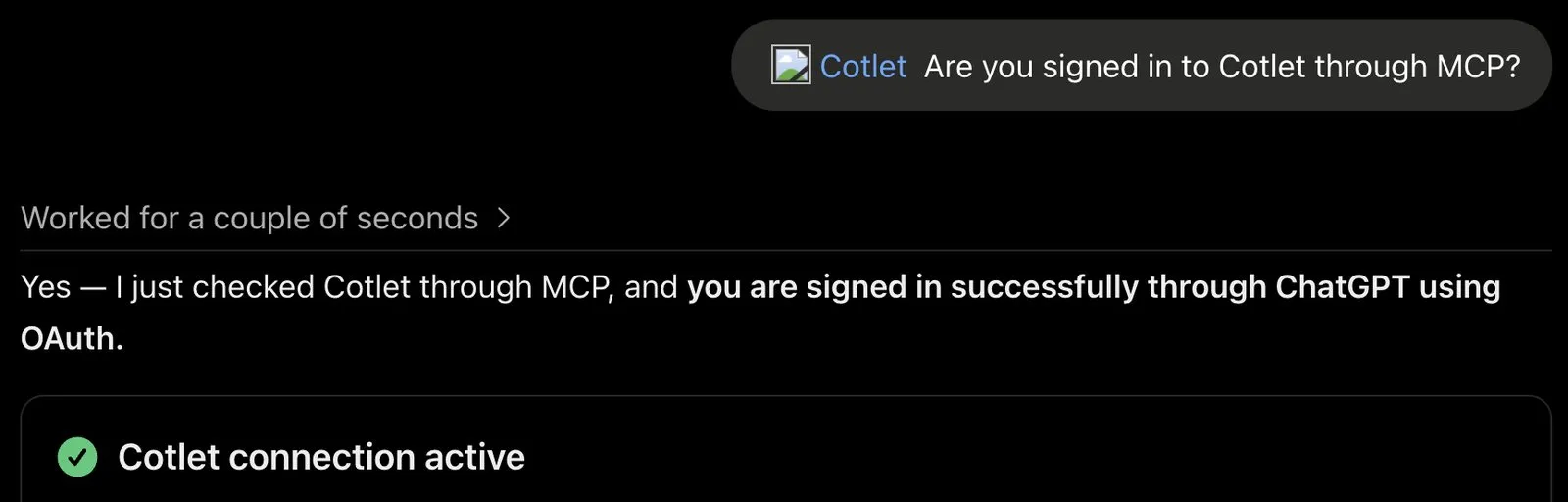
ChatGPT confirming the Cotlet connection, November 2026.
ChatGPT asks “Allow ChatGPT to use Cotlet?” before some steps. Pick Always allow, or the chat waits for your click. On a Business, Enterprise or Edu workspace, an admin has to allow custom MCP servers first.
How to connect Zenfolio to Claude
- Open Connectors in Claude and click Add. In the desktop app it is under Customize, Connectors.
- Click Add custom connector.
- Paste the name
Cotletand the URLhttps://cotlet.dev/mcp/v1/connect, then click Continue. - Keep the settings and click Add.
- A Cotlet page opens. Click Allow access.
- In a chat, click the plus button, then Connectors, and turn Cotlet on.
- Ask Claude: “Are you signed in to Cotlet through MCP?”, then “In Zenfolio, show orders from this week that are unpaid or stuck and draft a reply for each customer. Send nothing.”. Claude asks before it uses a Cotlet tool the first time. Click Allow.

Claude, Add custom connector, last screen, November 2026.

Cotlet consent page after you add the connector in Claude, November 2026.
Claude’s free plan allows one custom connector. On a Team or Enterprise plan, an owner adds Cotlet in Organization settings, Connectors, and you click Connect next to it.
How to connect Zenfolio to Claude Code
Add Cotlet without a key, then sign in once in the browser:
claude mcp add --transport http cotlet https://cotlet.dev/mcp/v1/connectRun /mcp in Claude Code, pick cotlet and sign in to Cotlet. Prefer an API key, for example on a server? Create one in the Cotlet console and use:
claude mcp add --transport http cotlet https://cotlet.dev/mcp/v1 \
  --header "Authorization: Bearer $COTLET_API_KEY"
How to connect Zenfolio to Codex
Create an API key in the Cotlet console, put it in the COTLET_API_KEY environment variable and add this to ~/.codex/config.toml:
[mcp_servers.cotlet]
url = "https://cotlet.dev/mcp/v1"
bearer_token_env_var = "COTLET_API_KEY"
How to connect Zenfolio to Cursor
Create an API key in the Cotlet console, put it in the COTLET_API_KEY environment variable and add this to ~/.cursor/mcp.json:
{
  "mcpServers": {
    "cotlet": {
      "url": "https://cotlet.dev/mcp/v1",
      "headers": { "Authorization": "Bearer ${env:COTLET_API_KEY}" }
    }
  }
}
How to connect Zenfolio to Grok
Grok takes custom MCP servers on grok.com, per xAI’s connectors documentation (checked 8 November 2026).
- Open grok.com/connectors and click New Connector.
- Pick Custom and paste the server URL
https://cotlet.dev/mcp/v1/connect. - Sign in to Cotlet when Grok asks, then click Allow access.
- Ask Grok: “Are you signed in to Cotlet through MCP?”
On Grok Business, an admin adds the connector first in the xAI console, under Grok Business, Connectors. The Grok chat inside X has no custom connector menu.
How to connect Zenfolio to Hermes Agent
Add Cotlet to ~/.hermes/config.yaml in the format of the Hermes MCP config reference:
mcp_servers:
  cotlet:
    url: "https://cotlet.dev/mcp/v1"
    headers:
      Authorization: "Bearer ${COTLET_API_KEY}"
    trust: untrusted
Put COTLET_API_KEY in ~/.hermes/.env and check it with hermes mcp test cotlet. With trust: untrusted, Hermes runs reads at once and asks before every write. More on Hermes in our post on the Hermes Agent browser.
How to connect Zenfolio to n8n
Use the MCP Client node, or the MCP Client Tool inside an AI Agent node:
- Server Transport: HTTP Streamable
- MCP Endpoint URL:
https://cotlet.dev/mcp/v1 - Authentication: Bearer Auth, with your Cotlet API key as the token
- Tools: let the AI Agent node use Cotlet’s browser tools; it reads Cotlet’s Zenfolio guide first and works in your signed-in Zenfolio account
Use it for work that should run on its own, such as a weekly list of delivered galleries with no purchases.
Any other MCP client
Point the client at https://cotlet.dev/mcp/v1 over Streamable HTTP, with the header Authorization: Bearer <your Cotlet API key>. A client that supports OAuth sign-in can use https://cotlet.dev/mcp/v1/connect instead and needs no key. The full reference is in the MCP docs.
Three Zenfolio jobs to try first
Ask for a list before you ask for a change.
Get your originals out, gallery by gallery
List every gallery in my account with its date and status. Then request the originals download for each one and tell me which ones I still have to open.
Zenfolio’s download help says one gallery downloads at a time and the file arrives as a link by email. There is no single button for the whole account. The agent does the repetitive part: open a gallery, request the download, move to the next, and keep a list of what is done. You collect the links from your inbox.
Clear the orders that need you
Show orders from this week that are unpaid, stuck or have a problem, and draft a reply for each customer. Send nothing.
The order problems article lists what can go wrong with a print or download order. The agent reads the Orders screen, groups the orders by problem and writes a short reply per customer. Which replies go out is your call.
Find galleries nobody bought from
Which clients opened a gallery but bought nothing? Enroll that gallery in a reminder campaign and show me the email first.
Client marketing campaigns are where a reminder lives. The agent reads gallery activity, finds the quiet galleries and prepares the campaign. Nothing is sent until you read the email and say yes.
Later in the week
- Check which price list each gallery uses and flag galleries without an album or a large print size.
- List self-fulfilled orders you owe, with sizes and shipping addresses, every morning.
- Show your plan, renewal date and open charges before you decide anything about the account.
- Check that every new BookMe booking has a contact and a gallery.
Price
New accounts get 2,000 credits for 7 days and no card is asked. Packs start at $29, stay valid for a year and charge only for calls that work (pricing). You keep your current Zenfolio plan.
FAQ
Is there a Zenfolio API key for ChatGPT?
Not on a current plan. The Classic API is documented for legacy plans, and we found no API for NextZen. There is also no official MCP server. Cotlet needs no key because it works inside the login you already have.
I am on a legacy Classic plan. Can I use the Classic API instead?
You can, if you or a developer build against it. It is meant for third-party development. If you want to ask for things in plain English, Cotlet gets you there without code.
Is Zia the same as connecting ChatGPT?
No. Zia is Zenfolio’s own assistant and works on your account data inside Zenfolio. Cotlet lets ChatGPT, Claude or another agent of your choice work in your Zenfolio and in other apps in the same chat.
Can ChatGPT or Claude download all my galleries at once?
They can go through them one by one. Zenfolio itself sends each download as an emailed link per gallery, so the agent requests them in turn and lists which are done.
Can AI do my Zenfolio housekeeping?
Yes, for the chores that come back every week: stuck orders, quiet galleries, missing price list items and new bookings with no contact. You approve every change.
Does Zenfolio endorse Cotlet?
No. The two companies are separate.
Get your originals list tonight
The download job is the one photographers ask about most. Open a free account, sign in to Zenfolio and send it. More apps live in the catalog.