How to connect Alto to ChatGPT, Claude and any AI agent
Alto has no official MCP server, and its API is for partner software (checked 26 Nov 2026). Let Claude answer applicants and chase stalled sales.
Cotlet team 12 min read

On 26 November 2026 Alto had no official MCP server for agencies, and neither ChatGPT nor Claude listed an Alto app. Its API exists, but only for partner software that each agency activates from the Alto Marketplace, so a branch cannot make a key for itself. You can still put ChatGPT, Claude or another AI agent to work on your applicants, diary, sales progression and tenancies. Sign in to Alto once inside your own Cloud Browser at Cotlet, and the AI works on the same screens your negotiators use. Setup takes about ten minutes and needs no developer.
Alto is the estate and lettings software behind thousands of UK branches: applicant enquiries from the portals, the viewing diary, offers, sales progression, tenancies and the compliance dates a letting agent cannot miss. People who search for an AI link to Alto are usually branch managers, sales progressors and lettings administrators with an inbox of enquiries before 9 am. Cotlet serves the agency side: the people who run the branch in Alto and want an assistant that reads it and drafts the next message. Buyers and tenants keep talking to you the way they do now.
What ChatGPT and Claude can do in Alto once connected
A negotiator’s request in plain English is enough. Behind it, the agent moves through these Alto screens:
| Area of Alto | What the AI handles |
|---|---|
| Applicants and enquiries | Reads new portal enquiries, matches each to the property, drafts a reply |
| Diary | Finds free viewing slots for the property and the negotiator |
| Sales progression | Lists sales agreed with no milestone update and drafts a chase to both solicitors |
| Vendors | Builds a Friday update per live listing from viewings, feedback and offers |
| Tenancies | Lists tenancies ending soon with rent and renewal status |
| Compliance | Flags gas safety, EICR and EPC dates that expire in the next 60 days |
Anything an applicant, vendor, landlord or solicitor would receive waits for your OK. So does a viewing booked in the diary. Lists, counts and drafts change nothing in Alto.
Every screen and what waits for approval is on the Alto MCP server page. If you would rather pull the same data into a sheet or n8n, see Alto API with Cotlet, and the full fact check is on Does Alto have an API or MCP server?.
Does Alto have AI, an API or an official ChatGPT app?
Alto has been adding AI inside the product, but none of it reaches ChatGPT or Claude. As of 26 November 2026:
- An API for partners, switched on per agency. The Alto developer docs say that “before using any of the Alto API’s you must first create an integration via the Developer Portal” (Alto API docs). A partner then waits for agencies to pick it in the Alto Marketplace and receives the AgencyRef that links them (activation requests). A branch on its own gets no key.
- Webhooks for that partner route. The same docs have a webhooks guide for partner integrations.
- No official MCP server, ChatGPT app or Claude connector. altosoftware.co.uk names none, and the servers in the MCP Registry with similar names come from other publishers.
- AI tools that stay inside Alto. Alto’s own features help write listings and progression updates in the app. They do not let an outside assistant read your diary.
- No Zapier, Make or n8n app. Searching each directory for Alto on 26 November 2026 returned nothing.
So unless your software supplier builds it for you, a hosted MCP server in your signed-in session is how ChatGPT or Claude reaches your branch today.
What a branch needs before connecting
- The login your branch already uses for Alto, with the offices you want the assistant to see.
- A role that reaches applicants, the diary and progression. Whatever that role cannot open stays closed to the agent too.
- Your viewing rules written down in a line: slots offered per enquiry and the notice you need.
- An assistant to talk to. ChatGPT works, and so does Claude even on its free tier, since Cotlet counts as a single connector.
- A Cotlet sign-up, which starts with seven free days (pricing).
Step 1: sign in to Alto in your Cloud Browser
Inside Cotlet, launch the Web browser (cotlet.dev/app/browser/web) and type login.vebraalto.com in its address bar. Alto hands you over to its own identity page. Sign in there as you would at the office, and finish any verification step Alto shows.
That identity page is the only place your Alto password is typed. Cotlet never receives it. What stays behind is the signed-in session, kept in a browser profile that is encrypted while stored. A switch in the console cuts the agent off, and an expired Alto session makes the agent pause with a sign-in link for you. Background: security.
Step 2: connect Alto to ChatGPT, Claude or another AI agent
Choose the assistant your office has open. Each tab shows its own steps.
Pick your AI above to see its steps.
How to connect Alto to ChatGPT
Do this on chatgpt.com in your browser. Cotlet then works in the ChatGPT desktop and phone apps too.
- Open Plugins in ChatGPT and click Add.
- Click Add custom MCP server. Not in the menu? Turn on Developer mode in Settings, Security and login, then come back.
- Paste the name
Cotletand the server URLhttps://cotlet.dev/mcp/v1/connect. Keep Authentication on OAuth. - Tick “I understand and want to continue” and click Create as a plugin.
- Click Connect Cotlet. A Cotlet page opens, click Allow access.
- In a new chat, type
@Cotletand pick it from the list. - Ask ChatGPT: “Are you signed in to Cotlet through MCP?” Then try a first Alto task: “List the Alto sales agreed with no progression update for 10 days.”

ChatGPT, Plugins page, November 2026.
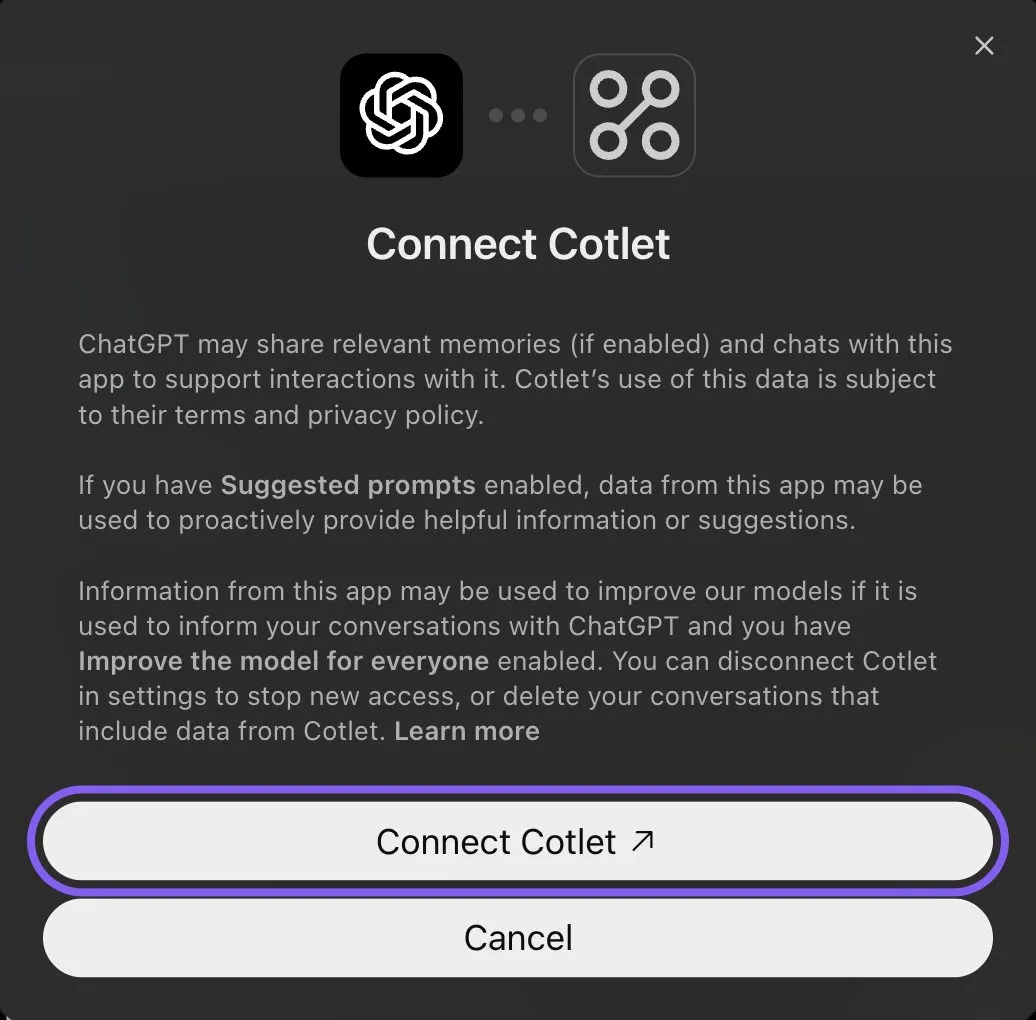
ChatGPT, connecting the Cotlet plugin, November 2026.
ChatGPT asks “Allow ChatGPT to use Cotlet?” before some steps. Pick Always allow, or the chat waits for your click. On a Business, Enterprise or Edu workspace, an admin has to allow custom MCP servers first.
How to connect Alto to Claude
- Open Connectors in Claude and click Add. In the desktop app it is under Customize, Connectors.
- Click Add custom connector.
- Paste the name
Cotletand the URLhttps://cotlet.dev/mcp/v1/connect, then click Continue. - Keep the settings and click Add.
- A Cotlet page opens. Click Allow access.
- In a chat, click the plus button, then Connectors, and turn Cotlet on.
- Ask Claude: “Are you signed in to Cotlet through MCP?”, then “Which lettings certificates in Alto expire in the next 60 days?”. Claude asks before it uses a Cotlet tool the first time. Click Allow.

Claude, Customize, Connectors, Add menu, November 2026.

Claude, chat menu, Connectors, November 2026.
Claude’s free plan allows one custom connector. On a Team or Enterprise plan, an owner adds Cotlet in Organization settings, Connectors, and you click Connect next to it.
How to connect Alto to Claude Code
Add Cotlet without a key, then sign in once in the browser:
claude mcp add --transport http cotlet https://cotlet.dev/mcp/v1/connectRun /mcp in Claude Code, pick cotlet and sign in to Cotlet. Prefer an API key, for example on a server? Create one in the Cotlet console and use:
claude mcp add --transport http cotlet https://cotlet.dev/mcp/v1 \
  --header "Authorization: Bearer $COTLET_API_KEY"
How to connect Alto to Codex
Create an API key in the Cotlet console, put it in the COTLET_API_KEY environment variable and add this to ~/.codex/config.toml:
[mcp_servers.cotlet]
url = "https://cotlet.dev/mcp/v1"
bearer_token_env_var = "COTLET_API_KEY"
How to connect Alto to Cursor
Create an API key in the Cotlet console, put it in the COTLET_API_KEY environment variable and add this to ~/.cursor/mcp.json:
{
  "mcpServers": {
    "cotlet": {
      "url": "https://cotlet.dev/mcp/v1",
      "headers": { "Authorization": "Bearer ${env:COTLET_API_KEY}" }
    }
  }
}
How to connect Alto to Grok
Grok takes custom MCP servers on grok.com, per xAI’s connectors documentation (checked 8 November 2026).
- Open grok.com/connectors and click New Connector.
- Pick Custom and paste the server URL
https://cotlet.dev/mcp/v1/connect. - Sign in to Cotlet when Grok asks, then click Allow access.
- Ask Grok: “Are you signed in to Cotlet through MCP?”
On Grok Business, an admin adds the connector first in the xAI console, under Grok Business, Connectors. The Grok chat inside X has no custom connector menu.
How to connect Alto to Hermes Agent
Add Cotlet to ~/.hermes/config.yaml in the format of the Hermes MCP config reference:
mcp_servers:
  cotlet:
    url: "https://cotlet.dev/mcp/v1"
    headers:
      Authorization: "Bearer ${COTLET_API_KEY}"
    trust: untrusted
Put COTLET_API_KEY in ~/.hermes/.env and check it with hermes mcp test cotlet. With trust: untrusted, Hermes runs reads at once and asks before every write. More on Hermes in our post on the Hermes Agent browser.
How to connect Alto to n8n
Use the MCP Client node, or the MCP Client Tool inside an AI Agent node:
- Server Transport: HTTP Streamable
- MCP Endpoint URL:
https://cotlet.dev/mcp/v1 - Authentication: Bearer Auth, with your Cotlet API key as the token
- Tools: let the AI Agent node use Cotlet’s browser tools; it reads Cotlet’s Alto guide first and works in your signed-in Alto account
Use it for work that should run on its own, such as a Monday list of Alto sales gone quiet, sent to your sales progressor.
Any other MCP client
Point the client at https://cotlet.dev/mcp/v1 over Streamable HTTP, with the header Authorization: Bearer <your Cotlet API key>. A client that supports OAuth sign-in can use https://cotlet.dev/mcp/v1/connect instead and needs no key. The full reference is in the MCP docs.
Start with work that fills the first hour of the day in most branches.
Answer this morning’s enquiries with viewing slots
Read the applicant enquiries that came into Alto since 8 am. Match each to its property, find two free viewing slots in the diary this week, and draft a reply per applicant. Show me before anything is sent.
Portal enquiries tend to arrive in a burst overnight, and the first agent to offer a time often gets the viewing. The AI reads each enquiry, checks the property is still available, looks at the diary and writes one short reply with two slots. You read the list, strike out the one you want to phone instead, and approve the rest.
Chase the sales that went quiet
Which sales agreed in Alto have had no progression milestone for 10 days? For each one, draft a short chase to the buyer’s solicitor and the seller’s solicitor, and list them for me.
Sales fall through in silence, often while searches or a mortgage offer sit with someone else. The AI goes through Progressions, sorts the sales by days since the last milestone and drafts the two emails per sale. You see who has gone quiet at a glance, and nothing leaves the office until you say so.
Catch certificates before they expire
List every lettings property in Alto whose gas safety certificate, EICR or EPC expires in the next 60 days, with the landlord and the tenant.
A lapsed gas safety certificate is a legal problem for the landlord and a headache for the agent. The AI reads the compliance dates per property and returns one list sorted by expiry. Ask it next to draft the note to each landlord, and those drafts wait for your OK too.
What Cotlet costs a branch
Nothing changes on the Alto invoice. On the Cotlet side, credits come in one-off packs, the smallest $29 for 5,000, usable for a year. An answered request typically costs 10 credits; a request that fails costs nothing. Keeping Alto open to agents adds 50 credits per day for the Cloud Browser. Seven days come free before you buy anything (pricing).
FAQ
Can AI handle applicant enquiries and viewings in Alto?
Yes. Your AI reads new enquiries in your signed-in Alto account, matches them to the property and the diary, and drafts replies with viewing slots. It books or sends only after your OK.
Does Alto have a ChatGPT integration?
No official one. Alto has no ChatGPT app, Claude connector or MCP server as of 26 November 2026. Cotlet connects ChatGPT to your Alto account through your own Cloud Browser instead.
Can I get Alto data into a spreadsheet without the Alto API?
Yes. The Alto API is for partners who register in its Developer Portal and get each agency to activate them. Your AI reads tenancies, sales and listings in your own account and puts them in a sheet, or you save that as an endpoint for n8n.
Can AI do sales progression updates in Alto?
It can read where each sale stands, list the ones that stalled and draft the chasers and the update for the vendor. Adding a note to a sale needs no approval. Anything sent to a solicitor or client waits for you.
How do I see which tenancies end soon in Alto?
Ask the AI for every tenancy ending in the next three months with the rent and the renewal status. It reads the tenancy records in Alto and returns one list, sorted by date.
Is Cotlet an official Alto partner?
No. Cotlet is independent and not affiliated with Alto Software Group. Every click happens under your Alto login, inside a browser reserved for your Cotlet account.
Give the morning inbox to an assistant
Overnight enquiries are not going to stop. What can change is whether replies are waiting when the branch opens. Try Cotlet free, open Alto in your Cloud Browser and link the assistant you prefer. Also listing on Rightmove? Find it in the catalog.