How to connect ChiroTouch to ChatGPT, Claude and any AI agent
ChiroTouch has no public API or official MCP server (checked 26 Nov 2026). Sign in once and let ChatGPT or Claude work your schedule and claims.
Cotlet team 10 min read
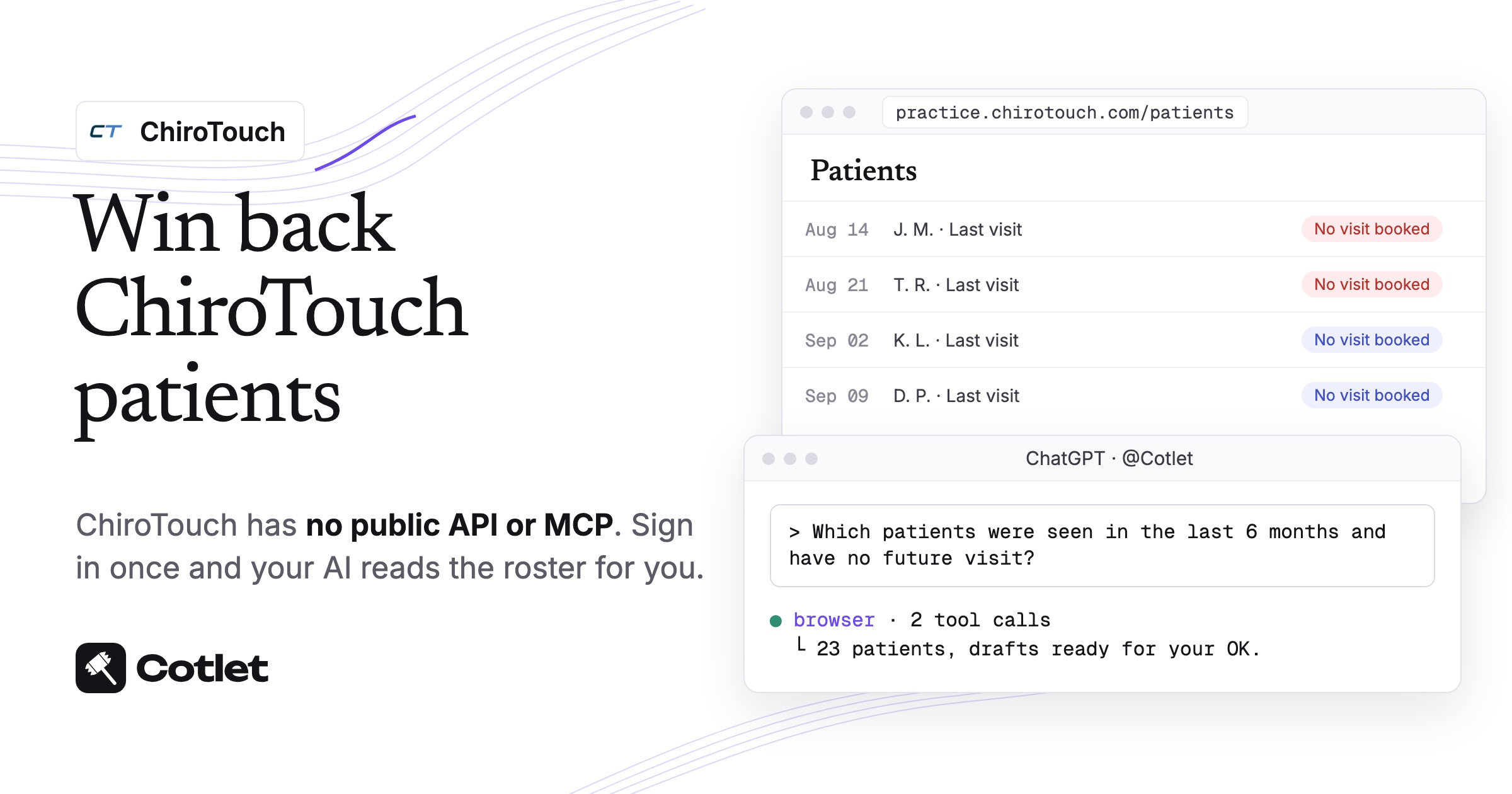
ChiroTouch offers no public API and no official MCP server (checked 26 November 2026). Its integrations are partner projects and HL7 interfaces that ChiroTouch sets up per customer. Sign in to ChiroTouch Cloud once inside a Cloud Browser that Cotlet runs for you, and ChatGPT, Claude or another AI agent works on the same screens you do: the schedule, patients, claims and ledgers. About ten minutes. No developer, no partner application.
This is for the owner, office manager or biller of a chiropractic clinic on ChiroTouch Cloud who is tired of copying new-patient requests into the calendar and pulling the unpaid insurance list by hand. The older ChiroTouch server edition lives on your office computers, so this guide covers the Cloud edition only.
What ChatGPT and Claude can do in ChiroTouch once connected
Say what you need in plain language. The AI goes to the matching screen and replies with what it finds:
| Part of ChiroTouch | What the AI handles |
|---|---|
| Schedule | Books new patient requests into free slots and lists the no-shows of the week |
| Patients | Finds patients seen in the last six months with no visit booked ahead |
| Insurance billing | Lists claims unpaid for over 30 days by payer, with the latest status |
| Dashboard | Reads today’s visits, collections and new patients and sends them as a message |
| Ledgers | Downloads one patient’s full transaction history as a PDF |
| CT Engage | Drafts reactivation texts and emails for lapsed patients |
Anything that books a patient, sends a text or changes a record waits for your OK. A read, such as a claims list, changes nothing inside ChiroTouch.
The screens it can use are on the ChiroTouch MCP server page. If you want daily numbers in a sheet from an endpoint you own, see the ChiroTouch API page.
Does ChiroTouch have AI, an API or an official ChatGPT app?
The situation on 26 November 2026:
- Own AI, inside the product. ChiroTouch ships an assistant called Rheo and a layer it calls The Intelligence Layer. They live in ChiroTouch and are not a connector for ChatGPT or Claude.
- API for partners. The ChiroTouch Marketplace lists partner integrations and HL7 interfaces. There is no self-serve developer portal, no public docs and no key you can create yourself.
- No MCP server. The official MCP Registry has no ChiroTouch entry, and neither ChatGPT nor Claude lists a ChiroTouch app.
- No Zapier or Make app. Both return 404 for ChiroTouch.
- Exports by hand. Dashboard charts export to files. Chart notes come out one patient at a time, as a community thread on bulk export shows.
Rheo helps inside ChiroTouch. It will not accept a request from your website form or message you the numbers each evening. A hosted server that signs in as you can. The full scorecard is at Does ChiroTouch have an API or MCP server?.
What to have ready
- Your ChiroTouch Cloud username and password for practice.chirotouch.com.
- Your front desk’s own thresholds: six months without a visit, 30 days unpaid.
- Either assistant works, and Claude’s free plan allows one custom connector.
- Cotlet’s 7-day trial needs no card; see pricing.
Step 1: sign in to ChiroTouch Cloud in your Cloud Browser
Launch the Cloud Browser from the Cotlet console, load practice.chirotouch.com and log in exactly as you do at the start of the day. If ChiroTouch asks for a verification code, enter it there.
You type the password into ChiroTouch itself, so Cotlet never reads it. Only an encrypted browser profile is kept, under your Cotlet account. Once ChiroTouch expires the session, the AI will ask you to log in once more. More on the security page.
Step 2: connect ChiroTouch to ChatGPT, Claude or another AI agent
Paste Cotlet’s MCP address into your AI one time. After that it uses your ChiroTouch login. Choose the assistant you work in.
Pick your AI above to see its steps.
How to connect ChiroTouch to ChatGPT
Do this on chatgpt.com in your browser. Cotlet then works in the ChatGPT desktop and phone apps too.
- Open Plugins in ChatGPT and click Add.
- Click Add custom MCP server. Not in the menu? Turn on Developer mode in Settings, Security and login, then come back.
- Paste the name
Cotletand the server URLhttps://cotlet.dev/mcp/v1/connect. Keep Authentication on OAuth. - Tick “I understand and want to continue” and click Create as a plugin.
- Click Connect Cotlet. A Cotlet page opens, click Allow access.
- In a new chat, type
@Cotletand pick it from the list. - Ask ChatGPT: “Are you signed in to Cotlet through MCP?” Then try a first ChiroTouch task: “Which ChiroTouch patients were seen in the last 6 months and have no future visit booked?”
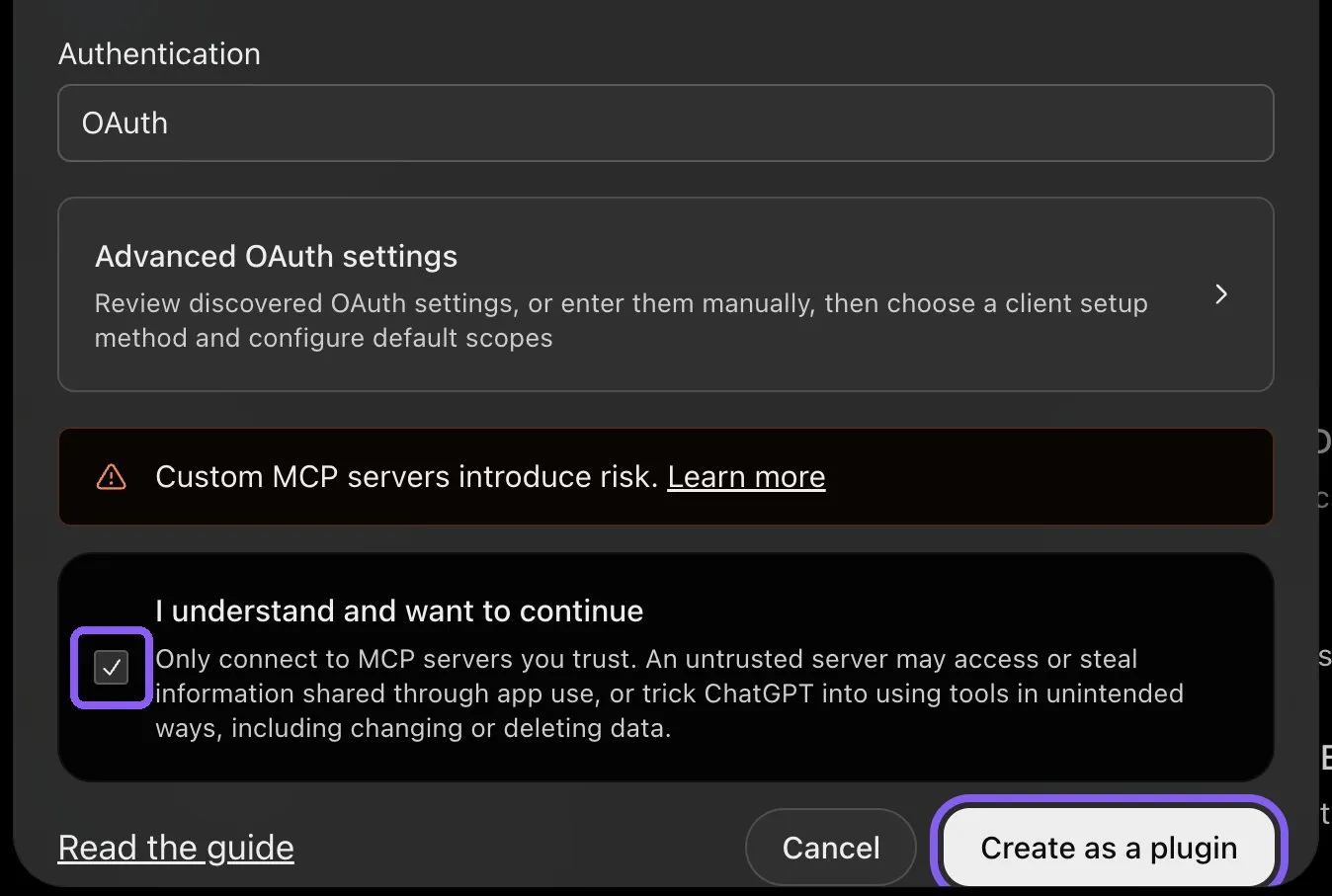
ChatGPT, bottom of the custom MCP server form, November 2026.
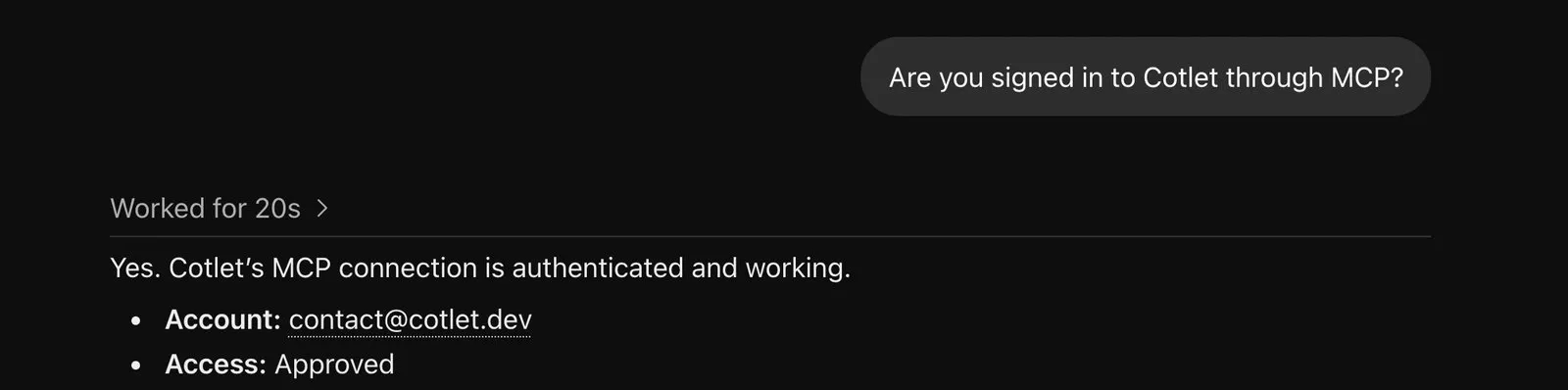
ChatGPT confirming the Cotlet connection, November 2026.
ChatGPT asks “Allow ChatGPT to use Cotlet?” before some steps. Pick Always allow, or the chat waits for your click. On a Business, Enterprise or Edu workspace, an admin has to allow custom MCP servers first.
How to connect ChiroTouch to Claude
- Open Connectors in Claude and click Add. In the desktop app it is under Customize, Connectors.
- Click Add custom connector.
- Paste the name
Cotletand the URLhttps://cotlet.dev/mcp/v1/connect, then click Continue. - Keep the settings and click Add.
- A Cotlet page opens. Click Allow access.
- In a chat, click the plus button, then Connectors, and turn Cotlet on.
- Ask Claude: “Are you signed in to Cotlet through MCP?”, then “List ChiroTouch insurance claims unpaid for more than 30 days, by payer.”. Claude asks before it uses a Cotlet tool the first time. Click Allow.

Claude, Customize, Connectors, Add menu, November 2026.

Claude, Add custom connector, last screen, November 2026.
Claude’s free plan allows one custom connector. On a Team or Enterprise plan, an owner adds Cotlet in Organization settings, Connectors, and you click Connect next to it.
How to connect ChiroTouch to Claude Code
Add Cotlet without a key, then sign in once in the browser:
claude mcp add --transport http cotlet https://cotlet.dev/mcp/v1/connectRun /mcp in Claude Code, pick cotlet and sign in to Cotlet. Prefer an API key, for example on a server? Create one in the Cotlet console and use:
claude mcp add --transport http cotlet https://cotlet.dev/mcp/v1 \
  --header "Authorization: Bearer $COTLET_API_KEY"
How to connect ChiroTouch to Codex
Create an API key in the Cotlet console, put it in the COTLET_API_KEY environment variable and add this to ~/.codex/config.toml:
[mcp_servers.cotlet]
url = "https://cotlet.dev/mcp/v1"
bearer_token_env_var = "COTLET_API_KEY"
How to connect ChiroTouch to Cursor
Create an API key in the Cotlet console, put it in the COTLET_API_KEY environment variable and add this to ~/.cursor/mcp.json:
{
  "mcpServers": {
    "cotlet": {
      "url": "https://cotlet.dev/mcp/v1",
      "headers": { "Authorization": "Bearer ${env:COTLET_API_KEY}" }
    }
  }
}
How to connect ChiroTouch to Grok
Grok takes custom MCP servers on grok.com, per xAI’s connectors documentation (checked 8 November 2026).
- Open grok.com/connectors and click New Connector.
- Pick Custom and paste the server URL
https://cotlet.dev/mcp/v1/connect. - Sign in to Cotlet when Grok asks, then click Allow access.
- Ask Grok: “Are you signed in to Cotlet through MCP?”
On Grok Business, an admin adds the connector first in the xAI console, under Grok Business, Connectors. The Grok chat inside X has no custom connector menu.
How to connect ChiroTouch to Hermes Agent
Add Cotlet to ~/.hermes/config.yaml in the format of the Hermes MCP config reference:
mcp_servers:
  cotlet:
    url: "https://cotlet.dev/mcp/v1"
    headers:
      Authorization: "Bearer ${COTLET_API_KEY}"
    trust: untrusted
Put COTLET_API_KEY in ~/.hermes/.env and check it with hermes mcp test cotlet. With trust: untrusted, Hermes runs reads at once and asks before every write. More on Hermes in our post on the Hermes Agent browser.
How to connect ChiroTouch to n8n
Use the MCP Client node, or the MCP Client Tool inside an AI Agent node:
- Server Transport: HTTP Streamable
- MCP Endpoint URL:
https://cotlet.dev/mcp/v1 - Authentication: Bearer Auth, with your Cotlet API key as the token
- Tools: let the AI Agent node use Cotlet’s browser tools; it reads Cotlet’s ChiroTouch guide first and works in your signed-in ChiroTouch Cloud account
Use it for work that should run on its own, such as today’s visits and collections sent to you every evening.
Any other MCP client
Point the client at https://cotlet.dev/mcp/v1 over Streamable HTTP, with the header Authorization: Bearer <your Cotlet API key>. A client that supports OAuth sign-in can use https://cotlet.dev/mcp/v1/connect instead and needs no key. The full reference is in the MCP docs.
Begin with the job that brings visits back.
Bring lapsed patients back
Find ChiroTouch patients seen in the last 6 months with no future visit and draft a short reactivation text for each. Send nothing yet.
The AI reads the patient list and the last visit date, then writes one message per patient in your tone. You read the drafts, strike a few and approve the rest. A weekly run keeps the schedule from thinning out without anyone watching the roster.
Website requests into the calendar
Book these new patient requests from my website form into ChiroTouch and tell me the confirmed times.
Many clinics get requests from a form or a GoHighLevel funnel, and someone retypes each one. Your own Cotlet endpoint can receive the form data, and the AI then books the slot in ChiroTouch after your OK and returns the confirmed times. It acts only on the free slots your login shows.
Unpaid claims over 30 days
List insurance claims unpaid for more than 30 days by payer, with the last status of each claim.
The AI opens the insurance billing reports and groups the claims by payer. You get one list to work through on Monday rather than a hunt through the aging screens. It pulls the list and leaves the claims untouched.
Other jobs people hand over: the no-shows who have not rebooked, a short summary of the day’s visits and collections each evening, and a ledger PDF for an attorney.
What Cotlet adds to the bill
Leave your ChiroTouch contract alone. On the Cotlet side you pay per pack and never monthly: 5,000 credits for $29, usable for a year. Each successful call is charged 10 to 100 credits and a failed one is free. When the trial is done, 50 credits a day go to the Cloud Browser while ChiroTouch is switched on for agents. Before that you have 500 credits for 7 days, no card (pricing).
FAQ
Can I use ChiroTouch with ChatGPT or Claude without an API key?
Yes. The AI works inside your signed-in ChiroTouch Cloud account on the screens you already use, so no key and no partner approval are needed.
Is there an official ChiroTouch MCP server?
None that we found. The MCP Registry has no ChiroTouch entry, and ChiroTouch’s own assistant works inside the product only.
Does this work with ChiroTouch Server?
No. It works with ChiroTouch Cloud, which runs in the browser. The server edition is installed on your office computers, and the Cloud Browser cannot reach it.
Can AI book appointments from my website form?
Yes, with an endpoint of your own that passes the request to the AI. It books after your approval and returns the confirmed times.
Can I export all patient notes at once?
ChiroTouch itself exports chart notes one patient at a time. The AI can repeat that for a list of patients you name, but a long list is slow. Dashboard figures and patient lists are easier to pull.
Is Cotlet affiliated with ChiroTouch?
No. Cotlet is an independent company, and everything runs under your own ChiroTouch login.
Fill next week’s schedule
Patients who drifted away are sitting in your roster right now. Start the free week on Cotlet, log in through the Cloud Browser and ask ChatGPT who has nothing booked ahead. Software for other practices is in the catalog.


