How to connect CleanTelligent to ChatGPT, Claude and any AI agent
CleanTelligent (Otuvy) has no official MCP server (checked 27 Nov 2026). Let ChatGPT or Claude chase overdue inspections and old work orders.
Cotlet team 11 min read
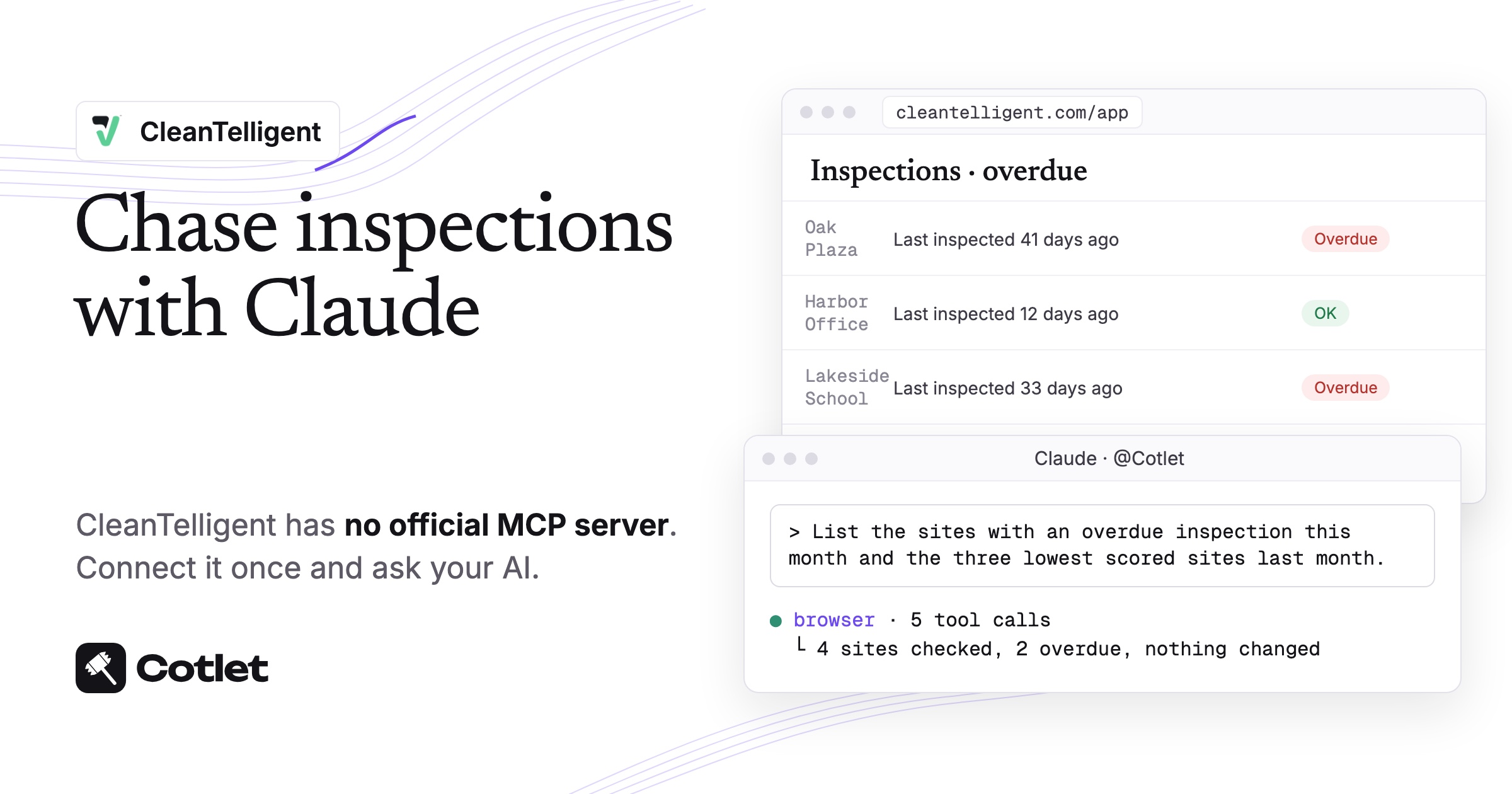
A client director emails on Monday: the lobby was dirty again, and when was the last inspection? You open Otuvy QM, find the site, scroll through scores and then hunt for the work order that was supposed to fix it. CleanTelligent was renamed Otuvy, and it has no official MCP server and no ChatGPT or Claude app (checked 27 November 2026). The product has its own AI for report insights and for Frontline task lists. It does not take questions from your own ChatGPT or Claude. The workaround is simple: your AI uses the Otuvy QM login you already have. One sign-in inside Cotlet’s cloud browser, then plain questions.
This guide is for quality managers, operations leaders and owners of commercial cleaning companies. Cleaners in the mobile app and client contacts are out of scope.
What ChatGPT and Claude can do in Otuvy QM once connected
Name a site, a client or a month. The AI opens the matching screen and reads it.
| Otuvy area | Job for the AI |
|---|---|
| Inspections | Lists sites with an overdue inspection this month and the three lowest scored sites last month, then drafts a fix plan for the worst |
| Work Orders, create | Turns the deficiencies of one inspection into work orders with priority and assignee. You see them before anything is saved |
| Work Orders, overview | Lists orders open longer than 7 days by site and priority and drafts a status reply for each client contact |
| Reports and Dashboards | Builds the monthly quality figures for one client and writes a one page summary for their director |
| Mobile Surveys | Prepares a survey for one office with the standard questions and reports the last response rate |
| Time Tracking | Shows hours by site this week and flags sites above the contract hours |
| Frontline admin portal | Creates tomorrow’s checklist for a site and lists the task lists nobody finished yesterday |
Reading changes nothing. A work order, a survey, a reply to a client or a checklist is saved or sent only after your OK. Payments are blocked. The CleanTelligent MCP page lists more jobs.
What exists for CleanTelligent today: MCP, API, Zapier
Checked on 27 November 2026:
- No official MCP server. The MCP Registry shows nothing for CleanTelligent or Otuvy, and neither ChatGPT’s directory nor Claude’s connectors list it.
- Its own AI. Otuvy puts AI insights in reports and an AI List Creator in Frontline. They run inside the product.
- API unclear. Otuvy publishes no API documentation, and review sites disagree. G2 says an open API exists, and GetApp says it does not. Treat it as something you would have to request from Otuvy support.
- Zapier, Make, n8n. We found no CleanTelligent or Otuvy app on any of the three.
- Exports. Time tracking in Frontline can export payroll ready timesheets as CSV.
Without a documented API, the screens are the only way in that needs no one’s permission. Each point is scored in CleanTelligent’s API and MCP review.
Before the first request
- A manager login for Otuvy QM (your company address on cleantelligent.com or the Otuvy sign-in page).
- The client or site you want to start with, and the month you want covered.
- ChatGPT on a paid plan, or Claude.
- A Cotlet account (pricing).
Step 1: sign in to Otuvy QM in your Cloud Browser
Open your company’s CleanTelligent address in the Cloud Browser and type your login the way you would at your desk. If you also use the Frontline admin portal, sign in there too.
Otuvy gets the password and nobody else does. Cotlet keeps an encrypted session that one switch deletes. If Otuvy ends it, you sign in again from a link (security).
Step 2: connect CleanTelligent to ChatGPT, Claude or another AI agent
Give your AI Cotlet’s address one time. From then on it works inside your session, with no access to the password. Choose your tool.
Pick your AI above to see its steps.
How to connect CleanTelligent to ChatGPT
Do this on chatgpt.com in your browser. Cotlet then works in the ChatGPT desktop and phone apps too.
- Open Plugins in ChatGPT and click Add.
- Click Add custom MCP server. Not in the menu? Turn on Developer mode in Settings, Security and login, then come back.
- Paste the name
Cotletand the server URLhttps://cotlet.dev/mcp/v1/connect. Keep Authentication on OAuth. - Tick “I understand and want to continue” and click Create as a plugin.
- Click Connect Cotlet. A Cotlet page opens, click Allow access.
- In a new chat, type
@Cotletand pick it from the list. - Ask ChatGPT: “Are you signed in to Cotlet through MCP?” Then try a first CleanTelligent task: “In Otuvy QM, list the sites with an overdue inspection this month. Change nothing.”

ChatGPT, Plugins page, November 2026.
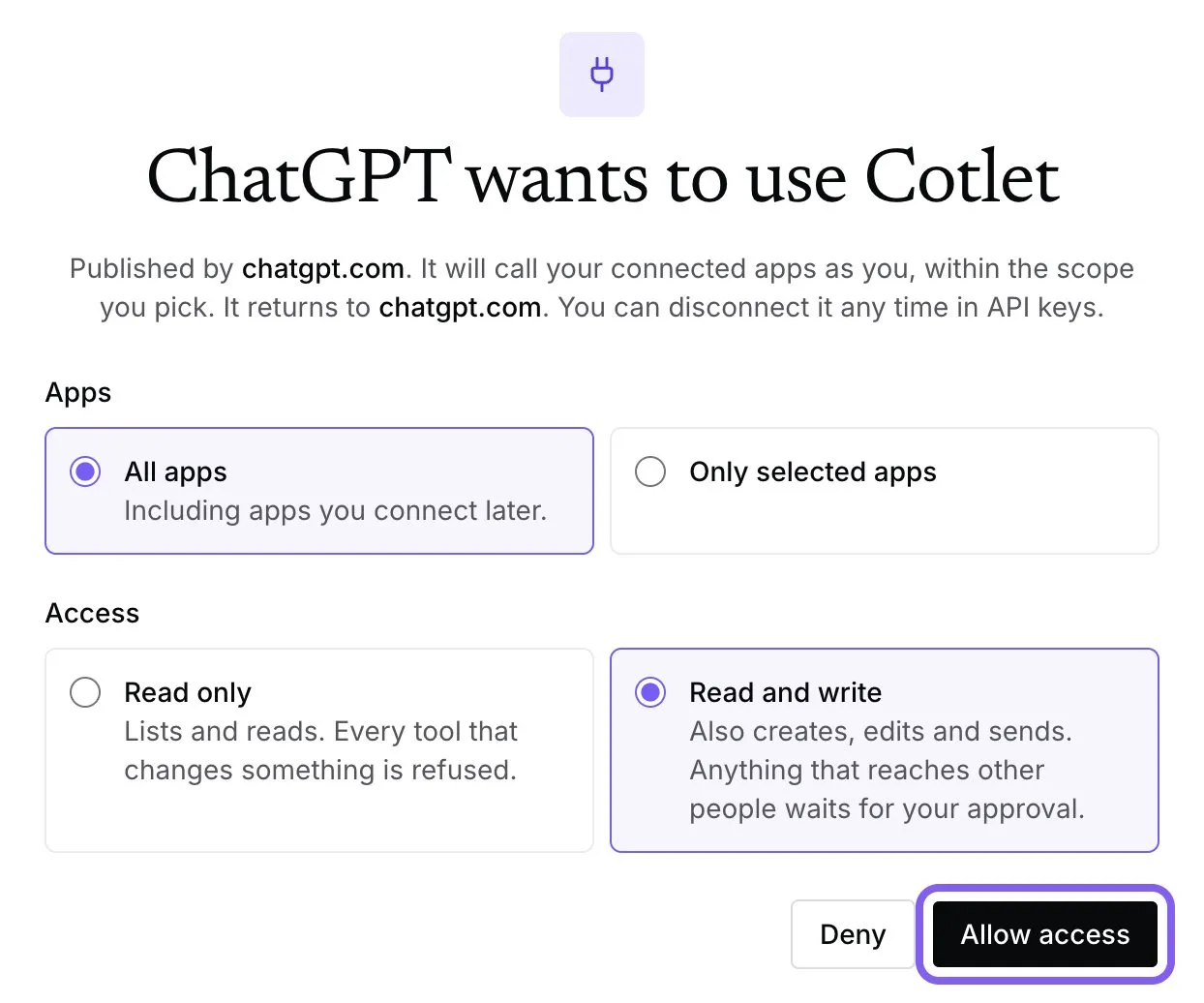
Cotlet consent page after you connect it in ChatGPT, November 2026.
ChatGPT asks “Allow ChatGPT to use Cotlet?” before some steps. Pick Always allow, or the chat waits for your click. On a Business, Enterprise or Edu workspace, an admin has to allow custom MCP servers first.
How to connect CleanTelligent to Claude
- Open Connectors in Claude and click Add. In the desktop app it is under Customize, Connectors.
- Click Add custom connector.
- Paste the name
Cotletand the URLhttps://cotlet.dev/mcp/v1/connect, then click Continue. - Keep the settings and click Add.
- A Cotlet page opens. Click Allow access.
- In a chat, click the plus button, then Connectors, and turn Cotlet on.
- Ask Claude: “Are you signed in to Cotlet through MCP?”, then “From Otuvy QM Work Orders, list the orders open for more than 7 days by site and priority.”. Claude asks before it uses a Cotlet tool the first time. Click Allow.

Claude, Add custom connector form, November 2026.

Cotlet consent page after you add the connector in Claude, November 2026.
Claude’s free plan allows one custom connector. On a Team or Enterprise plan, an owner adds Cotlet in Organization settings, Connectors, and you click Connect next to it.
How to connect CleanTelligent to Claude Code
Add Cotlet without a key, then sign in once in the browser:
claude mcp add --transport http cotlet https://cotlet.dev/mcp/v1/connectRun /mcp in Claude Code, pick cotlet and sign in to Cotlet. Prefer an API key, for example on a server? Create one in the Cotlet console and use:
claude mcp add --transport http cotlet https://cotlet.dev/mcp/v1 \
  --header "Authorization: Bearer $COTLET_API_KEY"
How to connect CleanTelligent to Codex
Create an API key in the Cotlet console, put it in the COTLET_API_KEY environment variable and add this to ~/.codex/config.toml:
[mcp_servers.cotlet]
url = "https://cotlet.dev/mcp/v1"
bearer_token_env_var = "COTLET_API_KEY"
How to connect CleanTelligent to Cursor
Create an API key in the Cotlet console, put it in the COTLET_API_KEY environment variable and add this to ~/.cursor/mcp.json:
{
  "mcpServers": {
    "cotlet": {
      "url": "https://cotlet.dev/mcp/v1",
      "headers": { "Authorization": "Bearer ${env:COTLET_API_KEY}" }
    }
  }
}
How to connect CleanTelligent to Grok
Grok takes custom MCP servers on grok.com, per xAI’s connectors documentation (checked 8 November 2026).
- Open grok.com/connectors and click New Connector.
- Pick Custom and paste the server URL
https://cotlet.dev/mcp/v1/connect. - Sign in to Cotlet when Grok asks, then click Allow access.
- Ask Grok: “Are you signed in to Cotlet through MCP?”
On Grok Business, an admin adds the connector first in the xAI console, under Grok Business, Connectors. The Grok chat inside X has no custom connector menu.
How to connect CleanTelligent to Hermes Agent
Add Cotlet to ~/.hermes/config.yaml in the format of the Hermes MCP config reference:
mcp_servers:
  cotlet:
    url: "https://cotlet.dev/mcp/v1"
    headers:
      Authorization: "Bearer ${COTLET_API_KEY}"
    trust: untrusted
Put COTLET_API_KEY in ~/.hermes/.env and check it with hermes mcp test cotlet. With trust: untrusted, Hermes runs reads at once and asks before every write. More on Hermes in our post on the Hermes Agent browser.
How to connect CleanTelligent to n8n
Use the MCP Client node, or the MCP Client Tool inside an AI Agent node:
- Server Transport: HTTP Streamable
- MCP Endpoint URL:
https://cotlet.dev/mcp/v1 - Authentication: Bearer Auth, with your Cotlet API key as the token
- Tools: let the AI Agent node use Cotlet’s browser tools; it reads Cotlet’s CleanTelligent guide first and works in your signed-in Otuvy QM account
Use it for work that should run on its own, such as a Weekly list of work orders open for more than 7 days.
Any other MCP client
Point the client at https://cotlet.dev/mcp/v1 over Streamable HTTP, with the header Authorization: Bearer <your Cotlet API key>. A client that supports OAuth sign-in can use https://cotlet.dev/mcp/v1/connect instead and needs no key. The full reference is in the MCP docs.
Three CleanTelligent jobs to try first
Start where a late answer costs you the most, with inspections.
Find the inspections nobody did
List every site where an inspection is overdue this month and the three lowest scored sites last month. Draft the plan to fix the worst one.
Inspections in Otuvy QM keep the schedule and the scores. The AI reads both and answers with two short lists and a draft plan. You decide who gets which site.
Turn deficiencies into work orders
Take the deficiencies from yesterday’s inspection of one site and create work orders, set the priority and assign each. Show me first.
A web work order is created from a form. The AI fills one per deficiency, shows the batch and waits. Only after your yes does it save.
Clear the old work orders
Which work orders are open for more than 7 days, by site and priority? Draft a status reply to each client contact.
The work order overview works as an inbox. The AI sorts the stale items by site, writes one short reply per contact and leaves every reply as a draft.
The monthly client report
Clients want one page a month. Reports and Dashboards has a report writer, and the AI can use its output. Ask for inspection scores and closed work orders for one client, then for a summary a director can read in a minute. Check the numbers against the report once before you send it.
Four more requests for the same month
- Set up the mobile survey for one office with the standard questions and tell me the response rate from the last survey.
- Show employee hours by site this week from time tracking and flag the sites over their contract hours.
- Create tomorrow’s opening checklist for one site in Frontline and list the task lists nobody completed yesterday.
- Show which email notifications are on for work orders and replies, and suggest settings that cut duplicates for site managers.
What it costs
Your Otuvy plan stays as it is. Cotlet sells credits, $29 for 5,000, valid for a year. Failed calls are free. See pricing for the trial and the price of one working call.
FAQ
Does CleanTelligent (Otuvy) have an official MCP server?
No. It has no MCP server and no ChatGPT or Claude app. Its own AI works inside the product. Cotlet lets your ChatGPT or Claude operate your own Otuvy QM login.
Does CleanTelligent have an API I can use?
Otuvy publishes no API documentation, and third-party sites disagree on whether one exists. Ask Otuvy support if you need it. Cotlet does not depend on it.
Is CleanTelligent the same as Otuvy?
Yes. The product was renamed Otuvy. Many companies still sign in at their own cleantelligent.com address.
Can the AI create work orders or send replies to clients?
It prepares them and shows you the result. Saving or sending happens after your approval.
Does Zapier, Make or n8n have a CleanTelligent app?
We found none on 27 November 2026. n8n can run a scheduled check through Cotlet’s tools.
Is this an official CleanTelligent integration?
No. Otuvy had no part in building Cotlet.
Before the next client call
The overdue inspection is already in your account, so look for it now. Start a free Cotlet week, sign in once and ask for the list. Other tools for cleaning companies are in the catalog.