How to connect Launch27 to ChatGPT, Claude and any AI agent
Launch27 has no official MCP server (checked 27 Nov 2026), and its API docs link is dead. Let ChatGPT or Claude assign teams and chase unpaid bookings.
Cotlet team 12 min read
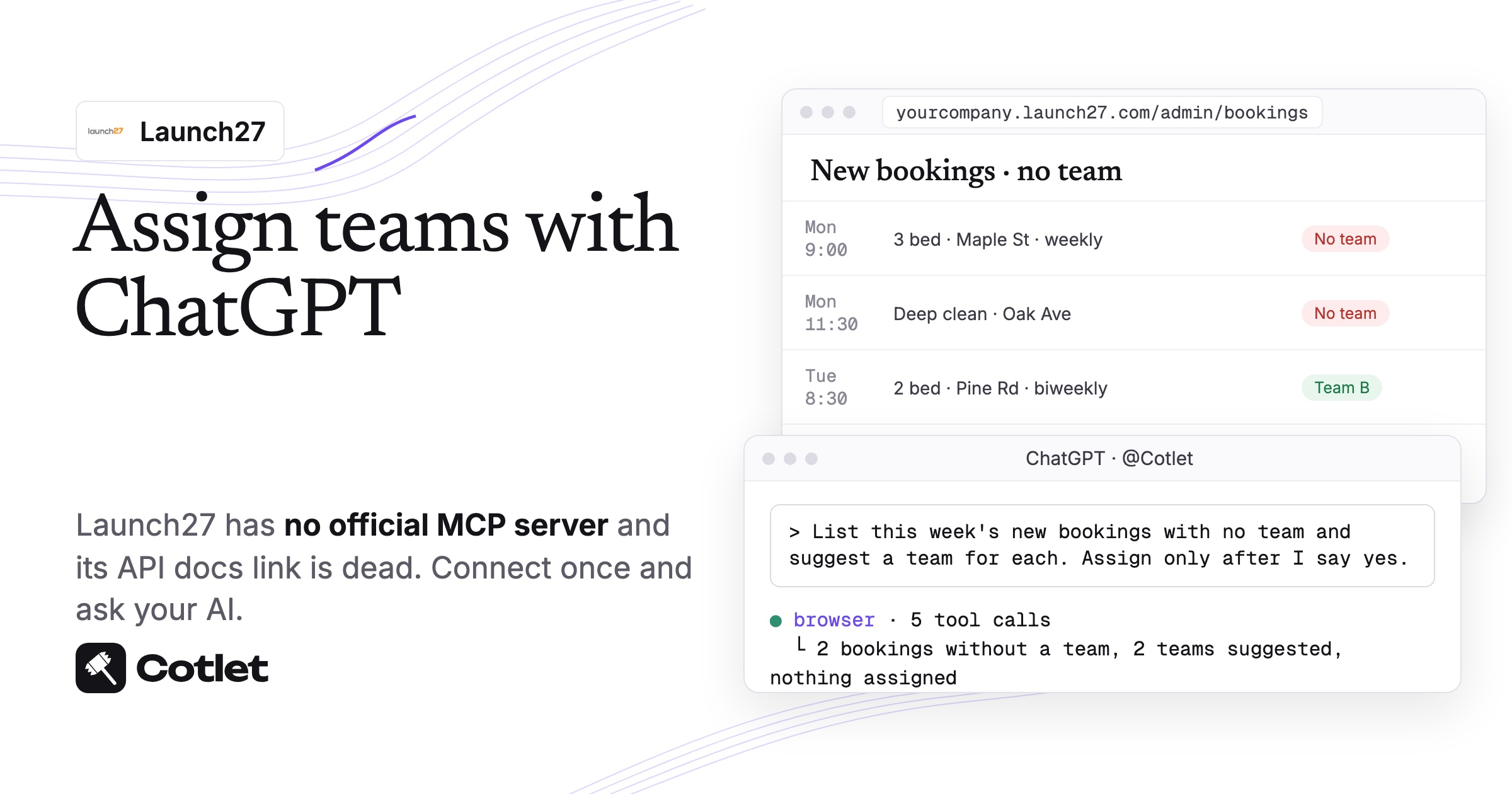
Monday, 8 a.m. Nine bookings came in over the weekend and not one has a team on it. You know which crew works which side of town, but the answer sits in three tabs. Launch27 has no official MCP server (checked 27 November 2026), and neither ChatGPT nor Claude has a Launch27 app to pick. The REST API exists, but the documentation link in the Launch27 footer returns a 404 today. Your AI can still use the admin panel you use. One login inside Cotlet’s cloud browser is all it takes, and then the AI reaches the bookings, teams and payments. Ten minutes, no code.
This is for owners and office staff of house cleaning companies that take bookings online and send contractor teams out. Customers booking a clean and the cleaners themselves are out of scope. Cotlet is built for whoever sits at the dispatch screen.
What ChatGPT and Claude can do in Launch27 once connected
Name the day, the team or the customer. The AI opens the screen that holds the answer.
| Screen | Job for the AI |
|---|---|
| Bookings | Lists new bookings with no team, suggests a team for each from your regions and availability, and assigns after your yes |
| Bookings, Activity | Lists everything rescheduled or cancelled in the last 48 hours with the customer and team, so you can warn the crews |
| Customers, Bookings | Finds one-time customers cleaned in the last 30 days with no recurring booking and drafts an offer for each |
| Payments | Lists completed bookings with no payment or a failed Stripe charge, with customer and amount. It charges nothing |
| Teams, Pay | Adds up what each team earned in the last pay period from completed bookings and gives you totals to export |
| Promotions, Referral program | Shows which promo and referral codes were used this month, the bookings each brought and the discount cost |
| Customers, Export | Pulls customers with a booking this year into a sheet with email, phone, frequency and last visit |
Looking changes nothing in Launch27. Anything that reaches a customer or a team, such as an offer or a team change, waits for your OK, and payments are blocked. The Launch27 MCP page lists more jobs, and a developer can read what a custom endpoint might return on the API page.
What exists for Launch27 today: MCP, API, Zapier
We looked on 27 November 2026 and found this:
- No official MCP server. A search of the MCP Registry for Launch27 gives zero results, and neither AI directory has a Launch27 entry.
- A REST API exists, with no working docs link. The footer of launch27.com points to a Bitbucket wiki that returns 404, in curl and in Chrome. The sandbox article calls it an open API for customising a booking form, and it does not say which plan includes it or how an owner gets a key.
- Zapier has an app, mostly for triggers. The Launch27 app on Zapier lists nine triggers, such as booking completed or cancelled and new customer, and no actions. Make has no Launch27 app that we could find.
- CSV exports are built in. Bookings, customers and team payments export from the account.
So the open question is where your AI gets its hands on the data. A developer could build against the API, once the documentation shows up. Whoever runs the office can sign in and let the AI read the same screens. Points for each of these are tallied in Launch27’s API and MCP review.
Gather these four things first
- The admin login that opens Bookings, Customers and Teams. Your company has its own address, such as yourcompany.launch27.com.
- A list of teams and the zip codes each covers, in your own words if Launch27 holds them as regions.
- The first and last day of your pay period.
- ChatGPT (paid) or Claude as the assistant.
- A Cotlet signup (pricing).
Step 1: sign in to Launch27 in your Cloud Browser
Launch the Cloud Browser in the console, then go to login.launch27.com and enter your email and password by hand. Launch27 may forward you to your company’s own address.
The password reaches Launch27 only. Cotlet holds an encrypted session, and one switch wipes it. Should Launch27 log you out, you get a link to sign in again (security).
Step 2: connect Launch27 to ChatGPT, Claude or another AI agent
Your AI needs Cotlet’s address one time. From then on it acts inside the Launch27 session you opened, and your password stays out of its reach. Pick the tool you use.
Pick your AI above to see its steps.
How to connect Launch27 to ChatGPT
Do this on chatgpt.com in your browser. Cotlet then works in the ChatGPT desktop and phone apps too.
- Open Plugins in ChatGPT and click Add.
- Click Add custom MCP server. Not in the menu? Turn on Developer mode in Settings, Security and login, then come back.
- Paste the name
Cotletand the server URLhttps://cotlet.dev/mcp/v1/connect. Keep Authentication on OAuth. - Tick “I understand and want to continue” and click Create as a plugin.
- Click Connect Cotlet. A Cotlet page opens, click Allow access.
- In a new chat, type
@Cotletand pick it from the list. - Ask ChatGPT: “Are you signed in to Cotlet through MCP?” Then try a first Launch27 task: “Open my Launch27 bookings and list the ones this week with no team assigned. Change nothing.”
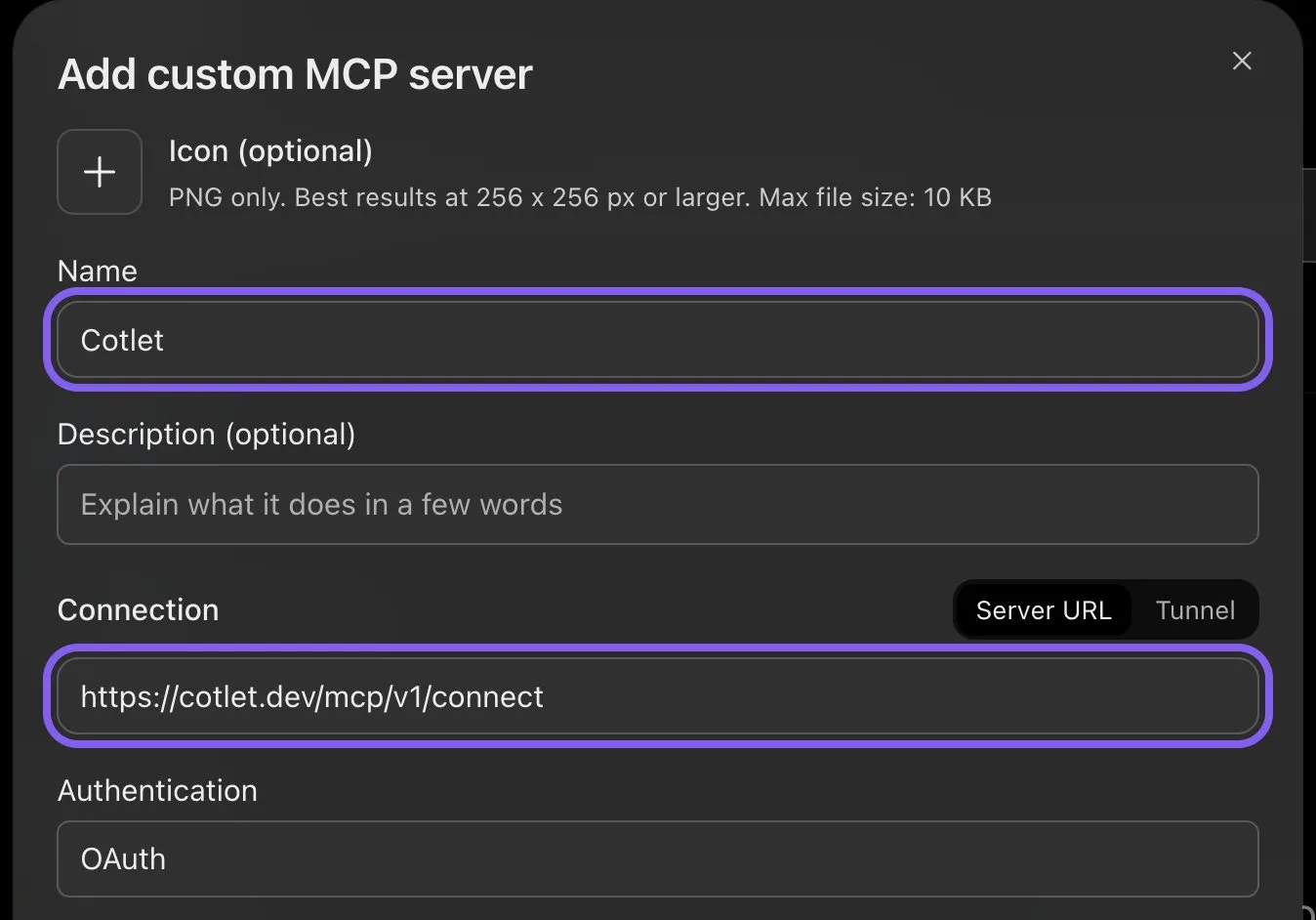
ChatGPT, Add custom MCP server form, November 2026.
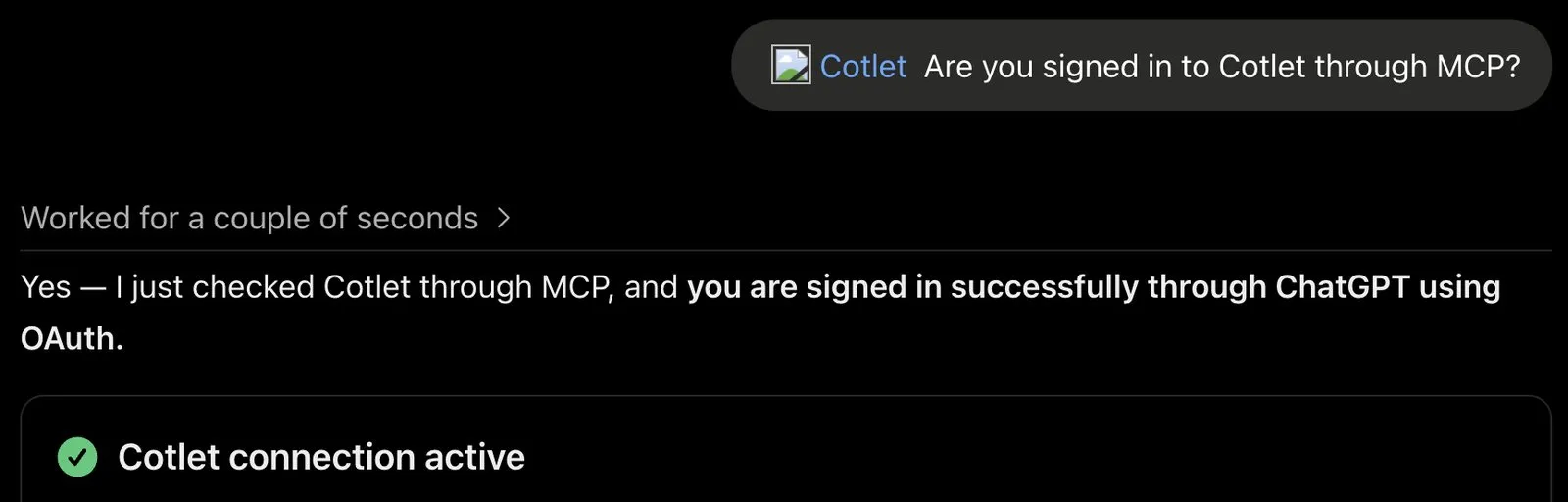
ChatGPT confirming the Cotlet connection, November 2026.
ChatGPT asks “Allow ChatGPT to use Cotlet?” before some steps. Pick Always allow, or the chat waits for your click. On a Business, Enterprise or Edu workspace, an admin has to allow custom MCP servers first.
How to connect Launch27 to Claude
- Open Connectors in Claude and click Add. In the desktop app it is under Customize, Connectors.
- Click Add custom connector.
- Paste the name
Cotletand the URLhttps://cotlet.dev/mcp/v1/connect, then click Continue. - Keep the settings and click Add.
- A Cotlet page opens. Click Allow access.
- In a chat, click the plus button, then Connectors, and turn Cotlet on.
- Ask Claude: “Are you signed in to Cotlet through MCP?”, then “In Launch27 Payments, list the completed bookings from the last 30 days with no payment or a failed charge.”. Claude asks before it uses a Cotlet tool the first time. Click Allow.

Claude, Customize, Connectors, November 2026.

Cotlet consent page after you add the connector in Claude, November 2026.
Claude’s free plan allows one custom connector. On a Team or Enterprise plan, an owner adds Cotlet in Organization settings, Connectors, and you click Connect next to it.
How to connect Launch27 to Claude Code
Add Cotlet without a key, then sign in once in the browser:
claude mcp add --transport http cotlet https://cotlet.dev/mcp/v1/connectRun /mcp in Claude Code, pick cotlet and sign in to Cotlet. Prefer an API key, for example on a server? Create one in the Cotlet console and use:
claude mcp add --transport http cotlet https://cotlet.dev/mcp/v1 \
  --header "Authorization: Bearer $COTLET_API_KEY"
How to connect Launch27 to Codex
Create an API key in the Cotlet console, put it in the COTLET_API_KEY environment variable and add this to ~/.codex/config.toml:
[mcp_servers.cotlet]
url = "https://cotlet.dev/mcp/v1"
bearer_token_env_var = "COTLET_API_KEY"
How to connect Launch27 to Cursor
Create an API key in the Cotlet console, put it in the COTLET_API_KEY environment variable and add this to ~/.cursor/mcp.json:
{
  "mcpServers": {
    "cotlet": {
      "url": "https://cotlet.dev/mcp/v1",
      "headers": { "Authorization": "Bearer ${env:COTLET_API_KEY}" }
    }
  }
}
How to connect Launch27 to Grok
Grok takes custom MCP servers on grok.com, per xAI’s connectors documentation (checked 8 November 2026).
- Open grok.com/connectors and click New Connector.
- Pick Custom and paste the server URL
https://cotlet.dev/mcp/v1/connect. - Sign in to Cotlet when Grok asks, then click Allow access.
- Ask Grok: “Are you signed in to Cotlet through MCP?”
On Grok Business, an admin adds the connector first in the xAI console, under Grok Business, Connectors. The Grok chat inside X has no custom connector menu.
How to connect Launch27 to Hermes Agent
Add Cotlet to ~/.hermes/config.yaml in the format of the Hermes MCP config reference:
mcp_servers:
  cotlet:
    url: "https://cotlet.dev/mcp/v1"
    headers:
      Authorization: "Bearer ${COTLET_API_KEY}"
    trust: untrusted
Put COTLET_API_KEY in ~/.hermes/.env and check it with hermes mcp test cotlet. With trust: untrusted, Hermes runs reads at once and asks before every write. More on Hermes in our post on the Hermes Agent browser.
How to connect Launch27 to n8n
Use the MCP Client node, or the MCP Client Tool inside an AI Agent node:
- Server Transport: HTTP Streamable
- MCP Endpoint URL:
https://cotlet.dev/mcp/v1 - Authentication: Bearer Auth, with your Cotlet API key as the token
- Tools: let the AI Agent node use Cotlet’s browser tools; it reads Cotlet’s Launch27 guide first and works in your signed-in Launch27 panel
Use it for work that should run on its own, such as a Daily morning list of yesterday’s new bookings with the total value.
Any other MCP client
Point the client at https://cotlet.dev/mcp/v1 over Streamable HTTP, with the header Authorization: Bearer <your Cotlet API key>. A client that supports OAuth sign-in can use https://cotlet.dev/mcp/v1/connect instead and needs no key. The full reference is in the MCP docs.
Three Launch27 jobs to try first
Pick the ones your dispatcher repeats every week.
Put a team on every new booking
List this week’s new bookings with no team assigned. Suggest a team for each from the regions and availability set in Launch27. Assign only after I say yes.
Bookings that arrive through the online form wait for a team until someone assigns them. The AI reads each booking, checks which team covers that area on that day and writes a short list: booking, suggested team, reason. You approve the list, and only then does it click Assign.
Find unpaid bookings before payday
List completed bookings with no payment or a failed Stripe charge, with the customer and amount.
Launch27 takes cards through Stripe, and a failed charge looks like any finished clean in the booking list. The AI goes through the completed bookings of the last month, flags those without a payment and gives you a sheet by customer. It takes no card and charges none. You decide who gets the reminder.
Turn one-off cleans into a recurring list
Which one-time customers had a cleaning in the last 30 days and have no recurring booking? Draft an offer for each.
Launch27 describes recurring bookings as the way to keep a customer, and its blog shows how to convert one-time cleans. Nobody has time to sift the customer list for it. The AI filters it and writes one draft per household. You read each, and nothing is sent without your say.
Many teams, one dashboard
A company that runs many contractor teams lives in the team and region setup. Say which team or which zip code you mean at the start of a request, because availability differs by team. If you run a single crew, shorter requests are enough.
Four more requests for the same week
- List bookings changed or cancelled in the last 48 hours with the customer and team.
- Every morning, list yesterday’s new bookings with date, address, frequency and price, and the total value.
- Show the promo and referral codes used this month and what each discount cost.
- Add up the pay of each team for the last pay period from completed bookings.
Every one of these ends on a Launch27 screen. Look at that screen yourself the first time and compare it with the AI’s answer.
What it costs
Your Launch27 subscription is untouched. Cotlet charges only in credits, with 5,000 of them for $29, good for a year. The pricing page lists the trial and what a call or a standby browser draws (pricing).
FAQ
Can I add a Launch27 MCP server to ChatGPT?
Launch27 has not released one. Cotlet runs a browser session for you, and your own ChatGPT or Claude drives your admin account in it.
Can my cleaning company get Launch27 API access?
A REST API exists. Its public documentation page returns an error today, and Launch27 does not say which plan or key an owner needs. Cotlet itself asks for nothing beyond your login.
Is Launch27 the same as Automaid?
They appear to be the same software under two names. Owners write L27 and Automaid for the same panel, and review sites list them together. Cotlet works in the admin panel either way.
Can Zapier do this instead?
Partly. The Zapier app has triggers such as booking completed, and no actions, so it cannot assign a team or edit a booking.
Can ChatGPT export my customers?
Yes. It opens Customers, runs the export, downloads the file and tells you if a field is missing.
Can the AI charge a customer?
No. Payments are blocked. It lists unpaid bookings and failed charges, and you decide what happens next.
Is this an official Launch27 integration?
No. Launch27 had no part in building Cotlet.
Monday at eight
The crews start at nine, and the unassigned bookings will not assign themselves. Open a free Cotlet week, log in to Launch27 once and hand your AI the Monday list. Cleaning tools beyond Launch27 are in the catalog.