How to connect Clover to ChatGPT, Claude and any AI agent
Clover has no official MCP server and no ChatGPT or Claude connector (checked 26 Nov 2026). Let ChatGPT or Claude read your Clover Dashboard reports and menu.
Cotlet team 12 min read
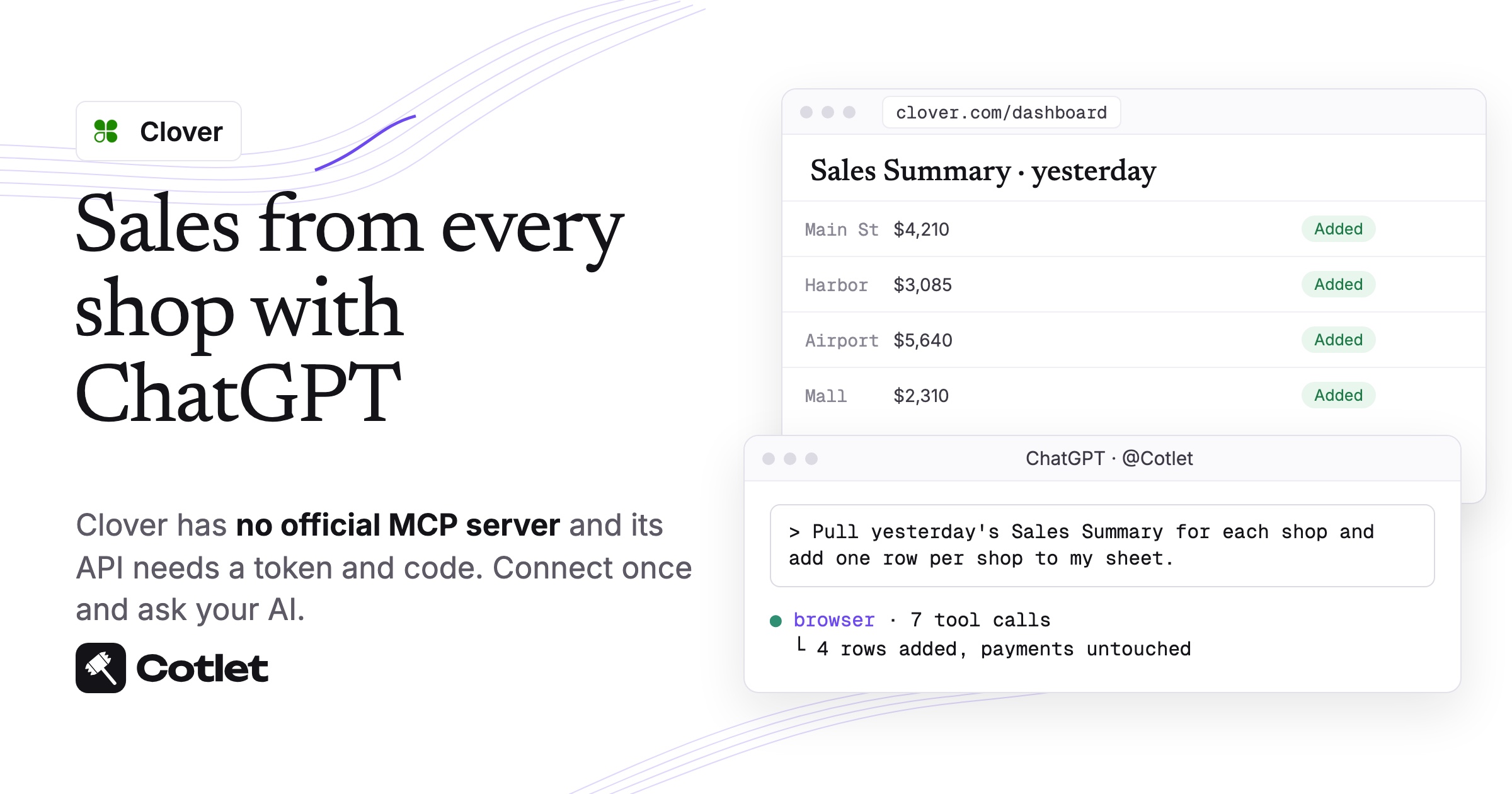
Monday morning, four shops, one Google Sheet. You open the Clover Dashboard, pull Sales Summary for the first shop, copy the numbers, switch to the next shop and repeat. Fiserv’s Clover has no official MCP server, and neither the ChatGPT nor the Claude directory lists a Clover connector (checked 26 November 2026). The API is there, behind a token and a developer. Your own AI does not need either one. Log in to the Merchant Dashboard once, inside a browser that Cotlet runs for you, and ChatGPT or Claude clicks through the reports, the item list and the staff screens on your behalf. Roughly ten minutes of setup, zero code.
This one is for anyone who owns or manages a restaurant, cafe, bar or shop on Clover and keeps the web Dashboard open most days. Nothing changes on the Station or the register. Cotlet is for whoever checks the numbers and tidies the menu, not for the guest at the counter.
What ChatGPT and Claude can do in Clover once connected
Ask as you would ask a colleague. The AI visits the Dashboard screens in the left column.
| Where in Clover | What the AI does |
|---|---|
| Home, Sales Summary | Pulls yesterday’s summary for each shop and adds one row per shop to your sheet |
| Reports, Item and Service sales | Exports last week’s item sales and gives you the file with totals per day |
| Transactions | Lists closed batches with tips still at zero, with the order, the server and the amount |
| Inventory, Items and Modifier groups | Shows items marked unavailable, and changes prices or 86s an item after you approve the list |
| Reports, removed items | Shows removed items and voided orders by employee for the last 14 days |
| Employees, Permissions | Lists who is allowed to delete tickets |
| Customers | Exports customers with email and last visit for your mailing list |
Looking costs nothing and breaks nothing. Prices, items and customer data move only after your explicit yes. Taking payments is switched off for good. The Clover MCP server page lists more jobs.
Does Clover have an official MCP server, an API or a ChatGPT app?
What we found on 26 November 2026:
- No official MCP server. The of the MCP Registry has nothing from Clover or Fiserv, and no Clover app sits in the ChatGPT apps directory or in Claude’s connector list. A 2026 write-up by UseCarly reaches the same conclusion for Claude.
- One community project exists. clover-mcp on GitHub is independent of Clover. It covers sales, inventory, orders and customers for a single merchant. Some third party gateways also sell a Clover MCP.
- The API is open. A merchant admin creates a merchant specific token in the Dashboard under Settings, Business Operations, API tokens and picks its permissions, as the token guide explains. Clover advises a dedicated admin employee with two step sign-in for it. Apps that serve many merchants use OAuth 2.0.
Tokens fit a developer pulling raw records. A hosted server that rides on your own login fits an owner who wants a sentence back, including from screens no script ever touches. The two compared: Does Clover have an API or MCP server?.
What to have ready
- A Clover Dashboard login that can open reports, plus inventory rights if the AI will edit the menu.
- The right door: clover.com in the US, uk.clover.com in the UK.
- The sheet or mailing list you want filled, open in another tab.
- ChatGPT, or the free Claude plan, which allows a single custom connector.
- A Cotlet account, free for the first week and no card needed (pricing).
Step 1: sign in to Clover in your Cloud Browser
Launch the Cloud Browser from the Cotlet console. Open clover.com/dashboard/login, or uk.clover.com/login for a UK merchant, and sign in with the email and password you use every day. Use your own owner or manager account, so the AI sees exactly the reports and menu rights you have.
Clover alone gets the password. On Cotlet’s side sits an encrypted session that one console switch can revoke. After Clover logs you out, you are given a new link to sign in again. See the security page.
Step 2: connect Clover to ChatGPT, Claude or another AI agent
Your AI needs Cotlet’s address once. After that it reaches the saved Clover session without asking for the password again. Pick the tool you use.
Pick your AI above to see its steps.
How to connect Clover to ChatGPT
Do this on chatgpt.com in your browser. Cotlet then works in the ChatGPT desktop and phone apps too.
- Open Plugins in ChatGPT and click Add.
- Click Add custom MCP server. Not in the menu? Turn on Developer mode in Settings, Security and login, then come back.
- Paste the name
Cotletand the server URLhttps://cotlet.dev/mcp/v1/connect. Keep Authentication on OAuth. - Tick “I understand and want to continue” and click Create as a plugin.
- Click Connect Cotlet. A Cotlet page opens, click Allow access.
- In a new chat, type
@Cotletand pick it from the list. - Ask ChatGPT: “Are you signed in to Cotlet through MCP?” Then try a first Clover task: “Open my Clover Dashboard and show me yesterday’s Sales Summary. Change nothing.”
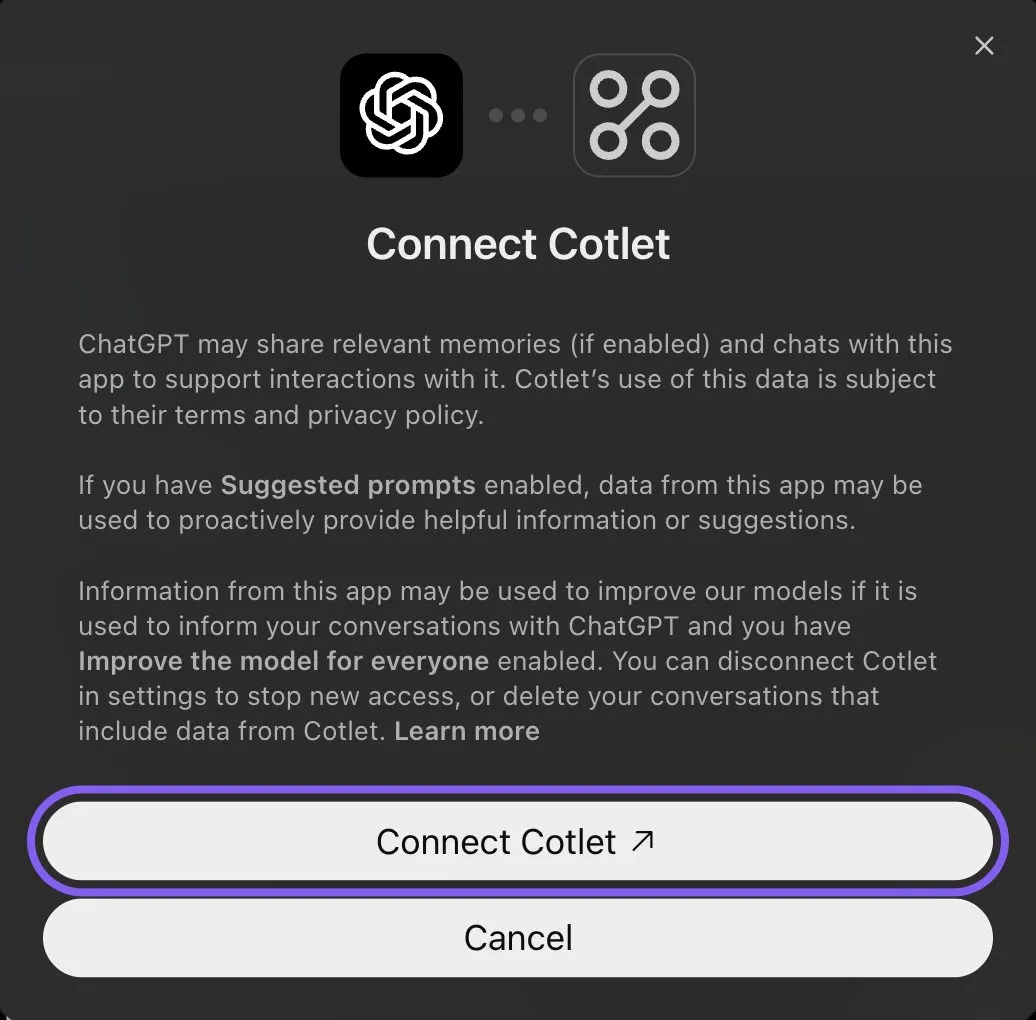
ChatGPT, connecting the Cotlet plugin, November 2026.
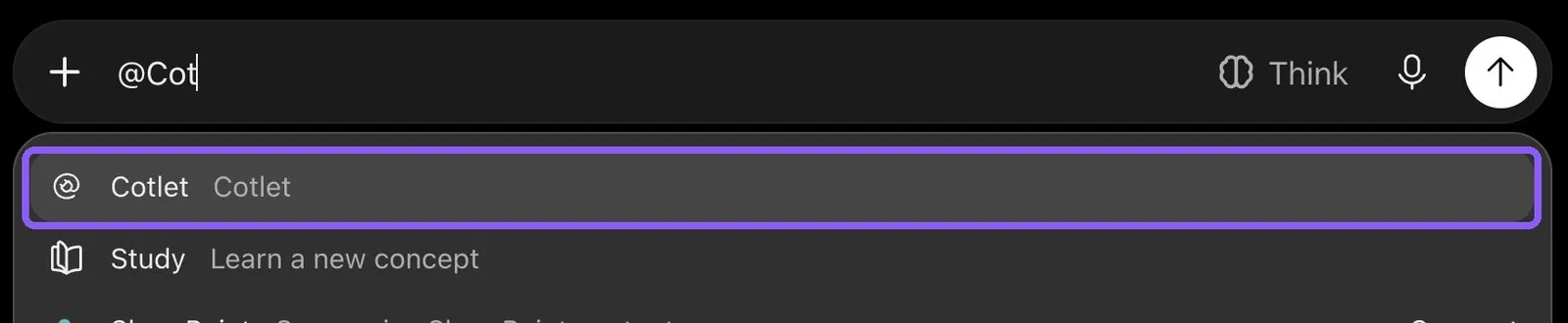
ChatGPT, picking Cotlet in a new chat with @, November 2026.
ChatGPT asks “Allow ChatGPT to use Cotlet?” before some steps. Pick Always allow, or the chat waits for your click. On a Business, Enterprise or Edu workspace, an admin has to allow custom MCP servers first.
How to connect Clover to Claude
- Open Connectors in Claude and click Add. In the desktop app it is under Customize, Connectors.
- Click Add custom connector.
- Paste the name
Cotletand the URLhttps://cotlet.dev/mcp/v1/connect, then click Continue. - Keep the settings and click Add.
- A Cotlet page opens. Click Allow access.
- In a chat, click the plus button, then Connectors, and turn Cotlet on.
- Ask Claude: “Are you signed in to Cotlet through MCP?”, then “List the items in my Clover inventory that are marked unavailable right now.”. Claude asks before it uses a Cotlet tool the first time. Click Allow.

Claude, Customize, Connectors, Add menu, November 2026.

Cotlet consent page after you add the connector in Claude, November 2026.
Claude’s free plan allows one custom connector. On a Team or Enterprise plan, an owner adds Cotlet in Organization settings, Connectors, and you click Connect next to it.
How to connect Clover to Claude Code
Add Cotlet without a key, then sign in once in the browser:
claude mcp add --transport http cotlet https://cotlet.dev/mcp/v1/connectRun /mcp in Claude Code, pick cotlet and sign in to Cotlet. Prefer an API key, for example on a server? Create one in the Cotlet console and use:
claude mcp add --transport http cotlet https://cotlet.dev/mcp/v1 \
  --header "Authorization: Bearer $COTLET_API_KEY"
How to connect Clover to Codex
Create an API key in the Cotlet console, put it in the COTLET_API_KEY environment variable and add this to ~/.codex/config.toml:
[mcp_servers.cotlet]
url = "https://cotlet.dev/mcp/v1"
bearer_token_env_var = "COTLET_API_KEY"
How to connect Clover to Cursor
Create an API key in the Cotlet console, put it in the COTLET_API_KEY environment variable and add this to ~/.cursor/mcp.json:
{
  "mcpServers": {
    "cotlet": {
      "url": "https://cotlet.dev/mcp/v1",
      "headers": { "Authorization": "Bearer ${env:COTLET_API_KEY}" }
    }
  }
}
How to connect Clover to Grok
Grok takes custom MCP servers on grok.com, per xAI’s connectors documentation (checked 8 November 2026).
- Open grok.com/connectors and click New Connector.
- Pick Custom and paste the server URL
https://cotlet.dev/mcp/v1/connect. - Sign in to Cotlet when Grok asks, then click Allow access.
- Ask Grok: “Are you signed in to Cotlet through MCP?”
On Grok Business, an admin adds the connector first in the xAI console, under Grok Business, Connectors. The Grok chat inside X has no custom connector menu.
How to connect Clover to Hermes Agent
Add Cotlet to ~/.hermes/config.yaml in the format of the Hermes MCP config reference:
mcp_servers:
  cotlet:
    url: "https://cotlet.dev/mcp/v1"
    headers:
      Authorization: "Bearer ${COTLET_API_KEY}"
    trust: untrusted
Put COTLET_API_KEY in ~/.hermes/.env and check it with hermes mcp test cotlet. With trust: untrusted, Hermes runs reads at once and asks before every write. More on Hermes in our post on the Hermes Agent browser.
How to connect Clover to n8n
Use the MCP Client node, or the MCP Client Tool inside an AI Agent node:
- Server Transport: HTTP Streamable
- MCP Endpoint URL:
https://cotlet.dev/mcp/v1 - Authentication: Bearer Auth, with your Cotlet API key as the token
- Tools: let the AI Agent node use Cotlet’s browser tools; it reads Cotlet’s Clover guide first and works in your signed-in Clover Dashboard
Use it for work that should run on its own, such as a Daily row per shop with yesterday’s sales in a Google Sheet.
Any other MCP client
Point the client at https://cotlet.dev/mcp/v1 over Streamable HTTP, with the header Authorization: Bearer <your Cotlet API key>. A client that supports OAuth sign-in can use https://cotlet.dev/mcp/v1/connect instead and needs no key. The full reference is in the MCP docs.
Three Clover jobs to try first
Pick the chores that come back every week.
Fix tips stuck at zero
List every batch closed in the last 7 days that still has tips at zero, with the order, the server and the amount, so I can fix them.
A server spots it first: the tip on a closed order shows zero. The AI goes through Transactions, collects those batches and hands back a short table with order, server and amount. You choose which to correct. A tip is edited only once you have approved those exact lines.
One sheet for every shop
Pull yesterday’s Sales Summary for each of my four shops and add one row per shop to my Google Sheet.
Clover documents the Dashboard reports and their export, and Sales Summary sits on the Home screen. The AI opens it for each location, reads the totals and writes one row per shop. Run it daily from an n8n workflow and Monday stops being a copy and paste job.
86 an item and fix prices
Raise every pizza by 1 dollar and mark Calamari unavailable. Show me the changes first and apply only after my OK.
Items and modifier groups live under Inventory. The AI lists each pizza with its old and new price, plus the item it will mark unavailable. You read the list and answer yes. Then it applies the changes and reads the screen back to confirm them.
Where the Dashboard ends and the Station begins
The AI works in the web Dashboard, so it reads what the Dashboard shows: reports, items, modifier groups, employees and customers. Anything that happens only on the device stays on the device. It cannot ring up a sale, take a card or print a ticket at the Station, and it is not meant to. Clover is also a general point of sale from Fiserv, not a restaurant system only, so a shop with a few thousand items works the same way as a cafe with forty. Ask for one location at a time when the numbers look odd. A single wrong line is easier to find in four small tables than in one long one.
More questions once the first three work
- Which items are marked unavailable in Clover right now, and which of last week’s Uber Eats orders were cancelled?
- Which tracked items sold the most this week, and which are below the stock level I set?
- Export my customers with email and last visit, and list the ones who ordered online last month.
Each one points at a screen you already know. Check the first answer against the Dashboard, then let the AI run the same question every week from n8n.
Two sign-in doors, one Dashboard
US merchants sign in at clover.com and UK merchants at uk.clover.com. Developers have a separate door, which this post never uses. Inside the Merchant Dashboard the layout you know stays the same: Home, Transactions, Inventory, Employees, Customers and Reports. If you only manage one shop, start with Sales Summary and Items. Owners with several shops get the most from the same question asked per location, because a gap in one shop hides inside a combined total.
What it costs
Nothing changes on your Clover plan, and no token needs looking after. Credits are one-time packs at $29 for 5,000, valid for a year. One working call burns 10 to 100 credits. Calls that fail cost zero. Trial accounts begin with 500 credits and seven days, then a day of agent-ready browser time costs 50 credits (pricing).
FAQ
Does Clover have an official MCP server or ChatGPT app?
No. We looked on 26 November 2026 and Clover has no official MCP server and no connector in the ChatGPT or Claude directories. Cotlet opens your Clover Dashboard in a cloud browser, so the AI you already use works on the same screens you do.
Does Clover have an API I can use for my business?
Yes. Your merchant admin generates the token in the Dashboard, and apps for many merchants use OAuth 2.0. Using either means writing code, which is the gap Cotlet fills for owners.
Can AI pull my Clover sales into a spreadsheet?
Yes, using the Dashboard reports you can already open. The AI reads Sales Summary and item sales, downloads the export and fills the sheet. Payments are off limits.
Can ChatGPT or Claude find who removed tickets?
It reads removed items and voided orders over the last 14 days, grouped by employee, and names who has permission to delete tickets. You get Clover’s own data, with no verdict attached.
Can it check fees and deposits against my statement?
Yes. Deposits and fees for this month go next to your sales, and you get your effective rate plus a flag on any month where it jumped. Read only.
Is Cotlet part of Clover or Fiserv?
No. Cotlet is an independent company that only ever acts through your own login.
Next Monday, one question
The four shops will still report in four places, so ask once: how did each location do yesterday? Open a free Cotlet week, log in through the Cloud Browser and put that question to your AI. Using other kitchen and floor tools? See the catalog.


