How to connect Demio to ChatGPT, Claude and any AI agent
Demio has no official MCP server, and its API limits trials to 100 calls a day (checked 27 Nov 2026). Let ChatGPT or Claude check your webinar signups.
Cotlet team 9 min read
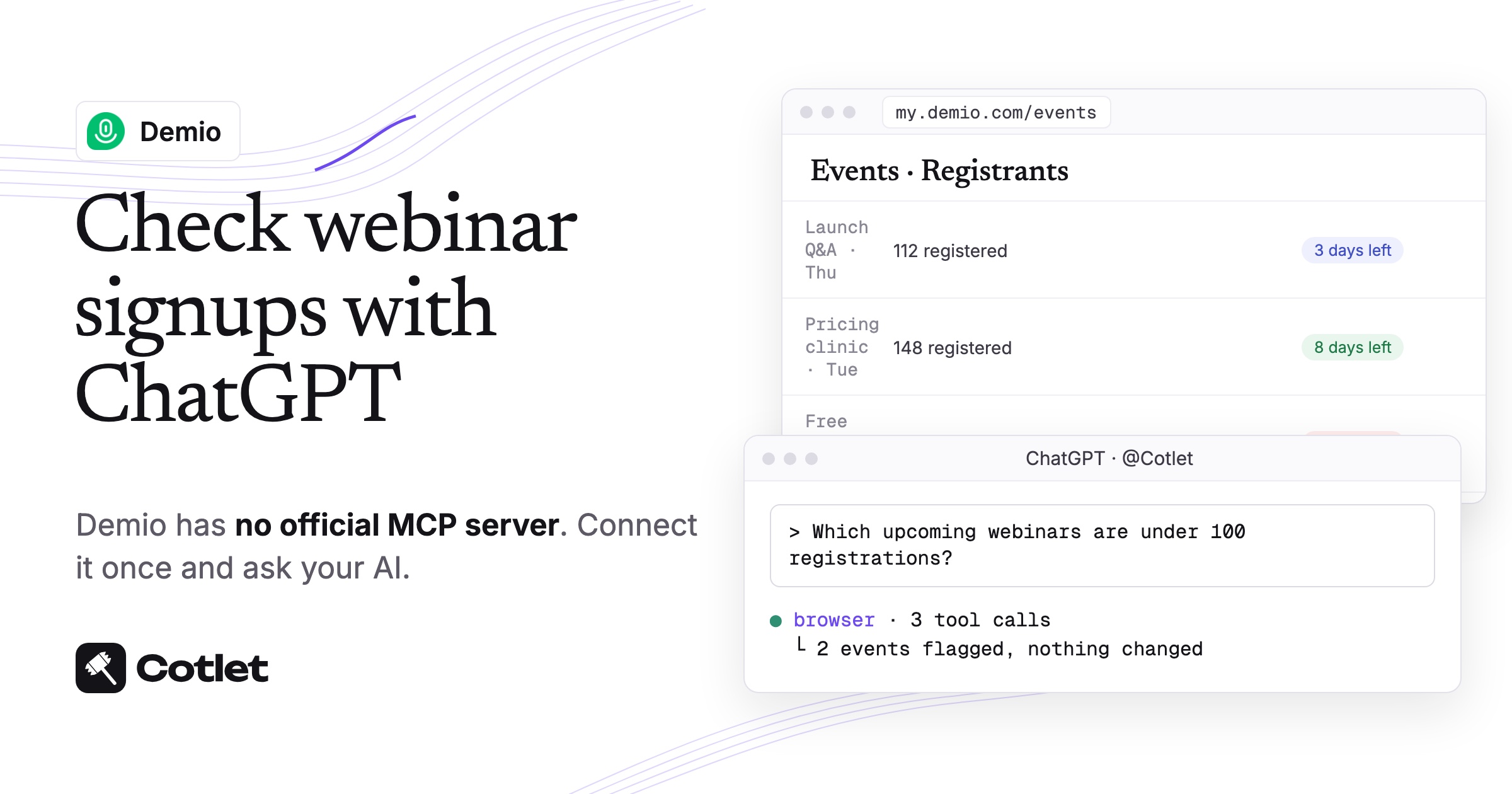
Your webinar runs on Thursday, and today is Monday. You promised yourself 150 registrations by now, and you have no idea whether you are close. Each upcoming event has its own Registrants tab, and you have five events scheduled. As of 27 Nov 2026 Demio lists no MCP server, ChatGPT app or Claude connector. It does have an API, with a key and a secret from your account settings, but a trial account gets 100 calls a day. Cotlet logs in to your Demio account in a Cloud Browser, so the agent reads the Events list and does the counting.
This is for hosts who run live and automated webinars from Demio: coaches, marketers and course creators. Attendees in the room are out of scope.
What ChatGPT and Claude can do in Demio once connected
Ask about your events. Cotlet goes to the screen with the answer.
| Where in Demio | What you get |
|---|---|
| Events list | Each upcoming webinar with its registration count and the days left |
| Registrants | Everyone who signed up for an event, with name, email and the date |
| Activity | Who attended and who registered but did not show, as two lists |
| Insights | Registrations, show-up rate and replay views for this month against last month |
| Resources summary | Which polls, handouts and featured actions got the most clicks |
| Recording | The replay link of your last event, ready for an email |
Reading changes nothing. Registering a person, or sending an email to your list, is held until you approve it. See more on the Demio MCP page. If you want one report as a URL for your own tools, read the API page.
Does Demio have AI, an API or an official ChatGPT app?
State on 27 November 2026:
- API: yes. Demio publishes REST API documentation with a key and a secret. Its endpoints cover events, sessions, participants and registrations.
- Limits: yes. The API limitations article allows 100 calls a day on a free trial and 5,000 a day for paying customers, with 180 requests a minute. Zapier calls count too.
- Zapier: yes. The Zapier setup article says registration details and attendee data, such as unique join links, can be passed on. Click data for calls to action and resources cannot.
- Data export: yes. The data export article covers registrants, attendees and the people who missed an event, and polls and handouts as CSV.
- Chat connector: none found. Neither the API documentation nor the Help Center mentions an MCP server, and Demio has no entry in the MCP Registry.
The API suits a developer with a budget of calls. The Demio access review scores each option.
Before you start
- Your Demio login.
- Two or three upcoming events, so there are counts to read.
- ChatGPT or Claude.
- A Cotlet trial (pricing). Demio’s API limits do not matter here, as no API calls are made.
Step 1: sign in to Demio in your Cloud Browser
Open my.demio.com in the Cloud Browser and log in as usual. The password goes to Demio alone. Cotlet keeps an encrypted session that you can delete from the console at any time (security).
Step 2: connect Demio to ChatGPT, Claude or another AI agent
You set this up once, and each new chat then reaches your Demio account.
Pick your AI above to see its steps.
How to connect Demio to ChatGPT
Do this on chatgpt.com in your browser. Cotlet then works in the ChatGPT desktop and phone apps too.
- Open Plugins in ChatGPT and click Add.
- Click Add custom MCP server. Not in the menu? Turn on Developer mode in Settings, Security and login, then come back.
- Paste the name
Cotletand the server URLhttps://cotlet.dev/mcp/v1/connect. Keep Authentication on OAuth. - Tick “I understand and want to continue” and click Create as a plugin.
- Click Connect Cotlet. A Cotlet page opens, click Allow access.
- In a new chat, type
@Cotletand pick it from the list. - Ask ChatGPT: “Are you signed in to Cotlet through MCP?” Then try a first Demio task: “In Demio, for each upcoming webinar show how many people registered and how many days are left. Change nothing.”

ChatGPT, Plugins page, November 2026.
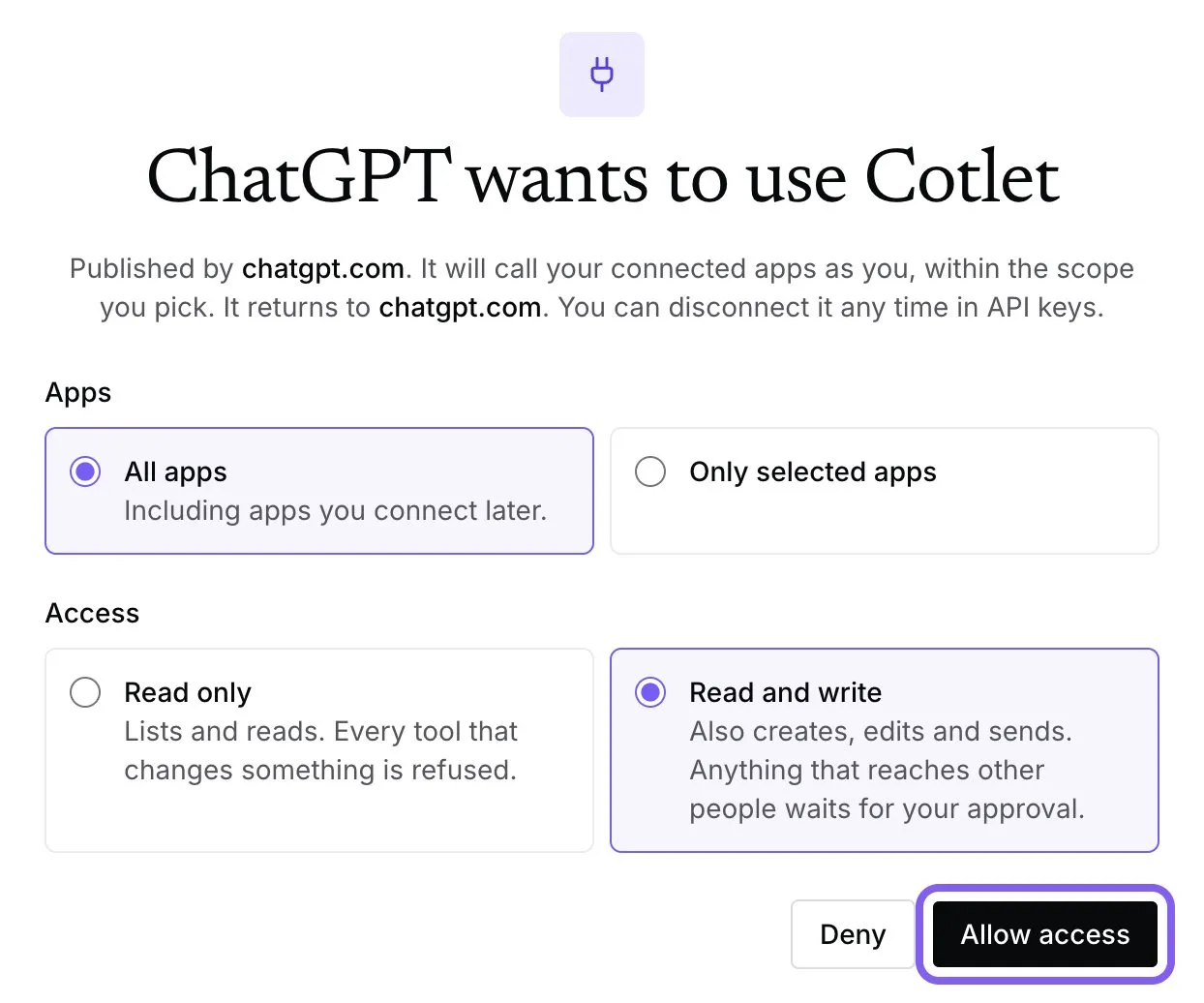
Cotlet consent page after you connect it in ChatGPT, November 2026.
ChatGPT asks “Allow ChatGPT to use Cotlet?” before some steps. Pick Always allow, or the chat waits for your click. On a Business, Enterprise or Edu workspace, an admin has to allow custom MCP servers first.
How to connect Demio to Claude
- Open Connectors in Claude and click Add. In the desktop app it is under Customize, Connectors.
- Click Add custom connector.
- Paste the name
Cotletand the URLhttps://cotlet.dev/mcp/v1/connect, then click Continue. - Keep the settings and click Add.
- A Cotlet page opens. Click Allow access.
- In a chat, click the plus button, then Connectors, and turn Cotlet on.
- Ask Claude: “Are you signed in to Cotlet through MCP?”, then “In Demio, list who attended and who did not show for my last webinar. Change nothing.”. Claude asks before it uses a Cotlet tool the first time. Click Allow.

Claude, Customize, Connectors, Add menu, November 2026.

Claude, Add custom connector form, November 2026.
Claude’s free plan allows one custom connector. On a Team or Enterprise plan, an owner adds Cotlet in Organization settings, Connectors, and you click Connect next to it.
How to connect Demio to Claude Code
Add Cotlet without a key, then sign in once in the browser:
claude mcp add --transport http cotlet https://cotlet.dev/mcp/v1/connectRun /mcp in Claude Code, pick cotlet and sign in to Cotlet. Prefer an API key, for example on a server? Create one in the Cotlet console and use:
claude mcp add --transport http cotlet https://cotlet.dev/mcp/v1 \
  --header "Authorization: Bearer $COTLET_API_KEY"
How to connect Demio to Codex
Create an API key in the Cotlet console, put it in the COTLET_API_KEY environment variable and add this to ~/.codex/config.toml:
[mcp_servers.cotlet]
url = "https://cotlet.dev/mcp/v1"
bearer_token_env_var = "COTLET_API_KEY"
How to connect Demio to Cursor
Create an API key in the Cotlet console, put it in the COTLET_API_KEY environment variable and add this to ~/.cursor/mcp.json:
{
  "mcpServers": {
    "cotlet": {
      "url": "https://cotlet.dev/mcp/v1",
      "headers": { "Authorization": "Bearer ${env:COTLET_API_KEY}" }
    }
  }
}
How to connect Demio to Grok
Grok takes custom MCP servers on grok.com, per xAI’s connectors documentation (checked 8 November 2026).
- Open grok.com/connectors and click New Connector.
- Pick Custom and paste the server URL
https://cotlet.dev/mcp/v1/connect. - Sign in to Cotlet when Grok asks, then click Allow access.
- Ask Grok: “Are you signed in to Cotlet through MCP?”
On Grok Business, an admin adds the connector first in the xAI console, under Grok Business, Connectors. The Grok chat inside X has no custom connector menu.
How to connect Demio to Hermes Agent
Add Cotlet to ~/.hermes/config.yaml in the format of the Hermes MCP config reference:
mcp_servers:
  cotlet:
    url: "https://cotlet.dev/mcp/v1"
    headers:
      Authorization: "Bearer ${COTLET_API_KEY}"
    trust: untrusted
Put COTLET_API_KEY in ~/.hermes/.env and check it with hermes mcp test cotlet. With trust: untrusted, Hermes runs reads at once and asks before every write. More on Hermes in our post on the Hermes Agent browser.
How to connect Demio to n8n
Use the MCP Client node, or the MCP Client Tool inside an AI Agent node:
- Server Transport: HTTP Streamable
- MCP Endpoint URL:
https://cotlet.dev/mcp/v1 - Authentication: Bearer Auth, with your Cotlet API key as the token
- Tools: let the AI Agent node use Cotlet’s browser tools; it reads Cotlet’s Demio guide first and works in your signed-in Demio account
Use it for work that should run on its own, such as a morning check of registrations for every upcoming webinar.
Any other MCP client
Point the client at https://cotlet.dev/mcp/v1 over Streamable HTTP, with the header Authorization: Bearer <your Cotlet API key>. A client that supports OAuth sign-in can use https://cotlet.dev/mcp/v1/connect instead and needs no key. The full reference is in the MCP docs.
Three Demio jobs to try first
Read first, always. Sending and registering need your yes.
Spot a weak signup count early
For each upcoming webinar, show how many people registered and how many days are left, and flag the ones under 100.
The registrant counts sit on the events list and in each event, as the integration overview shows. The agent reads all of them in one pass. A flag on Monday leaves you three days to promote the event.
Send the replay to the right people
Export the registrants of the last event, copy its replay link and prepare the replay email for everyone who registered.
Demio explains the recording overview and the Activity screen. The agent builds the email from the recording link and the registrant list. You send it.
Count the sales that followed a webinar
Match this month’s webinar registrants and attendees with the buyers in my sheet and tell me how many bought after attending.
This job joins Demio’s exported attendee data with a sheet you paste into the chat. Demio does not know who bought, so you provide the buyers. The agent gives you the count and the names.
Later in the week
- Registration, show-up rate and average time in the room, this month against last.
- Poll answers and the handouts people clicked most, from the Insights tab.
- A sheet of people to register for your next event, checked for duplicates first.
What it costs
Week one comes with 2,000 credits and needs no card. A pack afterwards starts at $29, works for a year and charges only calls that went through (pricing). What you pay Demio stays the same.
FAQ
Does Demio have an API or MCP server I can use for my webinars?
A REST API, yes: a key and a secret, 100 calls a day on a trial and 5,000 on paid accounts. An official MCP server, no. Cotlet reads your account without a key.
Can ChatGPT or Claude follow up with my webinar attendees?
It reads registrants and attendance, drafts the follow-up and prepares the replay email. Sending waits for your approval.
Does the Demio API count Cotlet’s work?
No. Cotlet reads the screens you can open, so it makes no API calls to Demio.
Is Cotlet affiliated with Demio?
No, we are a separate company.
Try it on your own Demio events
Ask how many people registered for Thursday. Start a trial, log in to Demio and read the counts. More tools for hosts and creators live under integrations.