How to connect Dotloop to ChatGPT, Claude and any AI agent
Dotloop has no official MCP server, and its API needs an app Dotloop registers (checked 26 Nov 2026). Let Claude watch deadlines and signatures in your loops.
Cotlet team 11 min read
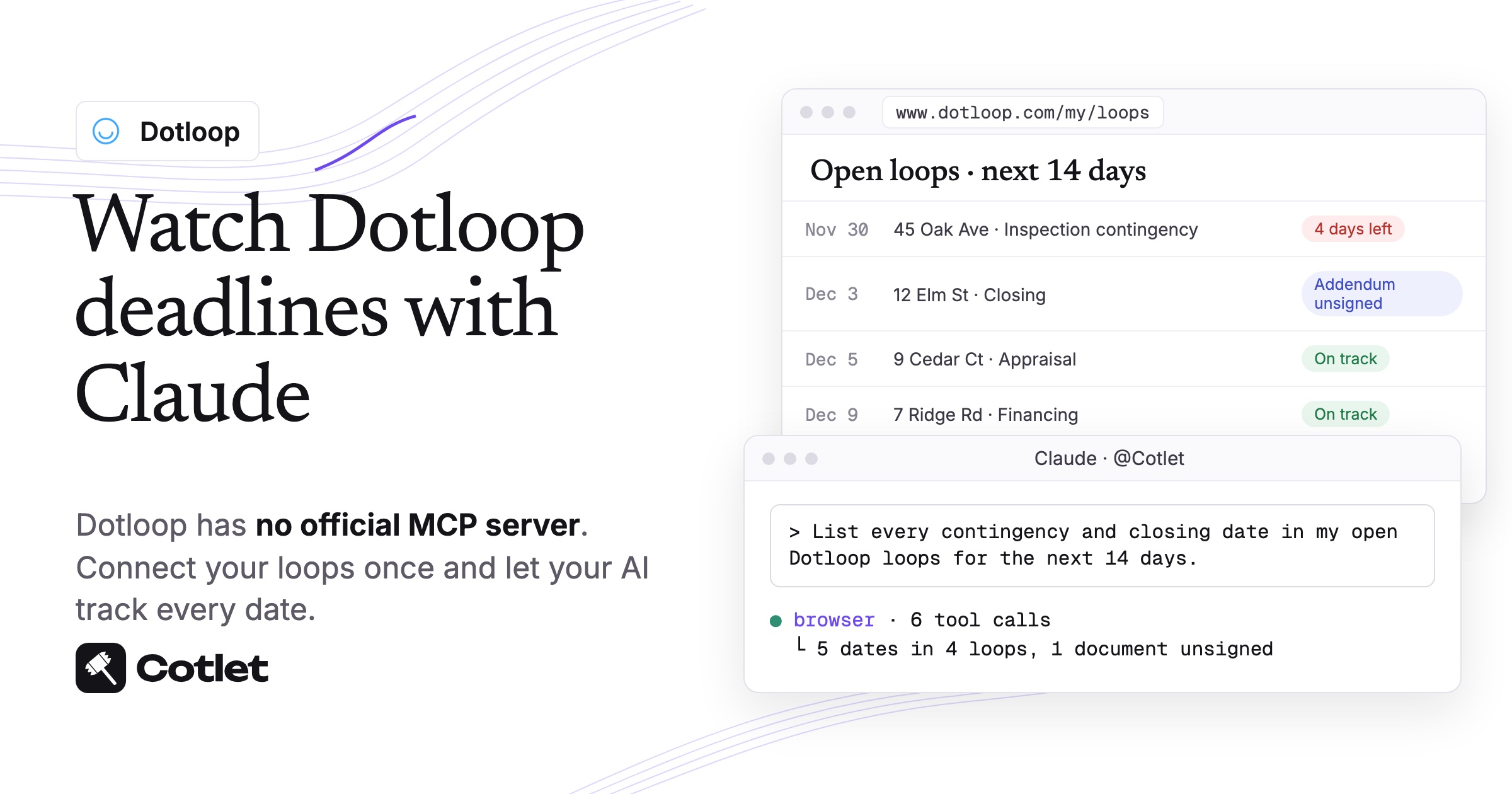
Dotloop has no official MCP server and no ChatGPT or Claude app for agents, as checked on 26 November 2026. Its Public API v2 exists, but an app gets keys only after you request access and Dotloop registers it. Zillow’s app in ChatGPT searches homes and never opens a loop. To let ChatGPT, Claude or another AI agent read your loops anyway, sign in to Dotloop once inside a Cloud Browser that Cotlet runs for you. The AI then works in your loops, documents and tasks the way you do. Setup takes about ten minutes, with no code.
This guide is for the agent with eight deals under contract and a calendar full of contingency dates, and for the team lead or broker who reviews everyone’s loops on Friday. Cotlet sits on the side of the person who runs the loops. Buyers and sellers still sign from the Dotloop email they get, exactly as before.
What ChatGPT and Claude can do in Dotloop once connected
Write the request in plain English. The AI opens the loops and does the reading:
| Part of Dotloop | What the AI handles |
|---|---|
| Loops | Lists open loops with status, parties and what is still missing |
| Tasks and dates | Collects inspection, financing, appraisal and closing dates across every loop |
| Documents | Finds documents still waiting for a signature and who has not signed |
| Review | Checks a loop against your required documents before you submit it |
| Templates | Starts a new loop from a template and your deal data |
| Reporting | Lists closed loops with price, close date and commission |
Sending a document for signature, a reminder to a signer and Submit for Review all wait for your OK. Starting a loop waits too. Reading dates and lists changes nothing in Dotloop.
The full list of screens is on the Dotloop MCP server page. To pull the same data into n8n or a sheet, see the Dotloop API page.
Does Dotloop have AI, an API or an official ChatGPT app?
Here is what a Dotloop user has today, as of 26 November 2026:
- An API, behind a request. Dotloop Public API v2 covers loops, documents, participants, tasks, contacts, templates and webhooks over OAuth 2.0. First you ask for API access on the developers page. Dotloop issues the client ID and secret only after it registers your app, under its API License Agreement.
- Zapier, for new loops only. Dotloop on Zapier starts a Zap when a loop is created and creates a loop from another app. It does not read dates, signatures or review status.
- Zillow in ChatGPT and Claude is a home search. Zillow, which owns Dotloop, connects to ChatGPT and Claude so buyers can look at listings. Your loops are not part of it.
- No official MCP server. Third-party gateways wrap the same API, so they need the same registered app.
For an agent who wants answers about their own deals today, a hosted MCP server inside the signed-in session is the short way. The scored check of each route is at Does Dotloop have an API or MCP server?.
What to have ready
- Your dotloop.com login. Agents on more than one profile should know which one holds the deals.
- The documents your broker requires per deal type, written as a short list. The review check uses it.
- How long a signature may wait before you nudge, for example two days.
- A ChatGPT or Claude account. Cotlet takes a single custom connector, so free Claude is enough.
- A Cotlet account, free for the first week with no card (pricing).
Step 1: sign in to Dotloop in your Cloud Browser
Open the Cloud Browser from your Cotlet console and visit dotloop.com/login. Log in with the same email and password you use on your phone. If your brokerage signs you in through its own SSO page, go through it there. Once the Loops list loads, switch to the profile that holds your deals.
Dotloop’s own page takes the password, and Cotlet never stores it. The session that remains lives in an encrypted browser profile belonging to your Cotlet account, and the AI asks you to sign in again whenever Dotloop logs you out. See the security page.
Step 2: connect Dotloop to ChatGPT, Claude or another AI agent
Add Cotlet’s MCP address to your AI once, then every loop you can open is in reach. The setup differs a little per client, so open the tile for yours.
Pick your AI above to see its steps.
How to connect Dotloop to ChatGPT
Do this on chatgpt.com in your browser. Cotlet then works in the ChatGPT desktop and phone apps too.
- Open Plugins in ChatGPT and click Add.
- Click Add custom MCP server. Not in the menu? Turn on Developer mode in Settings, Security and login, then come back.
- Paste the name
Cotletand the server URLhttps://cotlet.dev/mcp/v1/connect. Keep Authentication on OAuth. - Tick “I understand and want to continue” and click Create as a plugin.
- Click Connect Cotlet. A Cotlet page opens, click Allow access.
- In a new chat, type
@Cotletand pick it from the list. - Ask ChatGPT: “Are you signed in to Cotlet through MCP?” Then try a first Dotloop task: “Which documents in my Dotloop loops still need a signature?”
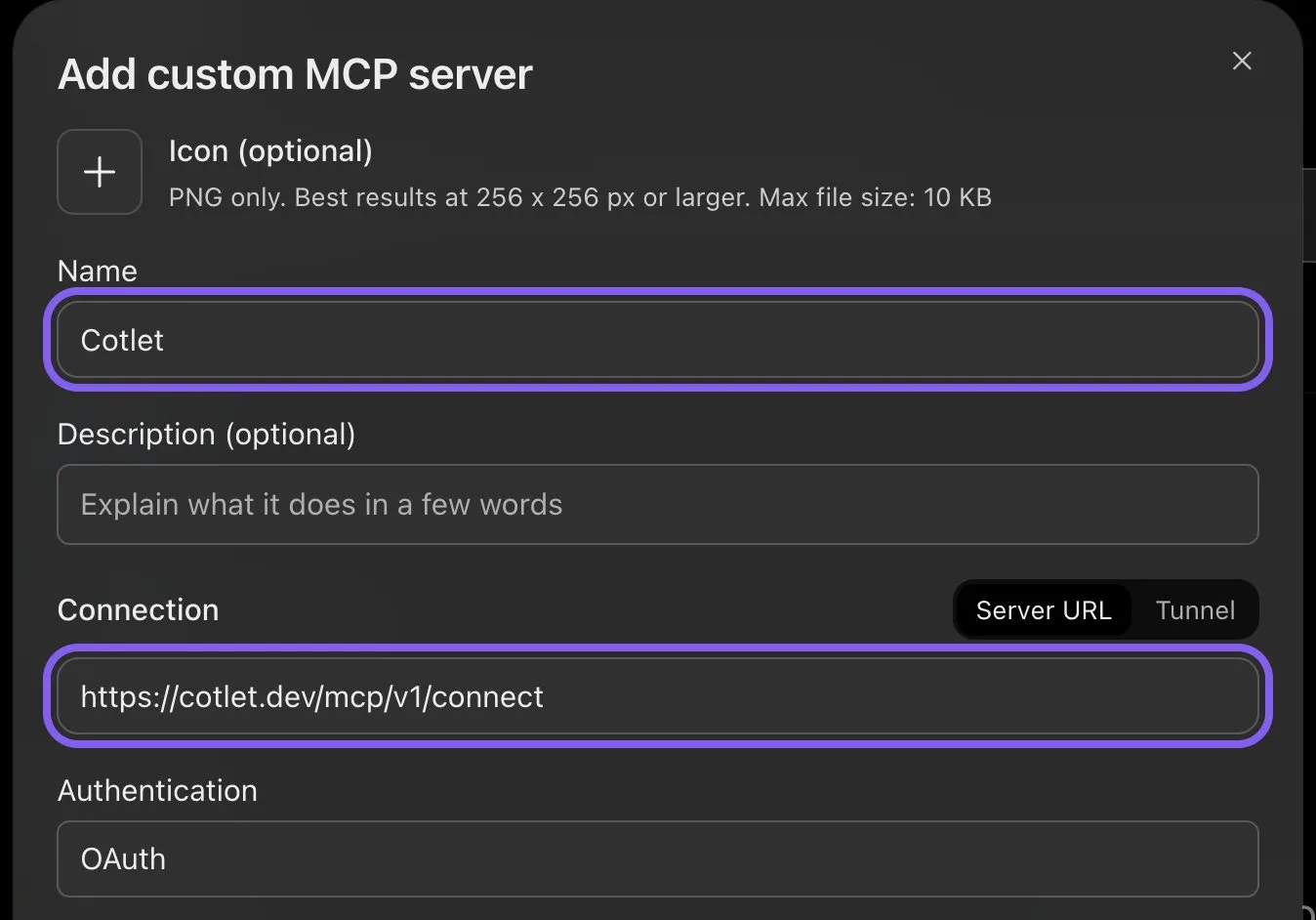
ChatGPT, Add custom MCP server form, November 2026.
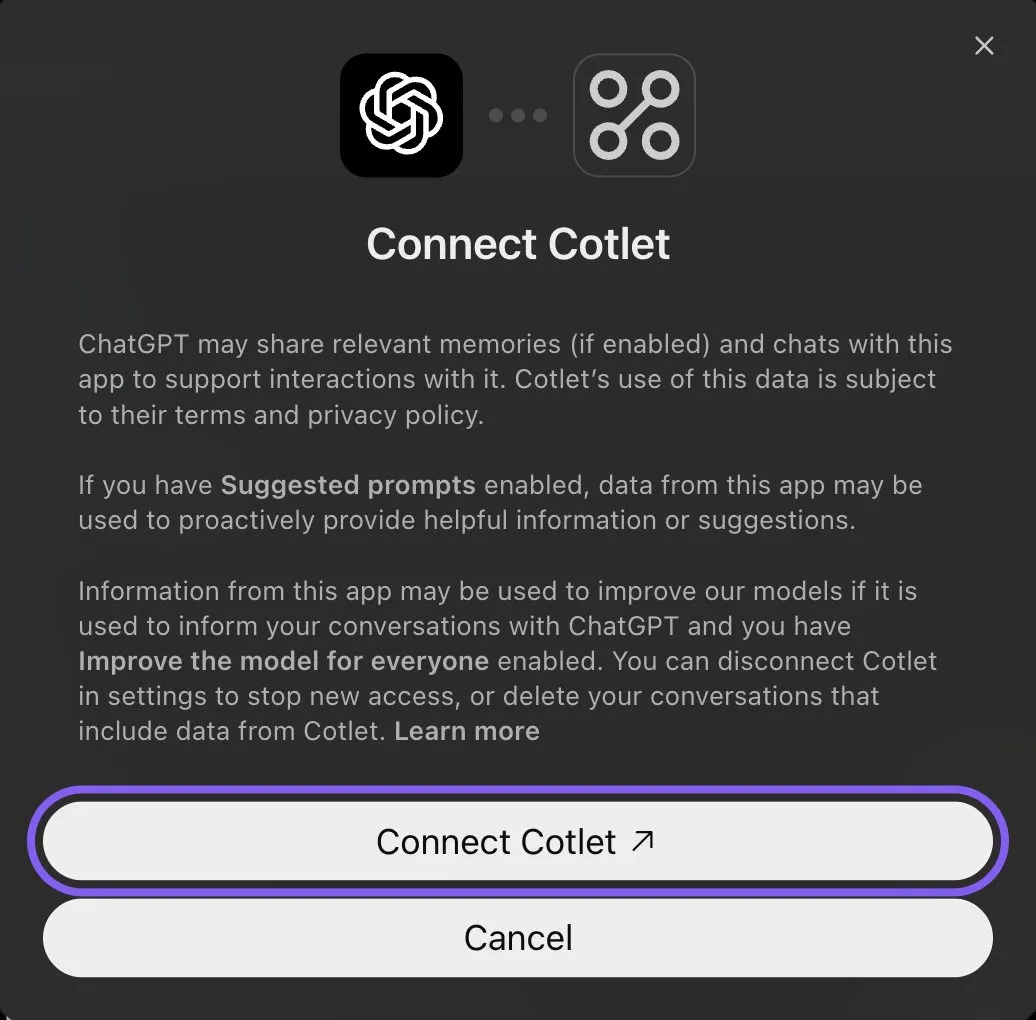
ChatGPT, connecting the Cotlet plugin, November 2026.
ChatGPT asks “Allow ChatGPT to use Cotlet?” before some steps. Pick Always allow, or the chat waits for your click. On a Business, Enterprise or Edu workspace, an admin has to allow custom MCP servers first.
How to connect Dotloop to Claude
- Open Connectors in Claude and click Add. In the desktop app it is under Customize, Connectors.
- Click Add custom connector.
- Paste the name
Cotletand the URLhttps://cotlet.dev/mcp/v1/connect, then click Continue. - Keep the settings and click Add.
- A Cotlet page opens. Click Allow access.
- In a chat, click the plus button, then Connectors, and turn Cotlet on.
- Ask Claude: “Are you signed in to Cotlet through MCP?”, then “List the closing dates in my open Dotloop loops for this month.”. Claude asks before it uses a Cotlet tool the first time. Click Allow.

Claude, Customize, Connectors, November 2026.

Claude, Add custom connector, last screen, November 2026.
Claude’s free plan allows one custom connector. On a Team or Enterprise plan, an owner adds Cotlet in Organization settings, Connectors, and you click Connect next to it.
How to connect Dotloop to Claude Code
Add Cotlet without a key, then sign in once in the browser:
claude mcp add --transport http cotlet https://cotlet.dev/mcp/v1/connectRun /mcp in Claude Code, pick cotlet and sign in to Cotlet. Prefer an API key, for example on a server? Create one in the Cotlet console and use:
claude mcp add --transport http cotlet https://cotlet.dev/mcp/v1 \
  --header "Authorization: Bearer $COTLET_API_KEY"
How to connect Dotloop to Codex
Create an API key in the Cotlet console, put it in the COTLET_API_KEY environment variable and add this to ~/.codex/config.toml:
[mcp_servers.cotlet]
url = "https://cotlet.dev/mcp/v1"
bearer_token_env_var = "COTLET_API_KEY"
How to connect Dotloop to Cursor
Create an API key in the Cotlet console, put it in the COTLET_API_KEY environment variable and add this to ~/.cursor/mcp.json:
{
  "mcpServers": {
    "cotlet": {
      "url": "https://cotlet.dev/mcp/v1",
      "headers": { "Authorization": "Bearer ${env:COTLET_API_KEY}" }
    }
  }
}
How to connect Dotloop to Grok
Grok takes custom MCP servers on grok.com, per xAI’s connectors documentation (checked 8 November 2026).
- Open grok.com/connectors and click New Connector.
- Pick Custom and paste the server URL
https://cotlet.dev/mcp/v1/connect. - Sign in to Cotlet when Grok asks, then click Allow access.
- Ask Grok: “Are you signed in to Cotlet through MCP?”
On Grok Business, an admin adds the connector first in the xAI console, under Grok Business, Connectors. The Grok chat inside X has no custom connector menu.
How to connect Dotloop to Hermes Agent
Add Cotlet to ~/.hermes/config.yaml in the format of the Hermes MCP config reference:
mcp_servers:
  cotlet:
    url: "https://cotlet.dev/mcp/v1"
    headers:
      Authorization: "Bearer ${COTLET_API_KEY}"
    trust: untrusted
Put COTLET_API_KEY in ~/.hermes/.env and check it with hermes mcp test cotlet. With trust: untrusted, Hermes runs reads at once and asks before every write. More on Hermes in our post on the Hermes Agent browser.
How to connect Dotloop to n8n
Use the MCP Client node, or the MCP Client Tool inside an AI Agent node:
- Server Transport: HTTP Streamable
- MCP Endpoint URL:
https://cotlet.dev/mcp/v1 - Authentication: Bearer Auth, with your Cotlet API key as the token
- Tools: let the AI Agent node use Cotlet’s browser tools; it reads Cotlet’s Dotloop guide first and works in your signed-in Dotloop account
Use it for work that should run on its own, such as a 7 am list of Dotloop contingency dates due in the next three days.
Any other MCP client
Point the client at https://cotlet.dev/mcp/v1 over Streamable HTTP, with the header Authorization: Bearer <your Cotlet API key>. A client that supports OAuth sign-in can use https://cotlet.dev/mcp/v1/connect instead and needs no key. The full reference is in the MCP docs.
Start with these on the morning after you open a few new loops.
One list of every date that matters
List every inspection, financing, appraisal and closing date in my open Dotloop loops for the next 14 days, grouped by loop, soonest first.
A solo agent closing 8 to 10 deals a month wrote on Reddit that tracking every contingency date still eats the evenings, and that two files almost slipped over a missed financing deadline. Each loop holds its own tasks. Dotloop’s Zapier app fires only when a loop is created, so it cannot feed a calendar with dates. The AI opens each open loop, reads its task list and details, and returns one list. Ask it to add the dates to your calendar, and it does that after you confirm.
Chase the signature that holds up the file
Which documents in my Dotloop loops have waited for a signature for more than 2 days? Draft a reminder to each signer and wait for my OK.
An unsigned addendum is the usual reason a closing slips. The AI goes through the documents in each loop, notes who has signed and who has not, and drafts a short message per signer with the document name. Nothing goes out until you approve, and the reminder is sent from Dotloop itself.
Fix the loop before the broker sends it back
Before I click Submit for Review, check my loops for 45 Oak Ave and 12 Elm St against my required documents and tell me what is missing.
Dotloop’s Submit for Review sends the loop to your broker, who returns it if a page is missing or unsigned. The AI compares each loop with your list, reads the signature status, and names the gaps. You fix them first and submit once.
What Cotlet adds to the bill
Nothing changes in your Dotloop plan. Cotlet runs on one-time credit packs from $29 for 5,000 credits, good for 12 months, with no subscription. Each successful call costs 10 to 100 credits, and failed calls cost nothing. Outside the free trial, the Cloud Browser uses 50 credits a day while Dotloop is switched on for agents. The trial gives 500 credits for 7 days, without a card (pricing).
FAQ
Does Dotloop have an API?
Yes, Public API v2, but not on request-free terms. You ask for API access, Dotloop registers your app and then issues its keys, under an API License Agreement. Cotlet needs none of that, because it works in your signed-in account.
Is there an official Dotloop MCP server?
No. As of 26 November 2026 Dotloop publishes no MCP server and no ChatGPT or Claude app. Cotlet’s MCP server reaches Dotloop through the account you signed in to.
Is the Zillow app in ChatGPT the same thing?
No. The Zillow app helps buyers and renters search homes. It does not open Dotloop loops, documents or tasks.
Can I get Dotloop deadlines into my calendar or a sheet without Zapier?
Yes. Ask the AI to read the dates in your open loops each morning and add them to Google Calendar or a sheet. The Dotloop Zapier app has no trigger for dates.
Can AI tell me what is missing in my loops before the broker reviews them?
Yes. Give it your required documents per deal type once. It checks each loop against that list and the signature status before you submit.
How do I keep my Dotloop documents when I change brokerage?
Dotloop lets you print or download documents from each loop. Ask the AI to download the signed documents from your closed loops into one folder per address, and it repeats the download for every loop.
Is Cotlet part of Dotloop or Zillow?
No. Cotlet is an independent company with no tie to Dotloop or Zillow Group. The AI uses only your own Dotloop login.
Put your loops on watch this week
Deals rarely fall apart on the big items; they slip on a date nobody re-read. Try Cotlet free for seven days, log in to Dotloop from the Cloud Browser and have Claude list what is due before the weekend. SkySlope users in the same office will find it in the catalog.


