How to connect eLocal to ChatGPT, Claude and any AI agent
eLocal has no official MCP server, ChatGPT app or Zapier app (checked 25 Nov 2026). Let ChatGPT list missed calls, compare spend and pause campaigns.
Cotlet team 11 min read
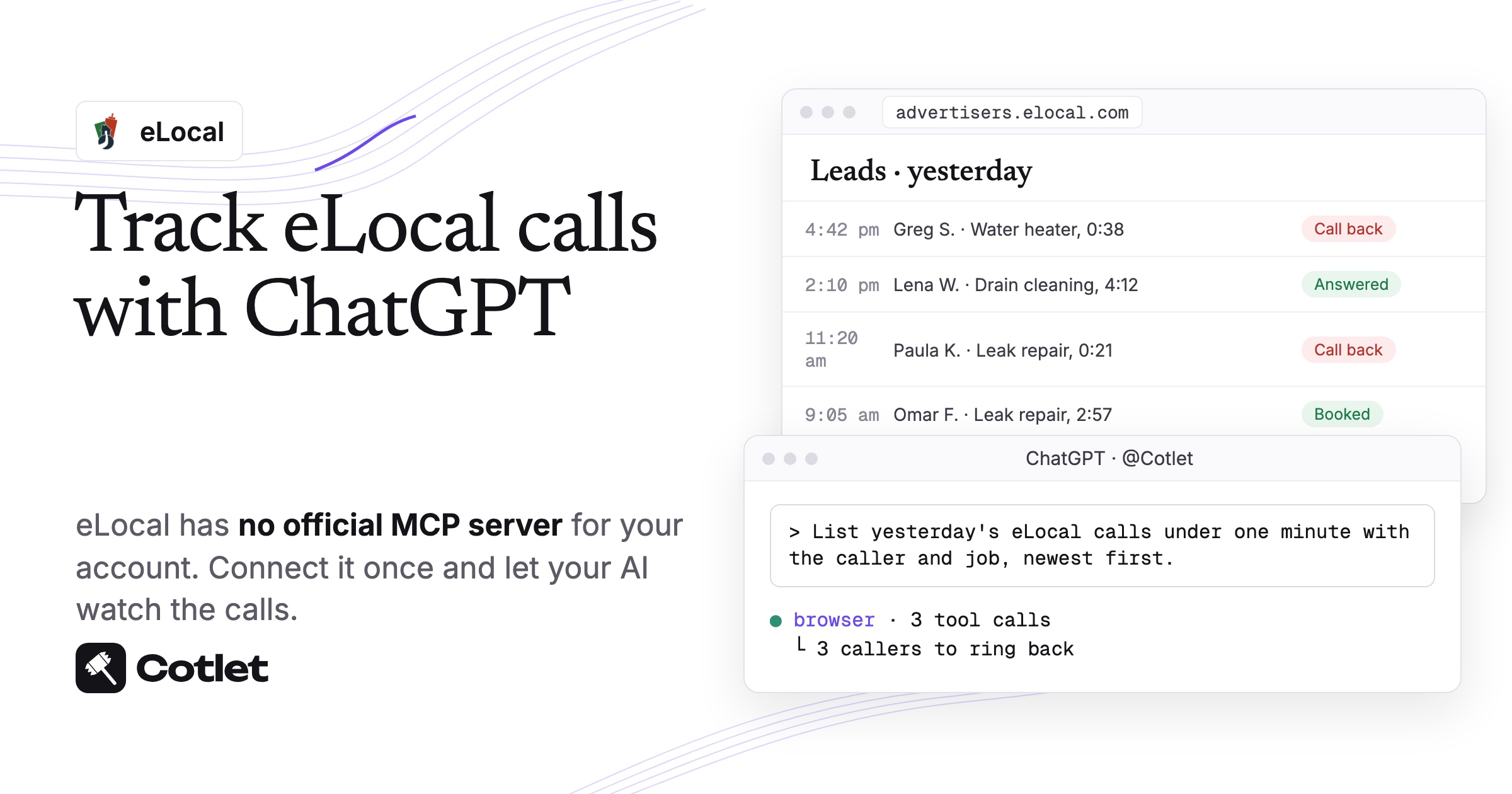
eLocal has no official MCP server for your advertiser account, no ChatGPT or Claude app and no Zapier, Make or n8n app, as checked on 25 November 2026. Its MCP server only searches the developer docs, and its advertiser API needs code. To let ChatGPT, Claude or another AI agent read your calls, web leads, campaigns and budget, connect eLocal through Cotlet. Log in to the eLocal Advertiser Portal once in your own Cloud Browser, and the AI works in those screens for you. It takes about ten minutes and no code.
eLocal sells pay-per-call leads: a plumber, HVAC company or roofer pays for phone calls and web forms from homeowners in chosen categories and ZIP codes. The contractors who search for an AI link usually pay for every call and want to know which ones were missed, which campaigns pay off and when to pause. Cotlet is best for the owner or office manager who runs that Advertiser Portal account. Homeowners still reach you the usual way, by calling the number eLocal shows them.
What ChatGPT and Claude can do in eLocal once connected
Say it in a normal sentence, and the AI handles it in the Advertiser Portal:
| Area of eLocal | What the AI handles |
|---|---|
| Calls | Lists calls by day with the caller, category, ZIP code and length, flags the short or missed ones |
| Web leads | Lists form leads with the job they asked for |
| Campaigns | Reads each campaign’s category, area and status, pauses one until a date |
| Budget | Reads the budget left and the spend so far, estimates when it runs out |
| Results | Builds a table of calls and spend by campaign and day |
Pausing a campaign, changing a budget and anything sent to a caller wait for your OK first. Reading calls and building reports change nothing.
What the AI reaches, screen by screen, is on the eLocal MCP server page.
Does eLocal have AI, an API or an official ChatGPT app?
eLocal has developer tools, but none of them puts ChatGPT or Claude in your account. As of 25 November 2026:
- An advertiser API for developers. In the Advertiser Portal you generate a key under Settings > API Keys, per eLocal’s authentication guide. The advertiser APIs fetch call and lead results and manage campaigns, budgets and listings. Using them means writing and hosting code.
- An MCP server for the docs only. eLocal’s developer portal says agents can “search and read this documentation” through its MCP server. It does not open your calls or campaigns, and no ChatGPT app or Claude connector exists.
- No Zapier, Make or n8n app. All three return 404. Calls reach other software only through eLocal’s own email, SMS or webhook notifications, which you set up per campaign.
- A separate API for lead partners. The older Ping/Post API is for companies that send leads to eLocal, and eLocal issues those keys. It is not for a business that buys calls.
So unless you want to write code against the advertiser API, a hosted MCP server inside your signed-in Advertiser Portal is the way to put an AI on your eLocal leads today.
Before you begin
- The email and password of your eLocal Advertiser Portal account at advertisers.elocal.com.
- A clear rule for a lost call, such as under one minute or no answer.
- Your campaign names, so you can tell the AI which one to pause.
- ChatGPT or Claude. The free Claude plan allows one custom connector, enough for Cotlet.
- A Cotlet account. You get seven free days and no card is needed (pricing).
Step 1: sign in to eLocal in your Cloud Browser
Launch the Cloud Browser from the Cotlet console and visit advertisers.elocal.com/login. eLocal’s Welcome screen wants your email and password, then the Login button. Seeing your leads list means the agent can begin.
eLocal is the only one that receives your password: it is typed on their page, and nothing on Cotlet’s side stores it. The browser profile carrying the eLocal session is AES-256-GCM encrypted whenever it is idle. If eLocal logs you out mid-task, the agent pauses and offers a new login link in the chat. Details are on the security page.
Step 2: connect eLocal to ChatGPT, Claude or another AI agent
The Advertiser Portal reaches your assistant through one Cotlet URL. There is a tab below for ChatGPT, Claude, Claude Code, Codex, Cursor, Grok, Hermes Agent and n8n; open the one you use.
Pick your AI above to see its steps.
How to connect eLocal to ChatGPT
Do this on chatgpt.com in your browser. Cotlet then works in the ChatGPT desktop and phone apps too.
- Open Plugins in ChatGPT and click Add.
- Click Add custom MCP server. Not in the menu? Turn on Developer mode in Settings, Security and login, then come back.
- Paste the name
Cotletand the server URLhttps://cotlet.dev/mcp/v1/connect. Keep Authentication on OAuth. - Tick “I understand and want to continue” and click Create as a plugin.
- Click Connect Cotlet. A Cotlet page opens, click Allow access.
- In a new chat, type
@Cotletand pick it from the list. - Ask ChatGPT: “Are you signed in to Cotlet through MCP?” Then try a first eLocal task: “Which of my eLocal calls yesterday were under a minute?”
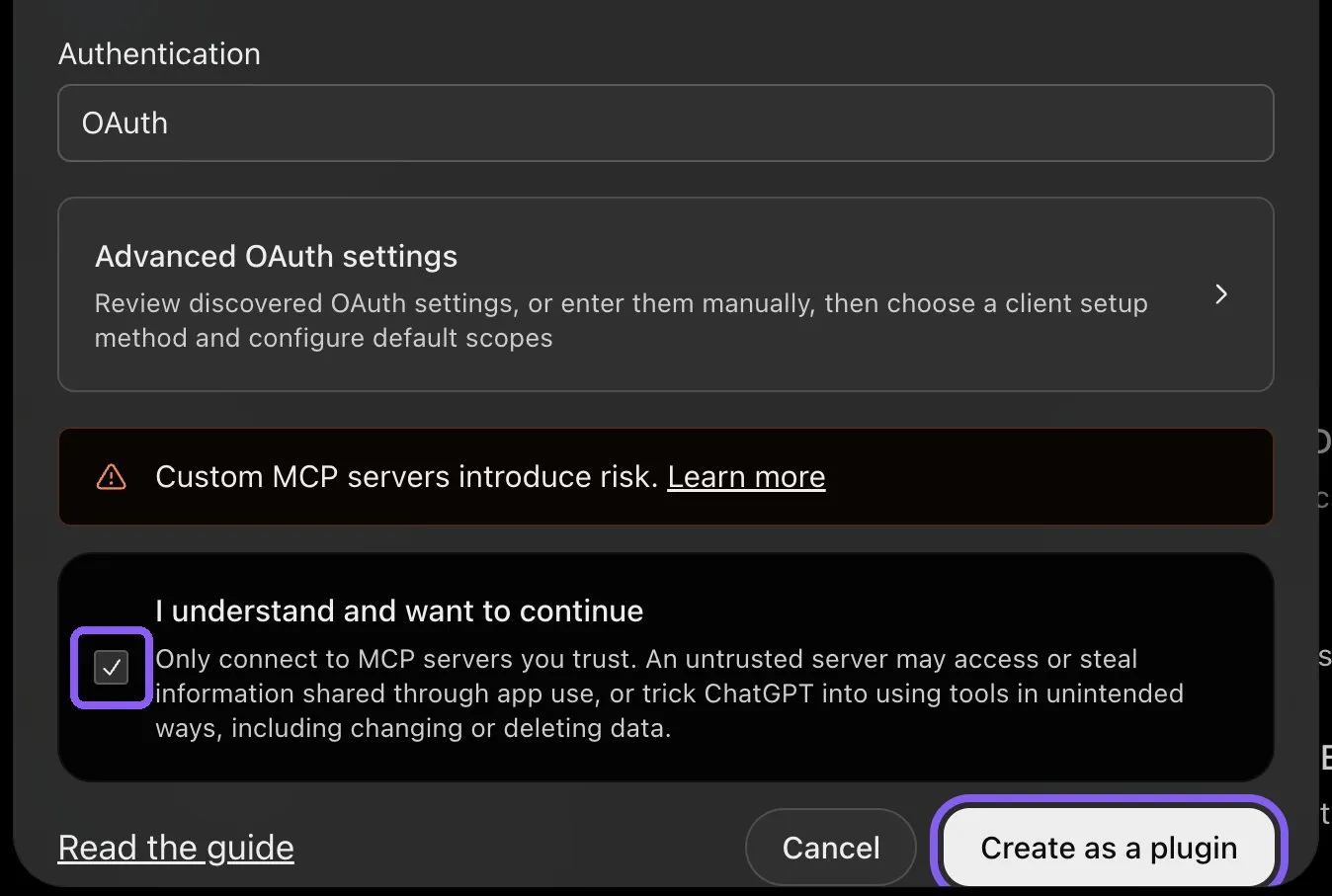
ChatGPT, bottom of the custom MCP server form, November 2026.
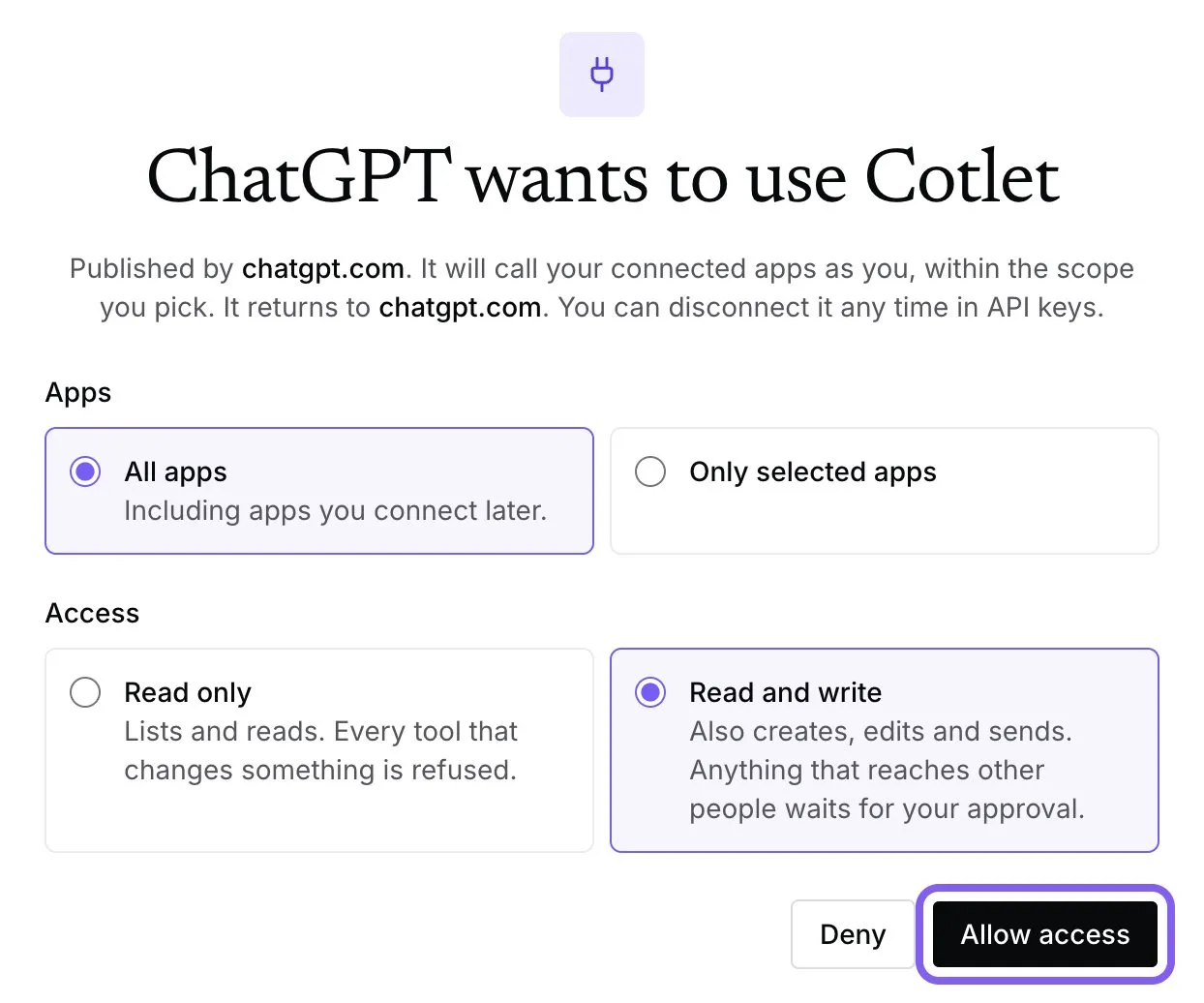
Cotlet consent page after you connect it in ChatGPT, November 2026.
ChatGPT asks “Allow ChatGPT to use Cotlet?” before some steps. Pick Always allow, or the chat waits for your click. On a Business, Enterprise or Edu workspace, an admin has to allow custom MCP servers first.
How to connect eLocal to Claude
- Open Connectors in Claude and click Add. In the desktop app it is under Customize, Connectors.
- Click Add custom connector.
- Paste the name
Cotletand the URLhttps://cotlet.dev/mcp/v1/connect, then click Continue. - Keep the settings and click Add.
- A Cotlet page opens. Click Allow access.
- In a chat, click the plus button, then Connectors, and turn Cotlet on.
- Ask Claude: “Are you signed in to Cotlet through MCP?”, then “What did each of my eLocal campaigns spend this week?”. Claude asks before it uses a Cotlet tool the first time. Click Allow.

Claude, Add custom connector form, November 2026.

Claude, chat menu, Connectors, November 2026.
Claude’s free plan allows one custom connector. On a Team or Enterprise plan, an owner adds Cotlet in Organization settings, Connectors, and you click Connect next to it.
How to connect eLocal to Claude Code
Add Cotlet without a key, then sign in once in the browser:
claude mcp add --transport http cotlet https://cotlet.dev/mcp/v1/connectRun /mcp in Claude Code, pick cotlet and sign in to Cotlet. Prefer an API key, for example on a server? Create one in the Cotlet console and use:
claude mcp add --transport http cotlet https://cotlet.dev/mcp/v1 \
  --header "Authorization: Bearer $COTLET_API_KEY"
How to connect eLocal to Codex
Create an API key in the Cotlet console, put it in the COTLET_API_KEY environment variable and add this to ~/.codex/config.toml:
[mcp_servers.cotlet]
url = "https://cotlet.dev/mcp/v1"
bearer_token_env_var = "COTLET_API_KEY"
How to connect eLocal to Cursor
Create an API key in the Cotlet console, put it in the COTLET_API_KEY environment variable and add this to ~/.cursor/mcp.json:
{
  "mcpServers": {
    "cotlet": {
      "url": "https://cotlet.dev/mcp/v1",
      "headers": { "Authorization": "Bearer ${env:COTLET_API_KEY}" }
    }
  }
}
How to connect eLocal to Grok
Grok takes custom MCP servers on grok.com, per xAI’s connectors documentation (checked 8 November 2026).
- Open grok.com/connectors and click New Connector.
- Pick Custom and paste the server URL
https://cotlet.dev/mcp/v1/connect. - Sign in to Cotlet when Grok asks, then click Allow access.
- Ask Grok: “Are you signed in to Cotlet through MCP?”
On Grok Business, an admin adds the connector first in the xAI console, under Grok Business, Connectors. The Grok chat inside X has no custom connector menu.
How to connect eLocal to Hermes Agent
Add Cotlet to ~/.hermes/config.yaml in the format of the Hermes MCP config reference:
mcp_servers:
  cotlet:
    url: "https://cotlet.dev/mcp/v1"
    headers:
      Authorization: "Bearer ${COTLET_API_KEY}"
    trust: untrusted
Put COTLET_API_KEY in ~/.hermes/.env and check it with hermes mcp test cotlet. With trust: untrusted, Hermes runs reads at once and asks before every write. More on Hermes in our post on the Hermes Agent browser.
How to connect eLocal to n8n
Use the MCP Client node, or the MCP Client Tool inside an AI Agent node:
- Server Transport: HTTP Streamable
- MCP Endpoint URL:
https://cotlet.dev/mcp/v1 - Authentication: Bearer Auth, with your Cotlet API key as the token
- Tools: let the AI Agent node use Cotlet’s browser tools; it reads Cotlet’s eLocal guide first and works in your signed-in Advertiser Portal
Use it for work that should run on its own, such as a 7 am list of yesterday’s missed eLocal calls, sent to whoever calls back.
Any other MCP client
Point the client at https://cotlet.dev/mcp/v1 over Streamable HTTP, with the header Authorization: Bearer <your Cotlet API key>. A client that supports OAuth sign-in can use https://cotlet.dev/mcp/v1/connect instead and needs no key. The full reference is in the MCP docs.
Run one of these with your morning coffee, before the phones start.
Call back yesterday’s short calls
List yesterday’s eLocal calls under one minute or with no answer, with the caller, the job and the time. Put them in callback order, newest first.
You pay for these calls, and a homeowner who hung up often called the next contractor too. eLocal can post each call to your own endpoint with a webhook, but someone has to build that. The AI reads yesterday’s calls in the portal and hands your office a callback list. It changes nothing in eLocal.
See which campaign earns its spend
What did each of my eLocal campaigns spend this week, and how many calls and web leads did each bring? Show it as a table.
Campaign results are in the portal, but a weekly comparison usually means an export and a spreadsheet. The AI reads spend, calls and leads per campaign and returns one table, so you see which category or area costs most per call.
Pause a campaign on a full week
My plumbing crew is booked solid until Monday. Pause my eLocal plumbing campaign until then, and show me what you will change before you do it.
When the calendar is full, paid calls you cannot take are money lost. The AI finds the campaign, shows you what it will pause and until when, and waits for your yes. On Monday you can ask it to switch the campaign back on.
eLocal spend and Cotlet’s credits
What you pay eLocal per call does not change. Cotlet is a separate bill of one-off credit packs, the smallest $29 for 5,000 credits with a 12 month life. A finished call by the agent spends 10 credits, an error spends none, and each day eLocal stays enabled for agents costs the Cloud Browser 50 credits. You can test all of it free for seven days without a card (pricing).
FAQ
Does eLocal have an API?
Yes, for advertisers who write code. You generate a key in the Advertiser Portal under Settings > API Keys, for campaign results, campaigns and budgets (checked 25 Nov 2026). The Ping/Post API is a different one, for lead partners.
Is there an eLocal MCP server?
Only for the docs. eLocal’s MCP server searches its developer documentation. Cotlet runs an MCP server for eLocal at https://cotlet.dev/mcp/v1/elocal, working in the Advertiser Portal account you signed in to.
Does eLocal work with Zapier?
No eLocal app was found on Zapier, Make or n8n on 25 November 2026. With Cotlet, n8n reads your eLocal calls through one MCP server or API key instead.
Can the AI change my budget or stop my campaigns?
Only after you approve it. The AI shows each pause or budget change first. Billing and payment methods stay with you.
Is Cotlet affiliated with eLocal?
No. Cotlet and eLocal are separate companies. The agent only uses the Advertiser Portal login you gave it in your own Cloud Browser.
Stop paying for calls nobody returns
Every eLocal call has a price, so the ones nobody rings back cost the most. Tomorrow morning, let an agent put them on one list. Begin a free Cotlet week, log in to the Advertiser Portal once and connect ChatGPT or Claude. Paying for leads on Angi or Bark too? Both sit in the catalog.


