How to connect FieldPulse to ChatGPT, Claude and any AI agent
FieldPulse's MCP server searches its Help Center, and its API needs Support to switch it on. How to give ChatGPT or Claude your FieldPulse jobs today.
Cotlet team 11 min read
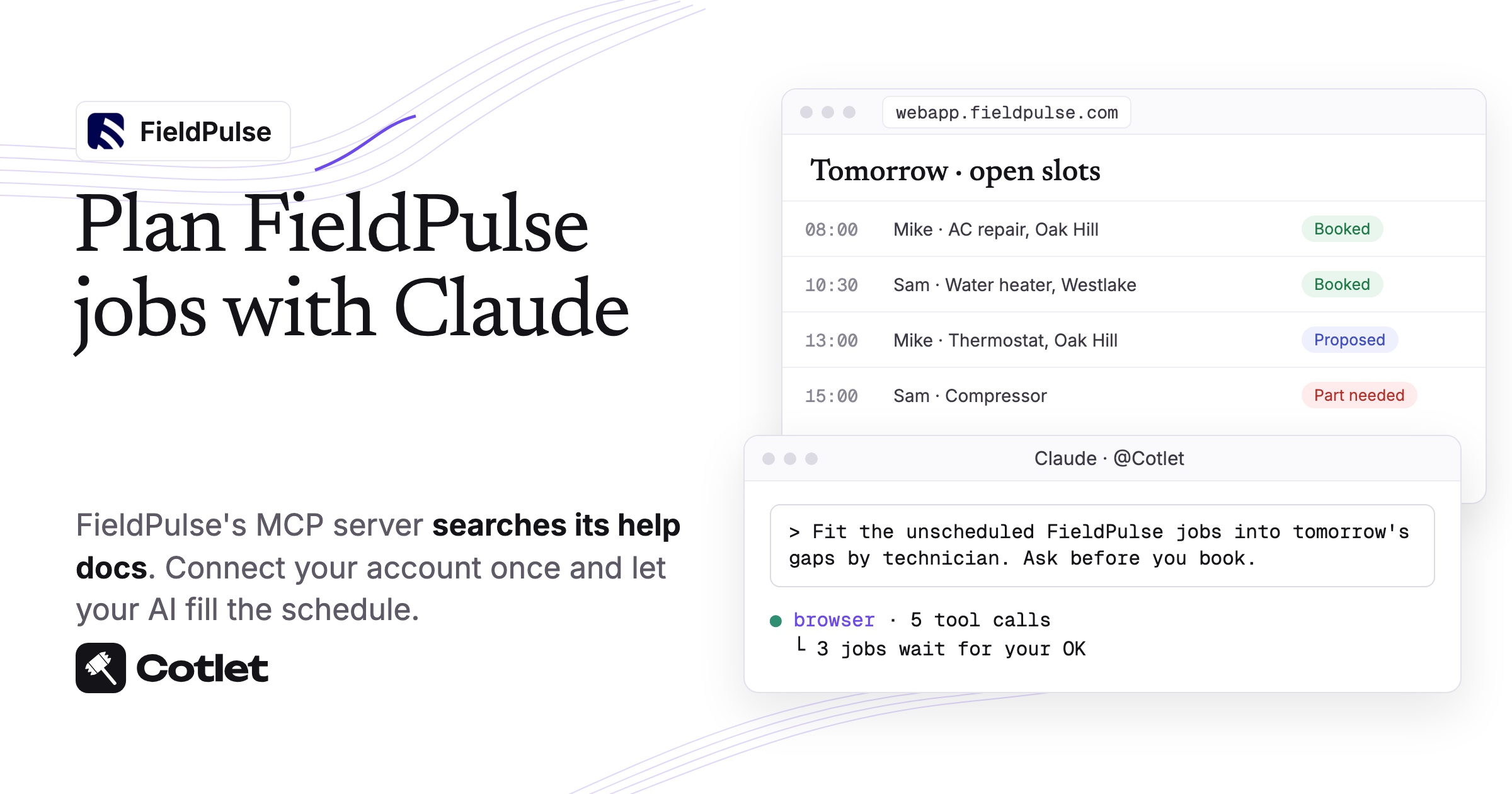
FieldPulse does have an MCP server, but it searches the FieldPulse Help Center, not your jobs, customers or invoices. Its REST API exists too, yet FieldPulse Support only switches it on per account after the Founding User asks, and there is no ChatGPT or Claude app that opens an account, as of 25 November 2026. To have ChatGPT, Claude or another AI agent work in your own FieldPulse account now, you connect it through Cotlet. You log in to the FieldPulse web app once in your own Cloud Browser, and the AI works in the schedule, estimates and invoices from there. Setup takes ten minutes and no code.
FieldPulse runs the office for HVAC, plumbing, electrical and low voltage companies in the US: customers, jobs, dispatch, estimates, invoices and payments. The person searching for this is usually the owner or the office manager who already asked ChatGPT for help and wants it to see the actual board. Cotlet is made for that person, the one running the FieldPulse account. Customers keep getting estimates and invoices from FieldPulse as they always have.
What ChatGPT and Claude can do in FieldPulse once connected
Write a request the way you would to an office assistant, and the AI does it in FieldPulse:
| In FieldPulse | What the AI does |
|---|---|
| Schedule and dispatch | Finds unscheduled jobs, reads tomorrow’s gaps by technician, books a job into a slot |
| Jobs | Opens a job for a customer, reads its status, notes and line items |
| Customers | Finds a customer by name, phone or address, adds a new one from a call |
| Estimates | Lists estimates with no answer and drafts a follow-up for each |
| Invoices | Lists unpaid invoices by age, finds completed jobs with no invoice |
| Reports | Counts jobs finished and the total invoiced for any week |
Booking a job, adding a customer and any message a customer will see wait for your OK. Searching, counting and drafting change nothing.
Inputs and examples for each action are on the FieldPulse API and MCP server page.
Does FieldPulse have AI, an API or an official ChatGPT app?
FieldPulse has more official pieces than most field service apps. The catch is who each one is for. Checked on 25 November 2026:
- An MCP server, for the help docs. FieldPulse’s Help Center MCP gives an AI two tools to search and read the public Help Center and API specs. It cannot see your account.
- A REST API, by request. The API overview says Support turns on the Developer Platform after the Founding User asks and explains how the key will be used. Each account gets one key, at 50 requests a second and 600,000 a month. Then someone still has to write the code.
- Maverick, inside the web app. FieldPulse’s own assistant “answers questions from your own account’s records” and is “included in your FieldPulse base subscription”, per its Maverick overview. It lives in FieldPulse, so ChatGPT, Claude or n8n cannot call it.
- No ChatGPT app or Claude connector for a FieldPulse account.
- Zapier and a CSV export. Zapier covers customers, jobs and leads, and an admin can export the customer list as a CSV by email.
If you want ChatGPT or Claude itself to work in your account today, with no code to write, a hosted MCP server running in your signed-in session is the straightforward route. If you have the API switched on and a developer to build on it, that works too.
A few things to line up first
- The FieldPulse web app login you use at the office: email and password, or Google.
- A role that sees the schedule, estimates and invoices you want handled. An admin login sees everything.
- Your technicians’ working hours, if the AI should fill tomorrow’s schedule.
- ChatGPT, or Claude, where one custom connector on the free plan is all Cotlet takes.
- A Cotlet account, free for a week with no card (pricing).
Step 1: sign in to FieldPulse in your Cloud Browser
Launch the Cloud Browser from the Cotlet console and type webapp.fieldpulse.com/auth/login. Enter your email and password or choose Google, as you would at your desk. When the dashboard loads, that part is finished.
FieldPulse is the only site that sees your password; the Cloud Browser keeps no saved logins. Your FieldPulse session is held in a browser profile encrypted with AES-256-GCM while nothing is running. If FieldPulse times you out, the agent pauses and hands you a login link in the chat. More is on the security page.
Step 2: connect FieldPulse to ChatGPT, Claude or another AI agent
The same Cotlet address carries your FieldPulse work to ChatGPT, Claude, Claude Code, Codex, Cursor, Grok, Hermes Agent, n8n and other MCP clients. Open your client’s panel.
Pick your AI above to see its steps.
How to connect FieldPulse to ChatGPT
Do this on chatgpt.com in your browser. Cotlet then works in the ChatGPT desktop and phone apps too.
- Open Plugins in ChatGPT and click Add.
- Click Add custom MCP server. Not in the menu? Turn on Developer mode in Settings, Security and login, then come back.
- Paste the name
Cotletand the server URLhttps://cotlet.dev/mcp/v1/connect. Keep Authentication on OAuth. - Tick “I understand and want to continue” and click Create as a plugin.
- Click Connect Cotlet. A Cotlet page opens, click Allow access.
- In a new chat, type
@Cotletand pick it from the list. - Ask ChatGPT: “Are you signed in to Cotlet through MCP?” Then try a first FieldPulse task: “Which FieldPulse jobs are still unscheduled?”
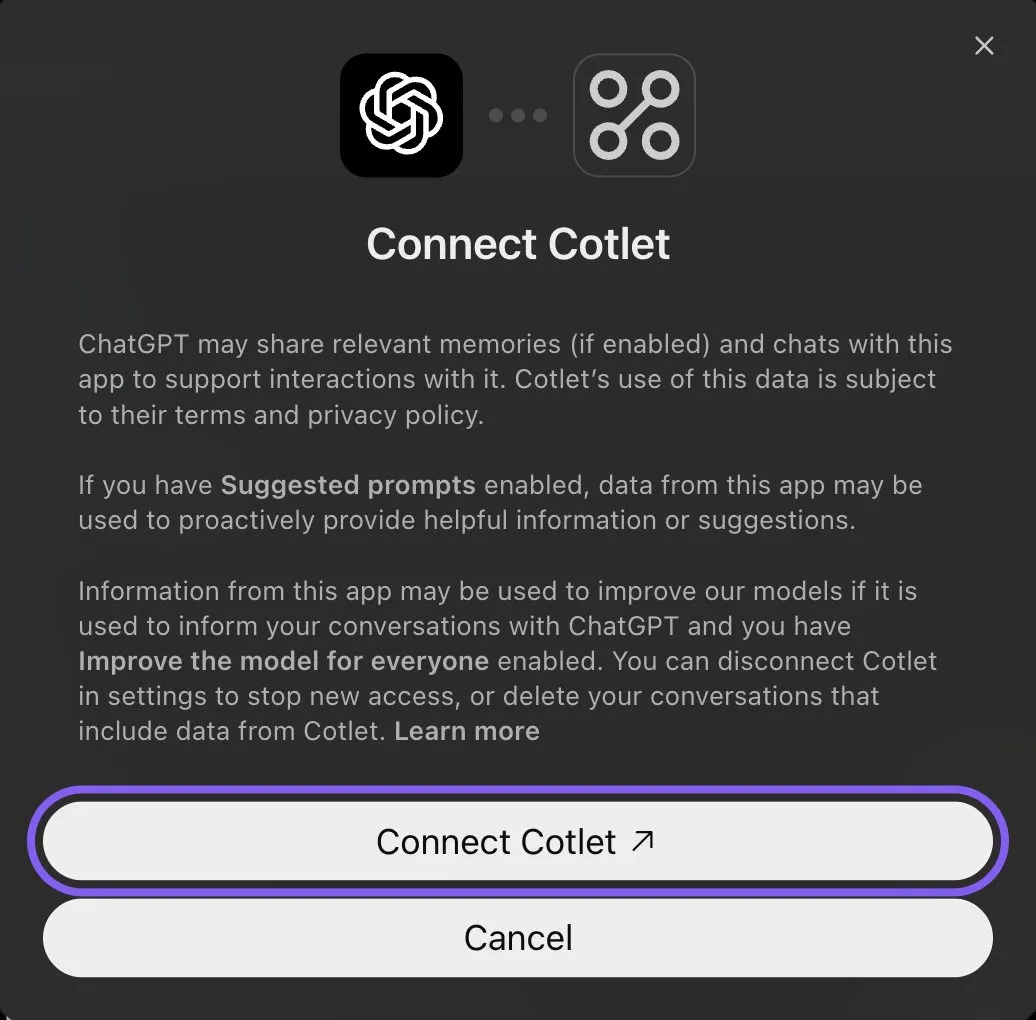
ChatGPT, connecting the Cotlet plugin, November 2026.
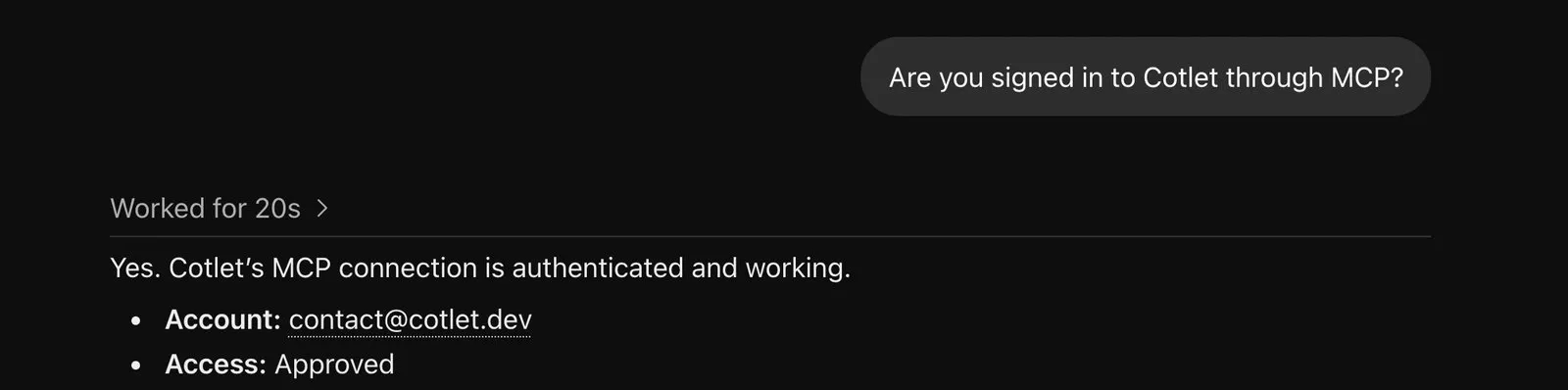
ChatGPT confirming the Cotlet connection, November 2026.
ChatGPT asks “Allow ChatGPT to use Cotlet?” before some steps. Pick Always allow, or the chat waits for your click. On a Business, Enterprise or Edu workspace, an admin has to allow custom MCP servers first.
How to connect FieldPulse to Claude
- Open Connectors in Claude and click Add. In the desktop app it is under Customize, Connectors.
- Click Add custom connector.
- Paste the name
Cotletand the URLhttps://cotlet.dev/mcp/v1/connect, then click Continue. - Keep the settings and click Add.
- A Cotlet page opens. Click Allow access.
- In a chat, click the plus button, then Connectors, and turn Cotlet on.
- Ask Claude: “Are you signed in to Cotlet through MCP?”, then “Which completed FieldPulse jobs this month have no invoice yet?”. Claude asks before it uses a Cotlet tool the first time. Click Allow.

Claude, Customize, Connectors, November 2026.

Claude, chat menu, Connectors, November 2026.
Claude’s free plan allows one custom connector. On a Team or Enterprise plan, an owner adds Cotlet in Organization settings, Connectors, and you click Connect next to it.
How to connect FieldPulse to Claude Code
Add Cotlet without a key, then sign in once in the browser:
claude mcp add --transport http cotlet https://cotlet.dev/mcp/v1/connectRun /mcp in Claude Code, pick cotlet and sign in to Cotlet. Prefer an API key, for example on a server? Create one in the Cotlet console and use:
claude mcp add --transport http cotlet https://cotlet.dev/mcp/v1 \
  --header "Authorization: Bearer $COTLET_API_KEY"
How to connect FieldPulse to Codex
Create an API key in the Cotlet console, put it in the COTLET_API_KEY environment variable and add this to ~/.codex/config.toml:
[mcp_servers.cotlet]
url = "https://cotlet.dev/mcp/v1"
bearer_token_env_var = "COTLET_API_KEY"
How to connect FieldPulse to Cursor
Create an API key in the Cotlet console, put it in the COTLET_API_KEY environment variable and add this to ~/.cursor/mcp.json:
{
  "mcpServers": {
    "cotlet": {
      "url": "https://cotlet.dev/mcp/v1",
      "headers": { "Authorization": "Bearer ${env:COTLET_API_KEY}" }
    }
  }
}
How to connect FieldPulse to Grok
Grok takes custom MCP servers on grok.com, per xAI’s connectors documentation (checked 8 November 2026).
- Open grok.com/connectors and click New Connector.
- Pick Custom and paste the server URL
https://cotlet.dev/mcp/v1/connect. - Sign in to Cotlet when Grok asks, then click Allow access.
- Ask Grok: “Are you signed in to Cotlet through MCP?”
On Grok Business, an admin adds the connector first in the xAI console, under Grok Business, Connectors. The Grok chat inside X has no custom connector menu.
How to connect FieldPulse to Hermes Agent
Add Cotlet to ~/.hermes/config.yaml in the format of the Hermes MCP config reference:
mcp_servers:
  cotlet:
    url: "https://cotlet.dev/mcp/v1"
    headers:
      Authorization: "Bearer ${COTLET_API_KEY}"
    trust: untrusted
Put COTLET_API_KEY in ~/.hermes/.env and check it with hermes mcp test cotlet. With trust: untrusted, Hermes runs reads at once and asks before every write. More on Hermes in our post on the Hermes Agent browser.
How to connect FieldPulse to n8n
Use the MCP Client node, or the MCP Client Tool inside an AI Agent node:
- Server Transport: HTTP Streamable
- MCP Endpoint URL:
https://cotlet.dev/mcp/v1 - Authentication: Bearer Auth, with your Cotlet API key as the token
- Tools: let the AI Agent node use Cotlet’s browser tools; it reads Cotlet’s FieldPulse guide first and works in your signed-in FieldPulse account
Use it for work that should run on its own, such as a 5 pm draft of tomorrow’s schedule from the unscheduled jobs, waiting for your approval.
Any other MCP client
Point the client at https://cotlet.dev/mcp/v1 over Streamable HTTP, with the header Authorization: Bearer <your Cotlet API key>. A client that supports OAuth sign-in can use https://cotlet.dev/mcp/v1/connect instead and needs no key. The full reference is in the MCP docs.
These are office jobs that usually wait until the evening. Check the result in FieldPulse once each is done.
Fill tomorrow’s schedule from the unscheduled list
Find the unscheduled FieldPulse jobs and fit them into tomorrow’s gaps by technician, keeping each tech in one part of town. Show me the plan and ask before you book.
Unscheduled jobs pile up while the phones ring. The AI reads tomorrow’s schedule, finds each technician’s open slots and matches the waiting jobs to them by area. A job that needs a part first is left out and named. You approve the plan, and the AI books each job into FieldPulse.
Follow up estimates nobody answered
Which FieldPulse estimates have had no answer for 3 days? Draft a short follow-up for each with the job and the total, and send nothing yet.
Estimates go out fast and then sit. The AI finds every estimate with no customer response in three days and writes a two line follow-up per customer. You read the drafts, change any you like and approve the ones to send.
Catch completed jobs that never got invoiced
Which FieldPulse jobs were completed this month but have no invoice yet? List them with the customer and the job total.
A finished job without an invoice is unpaid work. The AI compares completed jobs with invoices and gives you the gap. It only reads. Tell it to create the invoices next, and it will show each one before it does.
What it costs
Your FieldPulse subscription stays as it is, with Maverick included. Cotlet is paid separately with one-off credit packs: $29 gets 5,000 credits that last 12 months. Successful calls take 10 credits, failed calls take none, and the Cloud Browser takes 50 credits a day while FieldPulse is enabled for agents. A free first week, no card needed, is on the pricing page.
FAQ
Does FieldPulse have an MCP server?
Yes, but for the help docs. FieldPulse’s MCP server at help.fieldpulse.com/mcp searches its public Help Center and API specs. It does not open your jobs, customers or invoices. Cotlet’s server at https://cotlet.dev/mcp/v1/fieldpulse works in your own signed-in account.
How do I get FieldPulse API access?
Ask FieldPulse Support. The Founding User has to request it and explain how the key will be used, and Support then turns on the Developer Platform for the account. You then need code that calls it.
Can ChatGPT schedule jobs and send invoices in FieldPulse?
Yes, through Cotlet. ChatGPT books jobs and creates or sends invoices in your FieldPulse account, and each of those waits for your OK first.
Is this the same as Maverick?
No. Maverick is FieldPulse’s assistant inside the web app. Cotlet lets the AI you already use, such as ChatGPT or Claude, work in FieldPulse from outside it, including on a schedule through n8n.
Does Cotlet come from FieldPulse?
No. Cotlet is independent and not affiliated with FieldPulse. The agent uses your own FieldPulse login, inside a Cloud Browser kept for your account.
Plan tomorrow before you leave the office today
The schedule, the estimates and the invoices can move to your AI this week. Make a Cotlet account, open the FieldPulse web app in its Cloud Browser and give your assistant the address from step 2. Other field service tools, Housecall Pro and Jobber among them, sit in the catalog.


