How to connect Garmin Connect to ChatGPT and Claude, no code needed
Garmin Connect has no official MCP server (checked 27 Oct 2026). Connect it to ChatGPT, Claude or any AI agent with Cotlet.dev and hand over three jobs.
Cotlet team 15 min read
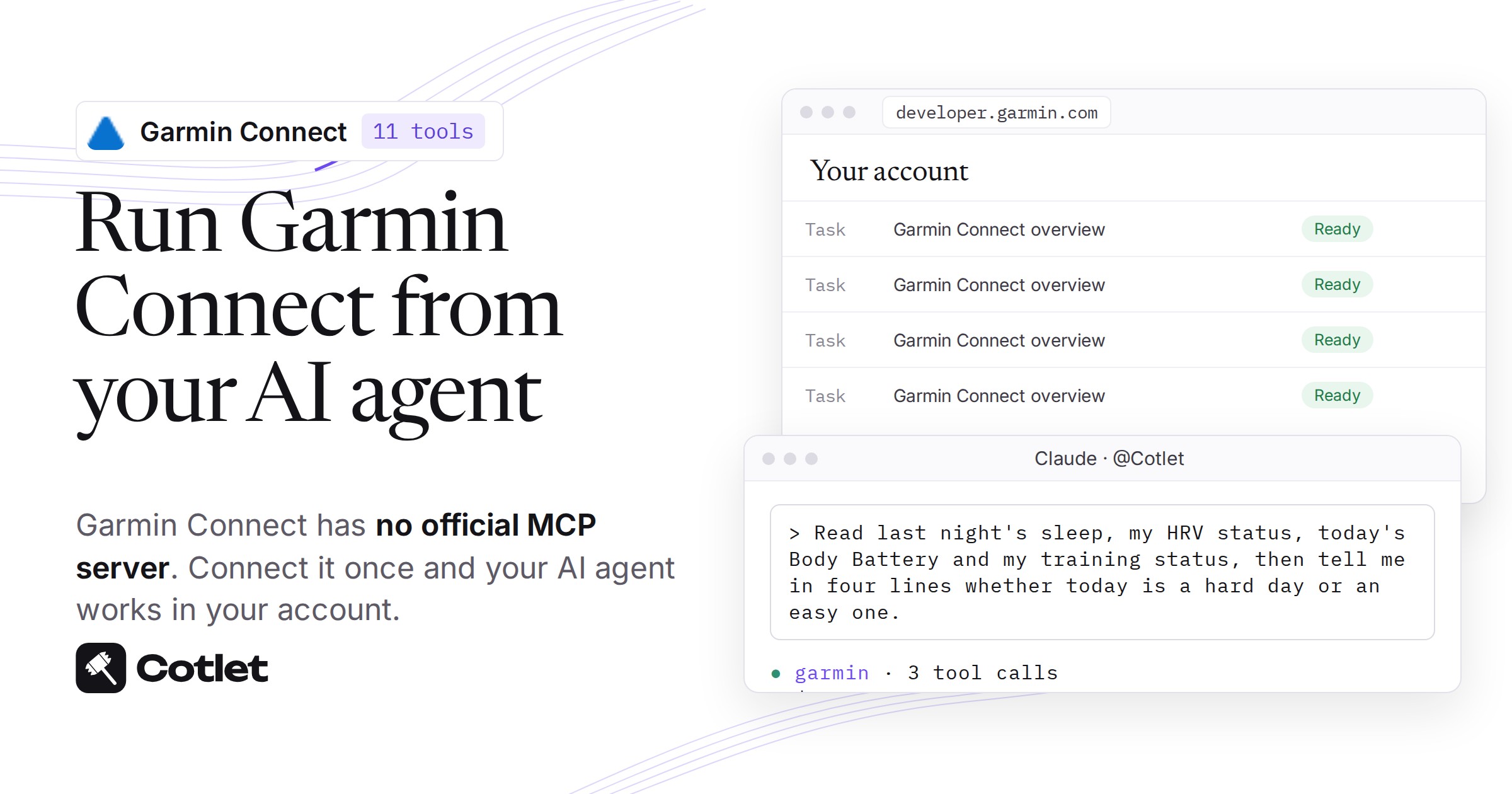
Garmin Connect has no official MCP server and no ChatGPT or Claude connector (checked 27 Oct 2026), but its official API has offered a free Personal key since 21 Oct 2026 for your own activity and health data, pull only. Workouts and courses go in only through business tiers you apply for. Your AI agent can work in your own account through Cotlet.dev, and this guide shows how to connect Garmin Connect to ChatGPT, Claude and any AI agent in two steps.
Garmin Connect holds your training week: sleep, HRV, Body Battery, runs, workouts and the calendar that feeds your watch. If you run your training or your coaching routine from one Garmin Connect account, you open the same screens every morning and rebuild the same workouts every week. Cotlet.dev is for people who run a business in Garmin Connect and want an AI agent to manage their account, while someone who only wants to look at personal data uses Garmin Connect’s own app.
Put ChatGPT and Claude to work on your Garmin Connect activities, sleep and workouts
Your AI agent gets 11 Garmin Connect tools, and each row below is one area of your account with what the agent does there.
| Area of Garmin Connect | What your AI agent does |
|---|---|
| Activities | Lists activities newest first, filtered by type and date, with distance, duration and average heart rate. |
| Activity detail | Opens one activity with its summary, splits and heart rate zones. |
| Activity files | Downloads the original FIT file, or GPX or TCX where Garmin offers them. |
| Sleep | Reads one night of sleep: score, total time and sleep stages. |
| HRV and Body Battery | Reads overnight heart rate variability with the HRV status Garmin assigns, and Body Battery with the morning level, the day’s high and low, and what drained it. |
| Training status | Reads training status, training readiness and VO2 max as Garmin Connect shows them. |
| Workouts and calendar | Lists your workout library, reads the training calendar, creates workouts from a list of steps and schedules them on a date. |
Garmin Connect changes only when your agent schedules a workout: schedule_workout is the one tool that asks first, and the schedule shows up in your Cotlet.dev console before anything lands on your training calendar. A new workout sits in your library until you schedule it and reaches no one, and you undo it by deleting it in Garmin Connect. Inputs and a sample response for every tool are on the Cotlet.dev Garmin Connect integration page.
Read what Garmin Connect offers on its own: an API, an MCP server and a ChatGPT app
Garmin Connect has an official API but no MCP server (checked 27 Oct 2026). Since 21 Oct 2026 anyone can make a free Personal API key for their own activity and health data, pull only, and workouts and courses go in through business tiers you apply for, as the Garmin Connect Developer Program overview explains (checked 27 Oct 2026). Garmin says the Personal key is not meant for commercial apps that serve other people. A key lasts 30 days, 90 days, 180 days or one year, and tokens last 24 hours (checked 27 Oct 2026).
Garmin Connect has no app of its own in ChatGPT or Claude (checked 6 Nov 2026). Zapier has no Garmin Connect app that we found, n8n has no Garmin node and Make was not reachable (checked 27 Oct 2026).
Cotlet.dev fills the gap at https://cotlet.dev/mcp/v1, one MCP address that serves 11 Garmin Connect tools.
Your AI agent works in your own Garmin Connect account through that address, on the same screens you see after you sign in.
Confirm these Garmin Connect details before you connect
- Garmin Connect login: you need your own login at connect.garmin.com, and you type it on Garmin’s page in Step 1.
- Garmin Connect plan: Cotlet.dev works in your account on the plan you have, and the tools here do not need Garmin Connect+. Features Garmin sells with Connect+, such as nutrition tracking, need that subscription in Garmin first (checked 27 Oct 2026).
- Garmin Connect verification: if Garmin asks to verify, a sign-in code goes to you and you type it in.
- Garmin Connect device: a watch that does not record a metric, such as HRV status or training readiness, returns it empty. HRV status needs about three weeks of sleep data.
- Your AI agent: any chat app, editor or workflow tool that accepts an MCP server address, including the phone apps of ChatGPT and Claude.
Step 1: Enter your Garmin Connect login in the Cloud Browser and press Enable for agents
Garmin Connect is opened for your agent inside the Cotlet.dev Cloud Browser. Sign up at Cotlet.dev, open Garmin Connect under Integrations in the console, and sign in to Garmin Connect in its Cloud Browser with your own login at connect.garmin.com. Then press Enable for agents.
Garmin Connect gets your password on its own page: you type it there, and Cotlet.dev never stores it. Cotlet.dev keeps your signed-in Garmin Connect profile, encrypted with AES-256-GCM, in Finland, and never the password. If Garmin asks to verify, a sign-in code goes to you and you type it in.
Garmin Connect access stays yours to cut. You disable it for agents, reset the browser, or sign out of Garmin Connect. No tool touches your password, two-factor, subscription, devices, sharing or deleting.
Step 2: Connect Garmin Connect to ChatGPT, Claude or any agent with one MCP address
Your AI agent can be ChatGPT, Claude, Claude Code, Codex, Cursor, Grok, Hermes Agent, n8n or any other MCP client, and each one takes the same address.
Pick your AI above to see its steps.
How to connect Garmin Connect to ChatGPT
Do this on chatgpt.com in your browser. Cotlet then works in the ChatGPT desktop and phone apps too.
- Open Plugins in ChatGPT and click Add.
- Click Add custom MCP server.
- Paste the name
Cotletand the server URLhttps://cotlet.dev/mcp/v1/connect. Keep Authentication on OAuth. - Tick “I understand and want to continue” and click Create as a plugin.
- Click Connect Cotlet. A Cotlet page opens, click Allow access.
- In a new chat, type
@Cotletand pick it from the list. - Ask ChatGPT: “Are you signed in to Cotlet through MCP?” Then try a first Garmin Connect task: “Read last night’s sleep, my HRV status, today’s Body Battery and my training status, then tell me in four lines whether today is a hard day or an easy one.”

ChatGPT, Plugins page, November 2026.
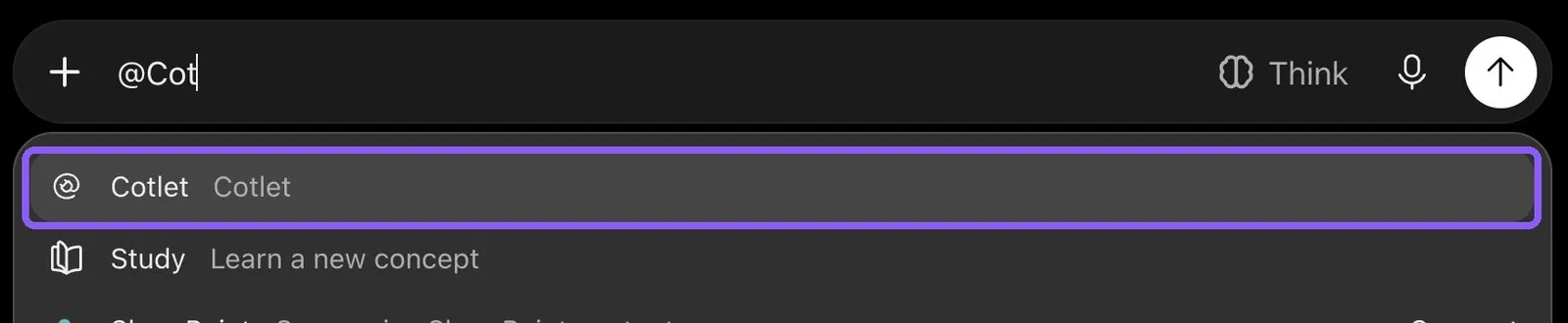
ChatGPT, picking Cotlet in a new chat with @, November 2026.
ChatGPT asks “Allow ChatGPT to use Cotlet?” before some steps. Pick Always allow, or the chat waits for your click. On a Business, Enterprise or Edu workspace, an admin has to allow custom MCP servers first.
How to connect Garmin Connect to Claude
- Open Connectors in Claude and click Add. In the desktop app it is under Customize, Connectors.
- Click Add custom connector.
- Paste the name
Cotletand the URLhttps://cotlet.dev/mcp/v1/connect, then click Continue. - Keep the settings and click Add.
- A Cotlet page opens. Click Allow access.
- In a chat, click the plus button, then Connectors, and turn Cotlet on.
- Ask Claude: “Are you signed in to Cotlet through MCP?”, then “Read my calendar for next week, build an easy run, an interval workout and a long run in my workout library, and show me the plan before you schedule anything.”. Claude asks before it uses a Cotlet tool the first time. Click Allow.

Claude, Add custom connector form, November 2026.

Cotlet consent page after you add the connector in Claude, November 2026.
Claude’s free plan allows one custom connector. On a Team or Enterprise plan, an owner adds Cotlet in Organization settings, Connectors, and you click Connect next to it.
How to connect Garmin Connect to Claude Code
Add Cotlet without a key, then sign in once in the browser:
claude mcp add --transport http cotlet https://cotlet.dev/mcp/v1/connectRun /mcp in Claude Code, pick cotlet and sign in to Cotlet. Prefer an API key, for example on a server? Create one in the Cotlet console and use:
claude mcp add --transport http cotlet https://cotlet.dev/mcp/v1 \
  --header "Authorization: Bearer $COTLET_API_KEY"
How to connect Garmin Connect to Codex
Create an API key in the Cotlet console, put it in the COTLET_API_KEY environment variable and add this to ~/.codex/config.toml:
[mcp_servers.cotlet]
url = "https://cotlet.dev/mcp/v1"
bearer_token_env_var = "COTLET_API_KEY"
How to connect Garmin Connect to Cursor
Create an API key in the Cotlet console, put it in the COTLET_API_KEY environment variable and add this to ~/.cursor/mcp.json:
{
  "mcpServers": {
    "cotlet": {
      "url": "https://cotlet.dev/mcp/v1",
      "headers": { "Authorization": "Bearer ${env:COTLET_API_KEY}" }
    }
  }
}
How to connect Garmin Connect to Grok
Grok takes custom MCP servers on grok.com, per xAI’s connectors documentation (checked 8 November 2026).
- Open grok.com/connectors and click New Connector.
- Pick Custom and paste the server URL
https://cotlet.dev/mcp/v1/connect. - Sign in to Cotlet when Grok asks, then click Allow access.
- Ask Grok: “Are you signed in to Cotlet through MCP?”
On Grok Business, an admin adds the connector first in the xAI console, under Grok Business, Connectors. The Grok chat inside X has no custom connector menu.
How to connect Garmin Connect to Hermes Agent
Add Cotlet to ~/.hermes/config.yaml in the format of the Hermes MCP config reference:
mcp_servers:
  cotlet:
    url: "https://cotlet.dev/mcp/v1"
    headers:
      Authorization: "Bearer ${COTLET_API_KEY}"
    trust: untrusted
Put COTLET_API_KEY in ~/.hermes/.env and check it with hermes mcp test cotlet. With trust: untrusted, Hermes runs reads at once and asks before every write. More on Hermes in our post on the Hermes Agent browser.
How to connect Garmin Connect to n8n
Use the MCP Client node, or the MCP Client Tool inside an AI Agent node:
- Server Transport: HTTP Streamable
- MCP Endpoint URL:
https://cotlet.dev/mcp/v1 - Authentication: Bearer Auth, with your Cotlet API key as the token
- Tools: Cotlet.dev’s browser tools; the AI Agent node reads the Garmin Connect guide first
Use it to run this on a schedule: export original FIT files without clicking through each run.
Any other MCP client
Point the client at https://cotlet.dev/mcp/v1 over Streamable HTTP, with the header Authorization: Bearer <your Cotlet API key>. A client that supports OAuth sign-in can use https://cotlet.dev/mcp/v1/connect instead and needs no key. The full reference is in the MCP docs.
Cotlet.dev gives every client the address https://cotlet.dev/mcp/v1. In ChatGPT or Claude, add it as a connector or MCP server, sign in to Cotlet.dev when the chat app asks, and approve the connection. Editors and n8n follow the steps shown in your console.
Your AI agent lists the 11 Garmin Connect tools once the connection is approved. If you enabled Garmin Connect after connecting, refresh the connector so the new tools show up. The same address serves every app you enable, Garmin Connect with the rest.
Garmin Connect answers a first test within seconds. Ask for your last activities: lists default to 25 records, with a maximum of 100, and distance km and duration min keep kilometers and minutes.
Start with three Garmin Connect jobs: a readiness check, a workout week and a file export
Check readiness from four screens in one answer
Your AI agent takes a request like “Read last night’s sleep, my HRV status, today’s Body Battery and my training status, then tell me in four lines whether today is a hard day or an easy one.” It calls get_sleep, get_hrv_status, get_body_battery and get_training_status, which only read and run at once with no approval. You save opening four separate screens in Garmin Connect every morning. Garmin Connect needs about three weeks of sleep data before it assigns an HRV status, and training readiness comes back empty on devices that do not calculate it, so your agent reports those values as missing.
Build next week’s workouts and schedule them only after your OK
Your AI agent takes a request like “Read my calendar for next week, build an easy run, an interval workout and a long run in my workout library, and show me the plan before you schedule anything.” It reads get_training_calendar, saves each workout with create_workout, and then asks you before schedule_workout puts anything on a date. Garmin’s manuals say workouts sent from Connect to a device overwrite the training calendar already on it, so check the calendar before you approve. Garmin’s official Personal route cannot do this job: it is pull only, and workouts and courses go in through business tiers you apply for, as Garmin Rumors describes (checked 27 Oct 2026). You save building every step by hand in the workout editor.
Export original FIT files without clicking through each run
Your AI agent takes a request like “List my runs from last week, download the original FIT file for each one, and give me distance, duration and average heart rate in one table.” It calls list_activities, which returns newest first and filters by type and date, then download_activity for each run. GPX and TCX are not offered for every activity type, and Garmin exports multisport activities only as FIT, so the original FIT file is the safe choice. Nothing changes in your account, so no approval is needed, and you save opening each activity page to press download.
Look at how the other routes from Garmin Connect to an agent differ
- Garmin Connect’s Personal API key is free, covers your own activity and health data, is pull only and lasts 30 days, 90 days, 180 days or one year, so you need your own scripts to use it (Garmin Connect Developer Program overview, checked 27 Oct 2026).
- Garmin Connect has an official Garmin Personal API Python client, which is the starting point for those scripts (checked 27 Oct 2026).
- Garmin Connect Starter and Enterprise are for companies, and Starter needs an access request that asks for a business model and any AI services that process the data (Garmin Rumors, checked 27 Oct 2026).
- Garmin Connect has no Zapier app that we found (checked 27 Oct 2026).
- Garmin Connect has no n8n node, and Make was not reachable (checked 27 Oct 2026).
- Garmin Connect MCP servers on GitHub, such as Taxuspt/garmin_mcp, sign in with your Garmin email and password through an unofficial library, while Mason-Levyy/garmin-personal-mcp reads only on the Personal API and needs a renewed key (checked 27 Oct 2026).
- Garmin Connect data in Tredict runs on Garmin’s official business API with an MCP server and a ChatGPT plugin, but you move your training log into Tredict (checked 27 Oct 2026).
Cotlet.dev gives you everything the owner can do in Garmin Connect, on every screen, read and write, from ChatGPT, Claude or any agent, with no API key, on the current Garmin Connect plan.
FAQ
Does Garmin Connect have an official ChatGPT or Claude integration?
Garmin Connect has no app of its own in ChatGPT or Claude (checked 6 Nov 2026). ChatGPT lists third-party fitness apps, and on iPhone Garmin data can reach ChatGPT through Apple Health, read only. Cotlet.dev works in your own Garmin Connect account, so your AI agent can also build workouts and put them on your Garmin calendar.
Does Garmin Connect have an API or an MCP server?
Garmin Connect has an official API but no MCP server (checked 27 Oct 2026). The Personal key is pull only, and workouts and courses go in through business tiers. Cotlet.dev hosts an MCP server with 11 Garmin Connect tools at https://cotlet.dev/mcp/v1.
Can Zapier, Make or n8n connect Garmin Connect to an AI agent?
Garmin Connect has no Zapier app that we found and no n8n node, and Make was not reachable (checked 27 Oct 2026). n8n connects to the Cotlet.dev address like any other MCP client. Your AI agent then reads and writes in your Garmin Connect account through the same 11 tools.
Can ChatGPT create workouts in Garmin Connect?
Your AI agent can, through Cotlet.dev. ChatGPT and Claude build runs, rides and strength workouts in your library from a list of steps, and schedule_workout puts one on a date after your OK. Garmin’s Personal key cannot do this, because it is pull only (checked 27 Oct 2026).
Why not use Garmin’s free Personal API key?
Garmin Connect’s Personal key works for reading your own activity and health data (checked 27 Oct 2026). It is pull only, it expires after 30 days to a year, and you need your own scripts or an open-source server to use it. Cotlet.dev covers what the key does not do: building and scheduling workouts, and training status, in a hosted server.
Does a scheduled workout reach my watch?
Garmin Connect puts a scheduled workout on your training calendar. Garmin’s manuals say workouts sent from Connect to the device overwrite the training calendar already on it. Ask your agent for get_training_calendar and check the week before you approve.
Do I need Garmin Connect+?
Garmin Connect+ is not needed for the tools here, because Cotlet.dev works in your account on the plan you have. Features Garmin sells with Connect+, such as nutrition tracking, need that subscription in Garmin first (checked 27 Oct 2026).
Does it work with any Garmin watch?
Cotlet.dev reads what Garmin Connect shows for your account. A device that does not record a metric, such as HRV status or training readiness, returns it empty.
Can the agent see my Garmin password?
Your AI agent never sees your Garmin password. Cotlet.dev keeps the signed-in profile and never the password, and the 11 tools return neither the password nor any sign-in data.
Is Cotlet.dev affiliated with Garmin?
Cotlet.dev is independent and not affiliated with Garmin Ltd. If Garmin Connect’s own integrations cover what you need, use them first.
Run a readiness check on your own Garmin Connect account today
Your AI agent can answer one question right after the connection: what does Garmin Connect say about last night’s sleep and today’s Body Battery? Compare the answer with the Garmin Connect app, then hand over the workout week and the file export. Set it up from the Cotlet.dev Garmin Connect integration page.


