How to connect Gentu to ChatGPT, Claude and any AI agent
Gentu gives a practice no API key and has no MCP server (checked 26 Nov 2026). Let ChatGPT watch expiring referrals, rejected claims and banking.
Cotlet team 13 min read
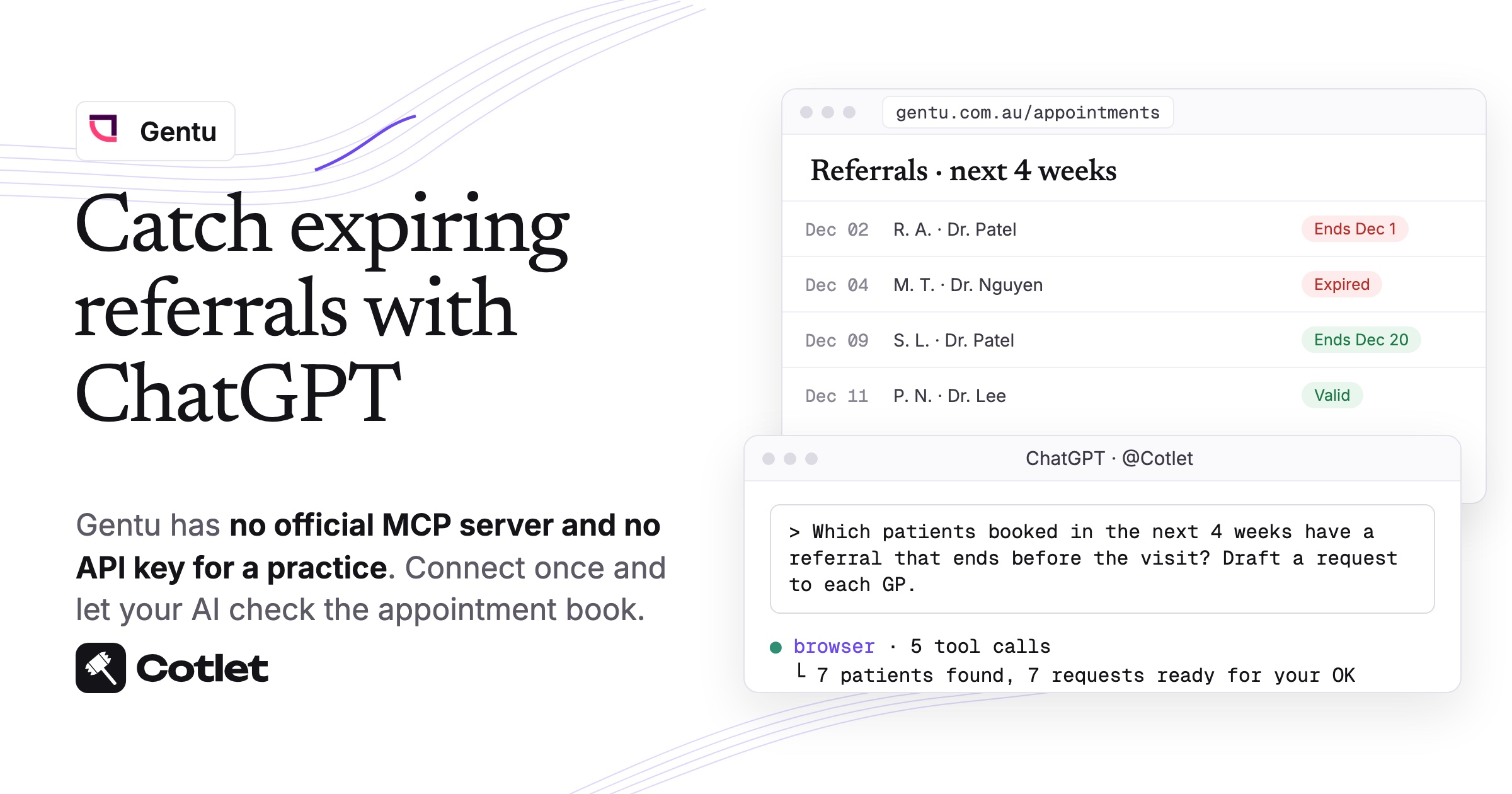
Gentu has no official MCP server, ChatGPT app or Claude connector as of 26 November 2026, and a practice cannot get an API key either. The Magentus API is for developer partners accepted to the Gentu Marketplace. A practice gets in through the Cloud Browser that Cotlet hosts. Sign in to Gentu there once, and ChatGPT, Claude or another agent works through your appointment book, referrals and reports like a second practice manager. Allow ten minutes for the setup. You write no code.
Gentu is practice management for medical specialists in Australia, so this guide is for the practice manager or owner of a specialist practice, not for a physio clinic. Cotlet is for the person who works inside Gentu every day. Your patients still book, get texts and pay as they do now.
Gentu screens the AI can work with
Ask as you would ask a colleague. The AI goes to the Gentu screen with the answer and reads it out.
| Part of Gentu | What the AI handles |
|---|---|
| Patient > Patient Details, Referrals table | Finds booked patients whose referral ends before the visit, with the referring doctor |
| Reports > Claims Control | Lists claims with exceptions, rejections or no reply, with the message for each |
| Reports > Banking Report | Adds up today’s transactions by payment type for the bank match |
| Waitlist in the Appointment Book | Picks who can take a free slot by priority, provider and available days |
| Patient list and reports | Copies a list into your sheet, such as new referrals by referring GP |
Texts to patients, letters to GPs and changes to an appointment stop and wait for your OK. A report you only read and a draft you only write leave Gentu exactly as it was.
The screens the AI uses are listed on the Gentu MCP server page. To get the same jobs into a spreadsheet or n8n, open build a Gentu API.
Gentu and AI: Marketplace API, Heidi, no MCP
This is what a Gentu practice has on 26 November 2026:
- An API for partners only. The Magentus developer partner page says accepted partners get documentation, APIs and SDKs, and that Gentu has over 2,500 specialist practices. A practice does not get a key. It switches a partner on with a pairing code from the Marketplace. The API documentation sits on a developer portal for those partners.
- AI scribes through the Marketplace. Heidi pushes AI-written notes and letters into the patient file in Gentu with one click. It writes notes and does not answer questions about your practice.
- No official MCP server. A third party, Unified.to, lists a Gentu API and MCP server. Gentu does not publish it, and the official MCP Registry has no Gentu entry.
- No Zapier, Make or n8n app. On the day of writing, every one of the three pages gave a 404.
- Reports and exports in the account. The Banking Report and Claims Control run inside Gentu, and the patient list exports.
A Marketplace partner can build on the API. A practice that wants its own daily checks is better served by a hosted MCP server that works in the session you already have open. The page Gentu API and MCP status scores each route.
Before you start
- Your own Gentu login. The AI sees what your role sees. By default only the Administrator and Doctor roles open the Banking Report (Settings > Manage Roles), so look at your role first.
- The web version of Gentu at gentu.com.au, since the Cloud Browser works in a browser.
- Three checks you repeat by hand every week. That is enough to begin.
- A ChatGPT or Claude account. Claude’s free plan is fine for a single connector.
- A Cotlet account. The first week is free and asks for no card (pricing).
Step 1: sign in to Gentu in your Cloud Browser
Launch the Cloud Browser from the Cotlet console and go to gentu.com.au/users/sign_in. Enter your email and password there, plus a code if Gentu sends one. The appointment book opening means you are in.
The password goes to Gentu alone. Cotlet never stores it. Your browser profile is kept encrypted in your account. If Gentu closes the session, the AI gives you a link to log in again. The rest is on the security page.
Step 2: add Cotlet to your AI client
Enter Cotlet’s MCP address in your AI client a single time. After that it can reach every Gentu screen that your login opens. Click the tile of the client you use.
Pick your AI above to see its steps.
How to connect Gentu to ChatGPT
Do this on chatgpt.com in your browser. Cotlet then works in the ChatGPT desktop and phone apps too.
- Open Plugins in ChatGPT and click Add.
- Click Add custom MCP server. Not in the menu? Turn on Developer mode in Settings, Security and login, then come back.
- Paste the name
Cotletand the server URLhttps://cotlet.dev/mcp/v1/connect. Keep Authentication on OAuth. - Tick “I understand and want to continue” and click Create as a plugin.
- Click Connect Cotlet. A Cotlet page opens, click Allow access.
- In a new chat, type
@Cotletand pick it from the list. - Ask ChatGPT: “Are you signed in to Cotlet through MCP?” Then try a first Gentu task: “Which Gentu patients booked in the next 4 weeks have a referral that ends before the visit?”
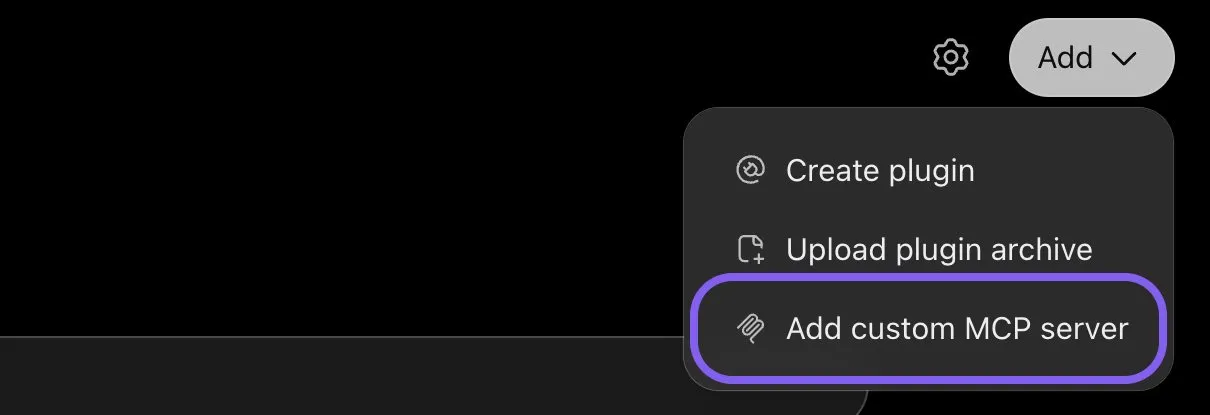
ChatGPT, Add menu on the Plugins page, November 2026.
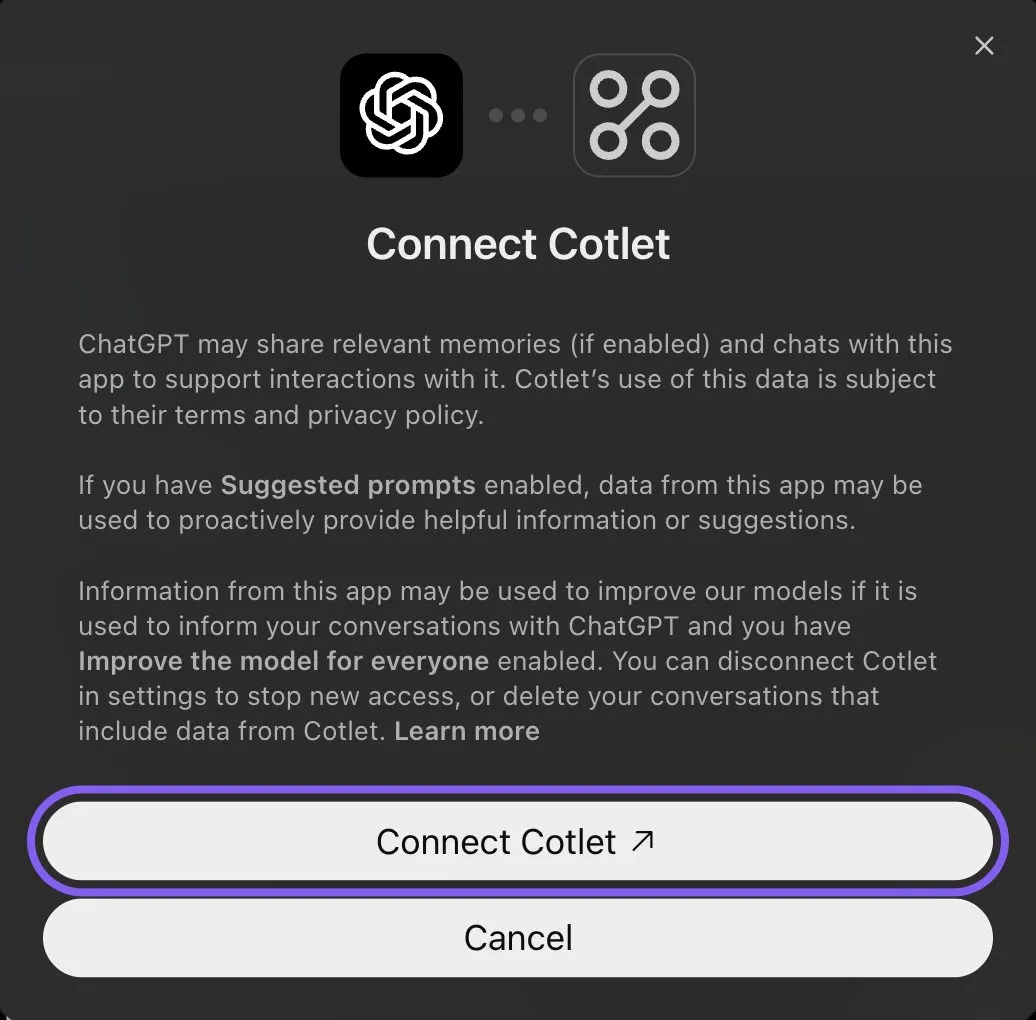
ChatGPT, connecting the Cotlet plugin, November 2026.
ChatGPT asks “Allow ChatGPT to use Cotlet?” before some steps. Pick Always allow, or the chat waits for your click. On a Business, Enterprise or Edu workspace, an admin has to allow custom MCP servers first.
How to connect Gentu to Claude
- Open Connectors in Claude and click Add. In the desktop app it is under Customize, Connectors.
- Click Add custom connector.
- Paste the name
Cotletand the URLhttps://cotlet.dev/mcp/v1/connect, then click Continue. - Keep the settings and click Add.
- A Cotlet page opens. Click Allow access.
- In a chat, click the plus button, then Connectors, and turn Cotlet on.
- Ask Claude: “Are you signed in to Cotlet through MCP?”, then “Which Medicare and DVA claims in Gentu have a rejection or an exception this month?”. Claude asks before it uses a Cotlet tool the first time. Click Allow.

Claude, Customize, Connectors, Add menu, November 2026.

Claude, chat menu, Connectors, November 2026.
Claude’s free plan allows one custom connector. On a Team or Enterprise plan, an owner adds Cotlet in Organization settings, Connectors, and you click Connect next to it.
How to connect Gentu to Claude Code
Add Cotlet without a key, then sign in once in the browser:
claude mcp add --transport http cotlet https://cotlet.dev/mcp/v1/connectRun /mcp in Claude Code, pick cotlet and sign in to Cotlet. Prefer an API key, for example on a server? Create one in the Cotlet console and use:
claude mcp add --transport http cotlet https://cotlet.dev/mcp/v1 \
  --header "Authorization: Bearer $COTLET_API_KEY"
How to connect Gentu to Codex
Create an API key in the Cotlet console, put it in the COTLET_API_KEY environment variable and add this to ~/.codex/config.toml:
[mcp_servers.cotlet]
url = "https://cotlet.dev/mcp/v1"
bearer_token_env_var = "COTLET_API_KEY"
How to connect Gentu to Cursor
Create an API key in the Cotlet console, put it in the COTLET_API_KEY environment variable and add this to ~/.cursor/mcp.json:
{
  "mcpServers": {
    "cotlet": {
      "url": "https://cotlet.dev/mcp/v1",
      "headers": { "Authorization": "Bearer ${env:COTLET_API_KEY}" }
    }
  }
}
How to connect Gentu to Grok
Grok takes custom MCP servers on grok.com, per xAI’s connectors documentation (checked 8 November 2026).
- Open grok.com/connectors and click New Connector.
- Pick Custom and paste the server URL
https://cotlet.dev/mcp/v1/connect. - Sign in to Cotlet when Grok asks, then click Allow access.
- Ask Grok: “Are you signed in to Cotlet through MCP?”
On Grok Business, an admin adds the connector first in the xAI console, under Grok Business, Connectors. The Grok chat inside X has no custom connector menu.
How to connect Gentu to Hermes Agent
Add Cotlet to ~/.hermes/config.yaml in the format of the Hermes MCP config reference:
mcp_servers:
  cotlet:
    url: "https://cotlet.dev/mcp/v1"
    headers:
      Authorization: "Bearer ${COTLET_API_KEY}"
    trust: untrusted
Put COTLET_API_KEY in ~/.hermes/.env and check it with hermes mcp test cotlet. With trust: untrusted, Hermes runs reads at once and asks before every write. More on Hermes in our post on the Hermes Agent browser.
How to connect Gentu to n8n
Use the MCP Client node, or the MCP Client Tool inside an AI Agent node:
- Server Transport: HTTP Streamable
- MCP Endpoint URL:
https://cotlet.dev/mcp/v1 - Authentication: Bearer Auth, with your Cotlet API key as the token
- Tools: let the AI Agent node use Cotlet’s browser tools; it reads Cotlet’s Gentu guide first and works in your signed-in Gentu account
Use it for work that should run on its own, such as a weekday 5 pm summary of the Banking Report by payment type in your inbox.
Any other MCP client
Point the client at https://cotlet.dev/mcp/v1 over Streamable HTTP, with the header Authorization: Bearer <your Cotlet API key>. A client that supports OAuth sign-in can use https://cotlet.dev/mcp/v1/connect instead and needs no key. The full reference is in the MCP docs.
Do these on a Monday, before the first patient arrives.
Catch referrals that end before the visit
Which patients booked in the next 4 weeks have a GP referral that has expired or expires before the visit? Draft a request to each GP.
In Gentu a referral lives in the patient’s record, and the Referrals table shows the referring doctor, the provider number, when it expires and who the patient was referred to. A referral to a GP gets a default 12 month duration. The AI reads the appointment book for four weeks, opens each booked patient’s Referrals table and lists the ones that end before the visit date. For each it drafts a request to the referring doctor. You read the drafts, and nothing leaves before your OK.
Work through rejected Medicare and DVA claims
Which Medicare, DVA or fund claims have an exception or a rejection this month? Show the message for each.
Claims Control separates three alerts: exceptions, rejections where no item will be paid, and No Reply, which Gentu says is typically a registration issue with the servicing provider. The AI ticks the exceptions checkbox, opens each claim and copies the message beside the item it applies to. You get one list grouped by alert type, so the No Reply claims go to whoever checks provider registrations and the rest go to billing. Marking an item as resolved stays with you.
Check the Banking Report against the bank
Summarise today’s Banking Report by payment type so I can match it to the bank deposit.
The Banking Report lists every cashflow transaction in the practice, refunds included, and it is meant for matching EFTPOS, cash and direct deposits to the bank. It updates when payments are backdated or refunded, so there is nothing to seal. The AI opens Reports > Banking Report, sets the provider and location filters you use, and totals each payment type. Payments taken with no site of service sit under their own filter, so the AI reports them as a separate line.
Cotlet costs, separate from Gentu
Your Gentu plan is untouched. Cotlet is a one-off pack, never a subscription: $29 buys 5,000 credits that stay valid for 12 months. A successful call burns 10 to 100 credits, and a failed call burns none. Once the trial is over, keeping Gentu connected in the Cloud Browser costs 50 credits a day. You begin with 500 credits for 7 days, and no card is required (pricing).
FAQ
Does Gentu have an API a practice can use without being a Marketplace partner?
No, as of 26 November 2026. Accepted Marketplace developer partners receive the Magentus API, SDKs and documentation, and a practice receives none of them. Cotlet asks for no key, since it uses the Gentu account you are signed in to.
Can a practice manager get an API or MCP server without hiring a developer?
Neither is offered to a practice. A developer portal exists for partners, and the only MCP listing is a third party’s on Unified.to. A hosted MCP server that runs in your own session works without a developer.
Is there a ChatGPT app or Claude connector for Gentu?
No. Gentu has no ChatGPT app and no Claude connector, and AI scribes such as Heidi connect through the Marketplace to write notes.
Can AI do the practice manager’s daily checks in Gentu?
Yes. Your AI opens the Banking Report, Claims Control and the referral lists in your own login and lists what needs attention. Ask for the same three checks every weekday and read one message.
Can ChatGPT or Claude find patients whose referral expires before their appointment?
Yes. The Referrals table shows each expiry date, and the AI compares it with the booked appointment. It lists the patient, the referring doctor and the date, and drafts a request for you to approve.
Can AI offer a cancelled slot to the Gentu waitlist?
Yes. The Waitlist is ordered by priority and holds each patient’s provider and available days. The AI filters it for the free slot, drafts a text to the first two and, after your OK, uses Add patient from waitlist on the vacancy. Gentu then removes that waitlist entry.
Can AI help link unlinked letters and results in Gentu?
It can list them and suggest a patient for each. Gentu’s correspondence FAQ says letters and results cannot be linked or deleted in bulk, so each one is linked by hand. You approve each match, and a wrong link would put a result in the wrong record.
Can AI list rejected Medicare and DVA claims in Gentu with the reason?
Yes. Claims Control shows the message for each exception and rejection, and the AI copies it into one list.
Can AI tell me which consult letters haven’t gone to the GP?
Yes. Ask for last week’s consult letters that are still drafts or have not gone to the referring GP. The AI names the letters and the doctors, and sending stays with you. Gentu cannot resend a letter once it is sent, so a corrected letter means copying the text into a new one.
Can AI find failed SMS reminders in Gentu?
Partly. Gentu’s SMS FAQ says a patient with no mobile number recorded gets no automated reminder, and the SMS Report under Print in the Appointment Book shows the reminders sent. The AI lists booked patients with no mobile number and the credit balance in Settings > SMS Settings, so reception can call those patients.
How do I get Gentu referral data into a spreadsheet?
The AI reads the referral list in your account and writes the rows to your sheet, such as last quarter’s new referrals by referring GP. A patient list export is also in Gentu’s own help.
Does Gentu work with Zapier?
No. Zapier, Make and n8n each show a 404 for Gentu. A Cotlet endpoint can feed any of them with data from your account.
Is Cotlet part of Gentu or Magentus?
No. Cotlet is unconnected to Gentu and Magentus and acts only as the user you signed in as.
Hand the morning checks to your AI
The Banking Report, Claims Control and the referral dates all wait for you each morning. Start your trial, log in through the Cloud Browser and ask ChatGPT which referrals lapse before the next appointment. The catalog lists more practice software.


