How to connect Groomer.io to ChatGPT, Claude and any AI agent
Groomer.io has no official MCP server and no public API found (checked 27 Nov 2026). Let ChatGPT or Claude find overdue clients and sum up commission.
Cotlet team 10 min read
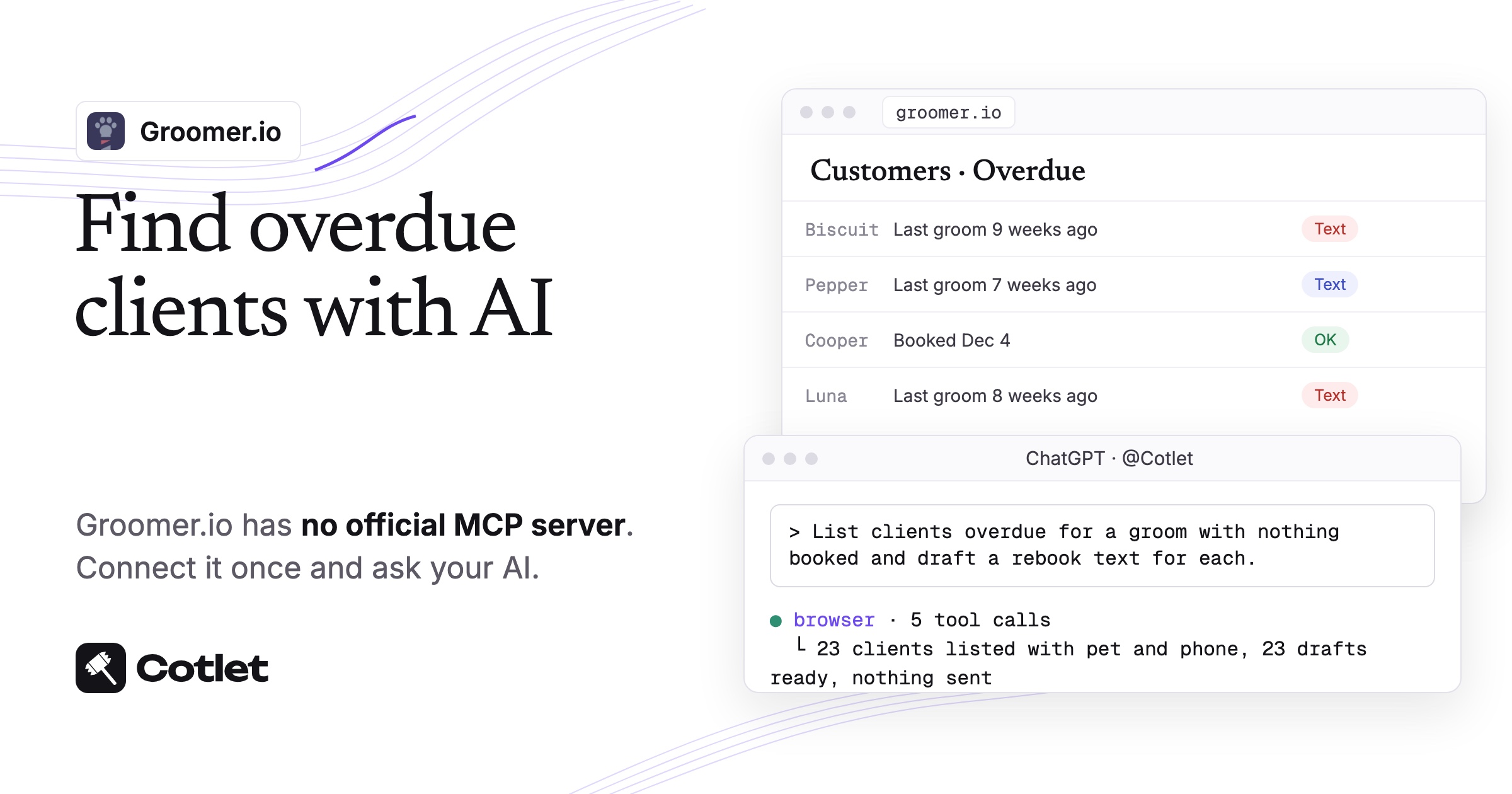
You finish the last dog of the day in the van, and the clients who vanished two months ago are still a list you never build. Groomer.io has no MCP server of its own, no public API we could find and no ChatGPT or Claude app (checked 27 Nov 2026). Cotlet gives an AI agent a Cloud Browser with Groomer.io open under your login. It reads the calendar, the customer list and the reports, and you change nothing in your setup.
This is for the person who runs a mobile grooming business or a single salon on Groomer.io: you, a partner or whoever answers the phone. Pet parents on your booking page are not the reader.
What ChatGPT and Claude can do in Groomer.io once connected
Say which groomer, which week or which clients, and the result comes back as a short list or a table.
| Groomer.io screen | What the AI does |
|---|---|
| Customers and pets | Lists clients whose last groom is older than 6 weeks and who have nothing booked |
| Calendar | Checks tomorrow for overlaps, a large breed in a short slot and a groomer over the slot limit |
| Online requests | Lists open requests with the pet, the service and the time range |
| Check-in and deposits | Lists no-shows and late cancels with deposit status and card on file |
| Reports | Gives last week’s revenue by service and groomer, with tips and deposits |
| Payroll management | Adds up commission and tips per groomer for a pay period |
| Campaigns | Drafts a text for clients not groomed in 8 weeks and shows the audience size |
Reading changes nothing. Texts to clients, confirming a request and any charge wait for your yes, and the agent cannot pay for anything. More ideas sit on the Groomer.io MCP page.
What Groomer.io offers for AI and APIs right now
State on 27 November 2026:
- No API in the help center. Its seven sections cover setup, appointments, online scheduling, features, payments and updates, with no page on developer access.
- Payments are the one integration. The pricing page lists Clover and Square integrations. They take card payments and do not expose your calendar or clients.
- Zapier, Make and n8n: nothing. The Zapier and Make app pages for Groomer.io return 404.
- ChatGPT and Claude: no connector. The MCP Registry has no Groomer.io entry.
- Exports are thin. The Transaction Summary report states that it cannot be exported.
So there is no key to ask for. Reading your own screens in a signed-in browser is the one route open today, and an official API from Groomer.io would be the better road once it exists. The scoring is in the Groomer.io API and MCP review, and the API page sketches endpoints for a van or a salon.
Before you start
- The owner login for groomer.io on the web.
- Several weeks of past appointments, so the overdue list has names in it.
- ChatGPT or Claude. One connector is enough, so the free Claude plan works.
- A Cotlet account, free to start (pricing).
Step 1: sign in to Groomer.io in your Cloud Browser
The Cloud Browser is your own Chrome window in the cloud. Go to groomer.io/login, the page with the Sign In heading, and log in as the owner.
The password goes into Groomer.io, never into Cotlet. If you ever want to end the agent’s access, one click in the console does it (security).
Step 2: connect Groomer.io to ChatGPT, Claude or another AI agent
You do this once, and every later chat reuses the Groomer.io login from step 1.
Pick your AI above to see its steps.
How to connect Groomer.io to ChatGPT
Do this on chatgpt.com in your browser. Cotlet then works in the ChatGPT desktop and phone apps too.
- Open Plugins in ChatGPT and click Add.
- Click Add custom MCP server. Not in the menu? Turn on Developer mode in Settings, Security and login, then come back.
- Paste the name
Cotletand the server URLhttps://cotlet.dev/mcp/v1/connect. Keep Authentication on OAuth. - Tick “I understand and want to continue” and click Create as a plugin.
- Click Connect Cotlet. A Cotlet page opens, click Allow access.
- In a new chat, type
@Cotletand pick it from the list. - Ask ChatGPT: “Are you signed in to Cotlet through MCP?” Then try a first Groomer.io task: “In Groomer.io, list the open online requests with the pet, the service and the requested time range. Change nothing.”
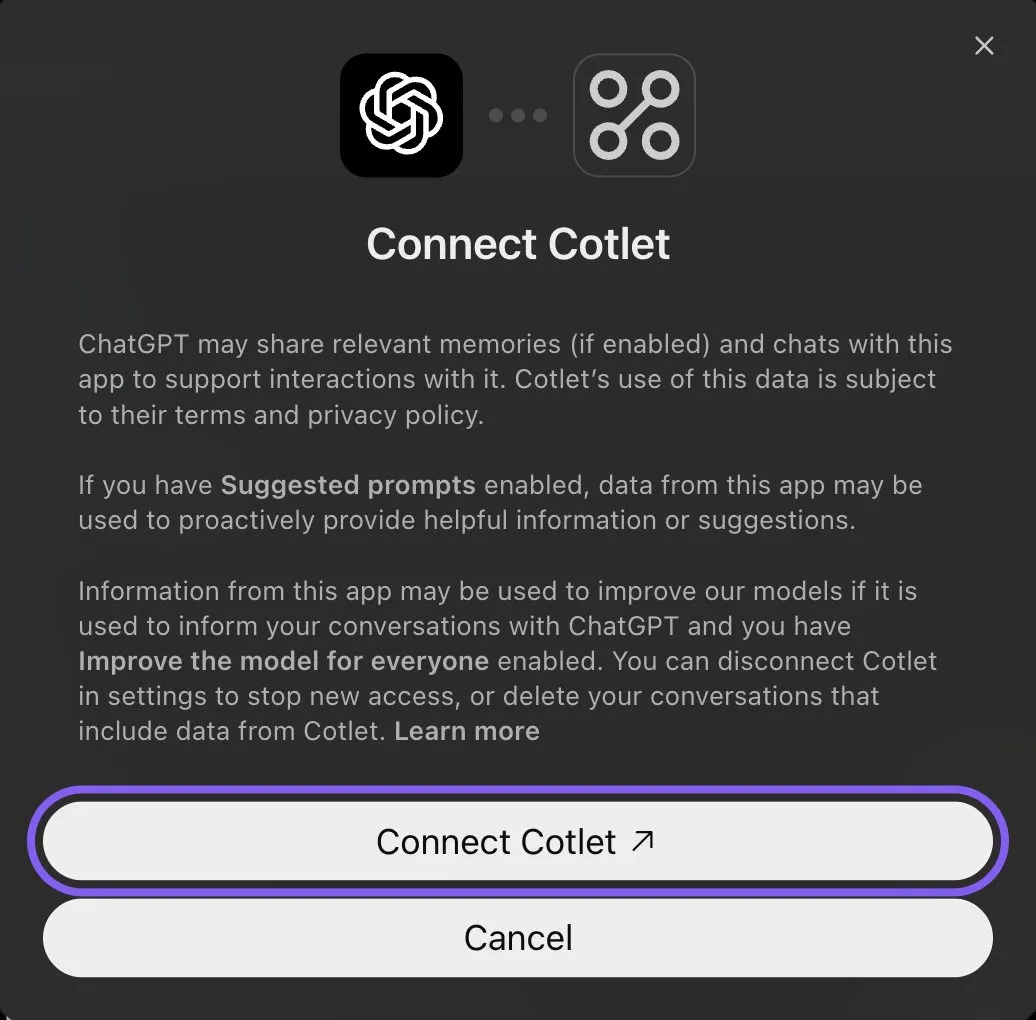
ChatGPT, connecting the Cotlet plugin, November 2026.
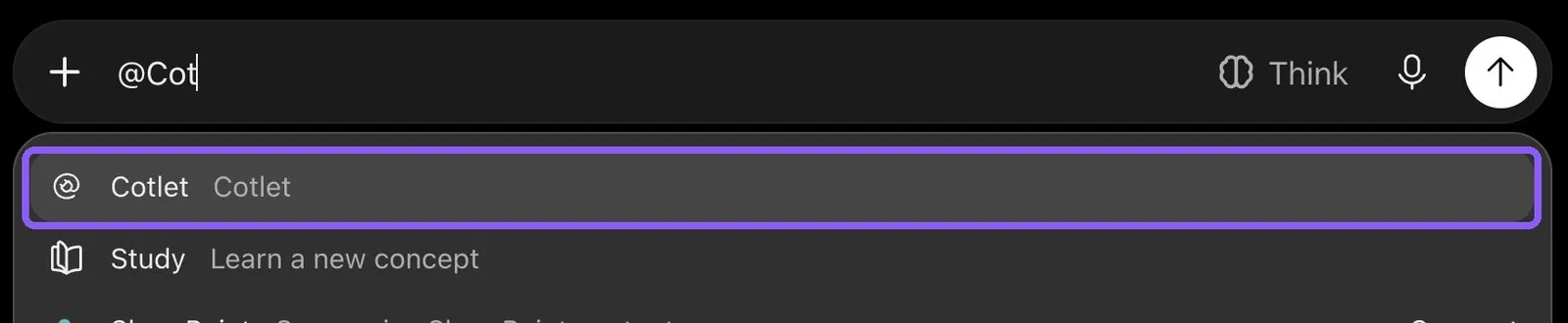
ChatGPT, picking Cotlet in a new chat with @, November 2026.
ChatGPT asks “Allow ChatGPT to use Cotlet?” before some steps. Pick Always allow, or the chat waits for your click. On a Business, Enterprise or Edu workspace, an admin has to allow custom MCP servers first.
How to connect Groomer.io to Claude
- Open Connectors in Claude and click Add. In the desktop app it is under Customize, Connectors.
- Click Add custom connector.
- Paste the name
Cotletand the URLhttps://cotlet.dev/mcp/v1/connect, then click Continue. - Keep the settings and click Add.
- A Cotlet page opens. Click Allow access.
- In a chat, click the plus button, then Connectors, and turn Cotlet on.
- Ask Claude: “Are you signed in to Cotlet through MCP?”, then “In Groomer.io, list clients whose last groom was more than 6 weeks ago and who have nothing booked. Send nothing.”. Claude asks before it uses a Cotlet tool the first time. Click Allow.

Claude, Add custom connector, last screen, November 2026.

Claude, chat menu, Connectors, November 2026.
Claude’s free plan allows one custom connector. On a Team or Enterprise plan, an owner adds Cotlet in Organization settings, Connectors, and you click Connect next to it.
How to connect Groomer.io to Claude Code
Add Cotlet without a key, then sign in once in the browser:
claude mcp add --transport http cotlet https://cotlet.dev/mcp/v1/connectRun /mcp in Claude Code, pick cotlet and sign in to Cotlet. Prefer an API key, for example on a server? Create one in the Cotlet console and use:
claude mcp add --transport http cotlet https://cotlet.dev/mcp/v1 \
  --header "Authorization: Bearer $COTLET_API_KEY"
How to connect Groomer.io to Codex
Create an API key in the Cotlet console, put it in the COTLET_API_KEY environment variable and add this to ~/.codex/config.toml:
[mcp_servers.cotlet]
url = "https://cotlet.dev/mcp/v1"
bearer_token_env_var = "COTLET_API_KEY"
How to connect Groomer.io to Cursor
Create an API key in the Cotlet console, put it in the COTLET_API_KEY environment variable and add this to ~/.cursor/mcp.json:
{
  "mcpServers": {
    "cotlet": {
      "url": "https://cotlet.dev/mcp/v1",
      "headers": { "Authorization": "Bearer ${env:COTLET_API_KEY}" }
    }
  }
}
How to connect Groomer.io to Grok
Grok takes custom MCP servers on grok.com, per xAI’s connectors documentation (checked 8 November 2026).
- Open grok.com/connectors and click New Connector.
- Pick Custom and paste the server URL
https://cotlet.dev/mcp/v1/connect. - Sign in to Cotlet when Grok asks, then click Allow access.
- Ask Grok: “Are you signed in to Cotlet through MCP?”
On Grok Business, an admin adds the connector first in the xAI console, under Grok Business, Connectors. The Grok chat inside X has no custom connector menu.
How to connect Groomer.io to Hermes Agent
Add Cotlet to ~/.hermes/config.yaml in the format of the Hermes MCP config reference:
mcp_servers:
  cotlet:
    url: "https://cotlet.dev/mcp/v1"
    headers:
      Authorization: "Bearer ${COTLET_API_KEY}"
    trust: untrusted
Put COTLET_API_KEY in ~/.hermes/.env and check it with hermes mcp test cotlet. With trust: untrusted, Hermes runs reads at once and asks before every write. More on Hermes in our post on the Hermes Agent browser.
How to connect Groomer.io to n8n
Use the MCP Client node, or the MCP Client Tool inside an AI Agent node:
- Server Transport: HTTP Streamable
- MCP Endpoint URL:
https://cotlet.dev/mcp/v1 - Authentication: Bearer Auth, with your Cotlet API key as the token
- Tools: let the AI Agent node use Cotlet’s browser tools; it reads Cotlet’s Groomer.io guide first and works in your signed-in Groomer.io account
Use it for work that should run on its own, such as a Monday morning list of clients overdue for a groom.
Any other MCP client
Point the client at https://cotlet.dev/mcp/v1 over Streamable HTTP, with the header Authorization: Bearer <your Cotlet API key>. A client that supports OAuth sign-in can use https://cotlet.dev/mcp/v1/connect instead and needs no key. The full reference is in the MCP docs.
Three Groomer.io jobs to try first
Reading comes before messaging.
Rebuild the rebook list
List clients whose last groom was more than 6 weeks ago and who have no future appointment, with pet name, phone and usual service. Draft a rebook text for each and send nothing.
Groomer.io has a campaign audience for clients who have not been groomed since a date, but it sends one text to everybody. The AI goes further and builds the list per pet, with the usual service, and writes a line that fits each. You pick which ones go out.
Sort the online requests
List open online requests with the pet, service and requested time range. Mark requests for days I marked full. Draft a confirm, decline or reschedule text for each. Confirm only after I say yes.
An online request is only a time range, and clients may ask even for days that look full. The AI lines each request up against your calendar and your full days and prepares the answer. Nothing is booked until you approve it.
Add up commission and tips
Add up each groomer’s commission and tips for the last two weeks from completed appointments and give me a table I can send to my bookkeeper.
Payroll management counts commission when an appointment is marked completed, and later edits do not carry over. So the AI reads completed appointments, tells you which ones were edited after completion and hands over one table.
Three extra asks for the same week
- Show this month’s no-shows and late cancels, whether a deposit was paid and whether a card is on file. Charge and refund nothing.
- Check tomorrow’s calendar for each groomer and name any day with more dogs than the slot limit.
- List new clients from the last week who skipped the intake form or left no vaccine note, with a reminder draft.
What it costs
Keep your Groomer.io subscription as it is. A new Cotlet account gets 2,000 credits for 7 days, no card needed. After that you buy a credit pack from $29 that stays valid for 12 months, and only calls that succeed use credits (pricing).
FAQ
Does a Groomer.io shop get an API or MCP server?
No official MCP server turned up, and no public API or Zapier app. Custom reports go through its support team. Cotlet instead reads your own signed-in account.
Can ChatGPT or Claude send my Groomer.io reminders or book appointments?
They read the calendar and write the messages. Booking, confirming and texting wait for your approval, since each one reaches a client.
Can I get my client list out of Groomer.io into a sheet?
The help center shows no customer export. The AI can read the customer screens and fill a sheet with pet names, last visit and next appointment, as a copy you own.
Does Groomer.io run this connection?
No. Groomer.io has no part in Cotlet.
Try it on your own Groomer.io account
Overdue clients are the best first question, because that list brings bookings back on day one. Sign up for a free Cotlet week, log in to Groomer.io and ask. Other grooming tools sit in the catalog.