How to connect Heartbeat to ChatGPT, Claude and any AI agent
Heartbeat has no official MCP server, and its API needs the Grow or Scale plan (checked 27 Nov 2026). Let ChatGPT or Claude watch your community for you.
Cotlet team 9 min read
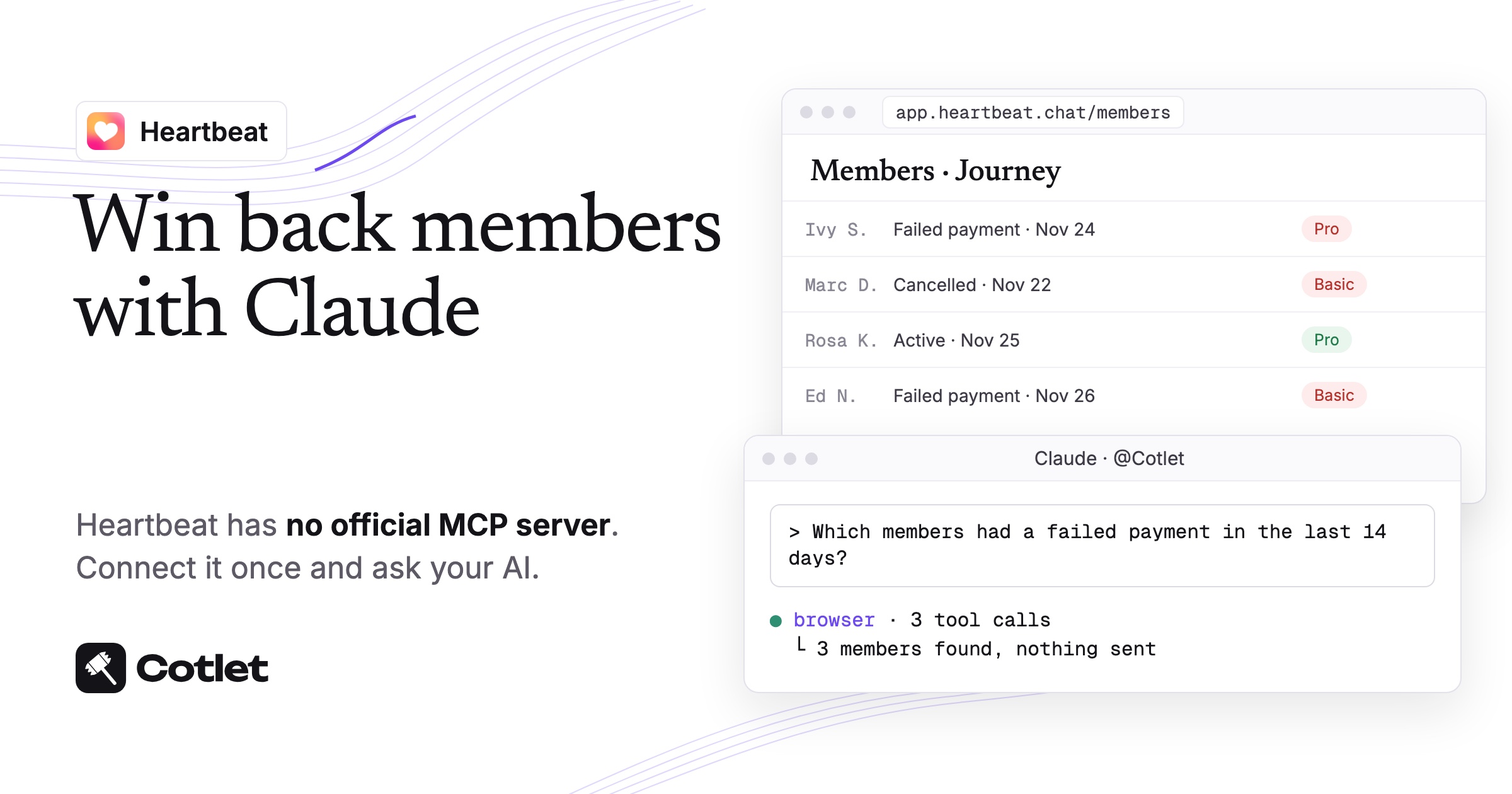
A member of your paid community cancelled on Tuesday. Another card failed on Wednesday. Nobody told you, because you saw neither. You can open the member page and read the Journey tab, but that is one person at a time. Heartbeat has no MCP server, ChatGPT app or Claude connector as of 27 Nov 2026, and its own Help Center answers the MCP question with “Not at the moment”. An agent that signs in to your admin account in a Cloud Browser can read the members, events and courses the way you do, for every member at once.
This is for owners and managers who run a paid community on Heartbeat. We leave out what members see and the mobile app.
What ChatGPT and Claude can do in Heartbeat once connected
Ask about your community. Cotlet opens the screen that has the numbers.
| Where in Heartbeat | What you get |
|---|---|
| Members and Journey | Members with a failed payment or a cancellation in the last 14 days, with their plan |
| Members search | Only the members who joined this month and have not posted, with email, as a table |
| Events | Yes and maybe replies for your next event, and who came to the last three |
| Courses, progress | Members who have not finished a lesson in 10 days, with how far each one got |
| Analytics, Engagement | Active members, posts, messages and new joins against last week |
| Settings, Workflows | What your workflows do today, so you know what to add |
Reading changes nothing. Adding a member, removing access or messaging a group is held until you approve. See more jobs on the Heartbeat MCP page. For your own tools, the API page explains what we can expose.
Does Heartbeat have AI, an API or an official ChatGPT app?
State on 27 November 2026:
- MCP: no. A Help Center recipe asks whether Heartbeat has an MCP server or connector and answers “Not at the moment”. Nothing from Heartbeat is listed in the MCP Registry.
- API: yes, on paid plans. The Heartbeat API article lists Grow and Scale, plus the legacy Growth and Business plans.
- Zapier: yes. Heartbeat is an app on Zapier, and a help article builds external payments with it.
- Built-in AI: yes, inside the product. Heartbeat has its own assistant, Pulse, for admins. It helps admins build channels, offers and workflows inside Heartbeat and is not a ChatGPT or Claude connector.
- Event export: yes. The Help Center explains how to export an attendee list.
Each of these needs a plan, a recipe or something you build. The Heartbeat access review scores them.
Before you start
- An admin login to your community.
- A community with a few paying members and at least one event or course.
- ChatGPT or Claude.
- A Cotlet trial (pricing). Your Heartbeat plan does not matter, because no API key is involved.
Step 1: sign in to Heartbeat in your Cloud Browser
Visit app.heartbeat.chat in the Cloud Browser and log in as admin. You type the password into Heartbeat’s own form, so Cotlet never has it. Only an encrypted session is kept, and the console lets you end it (security).
Step 2: connect Heartbeat to ChatGPT, Claude or another AI agent
You do this a single time. Any chat you start later can reach your community.
Pick your AI above to see its steps.
How to connect Heartbeat to ChatGPT
Do this on chatgpt.com in your browser. Cotlet then works in the ChatGPT desktop and phone apps too.
- Open Plugins in ChatGPT and click Add.
- Click Add custom MCP server. Not in the menu? Turn on Developer mode in Settings, Security and login, then come back.
- Paste the name
Cotletand the server URLhttps://cotlet.dev/mcp/v1/connect. Keep Authentication on OAuth. - Tick “I understand and want to continue” and click Create as a plugin.
- Click Connect Cotlet. A Cotlet page opens, click Allow access.
- In a new chat, type
@Cotletand pick it from the list. - Ask ChatGPT: “Are you signed in to Cotlet through MCP?” Then try a first Heartbeat task: “In Heartbeat, list members with a failed payment or a cancellation in the last 14 days with their plan. Change nothing.”
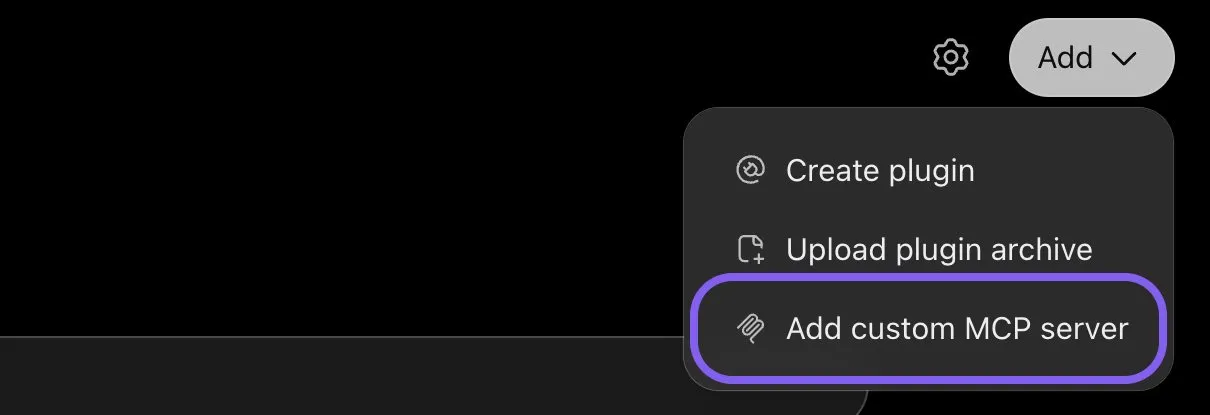
ChatGPT, Add menu on the Plugins page, November 2026.
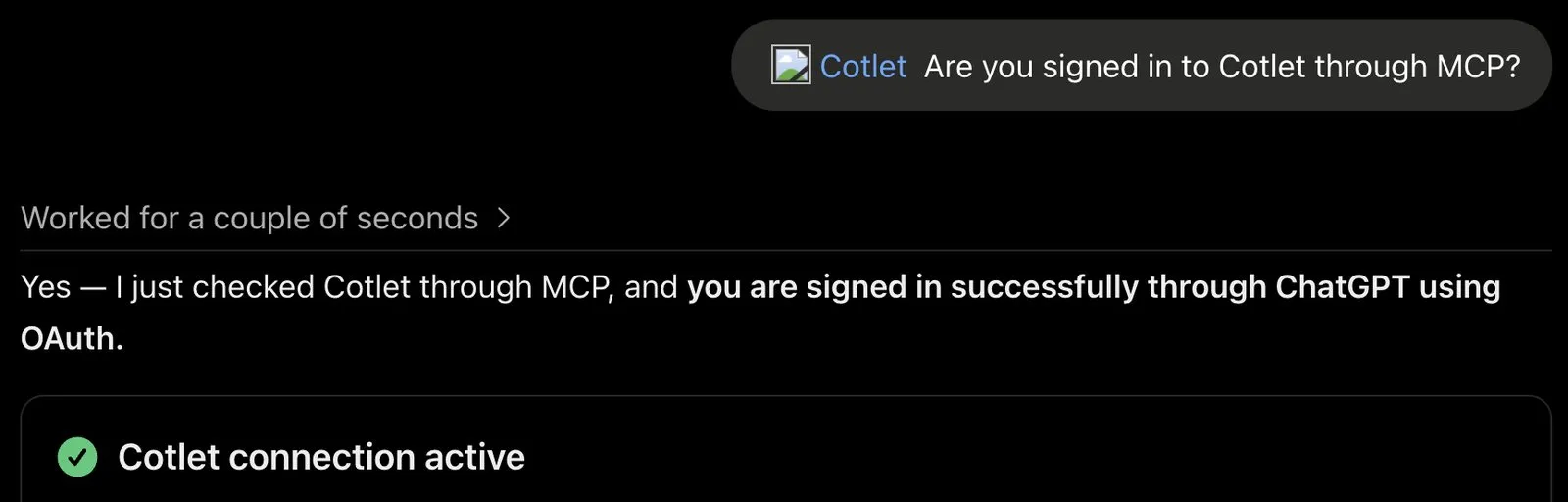
ChatGPT confirming the Cotlet connection, November 2026.
ChatGPT asks “Allow ChatGPT to use Cotlet?” before some steps. Pick Always allow, or the chat waits for your click. On a Business, Enterprise or Edu workspace, an admin has to allow custom MCP servers first.
How to connect Heartbeat to Claude
- Open Connectors in Claude and click Add. In the desktop app it is under Customize, Connectors.
- Click Add custom connector.
- Paste the name
Cotletand the URLhttps://cotlet.dev/mcp/v1/connect, then click Continue. - Keep the settings and click Add.
- A Cotlet page opens. Click Allow access.
- In a chat, click the plus button, then Connectors, and turn Cotlet on.
- Ask Claude: “Are you signed in to Cotlet through MCP?”, then “In Heartbeat, show who said yes and who said maybe for my next event. Change nothing.”. Claude asks before it uses a Cotlet tool the first time. Click Allow.

Claude, Customize, Connectors, November 2026.

Cotlet consent page after you add the connector in Claude, November 2026.
Claude’s free plan allows one custom connector. On a Team or Enterprise plan, an owner adds Cotlet in Organization settings, Connectors, and you click Connect next to it.
How to connect Heartbeat to Claude Code
Add Cotlet without a key, then sign in once in the browser:
claude mcp add --transport http cotlet https://cotlet.dev/mcp/v1/connectRun /mcp in Claude Code, pick cotlet and sign in to Cotlet. Prefer an API key, for example on a server? Create one in the Cotlet console and use:
claude mcp add --transport http cotlet https://cotlet.dev/mcp/v1 \
  --header "Authorization: Bearer $COTLET_API_KEY"
How to connect Heartbeat to Codex
Create an API key in the Cotlet console, put it in the COTLET_API_KEY environment variable and add this to ~/.codex/config.toml:
[mcp_servers.cotlet]
url = "https://cotlet.dev/mcp/v1"
bearer_token_env_var = "COTLET_API_KEY"
How to connect Heartbeat to Cursor
Create an API key in the Cotlet console, put it in the COTLET_API_KEY environment variable and add this to ~/.cursor/mcp.json:
{
  "mcpServers": {
    "cotlet": {
      "url": "https://cotlet.dev/mcp/v1",
      "headers": { "Authorization": "Bearer ${env:COTLET_API_KEY}" }
    }
  }
}
How to connect Heartbeat to Grok
Grok takes custom MCP servers on grok.com, per xAI’s connectors documentation (checked 8 November 2026).
- Open grok.com/connectors and click New Connector.
- Pick Custom and paste the server URL
https://cotlet.dev/mcp/v1/connect. - Sign in to Cotlet when Grok asks, then click Allow access.
- Ask Grok: “Are you signed in to Cotlet through MCP?”
On Grok Business, an admin adds the connector first in the xAI console, under Grok Business, Connectors. The Grok chat inside X has no custom connector menu.
How to connect Heartbeat to Hermes Agent
Add Cotlet to ~/.hermes/config.yaml in the format of the Hermes MCP config reference:
mcp_servers:
  cotlet:
    url: "https://cotlet.dev/mcp/v1"
    headers:
      Authorization: "Bearer ${COTLET_API_KEY}"
    trust: untrusted
Put COTLET_API_KEY in ~/.hermes/.env and check it with hermes mcp test cotlet. With trust: untrusted, Hermes runs reads at once and asks before every write. More on Hermes in our post on the Hermes Agent browser.
How to connect Heartbeat to n8n
Use the MCP Client node, or the MCP Client Tool inside an AI Agent node:
- Server Transport: HTTP Streamable
- MCP Endpoint URL:
https://cotlet.dev/mcp/v1 - Authentication: Bearer Auth, with your Cotlet API key as the token
- Tools: let the AI Agent node use Cotlet’s browser tools; it reads Cotlet’s Heartbeat guide first and works in your signed-in Heartbeat admin account
Use it for work that should run on its own, such as a weekly list of members with failed payments.
Any other MCP client
Point the client at https://cotlet.dev/mcp/v1 over Streamable HTTP, with the header Authorization: Bearer <your Cotlet API key>. A client that supports OAuth sign-in can use https://cotlet.dev/mcp/v1/connect instead and needs no key. The full reference is in the MCP docs.
Three Heartbeat jobs to try first
Each one reads. Nothing is sent or removed without your yes.
Win back members whose payment failed
List members with a failed payment or a cancellation in the last 14 days with their plan, and draft a short win-back message for each. Send nothing yet.
Heartbeat’s changelog on member journeys describes the Journey tab on each member. The agent reads it for every member in the window and writes one message per person, with the plan named.
Export only the members you mean
Give me a sheet of only the members who joined this month and have not posted, with email and plan.
Owners ask for exports of only filtered members on Heartbeat’s feedback board. The agent filters on screen and returns the rows, so your list holds only the people you asked about.
Nudge members stuck in a course
Which members have not finished a lesson in 10 days? Show their progress and draft a reminder for each.
The course progress article shows where the numbers live. The agent reads them and ranks members by how long they have been still.
Later in the week
- Yes and maybe replies for your next event, next to past attendance.
- Members with no activity in 30 days, with a personal message drafted for each.
- New buyers from another checkout who need an account, as a list for you to approve.
What it costs
Sign up and 2,000 credits are yours for 7 days, card not required. Then a pack costs from $29, expires after a year and charges credits for successful calls only (pricing). Your Heartbeat bill does not change.
FAQ
Does Heartbeat have an API or MCP server I can use for my community?
The Help Center itself says there is no MCP server for now. An API comes with the Grow and Scale plans. Cotlet needs no key, because it works in your admin account.
Can ChatGPT or Claude manage my Heartbeat community?
Yes for reading members, events, courses and analytics, and for drafting messages. Changing a member or sending anything waits for your approval.
Is Pulse the same as connecting ChatGPT?
No. Pulse is Heartbeat’s own AI for admins and works inside the product, mainly to build things. Cotlet lets the AI you already use work in your community.
Is Cotlet affiliated with Heartbeat?
No, they are independent.
Try it on your own Heartbeat community
Ask who failed to pay this fortnight. Start a trial, log in to Heartbeat and read the answer. More tools for community owners are under integrations.