How to connect hipages to ChatGPT, Claude and any AI agent
The hipages app in ChatGPT helps homeowners find a tradie. How to connect your own hipages business account, with its leads, quotes and invoices, to your AI.
Cotlet team 12 min read
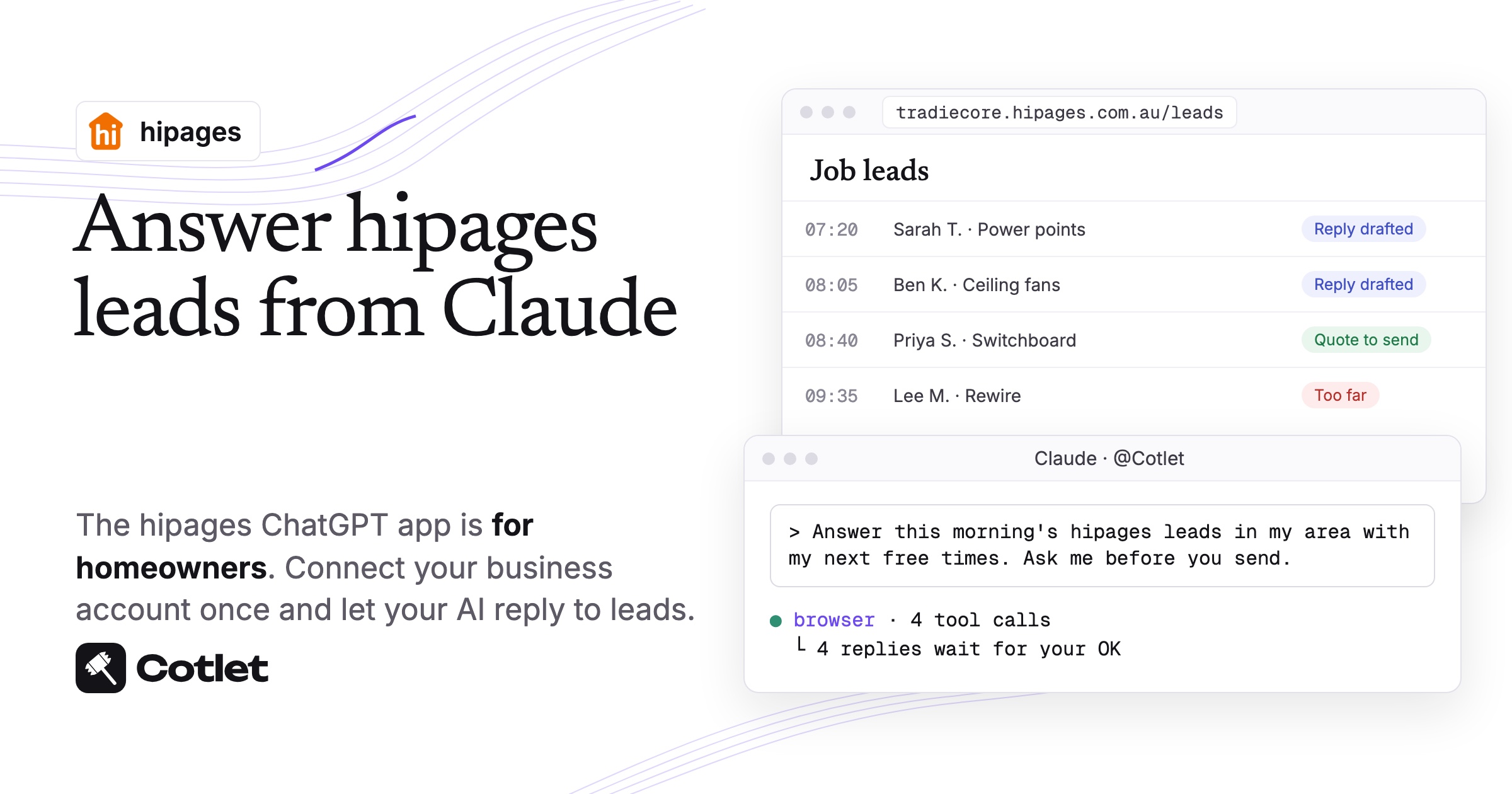
hipages has an official ChatGPT app, but it is built for homeowners who search for a tradie, not for the tradie. It cannot read your job leads, your quotes or your invoices, and hipages has no public API for tradies and no Claude connector, as of November 2026. To connect your own hipages business account to ChatGPT, Claude or another AI agent, you use Cotlet. It opens hipages in your own Cloud Browser, where you sign in once, and your AI then works in the same screens you use. You set it up once, in about ten minutes, without writing code.
Perhaps a customer told you that “hipages is in ChatGPT now”. That news was about the other side of the job: a homeowner asking ChatGPT to find a sparky in their suburb. This guide is for the sparky, the plumber or the builder who gets that lead. Cotlet is made for the person who runs the business in hipages for business, the owner or the office, and wants an AI to keep up with leads, quotes and invoices while they are on the tools.
The hipages ChatGPT app vs your hipages business account
| hipages app in ChatGPT | Your hipages account through Cotlet | |
|---|---|---|
| Who it is for | Homeowners looking for a tradie | You and your office |
| What the AI sees | The public hipages directory and tradie profiles | Your job leads, customers, quotes, invoices, appointments and reviews |
| What the AI can do | Suggest tradies, then send the homeowner to post a job | Draft and send lead replies, quotes and review requests after your OK, list unpaid invoices |
| Who sets it up | The homeowner, in their own ChatGPT | You, once, in your ChatGPT or Claude |
The two never meet. Homeowners keep finding you through hipages, and your AI works on the business side.
What ChatGPT and Claude can do in hipages once connected
You ask in plain words, and the AI works in hipages for business for you, screen by screen:
| hipages screen | What the AI can do there |
|---|---|
| Job leads | List new leads with the job, suburb and how long each has waited, accept a lead, message the customer |
| Quotes | Draft a quote from your notes, send it, find accepted leads with no quote yet |
| Invoices | List unpaid and overdue invoices, draft a reminder for each |
| Appointments | Read this week’s visits and the jobs still to schedule |
| Reviews | Ask finished jobs for a review, list new reviews |
| Job notes | Add a private note to a job, which reaches no one |
Anything a customer would see waits for your OK: accepting a lead, a message, a quote, an invoice or a review request. Accepting a lead can use your lead credits, so the AI never does it on its own. A private job note or a draft quote sends nothing.
What the AI can and cannot reach is set out on the hipages API and MCP server page.
Does hipages have AI, an API or an official ChatGPT app?
hipages talks to AI from the homeowner’s side only. Here is what it offers a tradie, checked on 25 November 2026.
- An official ChatGPT app, for homeowners. On its half year results call, hipages said its custom ChatGPT app “allows ChatGPT users to search the Hipages directory” and links to directory profiles and job posting (earnings call transcript, 23 February 2026). Nothing in it opens a tradie’s account.
- No Claude connector and no MCP server. Claude’s connector directory has no hipages entry, and neither does the official MCP Registry.
- No API for tradies. hipages publishes no API, webhooks or data export for a business account.
- Accounting sync only. The hipages for business app syncs invoices and customer details with Xero, QuickBooks or MYOB. Leads, quotes, appointments and reviews stay inside hipages.
- No Zapier, Make or n8n app. None of the three lists hipages.
So for a tradie, a hosted MCP server that works in your signed-in account is the one way, today, for ChatGPT or Claude to touch your leads. If hipages opens an API for tradies later, use it.
What to have ready on your side
- Your hipages for business email address, the same one the phone app uses. Tradies who joined before the rename know it as Tradiecore.
- The owner’s login, or a login that can open leads, quotes and invoices.
- Ten quiet minutes and your phone, in case hipages sends a code at the first sign-in.
- An AI chat you already pay for or use: ChatGPT in a browser, or Claude, whose free plan takes one custom connector.
- A Cotlet sign-up. Trying it costs nothing for a week, and no card is asked for (pricing).
Step 1: sign in to hipages in your Cloud Browser
In the Cotlet console, open your Cloud Browser and go to tradiecore.hipages.com.au. It forwards you to hipages’ own sign-in page at auth.hipages.com.au. Type your email, click Continue and finish the sign-in the way you do on your laptop. If hipages asks for a code, you type it there yourself.
Your hipages password goes into hipages’ own form and nowhere else: the Cloud Browser has password saving turned off. Between jobs the browser profile is kept encrypted with AES-256-GCM. If hipages ends the session some week, the agent says so in the chat and gives you a fresh sign-in link. More on how that works: security.
Step 2: connect hipages to ChatGPT, Claude or another AI agent
The same Cotlet connection works in ChatGPT, Claude, Claude Code, Codex, Cursor, Grok, Hermes Agent, n8n and any other MCP client. Choose the one you already use.
Pick your AI above to see its steps.
How to connect hipages to ChatGPT
Do this on chatgpt.com in your browser. Cotlet then works in the ChatGPT desktop and phone apps too.
- Open Plugins in ChatGPT and click Add.
- Click Add custom MCP server. Not in the menu? Turn on Developer mode in Settings, Security and login, then come back.
- Paste the name
Cotletand the server URLhttps://cotlet.dev/mcp/v1/connect. Keep Authentication on OAuth. - Tick “I understand and want to continue” and click Create as a plugin.
- Click Connect Cotlet. A Cotlet page opens, click Allow access.
- In a new chat, type
@Cotletand pick it from the list. - Ask ChatGPT: “Are you signed in to Cotlet through MCP?” Then try a first hipages task: “List my new hipages leads from today with the job and suburb.”
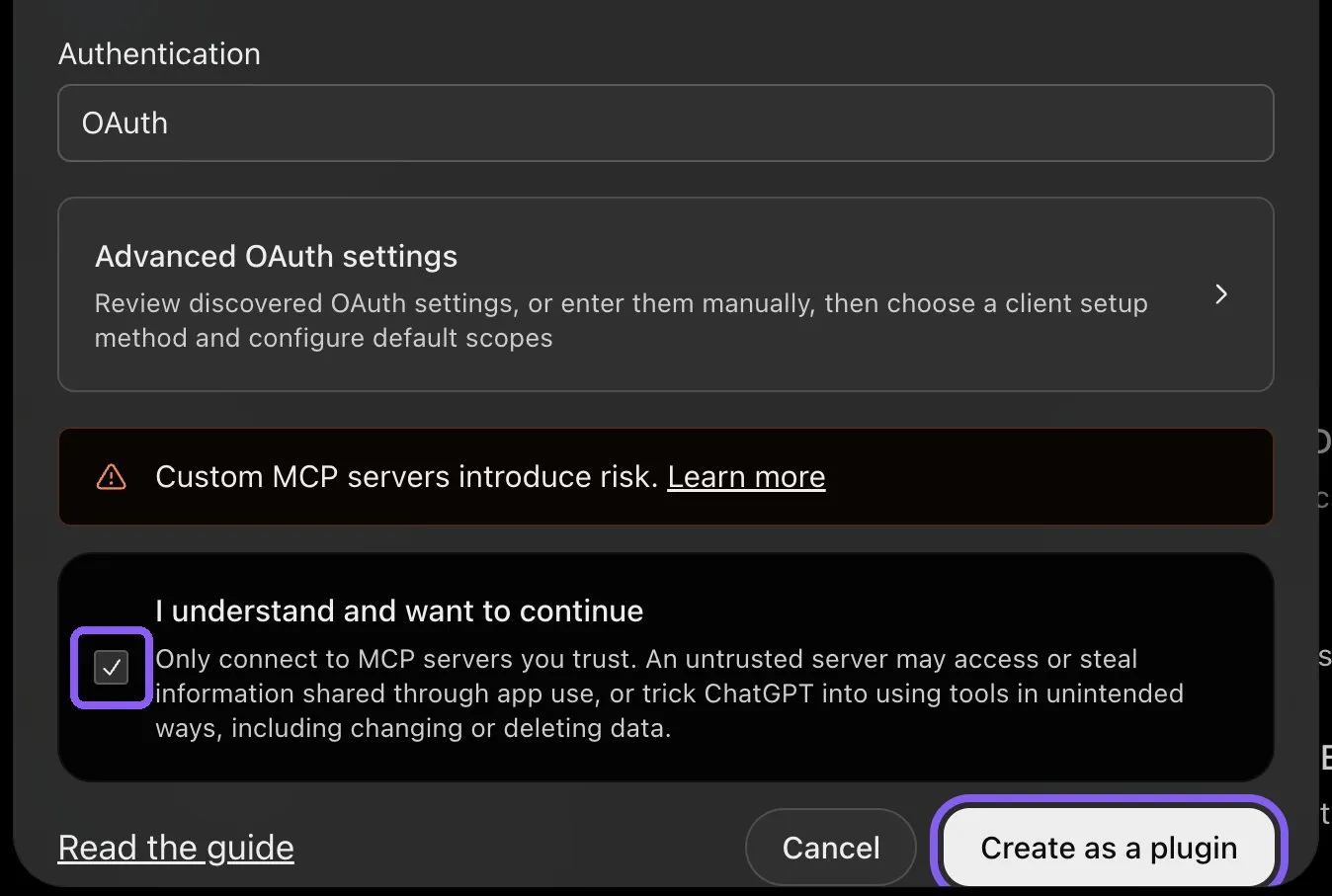
ChatGPT, bottom of the custom MCP server form, November 2026.
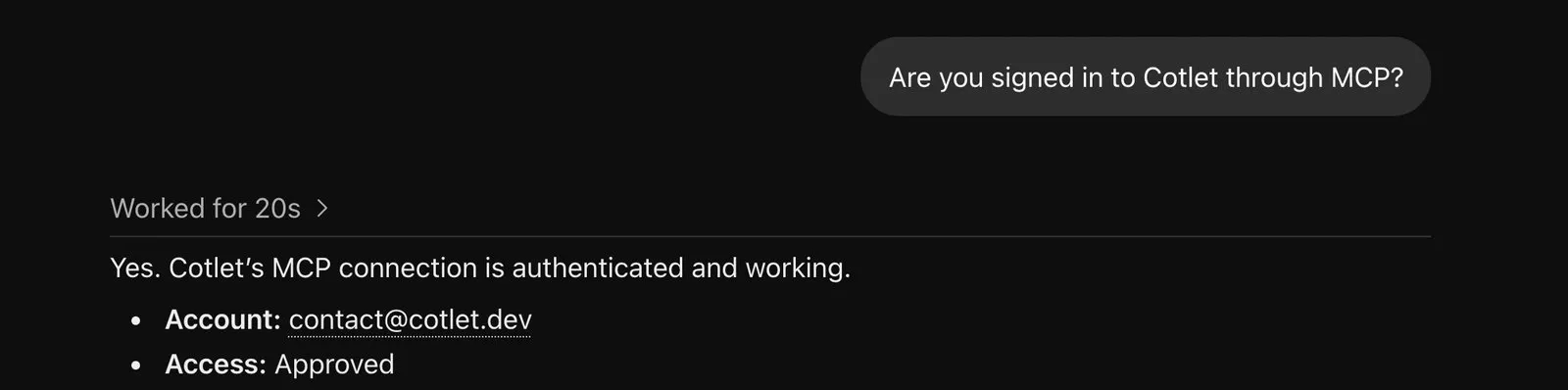
ChatGPT confirming the Cotlet connection, November 2026.
ChatGPT asks “Allow ChatGPT to use Cotlet?” before some steps. Pick Always allow, or the chat waits for your click. On a Business, Enterprise or Edu workspace, an admin has to allow custom MCP servers first.
How to connect hipages to Claude
- Open Connectors in Claude and click Add. In the desktop app it is under Customize, Connectors.
- Click Add custom connector.
- Paste the name
Cotletand the URLhttps://cotlet.dev/mcp/v1/connect, then click Continue. - Keep the settings and click Add.
- A Cotlet page opens. Click Allow access.
- In a chat, click the plus button, then Connectors, and turn Cotlet on.
- Ask Claude: “Are you signed in to Cotlet through MCP?”, then “Which accepted hipages leads still have no quote?”. Claude asks before it uses a Cotlet tool the first time. Click Allow.

Claude, Add custom connector form, November 2026.

Claude, chat menu, Connectors, November 2026.
Claude’s free plan allows one custom connector. On a Team or Enterprise plan, an owner adds Cotlet in Organization settings, Connectors, and you click Connect next to it.
How to connect hipages to Claude Code
Add Cotlet without a key, then sign in once in the browser:
claude mcp add --transport http cotlet https://cotlet.dev/mcp/v1/connectRun /mcp in Claude Code, pick cotlet and sign in to Cotlet. Prefer an API key, for example on a server? Create one in the Cotlet console and use:
claude mcp add --transport http cotlet https://cotlet.dev/mcp/v1 \
  --header "Authorization: Bearer $COTLET_API_KEY"
How to connect hipages to Codex
Create an API key in the Cotlet console, put it in the COTLET_API_KEY environment variable and add this to ~/.codex/config.toml:
[mcp_servers.cotlet]
url = "https://cotlet.dev/mcp/v1"
bearer_token_env_var = "COTLET_API_KEY"
How to connect hipages to Cursor
Create an API key in the Cotlet console, put it in the COTLET_API_KEY environment variable and add this to ~/.cursor/mcp.json:
{
  "mcpServers": {
    "cotlet": {
      "url": "https://cotlet.dev/mcp/v1",
      "headers": { "Authorization": "Bearer ${env:COTLET_API_KEY}" }
    }
  }
}
How to connect hipages to Grok
Grok takes custom MCP servers on grok.com, per xAI’s connectors documentation (checked 8 November 2026).
- Open grok.com/connectors and click New Connector.
- Pick Custom and paste the server URL
https://cotlet.dev/mcp/v1/connect. - Sign in to Cotlet when Grok asks, then click Allow access.
- Ask Grok: “Are you signed in to Cotlet through MCP?”
On Grok Business, an admin adds the connector first in the xAI console, under Grok Business, Connectors. The Grok chat inside X has no custom connector menu.
How to connect hipages to Hermes Agent
Add Cotlet to ~/.hermes/config.yaml in the format of the Hermes MCP config reference:
mcp_servers:
  cotlet:
    url: "https://cotlet.dev/mcp/v1"
    headers:
      Authorization: "Bearer ${COTLET_API_KEY}"
    trust: untrusted
Put COTLET_API_KEY in ~/.hermes/.env and check it with hermes mcp test cotlet. With trust: untrusted, Hermes runs reads at once and asks before every write. More on Hermes in our post on the Hermes Agent browser.
How to connect hipages to n8n
Use the MCP Client node, or the MCP Client Tool inside an AI Agent node:
- Server Transport: HTTP Streamable
- MCP Endpoint URL:
https://cotlet.dev/mcp/v1 - Authentication: Bearer Auth, with your Cotlet API key as the token
- Tools: let the AI Agent node use Cotlet’s browser tools; it reads Cotlet’s hipages guide first and works in your signed-in hipages account
Use it for work that should run on its own, such as a lunchtime list of hipages leads with no reply yet, each with a draft message for you to approve.
Any other MCP client
Point the client at https://cotlet.dev/mcp/v1 over Streamable HTTP, with the header Authorization: Bearer <your Cotlet API key>. A client that supports OAuth sign-in can use https://cotlet.dev/mcp/v1/connect instead and needs no key. The full reference is in the MCP docs.
Pick work that eats your evenings, and check the result in the hipages app on your phone.
Answer the morning’s leads before another tradie does
Read this morning’s new hipages leads. Skip anything more than 30 minutes from Burleigh. For the rest, draft a reply with my next two free times and show me before you send.
hipages says a job is posted “every 25 seconds on average”, and a homeowner often takes the first tradie who answers. The AI reads each lead in your Job leads screen, checks the suburb against your area and drafts one short message per customer with your times. You read the drafts at smoko, approve the ones you like, and the AI sends them. By hand that is opening each lead on your phone between jobs.
Find the leads you accepted but never quoted
Which accepted hipages leads still have no quote? Oldest first, with the job and suburb. Draft a quote for the switchboard upgrade in Robina from my notes below, and do not send it.
Accepted leads drop down the list fast, and a lead you paid for but never quoted is money gone. The AI lists them oldest first and fills a quote from your notes. It stops at the draft. You open it in hipages, fix a line if you need to, and send it when you are ready.
Ask last week’s customers for a review
Ask every customer whose job I finished last week for a review on hipages. Show me the list first.
The hipages for business app keeps reviews from hipages and Google on one dashboard, but asking for them is still a tap per job. The AI reads last week’s finished jobs, leaves out any customer who already reviewed you, and lines up the requests. Nothing goes out until you approve the list.
The price of handing leads to an agent
Two kinds of credits are in play here, and they never mix. hipages lead credits buy you leads. Cotlet credits pay for the agent’s clicks: 10 per successful call, nothing for a call that fails, and 50 a day for the Cloud Browser while hipages is switched on for agents. They come in one-off packs from $29 for 5,000, good for a year (pricing). The first week is free and needs no card. Your hipages plan does not change.
FAQ
Is Cotlet the same as the hipages app in ChatGPT?
No. The hipages app in ChatGPT helps homeowners search the hipages directory and post a job. Cotlet works in your own hipages business account, on your leads, quotes, invoices and reviews.
Can ChatGPT respond to hipages job leads and send quotes?
Yes, once hipages is connected through Cotlet. ChatGPT drafts the reply or the quote in your account and sends it after you confirm. Accepting a lead also waits for your OK, because it can use your lead credits.
Does hipages have an API for developers?
Not for tradies. hipages publishes no API, webhooks or data export for a business account, as of 25 November 2026. Its only connection is the accounting sync with Xero, QuickBooks or MYOB.
Is there a hipages MCP server for Claude?
hipages has no official MCP server or Claude connector. Cotlet is a hosted MCP server at https://cotlet.dev/mcp/v1/hipages that works in your signed-in hipages account, and Claude adds it as a custom connector in a few clicks.
Can the AI change my hipages subscription or payments?
No. The agent works in leads, quotes, invoices, appointments and reviews. Your subscription, lead credits and Tap to Pay settings stay in your own hands.
Does hipages know about Cotlet?
Cotlet is an independent product with no link to hipages Group. The agent signs in as you, in your own Cloud Browser, and sees exactly what your login sees.
Let tomorrow’s 7 am leads get an answer by 7.05
The homeowner on the other end is already typing into ChatGPT. Give your own business the same speed: create a Cotlet account, open hipages in the Cloud Browser and connect the AI you use. Running Tradify, Jobber or a quoting app beside hipages? Find them in the catalog.


