How to connect Identifix to ChatGPT, Claude and any AI agent
Identifix has no official MCP server, and its SDK is for shop software vendors (checked 26 Nov 2026). Let Claude search Direct-Hit and run Shop Manager reports.
Cotlet team 10 min read
Identifix calls itself AI-powered, yet as of 26 November 2026 it offers no MCP server, no ChatGPT app and no Claude connector. It has no public API either. Its Direct-Hit SDKs go to shop management system providers that apply, and Shop Manager has a short fixed list of partner connections. An AI can still use both products through your login. Sign in to Identifix once in a Cotlet Cloud Browser, and ChatGPT or Claude can search confirmed fixes, pull a procedure, open Shop Manager reports and draft an estimate. Setup is about ten minutes. You write no code.
The reader here is the owner of a small shop, often one or two bays, who diagnoses cars all day and does the books at night. Or the tech who wants the fix history for a code before touching the car. Cotlet is built for the people working inside Identifix. Customers drop off keys and never see Direct-Hit.
What an AI can do in Direct-Hit and Shop Manager
Two products sit behind the Identifix name: Direct-Hit for repair information and Shop Manager for running the shop. The AI works in whichever one you sign in to.
| Screen | What the AI handles |
|---|---|
| Direct-Hit, Confirmed Fixes | Finds the most confirmed fixes for a vehicle and a code, with the test for each |
| Direct-Hit, Repair Information | Pulls a wiring diagram and a repair procedure and downloads both |
| Direct-Hit Pro, Labor | Lists the labor time for several jobs and says which job has none |
| Shop Manager, Jobs in the Shop | Creates an estimate for a customer and vehicle and schedules it as a draft |
| Shop Manager, Reports | Puts the technician report, payments and receivables into a sheet |
| Parts and API Connections | Shows which parts vendors are connected and which logins expired |
Looking things up leaves your data alone. A new estimate is saved as a draft and waits for your OK, and anything sent to a customer needs it too. The screens are listed on the Identifix MCP server page, and the Identifix API page shows how to turn one of these jobs into an endpoint.
Identifix, AI and connections: the facts
Checked on 26 November 2026:
- No public API. The Direct-Hit SDKs were announced for shop management system providers, after an application. A shop owner gets no key.
- Fixed partner connections. Shop Manager has an API Connections tab in Account Settings. PartsTech, AutoVitals and some CRM providers can be switched on. The list is set by Identifix.
- AI features inside the product. Identifix markets Direct-Hit, Shop Manager and its call center as AI-powered. None of that is a connector for ChatGPT or Claude.
- No MCP server. The official MCP Registry has no Identifix entry, and neither ChatGPT nor Claude lists an Identifix app.
- Direct-Hit DIY is the consumer edition, and this guide leaves it out.
The scorecard for all routes is at Does Identifix have an API or MCP server?.
Gather these first
- A Direct-Hit login, a Shop Manager login or both. The Shop Manager sign-in is login.shopmanager.identifix.com and Direct-Hit is at dh.identifix.com.
- Two or three real cases, such as a vehicle with a code or five jobs to price.
- A ChatGPT or Claude account. A free Claude plan can hold one custom connector.
- A Cotlet trial: 7 days, no card (pricing).
Step 1: sign in to Identifix in your Cloud Browser
Start the Cloud Browser from your Cotlet console. Visit dh.identifix.com for Direct-Hit or login.shopmanager.identifix.com for Shop Manager, and sign in with your own credentials. If you use both, sign in to both.
Your password goes to Identifix and nowhere else. Cotlet never sees it, and the stored session is encrypted and tied to your account. A logout by Identifix triggers a link from the agent so you can sign in again. See security.
Step 2: point your AI at Cotlet and reach Identifix
You add Cotlet’s address to your AI one time, and the saved Identifix session is picked up from then on. Choose your tool.
Pick your AI above to see its steps.
How to connect Identifix to ChatGPT
Do this on chatgpt.com in your browser. Cotlet then works in the ChatGPT desktop and phone apps too.
- Open Plugins in ChatGPT and click Add.
- Click Add custom MCP server. Not in the menu? Turn on Developer mode in Settings, Security and login, then come back.
- Paste the name
Cotletand the server URLhttps://cotlet.dev/mcp/v1/connect. Keep Authentication on OAuth. - Tick “I understand and want to continue” and click Create as a plugin.
- Click Connect Cotlet. A Cotlet page opens, click Allow access.
- In a new chat, type
@Cotletand pick it from the list. - Ask ChatGPT: “Are you signed in to Cotlet through MCP?” Then try a first Identifix task: “Pull last week’s technician report, payments and receivables from Shop Manager Reports and put them in a sheet.”
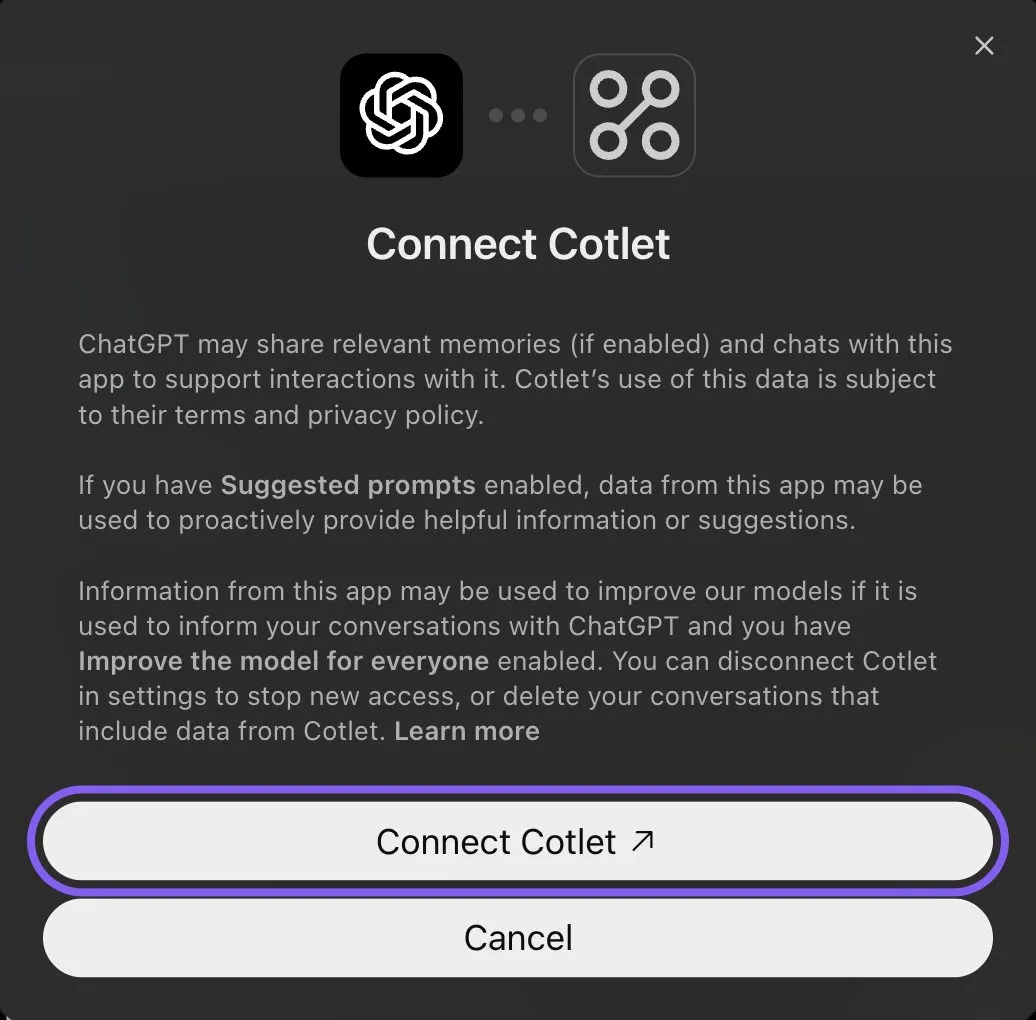
ChatGPT, connecting the Cotlet plugin, November 2026.
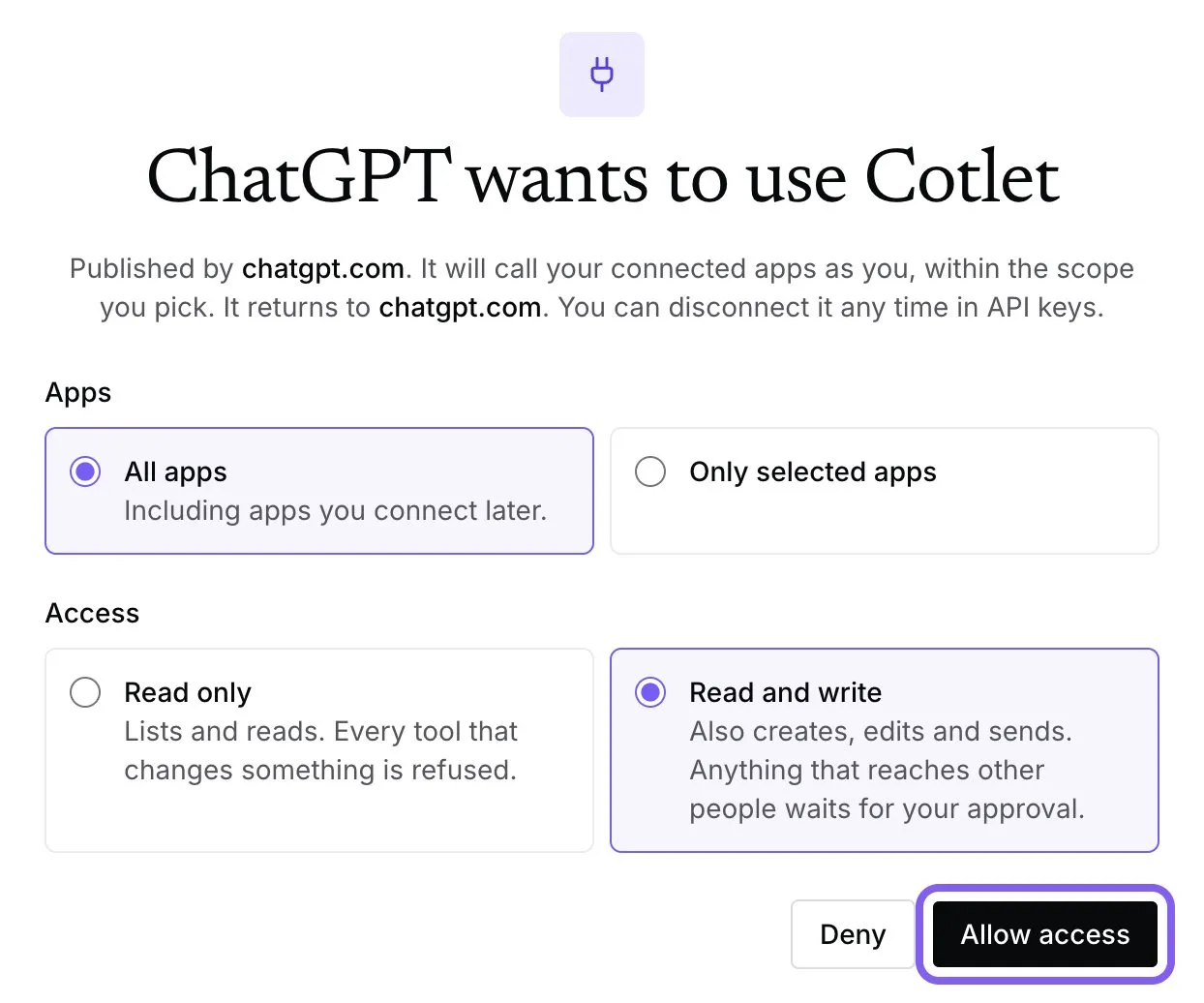
Cotlet consent page after you connect it in ChatGPT, November 2026.
ChatGPT asks “Allow ChatGPT to use Cotlet?” before some steps. Pick Always allow, or the chat waits for your click. On a Business, Enterprise or Edu workspace, an admin has to allow custom MCP servers first.
How to connect Identifix to Claude
- Open Connectors in Claude and click Add. In the desktop app it is under Customize, Connectors.
- Click Add custom connector.
- Paste the name
Cotletand the URLhttps://cotlet.dev/mcp/v1/connect, then click Continue. - Keep the settings and click Add.
- A Cotlet page opens. Click Allow access.
- In a chat, click the plus button, then Connectors, and turn Cotlet on.
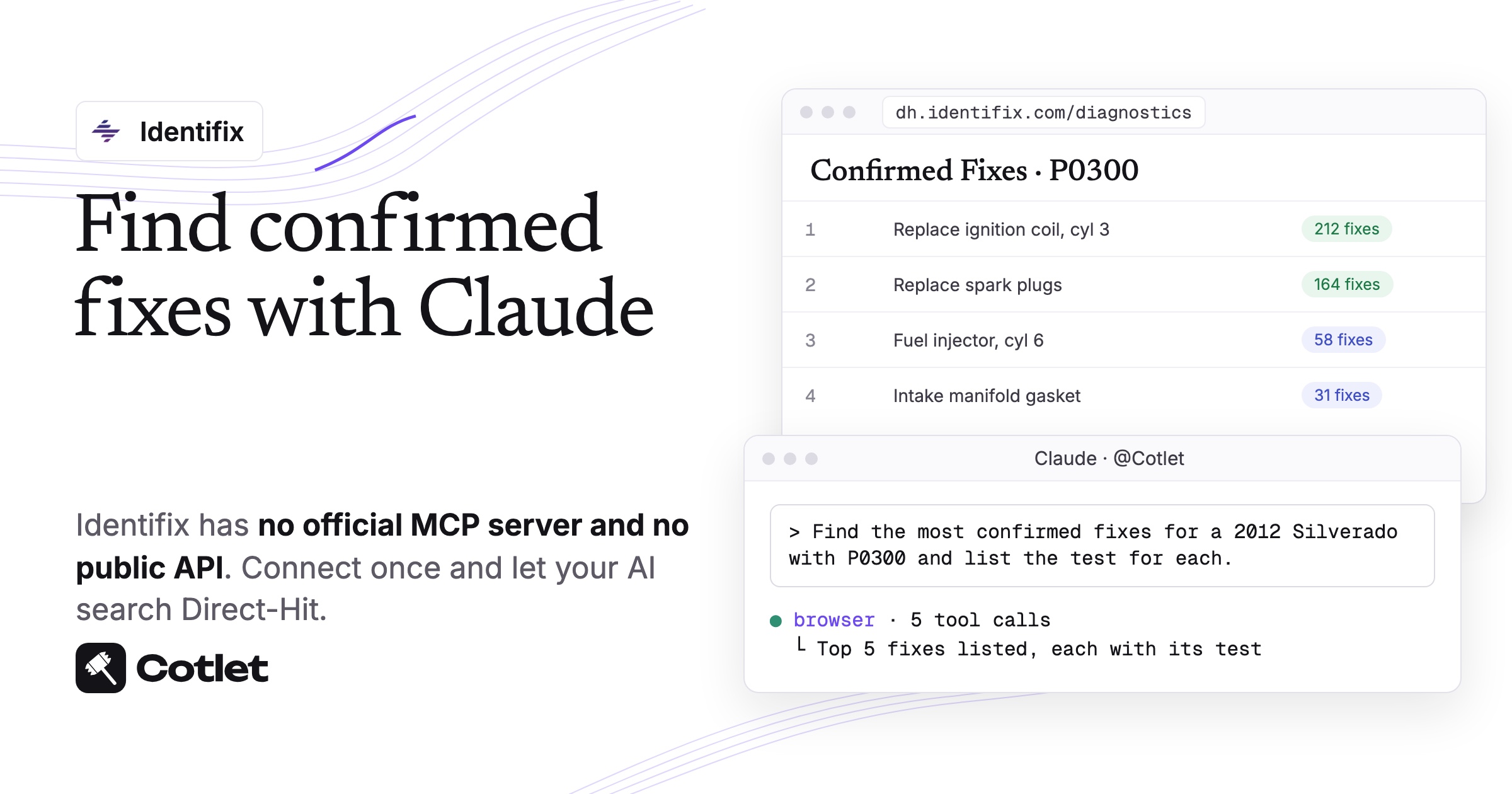
- Ask Claude: “Are you signed in to Cotlet through MCP?”, then “Find the most confirmed fixes in Direct-Hit for a 2012 Chevy Silverado with code P0300 and list the top 5 with the test that proves each.”. Claude asks before it uses a Cotlet tool the first time. Click Allow.

Claude, Customize, Connectors, November 2026.

Claude, chat menu, Connectors, November 2026.
Claude’s free plan allows one custom connector. On a Team or Enterprise plan, an owner adds Cotlet in Organization settings, Connectors, and you click Connect next to it.
How to connect Identifix to Claude Code
Add Cotlet without a key, then sign in once in the browser:
claude mcp add --transport http cotlet https://cotlet.dev/mcp/v1/connectRun /mcp in Claude Code, pick cotlet and sign in to Cotlet. Prefer an API key, for example on a server? Create one in the Cotlet console and use:
claude mcp add --transport http cotlet https://cotlet.dev/mcp/v1 \
  --header "Authorization: Bearer $COTLET_API_KEY"
How to connect Identifix to Codex
Create an API key in the Cotlet console, put it in the COTLET_API_KEY environment variable and add this to ~/.codex/config.toml:
[mcp_servers.cotlet]
url = "https://cotlet.dev/mcp/v1"
bearer_token_env_var = "COTLET_API_KEY"
How to connect Identifix to Cursor
Create an API key in the Cotlet console, put it in the COTLET_API_KEY environment variable and add this to ~/.cursor/mcp.json:
{
  "mcpServers": {
    "cotlet": {
      "url": "https://cotlet.dev/mcp/v1",
      "headers": { "Authorization": "Bearer ${env:COTLET_API_KEY}" }
    }
  }
}
How to connect Identifix to Grok
Grok takes custom MCP servers on grok.com, per xAI’s connectors documentation (checked 8 November 2026).
- Open grok.com/connectors and click New Connector.
- Pick Custom and paste the server URL
https://cotlet.dev/mcp/v1/connect. - Sign in to Cotlet when Grok asks, then click Allow access.
- Ask Grok: “Are you signed in to Cotlet through MCP?”
On Grok Business, an admin adds the connector first in the xAI console, under Grok Business, Connectors. The Grok chat inside X has no custom connector menu.
How to connect Identifix to Hermes Agent
Add Cotlet to ~/.hermes/config.yaml in the format of the Hermes MCP config reference:
mcp_servers:
  cotlet:
    url: "https://cotlet.dev/mcp/v1"
    headers:
      Authorization: "Bearer ${COTLET_API_KEY}"
    trust: untrusted
Put COTLET_API_KEY in ~/.hermes/.env and check it with hermes mcp test cotlet. With trust: untrusted, Hermes runs reads at once and asks before every write. More on Hermes in our post on the Hermes Agent browser.
How to connect Identifix to n8n
Use the MCP Client node, or the MCP Client Tool inside an AI Agent node:
- Server Transport: HTTP Streamable
- MCP Endpoint URL:
https://cotlet.dev/mcp/v1 - Authentication: Bearer Auth, with your Cotlet API key as the token
- Tools: let the AI Agent node use Cotlet’s browser tools; it reads Cotlet’s Identifix guide first and works in your signed-in Identifix account
Use it for work that should run on its own, such as a Monday 7 am sheet of last week’s technician report, payments and receivables.
Any other MCP client
Point the client at https://cotlet.dev/mcp/v1 over Streamable HTTP, with the header Authorization: Bearer <your Cotlet API key>. A client that supports OAuth sign-in can use https://cotlet.dev/mcp/v1/connect instead and needs no key. The full reference is in the MCP docs.
Begin with the one that saves a diagnosis.
Confirmed fixes for a stubborn code
Find the most confirmed fixes in Direct-Hit for a 2012 Chevy Silverado with code P0300 and list the top 5 with the test that proves each.
Techs on r/AutoMechanics weigh how much to trust Identifix. Direct-Hit’s own Confirmed Fixes page shows the fixes for a symptom. The AI selects the vehicle, enters the code and writes the top five with their tests. It copies what the screen lists and invents no fix.
Last week’s numbers without the report hunt
Pull last week’s technician report, payments and receivables from Shop Manager Reports and put them in a sheet.
Shop Manager’s help center describes the payments report. The AI opens Reports, sets last week’s dates, reads the three reports and fills your sheet. Schedule it for Monday morning and the owner opens one tab instead of three screens.
Which parts vendors still work
Check which parts vendors are connected in Shop Manager and which logins have expired. Do not change anything.
The vendor connections are set up under Account Settings, as the PartsTech article shows. The AI reads the list and flags the expired logins. It touches no setting, so you can run it before a busy morning.
Cost of Cotlet beside Identifix
Your Identifix subscription is untouched. Cotlet is paid in one-time credit packs: $29 buys 5,000, usable for 12 months, with no subscription. A call that succeeds takes 10 to 100 credits, and a failed call takes none. The 7-day trial hands you 500 credits without a card (pricing). Afterwards the Cloud Browser costs 50 credits a day while Identifix stays enabled for agents.
FAQ
Does Identifix have an API or MCP server?
Identifix has no official MCP server. Its SDK goes only to shop software providers that apply. Cotlet works in your own Direct-Hit and Shop Manager accounts in a browser.
Can AI use Direct-Hit confirmed fixes for me?
Yes. It searches Direct-Hit with your login for the vehicle and code you give it and lists what the screen shows. It does not invent fixes.
Can ChatGPT or Claude create an estimate in Shop Manager?
Yes. It fills in the customer, the vehicle and the jobs and schedules the visit as a draft for your OK. Nothing reaches the customer before that.
Can it get my weekly shop numbers into a sheet?
Yes. It reads the technician report, payments and receivables for the dates you name and writes them to your sheet. A scheduled run can do it every Monday.
Are PartsTech and AutoVitals the only ways to connect Shop Manager?
Those are partner connections that Identifix lets you switch on under API Connections. Cotlet does not replace them. It reads the page and tells you which ones need a new login.
Is Cotlet part of Identifix?
No. Cotlet is independent of Identifix and Solera and works only through your own login.
Use the next code for a test
A confirmed fix is already sitting on a Direct-Hit screen. Try Cotlet free for seven days, sign in from the Cloud Browser and give Claude the code. Other shop software is in the catalog.


