How to connect JobNimbus to ChatGPT, Claude and any AI agent
JobNimbus has an open API but no official MCP server or ChatGPT app (checked 25 Nov 2026). Let Claude follow up estimates and keep your board moving.
Cotlet team 12 min read
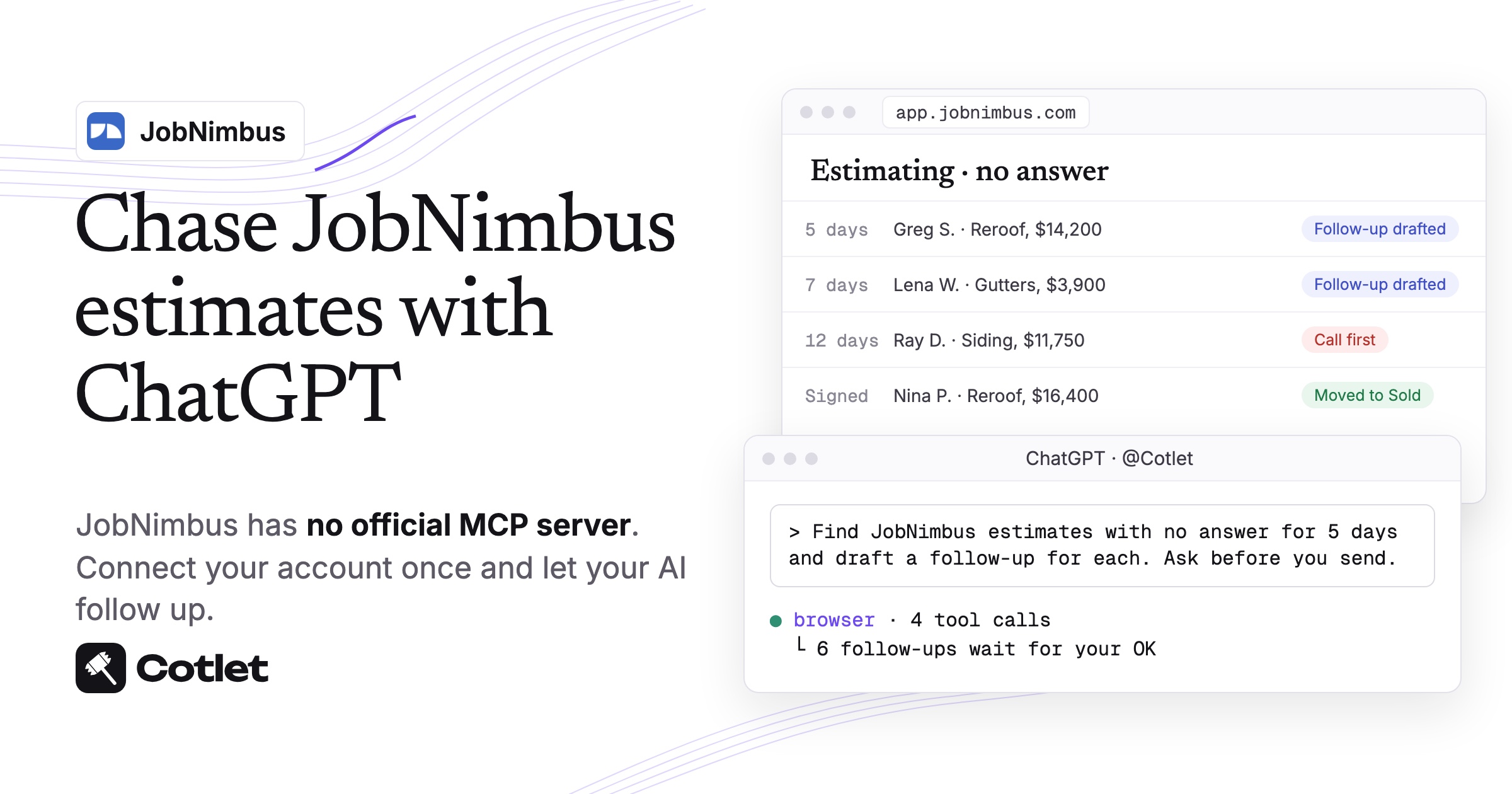
On 25 November 2026 JobNimbus offered roofers an open API, but nothing official for AI: no MCP server of its own, no ChatGPT app and no Claude connector. Every JobNimbus MCP server you can find is a third-party wrapper around an API key. Cotlet takes a different route. You log in to app.jobnimbus.com one time in a Cloud Browser that belongs to you, and ChatGPT, Claude or any other agent then works your board, contacts, estimates and invoices from there. Expect ten minutes of setup, with no key and no code.
JobNimbus is the CRM a lot of roofing and exterior crews run on: a contact for every homeowner, a job that moves across a board from Lead to Sold to Complete, estimates, invoices, tasks and a calendar of inspections. The people who search for an AI link here tend to be owners and office managers with a full board and a storm season of leads. Cotlet is best for whoever runs that JobNimbus account and wants the AI to do the chasing. Homeowners keep getting their estimates, signatures and invoices from JobNimbus as before.
What ChatGPT and Claude can do in JobNimbus once connected
Ask in a plain sentence, and the AI handles it in JobNimbus:
| Area of JobNimbus | What the AI handles |
|---|---|
| Job board | Lists jobs by status, measures days in each status, moves a job to the next one |
| Contacts | Finds homeowners and adjusters, adds a new contact with a job from a phone call |
| Estimates | Lists estimates sent with no answer and drafts a follow-up per job |
| Invoices | Lists unpaid invoices with the balance left and drafts a reminder |
| Tasks and calendar | Adds a task to a job, finds new leads with no inspection booked |
| Reports | Counts jobs moved to Sold and their value by sales rep |
Moving a job and anything that reaches a homeowner wait for your OK first, because a status change can fire your JobNimbus automations. Lists, counts and drafts change nothing.
The screens, the jobs and what waits for approval are listed on the JobNimbus MCP server page.
Does JobNimbus have AI, an API or an official ChatGPT app?
JobNimbus is more open than most trade CRMs. As of 25 November 2026:
- An open API on every plan. Any user with Settings access opens Settings, then API, then + Create New, per JobNimbus support. The key takes the permissions of the Access Profile you pick, is shown once and expires a year after you make it. The pricing page lists “API & Webhooks: Unlimited” on all four plans (Archive copy, 31 Oct 2026).
- No official MCP server, ChatGPT app or Claude connector. The MCP Registry entries for JobNimbus come from another publisher, and toolkits such as Composio’s wrap the API. Each one needs your key and reaches only what the API exposes.
- Zapier and Make for records. JobNimbus on Zapier fires when a contact or job is created, changed or deleted, and creates contacts, jobs and attachments. It does not write a follow-up or judge which job is stuck.
- Exports through reports. Custom Reports export contacts and jobs, and Download All saves a record’s photos.
So if you write code, the API is a fair route. If you want ChatGPT or Claude to work the board in plain words, a hosted MCP server inside your signed-in session skips the key, the yearly renewal and the code.
Before you start
- The email and password you sign in to app.jobnimbus.com with.
- A JobNimbus user that sees the board, estimates and invoices you want covered. The AI can never do more than that user.
- Your follow-up habits, such as how many days you wait after an estimate goes out.
- ChatGPT or Claude. One custom connector fits the free Claude plan, and Cotlet needs only one.
- A Cotlet account. The first week is free, with no card (pricing).
Step 1: sign in to JobNimbus in your Cloud Browser
Start a Cloud Browser from the Cotlet console and type app.jobnimbus.com. JobNimbus loads its form after a short pause, then asks for your email and password; Remember me is optional. Your JobNimbus dashboard appearing means you are done here.
That password goes to JobNimbus only. Cotlet never sees it, and the Cloud Browser keeps no password store. Between uses, your JobNimbus session sits in a browser profile encrypted with AES-256-GCM. A sign out on the JobNimbus side halts the agent, which then posts a fresh login link in your chat. Read more on the security page.
Step 2: connect JobNimbus to ChatGPT, Claude or another AI agent
Your board is one address away from your assistant. ChatGPT, Claude, Claude Code, Codex, Cursor, Grok, Hermes Agent and n8n all take the same Cotlet URL, so open the tab for the one your office uses.
Pick your AI above to see its steps.
How to connect JobNimbus to ChatGPT
Do this on chatgpt.com in your browser. Cotlet then works in the ChatGPT desktop and phone apps too.
- Open Plugins in ChatGPT and click Add.
- Click Add custom MCP server. Not in the menu? Turn on Developer mode in Settings, Security and login, then come back.
- Paste the name
Cotletand the server URLhttps://cotlet.dev/mcp/v1/connect. Keep Authentication on OAuth. - Tick “I understand and want to continue” and click Create as a plugin.
- Click Connect Cotlet. A Cotlet page opens, click Allow access.
- In a new chat, type
@Cotletand pick it from the list. - Ask ChatGPT: “Are you signed in to Cotlet through MCP?” Then try a first JobNimbus task: “Which JobNimbus estimates have had no answer for 5 days?”
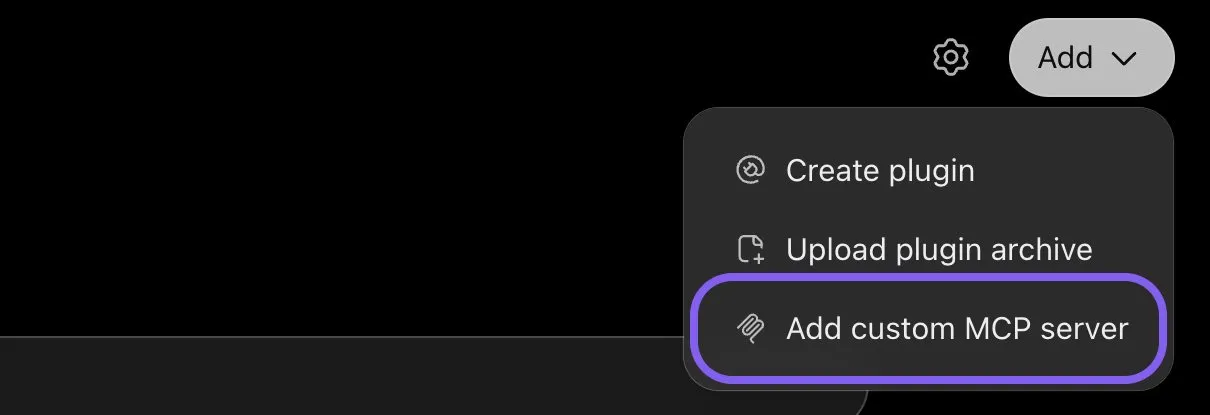
ChatGPT, Add menu on the Plugins page, November 2026.
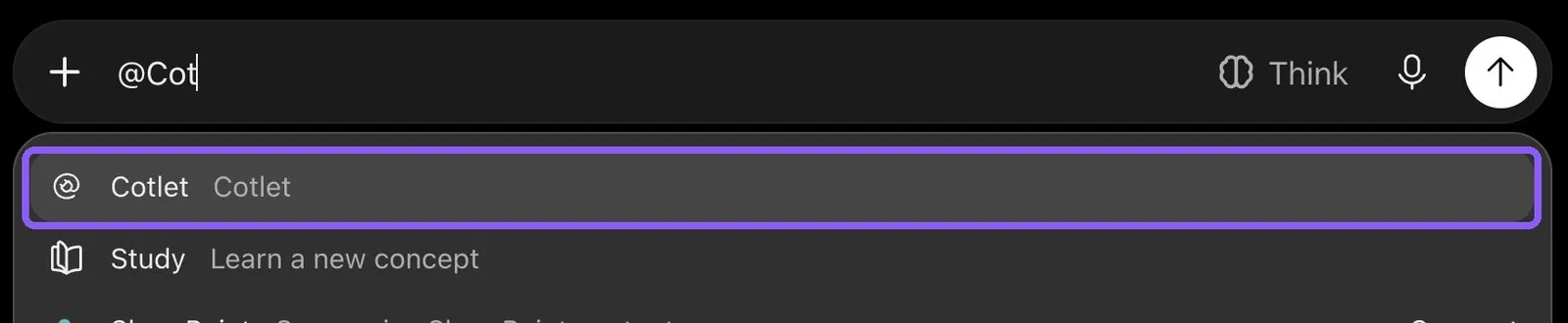
ChatGPT, picking Cotlet in a new chat with @, November 2026.
ChatGPT asks “Allow ChatGPT to use Cotlet?” before some steps. Pick Always allow, or the chat waits for your click. On a Business, Enterprise or Edu workspace, an admin has to allow custom MCP servers first.
How to connect JobNimbus to Claude
- Open Connectors in Claude and click Add. In the desktop app it is under Customize, Connectors.
- Click Add custom connector.
- Paste the name
Cotletand the URLhttps://cotlet.dev/mcp/v1/connect, then click Continue. - Keep the settings and click Add.
- A Cotlet page opens. Click Allow access.
- In a chat, click the plus button, then Connectors, and turn Cotlet on.
- Ask Claude: “Are you signed in to Cotlet through MCP?”, then “Which JobNimbus jobs have sat in Estimating for more than 10 days?”. Claude asks before it uses a Cotlet tool the first time. Click Allow.

Claude, Add custom connector form, November 2026.

Cotlet consent page after you add the connector in Claude, November 2026.
Claude’s free plan allows one custom connector. On a Team or Enterprise plan, an owner adds Cotlet in Organization settings, Connectors, and you click Connect next to it.
How to connect JobNimbus to Claude Code
Add Cotlet without a key, then sign in once in the browser:
claude mcp add --transport http cotlet https://cotlet.dev/mcp/v1/connectRun /mcp in Claude Code, pick cotlet and sign in to Cotlet. Prefer an API key, for example on a server? Create one in the Cotlet console and use:
claude mcp add --transport http cotlet https://cotlet.dev/mcp/v1 \
  --header "Authorization: Bearer $COTLET_API_KEY"
How to connect JobNimbus to Codex
Create an API key in the Cotlet console, put it in the COTLET_API_KEY environment variable and add this to ~/.codex/config.toml:
[mcp_servers.cotlet]
url = "https://cotlet.dev/mcp/v1"
bearer_token_env_var = "COTLET_API_KEY"
How to connect JobNimbus to Cursor
Create an API key in the Cotlet console, put it in the COTLET_API_KEY environment variable and add this to ~/.cursor/mcp.json:
{
  "mcpServers": {
    "cotlet": {
      "url": "https://cotlet.dev/mcp/v1",
      "headers": { "Authorization": "Bearer ${env:COTLET_API_KEY}" }
    }
  }
}
How to connect JobNimbus to Grok
Grok takes custom MCP servers on grok.com, per xAI’s connectors documentation (checked 8 November 2026).
- Open grok.com/connectors and click New Connector.
- Pick Custom and paste the server URL
https://cotlet.dev/mcp/v1/connect. - Sign in to Cotlet when Grok asks, then click Allow access.
- Ask Grok: “Are you signed in to Cotlet through MCP?”
On Grok Business, an admin adds the connector first in the xAI console, under Grok Business, Connectors. The Grok chat inside X has no custom connector menu.
How to connect JobNimbus to Hermes Agent
Add Cotlet to ~/.hermes/config.yaml in the format of the Hermes MCP config reference:
mcp_servers:
  cotlet:
    url: "https://cotlet.dev/mcp/v1"
    headers:
      Authorization: "Bearer ${COTLET_API_KEY}"
    trust: untrusted
Put COTLET_API_KEY in ~/.hermes/.env and check it with hermes mcp test cotlet. With trust: untrusted, Hermes runs reads at once and asks before every write. More on Hermes in our post on the Hermes Agent browser.
How to connect JobNimbus to n8n
Use the MCP Client node, or the MCP Client Tool inside an AI Agent node:
- Server Transport: HTTP Streamable
- MCP Endpoint URL:
https://cotlet.dev/mcp/v1 - Authentication: Bearer Auth, with your Cotlet API key as the token
- Tools: let the AI Agent node use Cotlet’s browser tools; it reads Cotlet’s JobNimbus guide first and works in your signed-in JobNimbus account
Use it for work that should run on its own, such as a 7 am list of estimates with no answer, sent to each sales rep.
Any other MCP client
Point the client at https://cotlet.dev/mcp/v1 over Streamable HTTP, with the header Authorization: Bearer <your Cotlet API key>. A client that supports OAuth sign-in can use https://cotlet.dev/mcp/v1/connect instead and needs no key. The full reference is in the MCP docs.
Hand one of these to your AI after the last inspection of the day, and check the board in the morning.
Follow up estimates that went quiet
Find JobNimbus estimates sent 5 or more days ago with no answer. Draft a short follow-up for each that names the roof and the total, and ask me before you send anything.
An estimate with no reply is often a homeowner waiting on a second quote. JobNimbus’s Zapier app can tell another tool that a job changed, but it cannot write the follow-up. The AI reads each open estimate, drafts a message tied to that job and lists them for you. You approve the ones you want, and they go out from JobNimbus.
Find the jobs stuck in one status
Which JobNimbus jobs have sat in Estimating or Contract Sent for more than 10 days? List them with the sales rep and the last activity.
Boards fill up in hail season, and a job that stops moving is easy to miss. The AI walks the board, counts the days each job has spent in its status and reads the last note. You get a short list per sales rep. If you then ask it to move a job, it shows the move and waits, since your status automations may email the homeowner.
Chase the balance on finished jobs
List my unpaid JobNimbus invoices over 30 days with the contact and the balance left, oldest first. Draft a reminder for each and send nothing yet.
Roofing invoices often wait on an insurance check or a final walk-through. The AI sorts open invoices by age and balance and drafts a reminder per homeowner. The drafts stay with you, so you choose who gets a call instead.
JobNimbus plan and Cotlet credits
Nothing about your JobNimbus subscription changes. On the Cotlet side you buy credit packs once, starting at $29 for 5,000 credits that stay valid for a year. Every call the agent completes takes 10 credits; a call that fails takes zero. While JobNimbus is switched on for agents, the Cloud Browser draws 50 credits per day. Week one is on us, and we ask for no card (pricing).
FAQ
Does JobNimbus have an API?
Yes. JobNimbus has an open API on all four plans, with keys you create in Settings, then API (checked 25 Nov 2026). A key expires one year after you make it, so code built on it needs a new key each year.
Is there an official JobNimbus MCP server?
Not from JobNimbus itself: the servers listed for it are built by other companies on top of the API. Cotlet hosts one at https://cotlet.dev/mcp/v1/jobnimbus, and it acts inside the JobNimbus login you set up in step 1.
Is Cotlet the same as the Composio JobNimbus toolkit?
No. Composio and similar servers run on a JobNimbus API key and reach what the API exposes. Cotlet works in your signed-in JobNimbus account, on the screens your login opens, with no key to create.
Can ChatGPT move jobs on my JobNimbus board?
Yes, through Cotlet. Ask ChatGPT to move a job, and it shows you the job and the new status first. Nothing moves until you say yes.
Will the agent touch my payments or user settings?
No. Payments, your subscription and user permissions stay with you, and anything that sends or moves waits for your approval.
Is Cotlet affiliated with JobNimbus?
No. Cotlet has no partnership with JobNimbus. Your agent simply uses the JobNimbus user you logged in with, inside your own Cloud Browser.
Let the board move while you are on a roof
The inspections are done and the estimates are out. What is left is the chasing, and an agent can take it from tomorrow morning. Try Cotlet free for a week: log in to JobNimbus once, plug in ChatGPT or Claude, and ask for the quiet estimates. Measuring roofs in Roofr too? Find it in the catalog.


