How to connect Kartra to ChatGPT, Claude and any AI agent
Kartra has no official MCP server. Its API starts on the Growth plan (checked 27 Nov 2026). See how ChatGPT or Claude can report on leads and sales for you.
Cotlet team 10 min read
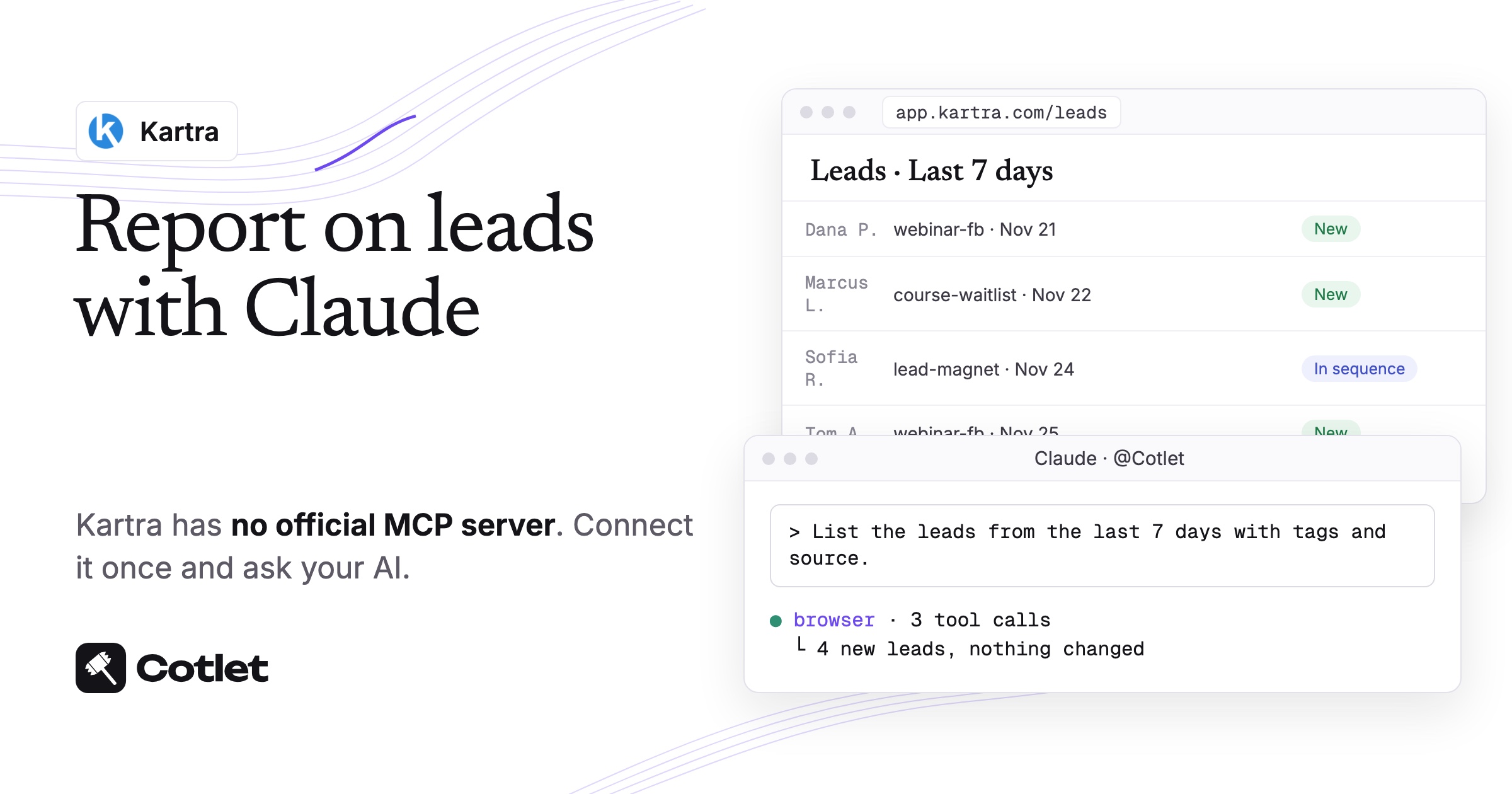
You sell a course, run a webinar funnel and keep a membership, all from one Kartra account. Monday morning you want one answer: who joined last week, and from where. Kartra’s help center, checked on 27 Nov 2026, has no MCP article, no ChatGPT app and no Claude connector. There is an API on the Growth plan and above, and a Zapier link that needs approval first. An agent that works in a Cloud Browser, signed in as you, reads the Kartra screens you already use and does not need either.
This is for solo course creators, coaches and consultants who run the business inside Kartra: leads, products, sequences, memberships and affiliates. People who buy from your pages and the learner portal are out of scope.
What ChatGPT and Claude can do in Kartra once connected
Describe the report you want. The agent picks the Kartra screen that holds the numbers.
| Where in Kartra | What you get |
|---|---|
| Leads | Everyone who joined in the last 7 days with email, tags and source, as a table for your sheet |
| Marketing, Sequences | How many leads sit in each sequence, and who has been in the welcome sequence for more than 14 days |
| Sales, Products | Sales per product this month against last month, with refunds, and the product that dropped most |
| Membership | Buyers of your course in the last 14 days and whether each one has access |
| Affiliates | Commissions due this month per affiliate, with the payout method and the total you owe |
| Lead profile | Purchases, tags and last opened email for one customer in a single answer |
Reading changes nothing. Anything that emails your leads or edits a live sequence is held until you approve it. More Kartra jobs are on the MCP page. Want one as a URL your own tools can call? That is the API page.
Does Kartra have AI, an API or an official ChatGPT app?
State on 27 November 2026:
- API: yes, on paid plans. Kartra documents calls to app.kartra.com/api with an API key, an API password and an app ID. The Intro to Integrations article says API access is included with Growth, Professional and Enterprise. Essentials and Starter are not on that list.
- For whom the API is written. The Connecting to the API article addresses developers who build an app on Kartra. The key and password sit under Settings, Integrations, My API.
- Zapier: yes, with approval. The same article says the Zapier connection requires API access and approval, and you click Request activation.
- Chat connector: none found. The integrations list covers payments, calendars, SMTP, SMS, memberships and Zapier. The MCP Registry has no Kartra entry.
So a creator on a lower plan has no API at all, and one on Growth still has to write code to ask a question. Each point is scored on the Kartra access review.
Before you start
- Your owner login for app.kartra.com, not a lead or a buyer login.
- Some real leads, a product with sales and one sequence, so the first answers are not empty.
- An account in ChatGPT or Claude.
- A Cotlet trial (pricing). Your Kartra plan can stay as it is.
Step 1: sign in to Kartra in your Cloud Browser
Open app.kartra.com/login in the Cloud Browser. Kartra redirects you to its own login page, and that is where you type your email and password. We never see them. The saved session stays encrypted, and one click in the console cuts off your agent (security).
Step 2: connect Kartra to ChatGPT, Claude or another AI agent
Pairing takes one short task. Afterwards every new chat can reach your Kartra account.
Pick your AI above to see its steps.
How to connect Kartra to ChatGPT
Do this on chatgpt.com in your browser. Cotlet then works in the ChatGPT desktop and phone apps too.
- Open Plugins in ChatGPT and click Add.
- Click Add custom MCP server. Not in the menu? Turn on Developer mode in Settings, Security and login, then come back.
- Paste the name
Cotletand the server URLhttps://cotlet.dev/mcp/v1/connect. Keep Authentication on OAuth. - Tick “I understand and want to continue” and click Create as a plugin.
- Click Connect Cotlet. A Cotlet page opens, click Allow access.
- In a new chat, type
@Cotletand pick it from the list. - Ask ChatGPT: “Are you signed in to Cotlet through MCP?” Then try a first Kartra task: “In Kartra, list the leads that joined in the last 7 days with email, tags and source. Change nothing.”
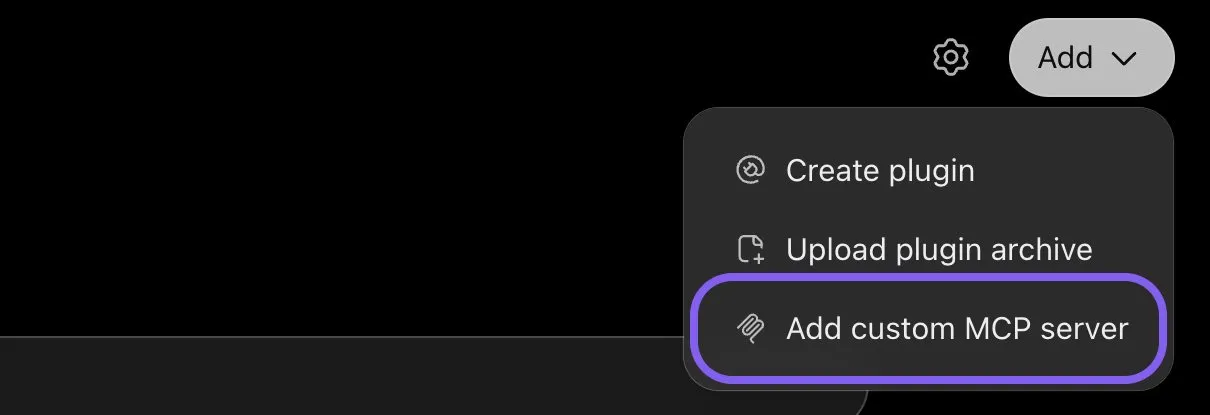
ChatGPT, Add menu on the Plugins page, November 2026.
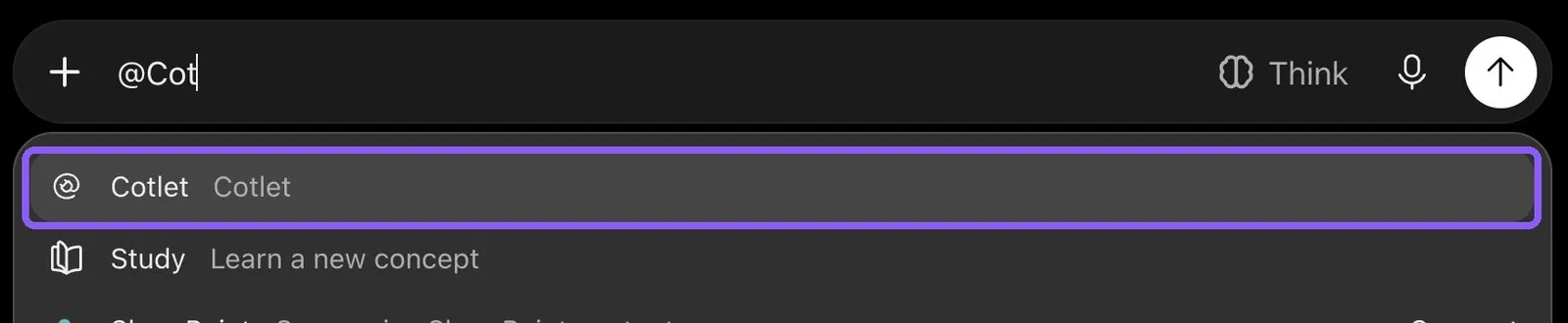
ChatGPT, picking Cotlet in a new chat with @, November 2026.
ChatGPT asks “Allow ChatGPT to use Cotlet?” before some steps. Pick Always allow, or the chat waits for your click. On a Business, Enterprise or Edu workspace, an admin has to allow custom MCP servers first.
How to connect Kartra to Claude
- Open Connectors in Claude and click Add. In the desktop app it is under Customize, Connectors.
- Click Add custom connector.
- Paste the name
Cotletand the URLhttps://cotlet.dev/mcp/v1/connect, then click Continue. - Keep the settings and click Add.
- A Cotlet page opens. Click Allow access.
- In a chat, click the plus button, then Connectors, and turn Cotlet on.
- Ask Claude: “Are you signed in to Cotlet through MCP?”, then “In Kartra, show how many leads are in each sequence. Change nothing.”. Claude asks before it uses a Cotlet tool the first time. Click Allow.

Claude, Customize, Connectors, November 2026.

Claude, chat menu, Connectors, November 2026.
Claude’s free plan allows one custom connector. On a Team or Enterprise plan, an owner adds Cotlet in Organization settings, Connectors, and you click Connect next to it.
How to connect Kartra to Claude Code
Add Cotlet without a key, then sign in once in the browser:
claude mcp add --transport http cotlet https://cotlet.dev/mcp/v1/connectRun /mcp in Claude Code, pick cotlet and sign in to Cotlet. Prefer an API key, for example on a server? Create one in the Cotlet console and use:
claude mcp add --transport http cotlet https://cotlet.dev/mcp/v1 \
  --header "Authorization: Bearer $COTLET_API_KEY"
How to connect Kartra to Codex
Create an API key in the Cotlet console, put it in the COTLET_API_KEY environment variable and add this to ~/.codex/config.toml:
[mcp_servers.cotlet]
url = "https://cotlet.dev/mcp/v1"
bearer_token_env_var = "COTLET_API_KEY"
How to connect Kartra to Cursor
Create an API key in the Cotlet console, put it in the COTLET_API_KEY environment variable and add this to ~/.cursor/mcp.json:
{
  "mcpServers": {
    "cotlet": {
      "url": "https://cotlet.dev/mcp/v1",
      "headers": { "Authorization": "Bearer ${env:COTLET_API_KEY}" }
    }
  }
}
How to connect Kartra to Grok
Grok takes custom MCP servers on grok.com, per xAI’s connectors documentation (checked 8 November 2026).
- Open grok.com/connectors and click New Connector.
- Pick Custom and paste the server URL
https://cotlet.dev/mcp/v1/connect. - Sign in to Cotlet when Grok asks, then click Allow access.
- Ask Grok: “Are you signed in to Cotlet through MCP?”
On Grok Business, an admin adds the connector first in the xAI console, under Grok Business, Connectors. The Grok chat inside X has no custom connector menu.
How to connect Kartra to Hermes Agent
Add Cotlet to ~/.hermes/config.yaml in the format of the Hermes MCP config reference:
mcp_servers:
  cotlet:
    url: "https://cotlet.dev/mcp/v1"
    headers:
      Authorization: "Bearer ${COTLET_API_KEY}"
    trust: untrusted
Put COTLET_API_KEY in ~/.hermes/.env and check it with hermes mcp test cotlet. With trust: untrusted, Hermes runs reads at once and asks before every write. More on Hermes in our post on the Hermes Agent browser.
How to connect Kartra to n8n
Use the MCP Client node, or the MCP Client Tool inside an AI Agent node:
- Server Transport: HTTP Streamable
- MCP Endpoint URL:
https://cotlet.dev/mcp/v1 - Authentication: Bearer Auth, with your Cotlet API key as the token
- Tools: let the AI Agent node use Cotlet’s browser tools; it reads Cotlet’s Kartra guide first and works in your signed-in Kartra account
Use it for work that should run on its own, such as a Friday table of the week’s new leads in your sheet.
Any other MCP client
Point the client at https://cotlet.dev/mcp/v1 over Streamable HTTP, with the header Authorization: Bearer <your Cotlet API key>. A client that supports OAuth sign-in can use https://cotlet.dev/mcp/v1/connect instead and needs no key. The full reference is in the MCP docs.
Three Kartra jobs to try first
Read first. A report cannot break a funnel.
A table of this week’s leads
List the leads that joined Kartra in the last 7 days with email, tags and source, as a table I can paste into a sheet.
Kartra keeps tags, lists and sequences on the same lead record, as the email automation feature page shows. The agent opens the leads list, filters by date and returns one row per lead. A weekly run gives you a sheet without a Zapier approval.
Affiliate commissions due
List affiliate commissions due this month per affiliate with the payment method, and the total I owe.
Kartra describes payment settings in the affiliate section in a separate article. You get a short table you can check before the payouts. The agent pays nobody. Payments stay with you.
An export checklist before you leave
List my pages, products, sequences, memberships and lead count, and tell me which of them I can export and which I have to rebuild.
Kartra has a help article on importing and exporting site elements. The agent inventories the account and compares it with that article. It is also useful if you are only comparing tools.
Later in the week
- Sales per product, month on month, with the product that fell.
- Which new buyers of the course do not have membership access yet.
- Leads who bought, with their last opened email.
What it costs
The trial lasts a week and comes with 2,000 credits, no card. Later you buy credit packs from $29 that stay valid for a year. A call that fails is free (pricing). Keep your current Kartra plan.
FAQ
Does Kartra have an API I can use without a developer?
On Growth and above, yes, and the article is for developers. Cotlet asks for no key at all.
Can ChatGPT or Claude change my sequences or send emails?
It can read sequences, lists and tags and draft the text. Sending to your leads or changing a live sequence waits for your OK.
Which Kartra plan do I need?
Any plan. Only the API needs Growth or higher, and Cotlet does not use it.
Is this an official Kartra integration?
No, the two companies are separate.
Try it on your own Kartra account
Ask who joined this week and from where. Start a trial, sign in to Kartra and the table arrives in a minute. Other creator tools sit under integrations.