How to connect Kennel Connection to ChatGPT, Claude and any AI agent
Kennel Connection has no official MCP server, ChatGPT app or public API (checked 27 Nov 2026). Let ChatGPT or Claude run your vaccine and package reports.
Cotlet team 9 min read
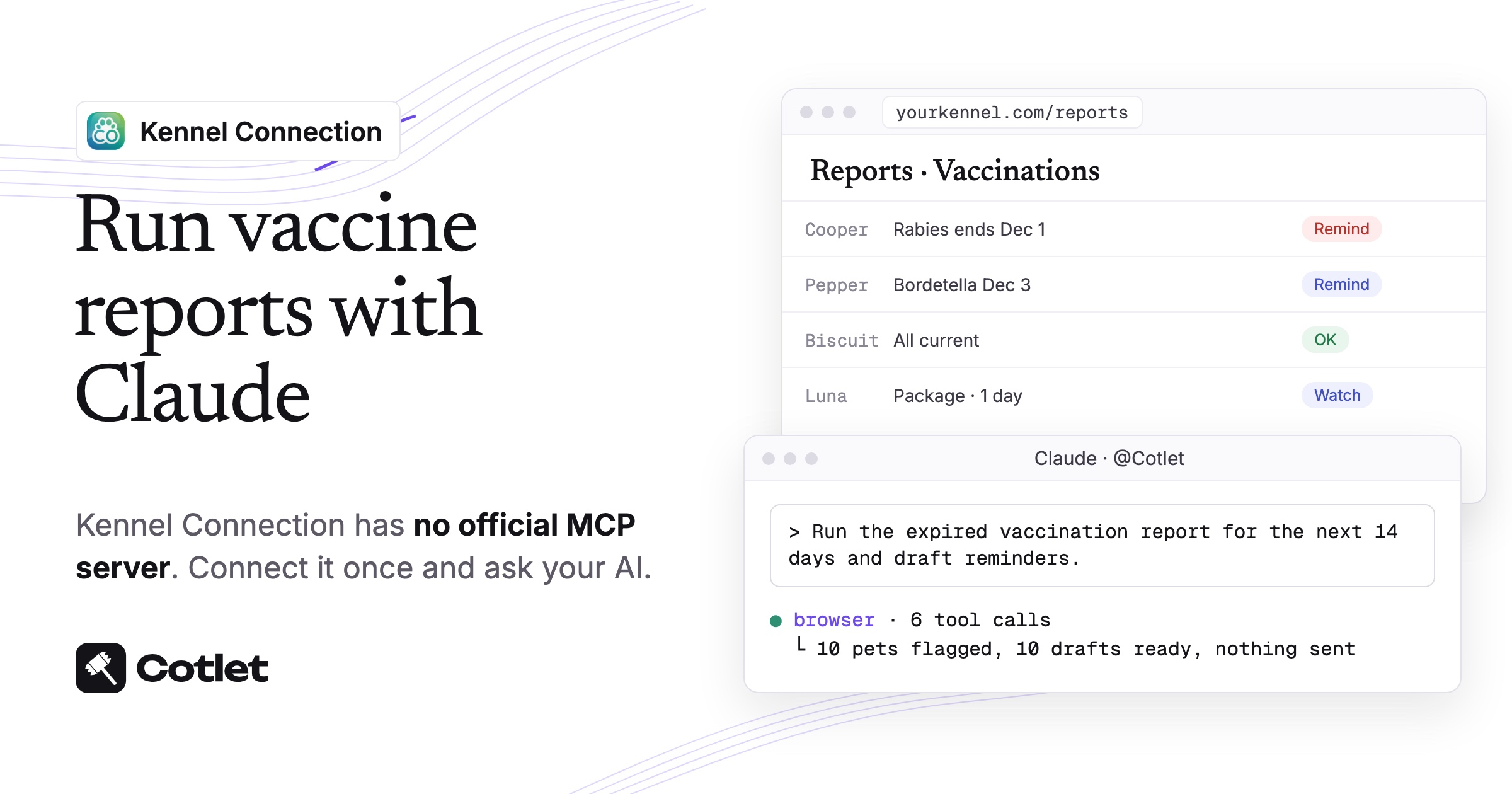
Friday afternoon, pickup is at five, and half the report cards are still unwritten. On 27 Nov 2026 the vendor lists no MCP server, ChatGPT app, Claude connector or public API. What the app does have is a shelf of reports. Cotlet lets an AI agent open those reports in a Cloud Browser, signed in as you, and turn them into lists and drafts.
The audience is owners and managers on KC Cloud or Hello-Groom, the two versions that run in a browser. Kennel Connection Desktop is Windows software with a local database, and Cotlet does not work with it.
Which reports the AI can work from
Give a date range, a run size or a client group. You get a list back, not a wall of numbers.
| Report or screen | The AI’s job |
|---|---|
| Expired Vaccination Report | Lists pets booked soon with an expired or ending vaccine |
| Daycare Package Reports | Finds clients with two days or fewer left |
| Report Cards | Shows pets here today that have no report card yet |
| Feeding, Medication, Exercise reports | Builds tomorrow’s list grouped by run |
| Receipts Report | Compares deposits received, applied and refunded |
| Occupancy reports | Shows free runs and full days for a holiday |
| Grooming Module | Lists clients on a set schedule with no next appointment |
Reading changes nothing. A text to a client, a changed reservation and any charge wait for your yes. Further examples sit on the MCP page for this app.
What the vendor offers for AI and integrations
State on 27 November 2026:
- API: none found. There is no developer page on the site, and STOA Tools records no documented API.
- Data export: once a quarter. The SaaS agreement allows one standard export per calendar quarter, on written request.
- ChatGPT and Claude: no connector. The MCP Registry returns nothing. The company blog writes about AI in pet care from the pet owner’s side.
- Zapier, Make, n8n: no app found.
So the reports in the help center are the way in, and a browser is how an agent reaches them. The review of its API and MCP access has the details.
Before you start
- The staff login for your KC Cloud or Hello-Groom site. Each business has its own login page from onboarding.
- Some reservations for the next two weeks.
- A ChatGPT or Claude account. A free Claude plan is enough for one connector.
- A Cotlet account (pricing).
Step 1: open Kennel Connection in your Cloud Browser and log in
Load your own staff login page in the Cloud Browser. Each business has a separate address, so there is no single link to give you.
Type the password into Kennel Connection only. The stored session is encrypted, and one click removes the agent’s access (security).
Step 2: link Kennel Connection to your AI of choice
One time only. New chats pick up the login from step 1.
Pick your AI above to see its steps.
How to connect Kennel Connection to ChatGPT
Do this on chatgpt.com in your browser. Cotlet then works in the ChatGPT desktop and phone apps too.
- Open Plugins in ChatGPT and click Add.
- Click Add custom MCP server. Not in the menu? Turn on Developer mode in Settings, Security and login, then come back.
- Paste the name
Cotletand the server URLhttps://cotlet.dev/mcp/v1/connect. Keep Authentication on OAuth. - Tick “I understand and want to continue” and click Create as a plugin.
- Click Connect Cotlet. A Cotlet page opens, click Allow access.
- In a new chat, type
@Cotletand pick it from the list. - Ask ChatGPT: “Are you signed in to Cotlet through MCP?” Then try a first Kennel Connection task: “In Kennel Connection, list daycare clients whose package has two days or fewer left, with the last visit. Change nothing.”
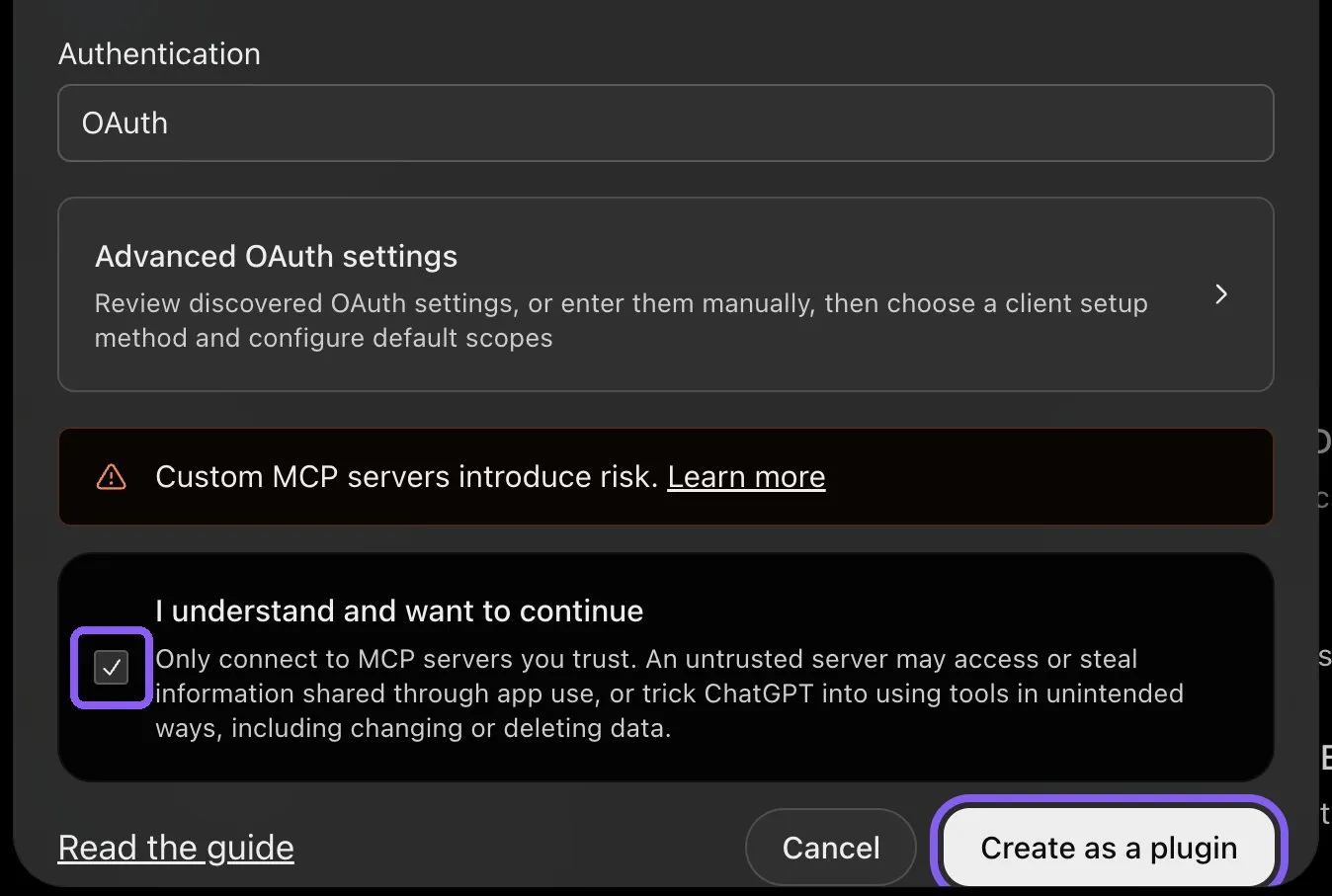
ChatGPT, bottom of the custom MCP server form, November 2026.
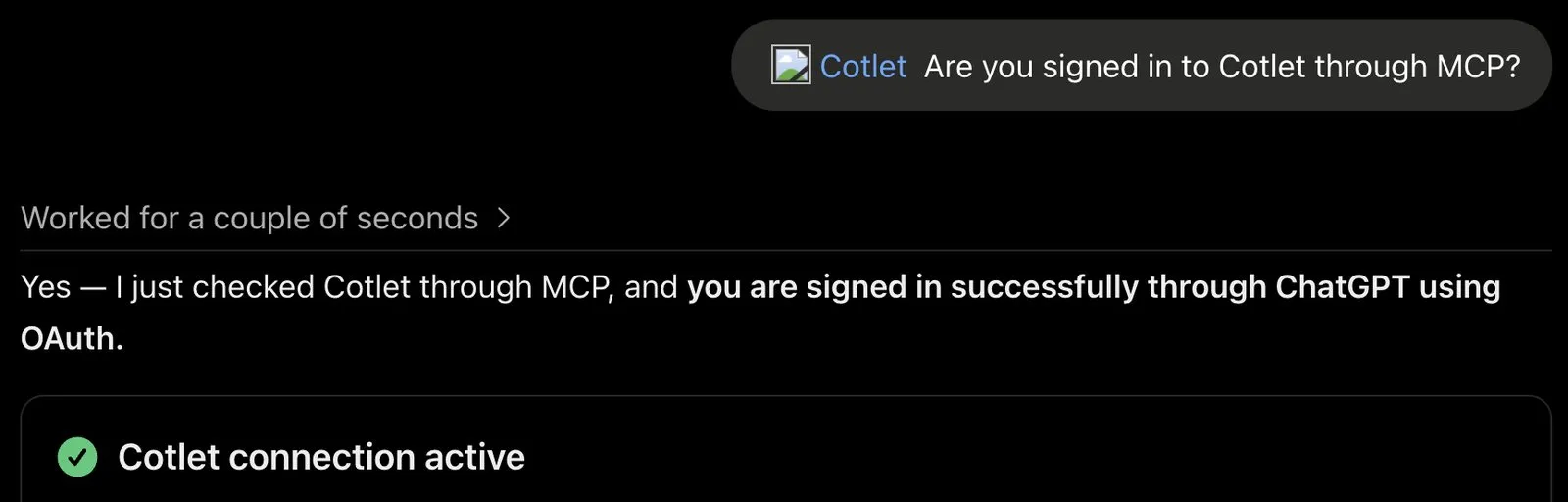
ChatGPT confirming the Cotlet connection, November 2026.
ChatGPT asks “Allow ChatGPT to use Cotlet?” before some steps. Pick Always allow, or the chat waits for your click. On a Business, Enterprise or Edu workspace, an admin has to allow custom MCP servers first.
How to connect Kennel Connection to Claude
- Open Connectors in Claude and click Add. In the desktop app it is under Customize, Connectors.
- Click Add custom connector.
- Paste the name
Cotletand the URLhttps://cotlet.dev/mcp/v1/connect, then click Continue. - Keep the settings and click Add.
- A Cotlet page opens. Click Allow access.
- In a chat, click the plus button, then Connectors, and turn Cotlet on.
- Ask Claude: “Are you signed in to Cotlet through MCP?”, then “In Kennel Connection, run the expired vaccination report for pets booked in the next 14 days. Send nothing.”. Claude asks before it uses a Cotlet tool the first time. Click Allow.

Claude, Customize, Connectors, Add menu, November 2026.

Cotlet consent page after you add the connector in Claude, November 2026.
Claude’s free plan allows one custom connector. On a Team or Enterprise plan, an owner adds Cotlet in Organization settings, Connectors, and you click Connect next to it.
How to connect Kennel Connection to Claude Code
Add Cotlet without a key, then sign in once in the browser:
claude mcp add --transport http cotlet https://cotlet.dev/mcp/v1/connectRun /mcp in Claude Code, pick cotlet and sign in to Cotlet. Prefer an API key, for example on a server? Create one in the Cotlet console and use:
claude mcp add --transport http cotlet https://cotlet.dev/mcp/v1 \
  --header "Authorization: Bearer $COTLET_API_KEY"
How to connect Kennel Connection to Codex
Create an API key in the Cotlet console, put it in the COTLET_API_KEY environment variable and add this to ~/.codex/config.toml:
[mcp_servers.cotlet]
url = "https://cotlet.dev/mcp/v1"
bearer_token_env_var = "COTLET_API_KEY"
How to connect Kennel Connection to Cursor
Create an API key in the Cotlet console, put it in the COTLET_API_KEY environment variable and add this to ~/.cursor/mcp.json:
{
  "mcpServers": {
    "cotlet": {
      "url": "https://cotlet.dev/mcp/v1",
      "headers": { "Authorization": "Bearer ${env:COTLET_API_KEY}" }
    }
  }
}
How to connect Kennel Connection to Grok
Grok takes custom MCP servers on grok.com, per xAI’s connectors documentation (checked 8 November 2026).
- Open grok.com/connectors and click New Connector.
- Pick Custom and paste the server URL
https://cotlet.dev/mcp/v1/connect. - Sign in to Cotlet when Grok asks, then click Allow access.
- Ask Grok: “Are you signed in to Cotlet through MCP?”
On Grok Business, an admin adds the connector first in the xAI console, under Grok Business, Connectors. The Grok chat inside X has no custom connector menu.
How to connect Kennel Connection to Hermes Agent
Add Cotlet to ~/.hermes/config.yaml in the format of the Hermes MCP config reference:
mcp_servers:
  cotlet:
    url: "https://cotlet.dev/mcp/v1"
    headers:
      Authorization: "Bearer ${COTLET_API_KEY}"
    trust: untrusted
Put COTLET_API_KEY in ~/.hermes/.env and check it with hermes mcp test cotlet. With trust: untrusted, Hermes runs reads at once and asks before every write. More on Hermes in our post on the Hermes Agent browser.
How to connect Kennel Connection to n8n
Use the MCP Client node, or the MCP Client Tool inside an AI Agent node:
- Server Transport: HTTP Streamable
- MCP Endpoint URL:
https://cotlet.dev/mcp/v1 - Authentication: Bearer Auth, with your Cotlet API key as the token
- Tools: let the AI Agent node use Cotlet’s browser tools; it reads Cotlet’s Kennel Connection guide first and works in your signed-in KC Cloud account
Use it for work that should run on its own, such as an afternoon list of pets still due a report card.
Any other MCP client
Point the client at https://cotlet.dev/mcp/v1 over Streamable HTTP, with the header Authorization: Bearer <your Cotlet API key>. A client that supports OAuth sign-in can use https://cotlet.dev/mcp/v1/connect instead and needs no key. The full reference is in the MCP docs.
Where to start: three reports
Reports first, messages after.
Run the vaccine report and draft the reminders
Run the expired vaccination report for pets booked in the next 14 days and draft a reminder for each owner with the vaccine and the date. Send nothing yet.
The Expired Vaccination Report already exists. The AI runs it, narrows it to pets with a booking, and writes one note per owner.
Warn clients before the package ends
List clients whose daycare package has two days or fewer left or expires this month, with the last visit, and draft a renewal message for each.
The package reports show days left. The AI adds the last visit, so you can tell a regular from someone who drifted away.
Find the pets still waiting for a report card
List boarding and daycare pets here today that have no report card yet, so staff know who is still due one before pickup.
Staff see who is left before the pickup rush, and nothing is sent for them.
And for later in the week
- Show tomorrow’s boarders with feeding notes, medications and extra meals, grouped by run.
- Compare deposits received with deposits applied for last month and list the ones that do not match.
- Collect clients, pets, vaccinations and notes from the reports into one sheet I keep.
What it costs
Kennel Connection stays untouched. The Cotlet trial is 2,000 credits over 7 days, no card needed. Afterwards a pack costs from $29, lasts a year and charges only for calls that work (pricing).
FAQ
Is there an API or MCP server for Kennel Connection?
Neither one officially: no MCP server, and no public API documentation. Cotlet reads your signed-in KC Cloud account instead, with no key.
Does this work with Kennel Connection Desktop?
No. It works with KC Cloud and Hello-Groom, which run in a browser.
Is Cotlet affiliated with Kennel Connection?
No. The two are separate companies.
Test it on your own login
Ask for the vaccine report covering the next two weeks first. Open a free Cotlet week, log in and ask away. The catalog has more apps.