How to connect MaidCentral to ChatGPT, Claude and any AI agent
MaidCentral has no official MCP server (checked 27 Nov 2026). Let ChatGPT or Claude check payroll, batch invoices and unbooked quotes in your account.
Cotlet team 11 min read
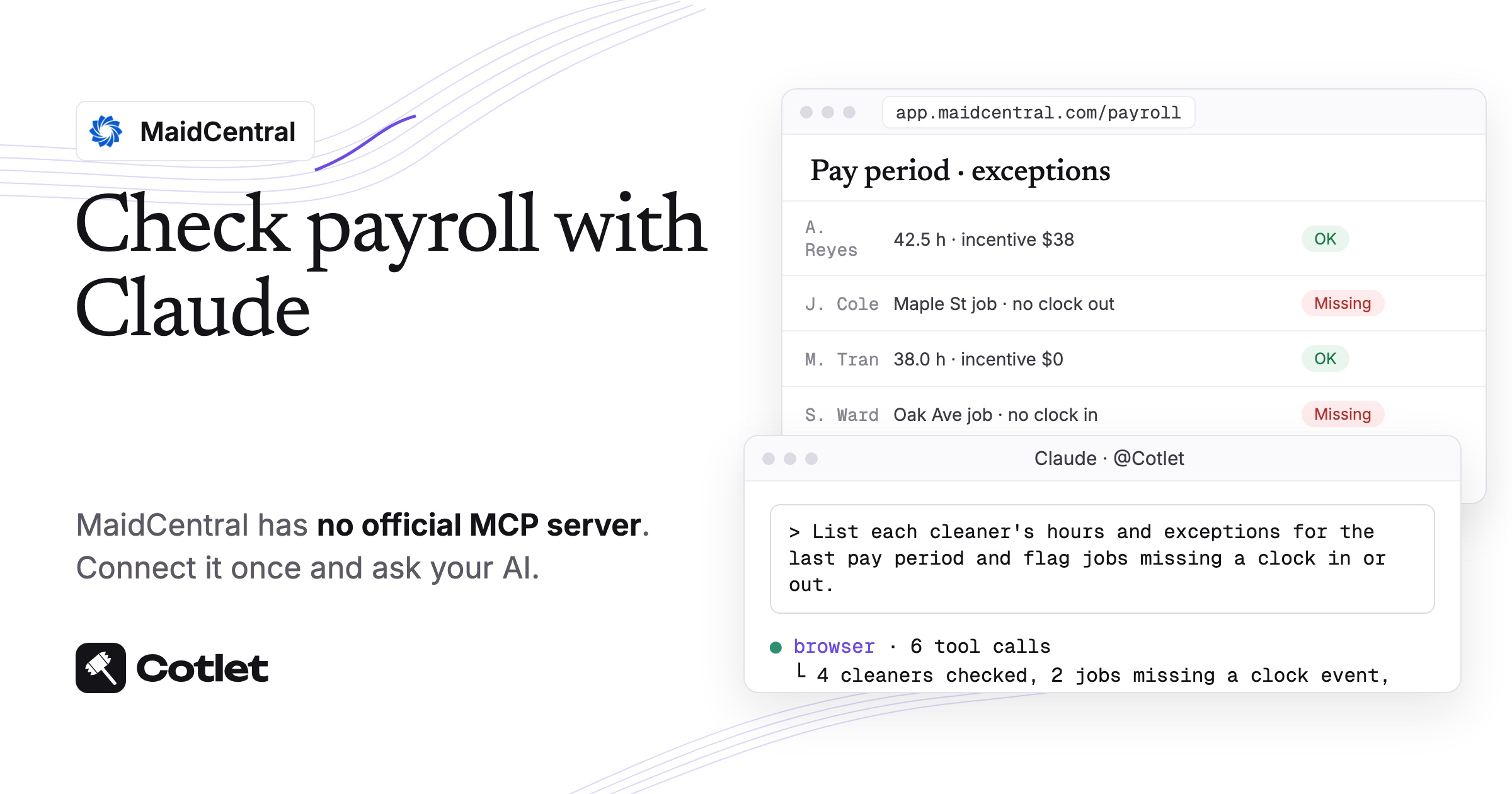
Payroll closes Friday, and three cleaners forgot to clock out. Somewhere in MaidCentral there are also customers with four finished visits and no invoice, and a stack of quotes nobody followed up. On 27 November 2026 MaidCentral shipped no official MCP server and no ChatGPT or Claude app. It does have an API, which an administrator can switch on, but that API is built for leads, quotes and booking forms, and reports and payroll stay inside the app. Your AI can use the screens you use. After one login inside Cotlet’s cloud browser, the AI can work through payroll, invoices and quotes. Ten minutes, no code.
This is for owners and office managers of larger residential cleaning companies, the people who close payroll and chase the pipeline. Cleaners in the mobile app are out of scope. Cotlet suits the person who keeps the back office running.
What ChatGPT and Claude can do in MaidCentral once connected
Name the pay period, the week or the customer group. The AI goes to the report or screen that holds it.
| Screen | Job for the AI |
|---|---|
| Payroll workflow | Lists each cleaner’s hours, incentive pay and exceptions for the last pay period and flags jobs missing a clock in or out |
| Customers, Batch invoicing | Finds customers with completed jobs this month not yet invoiced and prepares one batch invoice each. It sends nothing |
| Sales pipeline, New lead or quote | Lists quotes and leads from the last 14 days that were not booked, drafts a follow-up for each and shows the weekly close rate |
| Report, Revenue Production Planning | Compares booked hours with team capacity for the next four weeks and says which days are full |
| Report, Scorecard results | Lists last week’s scorecards under 4 stars with customer, cleaner and comment, and drafts a reply |
| Job schedule, Efficiency map | Shows tomorrow’s schedule per team with travel gaps and overlaps, and suggests swaps without changing anything |
| Report, Customer counts | Lists recurring customers who cancelled or paused this month, with frequency and last cleaner |
Reading changes nothing in MaidCentral. Anything that reaches a customer or touches pay, such as an invoice, a reply or a payroll step, waits for your OK, and payments are blocked. The MaidCentral MCP page shows further jobs.
What exists for MaidCentral today: MCP, API, Zapier
The search below was done on 27 November 2026:
- No official MCP server. The MCP Registry has one entry, io.usefulapi/maidcentral, published by an independent service rather than MaidCentral. It covers leads, quotes, bookings and notes. ChatGPT’s directory and Claude’s connector list both lack a MaidCentral entry.
- An API an administrator can switch on. The API introduction says to add an API user under Company > Settings > General, Integrations tab. If the option is missing, you contact MaidCentral Support. The endpoints cover leads, quotes, booking and pricing, not payroll or reports.
- Zapier has an app. The MaidCentral app on Zapier offers ten triggers, such as job completed, lead closed and cancelled service, and two actions, create lead and create note. Make and n8n show no MaidCentral app.
- Some data exports from the app. Time clocks export for employees, and the scorecard report offers export options.
The API fits a developer wiring a booking form. A signed-in browser fits the manager who needs payroll checked by Thursday night. Every point is scored in MaidCentral’s API and MCP review.
Before the first request
- An administrator or office login that shows Payroll, Customers, Reports and the Sales pipeline.
- The start and end dates of the current pay period.
- The scorecard rating you call good, if it is not 4 stars.
- Either a paid ChatGPT plan or a Claude account.
- A Cotlet account (pricing).
Step 1: sign in to MaidCentral in your Cloud Browser
Go to app.maidcentral.com inside the Cloud Browser. The site forwards you to its sign-in page, where you type your office email and password.
MaidCentral is the only recipient of the password. What Cotlet keeps is an encrypted session, deletable with one switch. If MaidCentral drops it, a link lets you sign in again (details on security).
Step 2: connect MaidCentral to ChatGPT, Claude or another AI agent
Your AI takes Cotlet’s address a single time. After that it acts inside the session you signed in, and it cannot read your password. Choose the tool you use.
Pick your AI above to see its steps.
How to connect MaidCentral to ChatGPT
Do this on chatgpt.com in your browser. Cotlet then works in the ChatGPT desktop and phone apps too.
- Open Plugins in ChatGPT and click Add.
- Click Add custom MCP server. Not in the menu? Turn on Developer mode in Settings, Security and login, then come back.
- Paste the name
Cotletand the server URLhttps://cotlet.dev/mcp/v1/connect. Keep Authentication on OAuth. - Tick “I understand and want to continue” and click Create as a plugin.
- Click Connect Cotlet. A Cotlet page opens, click Allow access.
- In a new chat, type
@Cotletand pick it from the list. - Ask ChatGPT: “Are you signed in to Cotlet through MCP?” Then try a first MaidCentral task: “Open MaidCentral payroll for the last pay period and list the jobs missing a clock in or out. Change nothing.”
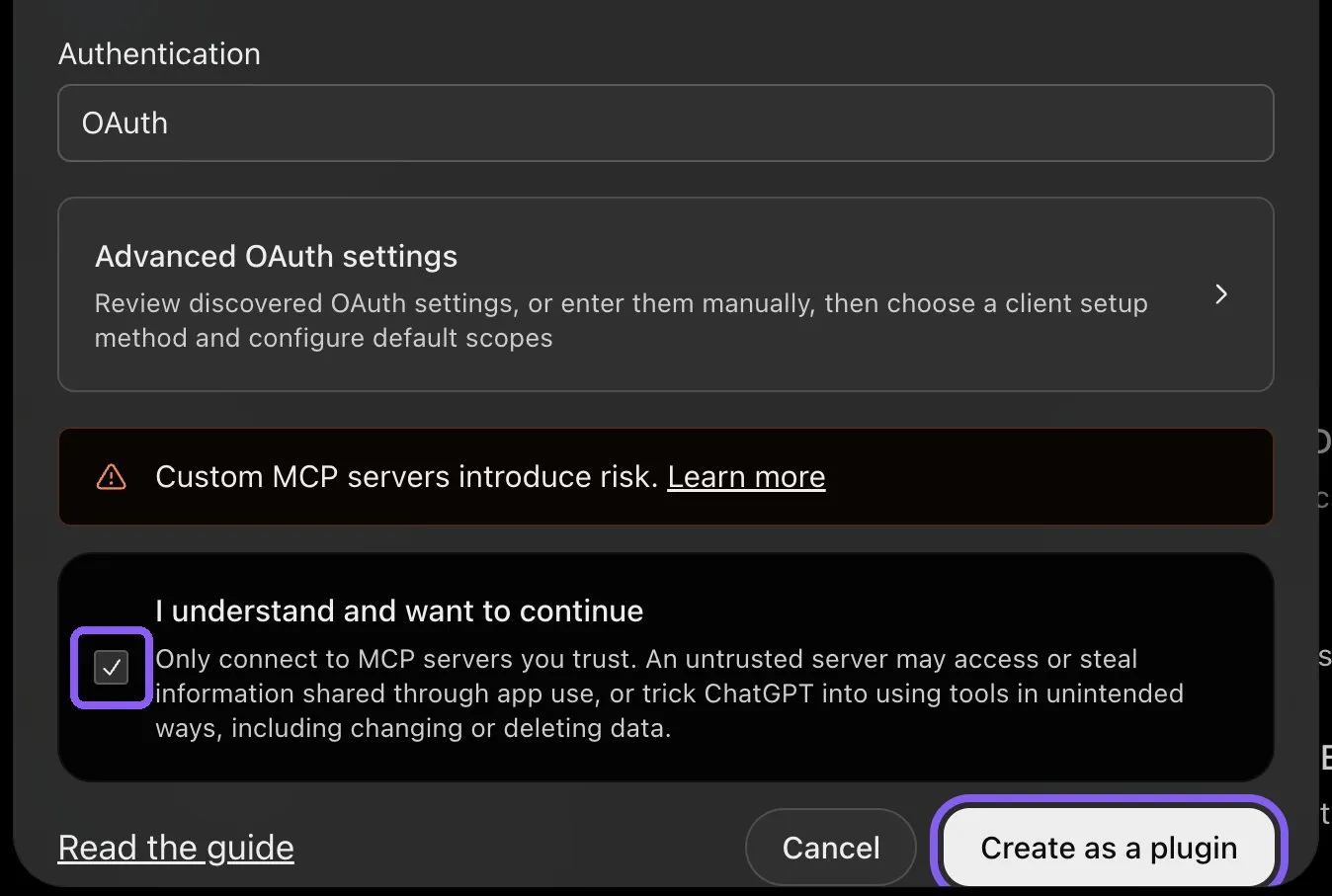
ChatGPT, bottom of the custom MCP server form, November 2026.
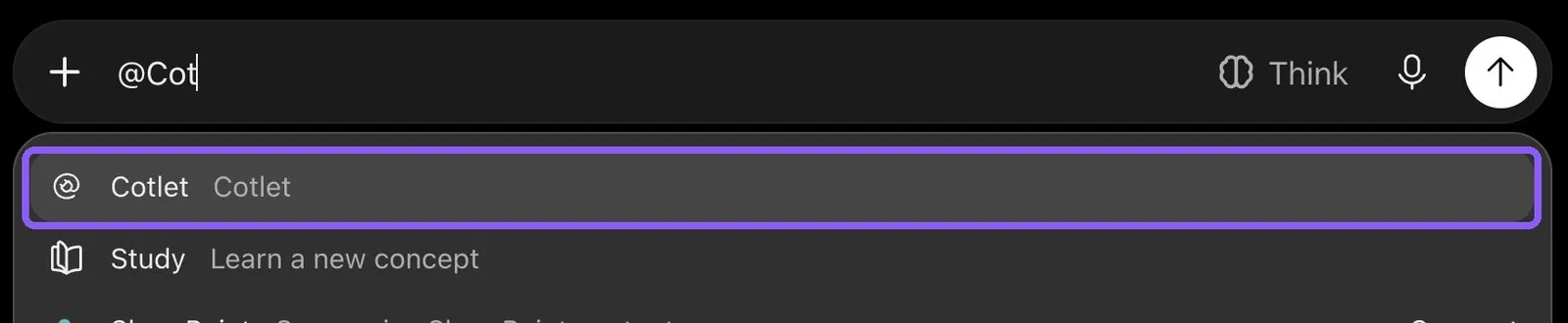
ChatGPT, picking Cotlet in a new chat with @, November 2026.
ChatGPT asks “Allow ChatGPT to use Cotlet?” before some steps. Pick Always allow, or the chat waits for your click. On a Business, Enterprise or Edu workspace, an admin has to allow custom MCP servers first.
How to connect MaidCentral to Claude
- Open Connectors in Claude and click Add. In the desktop app it is under Customize, Connectors.
- Click Add custom connector.
- Paste the name
Cotletand the URLhttps://cotlet.dev/mcp/v1/connect, then click Continue. - Keep the settings and click Add.
- A Cotlet page opens. Click Allow access.
- In a chat, click the plus button, then Connectors, and turn Cotlet on.
- Ask Claude: “Are you signed in to Cotlet through MCP?”, then “From the MaidCentral sales pipeline, list the quotes from the last 14 days that were not booked.”. Claude asks before it uses a Cotlet tool the first time. Click Allow.

Claude, Customize, Connectors, Add menu, November 2026.

Claude, chat menu, Connectors, November 2026.
Claude’s free plan allows one custom connector. On a Team or Enterprise plan, an owner adds Cotlet in Organization settings, Connectors, and you click Connect next to it.
How to connect MaidCentral to Claude Code
Add Cotlet without a key, then sign in once in the browser:
claude mcp add --transport http cotlet https://cotlet.dev/mcp/v1/connectRun /mcp in Claude Code, pick cotlet and sign in to Cotlet. Prefer an API key, for example on a server? Create one in the Cotlet console and use:
claude mcp add --transport http cotlet https://cotlet.dev/mcp/v1 \
  --header "Authorization: Bearer $COTLET_API_KEY"
How to connect MaidCentral to Codex
Create an API key in the Cotlet console, put it in the COTLET_API_KEY environment variable and add this to ~/.codex/config.toml:
[mcp_servers.cotlet]
url = "https://cotlet.dev/mcp/v1"
bearer_token_env_var = "COTLET_API_KEY"
How to connect MaidCentral to Cursor
Create an API key in the Cotlet console, put it in the COTLET_API_KEY environment variable and add this to ~/.cursor/mcp.json:
{
  "mcpServers": {
    "cotlet": {
      "url": "https://cotlet.dev/mcp/v1",
      "headers": { "Authorization": "Bearer ${env:COTLET_API_KEY}" }
    }
  }
}
How to connect MaidCentral to Grok
Grok takes custom MCP servers on grok.com, per xAI’s connectors documentation (checked 8 November 2026).
- Open grok.com/connectors and click New Connector.
- Pick Custom and paste the server URL
https://cotlet.dev/mcp/v1/connect. - Sign in to Cotlet when Grok asks, then click Allow access.
- Ask Grok: “Are you signed in to Cotlet through MCP?”
On Grok Business, an admin adds the connector first in the xAI console, under Grok Business, Connectors. The Grok chat inside X has no custom connector menu.
How to connect MaidCentral to Hermes Agent
Add Cotlet to ~/.hermes/config.yaml in the format of the Hermes MCP config reference:
mcp_servers:
  cotlet:
    url: "https://cotlet.dev/mcp/v1"
    headers:
      Authorization: "Bearer ${COTLET_API_KEY}"
    trust: untrusted
Put COTLET_API_KEY in ~/.hermes/.env and check it with hermes mcp test cotlet. With trust: untrusted, Hermes runs reads at once and asks before every write. More on Hermes in our post on the Hermes Agent browser.
How to connect MaidCentral to n8n
Use the MCP Client node, or the MCP Client Tool inside an AI Agent node:
- Server Transport: HTTP Streamable
- MCP Endpoint URL:
https://cotlet.dev/mcp/v1 - Authentication: Bearer Auth, with your Cotlet API key as the token
- Tools: let the AI Agent node use Cotlet’s browser tools; it reads Cotlet’s MaidCentral guide first and works in your signed-in MaidCentral account
Use it for work that should run on its own, such as a Weekly list of recurring customers who paused or cancelled.
Any other MCP client
Point the client at https://cotlet.dev/mcp/v1 over Streamable HTTP, with the header Authorization: Bearer <your Cotlet API key>. A client that supports OAuth sign-in can use https://cotlet.dev/mcp/v1/connect instead and needs no key. The full reference is in the MCP docs.
Three MaidCentral jobs to try first
Start with the checks you run every pay period.
Check payroll before you close it
List each cleaner’s hours, incentive pay and exceptions for the last pay period and flag jobs missing a clock in or out.
The payroll workflow has a review step for hours and incentive pay. The AI opens it, goes through each cleaner and gives you a short list: who, which job, what is missing. You fix the entries, and the AI never changes a clock time or releases a payment without your yes.
Chase the quotes that never became jobs
Which quotes and leads from the last 14 days were not booked? Draft a follow-up for each and show the weekly close rate.
MaidCentral publishes the close rate per week as a core KPI, and the quotes behind it sit in the pipeline. The AI lists the open ones with name, price and date, writes a short follow-up for each and shows this week’s rate. You read the drafts and decide which go out.
Invoice multi-visit customers in one batch
List customers with completed jobs this month that are not yet invoiced and prepare one batch invoice per customer. Send nothing yet.
Batch invoicing combines a customer’s visits into one invoice. The AI finds who qualifies, fills in the batch screen and stops. You check the totals, then say send.
Teams, schedules and capacity
A larger company thinks in teams and in booked hours. Name the team or the week at the start of a request. The revenue production planning report shows booked hours against capacity, and the AI can read it for the next four weeks and tell you which days you can still sell.
Four more requests for the same pay period
- Compare last month’s MaidCentral income with the totals I paste from QuickBooks and list the days that differ.
- Show tomorrow’s job schedule per team with travel gaps and suggest swaps. Change nothing.
- List recurring customers who cancelled or paused this month, with their frequency and last cleaner.
- List last week’s scorecards under 4 stars and draft a reply to each.
Each of these finishes on a MaidCentral screen. Check that screen against the AI’s answer the first time.
What it costs
You pay MaidCentral what you paid before. Cotlet bills in credits only, $29 for a pack of 5,000 that expires after a year. A failed call is free. The trial and per call prices are on pricing.
FAQ
Can I add a MaidCentral MCP server to ChatGPT?
None from MaidCentral itself. An independent server in the MCP Registry covers leads, quotes, bookings and notes. With Cotlet, your own ChatGPT or Claude drives the screens of your account, payroll and reports included.
How do I get MaidCentral API access for my company?
An administrator adds an API user under Company > Settings > General, Integrations tab. The docs describe leads, quotes and booking. If the option is missing, MaidCentral Support can turn it on. Cotlet needs nothing but your login.
Can ChatGPT or Claude run payroll in MaidCentral?
It checks hours and exceptions and prepares the numbers. A step that changes data or pays people waits for your approval.
Can the AI send invoices to customers?
It prepares them and stops. You review the totals and tell it to send.
Does the Zapier app cover this?
Only in part. It has triggers such as job completed and two actions, create lead and create note. Payroll, invoices and reports are not among them.
Is this an official MaidCentral integration?
No. Cotlet is independent, and MaidCentral was not involved in building it.
Before payroll closes
Friday comes either way, and so do the missing clock outs. Begin a free Cotlet week, log in to MaidCentral one time and give your AI the payroll check. Other cleaning tools may be in the catalog.