How to connect Mangomint to ChatGPT, Claude and any AI agent
Mangomint's AI receptionist Mira talks to your clients. How salon and spa owners let their own ChatGPT or Claude run the calendar, waitlist and reports.
Cotlet team 11 min read
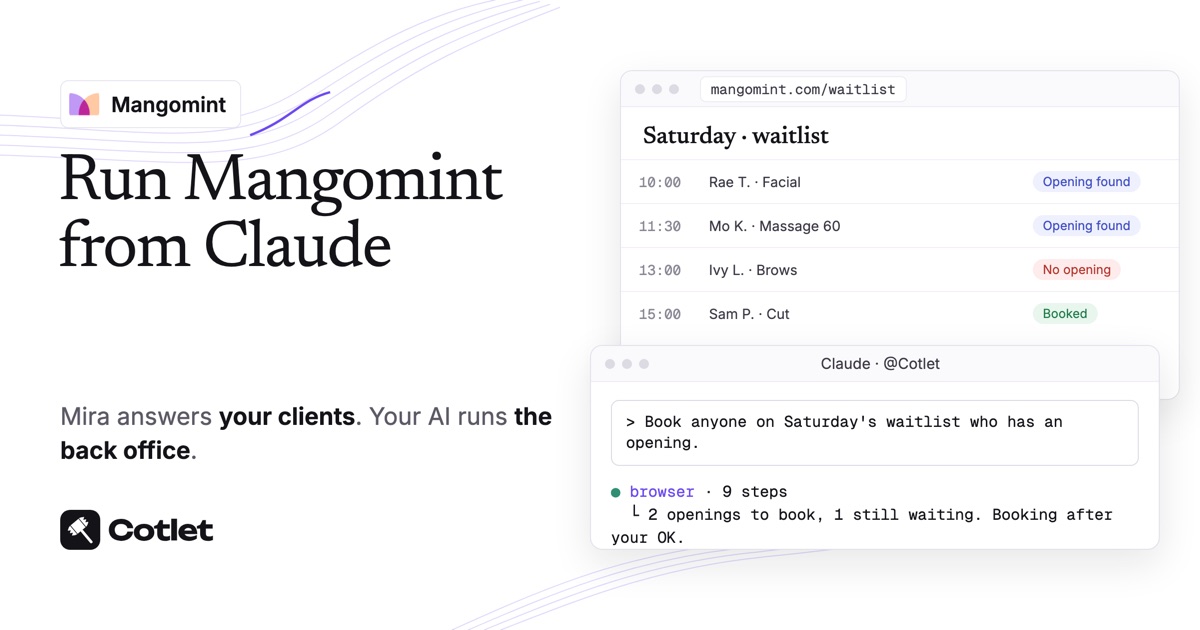
Mangomint has no public API, no Zapier app and no ChatGPT or Claude connector, as of November 2026. What it has is Mira, an AI receptionist launched on 21 October 2026 that answers your clients’ calls and texts for $300 a month. If instead you want your own ChatGPT or Claude to work in Mangomint for you, the owner, connect it with Cotlet. One login to Mangomint in a cloud browser, and your AI can read the calendar, book from the waitlist, pull reports and update client notes, the way you do at the front desk. Around ten minutes, no code.
Cotlet is for the owner or manager who runs the salon, spa or med spa in Mangomint and wants an AI on their side of the desk. Clients still book online and talk to your front desk, or to Mira, as before. This guide is about the back office: the Saturday waitlist, the weekly numbers, the paperwork when someone on the team leaves.
What ChatGPT and Claude can do in Mangomint once connected
Think of the AI as a second person at the Mangomint front desk computer. It works in the web app, logged in as you:
| Mangomint screen | What you can ask your AI to do |
|---|---|
| Calendar | Read the day by staff member, book, move or cancel an appointment |
| Waitlist | Find openings that match waitlist clients and book them |
| Clients | Look a client up by phone, email or name, read their timeline, add a note or tag |
| Reports | Read sales, cancellations, no-shows and payroll for a period, export them |
| Staff | Set a day off for a staff member |
| Services | Check your service menu and who performs each service |
It asks first before it touches a client’s appointment or sends a client anything. Looking things up, in the calendar, a timeline or a report, it just does.
See Cotlet’s Mangomint integration page for how the connection works.
Does Mangomint have AI, an API or an official ChatGPT app?
Mangomint has an AI receptionist and outgoing webhooks. Neither puts your own assistant in the account.
- Mira, AI receptionist. Mira “Answers incoming calls and texts 24/7”, books, reschedules and manages waitlist notifications, and is “built natively into the platform”, per Mangomint’s Mira guide (checked 9 November 2026), which puts the price at $300 a month. It works for your clients, not on your instructions from ChatGPT.
- No public API. Mangomint’s integrations page lists Shopify, Mailchimp, Webhooks, Docovia and Doxy.me, and no API. For webhooks, its guide says: “contact chat support”.
- No Zapier or n8n app, and no Mangomint app in ChatGPT or Claude, as of November 2026.
To have your own AI do the work today, the route is a hosted MCP server that uses Mangomint as you. If Mangomint opens an API, use it.
Before you connect
- Your Mangomint login, ideally an owner or manager role that can see reports and all staff calendars.
- An AI account: ChatGPT on chatgpt.com, or Claude on the web or desktop app (one custom connector on Claude’s free plan).
- Cotlet, which you can try free for 7 days with no card.
Step 1: sign in to Mangomint in your Cloud Browser
In the Cotlet console, open the Web browser, go to Mangomint’s login page and sign in as you do at the front desk. The browser stays on Cotlet’s side with your session saved, so the AI can open Mangomint before the salon does.
Cotlet never stores the password you type into Mangomint. It keeps only the encrypted session. When Mangomint asks you to sign in again, the AI stops and gives you the link to the browser. The security page has more.
Step 2: connect Mangomint to ChatGPT, Claude or another AI agent
Set up the assistant you actually use. If the front desk prefers ChatGPT and you prefer Claude, connect both: they share one Mangomint session.
Pick your AI above to see its steps.
How to connect Mangomint to ChatGPT
Do this on chatgpt.com in your browser. Cotlet then works in the ChatGPT desktop and phone apps too.
- Open Plugins in ChatGPT and click Add.
- Click Add custom MCP server.
- Paste the name
Cotletand the server URLhttps://cotlet.dev/mcp/v1/connect. Keep Authentication on OAuth. - Tick “I understand and want to continue” and click Create as a plugin.
- Click Connect Cotlet. A Cotlet page opens, click Allow access.
- In a new chat, type
@Cotletand pick it from the list. - Ask ChatGPT: “Are you signed in to Cotlet through MCP?” Then try a first Mangomint task: “Show me today’s Mangomint calendar by staff member, with gaps longer than an hour.”
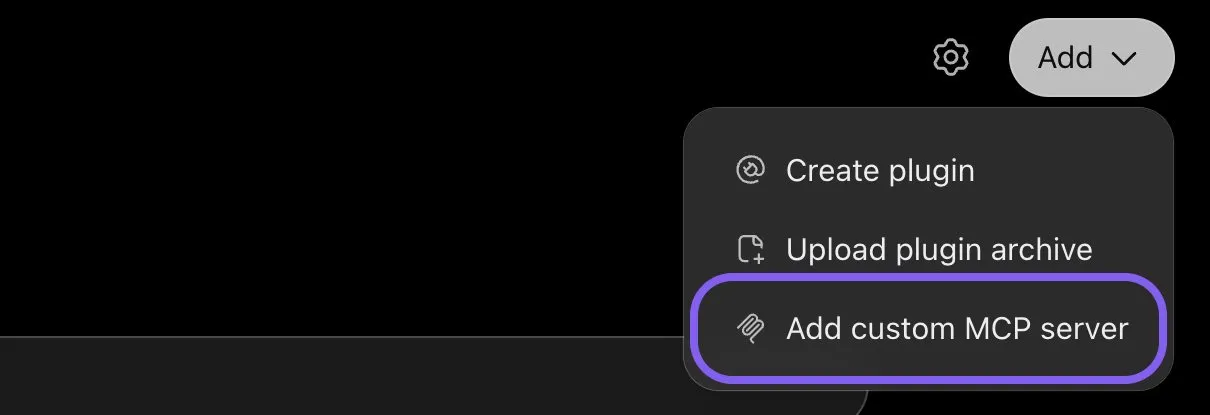
ChatGPT, Add menu on the Plugins page, November 2026.
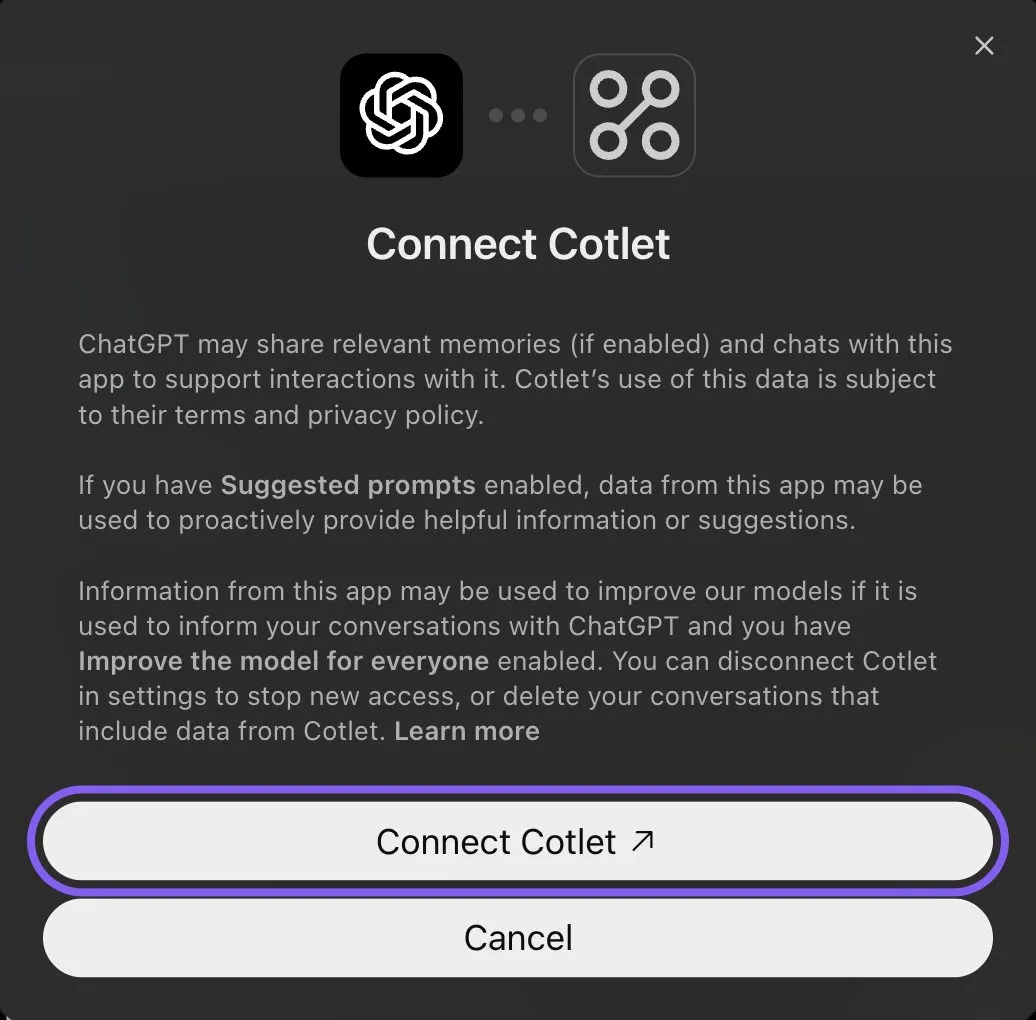
ChatGPT, connecting the Cotlet plugin, November 2026.
ChatGPT asks “Allow ChatGPT to use Cotlet?” before some steps. Pick Always allow, or the chat waits for your click. On a Business, Enterprise or Edu workspace, an admin has to allow custom MCP servers first.
How to connect Mangomint to Claude
- Open Connectors in Claude and click Add. In the desktop app it is under Customize, Connectors.
- Click Add custom connector.
- Paste the name
Cotletand the URLhttps://cotlet.dev/mcp/v1/connect, then click Continue. - Keep the settings and click Add.
- A Cotlet page opens. Click Allow access.
- In a chat, click the plus button, then Connectors, and turn Cotlet on.
- Ask Claude: “Are you signed in to Cotlet through MCP?”, then “Which Mangomint clients cancelled in the last 30 days and have nothing booked since?”. Claude asks before it uses a Cotlet tool the first time. Click Allow.

Claude, Customize, Connectors, November 2026.

Cotlet consent page after you add the connector in Claude, November 2026.
Claude’s free plan allows one custom connector. On a Team or Enterprise plan, an owner adds Cotlet in Organization settings, Connectors, and you click Connect next to it.
How to connect Mangomint to Claude Code
Add Cotlet without a key, then sign in once in the browser:
claude mcp add --transport http cotlet https://cotlet.dev/mcp/v1/connectRun /mcp in Claude Code, pick cotlet and sign in to Cotlet. Prefer an API key, for example on a server? Create one in the Cotlet console and use:
claude mcp add --transport http cotlet https://cotlet.dev/mcp/v1 \
  --header "Authorization: Bearer $COTLET_API_KEY"
How to connect Mangomint to Codex
Create an API key in the Cotlet console, put it in the COTLET_API_KEY environment variable and add this to ~/.codex/config.toml:
[mcp_servers.cotlet]
url = "https://cotlet.dev/mcp/v1"
bearer_token_env_var = "COTLET_API_KEY"
How to connect Mangomint to Cursor
Create an API key in the Cotlet console, put it in the COTLET_API_KEY environment variable and add this to ~/.cursor/mcp.json:
{
  "mcpServers": {
    "cotlet": {
      "url": "https://cotlet.dev/mcp/v1",
      "headers": { "Authorization": "Bearer ${env:COTLET_API_KEY}" }
    }
  }
}
How to connect Mangomint to Grok
Grok takes custom MCP servers on grok.com, per xAI’s connectors documentation (checked 8 November 2026).
- Open grok.com/connectors and click New Connector.
- Pick Custom and paste the server URL
https://cotlet.dev/mcp/v1/connect. - Sign in to Cotlet when Grok asks, then click Allow access.
- Ask Grok: “Are you signed in to Cotlet through MCP?”
On Grok Business, an admin adds the connector first in the xAI console, under Grok Business, Connectors. The Grok chat inside X has no custom connector menu.
How to connect Mangomint to Hermes Agent
Add Cotlet to ~/.hermes/config.yaml in the format of the Hermes MCP config reference:
mcp_servers:
  cotlet:
    url: "https://cotlet.dev/mcp/v1"
    headers:
      Authorization: "Bearer ${COTLET_API_KEY}"
    trust: untrusted
Put COTLET_API_KEY in ~/.hermes/.env and check it with hermes mcp test cotlet. With trust: untrusted, Hermes runs reads at once and asks before every write. More on Hermes in our post on the Hermes Agent browser.
How to connect Mangomint to n8n
Use the MCP Client node, or the MCP Client Tool inside an AI Agent node:
- Server Transport: HTTP Streamable
- MCP Endpoint URL:
https://cotlet.dev/mcp/v1 - Authentication: Bearer Auth, with your Cotlet API key as the token
- Tools: let the AI Agent node use Cotlet’s browser tools; it reads Cotlet’s Mangomint guide first and works in your signed-in Mangomint
Use it for work that should run on its own, such as a Monday morning email with last week’s sales by stylist and the open sales still to close.
Any other MCP client
Point the client at https://cotlet.dev/mcp/v1 over Streamable HTTP, with the header Authorization: Bearer <your Cotlet API key>. A client that supports OAuth sign-in can use https://cotlet.dev/mcp/v1/connect instead and needs no key. The full reference is in the MCP docs.
Three Mangomint jobs to try first
Try one with this week’s data and check the Mangomint calendar or report after.
Fill Saturday from the waitlist
Check the Mangomint waitlist for Saturday and book anyone who has an opening. Show me the list first.
The AI reads the Intelligent Waitlist, lists each client with the opening that fits and books the ones you approve. That last click matters in Mangomint: an opening does not book itself, you “select Book” to accept it, and “If an opening is dismissed, the client will remain on the waitlist”, per Mangomint’s waitlist guide.
Weekly sales by stylist, with the gaps marked
Give me last week’s sales by stylist, and list the cancellations that have no next visit booked.
The AI reads the sales and cancellation reports for the week and puts them in one table. It also marks days with sales still open, because “Open sales are not included in Payroll or Sales reports until the sale is closed”, per Mangomint’s reports FAQ. The cancellation list becomes your call sheet for Monday.
Close out a team member who is leaving
Jess leaves on Friday. Export her payroll for this pay period, move her future appointments to Ava or Priya, and do not archive her until I say so.
The AI exports Jess’s payroll report first, then shows you a plan for her future bookings and moves them after your OK. The order is deliberate: archived staff “will not be included in the Payroll report, even if they performed services”, and Mangomint recommends “exporting this report before archiving”, per the same reports FAQ. When the AI moves a booking, it asks whether to notify the client, since Mangomint sends the change only with the Send notification to client toggle on, per its edit an appointment guide.
What it costs to run
Cotlet charges by usage. Credit packs begin at $29, never expire within 12 months and need no subscription, and the 7-day trial takes no card. Calls that do not go through cost you nothing. Details on the pricing page.
Mangomint stays at $120 per location and $10 per user a month, per its pricing page. You do not need Mira or any add-on for Cotlet.
FAQ
Does Mangomint have an API?
No public API, as of November 2026. Mangomint offers outgoing webhooks that you set up through its chat support, and no developer documentation.
Is there a Mangomint MCP server or ChatGPT app?
Mangomint has not released either. Cotlet hosts an MCP server for Mangomint that runs in your signed-in Cloud Browser, which you add to ChatGPT or Claude as a custom connector.
Can ChatGPT book appointments and look up clients in Mangomint?
Yes, through Cotlet. ChatGPT reads your calendar and client timelines and books, moves or cancels appointments after you confirm each change.
Is Mira the same as connecting ChatGPT to Mangomint?
No. Mira answers your clients’ calls and texts inside Mangomint for $300 a month. Connecting ChatGPT or Claude through Cotlet gives you, the owner, an assistant that works in the account on your instructions. You can run both.
Is this an official Mangomint integration?
No. Cotlet is independent and not affiliated with Mangomint. It works through your own signed-in Mangomint account, the way you would by hand.
Your back office, run from a chat
Mira can take the calls. The weekly numbers, the waitlist and the staff changes can go to your AI. Set up Cotlet, sign in to Mangomint once, and ask Claude what Saturday’s waitlist looks like. Apps you use without an API may already be in our catalog.


