How to connect MoeGo to ChatGPT, Claude and any AI agent
MoeGo has no official MCP server, and its API key is for Enterprise (checked 27 Nov 2026). Let ChatGPT or Claude chase no-shows and check payroll.
Cotlet team 10 min read
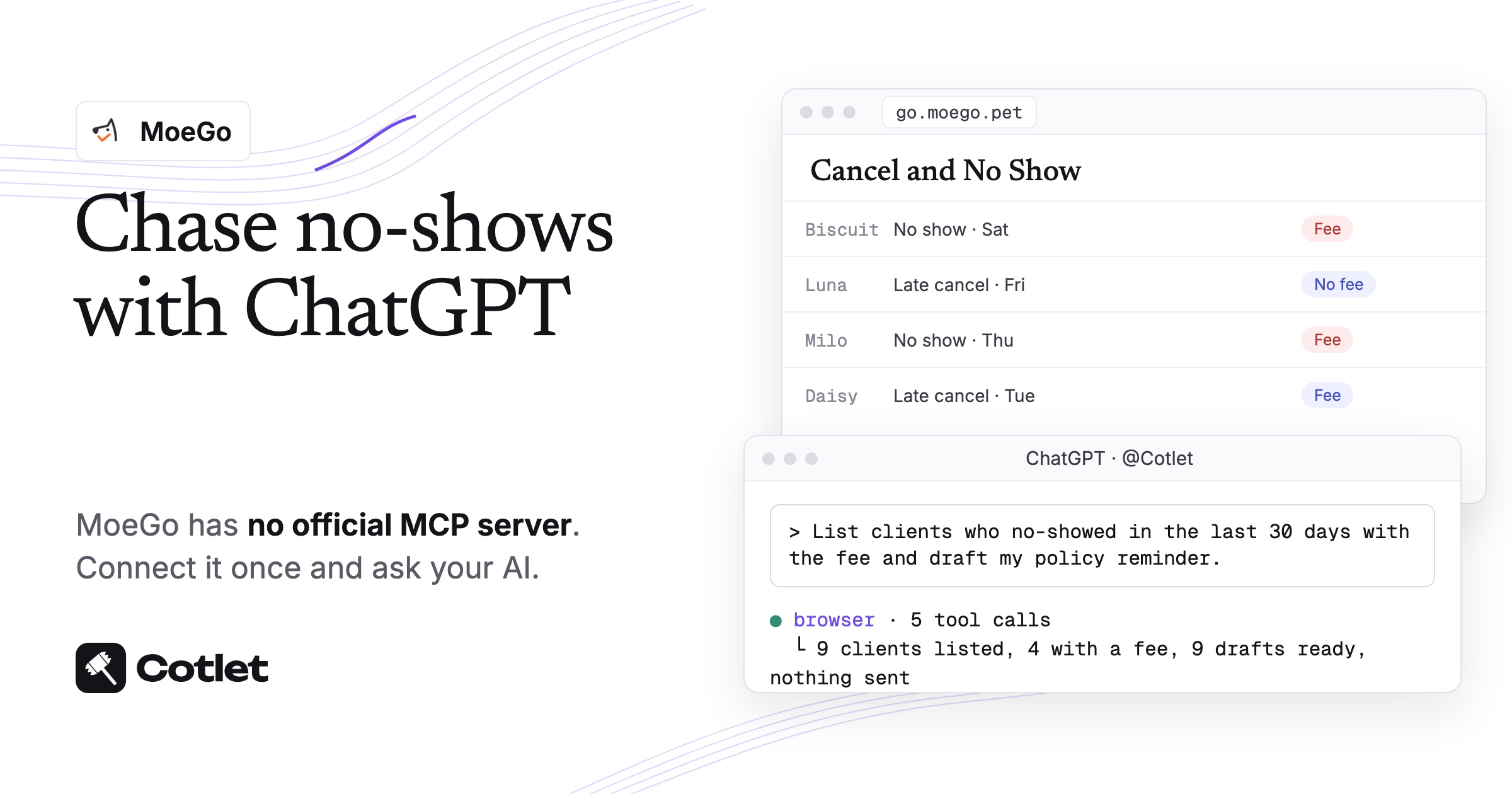
Saturday ended with three empty slots, and you still have not looked at who skipped without a word. MoeGo ships no MCP server of its own, and neither ChatGPT nor Claude lists a MoeGo app (checked 27 Nov 2026). API keys sit behind the Enterprise plan and a customer success manager. Cotlet skips all that. The AI opens MoeGo in a Cloud Browser, signed in as you, and clicks through the same calendar you do.
You run a grooming salon or a van, and the calendar, pet files, online booking, texts and reports all live in MoeGo. You or your front desk are the ones who need the answers. Pet parents and groomers with a personal schedule only are outside this guide.
What ChatGPT and Claude can do in MoeGo once connected
Name the period, the groomer or the van, and say what list you want back.
| Screen | What you can ask |
|---|---|
| Cancel and No Show | Lists clients who no-showed or cancelled late, with the fee charged or not |
| Rebook reminders | Finds regulars with no next visit who are due on their usual interval |
| Client profile | Lists booked dogs with an expired or missing rabies record |
| Payroll report | Shows services, tips and commission per groomer for a pay period |
| Online booking waitlist | Matches waitlist requests to the gaps next week |
| Calendar | Lists tomorrow’s stops per van with the drive time between them |
| Report library | Compares revenue, tips and new clients with last month |
Looking is free of side effects. Texts to clients, fees and calendar moves wait for your yes, and card payments are blocked outright. The MoeGo MCP page lists more jobs.
What MoeGo itself offers for AI and APIs
Where MoeGo stands today, with the date we looked:
- API: Enterprise only, 27 Nov 2026. MoeGo publishes API definitions and a Postman collection on GitHub, but the README asks you to request keys through your Customer Success Manager. The pricing page lists the MoeGo API platform under the custom priced Enterprise plan.
- ChatGPT and Claude: no connector. Carly’s November 2026 post says MoeGo has no Claude connector and no official MCP server. The ChatGPT app directory has no MoeGo entry either.
- MCP Registry: one independent server. A MoeGo server from usefulapi is listed. It is not published by MoeGo.
- No Zapier app found.
A key is useful only to someone who writes code. A salon owner gets there sooner by letting the AI use the account in the browser. The scoring behind each point is in MoeGo’s API and MCP review, and the API page shows an endpoint shaped around your salon.
Before you start
- Owner or manager rights in MoeGo, on the web version at go.moego.pet.
- A pay period, a week or a client group to aim the first question at.
- ChatGPT or Claude, whichever you already pay for.
- A Cotlet account (pricing).
Step 1: sign in to MoeGo in your Cloud Browser
Go to go.moego.pet/sign inside the Cloud Browser and sign in with your salon email.
Typing happens on MoeGo’s page. Cotlet has no copy of the password, and you can pull the AI’s access with one switch (security).
Step 2: connect MoeGo to ChatGPT, Claude or another AI agent
Hook Cotlet up to your assistant one time. Later chats reuse the MoeGo session you opened a moment ago.
Pick your AI above to see its steps.
How to connect MoeGo to ChatGPT
Do this on chatgpt.com in your browser. Cotlet then works in the ChatGPT desktop and phone apps too.
- Open Plugins in ChatGPT and click Add.
- Click Add custom MCP server. Not in the menu? Turn on Developer mode in Settings, Security and login, then come back.
- Paste the name
Cotletand the server URLhttps://cotlet.dev/mcp/v1/connect. Keep Authentication on OAuth. - Tick “I understand and want to continue” and click Create as a plugin.
- Click Connect Cotlet. A Cotlet page opens, click Allow access.
- In a new chat, type
@Cotletand pick it from the list. - Ask ChatGPT: “Are you signed in to Cotlet through MCP?” Then try a first MoeGo task: “In MoeGo, list clients who no-showed in the last 30 days with the fee charged or not. Send nothing.”

ChatGPT, Plugins page, November 2026.
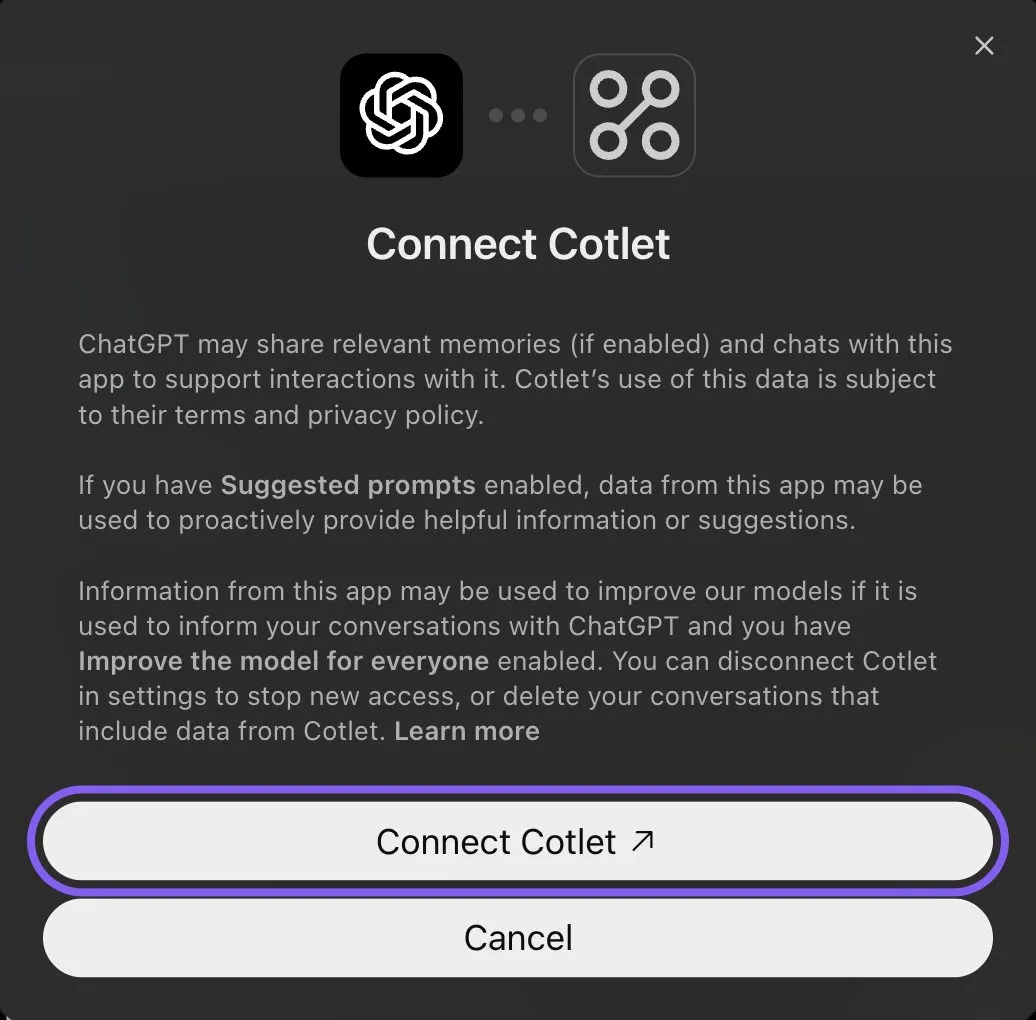
ChatGPT, connecting the Cotlet plugin, November 2026.
ChatGPT asks “Allow ChatGPT to use Cotlet?” before some steps. Pick Always allow, or the chat waits for your click. On a Business, Enterprise or Edu workspace, an admin has to allow custom MCP servers first.
How to connect MoeGo to Claude
- Open Connectors in Claude and click Add. In the desktop app it is under Customize, Connectors.
- Click Add custom connector.
- Paste the name
Cotletand the URLhttps://cotlet.dev/mcp/v1/connect, then click Continue. - Keep the settings and click Add.
- A Cotlet page opens. Click Allow access.
- In a chat, click the plus button, then Connectors, and turn Cotlet on.
- Ask Claude: “Are you signed in to Cotlet through MCP?”, then “In MoeGo, show this week’s bookings where the dog’s rabies record is expired or missing. Change nothing.”. Claude asks before it uses a Cotlet tool the first time. Click Allow.

Claude, Customize, Connectors, November 2026.

Claude, chat menu, Connectors, November 2026.
Claude’s free plan allows one custom connector. On a Team or Enterprise plan, an owner adds Cotlet in Organization settings, Connectors, and you click Connect next to it.
How to connect MoeGo to Claude Code
Add Cotlet without a key, then sign in once in the browser:
claude mcp add --transport http cotlet https://cotlet.dev/mcp/v1/connectRun /mcp in Claude Code, pick cotlet and sign in to Cotlet. Prefer an API key, for example on a server? Create one in the Cotlet console and use:
claude mcp add --transport http cotlet https://cotlet.dev/mcp/v1 \
  --header "Authorization: Bearer $COTLET_API_KEY"
How to connect MoeGo to Codex
Create an API key in the Cotlet console, put it in the COTLET_API_KEY environment variable and add this to ~/.codex/config.toml:
[mcp_servers.cotlet]
url = "https://cotlet.dev/mcp/v1"
bearer_token_env_var = "COTLET_API_KEY"
How to connect MoeGo to Cursor
Create an API key in the Cotlet console, put it in the COTLET_API_KEY environment variable and add this to ~/.cursor/mcp.json:
{
  "mcpServers": {
    "cotlet": {
      "url": "https://cotlet.dev/mcp/v1",
      "headers": { "Authorization": "Bearer ${env:COTLET_API_KEY}" }
    }
  }
}
How to connect MoeGo to Grok
Grok takes custom MCP servers on grok.com, per xAI’s connectors documentation (checked 8 November 2026).
- Open grok.com/connectors and click New Connector.
- Pick Custom and paste the server URL
https://cotlet.dev/mcp/v1/connect. - Sign in to Cotlet when Grok asks, then click Allow access.
- Ask Grok: “Are you signed in to Cotlet through MCP?”
On Grok Business, an admin adds the connector first in the xAI console, under Grok Business, Connectors. The Grok chat inside X has no custom connector menu.
How to connect MoeGo to Hermes Agent
Add Cotlet to ~/.hermes/config.yaml in the format of the Hermes MCP config reference:
mcp_servers:
  cotlet:
    url: "https://cotlet.dev/mcp/v1"
    headers:
      Authorization: "Bearer ${COTLET_API_KEY}"
    trust: untrusted
Put COTLET_API_KEY in ~/.hermes/.env and check it with hermes mcp test cotlet. With trust: untrusted, Hermes runs reads at once and asks before every write. More on Hermes in our post on the Hermes Agent browser.
How to connect MoeGo to n8n
Use the MCP Client node, or the MCP Client Tool inside an AI Agent node:
- Server Transport: HTTP Streamable
- MCP Endpoint URL:
https://cotlet.dev/mcp/v1 - Authentication: Bearer Auth, with your Cotlet API key as the token
- Tools: let the AI Agent node use Cotlet’s browser tools; it reads Cotlet’s MoeGo guide first and works in your signed-in MoeGo account
Use it for work that should run by itself, such as a Friday list of dogs booked next week with an expired vaccine.
Any other MCP client
Point the client at https://cotlet.dev/mcp/v1 over Streamable HTTP, with the header Authorization: Bearer <your Cotlet API key>. A client that supports OAuth sign-in can use https://cotlet.dev/mcp/v1/connect instead and needs no key. The full reference is in the MCP docs.
Three MoeGo jobs to try first
Ask for lists at first, and compare them with MoeGo before anybody gets a message.
Chase no-shows and late cancellations
List clients who no-showed or cancelled late in the last 30 days, with the fee charged or not, and draft a short reminder of my policy for each.
MoeGo keeps these under Appointment, Cancel and No Show. The AI reads that list, sorts clients into charged and not charged, and writes one short note per group. Nothing is sent until you approve.
Stop the expired rabies surprise
Which dogs booked this week have an expired or missing rabies record? List the owner and the appointment so I can ask for the upload.
Vaccine records live in the client profile. Checking them one by one before a busy Friday takes an hour. The AI opens this week’s bookings, reads each dog’s record, and hands you one list with the owner and the slot.
Check commission before payday
For the last pay period, show each groomer’s services, tips and commission and flag appointments with a missing price or a split I should check.
The Insights payroll report has the numbers. The AI reads it per groomer and flags the lines that look wrong, so you fix a price before payroll instead of after a complaint.
Three more asks for the same week in the salon
- Show regular clients with no appointment booked who are due for their usual 4, 6 or 8 week visit, with a rebook message for each.
- Which days next week have gaps, and which waitlist requests fit each one? Move nothing yet.
- Show tomorrow’s stops per van with the drive time between them and list the pairs more than 20 minutes apart.
What it costs
You keep your current MoeGo plan. Trying Cotlet costs nothing for 7 days (2,000 credits, no card), and afterwards credit packs begin at $29 and run for 12 months. Calls that fail are not charged (pricing).
FAQ
Can a MoeGo grooming business plug in an API or MCP server?
There is no official MoeGo MCP server. The API exists, but keys come with Enterprise and a request to your customer success manager. Cotlet skips the key and uses your logged-in account.
Can ChatGPT or Claude work in my MoeGo calendar?
Yes. It reads the calendar, clients and reports from your logged-in browser. Anything that messages, charges or edits waits for you.
Does MoeGo work with Zapier, Make or n8n?
No MoeGo app turned up on Zapier on 27 November 2026. An n8n flow with a timer can call Cotlet instead.
Who makes this connection to MoeGo?
No. MoeGo has no part in Cotlet.
Try it on your own MoeGo account
Pull last Saturday’s no-shows and see how long the list takes. A free week of Cotlet is enough to run it. Browse other shops’ apps in the catalog.