How to connect MyBuilder to ChatGPT, Claude and any AI agent
MyBuilder has no API, MCP server or AI connector for trades (checked 25 Nov 2026). Let ChatGPT or Claude answer leads and follow up your shortlists.
Cotlet team 11 min read
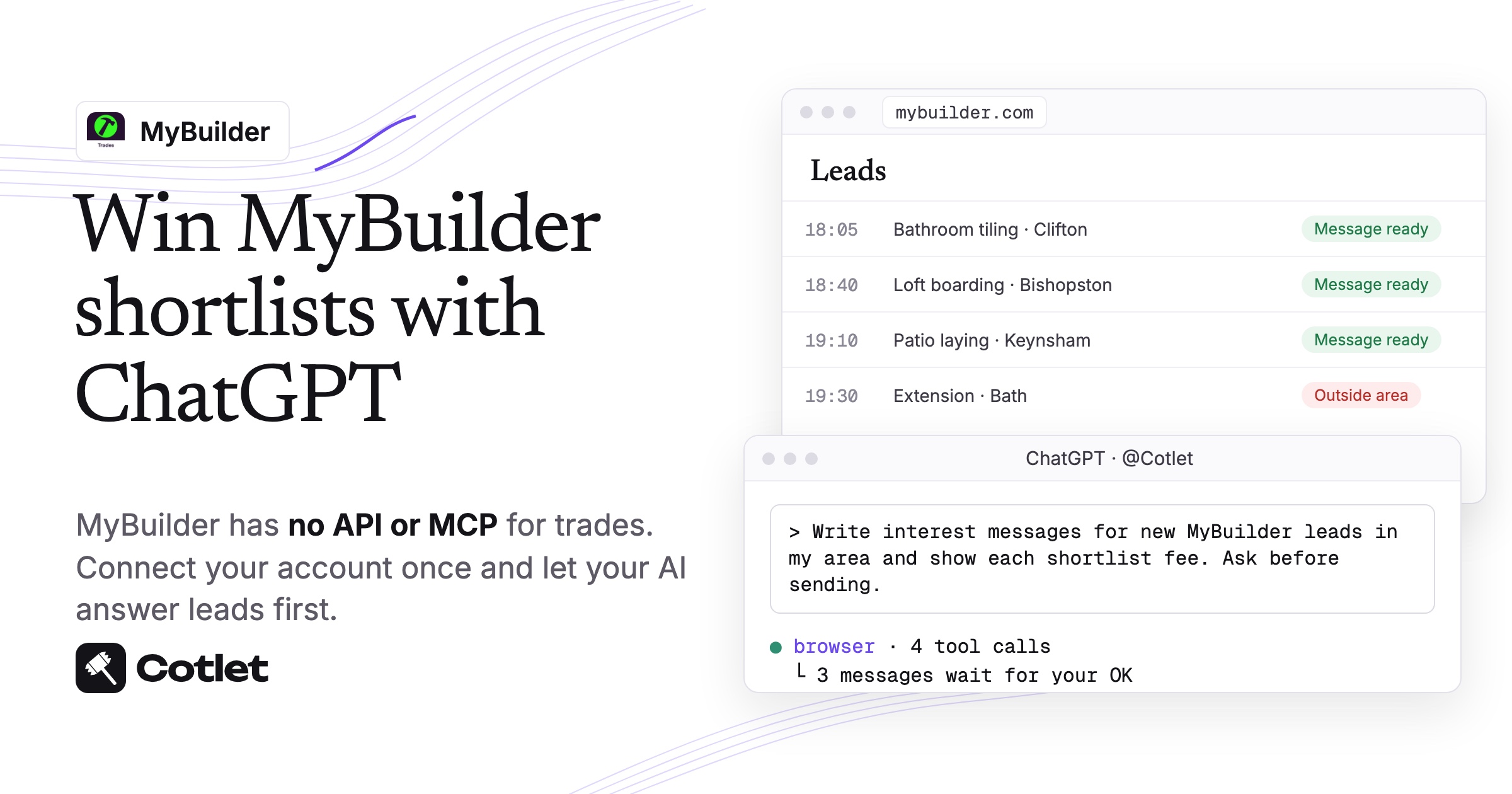
As of 25 November 2026, a tradesperson on MyBuilder gets no API, no official MCP server and no connector for ChatGPT or Claude. Its leads, shortlists and homeowner chats live only in the MyBuilder for Trades app and on mybuilder.com. You can still connect your MyBuilder trade account to ChatGPT, Claude or any other AI agent with Cotlet. You sign in once inside a Cloud Browser kept for you, and your AI works in those screens on your behalf. Expect ten minutes of setup and no code.
Who needs this? Builders, plumbers, tilers, roofers and gardeners in the UK who win work on MyBuilder and answer leads from a phone between jobs. On MyBuilder you write to a homeowner first, and you pay only if they shortlist you, so a quick, tailored message decides the job. Cotlet is made for the tradesperson or the office who runs the trade account. Homeowners keep posting jobs and chatting through MyBuilder’s own homeowner app.
What ChatGPT and Claude can do in MyBuilder once connected
Ask in plain words, and the AI does the MyBuilder part in your trade account:
| In MyBuilder | What the AI does for you |
|---|---|
| Leads | Lists the leads matched to your trade and area, with the job, the area, the photos and the shortlist fee |
| Express interest | Writes and sends your introduction on the leads you pick |
| Shortlists | Lists the homeowners who shortlisted you, with their contact details and the fee |
| Messages | Reads unanswered chats and drafts replies, including a rough price |
| Reviews | Lists new reviews on your profile and flags any under five stars |
Every message a homeowner would read, an introduction or a chat reply, waits for your OK first. Reading leads, shortlists and reviews sends nothing.
For the inputs behind every action, open the MyBuilder API and MCP server page.
Does MyBuilder have AI, an API or an official ChatGPT app?
MyBuilder, run by Werkspot BV, gives trades an app and a website and nothing in between. Checked on 25 November 2026:
- No API for trades. No API, developer docs or webhooks for a tradesperson’s own leads, shortlists or chats.
- No ChatGPT app, Claude connector or MCP server. Neither directory lists MyBuilder, and the official MCP Registry has no entry.
- No Zapier, Make or n8n app. You cannot send a new lead or shortlist to another tool.
- A phone app for trades. The MyBuilder for Trades app counts “over 100,000 jobs posted every month” and handles alerts, interest and chats by hand.
A hosted MCP server that works in your signed-in trade account is therefore the only route, today, for an AI agent to work your MyBuilder leads. If MyBuilder ships an API for trades, prefer it.
Before you connect: what to have ready
- Your MyBuilder trade account email. It is the one you use to log in to MyBuilder for Trades.
- A short note on your trade, your area in miles and the jobs you want. The AI matches leads against it.
- A few lines about your business you are happy to reuse in introductions.
- ChatGPT, or Claude with its one free custom connector.
- A Cotlet account. You can try it for 7 days without a card (pricing).
Step 1: sign in to MyBuilder in your Cloud Browser
Start the Cloud Browser from your Cotlet console and load mybuilder.com/login. Your trade email and password go into MyBuilder’s own form. If MyBuilder asks for an extra check, you complete it on its page yourself. Then make sure your leads load.
Nothing in the Cloud Browser remembers passwords, so yours stays with MyBuilder alone. While idle, the logged-in profile is encrypted with AES-256-GCM. A forced logout on MyBuilder’s side stops the agent, which then messages you a link to log in again. The security page has the details.
Step 2: connect MyBuilder to ChatGPT, Claude or another AI agent
Whichever assistant you prefer, the MyBuilder connection is the same: ChatGPT, Claude, Claude Code, Codex, Cursor, Grok, Hermes Agent, n8n or another MCP client. Tap yours.
Pick your AI above to see its steps.
How to connect MyBuilder to ChatGPT
Do this on chatgpt.com in your browser. Cotlet then works in the ChatGPT desktop and phone apps too.
- Open Plugins in ChatGPT and click Add.
- Click Add custom MCP server. Not in the menu? Turn on Developer mode in Settings, Security and login, then come back.
- Paste the name
Cotletand the server URLhttps://cotlet.dev/mcp/v1/connect. Keep Authentication on OAuth. - Tick “I understand and want to continue” and click Create as a plugin.
- Click Connect Cotlet. A Cotlet page opens, click Allow access.
- In a new chat, type
@Cotletand pick it from the list. - Ask ChatGPT: “Are you signed in to Cotlet through MCP?” Then try a first MyBuilder task: “Which new MyBuilder leads match my trade within 10 miles?”
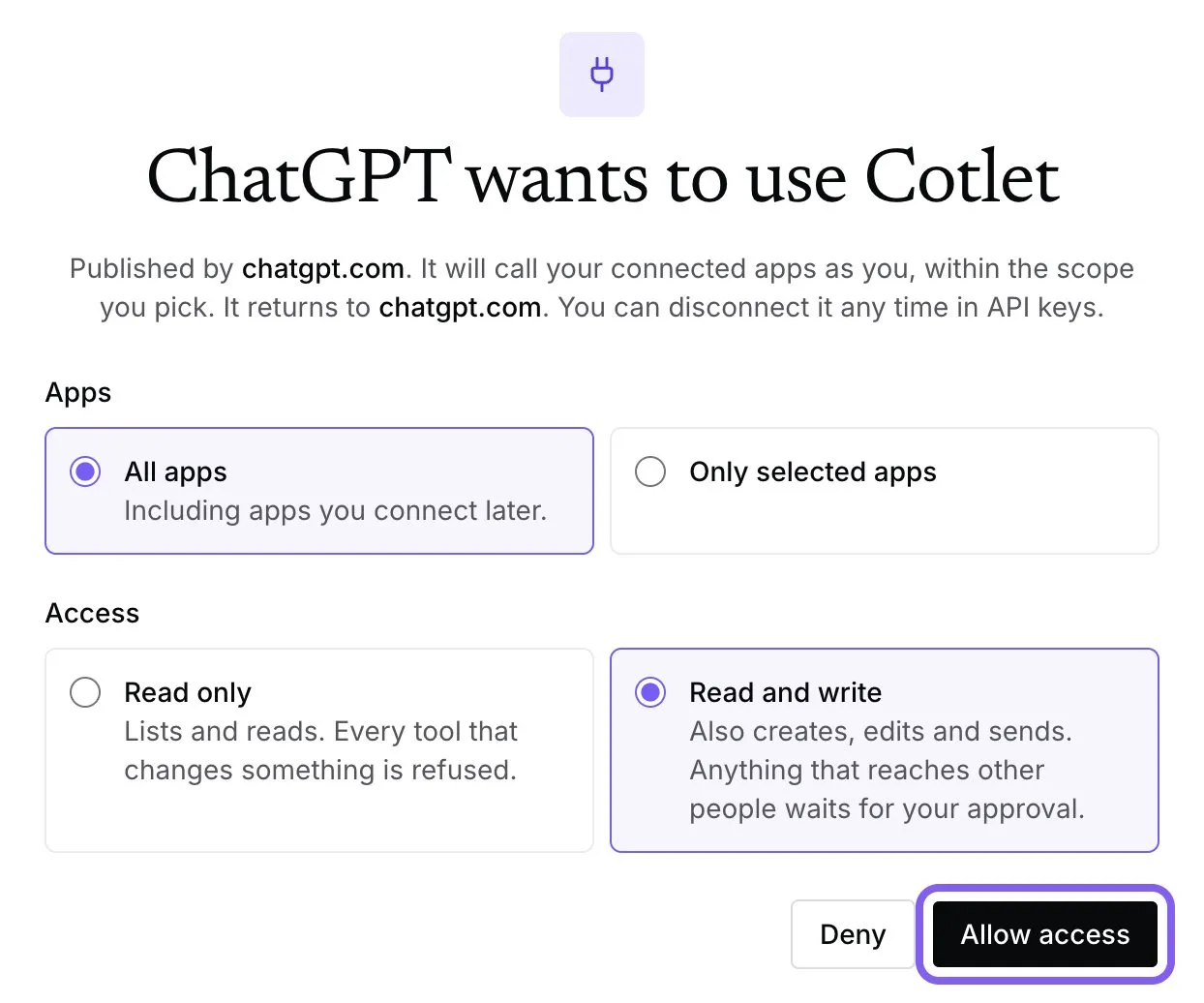
Cotlet consent page after you connect it in ChatGPT, November 2026.
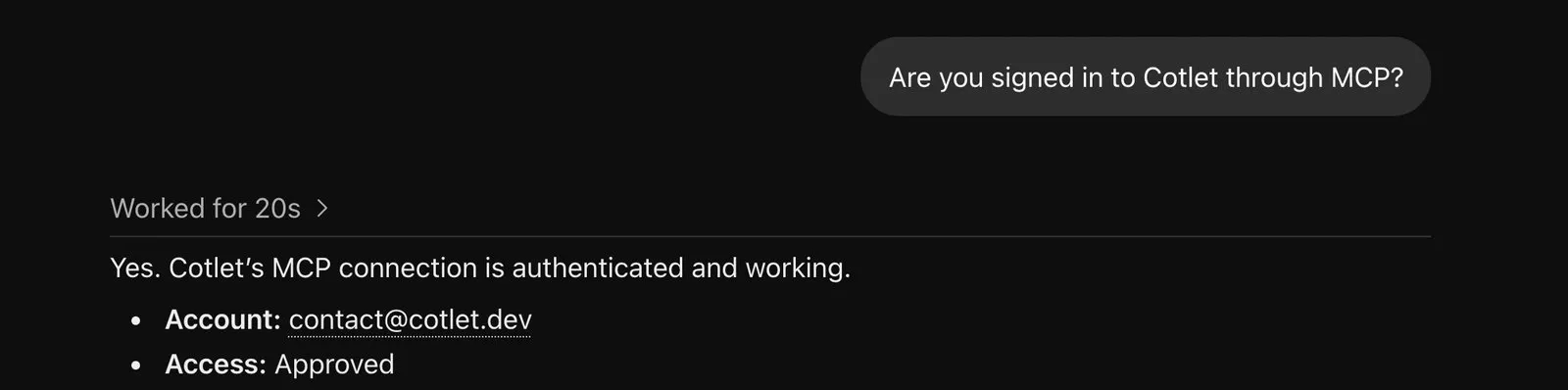
ChatGPT confirming the Cotlet connection, November 2026.
ChatGPT asks “Allow ChatGPT to use Cotlet?” before some steps. Pick Always allow, or the chat waits for your click. On a Business, Enterprise or Edu workspace, an admin has to allow custom MCP servers first.
How to connect MyBuilder to Claude
- Open Connectors in Claude and click Add. In the desktop app it is under Customize, Connectors.
- Click Add custom connector.
- Paste the name
Cotletand the URLhttps://cotlet.dev/mcp/v1/connect, then click Continue. - Keep the settings and click Add.
- A Cotlet page opens. Click Allow access.
- In a chat, click the plus button, then Connectors, and turn Cotlet on.
- Ask Claude: “Are you signed in to Cotlet through MCP?”, then “Who shortlisted me on MyBuilder but has had no message from me?”. Claude asks before it uses a Cotlet tool the first time. Click Allow.

Claude, Customize, Connectors, November 2026.

Claude, Add custom connector form, November 2026.
Claude’s free plan allows one custom connector. On a Team or Enterprise plan, an owner adds Cotlet in Organization settings, Connectors, and you click Connect next to it.
How to connect MyBuilder to Claude Code
Add Cotlet without a key, then sign in once in the browser:
claude mcp add --transport http cotlet https://cotlet.dev/mcp/v1/connectRun /mcp in Claude Code, pick cotlet and sign in to Cotlet. Prefer an API key, for example on a server? Create one in the Cotlet console and use:
claude mcp add --transport http cotlet https://cotlet.dev/mcp/v1 \
  --header "Authorization: Bearer $COTLET_API_KEY"
How to connect MyBuilder to Codex
Create an API key in the Cotlet console, put it in the COTLET_API_KEY environment variable and add this to ~/.codex/config.toml:
[mcp_servers.cotlet]
url = "https://cotlet.dev/mcp/v1"
bearer_token_env_var = "COTLET_API_KEY"
How to connect MyBuilder to Cursor
Create an API key in the Cotlet console, put it in the COTLET_API_KEY environment variable and add this to ~/.cursor/mcp.json:
{
  "mcpServers": {
    "cotlet": {
      "url": "https://cotlet.dev/mcp/v1",
      "headers": { "Authorization": "Bearer ${env:COTLET_API_KEY}" }
    }
  }
}
How to connect MyBuilder to Grok
Grok takes custom MCP servers on grok.com, per xAI’s connectors documentation (checked 8 November 2026).
- Open grok.com/connectors and click New Connector.
- Pick Custom and paste the server URL
https://cotlet.dev/mcp/v1/connect. - Sign in to Cotlet when Grok asks, then click Allow access.
- Ask Grok: “Are you signed in to Cotlet through MCP?”
On Grok Business, an admin adds the connector first in the xAI console, under Grok Business, Connectors. The Grok chat inside X has no custom connector menu.
How to connect MyBuilder to Hermes Agent
Add Cotlet to ~/.hermes/config.yaml in the format of the Hermes MCP config reference:
mcp_servers:
  cotlet:
    url: "https://cotlet.dev/mcp/v1"
    headers:
      Authorization: "Bearer ${COTLET_API_KEY}"
    trust: untrusted
Put COTLET_API_KEY in ~/.hermes/.env and check it with hermes mcp test cotlet. With trust: untrusted, Hermes runs reads at once and asks before every write. More on Hermes in our post on the Hermes Agent browser.
How to connect MyBuilder to n8n
Use the MCP Client node, or the MCP Client Tool inside an AI Agent node:
- Server Transport: HTTP Streamable
- MCP Endpoint URL:
https://cotlet.dev/mcp/v1 - Authentication: Bearer Auth, with your Cotlet API key as the token
- Tools: let the AI Agent node use Cotlet’s browser tools; it reads Cotlet’s MyBuilder guide first and works in your signed-in trade account
Use it for work that should run on its own, such as an 8 pm check for shortlists with no reply from you, each with a drafted message to approve.
Any other MCP client
Point the client at https://cotlet.dev/mcp/v1 over Streamable HTTP, with the header Authorization: Bearer <your Cotlet API key>. A client that supports OAuth sign-in can use https://cotlet.dev/mcp/v1/connect instead and needs no key. The full reference is in the MCP docs.
Try one after work today, then open MyBuilder for Trades on your phone and see what changed.
Answer the right leads first, and know the fee before you do
Write interest messages for the new MyBuilder leads that fit my trade within 10 miles of Bristol. Mention one similar job I did, tell me the shortlist fee of each, and ask me before you send.
MyBuilder says “You only pay a fee when both you and the homeowner are interested in getting in touch”, per the trade app listing. So the introduction is free and the shortlist is where you pay. The AI reads each matched lead and its photos, skips the ones outside your area and writes a specific introduction for the rest. You see each fee next to its message and approve the ones worth paying for.
Don’t let a paid shortlist go quiet
Who shortlisted me on MyBuilder but has had no message from me yet? Draft a short reply for each with a time I could visit.
A shortlist means you already paid, and the homeowner may well be talking to other trades too. A slow reply wastes the fee. The AI checks every shortlist against your chats, finds the ones you have not answered and drafts a reply per homeowner. You approve, and each one goes into the MyBuilder chat.
Check what your fees bought this month
How much did I pay in MyBuilder shortlist fees this month, how many jobs did I win, and which job types won?
MyBuilder has no subscription, so your cost is simply the fees you paid. The AI reads your shortlists and won jobs and returns the totals by job type. It only reads, so it asks for nothing.
The cost of the agent
MyBuilder fees and Cotlet credits are separate bills. Cotlet charges only for the agent’s work, from one-off credit packs: $29 buys 5,000 credits, valid for a year. A successful call takes 10 credits, a failed one takes none, and the Cloud Browser takes 50 a day while MyBuilder is enabled for agents. New accounts get a free week without a card (pricing).
FAQ
Does MyBuilder have an API or MCP server?
MyBuilder has no API, webhooks or MCP server for a tradesperson’s account, as of 25 November 2026. Cotlet hosts an MCP server at https://cotlet.dev/mcp/v1/mybuilder that works in your own signed-in trade account.
Can ChatGPT reply to MyBuilder leads for me?
Yes, once MyBuilder is connected through Cotlet. ChatGPT writes your introduction or chat reply and sends it in MyBuilder after you confirm. It can also tell you the shortlist fee before you decide.
How do I use Claude with MyBuilder?
Add Cotlet to Claude as a custom connector, using the Claude guide in step 2. Turn it on in the chat and ask about your leads or shortlists.
Can the agent pay MyBuilder fees or change my billing?
No. Your payment details and MyBuilder invoices stay with you. The agent works in leads, shortlists, chats and reviews.
Is Cotlet a MyBuilder product?
No. Cotlet is independent and not connected to MyBuilder or Werkspot. Your agent uses your own trade login, in a browser that only your account uses.
Reply to tonight’s leads while you’re still on site
On MyBuilder, the first good introduction gets shortlisted. Set up Cotlet, log in to MyBuilder once and give ChatGPT or Claude the leads. Checkatrade and MyJobQuote can share the same agent through the integrations catalog.


