How to connect MyJobQuote to ChatGPT, Claude and any AI agent
MyJobQuote has no API or MCP server for trades (checked 25 Nov 2026). Let ChatGPT or Claude rank your leads, list bought jobs and draft disputes.
Cotlet team 11 min read
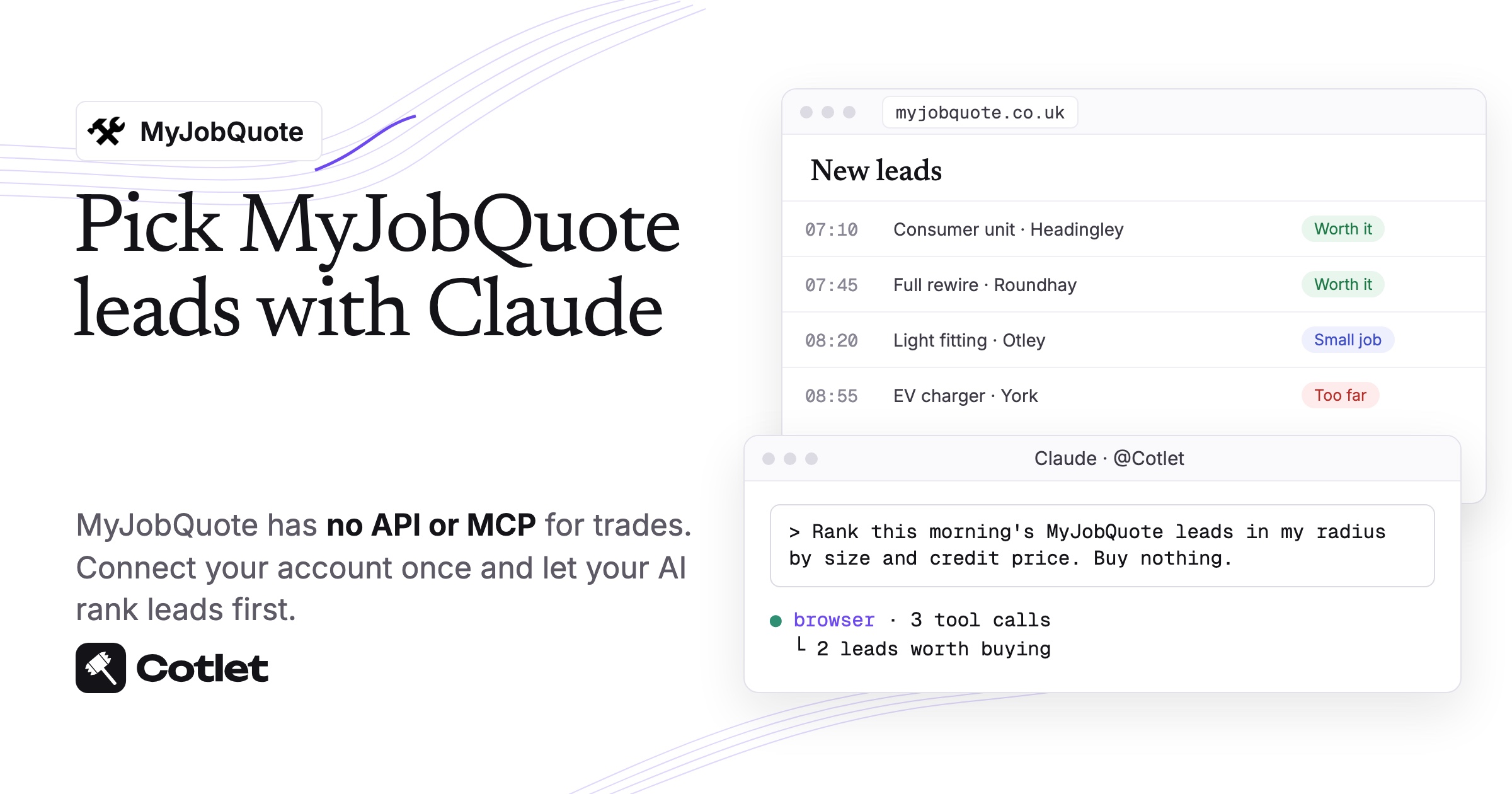
MyJobQuote has no official MCP server, no ChatGPT or Claude connector and no API for tradespeople, checked on 25 November 2026. Its only API belongs to the affiliate programme, for sites that send homeowner jobs in. You can still connect your own MyJobQuote trade account to ChatGPT, Claude or another AI agent through Cotlet. You sign in once in a Cloud Browser of your own, and your AI then reads leads, My Jobs and disputes in the same screens you use. It takes about ten minutes, with no code.
This guide is for UK electricians, plumbers, builders and roofers who buy leads on MyJobQuote with credits. Every lead has a credit price, and up to three trades can buy the same job, so choosing well and calling fast is the whole game. Cotlet is built for the tradesperson or the office who runs that trade account. Homeowners who post jobs carry on with MyJobQuote’s own site as usual.
What ChatGPT and Claude can do in MyJobQuote once connected
You ask in plain English, and the AI does the work in your MyJobQuote trade account:
| Part of MyJobQuote | What your AI does |
|---|---|
| New leads | Lists each lead with the job, town, budget and credit price, and ranks them by your rules |
| Accept and Purchase Job | Buys the leads you pick, so you see the homeowner’s contact details |
| Reject | Turns down a lead with a reason, such as too far, so you get better matches |
| My Jobs | Lists the jobs you bought with name, phone, email and notes, and marks a job completed |
| Disputes | Drafts a dispute for a bought job with a dead number or a cancelled job |
| Credits | Adds up credits spent and jobs bought for any period |
Buying a lead spends your credits, and a rejection or a dispute goes to MyJobQuote. All three wait for your OK. Reading and ranking leads spends nothing.
Every action, with what it needs, is on the MyJobQuote API and MCP server page.
Does MyJobQuote have AI, an API or an official ChatGPT app?
For the trade side, MyJobQuote offers email and SMS alerts and its own account pages. Checked on 25 November 2026:
- An API, but only for affiliates. The affiliate programme gives publishers “banners, api, iframe and widgets” to send homeowner jobs in. It does not reach a tradesperson’s leads or jobs.
- No MCP server, ChatGPT app or Claude connector. The official MCP Registry has no MyJobQuote entry, and neither AI directory lists one.
- Alerts, not data. Each new lead arrives “via email, sms” and in the account, per the help page on accepting and rejecting jobs. The contact details only show after you buy.
- No Zapier, Make or n8n app, and no export. You cannot pull your bought jobs into a sheet from MyJobQuote itself.
So the one way for ChatGPT or Claude to work with your trade account today is a hosted MCP server running in your signed-in session. If MyJobQuote opens its API to trades later, that becomes the better route.
Check these three things first
- You can sign in at myjobquote.co.uk/auth/login with your email and password, or with the login link MyJobQuote emails you.
- Your account has credits or a membership, if you want the AI to buy leads. Ranking and reading work either way.
- You have ChatGPT in a browser or Claude. Claude’s free plan holds one custom connector, which is all Cotlet uses.
Then create a Cotlet account. The first week is free and asks for no card (pricing).
Step 1: sign in to MyJobQuote in your Cloud Browser
Open the Cloud Browser from your Cotlet console and visit myjobquote.co.uk/auth/login. Sign in with your password, or ask for the email login link and click it in your inbox while the Cloud Browser shows the MyJobQuote page. You end up on your trade dashboard with your leads.
The Cloud Browser never saves passwords, so MyJobQuote’s login form is the only place yours goes. Your signed-in profile is stored encrypted with AES-256-GCM. If MyJobQuote logs you out, the agent pauses the task and sends you a link to sign back in. See security for the full picture.
Step 2: connect MyJobQuote to ChatGPT, Claude or another AI agent
One Cotlet server serves every client: ChatGPT, Claude, Claude Code, Codex, Cursor, Grok, Hermes Agent, n8n and the rest of the MCP world. Follow the steps for the one you use.
Pick your AI above to see its steps.
How to connect MyJobQuote to ChatGPT
Do this on chatgpt.com in your browser. Cotlet then works in the ChatGPT desktop and phone apps too.
- Open Plugins in ChatGPT and click Add.
- Click Add custom MCP server. Not in the menu? Turn on Developer mode in Settings, Security and login, then come back.
- Paste the name
Cotletand the server URLhttps://cotlet.dev/mcp/v1/connect. Keep Authentication on OAuth. - Tick “I understand and want to continue” and click Create as a plugin.
- Click Connect Cotlet. A Cotlet page opens, click Allow access.
- In a new chat, type
@Cotletand pick it from the list. - Ask ChatGPT: “Are you signed in to Cotlet through MCP?” Then try a first MyJobQuote task: “Rank this morning’s MyJobQuote leads in my radius by job size and credit price.”

ChatGPT, Plugins page, November 2026.
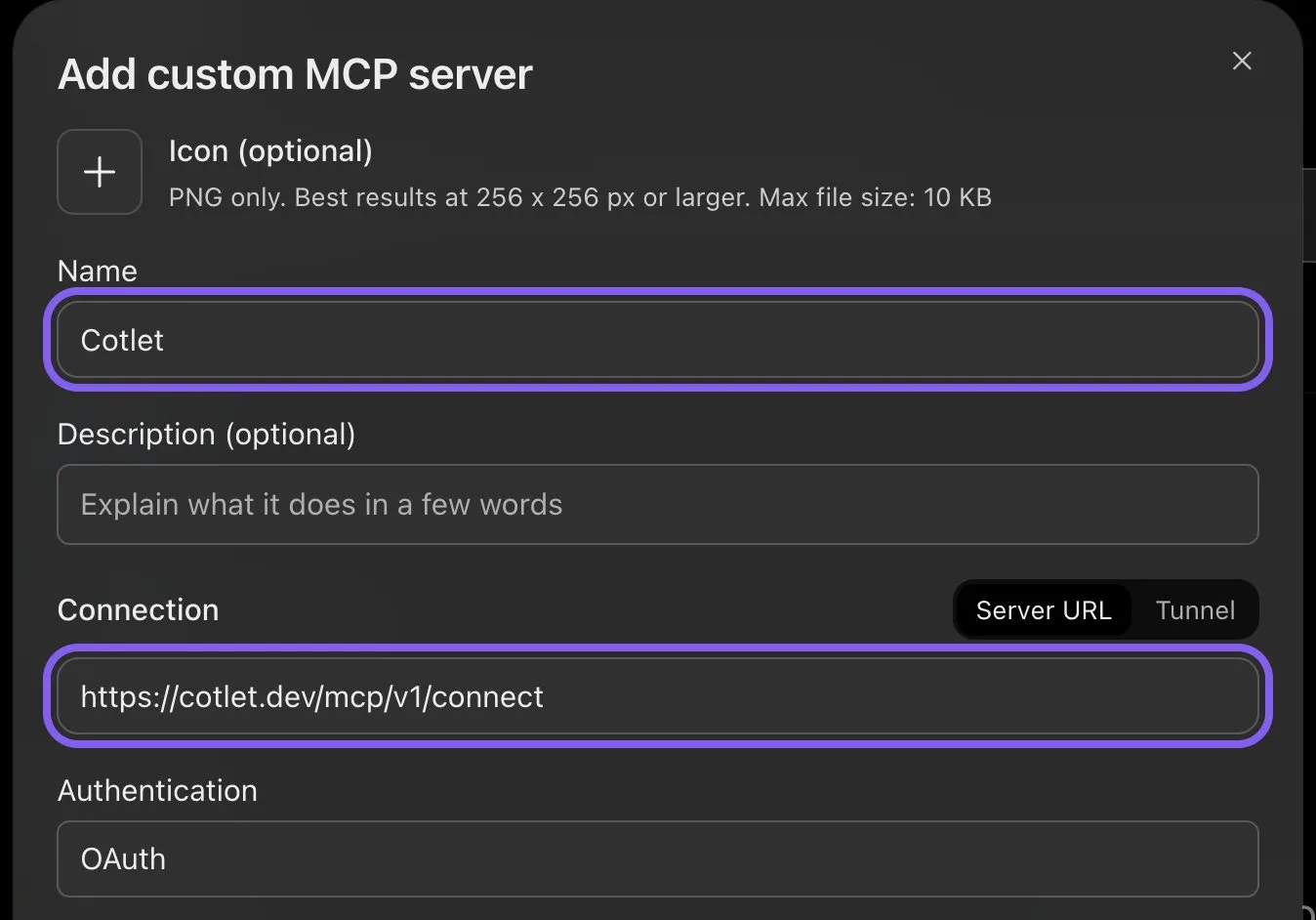
ChatGPT, Add custom MCP server form, November 2026.
ChatGPT asks “Allow ChatGPT to use Cotlet?” before some steps. Pick Always allow, or the chat waits for your click. On a Business, Enterprise or Edu workspace, an admin has to allow custom MCP servers first.
How to connect MyJobQuote to Claude
- Open Connectors in Claude and click Add. In the desktop app it is under Customize, Connectors.
- Click Add custom connector.
- Paste the name
Cotletand the URLhttps://cotlet.dev/mcp/v1/connect, then click Continue. - Keep the settings and click Add.
- A Cotlet page opens. Click Allow access.
- In a chat, click the plus button, then Connectors, and turn Cotlet on.
- Ask Claude: “Are you signed in to Cotlet through MCP?”, then “List every MyJobQuote job I bought this week with the customer’s phone.”. Claude asks before it uses a Cotlet tool the first time. Click Allow.

Claude, Customize, Connectors, Add menu, November 2026.

Cotlet consent page after you add the connector in Claude, November 2026.
Claude’s free plan allows one custom connector. On a Team or Enterprise plan, an owner adds Cotlet in Organization settings, Connectors, and you click Connect next to it.
How to connect MyJobQuote to Claude Code
Add Cotlet without a key, then sign in once in the browser:
claude mcp add --transport http cotlet https://cotlet.dev/mcp/v1/connectRun /mcp in Claude Code, pick cotlet and sign in to Cotlet. Prefer an API key, for example on a server? Create one in the Cotlet console and use:
claude mcp add --transport http cotlet https://cotlet.dev/mcp/v1 \
  --header "Authorization: Bearer $COTLET_API_KEY"
How to connect MyJobQuote to Codex
Create an API key in the Cotlet console, put it in the COTLET_API_KEY environment variable and add this to ~/.codex/config.toml:
[mcp_servers.cotlet]
url = "https://cotlet.dev/mcp/v1"
bearer_token_env_var = "COTLET_API_KEY"
How to connect MyJobQuote to Cursor
Create an API key in the Cotlet console, put it in the COTLET_API_KEY environment variable and add this to ~/.cursor/mcp.json:
{
  "mcpServers": {
    "cotlet": {
      "url": "https://cotlet.dev/mcp/v1",
      "headers": { "Authorization": "Bearer ${env:COTLET_API_KEY}" }
    }
  }
}
How to connect MyJobQuote to Grok
Grok takes custom MCP servers on grok.com, per xAI’s connectors documentation (checked 8 November 2026).
- Open grok.com/connectors and click New Connector.
- Pick Custom and paste the server URL
https://cotlet.dev/mcp/v1/connect. - Sign in to Cotlet when Grok asks, then click Allow access.
- Ask Grok: “Are you signed in to Cotlet through MCP?”
On Grok Business, an admin adds the connector first in the xAI console, under Grok Business, Connectors. The Grok chat inside X has no custom connector menu.
How to connect MyJobQuote to Hermes Agent
Add Cotlet to ~/.hermes/config.yaml in the format of the Hermes MCP config reference:
mcp_servers:
  cotlet:
    url: "https://cotlet.dev/mcp/v1"
    headers:
      Authorization: "Bearer ${COTLET_API_KEY}"
    trust: untrusted
Put COTLET_API_KEY in ~/.hermes/.env and check it with hermes mcp test cotlet. With trust: untrusted, Hermes runs reads at once and asks before every write. More on Hermes in our post on the Hermes Agent browser.
How to connect MyJobQuote to n8n
Use the MCP Client node, or the MCP Client Tool inside an AI Agent node:
- Server Transport: HTTP Streamable
- MCP Endpoint URL:
https://cotlet.dev/mcp/v1 - Authentication: Bearer Auth, with your Cotlet API key as the token
- Tools: let the AI Agent node use Cotlet’s browser tools; it reads Cotlet’s MyJobQuote guide first and works in your signed-in trade account
Use it for work that should run on its own, such as a 7 am ranking of new MyJobQuote leads by size and credit price, sent to you before you choose what to buy.
Any other MCP client
Point the client at https://cotlet.dev/mcp/v1 over Streamable HTTP, with the header Authorization: Bearer <your Cotlet API key>. A client that supports OAuth sign-in can use https://cotlet.dev/mcp/v1/connect instead and needs no key. The full reference is in the MCP docs.
Each of these saves credits or time on work you already do. Check the result in your MyJobQuote account afterwards.
Rank the morning’s leads before you spend a credit
Go through this morning’s MyJobQuote leads. Keep only electrical jobs within 15 miles of Leeds, rank them by job size, and show the credit price next to each. Buy nothing yet.
Up to three trades can buy each job, per MyJobQuote’s How it works page, so the third buyer often calls a homeowner who already booked someone. The AI reads every new lead, drops the ones outside your trade or radius and lists the rest by size with the credit cost. You reply with the two you want, and it buys them after you say yes.
Turn bought jobs into a call list
List every job I bought on MyJobQuote this week with the homeowner’s name, phone number and job, oldest first, as a table I can paste into my phone notes.
The contact details sit inside each job in My Jobs, one page at a time. The AI opens them all and returns one table. You ring down the list from the van instead of tapping through the site between calls.
Dispute the dud leads
Which jobs I bought this month had a phone number that never connected or a homeowner who cancelled? Draft a dispute for each with the dates I tried, and show me before you send.
MyJobQuote lets you raise a dispute from My Jobs, and it “will either issue you a refund / free lead or explain why”, per its disputes help page. Few trades bother, because each dispute is a form. The AI finds the candidates from your notes and job status and drafts each dispute. It sends only the ones you approve.
Two credit systems, kept apart
MyJobQuote credits buy leads, and Cotlet never touches your membership or your card. Cotlet’s own credits pay for the agent: 10 per successful call, nothing for a failure, and 50 per day for the Cloud Browser while MyJobQuote is enabled for agents. Packs are one-off, from $29 for 5,000 credits, valid 12 months, after a free week with no card. More on the pricing page.
FAQ
Does MyJobQuote have an API?
Only for affiliates who send homeowner jobs in. A tradesperson’s own leads, bought jobs and disputes have no API, webhooks or export, as of 25 November 2026.
Is there a MyJobQuote MCP server for ChatGPT or Claude?
MyJobQuote has no official MCP server and no ChatGPT or Claude connector. Cotlet runs one at https://cotlet.dev/mcp/v1/myjobquote that works inside your signed-in trade account, and both ChatGPT and Claude can add it.
Will the AI buy leads without asking me?
No. Buying a lead spends your MyJobQuote credits, so the agent asks every time unless you change that setting yourself. Ranking and reading leads never spends a credit.
Can it reject leads to improve my matches?
Yes. MyJobQuote asks for a reason when you reject a lead and uses it to send better matches. The agent can reject the leads you name with a reason such as too far, after your OK.
Is Cotlet run by MyJobQuote?
No. Cotlet is independent and has no tie to MyJobQuote. It works through your own trade login, inside a browser kept for your account.
Spend tomorrow’s credits on the right three leads
A credit spent on the wrong lead is gone for good. Having an agent read every lead first costs far less than one of them. Your first week of Cotlet is free: create the account here, then point ChatGPT or Claude at it. Checkatrade and Bark profiles can join the same agent (catalog).


