How to connect Olo to ChatGPT, Claude and any AI agent
Olo has an official MCP server, but it is for guests ordering food, not for your Dashboard (checked 26 Nov 2026). Let ChatGPT or Claude run your store settings.
Cotlet team 12 min read
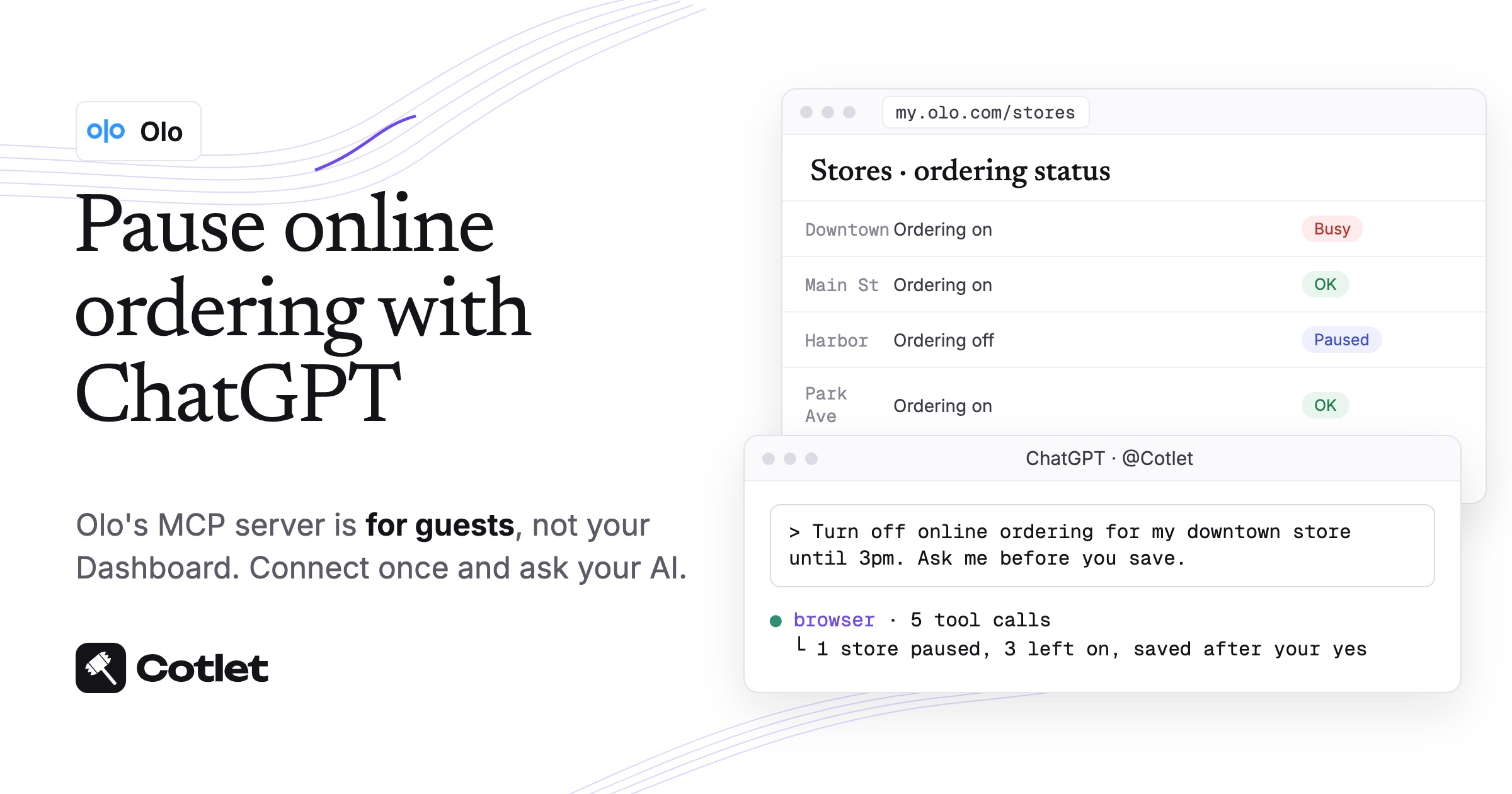
It is 4:40 on a Friday and the downtown kitchen is buried. Someone has to switch off online ordering for that store, and the same person has to pull the salmon bowl everywhere. In the Olo Dashboard that means two screens and a dozen clicks, per store. Olo does run an official MCP server, but it belongs to guests: it finds a restaurant in the Olo network, shows a menu and places an order once the guest agrees. It does not open your Dashboard, and it is in limited release for select partners only (checked 26 November 2026). So your own AI cannot use it for store settings. The Dashboard itself is a different matter. Sign in one time inside a browser that Cotlet runs, then ChatGPT or Claude works the Dashboard screens for you, one store or all of them.
This is for brand operators, multi-store managers and online ordering leads who sign in at my.olo.com. Guests, the Olo app and the register are out of scope. Cotlet is made for whoever keeps the stores accepting orders.
What ChatGPT and Claude can do in Olo once connected
Tell it the store and the change. The AI opens the matching Dashboard screen and reads it back to you.
| Where in Olo | What the AI does |
|---|---|
| Stores, Enable/Disable Store | Turns online ordering off for one store until a time you give, and checks that it is back on afterwards |
| Menu, Store Menu Admin | Marks an item or a modifier unavailable across the stores you name for the day |
| Stores, Store Hours | Enters holiday hours for every store and shows the screen before it saves |
| Reports, Sales and Orders | Pulls the weekly report per store and lines it up against your POS totals |
| Orders, Other Actions | Finds one order, reads its status and prepares a refund that waits for your yes |
| Dispatch Order Tracker | Lists delivery orders from the last day that were late or canceled, with what the tracker says |
| Coupon Manager | Sets up a one day coupon and shows the settings before anything is saved |
Reading changes nothing in Olo. Every write waits for your OK, and payments stay locked. The Olo MCP server page has more jobs, and the API page explains why a store cannot get its own key.
Does Olo have an official MCP server, an API or a ChatGPT app?
This is what we found on 26 November 2026:
- An official MCP server, but for guests. Olo’s guest help center describes mcp.olo.com. A guest can find restaurants, read menus, order and follow an order. It says nothing about a restaurant’s Dashboard, and it calls the release limited and for select partners.
- No Olo app in the directories. The ChatGPT apps list and Claude’s connectors list returned no Olo result when we searched.
- The API goes through partners. Olo Connect is the route: a partnership form, acceptance of the API terms, a sponsoring brand that pays Olo, then certification. The partner page lays it out. Credentials sit in a developer portal that only partners can enter, and a single location cannot generate a key.
- Someone else lists an Olo MCP server. A directory shows a third party server under the Olo name. It is not Olo’s.
An integration partner can wait for certification. A manager with a Friday rush cannot. For the two routes side by side, see Does Olo have an API or MCP server?.
What to have ready
- An Olo Dashboard login that already opens Stores, Menu and Reports.
- The names of the stores you want to change, spelled as the Dashboard spells them.
- Your holiday hours and your list of items that run out, kept somewhere you can paste from.
- ChatGPT, or free Claude with its one custom connector.
- A Cotlet account with a week free and no card (pricing).
Step 1: sign in to Olo in your Cloud Browser
Start the Cloud Browser from the Cotlet console and open my.olo.com. Enter your email and password yourself. Pick the account you already use for store settings. The AI can reach only what that account can reach.
Olo is the single place your password goes. Cotlet holds an encrypted session and nothing else, and one switch in the console cuts it off. If Olo signs you out, Cotlet sends a fresh sign-in link. The security page has the full picture.
Step 2: connect Olo to ChatGPT, Claude or another AI agent
Your AI takes Cotlet’s address once. From then on it rides the Dashboard session you just opened, and it never sees the password. Pick your tool below.
Pick your AI above to see its steps.
How to connect Olo to ChatGPT
Do this on chatgpt.com in your browser. Cotlet then works in the ChatGPT desktop and phone apps too.
- Open Plugins in ChatGPT and click Add.
- Click Add custom MCP server. Not in the menu? Turn on Developer mode in Settings, Security and login, then come back.
- Paste the name
Cotletand the server URLhttps://cotlet.dev/mcp/v1/connect. Keep Authentication on OAuth. - Tick “I understand and want to continue” and click Create as a plugin.
- Click Connect Cotlet. A Cotlet page opens, click Allow access.
- In a new chat, type
@Cotletand pick it from the list. - Ask ChatGPT: “Are you signed in to Cotlet through MCP?” Then try a first Olo task: “Open my Olo Dashboard and show me which stores have online ordering switched on. Change nothing.”
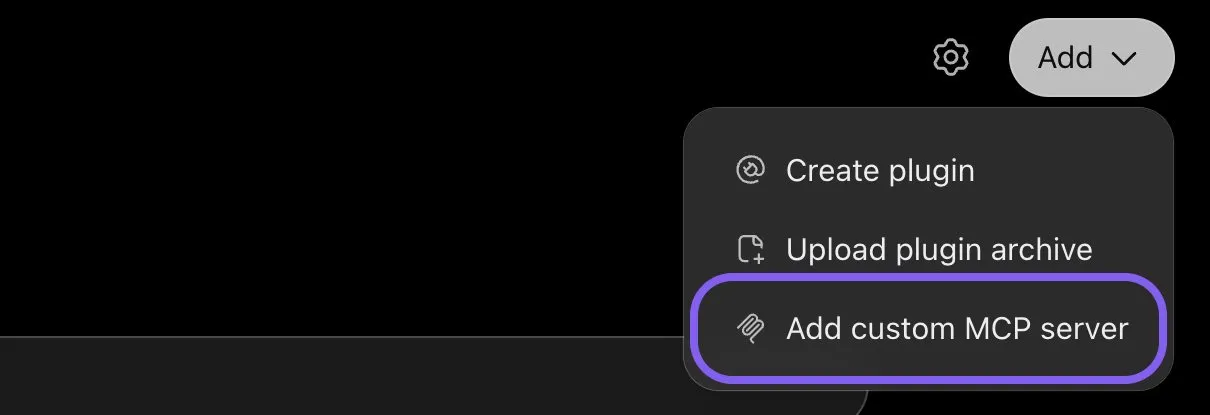
ChatGPT, Add menu on the Plugins page, November 2026.
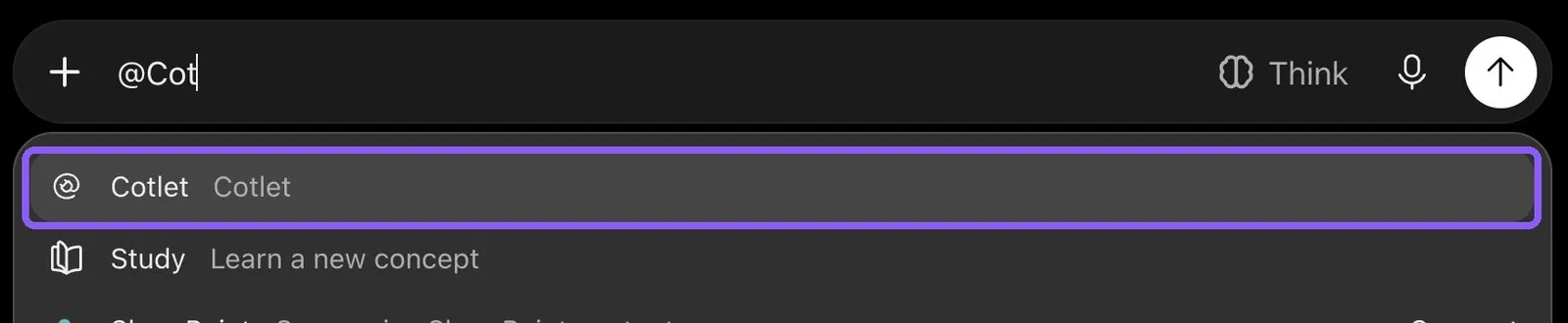
ChatGPT, picking Cotlet in a new chat with @, November 2026.
ChatGPT asks “Allow ChatGPT to use Cotlet?” before some steps. Pick Always allow, or the chat waits for your click. On a Business, Enterprise or Edu workspace, an admin has to allow custom MCP servers first.
How to connect Olo to Claude
- Open Connectors in Claude and click Add. In the desktop app it is under Customize, Connectors.
- Click Add custom connector.
- Paste the name
Cotletand the URLhttps://cotlet.dev/mcp/v1/connect, then click Continue. - Keep the settings and click Add.
- A Cotlet page opens. Click Allow access.
- In a chat, click the plus button, then Connectors, and turn Cotlet on.
- Ask Claude: “Are you signed in to Cotlet through MCP?”, then “From Olo Store Hours, list the hours for each of my stores for next Thursday.”. Claude asks before it uses a Cotlet tool the first time. Click Allow.

Claude, Customize, Connectors, Add menu, November 2026.

Cotlet consent page after you add the connector in Claude, November 2026.
Claude’s free plan allows one custom connector. On a Team or Enterprise plan, an owner adds Cotlet in Organization settings, Connectors, and you click Connect next to it.
How to connect Olo to Claude Code
Add Cotlet without a key, then sign in once in the browser:
claude mcp add --transport http cotlet https://cotlet.dev/mcp/v1/connectRun /mcp in Claude Code, pick cotlet and sign in to Cotlet. Prefer an API key, for example on a server? Create one in the Cotlet console and use:
claude mcp add --transport http cotlet https://cotlet.dev/mcp/v1 \
  --header "Authorization: Bearer $COTLET_API_KEY"
How to connect Olo to Codex
Create an API key in the Cotlet console, put it in the COTLET_API_KEY environment variable and add this to ~/.codex/config.toml:
[mcp_servers.cotlet]
url = "https://cotlet.dev/mcp/v1"
bearer_token_env_var = "COTLET_API_KEY"
How to connect Olo to Cursor
Create an API key in the Cotlet console, put it in the COTLET_API_KEY environment variable and add this to ~/.cursor/mcp.json:
{
  "mcpServers": {
    "cotlet": {
      "url": "https://cotlet.dev/mcp/v1",
      "headers": { "Authorization": "Bearer ${env:COTLET_API_KEY}" }
    }
  }
}
How to connect Olo to Grok
Grok takes custom MCP servers on grok.com, per xAI’s connectors documentation (checked 8 November 2026).
- Open grok.com/connectors and click New Connector.
- Pick Custom and paste the server URL
https://cotlet.dev/mcp/v1/connect. - Sign in to Cotlet when Grok asks, then click Allow access.
- Ask Grok: “Are you signed in to Cotlet through MCP?”
On Grok Business, an admin adds the connector first in the xAI console, under Grok Business, Connectors. The Grok chat inside X has no custom connector menu.
How to connect Olo to Hermes Agent
Add Cotlet to ~/.hermes/config.yaml in the format of the Hermes MCP config reference:
mcp_servers:
  cotlet:
    url: "https://cotlet.dev/mcp/v1"
    headers:
      Authorization: "Bearer ${COTLET_API_KEY}"
    trust: untrusted
Put COTLET_API_KEY in ~/.hermes/.env and check it with hermes mcp test cotlet. With trust: untrusted, Hermes runs reads at once and asks before every write. More on Hermes in our post on the Hermes Agent browser.
How to connect Olo to n8n
Use the MCP Client node, or the MCP Client Tool inside an AI Agent node:
- Server Transport: HTTP Streamable
- MCP Endpoint URL:
https://cotlet.dev/mcp/v1 - Authentication: Bearer Auth, with your Cotlet API key as the token
- Tools: let the AI Agent node use Cotlet’s browser tools; it reads Cotlet’s Olo guide first and works in your signed-in Olo Dashboard
Use it for work that should run on its own, such as a Weekly list of days where Olo sales do not match your POS totals.
Any other MCP client
Point the client at https://cotlet.dev/mcp/v1 over Streamable HTTP, with the header Authorization: Bearer <your Cotlet API key>. A client that supports OAuth sign-in can use https://cotlet.dev/mcp/v1/connect instead and needs no key. The full reference is in the MCP docs.
Three Olo jobs to try first
Start with the ones you run when a store is under pressure.
Stop orders and 86 an item
Turn off online ordering for my downtown store until 3pm. Ask me before you save, then confirm it is off.
Olo documents Enable/Disable Store under Stores. The AI opens that store, sets the switch, shows you the screen and waits. Once you say yes it saves and reads the status back. Pulling an item works the same way from Store Menu Admin: you get the list of stores it changed.
Put holiday hours in
Set Thanksgiving hours to 10am to 3pm for all my stores and show me what the Dashboard says before saving.
The hours live under Store Hours. Doing every store by hand takes an afternoon. The AI goes through each one, and you read the result before a single store is saved.
Check the report against the POS
Pull last week’s Olo sales and orders report per store and list the days that do not match the POS tenders I give you.
The Sales and Orders reports hold the numbers per store. Give the AI your POS totals, and it returns only the store days that differ. An n8n workflow can run this each Monday.
Brands and single stores
Olo’s Dashboard is built around brands. According to Olo’s own help, accounts are set up per brand through User Management, so the people who use it day to day are operators and managers of a brand with several stores. A lone cafe without a brand setup is not the target here. Ask about one store first, then widen the request to the whole group once the answer looks right. A short name list beats the word “all”.
More to ask once the first three work
- Show lead time and order throttling for each store, and which stores take orders more than two hours ahead.
- Find order 4821 from yesterday at Main St, tell me its status and prepare a full refund. Do not confirm until I say yes.
- List the Dashboard users per store with their role, and add a manager account for the new shift lead after I confirm.
Each of these is a Dashboard screen. Open the screen once yourself to check the first answer.
What it costs
You keep your Olo contract as it is, and no key is involved. Cotlet sells credit packs: $29 buys 5,000 and they last a year. A call that works uses 10 to 100 credits and a failed one uses none. A new account starts with 500 credits and a seven day trial. Keeping a browser ready for agents costs 50 credits a day (pricing).
FAQ
Is the Olo MCP server at mcp.olo.com for restaurants?
No. As far as we found on 26 November 2026, it serves guests who order food, and Olo limits it to select partners. It does not read or change a restaurant’s Dashboard.
Can my store get an Olo API key?
Not on its own. Olo APIs go to integration partners through the Olo Connect program with a paying brand as sponsor. A single location cannot generate credentials.
Can ChatGPT turn off online ordering in Olo?
Yes, through Cotlet. It opens your store in the Dashboard, flips the switch and waits for your yes before saving.
Does the AI see my guests’ card numbers?
Payments are blocked, so it cannot take or refund money. It reads the screens that your login opens.
Do I need to be an Olo partner?
No. You need your own Dashboard login. Cotlet works in the browser session you open.
Is Cotlet part of Olo?
No. Cotlet is independent and acts only through your login.
When the next rush hits
The switch is already in your Dashboard. What costs you minutes is getting to it from the kitchen. Try Cotlet free for a week, sign in through the Cloud Browser and tell your AI the store. More restaurant tools? See the catalog.


