How to connect Payhip to AI agents and automate the busywork
Payhip has no official MCP server or ChatGPT or Claude connector we could find (checked 20 Nov 2026). Connect it to any AI agent in about 10 minutes.
Cotlet team 16 min read
Payhip has no official MCP server, and we found no official ChatGPT or Claude connector (checked 20 Nov 2026). Its public API manages coupons and software license keys only, so orders, products, buyers, subscribers and analytics have no API calls at all (Payhip Help: Public API, checked 20 Nov 2026). This guide shows how to connect Payhip to ChatGPT, Claude and any AI agent through Cotlet.dev in about 10 minutes, and gives you three jobs to hand over right away.
Payhip sellers who run a shop of digital downloads spend their week inside the dashboard: finding an order by the buyer’s email, giving a buyer their downloads back, resending a receipt, building a coupon for a launch and checking last week’s sales. Cotlet.dev suits the owner or manager who runs a store on Payhip and wants an AI agent to work inside that account. A buyer who only wants a file should use Payhip’s own help channel and receipt email.
What your AI agent does in Payhip: orders, downloads, products, sales and coupons
Your AI agent works in Payhip through 20 Payhip tools, and each area of your store has its own set of jobs.
| Area of Payhip | What your AI agent does there |
|---|---|
| Orders and buyers | Lists orders by email, product, status or date, opens one order with its items, fees, VAT and checkout answers, and sets the private order note |
| Downloads and receipts | Gives a buyer their downloads back up to the product’s limit and resends the receipt with its download links |
| Products | Lists products with price, views, orders and sales, creates a digital product with its file, changes a title, price or description, and publishes or hides it |
| Sales and reports | Reads sales, orders, customers, views and checkouts per day with referrers, plus the monthly sales report |
| Coupons | Lists, creates, changes and deletes coupons for a whole order, one product or a collection |
| Members and followers | Lists members of memberships and subscriptions, affiliates with their sales count, and people who follow your store by email |
| Blocked buyers | Lists customers with orders and total spent, and blocks the buyer of an order from buying again |
Payhip actions that change what buyers see or receive wait for your OK by default. Cotlet.dev asks first by default on 7 of the 20 Payhip tools: resending a receipt, blocking a customer, creating or changing a product, and creating, changing or deleting a coupon. Each request shows in your Cotlet.dev console before it goes through, while resetting a Download Limit count and adding an order note reach nobody and run at once. Every tool and input is listed on the Cotlet.dev Payhip integration page.
Where Payhip stands on an API, an MCP server and an official ChatGPT app
Payhip has a public API for coupons and software license keys and 4 webhook events. We found no MCP server of its own, and Claude’s connector directory has no Payhip entry (checked 20 Nov 2026). A web search found no official ChatGPT app either. ChatGPT’s plugin directory loads its list only inside the app, so check it in your own ChatGPT before you rely on this.
Payhip’s help page says: “We have an API available for managing coupons and license keys” (Payhip Help: Public API, checked 20 Nov 2026). The API reference that page links to listed calls to create, list and read coupons and none to edit or delete one, plus license key checks, when we read it on 20 Nov 2026.
Payhip webhooks send paid, refunded, subscription.created and subscription.deleted as they happen, and a failed webhook is retried once an hour for up to 3 hours (Payhip Help: Webhooks, checked 20 Nov 2026). Payhip’s app in Zapier has 5 triggers and no actions, so Zapier MCP has no Payhip action to run (Zapier: Payhip integrations, checked 20 Nov 2026).
Cotlet.dev covers the rest through one MCP address, https://cotlet.dev/mcp/v1, with 20 Payhip tools for orders, downloads, products, sales reports, members and coupons. Your AI agent works in your own Payhip account, in the same seller dashboard you use, so it sees the store you see.
What to check in your Payhip account before you start
- Payhip seller login: use the email and password of your Payhip seller dashboard, and sign in once inside the Cotlet.dev Cloud Browser.
- Payhip plan: Free Forever, Plus and Pro all work, at $0, $29 or $99 a month with a 5%, 2% or no transaction fee (Payhip Help: Billing and Upgrading, checked 20 Nov 2026).
- Payhip two-factor: if it is on, keep your authenticator app close and enter the code when Payhip asks during sign-in in the Cloud Browser.
- Payhip orders: the order tools need a store that has had orders. Products, coupons, followers and sales stats work from the first day.
- Payhip time zone: sales days follow your store’s time zone, so check it in your Payhip settings before your first report.
- Your AI agent app: setup happens once in a web browser, and afterwards ChatGPT and Claude work in your Payhip account from their phone apps too.
Step 1: Log in to your Payhip seller dashboard inside the Cotlet.dev Cloud Browser
Payhip needs one sign-in, and you can make it yourself inside the Cotlet.dev Cloud Browser. Create a Cotlet.dev account, open Payhip under Integrations in the console, log in to your Payhip seller dashboard in the Cloud Browser, then press Enable for agents.
You type your password on Payhip’s own page. It passes through Cotlet.dev’s servers on the way, and password saving is off in the Cloud Browser, so Cotlet.dev does not store it. The signed-in Payhip profile is stored encrypted with AES-256-GCM in Finland.
Step 2: Add the Cotlet.dev address to your chat app, editor or workflow tool
Payhip works with ChatGPT, Claude, Claude Code, Codex, Cursor, Grok, Hermes Agent, n8n and other MCP clients once you add https://cotlet.dev/mcp/v1 as an MCP server or custom connector.
Pick your AI above to see its steps.
How to connect Payhip to ChatGPT
Do this on chatgpt.com in your browser. Cotlet then works in the ChatGPT desktop and phone apps too.
- Open Plugins in ChatGPT and click Add.
- Click Add custom MCP server.
- Paste the name
Cotletand the server URLhttps://cotlet.dev/mcp/v1/connect. Keep Authentication on OAuth. - Tick “I understand and want to continue” and click Create as a plugin.
- Click Connect Cotlet. A Cotlet page opens, click Allow access.
- In a new chat, type
@Cotletand pick it from the list. - Ask ChatGPT: “Are you signed in to Cotlet through MCP?” Then try a first Payhip task: “Find the latest order from anna@example.com, check that it was not refunded, give her downloads back and show me the receipt email before you resend it.”
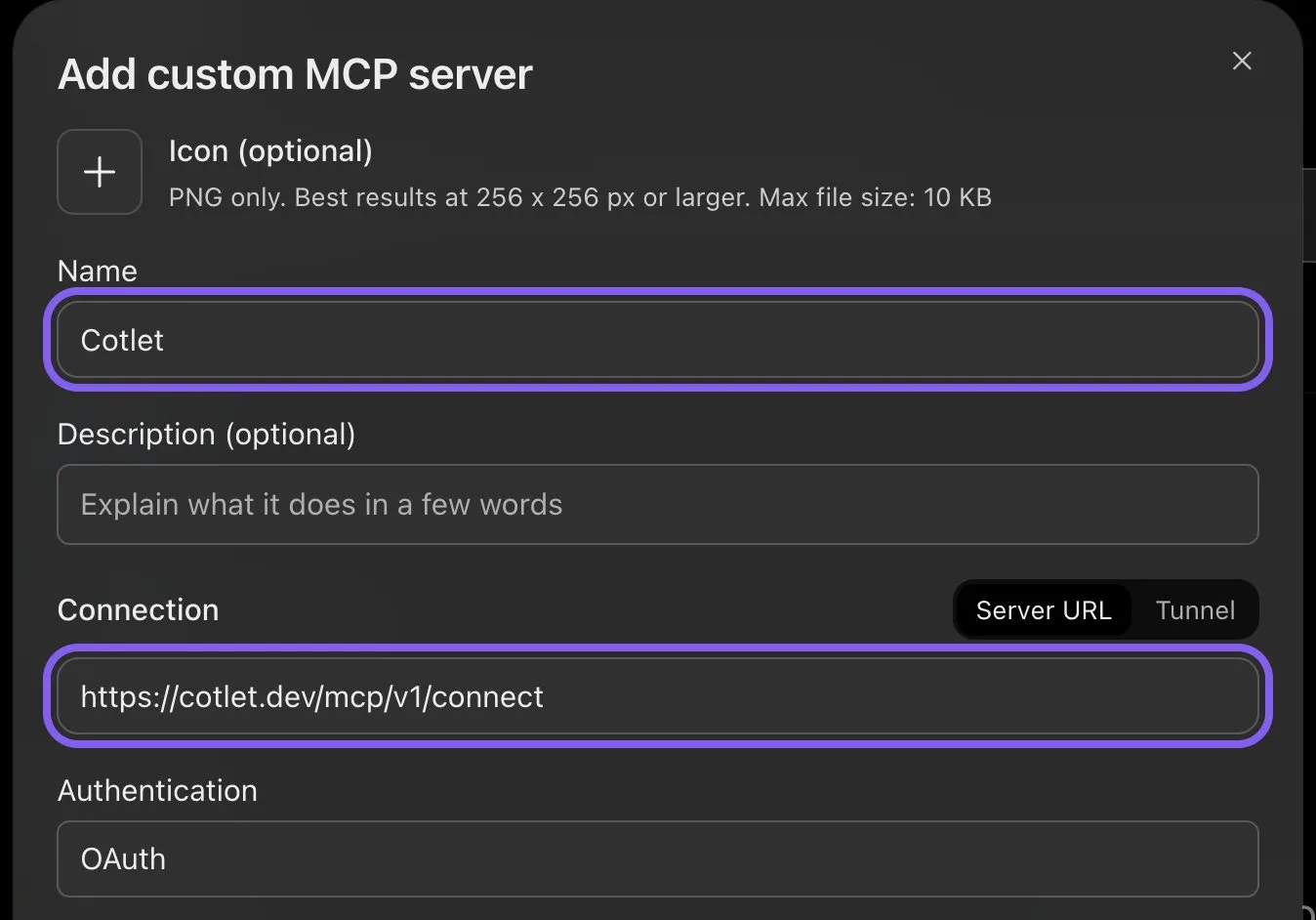
ChatGPT, Add custom MCP server form, November 2026.
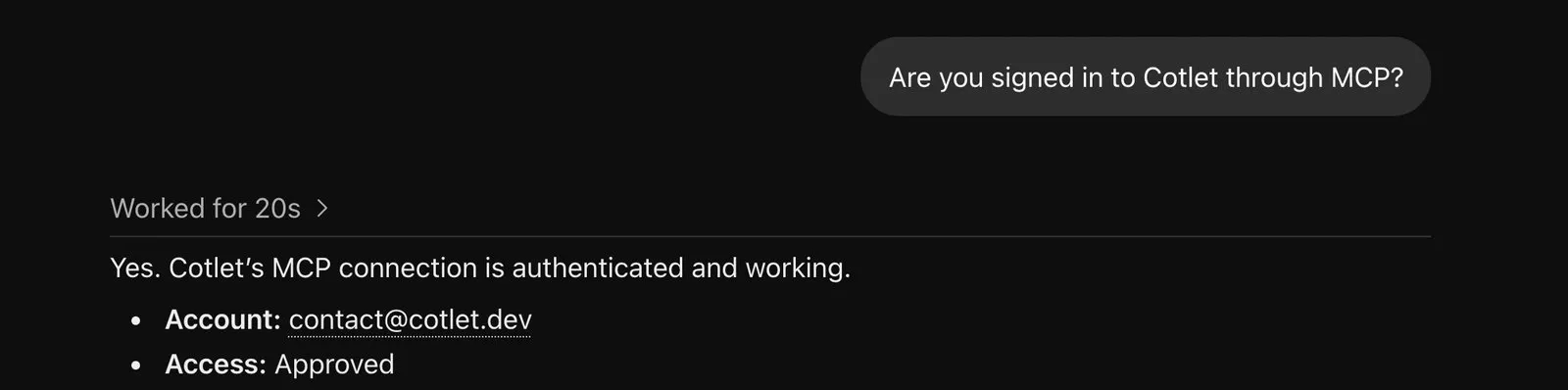
ChatGPT confirming the Cotlet connection, November 2026.
ChatGPT asks “Allow ChatGPT to use Cotlet?” before some steps. Pick Always allow, or the chat waits for your click. On a Business, Enterprise or Edu workspace, an admin has to allow custom MCP servers first.
How to connect Payhip to Claude
- Open Connectors in Claude and click Add. In the desktop app it is under Customize, Connectors.
- Click Add custom connector.
- Paste the name
Cotletand the URLhttps://cotlet.dev/mcp/v1/connect, then click Continue. - Keep the settings and click Add.
- A Cotlet page opens. Click Allow access.
- In a chat, click the plus button, then Connectors, and turn Cotlet on.
- Ask Claude: “Are you signed in to Cotlet through MCP?”, then “Create a coupon called LAUNCH for my newest product with a discount and an end date, and show me the details before you save it.”. Claude asks before it uses a Cotlet tool the first time. Click Allow.

Claude, Customize, Connectors, November 2026.

Cotlet consent page after you add the connector in Claude, November 2026.
Claude’s free plan allows one custom connector. On a Team or Enterprise plan, an owner adds Cotlet in Organization settings, Connectors, and you click Connect next to it.
How to connect Payhip to Claude Code
Add Cotlet without a key, then sign in once in the browser:
claude mcp add --transport http cotlet https://cotlet.dev/mcp/v1/connectRun /mcp in Claude Code, pick cotlet and sign in to Cotlet. Prefer an API key, for example on a server? Create one in the Cotlet console and use:
claude mcp add --transport http cotlet https://cotlet.dev/mcp/v1 \
  --header "Authorization: Bearer $COTLET_API_KEY"
How to connect Payhip to Codex
Create an API key in the Cotlet console, put it in the COTLET_API_KEY environment variable and add this to ~/.codex/config.toml:
[mcp_servers.cotlet]
url = "https://cotlet.dev/mcp/v1"
bearer_token_env_var = "COTLET_API_KEY"
How to connect Payhip to Cursor
Create an API key in the Cotlet console, put it in the COTLET_API_KEY environment variable and add this to ~/.cursor/mcp.json:
{
  "mcpServers": {
    "cotlet": {
      "url": "https://cotlet.dev/mcp/v1",
      "headers": { "Authorization": "Bearer ${env:COTLET_API_KEY}" }
    }
  }
}
How to connect Payhip to Grok
Grok takes custom MCP servers on grok.com, per xAI’s connectors documentation (checked 8 November 2026).
- Open grok.com/connectors and click New Connector.
- Pick Custom and paste the server URL
https://cotlet.dev/mcp/v1/connect. - Sign in to Cotlet when Grok asks, then click Allow access.
- Ask Grok: “Are you signed in to Cotlet through MCP?”
On Grok Business, an admin adds the connector first in the xAI console, under Grok Business, Connectors. The Grok chat inside X has no custom connector menu.
How to connect Payhip to Hermes Agent
Add Cotlet to ~/.hermes/config.yaml in the format of the Hermes MCP config reference:
mcp_servers:
  cotlet:
    url: "https://cotlet.dev/mcp/v1"
    headers:
      Authorization: "Bearer ${COTLET_API_KEY}"
    trust: untrusted
Put COTLET_API_KEY in ~/.hermes/.env and check it with hermes mcp test cotlet. With trust: untrusted, Hermes runs reads at once and asks before every write. More on Hermes in our post on the Hermes Agent browser.
How to connect Payhip to n8n
Use the MCP Client node, or the MCP Client Tool inside an AI Agent node:
- Server Transport: HTTP Streamable
- MCP Endpoint URL:
https://cotlet.dev/mcp/v1 - Authentication: Bearer Auth, with your Cotlet API key as the token
- Tools: Cotlet.dev’s browser tools; the AI Agent node reads the Payhip guide first
Use it to run this on a schedule: put this week’s sales next to last week’s, day by day, with referrers.
Any other MCP client
Point the client at https://cotlet.dev/mcp/v1 over Streamable HTTP, with the header Authorization: Bearer <your Cotlet API key>. A client that supports OAuth sign-in can use https://cotlet.dev/mcp/v1/connect instead and needs no key. The full reference is in the MCP docs.
Cotlet.dev sends chat apps to a Cotlet.dev sign-in, where you approve the connection, and the same address carries every other app you enable next to Payhip. Turned Payhip on after you connected? Refresh the connector so the 20 tools appear. Your AI agent can then list your Payhip products with price and visibility, which proves the connection works.
Three jobs to hand over first: a download reset, a launch coupon and a week of sales
Find an old order by buyer email and give the downloads back
Your AI agent takes this request: “Find the latest order from anna@example.com, check that it was not refunded, give her downloads back and show me the receipt email before you resend it.”
Your AI agent finds the order by the email the buyer wrote from, opens it to check the status, and stops with a note to you if Payhip shows a refund. Otherwise it resets the count back to your Download Limit with no email sent, and the receipt resend waits for your OK in your Cotlet.dev console by default. Payhip’s webhooks report events as they happen (Payhip Help: Webhooks, checked 20 Nov 2026), so looking up an old order is a job a webhook cannot do, and by hand it means searching your orders, resetting and resending.
Make a launch coupon that waits for your OK by default
Your AI agent takes this request: “Create a coupon called LAUNCH for my newest product with a discount and an end date, and show me the details before you save it.”
Your AI agent lists your coupons first so the name does not clash, then, by default, asks first before it creates the new one for the whole order, one product or a collection. Payhip’s API reference, linked from its help page (Payhip Help: Public API), listed calls to create, list and read coupons and none to edit or delete one when we read it on 20 Nov 2026, so a script on that API cannot change the usage limit or the dates later, while the Cotlet.dev coupon tools can. The usage limit counts all buyers together, and a wrong coupon is removed with delete_coupon while orders that used it keep the discount.
Put this week’s sales next to last week’s, day by day, with referrers
Your AI agent takes this request: “Compare this week’s sales with last week day by day, and tell me which referrers brought the most orders.”
Your AI agent reads the sales stats for both date ranges, with sales, orders, customers, views and checkouts per day and the referrers behind them. Payhip’s public API manages only coupons and license keys (Payhip Help: Public API, checked 20 Nov 2026), so a script built on that API cannot produce this comparison. Days follow your store’s time zone, nothing in the store changes so no approval is needed, and by hand you would read the Analytics screens and copy the numbers into a sheet.
Other routes into Payhip and the part each one leaves out
- Payhip’s public API (Payhip Help: Public API) covers coupons and software license keys only, and coupons can be created, listed and read but not edited or deleted (checked 20 Nov 2026). It is the right choice for license key checks inside your own software.
- Payhip’s webhooks (Payhip Help: Webhooks) send 4 events as they happen and retry a failed one once an hour for up to 3 hours, with no lookup of older orders (checked 20 Nov 2026).
- Payhip in Zapier (Zapier: Payhip integrations) has 5 triggers and no actions, so an agent can react to new events and change nothing (checked 20 Nov 2026).
- Payhip in Pipedream has 3 license key actions and 4 webhook triggers, offered as MCP tools, and no orders, products or members (checked 20 Nov 2026).
- Payhip in Composio has coupon actions and tools that check the 4 webhook events you already received, with no tools for orders, products or customers (checked 20 Nov 2026).
- Payhip in n8n can call the same 20 Payhip tools through Cotlet.dev, with the workflow steps built by you.
Cotlet.dev fits when your agent needs what those routes leave out: orders, downloads, products, sales stats and members, from ChatGPT, Claude or any agent, on the Payhip plan you already have, with changes waiting for your OK by default.
Budget for Cotlet.dev on Payhip
Cotlet.dev is pay as you go, with no subscription: credit packs start at $29 for 5,000 credits and stay valid for 12 months (Cotlet.dev pricing, checked 20 Nov 2026). A successful Payhip call costs 10 credits, failed calls cost nothing, and your Cloud Browser uses 50 credits a day. New accounts get 7 days free, with no card.
The Payhip integration page works out a store with about 60 orders and 8 download tickets a month at about 2,150 credits, close to $12 a month. Your Payhip plan and its fees do not change. Sign up for Cotlet.dev with Payhip selected.
FAQ
Has Payhip released its own app for ChatGPT or Claude?
We found no official ChatGPT or Claude connector for Payhip and no MCP server of its own, and Claude’s connector directory has no Payhip entry (checked 20 Nov 2026). Cotlet.dev is an independent route that puts Payhip into ChatGPT and Claude through https://cotlet.dev/mcp/v1. Setup is the two steps above, and it needs no API key.
Where is Payhip’s API, and is there an MCP server?
Payhip’s public API manages coupons and software license keys, and its reference has no calls for orders, products, buyers, subscribers or analytics (checked 20 Nov 2026). We found no MCP server from Payhip itself. Cotlet.dev adds 20 Payhip tools for those areas.
Will Zapier or n8n let an agent work in my Payhip store?
Payhip in Zapier has 5 triggers and no actions, so Zapier MCP has no Payhip action to run (checked 20 Nov 2026). n8n can call the 20 Payhip tools through Cotlet.dev, but you build the workflow yourself. Payhip’s 4 webhook events report things as they happen, so to look back at older orders an agent calls list_orders instead.
Do I need a paid Payhip plan for my agent?
Payhip Free Forever, Plus and Pro all work. The plans differ in transaction fee, 5%, 2% or none, at $0, $29 or $99 a month (Payhip Help: Billing and Upgrading, checked 20 Nov 2026). Payhip keeps billing its own plan and fee, so nothing changes there.
Do the order tools work on a store with no orders yet?
Payhip order tools need an order to act on. On a new store list_orders returns an empty list, and the tools that open one order have nothing to open. Products, coupons, followers and sales stats work from the first day.
Can the agent refund a buyer or manage license keys?
Your AI agent cannot refund a buyer: no Cotlet.dev tool issues refunds or touches your Stripe or PayPal account. It can find refunded orders and leave them alone. License keys are not in the Cotlet.dev tools either: Payhip’s own API verifies, enables and disables them, and Pipedream wraps those calls for agents.
Who can see my Payhip sign-in, and how do I switch it off?
Your Payhip profile is stored encrypted with AES-256-GCM in Finland, and password saving is off, so no password is kept. Your agent works through Cotlet.dev tools and can reach what your seller account shows: products, orders, buyer emails, subscribers and sales. No Payhip tool touches Stripe and PayPal, payouts, refunds, plan, password or two-factor. To cut access, disable Payhip for agents, reset the browser or change your Payhip password.
How do I reverse something my agent changed in Payhip?
Payhip coupons your agent creates are removed with delete_coupon or in your Payhip coupon list, and orders that used the coupon keep the discount. A new product starts invisible and you delete it in Products, and a price change is set back with update_product while orders in between keep the new price. A deleted coupon is created again, a resent receipt cannot be recalled, and a blocked buyer is unblocked in Payhip.
Does Payhip stand behind Cotlet.dev?
Payhip Limited has no part in Cotlet.dev, which is an unaffiliated and unendorsed service. Take Group sp. z o.o., a software company in Poland, runs Cotlet.dev. If Payhip’s own integrations cover what you need, use them first.
Ask your agent which Payhip product has views but no orders
Your AI agent can list your Payhip products with price, views, orders and sales the moment Step 2 is done. Pick the product with the most views and no orders, and ask for a launch coupon on it, which waits for your OK by default. The Cotlet.dev Payhip integration page lists every tool and input.


