How to connect Physitrack to ChatGPT, Claude and any AI agent
Physitrack has no MCP server and no self-serve API key (checked 26 Nov 2026). Let Claude check adherence, RTM days and outcome scores for you.
Cotlet team 13 min read
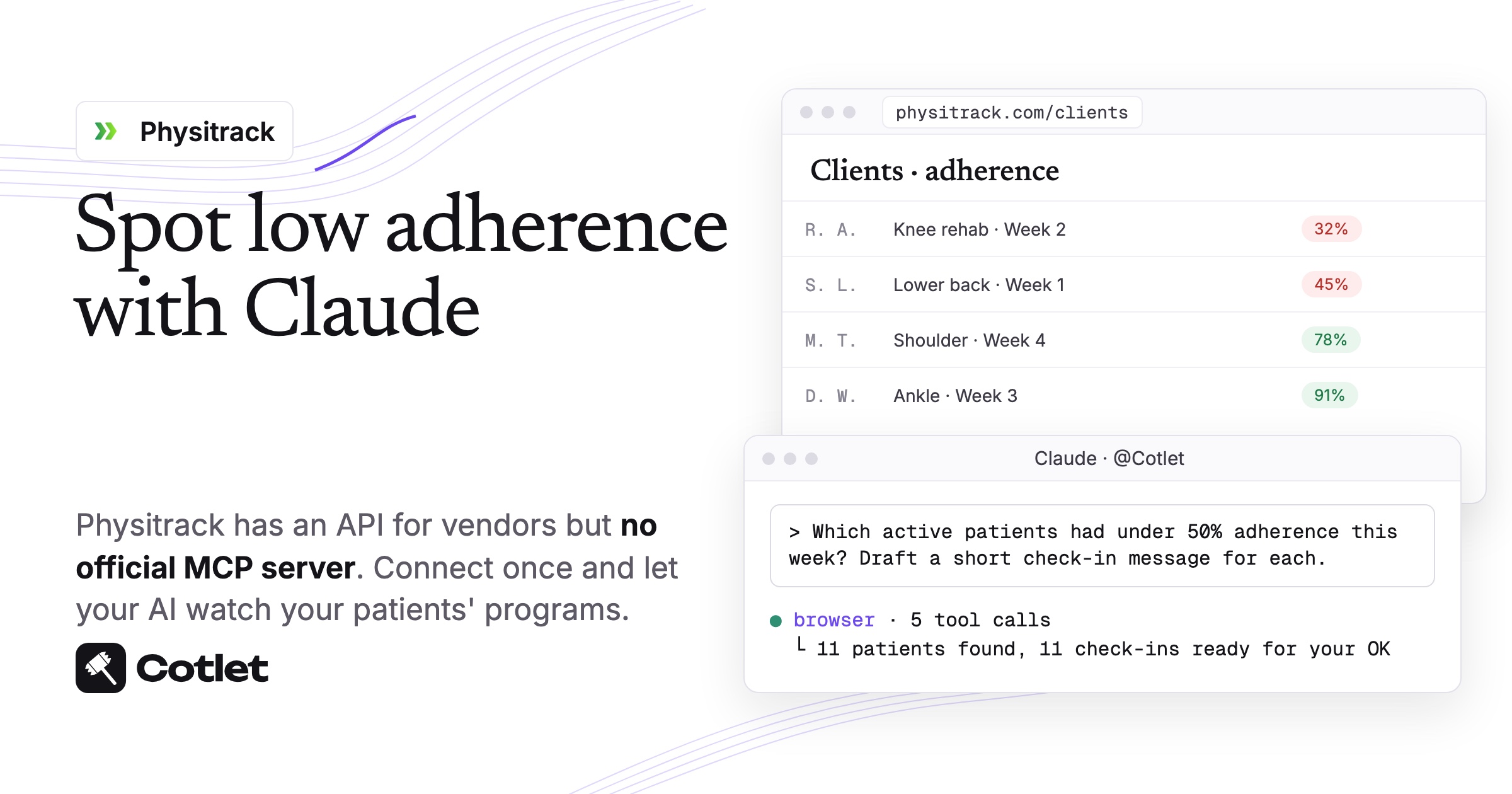
Physitrack has an API, but it is built for software vendors. On 26 November 2026 a clinic cannot get a key by itself, and there is no official MCP server or ChatGPT or Claude connector. A clinic that wants an AI to read its adherence figures, outcome results or RTM days can use a Cloud Browser that Cotlet hosts instead. You sign in to Physitrack there once, and ChatGPT, Claude or another agent opens the same screens you do. Allow ten minutes, and write no code.
The guide is for the owner, lead physio or practice manager who watches how patients do their home programs. Cotlet works for the person who runs the Physitrack account. Patients keep using PhysiApp, texts and the links you already send them.
Physitrack data your AI can pull up
Phrase the question like a request to an assistant. The AI goes to the Physitrack screen that has the answer.
| Part of Physitrack | What the AI handles |
|---|---|
| Patient list and adherence details | Lists active patients under the percent you set and drafts a check-in for each |
| Library > Outcome measures > Results | Reads the results per measure and puts each patient’s first and latest score in a sheet |
| Connect > Unread messages | Lists unread patient messages, newest first, with a drafted reply for each |
| Library > Templates | Assigns a template to the patients you name, after you check the list |
| Subscription > View invoices | Downloads your invoices as files for the accountant |
| RTM and telehealth records | Counts days of data per patient across the last 30 days |
Messages to patients and assignments stop for your OK. Results you only read leave Physitrack as it was.
The Physitrack MCP server page lists each screen. To feed the same jobs into a spreadsheet or n8n, see build a Physitrack API.
Physitrack API, EMR and AI scribe: what exists
Here is the state of play as of 26 November 2026:
- An API for practice management systems. The developer information page describes API v1 (single sign on) and API v2 (REST and webhooks) for practice management systems and EHRs. A vendor starts by emailing Physitrack for a staging setup. A clinic can switch on API access in its account, and the purpose is to connect its own practice management system.
- A list of connected systems. The integrations page names the practice management systems Physitrack works with, and none of them is an AI assistant.
- An EMR with an AI scribe. Physitrack now sells its own EMR with scheduling, charting and an AI scribe. It works inside Physitrack.
- No official MCP server. The official MCP Registry has no Physitrack entry, and a Google search finds no unofficial server either.
- No Zapier, Make or n8n app. All three pages gave a 404 on the day of writing.
- Downloads in the account. Outcome results, a patient’s messages and adherence, and invoices can be downloaded by hand.
If your practice management vendor has built on the API, use that. For checks that only you run, a hosted MCP server in your own session is quicker. The Physitrack API and MCP status page rates each route.
Before you start
- Your own Physitrack login. Sign-in at secure.physitrack.com sends you to your regional server.
- Your licence rights. Physitrack says an administrator can switch off patient data export, and then the download buttons do not show for you either.
- Adherence tracking switched on for the programs you care about, because the adherence bar only appears when it was enabled at assignment.
- A ChatGPT or Claude account. A free Claude account covers one connector.
- A Cotlet account: seven days free, no card (pricing).
Step 1: sign in to Physitrack in your Cloud Browser
From the Cotlet console, launch the Cloud Browser and go to secure.physitrack.com. Pick your region if asked, then enter your email, password and any code. The client list means you are in.
Physitrack alone receives the password. Cotlet stores no password, and the profile stays encrypted in your account. If Physitrack drops the session, the AI sends you a link to sign back in. Read more on the security page.
Step 2: give your AI the Cotlet address
Put Cotlet’s MCP address into your AI client once. After that the client can open any Physitrack screen your login allows. Click your client below.
Pick your AI above to see its steps.
How to connect Physitrack to ChatGPT
Do this on chatgpt.com in your browser. Cotlet then works in the ChatGPT desktop and phone apps too.
- Open Plugins in ChatGPT and click Add.
- Click Add custom MCP server. Not in the menu? Turn on Developer mode in Settings, Security and login, then come back.
- Paste the name
Cotletand the server URLhttps://cotlet.dev/mcp/v1/connect. Keep Authentication on OAuth. - Tick “I understand and want to continue” and click Create as a plugin.
- Click Connect Cotlet. A Cotlet page opens, click Allow access.
- In a new chat, type
@Cotletand pick it from the list. - Ask ChatGPT: “Are you signed in to Cotlet through MCP?” Then try a first Physitrack task: “Which Physitrack patients are under 50% adherence this week?”
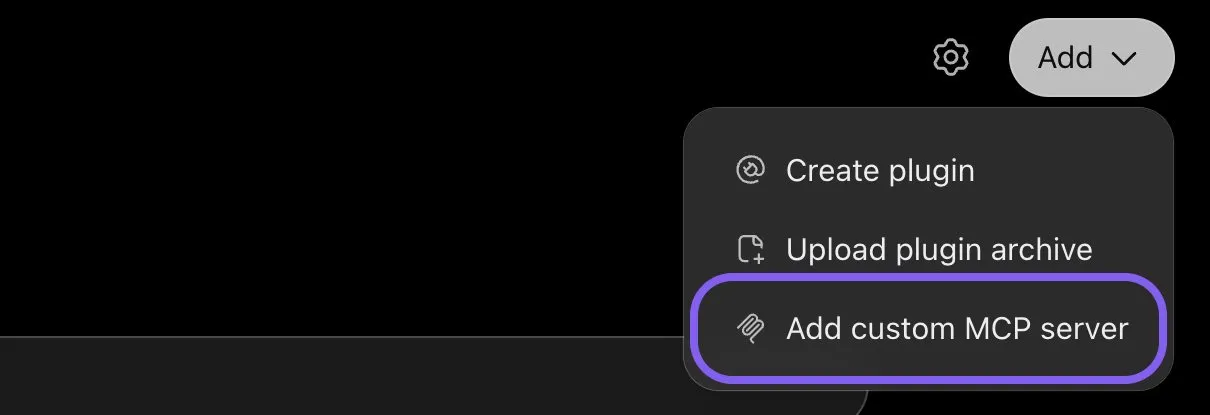
ChatGPT, Add menu on the Plugins page, November 2026.
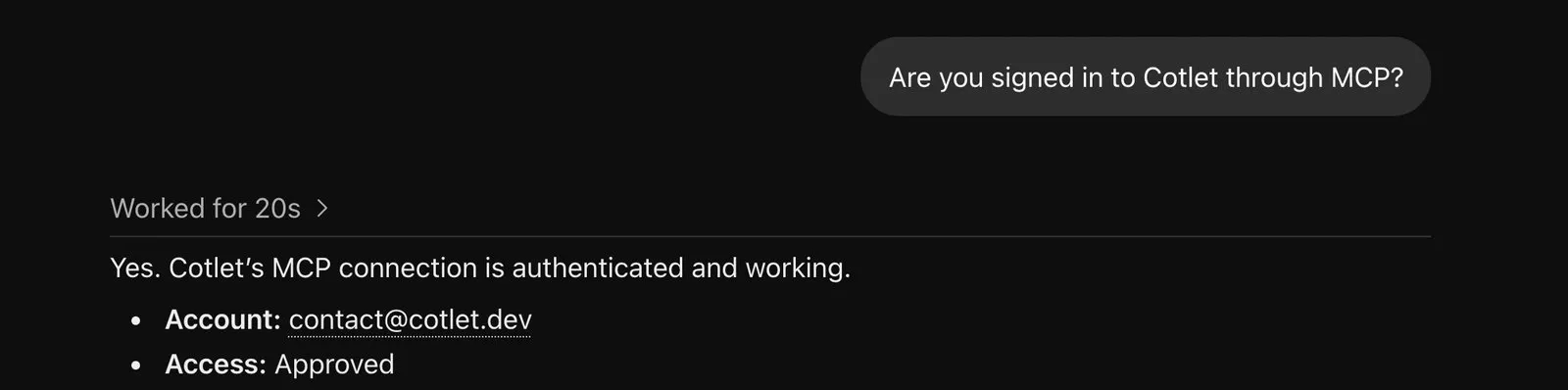
ChatGPT confirming the Cotlet connection, November 2026.
ChatGPT asks “Allow ChatGPT to use Cotlet?” before some steps. Pick Always allow, or the chat waits for your click. On a Business, Enterprise or Edu workspace, an admin has to allow custom MCP servers first.
How to connect Physitrack to Claude
- Open Connectors in Claude and click Add. In the desktop app it is under Customize, Connectors.
- Click Add custom connector.
- Paste the name
Cotletand the URLhttps://cotlet.dev/mcp/v1/connect, then click Continue. - Keep the settings and click Add.
- A Cotlet page opens. Click Allow access.
- In a chat, click the plus button, then Connectors, and turn Cotlet on.
- Ask Claude: “Are you signed in to Cotlet through MCP?”, then “Which RTM patients in Physitrack have 16 or more days of data in the last 30 days?”. Claude asks before it uses a Cotlet tool the first time. Click Allow.

Claude, Add custom connector, last screen, November 2026.

Claude, chat menu, Connectors, November 2026.
Claude’s free plan allows one custom connector. On a Team or Enterprise plan, an owner adds Cotlet in Organization settings, Connectors, and you click Connect next to it.
How to connect Physitrack to Claude Code
Add Cotlet without a key, then sign in once in the browser:
claude mcp add --transport http cotlet https://cotlet.dev/mcp/v1/connectRun /mcp in Claude Code, pick cotlet and sign in to Cotlet. Prefer an API key, for example on a server? Create one in the Cotlet console and use:
claude mcp add --transport http cotlet https://cotlet.dev/mcp/v1 \
  --header "Authorization: Bearer $COTLET_API_KEY"
How to connect Physitrack to Codex
Create an API key in the Cotlet console, put it in the COTLET_API_KEY environment variable and add this to ~/.codex/config.toml:
[mcp_servers.cotlet]
url = "https://cotlet.dev/mcp/v1"
bearer_token_env_var = "COTLET_API_KEY"
How to connect Physitrack to Cursor
Create an API key in the Cotlet console, put it in the COTLET_API_KEY environment variable and add this to ~/.cursor/mcp.json:
{
  "mcpServers": {
    "cotlet": {
      "url": "https://cotlet.dev/mcp/v1",
      "headers": { "Authorization": "Bearer ${env:COTLET_API_KEY}" }
    }
  }
}
How to connect Physitrack to Grok
Grok takes custom MCP servers on grok.com, per xAI’s connectors documentation (checked 8 November 2026).
- Open grok.com/connectors and click New Connector.
- Pick Custom and paste the server URL
https://cotlet.dev/mcp/v1/connect. - Sign in to Cotlet when Grok asks, then click Allow access.
- Ask Grok: “Are you signed in to Cotlet through MCP?”
On Grok Business, an admin adds the connector first in the xAI console, under Grok Business, Connectors. The Grok chat inside X has no custom connector menu.
How to connect Physitrack to Hermes Agent
Add Cotlet to ~/.hermes/config.yaml in the format of the Hermes MCP config reference:
mcp_servers:
  cotlet:
    url: "https://cotlet.dev/mcp/v1"
    headers:
      Authorization: "Bearer ${COTLET_API_KEY}"
    trust: untrusted
Put COTLET_API_KEY in ~/.hermes/.env and check it with hermes mcp test cotlet. With trust: untrusted, Hermes runs reads at once and asks before every write. More on Hermes in our post on the Hermes Agent browser.
How to connect Physitrack to n8n
Use the MCP Client node, or the MCP Client Tool inside an AI Agent node:
- Server Transport: HTTP Streamable
- MCP Endpoint URL:
https://cotlet.dev/mcp/v1 - Authentication: Bearer Auth, with your Cotlet API key as the token
- Tools: let the AI Agent node use Cotlet’s browser tools; it reads Cotlet’s Physitrack guide first and works in your signed-in Physitrack account
Use it for work that should run on its own, such as a list of outcome scores in your sheet on the first working day of each month.
Any other MCP client
Point the client at https://cotlet.dev/mcp/v1 over Streamable HTTP, with the header Authorization: Bearer <your Cotlet API key>. A client that supports OAuth sign-in can use https://cotlet.dev/mcp/v1/connect instead and needs no key. The full reference is in the MCP docs.
Run these at the start of the week, while last week’s data is complete.
Find patients who stopped doing their exercises
Which active patients had under 50% adherence this week? Draft a short check-in message for each.
Physitrack’s adherence page explains what the bar shows. The bar in the patient list looks at the last 3 days, and the adherence details give a weekly average. If a program has 10 exercises a day and the patient did 7 on each of three days, the bar reads 70%. The AI reads both views, flags patients under your threshold and notes who has no data at all. A patient on EasyLink sends nothing back, so an empty bar can mean a patient who never logs in rather than one who skips exercises. You read the drafts before anything is sent.
Count RTM days before the month closes
Which RTM patients have 16 or more days of data in the last 30 days, and who is close to 16?
Physitrack’s RTM article says 2 to 15 days of engagement in a 30-day period fit one billing code and 16 or more fit another, and that a day counts when the patient does one activity in PhysiApp. Activity through EasyLink or a PDF does not count. The AI opens each RTM patient, counts the active days and gives you three lists: at 16 or more, within three days of it, and far behind. Whether a patient can be billed stays your call and your biller’s.
Put outcome scores in a sheet
Download this month’s outcome measure results and put the start and latest score per patient in my sheet.
In Library > Outcome measures you open a measure, press Results and filter by patient group. An E-mail me survey data button sends a spreadsheet to the email on your Physitrack account. The AI sets the filters, reads the results table on screen and writes the first and the latest score of each patient into your sheet. You get the progress view for a patient group without opening one record at a time.
The Cotlet side of the cost
Physitrack keeps charging what it charges now. Cotlet has no subscription, just a pack bought once: $29 for 5,000 credits, good for 12 months. Successful calls take 10 to 100 credits, and failed calls cost nothing. After the trial, Physitrack stays connected in the Cloud Browser at 50 credits per day. A fresh account holds 500 credits for 7 days and needs no card (pricing).
FAQ
Can I use the Physitrack API for my own clinic, not as a software vendor?
Not on your own, as of 26 November 2026. API v1 and v2 are for practice management systems and EHRs that start by email to Physitrack. A clinic can enable API access to connect its own system. Cotlet needs no key. It works inside the Physitrack account you are signed in to.
Is there a self-serve API or MCP server for a clinic?
Neither is offered as self-serve. The API needs a vendor setup, and no MCP server exists, official or unofficial. A hosted server that uses your own session needs no developer.
Can I add Physitrack to ChatGPT or Claude as an app?
No. Physitrack has neither, and its own EMR and AI scribe work only inside Physitrack.
Can AI check patient adherence in Physitrack for me?
Yes. The AI reads the adherence bar and details in your account and lists patients under your percent. Adherence only exists for programs where tracking was enabled at assignment.
Can AI assign a template to several patients at once?
Yes. Give it the template name and the patients, and it shows you the list first. Physitrack treats a template as a starting point you can fine-tune per patient, so the AI asks before it assigns.
Can AI answer unread patient messages in Physitrack?
It can list them and draft replies. Physitrack shows unread messages in the Connect menu, newest first, and a reply is typed in the message window. Nothing is sent until you approve.
Can AI find patients who never opened PhysiApp?
Yes, for patients on PhysiApp. They sign in with a programme code and their year of birth. A patient on EasyLink needs no sign-in, so no login does not mean no use.
Can AI save program PDFs to my patient files?
Physitrack has a print programme screen. The AI opens it for each patient you name and saves the PDF in a folder, ready for the patient file. Cliniko users have asked for programs in the patient record, and a saved PDF gets you most of the way.
How do I download all my Physitrack invoices at once?
Physitrack has you open your name, then Subscription, then View invoices, and download one invoice at a time. The AI repeats those steps for every invoice in the financial year and saves the files.
Can I get Physitrack outcome data into a spreadsheet?
Yes. The AI reads the results page and fills your sheet, or you press E-mail me survey data and use the file Physitrack sends. A patient export of messages, adherence and answers is also in Physitrack’s help.
Does Physitrack work with Zapier?
No. Zapier, Make and n8n each return a 404 for Physitrack. A Cotlet endpoint can send your account data to any of them.
Is Cotlet part of Physitrack?
No. Cotlet has no link to Physitrack and acts only as the user you signed in as.
Give your adherence list to an AI
Low adherence only helps if someone sees it on Monday. Start your trial, log in through the Cloud Browser and ask Claude which patients sit below 50%. The catalog shows other clinic software.


