How to connect Property Finder to ChatGPT, Claude and AI agents
Property Finder has no official MCP server or ChatGPT app (checked 26 Nov 2026). Let Claude route PF Expert leads and flag stale listings.
Cotlet team 11 min read
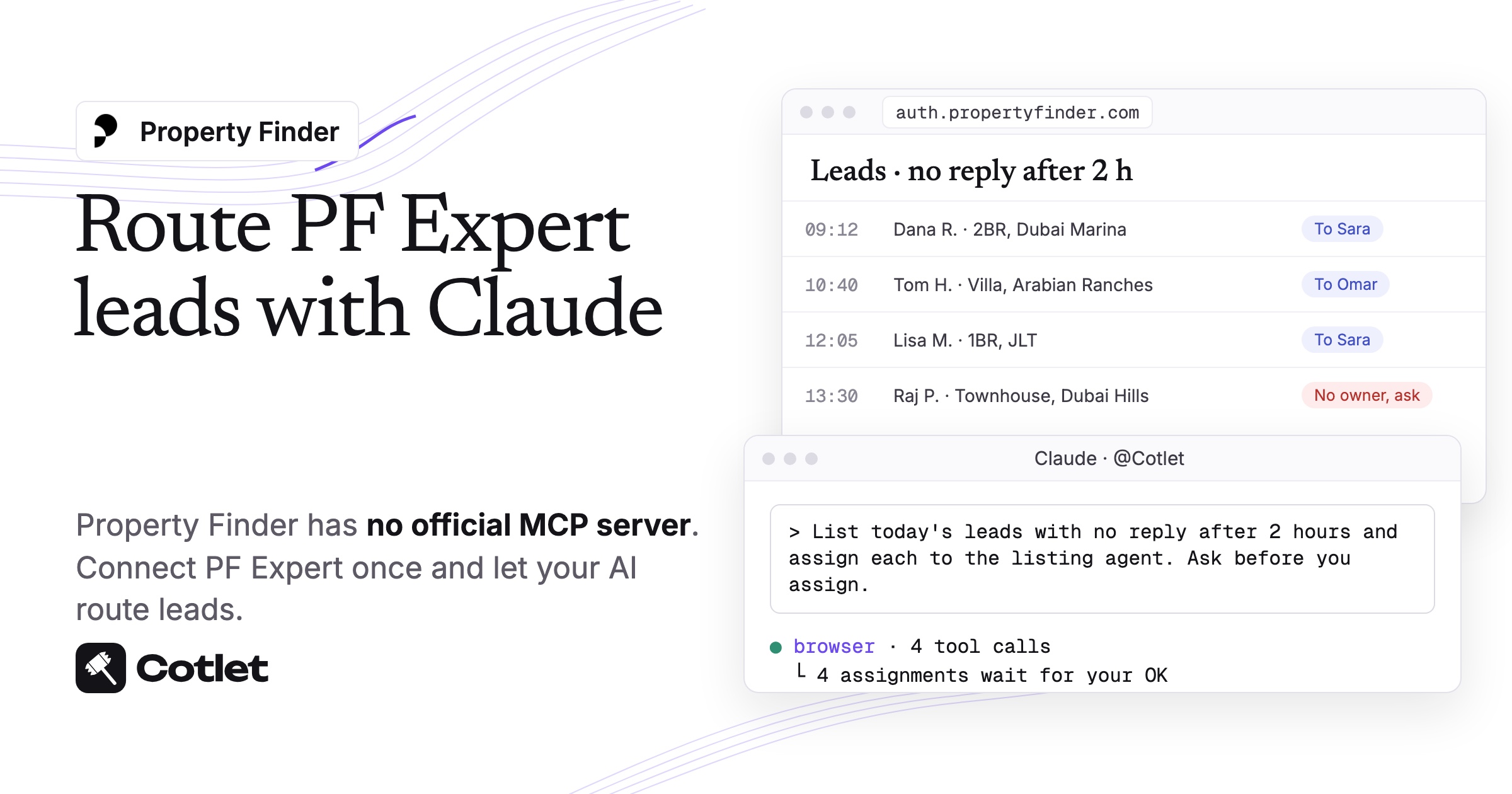
As of 26 November 2026, Property Finder has no official MCP server, and neither ChatGPT nor Claude offers a Property Finder app. It does have an Enterprise API: per CRM integration guides, a Decision Maker in PF Expert creates the key under Developer Resources, API Credentials, free of charge. That key is for code or a CRM. To let ChatGPT, Claude or another AI agent work your leads, listings and credits in plain words, connect PF Expert through Cotlet. Sign in once inside your own Cloud Browser, and the AI uses the same screens your brokers do. Setup takes about ten minutes.
Property Finder is where most UAE brokerages list homes for sale and rent, and PF Expert is where they work: leads by call, email and WhatsApp, listings and their verification, credits and boosts, and insights per agent. The people searching for this are brokerage owners, team leads and admins in Dubai and Abu Dhabi who want every lead answered the same day. Cotlet is for them, the people running the brokerage account. Buyers and tenants keep searching on Property Finder as before.
What ChatGPT and Claude can do in Property Finder once connected
Ask in a sentence, and the AI handles it in PF Expert:
| Area of PF Expert | What the AI handles |
|---|---|
| Leads | Lists today’s leads by channel, flags any with no reply after 2 hours |
| Lead assignment | Matches each lead to the agent who owns the listing, assigns after your OK |
| Listings | Finds live listings with no leads in 14 days or an old price |
| Verification | Lists listings not verified yet and what each one is missing |
| Credits | Credits spent per listing set against the leads each brought |
| Insights | Leads by agent with response time and viewings |
Assigning a lead, changing a listing and anything that spends credits wait for your OK. Reading leads and insights changes nothing.
The screens and approval rules are on the Property Finder MCP server page, and the sourced fact check is on Does Property Finder have an API or MCP server?.
Does Property Finder have AI, an API or an official ChatGPT app?
Property Finder opens its data to code, not yet to chat assistants. As of 26 November 2026:
- An Enterprise API, with keys a brokerage makes itself. CRM vendors’ guides, such as Whispyr’s, walk a Decision Maker through Developer Resources, API Credentials, New API Key. They say access is free, keys carry an expiry date, and a brokerage holds up to 3 active keys. Property Finder publishes an Enterprise API error catalog; its full docs are not public.
- A developer network for software vendors. The PF Developer Network onboards CRMs and lead platforms. A brokerage does not need it to make its own key.
- No official MCP server, ChatGPT app or Claude connector. The MCP Registry has no server from Property Finder.
- No Zapier, Make or n8n app. People who use Zapier with PF Expert build the steps on the Enterprise API themselves.
So the API suits a brokerage with a developer or a CRM that already reads it. For ChatGPT or Claude working in PF Expert in plain words, a hosted MCP server in your signed-in session is the way today.
Checklist for the brokerage
- A PF Expert login for the brokerage, an admin or an agent with access to the leads you want covered.
- Who owns which listings, if you want leads routed to the right agent.
- Your reply target, for example two hours during working days.
- ChatGPT or Claude. Claude’s free plan has room for the one custom connector Cotlet uses.
- A Cotlet account, with a trial week that needs no card (pricing).
Step 1: sign in to Property Finder in your Cloud Browser
From your Cotlet console, open the Web browser (cotlet.dev/app/browser/web) and load auth.propertyfinder.com/pfexpert/sign-in. Log in to PF Expert with your brokerage email, then press Continue. A verification code, if one comes, is entered on Property Finder’s screen.
Property Finder’s form is the only thing that sees your password. Cotlet does not keep it; it keeps the logged-in session in an encrypted profile linked to your account. Revoke the agent from the console whenever you like. Should PF Expert log you out, the agent halts and messages you a link to log in again. Full details: security.
Step 2: connect Property Finder to ChatGPT, Claude or another AI agent
Open the tab for the assistant your brokerage runs, and follow the numbered steps.
Pick your AI above to see its steps.
How to connect Property Finder to ChatGPT
Do this on chatgpt.com in your browser. Cotlet then works in the ChatGPT desktop and phone apps too.
- Open Plugins in ChatGPT and click Add.
- Click Add custom MCP server. Not in the menu? Turn on Developer mode in Settings, Security and login, then come back.
- Paste the name
Cotletand the server URLhttps://cotlet.dev/mcp/v1/connect. Keep Authentication on OAuth. - Tick “I understand and want to continue” and click Create as a plugin.
- Click Connect Cotlet. A Cotlet page opens, click Allow access.
- In a new chat, type
@Cotletand pick it from the list. - Ask ChatGPT: “Are you signed in to Cotlet through MCP?” Then try a first Property Finder task: “List today’s Property Finder leads with the listing and channel for each.”
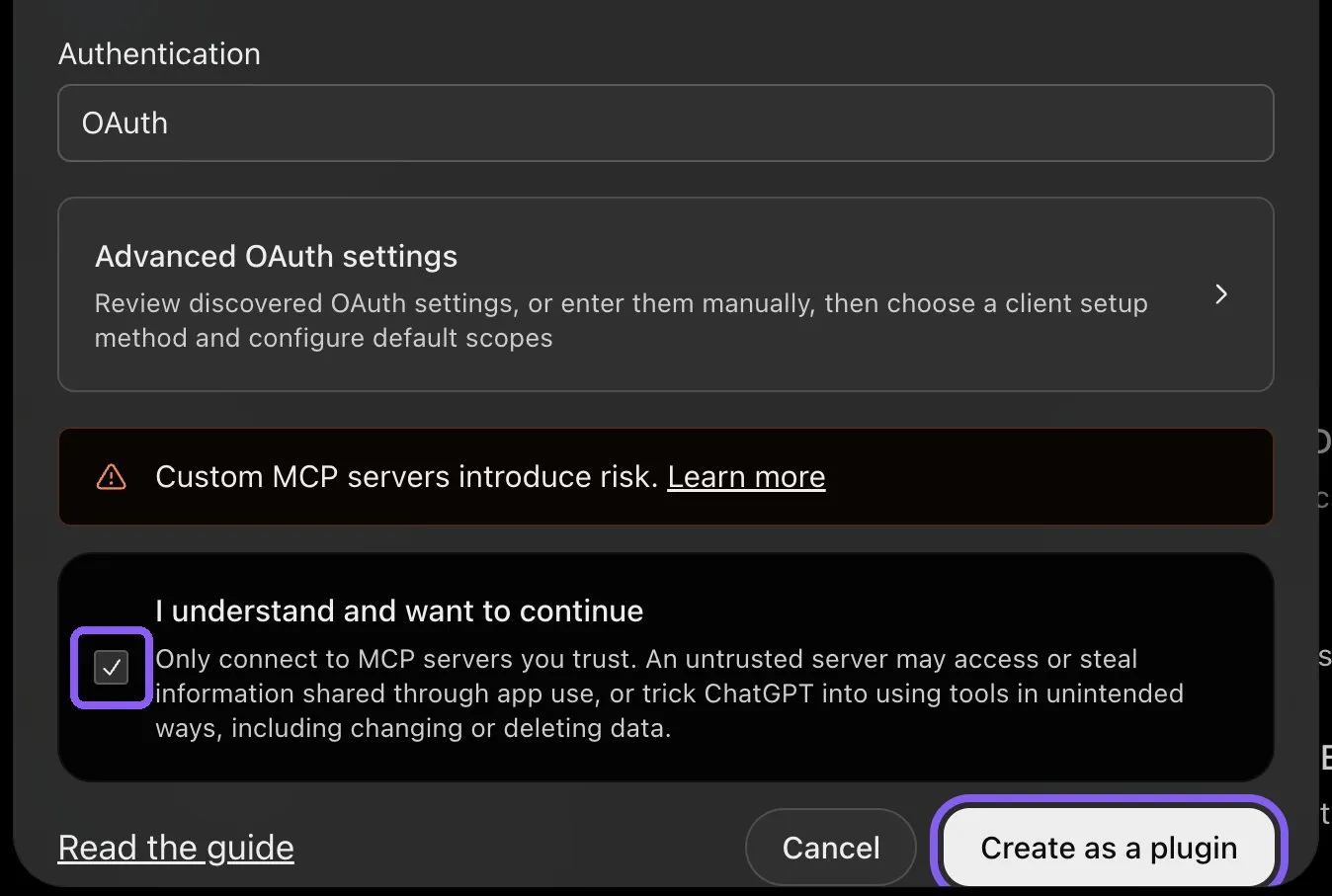
ChatGPT, bottom of the custom MCP server form, November 2026.
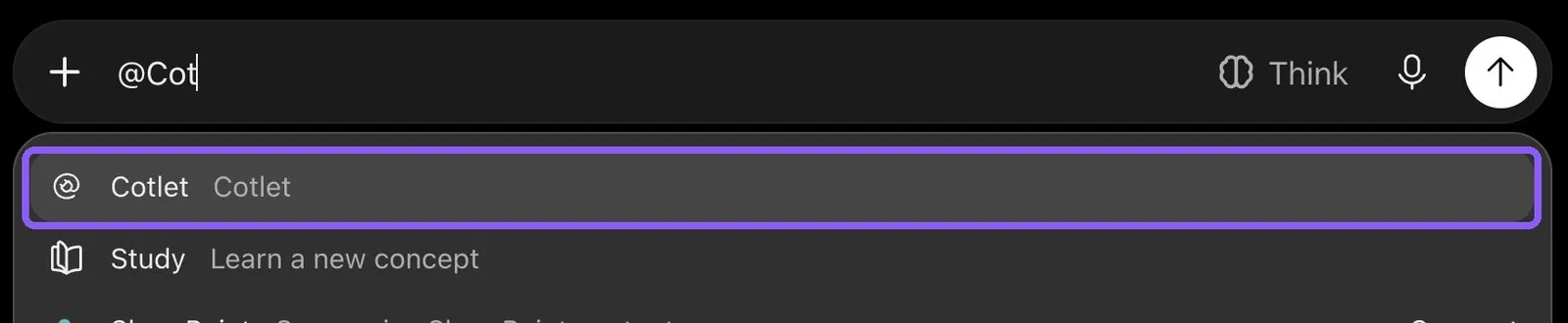
ChatGPT, picking Cotlet in a new chat with @, November 2026.
ChatGPT asks “Allow ChatGPT to use Cotlet?” before some steps. Pick Always allow, or the chat waits for your click. On a Business, Enterprise or Edu workspace, an admin has to allow custom MCP servers first.
How to connect Property Finder to Claude
- Open Connectors in Claude and click Add. In the desktop app it is under Customize, Connectors.
- Click Add custom connector.
- Paste the name
Cotletand the URLhttps://cotlet.dev/mcp/v1/connect, then click Continue. - Keep the settings and click Add.
- A Cotlet page opens. Click Allow access.
- In a chat, click the plus button, then Connectors, and turn Cotlet on.
- Ask Claude: “Are you signed in to Cotlet through MCP?”, then “Which of my Property Finder listings are not verified yet?”. Claude asks before it uses a Cotlet tool the first time. Click Allow.

Claude, Customize, Connectors, November 2026.

Claude, Add custom connector form, November 2026.
Claude’s free plan allows one custom connector. On a Team or Enterprise plan, an owner adds Cotlet in Organization settings, Connectors, and you click Connect next to it.
How to connect Property Finder to Claude Code
Add Cotlet without a key, then sign in once in the browser:
claude mcp add --transport http cotlet https://cotlet.dev/mcp/v1/connectRun /mcp in Claude Code, pick cotlet and sign in to Cotlet. Prefer an API key, for example on a server? Create one in the Cotlet console and use:
claude mcp add --transport http cotlet https://cotlet.dev/mcp/v1 \
  --header "Authorization: Bearer $COTLET_API_KEY"
How to connect Property Finder to Codex
Create an API key in the Cotlet console, put it in the COTLET_API_KEY environment variable and add this to ~/.codex/config.toml:
[mcp_servers.cotlet]
url = "https://cotlet.dev/mcp/v1"
bearer_token_env_var = "COTLET_API_KEY"
How to connect Property Finder to Cursor
Create an API key in the Cotlet console, put it in the COTLET_API_KEY environment variable and add this to ~/.cursor/mcp.json:
{
  "mcpServers": {
    "cotlet": {
      "url": "https://cotlet.dev/mcp/v1",
      "headers": { "Authorization": "Bearer ${env:COTLET_API_KEY}" }
    }
  }
}
How to connect Property Finder to Grok
Grok takes custom MCP servers on grok.com, per xAI’s connectors documentation (checked 8 November 2026).
- Open grok.com/connectors and click New Connector.
- Pick Custom and paste the server URL
https://cotlet.dev/mcp/v1/connect. - Sign in to Cotlet when Grok asks, then click Allow access.
- Ask Grok: “Are you signed in to Cotlet through MCP?”
On Grok Business, an admin adds the connector first in the xAI console, under Grok Business, Connectors. The Grok chat inside X has no custom connector menu.
How to connect Property Finder to Hermes Agent
Add Cotlet to ~/.hermes/config.yaml in the format of the Hermes MCP config reference:
mcp_servers:
  cotlet:
    url: "https://cotlet.dev/mcp/v1"
    headers:
      Authorization: "Bearer ${COTLET_API_KEY}"
    trust: untrusted
Put COTLET_API_KEY in ~/.hermes/.env and check it with hermes mcp test cotlet. With trust: untrusted, Hermes runs reads at once and asks before every write. More on Hermes in our post on the Hermes Agent browser.
How to connect Property Finder to n8n
Use the MCP Client node, or the MCP Client Tool inside an AI Agent node:
- Server Transport: HTTP Streamable
- MCP Endpoint URL:
https://cotlet.dev/mcp/v1 - Authentication: Bearer Auth, with your Cotlet API key as the token
- Tools: let the AI Agent node use Cotlet’s browser tools; it reads Cotlet’s Property Finder guide first and works in your signed-in Property Finder account
Use it for work that should run on its own, such as an hourly check for PF Expert leads with no reply, sent to the team lead.
Any other MCP client
Point the client at https://cotlet.dev/mcp/v1 over Streamable HTTP, with the header Authorization: Bearer <your Cotlet API key>. A client that supports OAuth sign-in can use https://cotlet.dev/mcp/v1/connect instead and needs no key. The full reference is in the MCP docs.
All three start in the Leads and Listings screens of PF Expert.
Catch the leads nobody answered
List today’s Property Finder leads with the listing and the channel, call, email or WhatsApp. Flag every lead with no reply after 2 hours, and tell me which agent owns each listing.
A buyer who enquires on a Marina flat usually contacts more than one brokerage, and slow replies are a common complaint in Dubai threads on Reddit. The AI reads the Leads screen, checks for a reply on each and lists the ones waiting. You see at a glance which agent is behind and can nudge them before lunch.
Route new leads to the listing agent
Assign today’s new Property Finder leads to the agent who owns each listing. Show me the plan first and list any lead on a listing with no owner.
Admins often do this by hand all day. The AI matches each lead to the listing and its agent, shows you the assignments as one list, and waits. When you approve, it assigns them in PF Expert, and the agents get their usual notification.
Fix the listings that waste credits
Which of my live Property Finder listings had no leads in the last 14 days, or are not verified? Show the credits spent on each and suggest one fix per listing.
Credits spent on a listing nobody enquires about are gone. The AI reads listings, verification and credit spend together and suggests a fix: a new price, more photos, or finishing verification. Any change to a live listing waits for your OK, and spending credits stays in your hands.
Cost for a brokerage
PF Expert credits and your Property Finder package are separate from all of this. Cotlet uses its own prepaid credits: 5,000 for $29 in the starter pack, good for 12 months. A request that completes usually takes 10, a failed one takes zero, and on days Property Finder is enabled for agents the Cloud Browser takes 50. Seven trial days come before any purchase (pricing).
FAQ
Can AI reply to Property Finder leads for my brokerage?
Yes. Your AI reads new leads in your signed-in PF Expert account, drafts a reply to each, and assigns or sends only after your OK.
Does PF Expert have an API key I can create myself?
Yes, if you are a Decision Maker. CRM integration guides describe Developer Resources, API Credentials, New API Key in PF Expert, free of charge, with up to 3 active keys (checked 26 Nov 2026). The key is for code or a CRM, not for ChatGPT on its own.
How do I get Property Finder leads into my CRM or a sheet?
If your CRM reads the Enterprise API, give it a key from PF Expert. If not, ask the AI to copy today’s leads into a Google Sheet, or save that as a Cotlet endpoint that n8n calls every hour.
How do I verify my listings in PF Expert faster?
Ask the AI which listings are not verified and what each is missing. You get one list to work through instead of opening every listing.
Can AI tell me which Property Finder listings to boost with credits?
It can show credits spent and leads per listing side by side, so you see which listings earn their boost. The decision to spend credits stays yours.
Is Cotlet affiliated with Property Finder?
No. Cotlet is independent and has no relationship with Property Finder. The AI works through your own PF Expert login in your own Cloud Browser.
Let no lead wait past lunch
Your brokers spend the day at viewings. An assistant can sit on the Leads screen meanwhile. Get a Cotlet account, log in to PF Expert in the Cloud Browser and connect the AI you use. Also on Bayut? See the catalog.


