How to connect Rosie to ChatGPT, Claude and any AI agent
Rosie has no API, MCP server or ChatGPT app for your account (checked 25 Nov 2026). Let ChatGPT or Claude sort its calls and fix its answers.
Cotlet team 11 min read
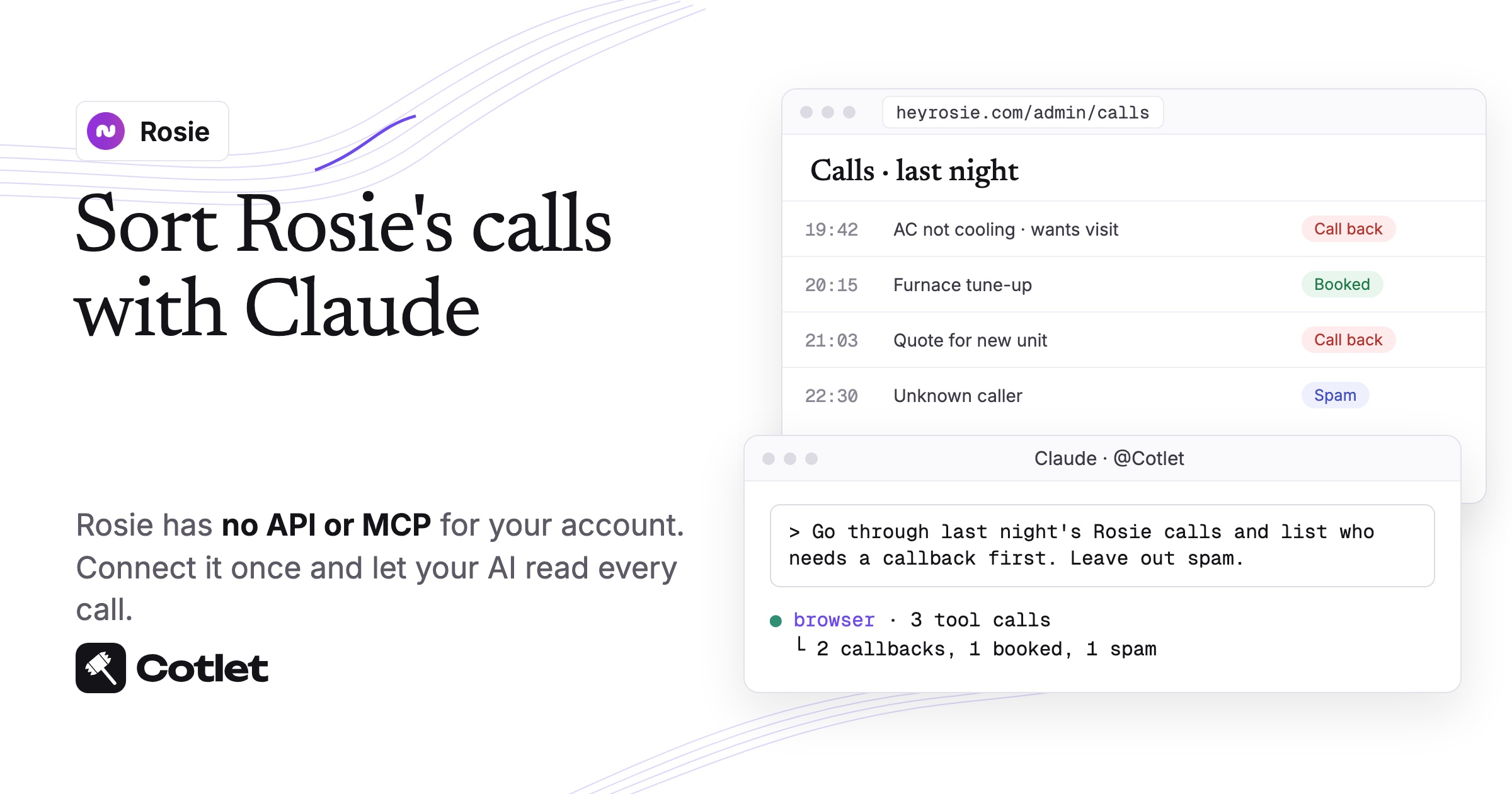
Rosie, the AI answering service, has no official MCP server, no ChatGPT or Claude connector and no public API for your account, checked on 25 November 2026. Its Zapier app passes new calls and bookings out, but nothing can read old calls or change what Rosie says. Your own Rosie account can still be wired to ChatGPT, Claude or a different AI agent, through Cotlet. Sign in to the Rosie dashboard once in your own Cloud Browser, and your AI reads the calls and keeps Rosie’s answers right for you. Setup is about ten minutes, with no code.
Rosie picks up the phone for HVAC companies, plumbers, cleaners and other service businesses while the owner is on a job. Rosie says it “currently serves over 1,900 SMBs across home services, trades, legal, medical, salons, real estate, and property management”. The calls get answered, but someone still has to read them, ring people back and teach Rosie the questions it fumbled. Cotlet is for that owner or office manager. The callers notice nothing different: they still talk to Rosie.
What ChatGPT and Claude can do in Rosie once connected
Tell your AI what you need, and it works in the Rosie dashboard for you:
| In the Rosie dashboard | What your AI does |
|---|---|
| Calls | Lists calls by outcome (message, booking, transfer, spam) with a one-line summary each |
| Call details | Reads a call’s summary, full transcript and the message Rosie took |
| Bookings | Lists the appointments Rosie booked, with the service, time and calendar |
| Agent settings | Reads your hours, services, saved answers and transfer rules |
| Answers | Adds or changes an answer Rosie gives callers |
| Follow-up | Marks a call as handled once you have called back |
A changed answer or new hours reach every caller from the next call on, so the AI shows you the change and waits for your OK. Marking a call handled only changes a status in your dashboard, so it goes through without asking.
The details of each action are on the Rosie API and MCP server page.
Does Rosie have AI, an API or an official ChatGPT app?
Rosie is AI itself, for the phone. For anything outside the phone call, here is what we found on 25 November 2026:
- No public API. heyrosie.com has no developer docs or API keys for an account. The pricing page lists a Zapier integration on every plan as the way to connect other apps.
- No MCP server, ChatGPT app or Claude connector. Nothing in the MCP Registry, and no Rosie app in ChatGPT or Claude.
- Zapier, one way. Rosie on Zapier has five triggers (new booking, new call, new conversation, updated conversation, Yelp reply ready) and one action. It sends new events out. It cannot read old calls, list what Rosie got wrong or change Rosie’s answers.
- Calendar links. Rosie books straight into Google Calendar, Calendly, Appointlet or Acuity.
To have ChatGPT or Claude read your calls and edit Rosie’s answers, a hosted MCP server working in your signed-in dashboard is the way today. If Rosie publishes an API, move to it.
Ready before you start
- The address you log in to the Rosie admin with, plus its password or the Google account behind it.
- Some recent calls in the dashboard. Rosie’s cheapest plan is $49 a month, per its pricing page, and any plan works.
- An assistant to talk to. ChatGPT works from a browser tab; Claude’s free tier allows a single custom connector, and that single slot is all this needs.
- A Cotlet login. Sign-up gives a week at no cost, card not required (pricing).
Step 1: sign in to Rosie in your Cloud Browser
Inside the Cotlet console there is a Cloud Browser for your account. Load heyrosie.com/admin/login in it and log in the usual way, by password or through Google. Once the call list appears, you are done here.
Rosie’s login form is the only place your password is typed, and the browser has no password memory to keep it. When idle, the profile holding your Rosie session sits encrypted (AES-256-GCM). Should Rosie end that session, your agent will tell you in the chat and include a fresh login link. Security covers the rest.
Step 2: connect Rosie to ChatGPT, Claude or another AI agent
Choose the assistant that will read your Rosie dashboard. ChatGPT, Claude, Claude Code, Codex, Cursor, Grok, Hermes Agent and n8n are covered below, and other MCP clients use the same address.
Pick your AI above to see its steps.
How to connect Rosie to ChatGPT
Do this on chatgpt.com in your browser. Cotlet then works in the ChatGPT desktop and phone apps too.
- Open Plugins in ChatGPT and click Add.
- Click Add custom MCP server. Not in the menu? Turn on Developer mode in Settings, Security and login, then come back.
- Paste the name
Cotletand the server URLhttps://cotlet.dev/mcp/v1/connect. Keep Authentication on OAuth. - Tick “I understand and want to continue” and click Create as a plugin.
- Click Connect Cotlet. A Cotlet page opens, click Allow access.
- In a new chat, type
@Cotletand pick it from the list. - Ask ChatGPT: “Are you signed in to Cotlet through MCP?” Then try a first Rosie task: “Which Rosie calls from yesterday need a callback?”

ChatGPT, Plugins page, November 2026.
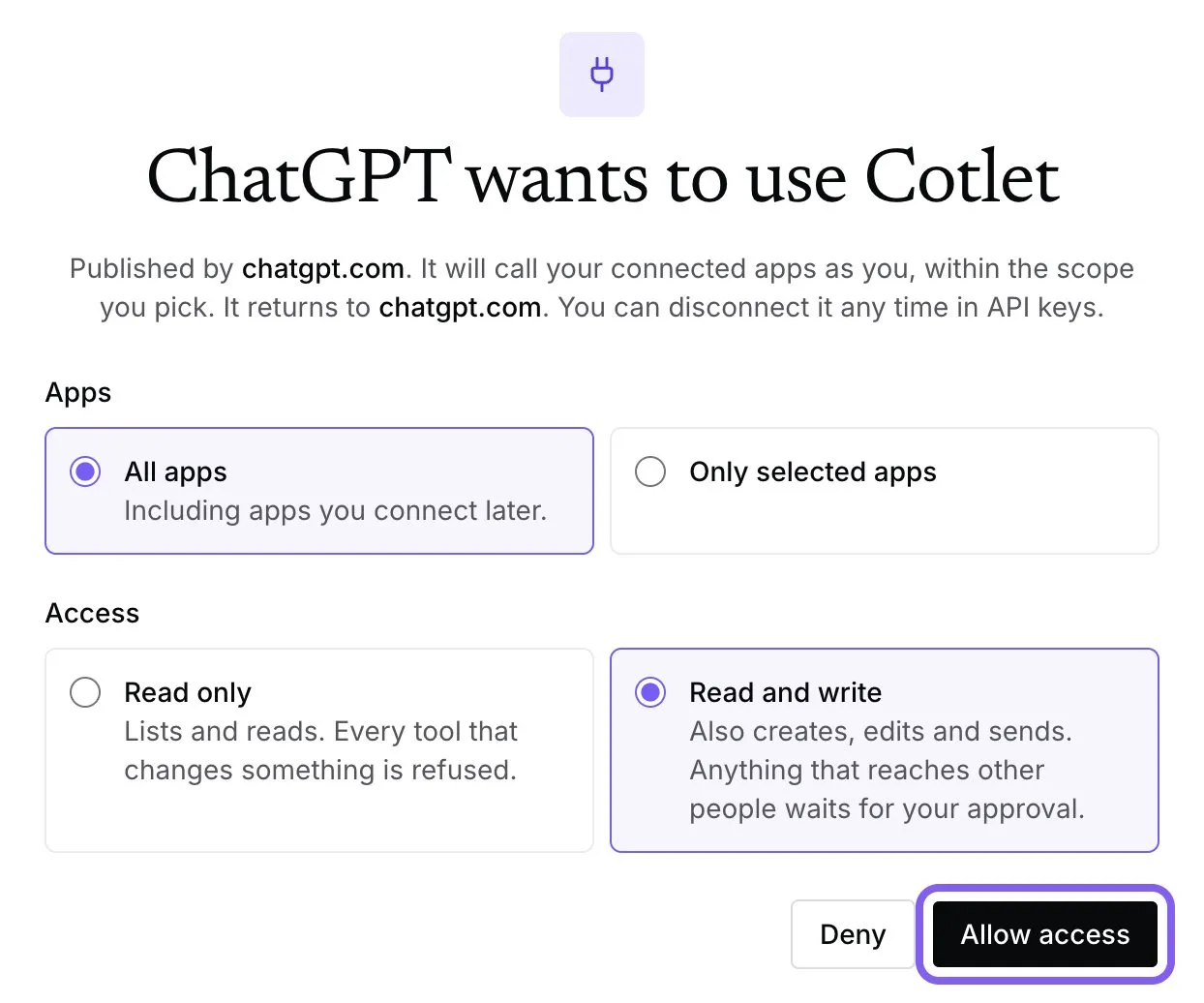
Cotlet consent page after you connect it in ChatGPT, November 2026.
ChatGPT asks “Allow ChatGPT to use Cotlet?” before some steps. Pick Always allow, or the chat waits for your click. On a Business, Enterprise or Edu workspace, an admin has to allow custom MCP servers first.
How to connect Rosie to Claude
- Open Connectors in Claude and click Add. In the desktop app it is under Customize, Connectors.
- Click Add custom connector.
- Paste the name
Cotletand the URLhttps://cotlet.dev/mcp/v1/connect, then click Continue. - Keep the settings and click Add.
- A Cotlet page opens. Click Allow access.
- In a chat, click the plus button, then Connectors, and turn Cotlet on.
- Ask Claude: “Are you signed in to Cotlet through MCP?”, then “What did callers ask Rosie this week that it could not answer?”. Claude asks before it uses a Cotlet tool the first time. Click Allow.

Claude, Add custom connector form, November 2026.

Cotlet consent page after you add the connector in Claude, November 2026.
Claude’s free plan allows one custom connector. On a Team or Enterprise plan, an owner adds Cotlet in Organization settings, Connectors, and you click Connect next to it.
How to connect Rosie to Claude Code
Add Cotlet without a key, then sign in once in the browser:
claude mcp add --transport http cotlet https://cotlet.dev/mcp/v1/connectRun /mcp in Claude Code, pick cotlet and sign in to Cotlet. Prefer an API key, for example on a server? Create one in the Cotlet console and use:
claude mcp add --transport http cotlet https://cotlet.dev/mcp/v1 \
  --header "Authorization: Bearer $COTLET_API_KEY"
How to connect Rosie to Codex
Create an API key in the Cotlet console, put it in the COTLET_API_KEY environment variable and add this to ~/.codex/config.toml:
[mcp_servers.cotlet]
url = "https://cotlet.dev/mcp/v1"
bearer_token_env_var = "COTLET_API_KEY"
How to connect Rosie to Cursor
Create an API key in the Cotlet console, put it in the COTLET_API_KEY environment variable and add this to ~/.cursor/mcp.json:
{
  "mcpServers": {
    "cotlet": {
      "url": "https://cotlet.dev/mcp/v1",
      "headers": { "Authorization": "Bearer ${env:COTLET_API_KEY}" }
    }
  }
}
How to connect Rosie to Grok
Grok takes custom MCP servers on grok.com, per xAI’s connectors documentation (checked 8 November 2026).
- Open grok.com/connectors and click New Connector.
- Pick Custom and paste the server URL
https://cotlet.dev/mcp/v1/connect. - Sign in to Cotlet when Grok asks, then click Allow access.
- Ask Grok: “Are you signed in to Cotlet through MCP?”
On Grok Business, an admin adds the connector first in the xAI console, under Grok Business, Connectors. The Grok chat inside X has no custom connector menu.
How to connect Rosie to Hermes Agent
Add Cotlet to ~/.hermes/config.yaml in the format of the Hermes MCP config reference:
mcp_servers:
  cotlet:
    url: "https://cotlet.dev/mcp/v1"
    headers:
      Authorization: "Bearer ${COTLET_API_KEY}"
    trust: untrusted
Put COTLET_API_KEY in ~/.hermes/.env and check it with hermes mcp test cotlet. With trust: untrusted, Hermes runs reads at once and asks before every write. More on Hermes in our post on the Hermes Agent browser.
How to connect Rosie to n8n
Use the MCP Client node, or the MCP Client Tool inside an AI Agent node:
- Server Transport: HTTP Streamable
- MCP Endpoint URL:
https://cotlet.dev/mcp/v1 - Authentication: Bearer Auth, with your Cotlet API key as the token
- Tools: let the AI Agent node use Cotlet’s browser tools; it reads Cotlet’s Rosie guide first and works in your signed-in Rosie dashboard
Use it for work that should run on its own, such as a 7 am callback list from last night’s Rosie calls, sent to your phone before the first job.
Any other MCP client
Point the client at https://cotlet.dev/mcp/v1 over Streamable HTTP, with the header Authorization: Bearer <your Cotlet API key>. A client that supports OAuth sign-in can use https://cotlet.dev/mcp/v1/connect instead and needs no key. The full reference is in the MCP docs.
Three Rosie jobs to try first
Run one in the morning, then open the Rosie app and check what changed.
Know who to ring back before your first job
Go through last night’s Rosie calls. List everyone who needs a callback, most urgent first, with their number, what they need and the message Rosie took. Leave out spam.
Rosie takes messages all night, and the summaries pile up in the dashboard. The AI reads every call, drops the spam and the ones that already booked, and gives you a short callback list in order. After you ring someone, tell the agent and it marks the call handled.
Teach Rosie the questions it fumbled
Read this week’s Rosie calls and find the questions it could not answer well. Draft a new answer for each from my notes below. Change nothing yet.
An AI receptionist is only as good as its saved answers. The AI reads the transcripts, spots the questions Rosie had no saved answer for, and drafts one for each. You approve the ones you like, and the agent saves them, so the next caller gets a real answer.
See what Rosie booked this week
Which appointments did Rosie book this week, grouped by service, and how many calls ended without a booking?
Rosie books into your calendar, but the calendar does not tell you which calls slipped through. The AI reads the bookings and the calls together and gives you both numbers. It only reads.
Paying for both
Rosie’s invoice covers the phone answering. Cotlet’s credits cover the agent in the dashboard, and the two never overlap. A credit pack is a one-time buy: the $29 pack holds 5,000 credits and keeps for a year. Every call that works takes 10 credits, a call that errors takes 0, and having Rosie switched on for agents costs the Cloud Browser 50 credits per day. Week one is on Cotlet, no card asked (pricing).
FAQ
Does Rosie have an API?
Not a public one, as of 25 November 2026. Rosie connects to other apps through Zapier, which sends new calls, conversations and bookings out, and through its calendar links.
Is there a Rosie MCP server?
Neither Rosie nor the MCP Registry offers one. The Cotlet server for Rosie sits at https://cotlet.dev/mcp/v1/rosie that works in your signed-in Rosie dashboard, from ChatGPT, Claude or any MCP client.
Can I use ChatGPT or Claude to change Rosie’s answers?
Yes, through Cotlet. The AI drafts the new answer and saves it in your Rosie settings once you approve. Rosie uses it from the next call.
Will the agent change my Rosie plan or minutes?
No. Your plan, minutes and billing stay in your hands. The agent works with calls, bookings, answers and hours.
Is Cotlet made by Rosie?
No. Cotlet is independent and not affiliated with Rosie. The agent works through your own Rosie login, in a Cloud Browser kept for your account.
Turn tonight’s messages into tomorrow’s first calls
Rosie handles the ringing phone. The reading, the callbacks and the answer fixes can go to an AI as well, with you approving every change callers will hear. Open a Cotlet account and log in to Rosie inside its Cloud Browser. Leads from Yelp or Angi can be added later from the catalog.


