How to connect Semble to ChatGPT, Claude and any AI agent
Semble has an open GraphQL API but no official MCP server (checked 26 Nov 2026). Let ChatGPT or Claude fix Healthcode invoices.
Cotlet team 12 min read
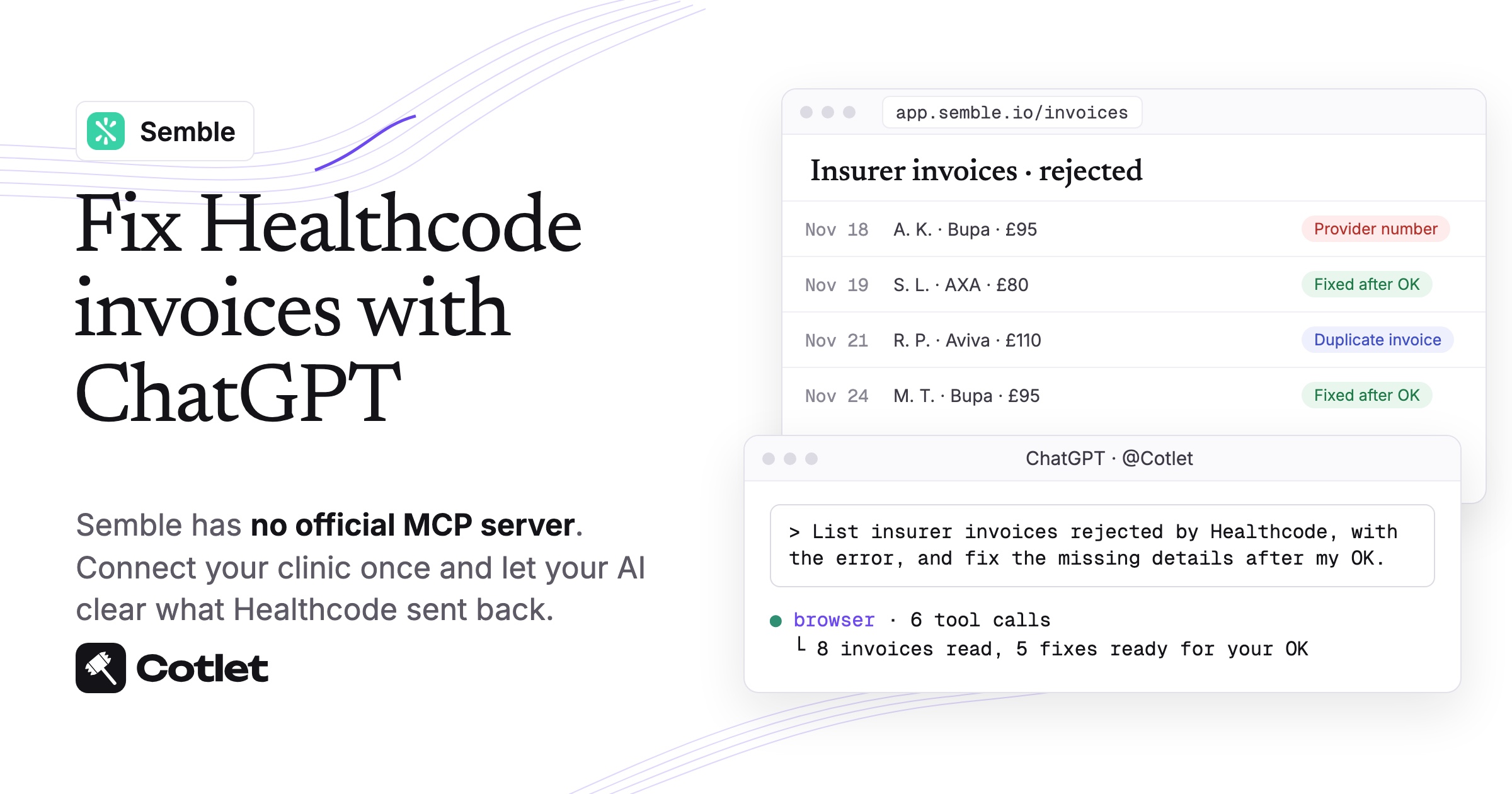
Semble has no official MCP server and no ChatGPT or Claude app, as checked on 26 November 2026. Its GraphQL API is open to clinics, though only a developer can make use of it. If you want ChatGPT, Claude or another agent in your clinic without code, log in to Semble once inside a Cloud Browser that Cotlet hosts. The AI then works through your diary, invoices and letters like an extra practice manager. Ten minutes is enough to set it up.
It suits the owner of a private physio, MSK or GP clinic, the practice manager who clears insurer invoices on Fridays, and the medical secretary who types every GP letter. Cotlet serves the people who run Semble. Patients carry on booking online and returning questionnaires as they do now.
Diary, invoice and letter work the AI can do in Semble
Describe the job as you would to a colleague, and the AI works through the Semble pages for it:
| Part of Semble | What the AI handles |
|---|---|
| Invoices and Healthcode | Lists insurer invoices that Healthcode rejected or that sit unpaid, with the error on each |
| Diary | Finds patients marked did not attend with no new booking and drafts a rebooking message |
| Letters | Finds consultations with no GP letter yet and drafts each one from your template |
| Self-pay invoices | Lists unpaid patient invoices and drafts a reminder for each |
| Questionnaires | Lists tomorrow’s patients who have not returned theirs and drafts a nudge |
| Reports | Pulls invoices and payments by clinician and insurer into a sheet |
Anything that edits a record or reaches a patient stops and asks you first, so an invoice correction, a patient message and a saved letter all wait. Reading lists and building drafts alters nothing.
Every screen the AI can use is listed on the Semble MCP server page.
Semble API, AI scribe and ChatGPT: the current picture
What a Semble clinic can use on 26 November 2026:
- An open API, for developers. The Semble Public API is GraphQL. An admin creates a key under Settings, API Access, with a role. Semble says it is available to all clinics at no extra cost, and adds that it may or may not be open to you depending on your package and role. The docs are public, and a sandbox is available.
- Semble Connect. Semble Connect links your clinic to more than 1,200 outside tools through workflows, on a tiered plan.
- An AI scribe, inside Semble. The Heidi integration writes consultation notes in the record. That tool does not open your clinic to ChatGPT or Claude.
- No official MCP server. Third parties publish Semble MCP servers on top of the API, such as Semble MCP by usefulapi. Semble does not publish them, and they work through the API.
- No Zapier or Make app. Zapier and Make both answer 404 for Semble at the time of writing.
If your package has the API and you have a developer, the API is the cleanest route to your data. Without both, the shorter path is a hosted MCP server working in your signed-in session. We scored each route on Does Semble have an API or MCP server?.
What to have ready
- Your usual Semble login, with a role that can see Invoices, Letters and the diary. The AI cannot open anything that role cannot.
- Your letter templates, such as the GP update letter, already saved in Semble.
- How many days an invoice may wait before you chase it. For example 14 days for self-pay and 30 for insurers.
- A ChatGPT or Claude account; the free Claude tier works because only one connector is needed.
- A Cotlet account. Week one costs nothing and wants no card (pricing).
Step 1: sign in to Semble in your Cloud Browser
Open the Cloud Browser in your Cotlet console and go to app.semble.io. Sign in with your usual email and password, and enter any verification code Semble sends. The step is done when you see your diary.
Only Semble receives the password; Cotlet never keeps it. What persists is an encrypted browser profile under your Cotlet account. Whenever Semble signs you out, the AI asks you to log in again. The security page explains the rest.
Step 2: give your AI the Cotlet address and open Semble
Paste the Cotlet MCP address into your AI client once, and from then on it can reach whatever Semble pages your login can. Choose the tile that matches your client.
Pick your AI above to see its steps.
How to connect Semble to ChatGPT
Do this on chatgpt.com in your browser. Cotlet then works in the ChatGPT desktop and phone apps too.
- Open Plugins in ChatGPT and click Add.
- Click Add custom MCP server. Not in the menu? Turn on Developer mode in Settings, Security and login, then come back.
- Paste the name
Cotletand the server URLhttps://cotlet.dev/mcp/v1/connect. Keep Authentication on OAuth. - Tick “I understand and want to continue” and click Create as a plugin.
- Click Connect Cotlet. A Cotlet page opens, click Allow access.
- In a new chat, type
@Cotletand pick it from the list. - Ask ChatGPT: “Are you signed in to Cotlet through MCP?” Then try a first Semble task: “List my Semble insurer invoices rejected by Healthcode, with the error on each.”
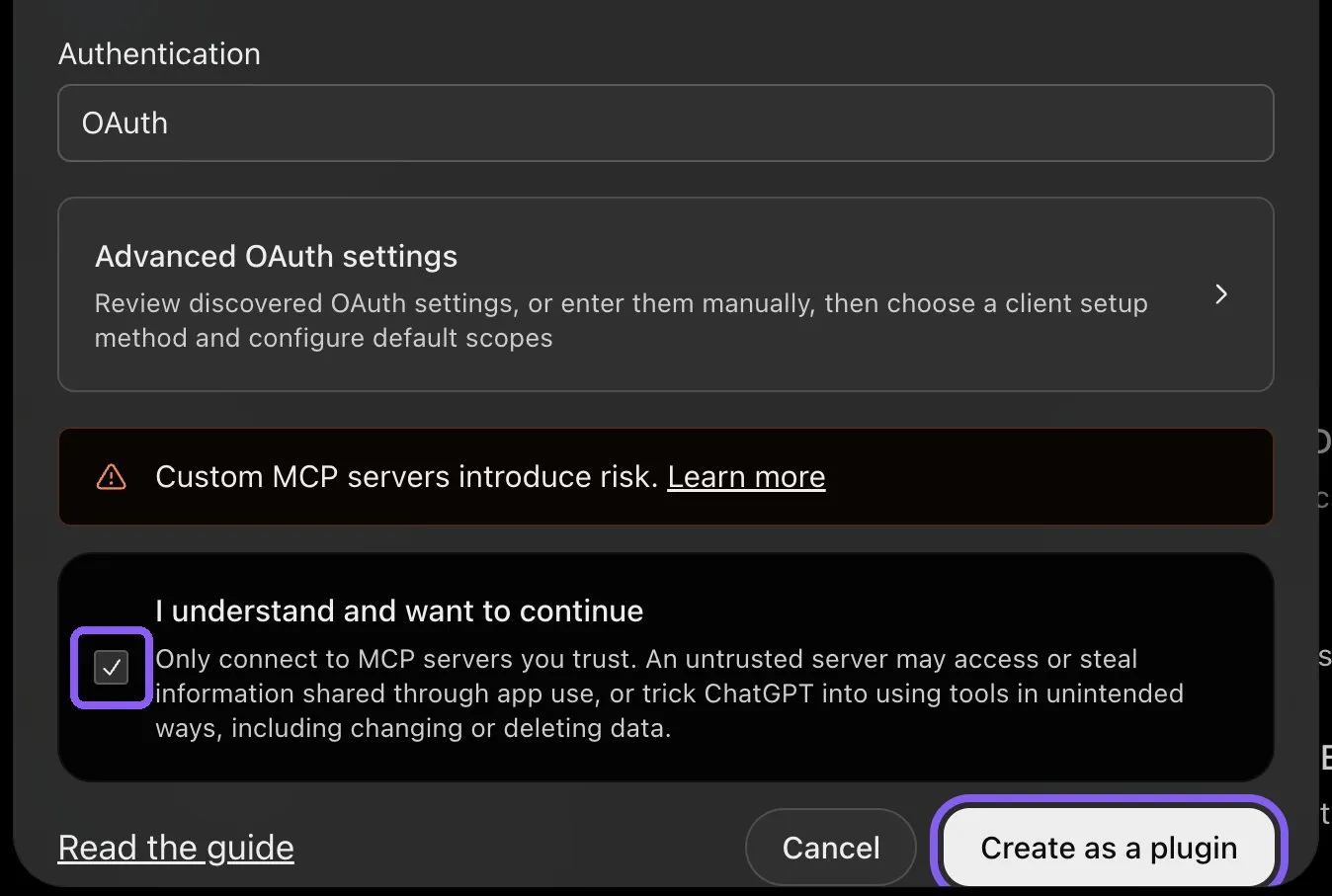
ChatGPT, bottom of the custom MCP server form, November 2026.
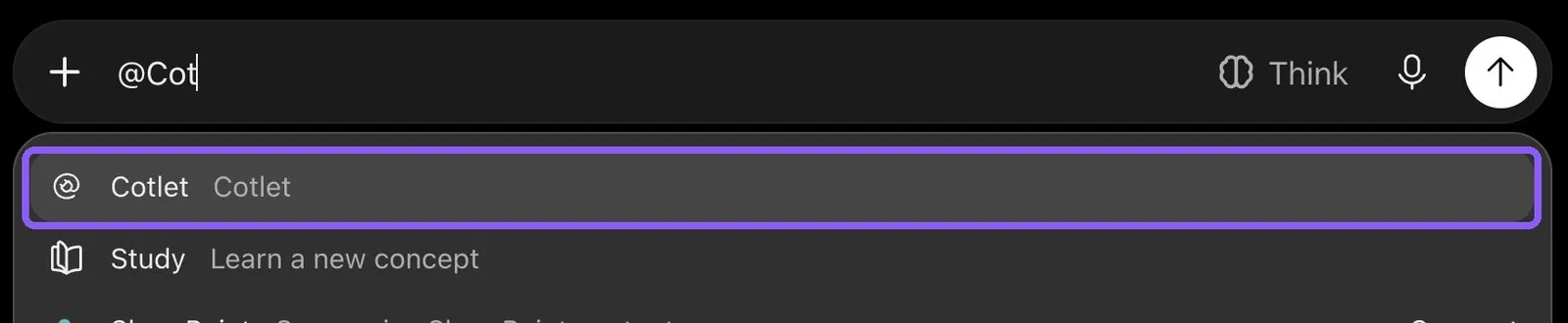
ChatGPT, picking Cotlet in a new chat with @, November 2026.
ChatGPT asks “Allow ChatGPT to use Cotlet?” before some steps. Pick Always allow, or the chat waits for your click. On a Business, Enterprise or Edu workspace, an admin has to allow custom MCP servers first.
How to connect Semble to Claude
- Open Connectors in Claude and click Add. In the desktop app it is under Customize, Connectors.
- Click Add custom connector.
- Paste the name
Cotletand the URLhttps://cotlet.dev/mcp/v1/connect, then click Continue. - Keep the settings and click Add.
- A Cotlet page opens. Click Allow access.
- In a chat, click the plus button, then Connectors, and turn Cotlet on.
- Ask Claude: “Are you signed in to Cotlet through MCP?”, then “Which consultations in Semble this week have no letter to the GP yet?”. Claude asks before it uses a Cotlet tool the first time. Click Allow.

Claude, Add custom connector form, November 2026.

Cotlet consent page after you add the connector in Claude, November 2026.
Claude’s free plan allows one custom connector. On a Team or Enterprise plan, an owner adds Cotlet in Organization settings, Connectors, and you click Connect next to it.
How to connect Semble to Claude Code
Add Cotlet without a key, then sign in once in the browser:
claude mcp add --transport http cotlet https://cotlet.dev/mcp/v1/connectRun /mcp in Claude Code, pick cotlet and sign in to Cotlet. Prefer an API key, for example on a server? Create one in the Cotlet console and use:
claude mcp add --transport http cotlet https://cotlet.dev/mcp/v1 \
  --header "Authorization: Bearer $COTLET_API_KEY"
How to connect Semble to Codex
Create an API key in the Cotlet console, put it in the COTLET_API_KEY environment variable and add this to ~/.codex/config.toml:
[mcp_servers.cotlet]
url = "https://cotlet.dev/mcp/v1"
bearer_token_env_var = "COTLET_API_KEY"
How to connect Semble to Cursor
Create an API key in the Cotlet console, put it in the COTLET_API_KEY environment variable and add this to ~/.cursor/mcp.json:
{
  "mcpServers": {
    "cotlet": {
      "url": "https://cotlet.dev/mcp/v1",
      "headers": { "Authorization": "Bearer ${env:COTLET_API_KEY}" }
    }
  }
}
How to connect Semble to Grok
Grok takes custom MCP servers on grok.com, per xAI’s connectors documentation (checked 8 November 2026).
- Open grok.com/connectors and click New Connector.
- Pick Custom and paste the server URL
https://cotlet.dev/mcp/v1/connect. - Sign in to Cotlet when Grok asks, then click Allow access.
- Ask Grok: “Are you signed in to Cotlet through MCP?”
On Grok Business, an admin adds the connector first in the xAI console, under Grok Business, Connectors. The Grok chat inside X has no custom connector menu.
How to connect Semble to Hermes Agent
Add Cotlet to ~/.hermes/config.yaml in the format of the Hermes MCP config reference:
mcp_servers:
  cotlet:
    url: "https://cotlet.dev/mcp/v1"
    headers:
      Authorization: "Bearer ${COTLET_API_KEY}"
    trust: untrusted
Put COTLET_API_KEY in ~/.hermes/.env and check it with hermes mcp test cotlet. With trust: untrusted, Hermes runs reads at once and asks before every write. More on Hermes in our post on the Hermes Agent browser.
How to connect Semble to n8n
Use the MCP Client node, or the MCP Client Tool inside an AI Agent node:
- Server Transport: HTTP Streamable
- MCP Endpoint URL:
https://cotlet.dev/mcp/v1 - Authentication: Bearer Auth, with your Cotlet API key as the token
- Tools: let the AI Agent node use Cotlet’s browser tools; it reads Cotlet’s Semble guide first and works in your signed-in Semble account
Use it for work that should run on its own, such as a Friday 4 pm list of unpaid patient invoices older than 14 days.
Any other MCP client
Point the client at https://cotlet.dev/mcp/v1 over Streamable HTTP, with the header Authorization: Bearer <your Cotlet API key>. A client that supports OAuth sign-in can use https://cotlet.dev/mcp/v1/connect instead and needs no key. The full reference is in the MCP docs.
Start with these on a Friday afternoon, when the week’s invoices are due.
Clear the invoices stuck in Healthcode
List my insurer invoices that Healthcode rejected or that are unpaid after 30 days, with the error on each. Fix the missing details after my OK.
A consultant asked on Reddit whether Semble reconciles insurer billing or whether clinics need a separate billing company. Semble’s own Healthcode error list names the usual causes, such as an invalid provider number, a code that does not suit the insurer or a duplicate invoice, and the error appears in the top right corner when an invoice fails to submit. The AI opens each failed invoice, reads the error, finds the missing detail in the patient or provider record and proposes the fix. You approve, it resubmits, and anything it cannot solve goes on a short list for you.
Rebook everyone who did not attend
Who was marked did not attend this week and has no new booking? Draft a rebooking message for each, and wait for my OK.
Semble marks missed visits in the diary, and its appointment tools cover the reminders that go out before a visit. The AI reads the week, leaves out patients who already have a new appointment, and writes one message per patient with the clinician and a free slot. The AI sends nothing before you approve.
Write the GP letters you owe
Which consultations from this week have no letter to the GP yet? Draft each one from my GP update template, and save them as drafts.
Semble creates letters from the patient record with a template and the Save as draft option. The AI lists the consultations with no letter, opens each record, fills your template from the consultation and saves a draft. You read each one and press send yourself, so no letter leaves unchecked.
What Cotlet costs next to your Semble plan
Semble bills you exactly as before. Cotlet sells single packs, not a subscription: 5,000 credits for $29, good for a year. A call that works uses 10 to 100 credits, and one that fails uses none. When the trial has ended, the Cloud Browser adds 50 credits a day while Semble stays enabled for agents. A new account gets 500 trial credits for 7 days and no card is taken (pricing).
FAQ
Can my clinic use the Semble API?
Yes, a public GraphQL API. A clinic creates a key in Settings, API Access, with a role. Semble says it may not be available on every package or role, and it needs a developer to use. With Cotlet there is no key to create: it works inside the account you are signed in to.
Semble has an API. Why use Cotlet?
The API gives a developer exact data and mutations. It does not give a practice manager an assistant. With Cotlet, ChatGPT or Claude works on the same screens you use, so you ask for the invoices stuck in Healthcode and get the list.
Is there an official Semble MCP server?
No official one exists. The MCP Registry has nothing from Semble, and Semble has no ChatGPT or Claude app either. Servers made by others are built on the API and need your key, while Cotlet’s server goes through the Semble session you opened.
Can AI sort out Healthcode invoice errors in Semble?
Yes. It reads each rejected invoice, finds the missing insurer or provider detail and fixes it after your OK. Errors that need Healthcode itself stay on your list.
Can I send a monthly report to my accountant without exporting by hand?
Yes. Semble’s reports export to CSV, and they refresh every 30 to 45 minutes. Ask the AI to run the income report for last month, split by clinician and insurer, and fill a sheet.
Which patients have not returned their questionnaire?
Ask the AI each evening for tomorrow’s patients who have not returned their pre-appointment questionnaire, and have it draft a reminder for each. Semble sets up reminders in SMS and email templates.
Is Cotlet part of Semble?
No, Cotlet is not connected to Semble. Its only actions are those of the user who logged in.
Close the week with the invoices cleared
Stuck invoices do not clear themselves over the weekend. Open a trial account, sign in to Semble through the Cloud Browser and ask Claude what Healthcode returned. Find more clinic software in the catalog.


