How to connect SevenRooms to ChatGPT, Claude and any AI agent
SevenRooms has no official MCP server (checked 26 Nov 2026), and its API is for approved partners. Let ChatGPT or Claude work your book and guest list.
Cotlet team 11 min read
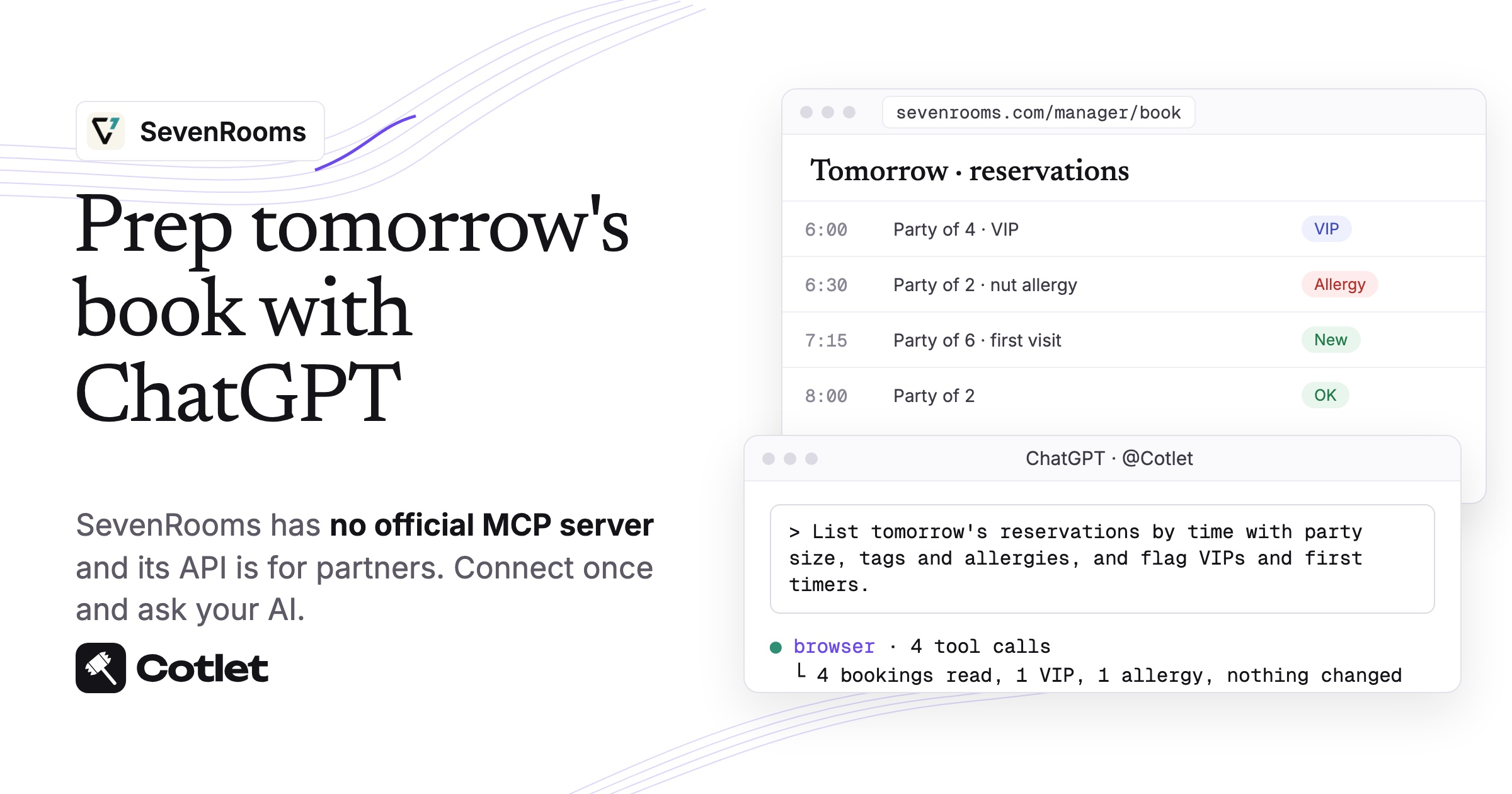
Tonight’s book is long and the host walks in at five. Somebody has to find the VIP tables, the first timers and the guest with a nut allergy. All three facts live in SevenRooms, scattered over notes and tags. The platform publishes no official MCP server, and the ChatGPT and Claude directories list no SevenRooms app (checked 26 November 2026). There is an API for reservations, availability and guests, but SevenRooms gives it to approved partners only. Your AI can use the same web panel you use. Sign in once inside a browser that Cotlet runs, then ChatGPT or Claude reads the book and the guest list for you. No code, about ten minutes.
This is for owners, general managers and hosts of restaurants, bars and venue groups that take bookings in SevenRooms. Guests booking a table are out of scope. Cotlet is made for the team that runs the room.
What ChatGPT and Claude can do in SevenRooms once connected
Name the venue and the task. The AI goes to the screen in the panel that holds the answer.
| Where in SevenRooms | What the AI does |
|---|---|
| Reservations, Book | Lists tomorrow’s bookings by time with party size, tags, allergies and notes, VIPs and first timers marked |
| Settings, Shifts and Access Rules | Prepares a date override for a holiday, such as a closed lunch and a capped dinner, and shows it before saving |
| Guests, CRM | Finds regulars who have not visited in 90 days and puts email, last visit and spend in a sheet |
| Reports | Pulls covers, no show rate and revenue per cover by shift and compares with the week before |
| Cancellation policy and card on file | Lists last month’s no shows and late cancellations with the fee charged. It charges nothing |
| Reservations, Waitlist | Tells you how long the waitlist runs and which tables free up in the next half hour |
| Reputation management | Lists feedback under four stars from the last three days, newest first |
Looking changes nothing in SevenRooms. Every write waits for your OK, and card charges are blocked. The SevenRooms MCP server page has more jobs, and the API page shows how API access works.
Does SevenRooms have an official MCP server, an API or a ChatGPT app?
Our search on 26 November 2026 turned up four things:
- No official MCP server. The MCP Registry returns nothing for SevenRooms, and neither ChatGPT’s app directory nor Claude’s connectors has an entry.
- Its own AI lives inside the platform. Voice AI and AI notes answer calls and summarise guests. They are features of the product, not a connector for your own assistant.
- A community server exists. seven-rooms-mcp-v2 is independent of SevenRooms and needs a SevenRooms API key.
- The API is for approved partners. The API docs say access is given to individually set up accounts. New users fill in a partnerships form, and former users write to api-integration-support@sevenrooms.com. SevenRooms issues the credentials.
A key suits a software firm with a contract in hand. A signed-in browser suits the manager who needs the book read before the doors open. Both routes compared: Does SevenRooms have an API or MCP server?.
What to have ready
- Your SevenRooms login, with Reservations, Guests and Reports visible in the panel.
- Your own tag names, such as Regulars or VIP.
- Any holiday dates to change, plus the cap on covers you want.
- A ChatGPT plan, or Claude on the free plan with its one custom connector.
- A Cotlet account: a week free, no card (pricing).
Step 1: sign in to SevenRooms in your Cloud Browser
In the Cotlet console, launch the Cloud Browser and visit sevenrooms.com/login. You enter the email and password, or the passkey, with your own hands. Use the login your team works with every day. Whatever it can see, the AI can see.
The password goes to SevenRooms and nowhere else. Cotlet keeps an encrypted session, which one switch in the console deletes. After SevenRooms ends a session, Cotlet sends a link for signing in again. The security page explains more.
Step 2: connect SevenRooms to ChatGPT, Claude or another AI agent
Give your AI Cotlet’s address a single time. It then uses the open panel session and has no access to your password. Select your tool.
Pick your AI above to see its steps.
How to connect SevenRooms to ChatGPT
Do this on chatgpt.com in your browser. Cotlet then works in the ChatGPT desktop and phone apps too.
- Open Plugins in ChatGPT and click Add.
- Click Add custom MCP server. Not in the menu? Turn on Developer mode in Settings, Security and login, then come back.
- Paste the name
Cotletand the server URLhttps://cotlet.dev/mcp/v1/connect. Keep Authentication on OAuth. - Tick “I understand and want to continue” and click Create as a plugin.
- Click Connect Cotlet. A Cotlet page opens, click Allow access.
- In a new chat, type
@Cotletand pick it from the list. - Ask ChatGPT: “Are you signed in to Cotlet through MCP?” Then try a first SevenRooms task: “Open my SevenRooms book for tomorrow and list the reservations by time with tags and notes. Change nothing.”

ChatGPT, Plugins page, November 2026.
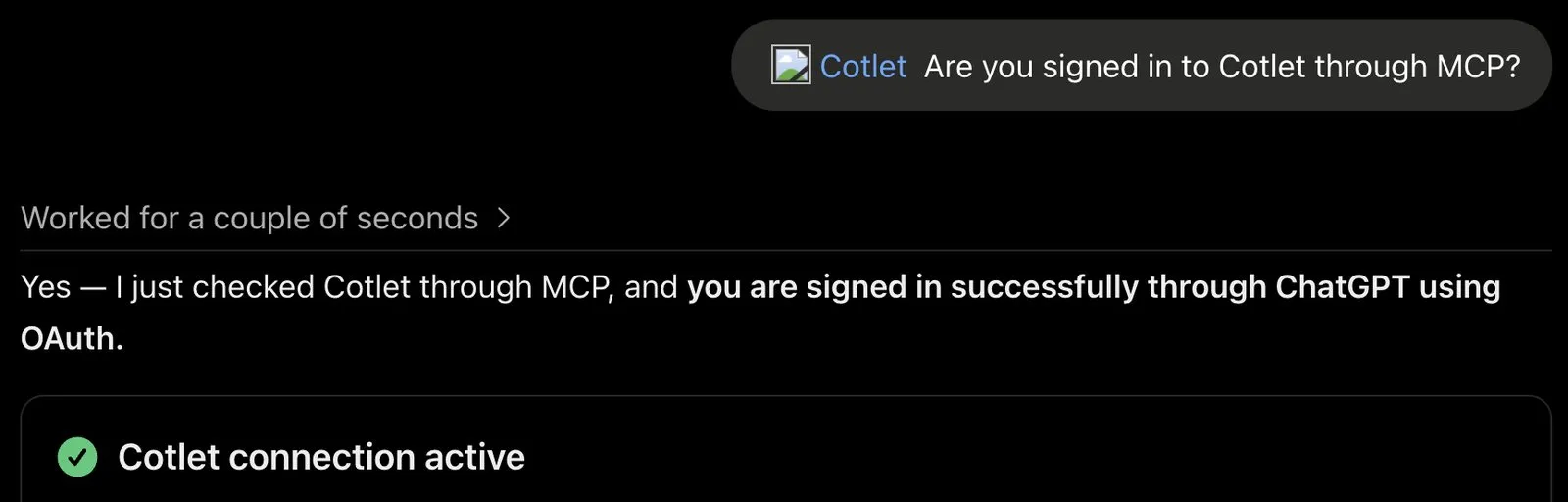
ChatGPT confirming the Cotlet connection, November 2026.
ChatGPT asks “Allow ChatGPT to use Cotlet?” before some steps. Pick Always allow, or the chat waits for your click. On a Business, Enterprise or Edu workspace, an admin has to allow custom MCP servers first.
How to connect SevenRooms to Claude
- Open Connectors in Claude and click Add. In the desktop app it is under Customize, Connectors.
- Click Add custom connector.
- Paste the name
Cotletand the URLhttps://cotlet.dev/mcp/v1/connect, then click Continue. - Keep the settings and click Add.
- A Cotlet page opens. Click Allow access.
- In a chat, click the plus button, then Connectors, and turn Cotlet on.
- Ask Claude: “Are you signed in to Cotlet through MCP?”, then “From SevenRooms Guests, list the guests tagged Regulars with no visit in the last 90 days.”. Claude asks before it uses a Cotlet tool the first time. Click Allow.

Claude, Add custom connector form, November 2026.

Claude, chat menu, Connectors, November 2026.
Claude’s free plan allows one custom connector. On a Team or Enterprise plan, an owner adds Cotlet in Organization settings, Connectors, and you click Connect next to it.
How to connect SevenRooms to Claude Code
Add Cotlet without a key, then sign in once in the browser:
claude mcp add --transport http cotlet https://cotlet.dev/mcp/v1/connectRun /mcp in Claude Code, pick cotlet and sign in to Cotlet. Prefer an API key, for example on a server? Create one in the Cotlet console and use:
claude mcp add --transport http cotlet https://cotlet.dev/mcp/v1 \
  --header "Authorization: Bearer $COTLET_API_KEY"
How to connect SevenRooms to Codex
Create an API key in the Cotlet console, put it in the COTLET_API_KEY environment variable and add this to ~/.codex/config.toml:
[mcp_servers.cotlet]
url = "https://cotlet.dev/mcp/v1"
bearer_token_env_var = "COTLET_API_KEY"
How to connect SevenRooms to Cursor
Create an API key in the Cotlet console, put it in the COTLET_API_KEY environment variable and add this to ~/.cursor/mcp.json:
{
  "mcpServers": {
    "cotlet": {
      "url": "https://cotlet.dev/mcp/v1",
      "headers": { "Authorization": "Bearer ${env:COTLET_API_KEY}" }
    }
  }
}
How to connect SevenRooms to Grok
Grok takes custom MCP servers on grok.com, per xAI’s connectors documentation (checked 8 November 2026).
- Open grok.com/connectors and click New Connector.
- Pick Custom and paste the server URL
https://cotlet.dev/mcp/v1/connect. - Sign in to Cotlet when Grok asks, then click Allow access.
- Ask Grok: “Are you signed in to Cotlet through MCP?”
On Grok Business, an admin adds the connector first in the xAI console, under Grok Business, Connectors. The Grok chat inside X has no custom connector menu.
How to connect SevenRooms to Hermes Agent
Add Cotlet to ~/.hermes/config.yaml in the format of the Hermes MCP config reference:
mcp_servers:
  cotlet:
    url: "https://cotlet.dev/mcp/v1"
    headers:
      Authorization: "Bearer ${COTLET_API_KEY}"
    trust: untrusted
Put COTLET_API_KEY in ~/.hermes/.env and check it with hermes mcp test cotlet. With trust: untrusted, Hermes runs reads at once and asks before every write. More on Hermes in our post on the Hermes Agent browser.
How to connect SevenRooms to n8n
Use the MCP Client node, or the MCP Client Tool inside an AI Agent node:
- Server Transport: HTTP Streamable
- MCP Endpoint URL:
https://cotlet.dev/mcp/v1 - Authentication: Bearer Auth, with your Cotlet API key as the token
- Tools: let the AI Agent node use Cotlet’s browser tools; it reads Cotlet’s SevenRooms guide first and works in your signed-in SevenRooms panel
Use it for work that should run on its own, such as a Daily page of tomorrow’s book with VIPs and allergies for the host.
Any other MCP client
Point the client at https://cotlet.dev/mcp/v1 over Streamable HTTP, with the header Authorization: Bearer <your Cotlet API key>. A client that supports OAuth sign-in can use https://cotlet.dev/mcp/v1/connect instead and needs no key. The full reference is in the MCP docs.
Three SevenRooms jobs to try first
Start with the ones your host or manager repeats every week.
Prepare tomorrow’s book
List tomorrow’s reservations by time with party size, tags, allergies and notes, and flag VIPs and first timers.
Guest profiles and tags show up in the reservation Book. The AI reads it, sorts by seating time and hands you a page for the pre-shift huddle. Run it every afternoon from an n8n workflow and the host already has it.
Block a holiday and change the shifts
Override Saturday December 20: close lunch, cap dinner at 60 covers and add a late seating at 9:30pm. Show me before saving.
SevenRooms has holiday resources that describe date overrides on shifts and access rules. The AI fills in the override, then stops on the screen so you can read it first. A mistake here lets the wrong number of tables sell, so it never saves without your yes.
Bring lapsed regulars back
List guests tagged Regulars with no visit in 90 days with email, last visit and spend, in a sheet for my win-back email.
The CRM filters and tags are described on the marketing automation page. The AI applies your tag and the 90 day gap and gives you a sheet. Your marketer, or the AI, writes the email from it.
Groups and single rooms
SevenRooms is aimed at restaurants, bars, hotels and clubs, often groups. If you run several venues, say which one you mean at the start of each request, since the book and the guest list differ by venue. A single room can skip that and ask in short sentences.
More to ask once the first three work
- Export the full guest list with visit history, notes, tags and marketing consent, and say which fields are missing.
- Show which automated emails are on and how many guests each reached last month.
- Tell me how long tonight’s waitlist runs, who has waited longest and which tables free up soon.
Each one lands on a SevenRooms screen. Open it yourself once to check the first reply.
What it costs
Nothing changes in your SevenRooms contract. Cotlet charges for credits, and a pack of 5,000 is $29 with a year to use it. Expect 10 to 100 credits per call that works, and zero for one that fails. New accounts open with 500 credits and seven days of trial. A browser kept ready for agents for a day takes 50 credits (pricing).
FAQ
Is there a SevenRooms MCP server I can add to ChatGPT?
Not an official one, as far as we found on 26 November 2026. The platform has Voice AI and AI notes, which stay inside it. Cotlet lets your own ChatGPT or Claude use the panel from a cloud browser.
Can my venue get a SevenRooms API key?
Not by signing up. Documentation and credentials are issued by SevenRooms to approved partners and venue groups, through the partnerships form or the account manager.
Does the community MCP server need anything?
Yes, a SevenRooms API key, and that key is the part you cannot get on your own. Cotlet needs only your login.
Can ChatGPT export my guest list?
Yes. It opens the reports and exports, downloads the file and tells you which fields did not come through.
Can the AI charge a no show fee?
No. It lists the no shows and the fees already charged, and charges are blocked.
Is Cotlet part of SevenRooms?
No. Cotlet is independent and works only through your login.
Before doors open
The data sits in SevenRooms now. Nobody has time to read it at four o’clock. Start a free week of Cotlet, sign in once in the Cloud Browser and put the question to your AI. Running other restaurant software too? The catalog lists it.


