How to connect Shopmonkey to ChatGPT, Claude and any AI agent
Shopmonkey has no official MCP server, though its REST API is open on every plan (checked 26 Nov 2026). Let ChatGPT or Claude chase estimates and invoices.
Cotlet team 11 min read
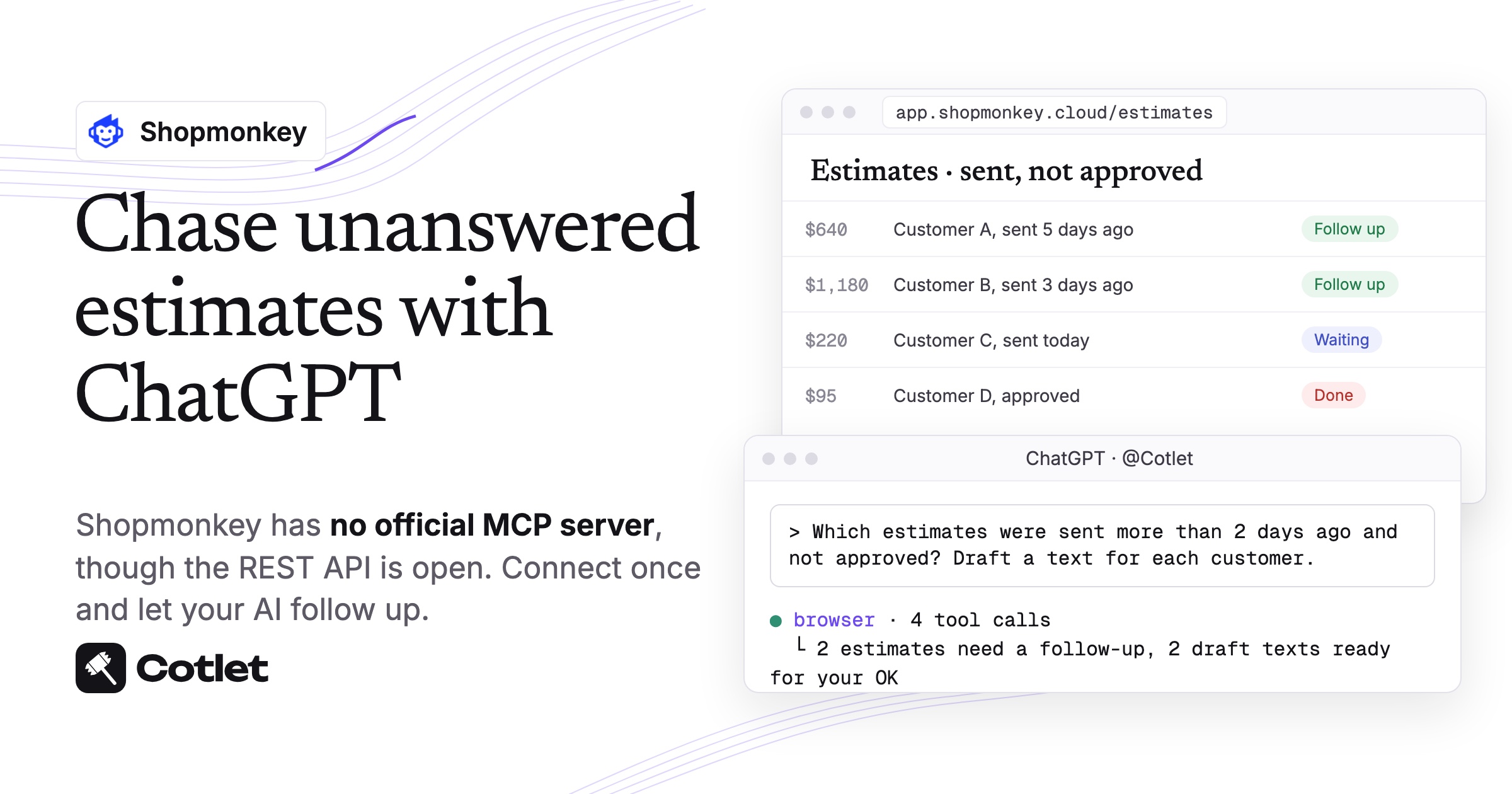
The car was picked up on Tuesday, and the repair order still says Work Finished. Nobody invoiced it, so nobody got paid. Shopmonkey tracks every status, but it will not tell you which orders are stuck. On 26 November 2026 Shopmonkey has no official MCP server, no ChatGPT app and no Claude connector. Its REST API is open on every plan, which suits a developer and nobody else. You can skip it. Sign in to Shopmonkey once in a cloud browser that Cotlet runs, then ChatGPT or Claude reads your orders and estimates on the screens you use. Setup takes about ten minutes, and you type no code.
This post is for the owner or service advisor of an independent repair shop on Shopmonkey, including diesel, tire and mobile shops. Cotlet suits follow-up work across repair orders, estimates and accounting. It does not replace the estimate builder or the inspection tool in Shopmonkey itself.
What ChatGPT and Claude can do in Shopmonkey once connected
Ask in plain words, and the AI opens the right report or order.
| Where in Shopmonkey | What the AI does |
|---|---|
| Repair orders | Lists orders with finished work that are not invoiced or paid, by technician and age |
| Estimates | Finds estimates sent over two days ago with no approval and drafts a text for each customer |
| Purchase orders | Turns the parts on an approved estimate into one purchase order per vendor, shown before you send |
| Invoices and QuickBooks | Lists last month’s invoices with their QuickBooks status and flags doubles |
| Sales Summary report | Lists invoice items where no sales tax was charged |
| Transactions report | Compares card totals with invoices marked paid |
Reading changes nothing. A sent text, a purchase order or a status change waits for your OK, and payments stay blocked. The Shopmonkey MCP server page holds the full list of jobs.
Does Shopmonkey have an API, AI or an official ChatGPT app?
As of 26 November 2026:
- The API is open. Shopmonkey’s REST API covers more than 50 resources, among them customers, vehicles, orders, appointments, inventory and payments, with public docs. An admin creates a key under Settings, Integration, API Keys. The pricing page says API and webhooks come with every plan, and the key guide shows the steps.
- Rate limits exist. The docs send you to support for the numbers, and the API answers 429 when you go over.
- No official connector. The MCP Registry lists one Shopmonkey server, from a third party called usefulapi. It is not from Shopmonkey. Neither ChatGPT nor Claude has a Shopmonkey connector.
- It plugs into the usual shop tools. QuickBooks, PartsTech, CARFAX, ALLDATA, RepairLink and MOTOR are on the integrations list.
- It runs in the browser. Shopmonkey opens at app.shopmonkey.cloud, and technicians also have a mobile app.
A key lets a developer build something. It does not let you ask a question in plain words. Every route, side by side, is on Does Shopmonkey have an API or MCP server?.
What to have ready
- A working Shopmonkey account, with admin rights if accounting reports are in scope.
- Your own wording for statuses, such as Work Finished or Invoiced.
- A number of days after which silence on an estimate means a call.
- ChatGPT or Claude open in another tab. Claude’s free tier takes one custom connector.
- A Cotlet trial, a week long and cardless (pricing).
Step 1: one login to Shopmonkey in the Cloud Browser
From the Cotlet console, launch the Cloud Browser and open app.shopmonkey.cloud. Enter your email and password on that page. The older shopmonkey.io/login address forwards there.
Only Shopmonkey ever receives the password. What Cotlet stores is an encrypted session, and a console switch ends the AI’s access at once. Should Shopmonkey sign you out, you get a new login link. Details sit on the security page.
Step 2: give your AI the Cotlet address
Paste Cotlet’s address into the AI tool a single time. After that, your stored Shopmonkey session does the work. Pick the tool you use below.
Pick your AI above to see its steps.
How to connect Shopmonkey to ChatGPT
Do this on chatgpt.com in your browser. Cotlet then works in the ChatGPT desktop and phone apps too.
- Open Plugins in ChatGPT and click Add.
- Click Add custom MCP server. Not in the menu? Turn on Developer mode in Settings, Security and login, then come back.
- Paste the name
Cotletand the server URLhttps://cotlet.dev/mcp/v1/connect. Keep Authentication on OAuth. - Tick “I understand and want to continue” and click Create as a plugin.
- Click Connect Cotlet. A Cotlet page opens, click Allow access.
- In a new chat, type
@Cotletand pick it from the list. - Ask ChatGPT: “Are you signed in to Cotlet through MCP?” Then try a first Shopmonkey task: “Which Shopmonkey repair orders have the work finished but are not invoiced? List them with the technician and the number of days waiting.”

ChatGPT, Plugins page, November 2026.
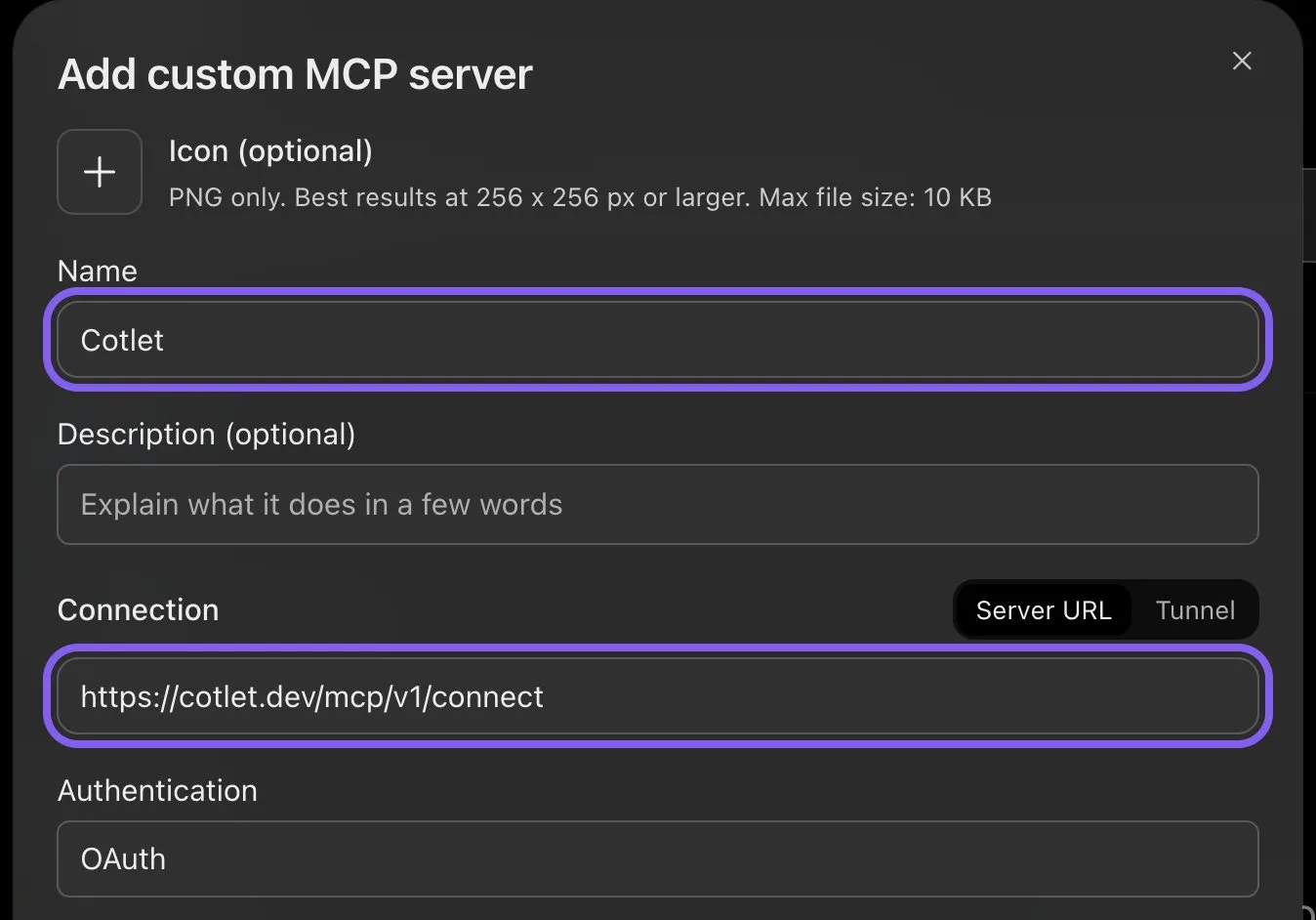
ChatGPT, Add custom MCP server form, November 2026.
ChatGPT asks “Allow ChatGPT to use Cotlet?” before some steps. Pick Always allow, or the chat waits for your click. On a Business, Enterprise or Edu workspace, an admin has to allow custom MCP servers first.
How to connect Shopmonkey to Claude
- Open Connectors in Claude and click Add. In the desktop app it is under Customize, Connectors.
- Click Add custom connector.
- Paste the name
Cotletand the URLhttps://cotlet.dev/mcp/v1/connect, then click Continue. - Keep the settings and click Add.
- A Cotlet page opens. Click Allow access.
- In a chat, click the plus button, then Connectors, and turn Cotlet on.
- Ask Claude: “Are you signed in to Cotlet through MCP?”, then “Which Shopmonkey estimates were sent more than 2 days ago and not approved? List the customer and the amount.”. Claude asks before it uses a Cotlet tool the first time. Click Allow.

Claude, Customize, Connectors, November 2026.

Cotlet consent page after you add the connector in Claude, November 2026.
Claude’s free plan allows one custom connector. On a Team or Enterprise plan, an owner adds Cotlet in Organization settings, Connectors, and you click Connect next to it.
How to connect Shopmonkey to Claude Code
Add Cotlet without a key, then sign in once in the browser:
claude mcp add --transport http cotlet https://cotlet.dev/mcp/v1/connectRun /mcp in Claude Code, pick cotlet and sign in to Cotlet. Prefer an API key, for example on a server? Create one in the Cotlet console and use:
claude mcp add --transport http cotlet https://cotlet.dev/mcp/v1 \
  --header "Authorization: Bearer $COTLET_API_KEY"
How to connect Shopmonkey to Codex
Create an API key in the Cotlet console, put it in the COTLET_API_KEY environment variable and add this to ~/.codex/config.toml:
[mcp_servers.cotlet]
url = "https://cotlet.dev/mcp/v1"
bearer_token_env_var = "COTLET_API_KEY"
How to connect Shopmonkey to Cursor
Create an API key in the Cotlet console, put it in the COTLET_API_KEY environment variable and add this to ~/.cursor/mcp.json:
{
  "mcpServers": {
    "cotlet": {
      "url": "https://cotlet.dev/mcp/v1",
      "headers": { "Authorization": "Bearer ${env:COTLET_API_KEY}" }
    }
  }
}
How to connect Shopmonkey to Grok
Grok takes custom MCP servers on grok.com, per xAI’s connectors documentation (checked 8 November 2026).
- Open grok.com/connectors and click New Connector.
- Pick Custom and paste the server URL
https://cotlet.dev/mcp/v1/connect. - Sign in to Cotlet when Grok asks, then click Allow access.
- Ask Grok: “Are you signed in to Cotlet through MCP?”
On Grok Business, an admin adds the connector first in the xAI console, under Grok Business, Connectors. The Grok chat inside X has no custom connector menu.
How to connect Shopmonkey to Hermes Agent
Add Cotlet to ~/.hermes/config.yaml in the format of the Hermes MCP config reference:
mcp_servers:
  cotlet:
    url: "https://cotlet.dev/mcp/v1"
    headers:
      Authorization: "Bearer ${COTLET_API_KEY}"
    trust: untrusted
Put COTLET_API_KEY in ~/.hermes/.env and check it with hermes mcp test cotlet. With trust: untrusted, Hermes runs reads at once and asks before every write. More on Hermes in our post on the Hermes Agent browser.
How to connect Shopmonkey to n8n
Use the MCP Client node, or the MCP Client Tool inside an AI Agent node:
- Server Transport: HTTP Streamable
- MCP Endpoint URL:
https://cotlet.dev/mcp/v1 - Authentication: Bearer Auth, with your Cotlet API key as the token
- Tools: let the AI Agent node use Cotlet’s browser tools; it reads Cotlet’s Shopmonkey guide first and works in your signed-in Shopmonkey account
Use it for work that should run on its own, such as a morning list of estimates with no answer after two days.
Any other MCP client
Point the client at https://cotlet.dev/mcp/v1 over Streamable HTTP, with the header Authorization: Bearer <your Cotlet API key>. A client that supports OAuth sign-in can use https://cotlet.dev/mcp/v1/connect instead and needs no key. The full reference is in the MCP docs.
Three Shopmonkey jobs to try first
Begin with the leak that costs you most.
Finished work that was never invoiced
Which repair orders have the work finished but are not invoiced or paid? List them by technician and age, and tell me the next status for each.
Shopmonkey documents the repair order statuses one by one. The AI reads the order list, picks out the orders sitting in Work Finished, and returns a table with technician, days waiting and the next status. You move the orders yourself or tell it which to update.
Estimates that nobody answered
Which estimates were sent more than 2 days ago and not approved? Draft a follow-up text to each customer. Send after my OK.
The All Estimates report already lists every estimate. The AI filters it by age, drafts one short text per customer in your voice and shows all of them together. You cross out the ones you do not want. Nothing leaves before your OK.
Cards against invoices
Compare this week’s card payments in the Transactions report with the invoices marked paid. List the ones where the amounts differ, for example after a cash discount.
A cash discount or a split payment makes a card total differ from its invoice. The AI reads the Transactions report and the paid invoices, then lists each pair with the gap. You decide which gaps matter. It writes to nothing.
What it costs
Shopmonkey bills you exactly as before. Cotlet is paid in credit packs, no subscription: $29 gets 5,000 credits valid twelve months. Calls that succeed take 10 to 100 credits each, and calls that fail take nothing. A seven day trial includes 500 credits. Once it ends, the Cloud Browser draws 50 credits a day while Shopmonkey is turned on for agents (pricing).
FAQ
Does Shopmonkey have an API for my shop?
Yes. It has an open REST API on every plan, and an admin creates the key in Settings, Integration, API Keys. Rate limits apply, and Shopmonkey gives the numbers on request. The AI works in your account in the browser, with no key.
Does Shopmonkey have an official MCP server?
No. Shopmonkey has no official MCP server. A third party, usefulapi, lists its own Shopmonkey connector in the MCP Registry, and it is not from Shopmonkey. Cotlet is a hosted server that works in your account.
Can it prepare purchase orders from an estimate?
Yes. Give it the approved estimate and it builds one purchase order per vendor from the parts, then shows them to you. It sends nothing until you say so.
Can it check QuickBooks sync?
It can list last month’s invoices and payouts with their QuickBooks status and flag double invoices, double payments and discounts that did not transfer. It reads only. You fix the entries.
Can it find items sold without sales tax?
Ask for the last 30 days. It reads the Sales Summary report and lists each invoice, item and amount with no tax charged.
Does it work for a tire or diesel shop?
Yes, on the same screens: orders, estimates, invoices and reports. Fleet jobs with a heavy duty labor rate work too, because the AI reads the labor line on each estimate.
Is Cotlet part of Shopmonkey?
No. Cotlet is a separate company that uses only your login.
Bill the cars you already fixed
The finished cars are in Shopmonkey today. Try Cotlet for a week, sign in through the Cloud Browser and ask your AI what is still unbilled. Looking for another app? Check the catalog.


