How to connect SkySlope to ChatGPT, Claude and any AI agent
SkySlope has no official MCP server, and its API keys sit with your broker (checked 26 Nov 2026). Let ChatGPT fix checklists and resend DigiSign envelopes.
Cotlet team 11 min read
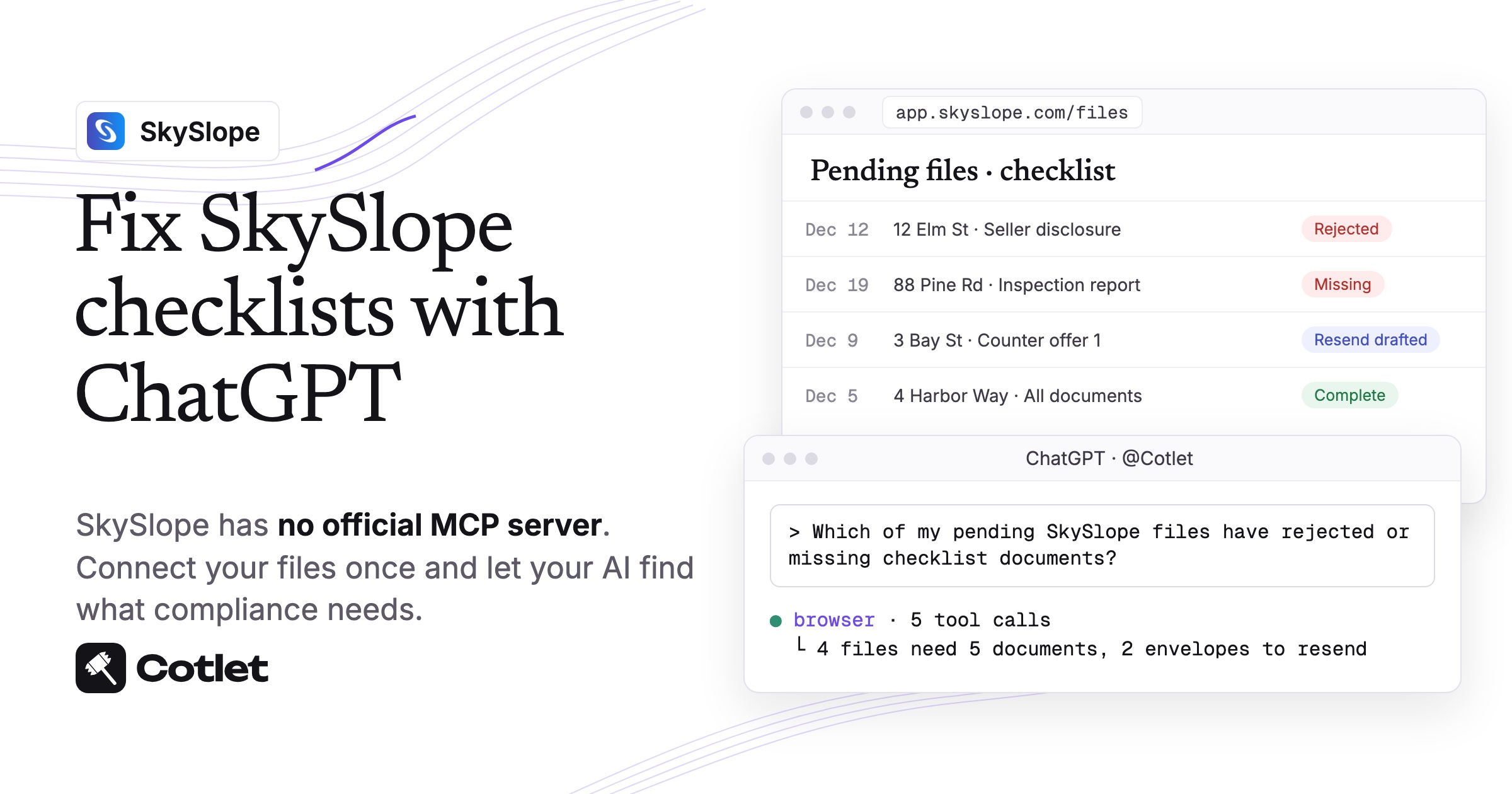
SkySlope, the transaction management system many US brokerages run on, offers no MCP server of its own and is not listed in ChatGPT or Claude (status on 26 November 2026). API keys exist, yet they are created at the office level by a broker or admin, and some offices wait on SkySlope support before the key button even appears. That leaves agents and coordinators without an AI route of their own. Cotlet closes the gap: you log in to SkySlope inside a Cloud Browser we host, and your AI reads files, checklists and DigiSign envelopes from those same screens. Ten minutes, nothing to code.
Most people asking how to connect SkySlope to ChatGPT carry a stack of pending files: an agent with deals in escrow, or a transaction coordinator working for several agents at one brokerage. Compliance rejects a document, a signer ignores an envelope, a contingency date creeps up. Cotlet works for that person, inside the account they already use. Clients keep signing from the DigiSign email they receive.
What ChatGPT and Claude can do in SkySlope once connected
Describe the job in a sentence and the AI works through SkySlope for you:
| Part of SkySlope | What the AI handles |
|---|---|
| Files | Lists pre-contract and pending files with agent and expected close date |
| Checklists | Finds missing and rejected documents and reads the reviewer’s note |
| Key dates | Collects contingency and escrow dates across open files |
| DigiSign | Lists envelopes still unsigned and resends the reminder |
| Document upload | Adds PDFs to the right file and checklist slot |
| Forms | Starts a new Forms file from MLS data and your template |
Uploads, resends and anything a client or lender receives wait for your OK first. Reviews of checklists and date lists change nothing in SkySlope.
The screens and approvals sit on the SkySlope MCP server page. For endpoints you can call from n8n or a script, open the SkySlope API page.
Does SkySlope have AI, an API or an official ChatGPT app?
What an agent at a SkySlope brokerage can use today, checked on 26 November 2026:
- An API, through the office. SkySlope gives API access to current customers. The access and secret keys sit under My Account, Integrations, which is a broker or admin screen, per an API Nation guide. Partner docs, such as Lofty’s, tell users to contact SkySlope support when the button is missing.
- A Forms API for partners. The Forms partnership API uses OAuth for software vendors.
- No official MCP server or chat app. No SkySlope app sits in ChatGPT or Claude, and the official MCP Registry lists none.
- No Zapier, Make or n8n app. CRMs connect through the partners on the SkySlope integrations page.
So an agent who wants ChatGPT or Claude on their own files today has one practical route: a hosted MCP server inside their signed-in session. The full check is at Does SkySlope have an API or MCP server?.
A short checklist first
- The login for app.skyslope.com, or your brokerage SSO details.
- Visibility of the files in scope. Coordinators see the agents’ files they are assigned to, and the AI sees the same.
- The checklist names your office uses, so reports come back in familiar words.
- A ChatGPT or Claude account; one connector slot is enough, even on free Claude.
- Cotlet, free for seven days with no card (pricing).
Step 1: sign in to SkySlope in your Cloud Browser
Launch the Cloud Browser in your Cotlet console, then head to app.skyslope.com. Enter your SkySlope credentials, or pass through the brokerage SSO page if your office uses one. When the Files tab shows your transactions, you are done here.
Only SkySlope ever receives your password. Cotlet keeps the resulting session, encrypted, in a browser profile that belongs to you, and asks you to log in again whenever SkySlope expires it. Details live on the security page.
Step 2: connect SkySlope to ChatGPT, Claude or another AI agent
Paste one Cotlet MCP address into your AI tool of choice and SkySlope is in reach. The steps below cover the common clients, from ChatGPT and Claude to n8n.
Pick your AI above to see its steps.
How to connect SkySlope to ChatGPT
Do this on chatgpt.com in your browser. Cotlet then works in the ChatGPT desktop and phone apps too.
- Open Plugins in ChatGPT and click Add.
- Click Add custom MCP server. Not in the menu? Turn on Developer mode in Settings, Security and login, then come back.
- Paste the name
Cotletand the server URLhttps://cotlet.dev/mcp/v1/connect. Keep Authentication on OAuth. - Tick “I understand and want to continue” and click Create as a plugin.
- Click Connect Cotlet. A Cotlet page opens, click Allow access.
- In a new chat, type
@Cotletand pick it from the list. - Ask ChatGPT: “Are you signed in to Cotlet through MCP?” Then try a first SkySlope task: “Which of my SkySlope files have rejected checklist documents?”
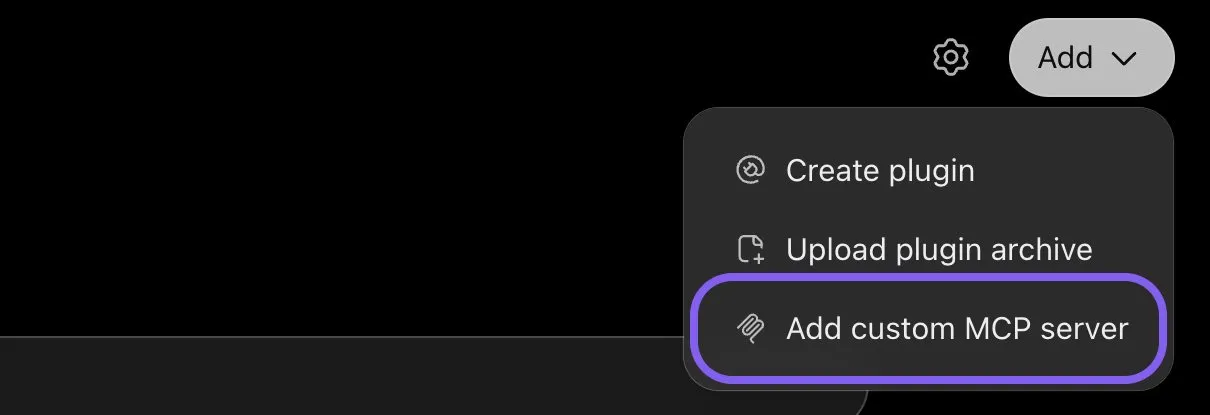
ChatGPT, Add menu on the Plugins page, November 2026.
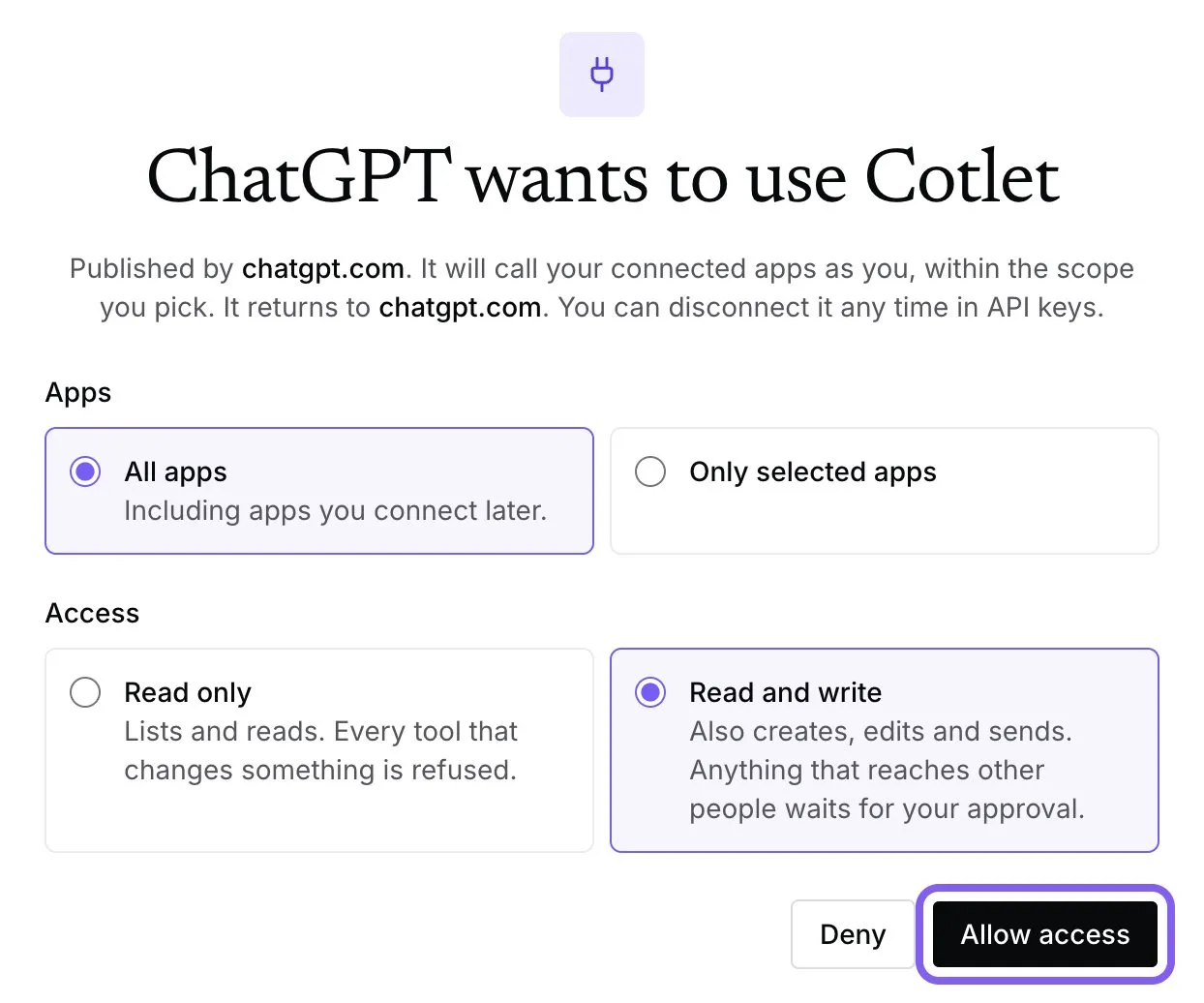
Cotlet consent page after you connect it in ChatGPT, November 2026.
ChatGPT asks “Allow ChatGPT to use Cotlet?” before some steps. Pick Always allow, or the chat waits for your click. On a Business, Enterprise or Edu workspace, an admin has to allow custom MCP servers first.
How to connect SkySlope to Claude
- Open Connectors in Claude and click Add. In the desktop app it is under Customize, Connectors.
- Click Add custom connector.
- Paste the name
Cotletand the URLhttps://cotlet.dev/mcp/v1/connect, then click Continue. - Keep the settings and click Add.
- A Cotlet page opens. Click Allow access.
- In a chat, click the plus button, then Connectors, and turn Cotlet on.
- Ask Claude: “Are you signed in to Cotlet through MCP?”, then “List the SkySlope key dates in my open files for the next two weeks.”. Claude asks before it uses a Cotlet tool the first time. Click Allow.

Claude, Add custom connector form, November 2026.

Claude, chat menu, Connectors, November 2026.
Claude’s free plan allows one custom connector. On a Team or Enterprise plan, an owner adds Cotlet in Organization settings, Connectors, and you click Connect next to it.
How to connect SkySlope to Claude Code
Add Cotlet without a key, then sign in once in the browser:
claude mcp add --transport http cotlet https://cotlet.dev/mcp/v1/connectRun /mcp in Claude Code, pick cotlet and sign in to Cotlet. Prefer an API key, for example on a server? Create one in the Cotlet console and use:
claude mcp add --transport http cotlet https://cotlet.dev/mcp/v1 \
  --header "Authorization: Bearer $COTLET_API_KEY"
How to connect SkySlope to Codex
Create an API key in the Cotlet console, put it in the COTLET_API_KEY environment variable and add this to ~/.codex/config.toml:
[mcp_servers.cotlet]
url = "https://cotlet.dev/mcp/v1"
bearer_token_env_var = "COTLET_API_KEY"
How to connect SkySlope to Cursor
Create an API key in the Cotlet console, put it in the COTLET_API_KEY environment variable and add this to ~/.cursor/mcp.json:
{
  "mcpServers": {
    "cotlet": {
      "url": "https://cotlet.dev/mcp/v1",
      "headers": { "Authorization": "Bearer ${env:COTLET_API_KEY}" }
    }
  }
}
How to connect SkySlope to Grok
Grok takes custom MCP servers on grok.com, per xAI’s connectors documentation (checked 8 November 2026).
- Open grok.com/connectors and click New Connector.
- Pick Custom and paste the server URL
https://cotlet.dev/mcp/v1/connect. - Sign in to Cotlet when Grok asks, then click Allow access.
- Ask Grok: “Are you signed in to Cotlet through MCP?”
On Grok Business, an admin adds the connector first in the xAI console, under Grok Business, Connectors. The Grok chat inside X has no custom connector menu.
How to connect SkySlope to Hermes Agent
Add Cotlet to ~/.hermes/config.yaml in the format of the Hermes MCP config reference:
mcp_servers:
  cotlet:
    url: "https://cotlet.dev/mcp/v1"
    headers:
      Authorization: "Bearer ${COTLET_API_KEY}"
    trust: untrusted
Put COTLET_API_KEY in ~/.hermes/.env and check it with hermes mcp test cotlet. With trust: untrusted, Hermes runs reads at once and asks before every write. More on Hermes in our post on the Hermes Agent browser.
How to connect SkySlope to n8n
Use the MCP Client node, or the MCP Client Tool inside an AI Agent node:
- Server Transport: HTTP Streamable
- MCP Endpoint URL:
https://cotlet.dev/mcp/v1 - Authentication: Bearer Auth, with your Cotlet API key as the token
- Tools: let the AI Agent node use Cotlet’s browser tools; it reads Cotlet’s SkySlope guide first and works in your signed-in SkySlope account
Use it for work that should run on its own, such as an 8 am list of SkySlope checklist rejections sent to your transaction coordinator.
Any other MCP client
Point the client at https://cotlet.dev/mcp/v1 over Streamable HTTP, with the header Authorization: Bearer <your Cotlet API key>. A client that supports OAuth sign-in can use https://cotlet.dev/mcp/v1/connect instead and needs no key. The full reference is in the MCP docs.
These three fit the first half hour of a working day.
Clear the compliance rejections
Which of my pending SkySlope files have rejected or missing checklist documents? For each file, list the document, the reviewer’s note and the close date.
A rejection note in SkySlope sits inside the file, and with fifteen files open it is easy to miss one until the broker calls. The AI opens every pending file, reads each checklist slot and its status, and returns one list sorted by close date. If you then hand it the corrected PDF, it uploads it to the right slot after your OK.
Resend the envelopes nobody signed
Find DigiSign envelopes not signed after 48 hours. List them with the signer and the document, and resend a reminder after my OK.
On the SkySlope forum an agent asked for automatic DigiSign reminders, saying agents “don’t have time to go into DigiSign to keep checking and hitting the resend button”. The AI does that checking. It lists the unsigned envelopes, shows you the batch, and clicks resend on the ones you approve.
See two weeks of dates in one place
List contingency removal, appraisal and escrow close dates in my open SkySlope files for the next 14 days, with the property address.
SkySlope keeps tasks and reminders per file, and users on its forum ask how to add a date to a reminder by hand. The AI reads the dates from every open file and gives you one list for the fortnight. Ask it to send the list to your calendar or your agent each morning.
Cost, next to your SkySlope seat
Keep the SkySlope seat your brokerage pays for. Cotlet bills through prepaid credit packs: the smallest is $29 for 5,000 credits, they last 12 months and there is no monthly fee. Each call that succeeds draws 10 to 100 credits; errors are free. After the trial, the Cloud Browser draws 50 credits per day with SkySlope switched on for agents. New accounts get 7 days and 500 credits, card not required (pricing).
FAQ
Does SkySlope have an API for agents?
Not directly. A broker or admin creates the keys under My Account, Integrations, and some offices must ask SkySlope support to enable that screen first. The Forms API is for partners. Cotlet does not need either, because it works in your signed-in account.
Is there an official SkySlope MCP server?
Not from SkySlope. On 26 November 2026 neither the MCP Registry nor the ChatGPT and Claude directories had a SkySlope entry. Cotlet’s server gets to your files through the session you opened yourself.
Can I get SkySlope data into a sheet without the API keys?
Yes. Ask the AI to copy your files, key dates or contacts into a sheet on a schedule. It reads them in your SkySlope account, so nobody has to create keys.
Can AI resend my DigiSign reminders for me?
Yes, after your OK. The AI finds envelopes still unsigned after the hours you set, shows you the list, and resends in DigiSign the ones you approve.
How do I export reports from SkySlope?
Admins and brokers run Listing, Pending, Closed in SkySlope and Master Data reports over a date range, per the SkySlope knowledge base. An agent can ask the AI for a list of their own files with the same fields instead.
Is Cotlet a SkySlope partner?
No. Cotlet is an independent company and is not a SkySlope integration partner. The AI uses your own SkySlope login in your own Cloud Browser.
Hand the file checks to an agent
Your broker still signs off every file. The hunt for what is missing can move to ChatGPT. Open a free Cotlet week, log in to SkySlope inside the Cloud Browser, and ask which files need a document today. Dotloop sits in the catalog too, if part of your office works there.


