How to connect Tanda to ChatGPT, Claude and any AI agent
Tanda (Workforce.com) has no official MCP server, and its API wants a token and code (checked 26 Nov 2026). Let ChatGPT or Claude check rosters and timesheets.
Cotlet team 12 min read
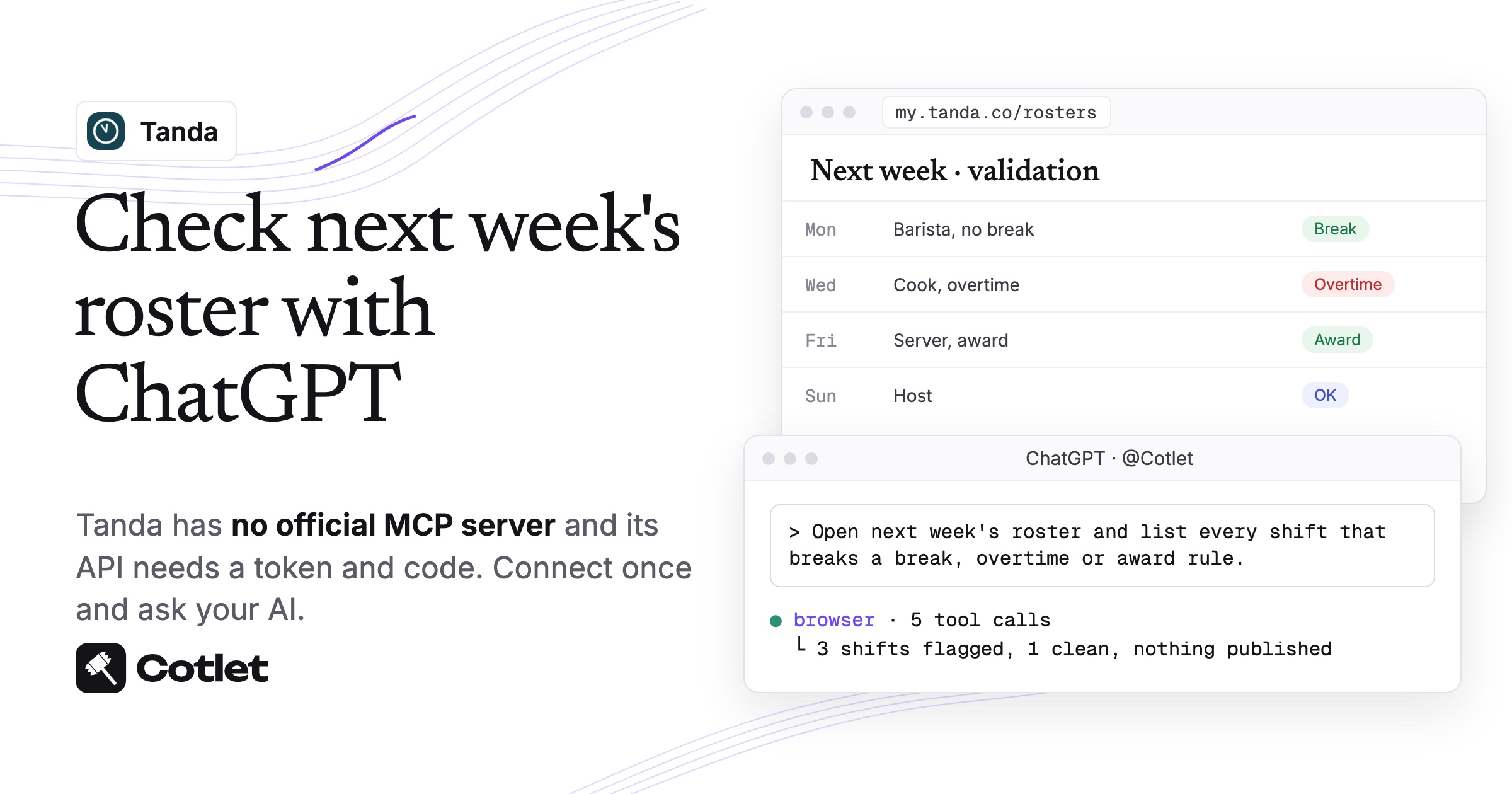
Thursday afternoon, and pay run is tomorrow. Eleven timesheets still wait for approval, next week’s roster has to go out tonight, and you want to know if the cafe spent more on wages than the labour budget allows. All of it lives in Tanda, on three different screens. Checked on 26 November 2026: Tanda, called Workforce.com in the UK and US, has no official MCP server and no app in ChatGPT or Claude. Its API is open, but it needs a token and someone who writes code. An AI can still use your Tanda account the way you do. You sign in once in a browser that Cotlet hosts, then ChatGPT or Claude reads the rosters, timesheets and reports for you. About ten minutes, no code.
This post is for the owner, venue manager or payroll admin who runs staff in Tanda, in Australia, New Zealand or the UK. Employees who swap shifts in the Tanda app can skip it. Cotlet serves the person who builds the roster and signs off the hours.
What ChatGPT and Claude can do in Tanda once connected
Ask in everyday language. The AI opens the Tanda screens a rostering admin would open.
| Where in Tanda | What the AI does |
|---|---|
| Rosters, roster validations | Opens next week’s roster and lists every shift that breaks a break, overtime or award rule Tanda flags, with the employee and the day |
| Time & Attendance, timesheets | Lists unapproved timesheets with the ones that look off, and runs the export preview for your payroll package |
| Reports, costs and labour budgets | Shows wages against the labour budget by location and the days that went over |
| Leave | Lists pending leave requests for the next four weeks and who else is off those days |
| Rosters, vacant shifts | Lists empty shifts next week and which people are free and not on overtime |
| Roster Agent | Starts a draft roster with Tanda’s own Roster Agent and shows the plan and cost before anything goes out |
| Payroll journals | Splits this pay run’s wages by location and department and flags anything that does not balance |
Reading changes nothing. Nothing is approved, published or exported until you say yes, and payments stay blocked. The Tanda MCP server page lists more jobs.
Does Tanda have an official MCP server, an API or ChatGPT app?
State of play on 26 November 2026:
- No official MCP server. A search of the MCP Registry turns up nothing from Tanda, and neither the ChatGPT apps directory nor Claude’s connectors list a Tanda app.
- One community project exists. A developer published Tanda-Workforce-MCP-Server on GitHub. It is independent of Tanda and needs an API token.
- The API is open. A Tanda admin creates a personal access token and picks its scopes, as the token guide explains. Scopes cannot be changed afterwards, and the token stops working when the admin who made it is deactivated. API docs sit at my.tanda.co/api/v2/docs.
- Tanda has its own AI. The Roster Agent builds a roster draft inside Tanda for the manager to approve. It is a feature of the product, not a link to ChatGPT or Claude.
A token is the right tool for a developer after raw records. A hosted server on your own login is the right tool for an owner after plain answers, screens the API never reaches included. Both routes side by side: Does Tanda have an API or MCP server?.
Before you start
- A Tanda admin login. Staff logins see their own shifts only.
- For award checks, your roster validations set up in Tanda, because the AI reports what Tanda flags.
- A payroll integration, if you want the export preview.
- ChatGPT, or Claude on the free plan, which allows one custom connector.
- A Cotlet account, free for seven days and no card required (pricing).
Step 1: sign in to Tanda in your Cloud Browser
Start the Cloud Browser from the Cotlet console, then visit my.tanda.co/login in Australia or New Zealand, or my.workforce.com in the UK. Type your admin email and password by hand, since the AI works with the rights of the login you use.
The password reaches Tanda and nobody else. Cotlet keeps an encrypted session that a single console switch can switch off. After Tanda signs you out, a fresh link lets you sign back in. The security page goes deeper.
Step 2: connect Tanda to ChatGPT, Claude or another AI agent
Give your AI tool Cotlet’s address a single time. From then on it uses the saved Tanda session and never handles your password. Choose your tool below.
Pick your AI above to see its steps.
How to connect Tanda to ChatGPT
Do this on chatgpt.com in your browser. Cotlet then works in the ChatGPT desktop and phone apps too.
- Open Plugins in ChatGPT and click Add.
- Click Add custom MCP server. Not in the menu? Turn on Developer mode in Settings, Security and login, then come back.
- Paste the name
Cotletand the server URLhttps://cotlet.dev/mcp/v1/connect. Keep Authentication on OAuth. - Tick “I understand and want to continue” and click Create as a plugin.
- Click Connect Cotlet. A Cotlet page opens, click Allow access.
- In a new chat, type
@Cotletand pick it from the list. - Ask ChatGPT: “Are you signed in to Cotlet through MCP?” Then try a first Tanda task: “Show me this week’s unapproved Tanda timesheets and flag any that look wrong. Approve nothing yet.”
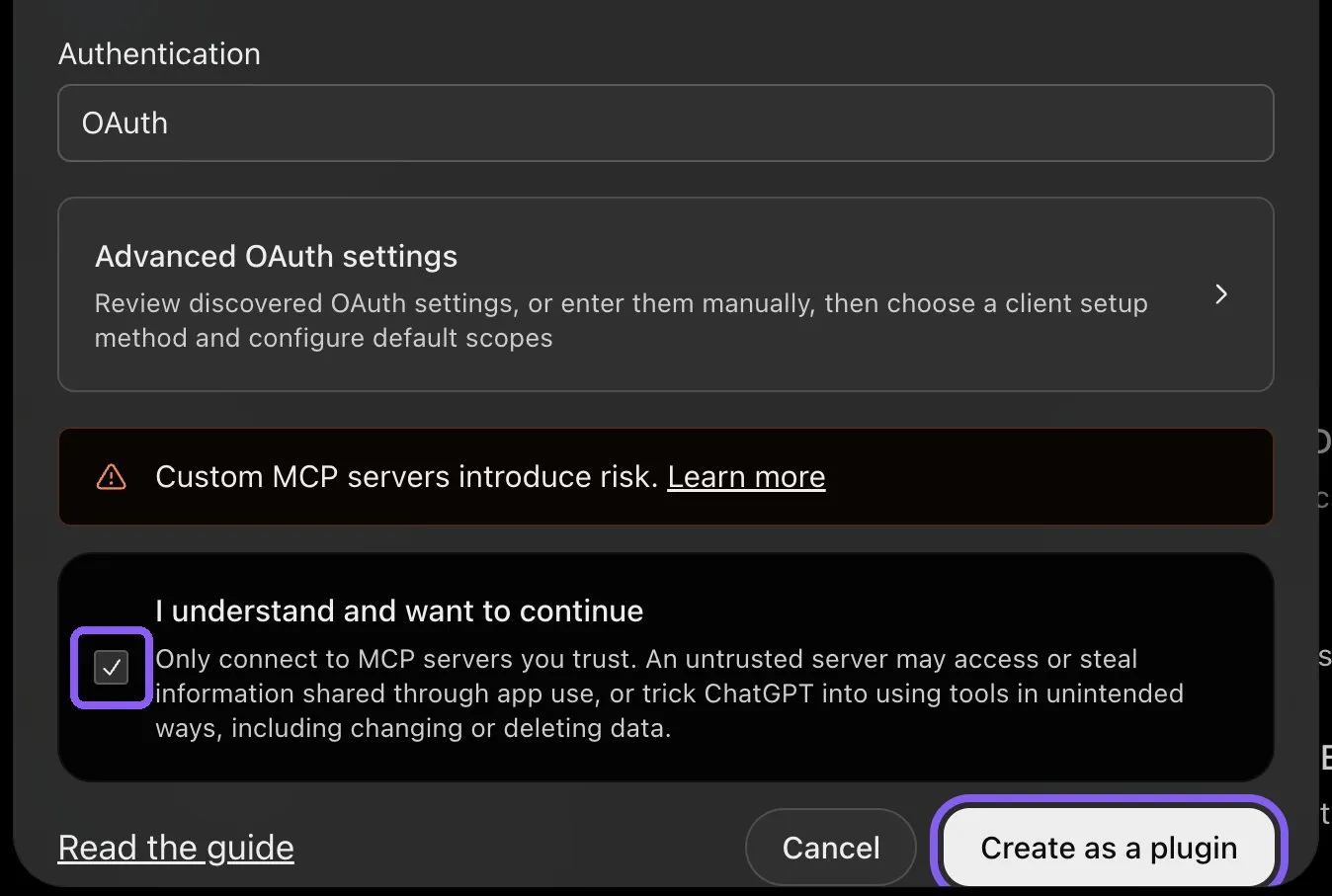
ChatGPT, bottom of the custom MCP server form, November 2026.
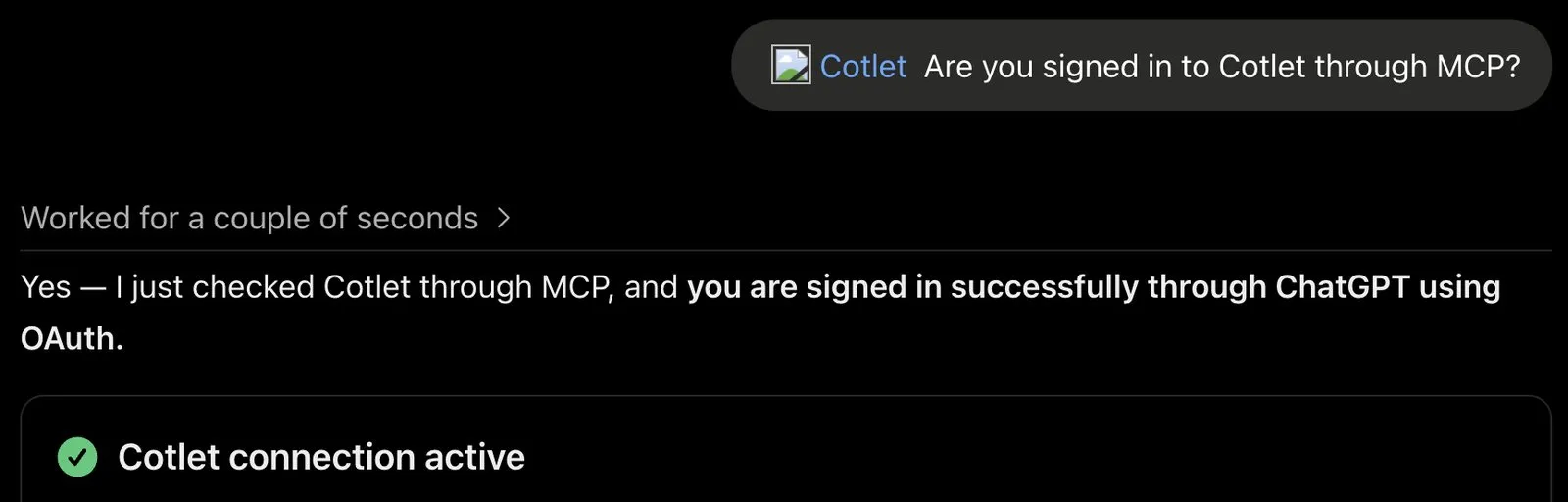
ChatGPT confirming the Cotlet connection, November 2026.
ChatGPT asks “Allow ChatGPT to use Cotlet?” before some steps. Pick Always allow, or the chat waits for your click. On a Business, Enterprise or Edu workspace, an admin has to allow custom MCP servers first.
How to connect Tanda to Claude
- Open Connectors in Claude and click Add. In the desktop app it is under Customize, Connectors.
- Click Add custom connector.
- Paste the name
Cotletand the URLhttps://cotlet.dev/mcp/v1/connect, then click Continue. - Keep the settings and click Add.
- A Cotlet page opens. Click Allow access.
- In a chat, click the plus button, then Connectors, and turn Cotlet on.
- Ask Claude: “Are you signed in to Cotlet through MCP?”, then “Open next week’s Tanda roster and list every shift that breaks a break, overtime or award rule in Tanda’s roster validation.”. Claude asks before it uses a Cotlet tool the first time. Click Allow.

Claude, Add custom connector, last screen, November 2026.

Claude, chat menu, Connectors, November 2026.
Claude’s free plan allows one custom connector. On a Team or Enterprise plan, an owner adds Cotlet in Organization settings, Connectors, and you click Connect next to it.
How to connect Tanda to Claude Code
Add Cotlet without a key, then sign in once in the browser:
claude mcp add --transport http cotlet https://cotlet.dev/mcp/v1/connectRun /mcp in Claude Code, pick cotlet and sign in to Cotlet. Prefer an API key, for example on a server? Create one in the Cotlet console and use:
claude mcp add --transport http cotlet https://cotlet.dev/mcp/v1 \
  --header "Authorization: Bearer $COTLET_API_KEY"
How to connect Tanda to Codex
Create an API key in the Cotlet console, put it in the COTLET_API_KEY environment variable and add this to ~/.codex/config.toml:
[mcp_servers.cotlet]
url = "https://cotlet.dev/mcp/v1"
bearer_token_env_var = "COTLET_API_KEY"
How to connect Tanda to Cursor
Create an API key in the Cotlet console, put it in the COTLET_API_KEY environment variable and add this to ~/.cursor/mcp.json:
{
  "mcpServers": {
    "cotlet": {
      "url": "https://cotlet.dev/mcp/v1",
      "headers": { "Authorization": "Bearer ${env:COTLET_API_KEY}" }
    }
  }
}
How to connect Tanda to Grok
Grok takes custom MCP servers on grok.com, per xAI’s connectors documentation (checked 8 November 2026).
- Open grok.com/connectors and click New Connector.
- Pick Custom and paste the server URL
https://cotlet.dev/mcp/v1/connect. - Sign in to Cotlet when Grok asks, then click Allow access.
- Ask Grok: “Are you signed in to Cotlet through MCP?”
On Grok Business, an admin adds the connector first in the xAI console, under Grok Business, Connectors. The Grok chat inside X has no custom connector menu.
How to connect Tanda to Hermes Agent
Add Cotlet to ~/.hermes/config.yaml in the format of the Hermes MCP config reference:
mcp_servers:
  cotlet:
    url: "https://cotlet.dev/mcp/v1"
    headers:
      Authorization: "Bearer ${COTLET_API_KEY}"
    trust: untrusted
Put COTLET_API_KEY in ~/.hermes/.env and check it with hermes mcp test cotlet. With trust: untrusted, Hermes runs reads at once and asks before every write. More on Hermes in our post on the Hermes Agent browser.
How to connect Tanda to n8n
Use the MCP Client node, or the MCP Client Tool inside an AI Agent node:
- Server Transport: HTTP Streamable
- MCP Endpoint URL:
https://cotlet.dev/mcp/v1 - Authentication: Bearer Auth, with your Cotlet API key as the token
- Tools: let the AI Agent node use Cotlet’s browser tools; it reads Cotlet’s Tanda guide first and works in your signed-in Tanda account
Use it for work that should run on its own, such as a Weekly report of wage cost against the labour budget by location.
Any other MCP client
Point the client at https://cotlet.dev/mcp/v1 over Streamable HTTP, with the header Authorization: Bearer <your Cotlet API key>. A client that supports OAuth sign-in can use https://cotlet.dev/mcp/v1/connect instead and needs no key. The full reference is in the MCP docs.
Three Tanda jobs to try first
Begin with the tasks that eat Thursday.
Check the roster before you publish
Open next week’s roster and list every shift that breaks a break, overtime or award rule in Tanda’s roster validation, with the employee and the day.
Tanda lets you customise roster validations, and its award compliance guide shows why cafes check before they publish. The AI reads what Tanda flags and gives you a short list: who, which day, which rule. It does not judge award rules on its own. You fix the shifts, or ask for a draft of the changes.
Clear timesheets before pay run
Show me this week’s unapproved timesheets with any that look wrong, approve the clean ones after my OK, and run the export preview for Xero.
Timesheets feed pay through the export to your payroll system. The AI lists what is waiting, marks the odd ones, such as a missing break or a very long shift, and approves the rest only after you agree. Then it opens the export preview and tells you what it shows.
Wages against the labour budget
What did I spend on wages this week against my labour budget, by location, and which days went over?
Labour budgets live under Reports in Tanda. The AI reads the budget and actual wage cost for each location and names the days that went over. You get the answer before Friday’s pay run, not in the middle of next month.
One product, two names
Which name you see depends on where you are. In Australia and New Zealand you open Tanda. In the UK and the US the same product is called Workforce.com. The screens, the roster validations and the reports are the same, so every question in this post works under either name. One practical point if you also try the API later: a token carries the scopes you picked when you made it, and it stops working when the admin who created it is deactivated. Work done through your own login does not depend on one person’s token.
More questions once the first three work
- Which shifts next week are still vacant, and who is free that day without going into overtime?
- Split this pay run’s wages by location and department, and flag anything that does not balance.
- Start a draft roster with the Roster Agent for next week and show me the plan and the cost first.
Every line above points at a Tanda screen you open already. Compare the first reply with that screen before you schedule anything.
What it costs
Your Tanda plan does not change and no token needs managing. Credits are sold once, 5,000 for $29, and they last a year. A call that does work takes 10 to 100 credits, and a call that fails takes nothing. New accounts get 500 credits and seven days to try it. Later, each day the browser is kept ready for agents costs 50 credits (pricing).
FAQ
Can ChatGPT or Claude check my Tanda roster against the award?
Yes, as far as Tanda flags it. The AI looks at the roster validation screen in your own account and passes on what Tanda marks. Award rules are never judged by the AI itself.
Does Tanda have an official MCP server for ChatGPT or Claude?
Not that we could find on 26 November 2026. Tanda has its own Roster Agent inside the product. A community MCP server on GitHub needs an API token. Cotlet is a different thing: a hosted server that works inside your signed-in Tanda.
Tanda has an open API, so why use Cotlet?
The API is a good fit for a developer who needs records. Cotlet suits the person who wants the Thursday questions answered without code, on screens like roster validations that you read in the app.
Can it use Tanda’s Roster Agent?
Yes. It starts the Roster Agent for next week, then shows you the plan and the cost. Nothing is published until you confirm.
Can it approve leave while I look at the roster?
It lists pending leave for the next four weeks with who else is off, and approves the ones that leave no gap after your OK.
Is Cotlet part of Tanda or Workforce.com?
No. Cotlet has no link to Tanda or Workforce.com and acts only through your login.
Ready for Thursday’s pay run?
Your rosters, timesheets and labour budgets already sit in Tanda. Try Cotlet free for a week, log in through the Cloud Browser and put Thursday’s questions to your AI. Running other restaurant tools too? Browse the catalog.


