How to connect Taplink to ChatGPT, Claude and any AI agent
Taplink has no official MCP server, ChatGPT app or public API, only webhooks (checked 27 Nov 2026). Let ChatGPT or Claude read your Taplink leads and orders.
Cotlet team 9 min read
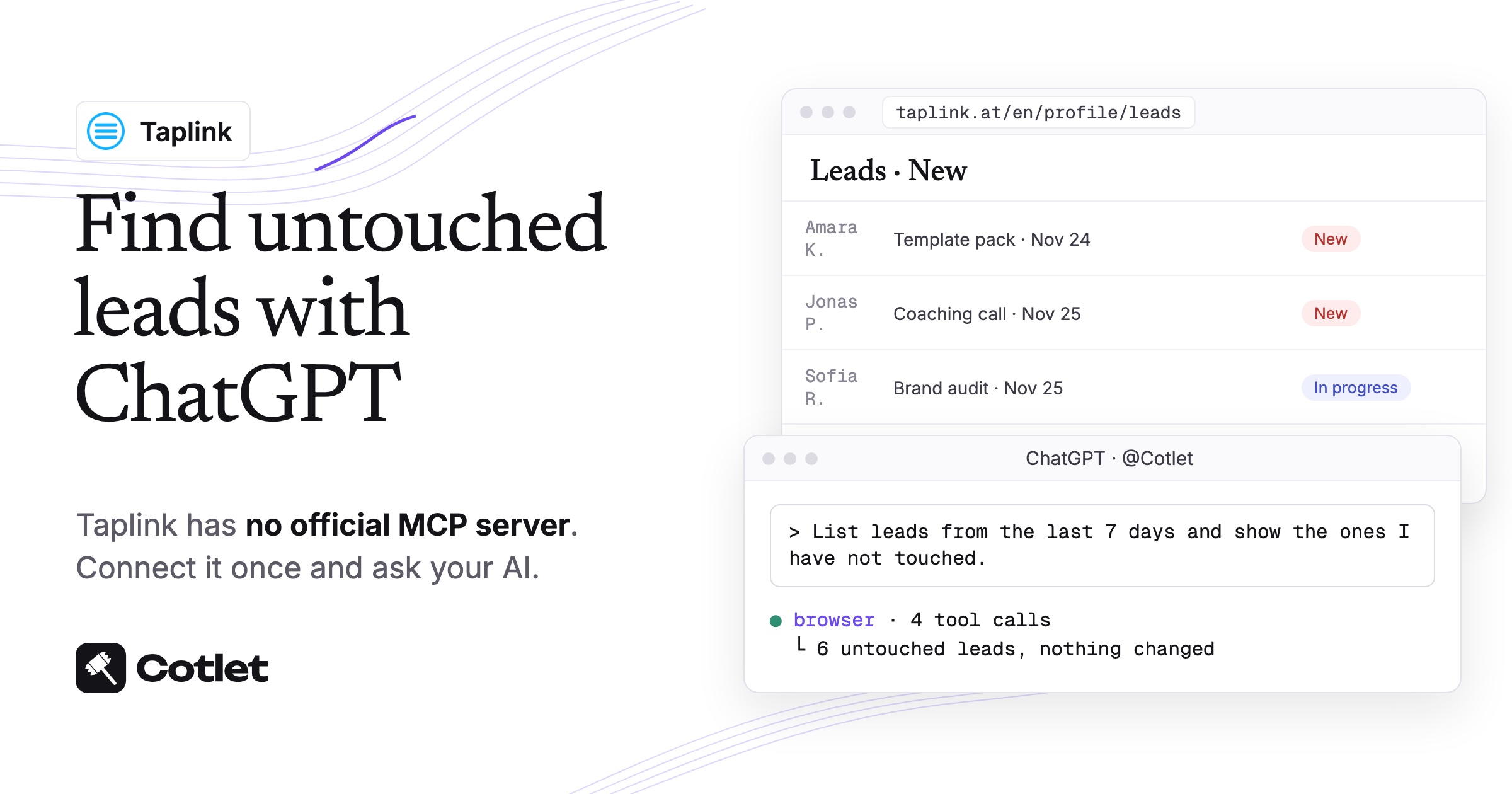
A buyer filled in your form from the link in your Instagram bio on Tuesday and nobody answered. Two orders sit unpaid since the weekend. Finding both means opening the Leads tab, sorting by status and scrolling through orders. As of 27 Nov 2026, Taplink offers no MCP server, no ChatGPT app, no Claude connector and no public API. Its developer pages hold a single topic, webhooks. Cotlet puts an AI agent in a Cloud Browser, signed in to your Taplink account, so it can read the leads and orders while you reply to messages.
It is meant for people who run a business from a Taplink page: a coach, a salon, a shop or a creator selling digital products. Your customers and their checkout are out of scope.
What you can hand to the AI
Phrase it like you would to an assistant. The agent picks the right Taplink screen and reports back.
| Taplink screen | What the AI does there |
|---|---|
| Leads tab | Lists new leads from the last week with contact and status, and flags the ones nobody touched |
| Orders in the Form and payments block | Finds orders still not paid after two days and drafts a nudge for each |
| Download leads | Exports your leads to a sheet with source, status and date |
| Notifications add-on | Checks that every form notifies you, and where (Telegram, email or Slack) |
| Digital products block | Lists products with price and attached file, and flags a product with no file |
| Payments settings | Shows which payment methods each form accepts |
Reading changes nothing. A message to a buyer or a change to a form waits for your approval. The MCP page for Taplink has more examples.
What the vendor offers today
State on 27 November 2026:
- API: none found. The developer documentation has a single page, Webhook. It covers two events, a new lead and a new payment, sent as HTTP POST with a
taplink-signatureheader. A webhook pushes an event out. It cannot look up the leads you already have. - ChatGPT and Claude: no connector. The MCP Registry has no Taplink entry, and no Taplink MCP server turned up in search.
- Zapier, Make, n8n: no app. All three return a 404 for Taplink.
- Alerts exist. The Notifications add-on sends a Telegram, email or Slack message for each new lead and payment on the Business plan.
That leaves the screens you use by hand. Each of these facts is scored in the Taplink access review.
What you need first
- A page with a Form and payments block, which sits on the Business plan according to the forms guide.
- Some real leads or orders to look at.
- A ChatGPT or Claude account.
- A Cotlet sign-up (pricing).
Step 1: log in to Taplink inside the Cloud Browser
Open taplink.at in the Cloud Browser, press Sign in and enter your details on Taplink’s own page. Cotlet never sees the password. The saved profile is encrypted, and you can revoke the agent’s access in one click (security).
Step 2: give ChatGPT or Claude the Cotlet connector
This takes a few minutes and happens once. After that every new chat already has Taplink open.
Pick your AI above to see its steps.
How to connect Taplink to ChatGPT
Do this on chatgpt.com in your browser. Cotlet then works in the ChatGPT desktop and phone apps too.
- Open Plugins in ChatGPT and click Add.
- Click Add custom MCP server. Not in the menu? Turn on Developer mode in Settings, Security and login, then come back.
- Paste the name
Cotletand the server URLhttps://cotlet.dev/mcp/v1/connect. Keep Authentication on OAuth. - Tick “I understand and want to continue” and click Create as a plugin.
- Click Connect Cotlet. A Cotlet page opens, click Allow access.
- In a new chat, type
@Cotletand pick it from the list. - Ask ChatGPT: “Are you signed in to Cotlet through MCP?” Then try a first Taplink task: “In Taplink, list the leads from the last 7 days with status and show the ones I have not touched. Change nothing.”
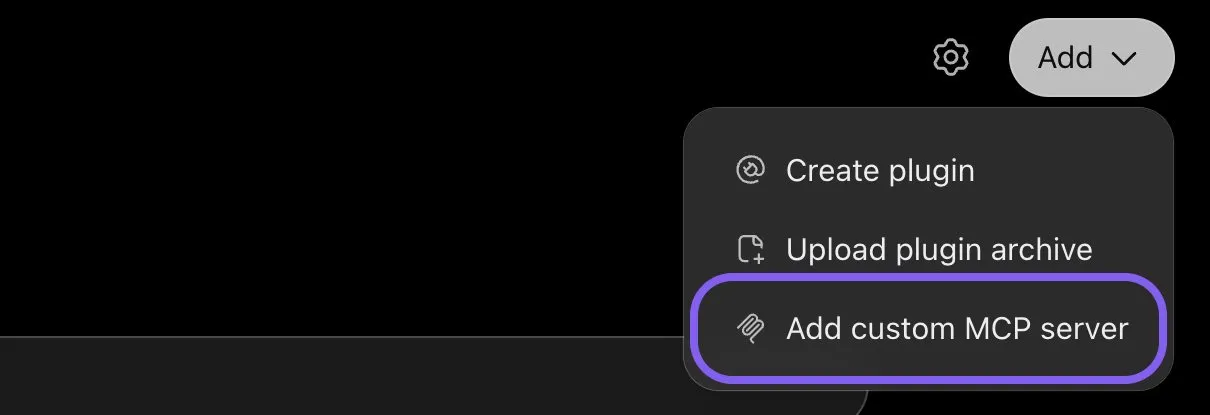
ChatGPT, Add menu on the Plugins page, November 2026.
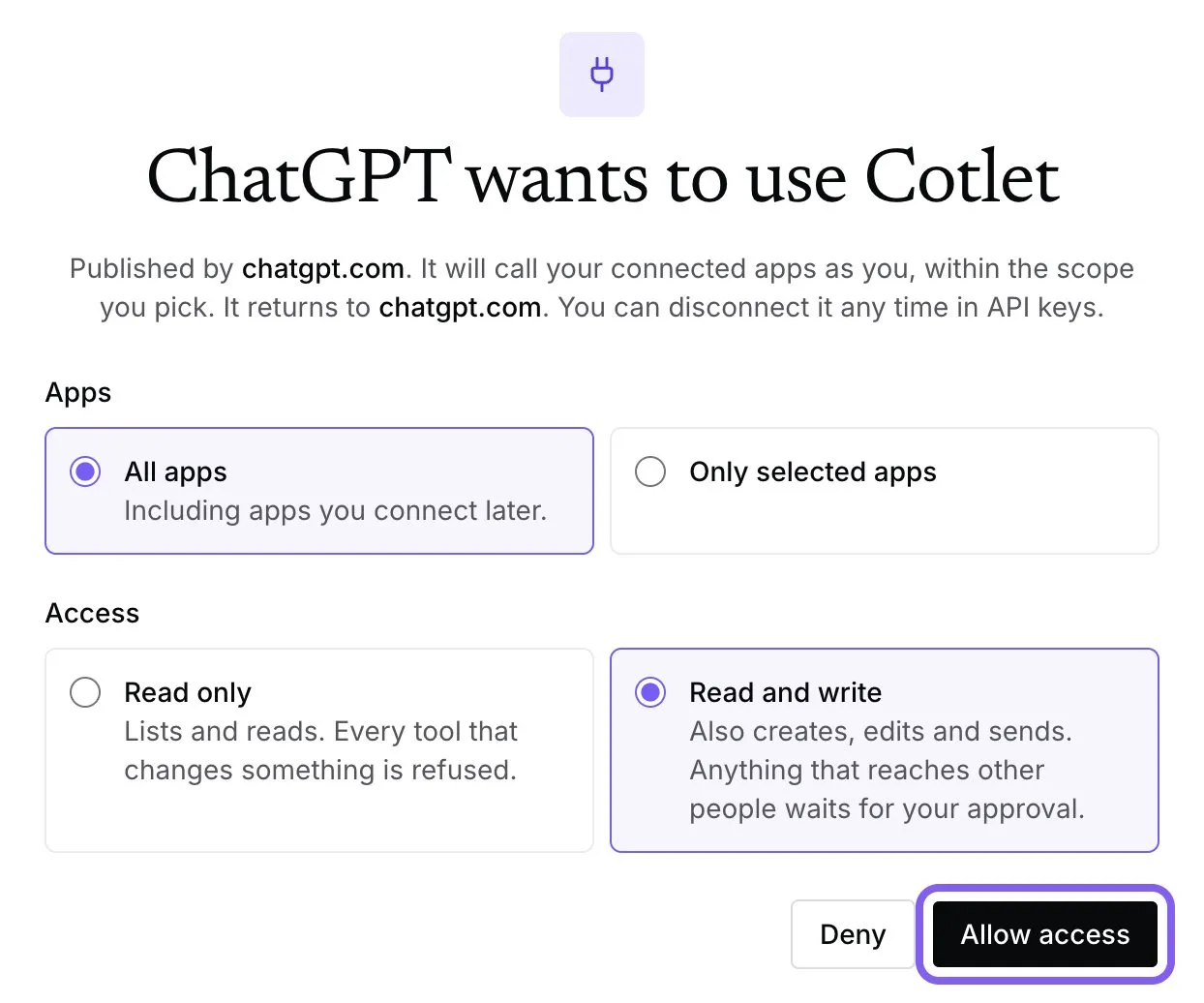
Cotlet consent page after you connect it in ChatGPT, November 2026.
ChatGPT asks “Allow ChatGPT to use Cotlet?” before some steps. Pick Always allow, or the chat waits for your click. On a Business, Enterprise or Edu workspace, an admin has to allow custom MCP servers first.
How to connect Taplink to Claude
- Open Connectors in Claude and click Add. In the desktop app it is under Customize, Connectors.
- Click Add custom connector.
- Paste the name
Cotletand the URLhttps://cotlet.dev/mcp/v1/connect, then click Continue. - Keep the settings and click Add.
- A Cotlet page opens. Click Allow access.
- In a chat, click the plus button, then Connectors, and turn Cotlet on.
- Ask Claude: “Are you signed in to Cotlet through MCP?”, then “In Taplink, list orders not paid for more than 2 days with the buyer’s contact and draft a nudge for each. Send nothing.”. Claude asks before it uses a Cotlet tool the first time. Click Allow.

Claude, Customize, Connectors, November 2026.

Claude, chat menu, Connectors, November 2026.
Claude’s free plan allows one custom connector. On a Team or Enterprise plan, an owner adds Cotlet in Organization settings, Connectors, and you click Connect next to it.
How to connect Taplink to Claude Code
Add Cotlet without a key, then sign in once in the browser:
claude mcp add --transport http cotlet https://cotlet.dev/mcp/v1/connectRun /mcp in Claude Code, pick cotlet and sign in to Cotlet. Prefer an API key, for example on a server? Create one in the Cotlet console and use:
claude mcp add --transport http cotlet https://cotlet.dev/mcp/v1 \
  --header "Authorization: Bearer $COTLET_API_KEY"
How to connect Taplink to Codex
Create an API key in the Cotlet console, put it in the COTLET_API_KEY environment variable and add this to ~/.codex/config.toml:
[mcp_servers.cotlet]
url = "https://cotlet.dev/mcp/v1"
bearer_token_env_var = "COTLET_API_KEY"
How to connect Taplink to Cursor
Create an API key in the Cotlet console, put it in the COTLET_API_KEY environment variable and add this to ~/.cursor/mcp.json:
{
  "mcpServers": {
    "cotlet": {
      "url": "https://cotlet.dev/mcp/v1",
      "headers": { "Authorization": "Bearer ${env:COTLET_API_KEY}" }
    }
  }
}
How to connect Taplink to Grok
Grok takes custom MCP servers on grok.com, per xAI’s connectors documentation (checked 8 November 2026).
- Open grok.com/connectors and click New Connector.
- Pick Custom and paste the server URL
https://cotlet.dev/mcp/v1/connect. - Sign in to Cotlet when Grok asks, then click Allow access.
- Ask Grok: “Are you signed in to Cotlet through MCP?”
On Grok Business, an admin adds the connector first in the xAI console, under Grok Business, Connectors. The Grok chat inside X has no custom connector menu.
How to connect Taplink to Hermes Agent
Add Cotlet to ~/.hermes/config.yaml in the format of the Hermes MCP config reference:
mcp_servers:
  cotlet:
    url: "https://cotlet.dev/mcp/v1"
    headers:
      Authorization: "Bearer ${COTLET_API_KEY}"
    trust: untrusted
Put COTLET_API_KEY in ~/.hermes/.env and check it with hermes mcp test cotlet. With trust: untrusted, Hermes runs reads at once and asks before every write. More on Hermes in our post on the Hermes Agent browser.
How to connect Taplink to n8n
Use the MCP Client node, or the MCP Client Tool inside an AI Agent node:
- Server Transport: HTTP Streamable
- MCP Endpoint URL:
https://cotlet.dev/mcp/v1 - Authentication: Bearer Auth, with your Cotlet API key as the token
- Tools: let the AI Agent node use Cotlet’s browser tools; it reads Cotlet’s Taplink guide first and works in your signed-in Taplink account
Use it for work that should run on its own, such as a morning list of untouched leads.
Any other MCP client
Point the client at https://cotlet.dev/mcp/v1 over Streamable HTTP, with the header Authorization: Bearer <your Cotlet API key>. A client that supports OAuth sign-in can use https://cotlet.dev/mcp/v1/connect instead and needs no key. The full reference is in the MCP docs.
Three requests to start with
Reads first. Anything that writes comes later.
Find the leads nobody opened
List the leads from the last 7 days with name, phone, email and status (new, in progress, success, canceled), and show the ones I have not touched.
Taplink’s lead statuses are new, in progress, success and canceled. The agent opens the Leads tab, reads them and gives you the untouched ones first.
Chase unpaid orders
List orders with status not paid for more than 2 days with the customer contact, and draft a message for each. Send nothing.
An order can be not paid, paid, canceled, in progress or refunded. You get the not paid ones with a draft per buyer, and you decide who gets it.
Catch a product with no file
List my digital products with price and the file attached, and flag any product without a file or with a price that looks wrong.
The Digital products block delivers a file as soon as someone pays, so a missing file is a paid order with nothing to download. The agent reads each product page and lists the gaps. It changes nothing.
Later in the week
- Download the leads and put them in a sheet with source, status and date, for your newsletter tool.
- Check that new lead and payment notifications are on for every form.
- Show which page holds the booking form, and any link in bio that points at a page you deleted.
Price
The trial gives you 2,000 credits for 7 days, no card needed. Credit packs begin at $29, last a year and bill only calls that succeed (pricing). Your Taplink plan is untouched.
FAQ
Can I connect Taplink to ChatGPT with an API key?
No. We found no public API key for Taplink and no official MCP server. What exists is webhook alerts for new leads and payments. Cotlet skips the key by working inside the account you are already logged in to.
Can I use Taplink webhooks instead?
For alerts, yes. A webhook tells your own server about a new lead or payment as it happens. It cannot list last week’s leads or find an unpaid order after the fact, and it needs someone to run the receiving server.
Can ChatGPT or Claude read my Taplink leads and orders?
Yes. They read the Leads tab and the orders through your own login. A message to a buyer only goes out after you approve it.
Is Cotlet affiliated with Taplink?
No. They are separate companies.
Run the first request today
Begin with the untouched leads. Start the free trial, log in to Taplink and type the request. Other supported apps are in the catalog.